Atlassian Jira is a project management tool, featuring an interactive timeline for mapping work items, dependencies, and releases, Scrum boards for agile teams, and out-of-the-box reports and dashboards.
$9
per month per user
InEight
Score 8.3 out of 10
N/A
InEight's modular project controls software connects complex project data to improve visibility and delivery in capital construction.
N/A
TaskRay
Score 9.0 out of 10
N/A
TaskRay is a project management platform for managing project within Salesforce. It enables work to be planned quickly and efficiently, across geographically distributed teams.
It supports collaboration using Chatter groups, and file sharing.
$15
per month
Pricing
Atlassian Jira
InEight
TaskRay
Editions & Modules
Standard
$9
per month per user
Premium
$17
per month per user
Enterprise
Contact Sales
per year
No answers on this topic
TaskRay
$25.00
per month
Offerings
Pricing Offerings
Atlassian Jira
InEight
TaskRay
Free Trial
Yes
No
Yes
Free/Freemium Version
Yes
No
No
Premium Consulting/Integration Services
No
No
No
Entry-level Setup Fee
No setup fee
No setup fee
No setup fee
Additional Details
Higher volume teams may qualify buyers for a discount.
InEight offers a modular, integrated project controls platform. Because the InEight platform covers the entire construction lifecycle, customers purchase the software based on their specific needs – purchasing stand-alone products, a bundle of products, or the entire platform. As a result, the pricing will vary depending on the specific product, number of users and length of contract. Once InEight has identified the highest impact areas, they offer potential customers a custom proposal. The options they consider include:
Per user pricing: typically annual subscriptions.
Revenue-based: using a percentage of the customer’s revenue.
Project-based: software use dedicated to a specific project or program of work.
The main reason we chose TaskRay over the others is because it connects to Salesforce. Our sales team already uses several software solutions and the last thing they need is another thing to log into each day.
We like the price compared to other PM solutions and we like all of …
TaskRay is a simple solution to install and get moving with. Project creation, stage setup, and task creation are just a few great features that are simple to set up. Remedyforce & Service Manager are a more enterprise type application for more service desk type environments. …
Jira facilitates software development, bug tracking, and sprints. It's ideal for structured workflows, issue management, and customer communication. However, more straightforward tools might be more efficient for highly creative, unstructured tasks or tiny, agile teams with quick visual overviews. Jira's complexity can be overkill for basic task lists.
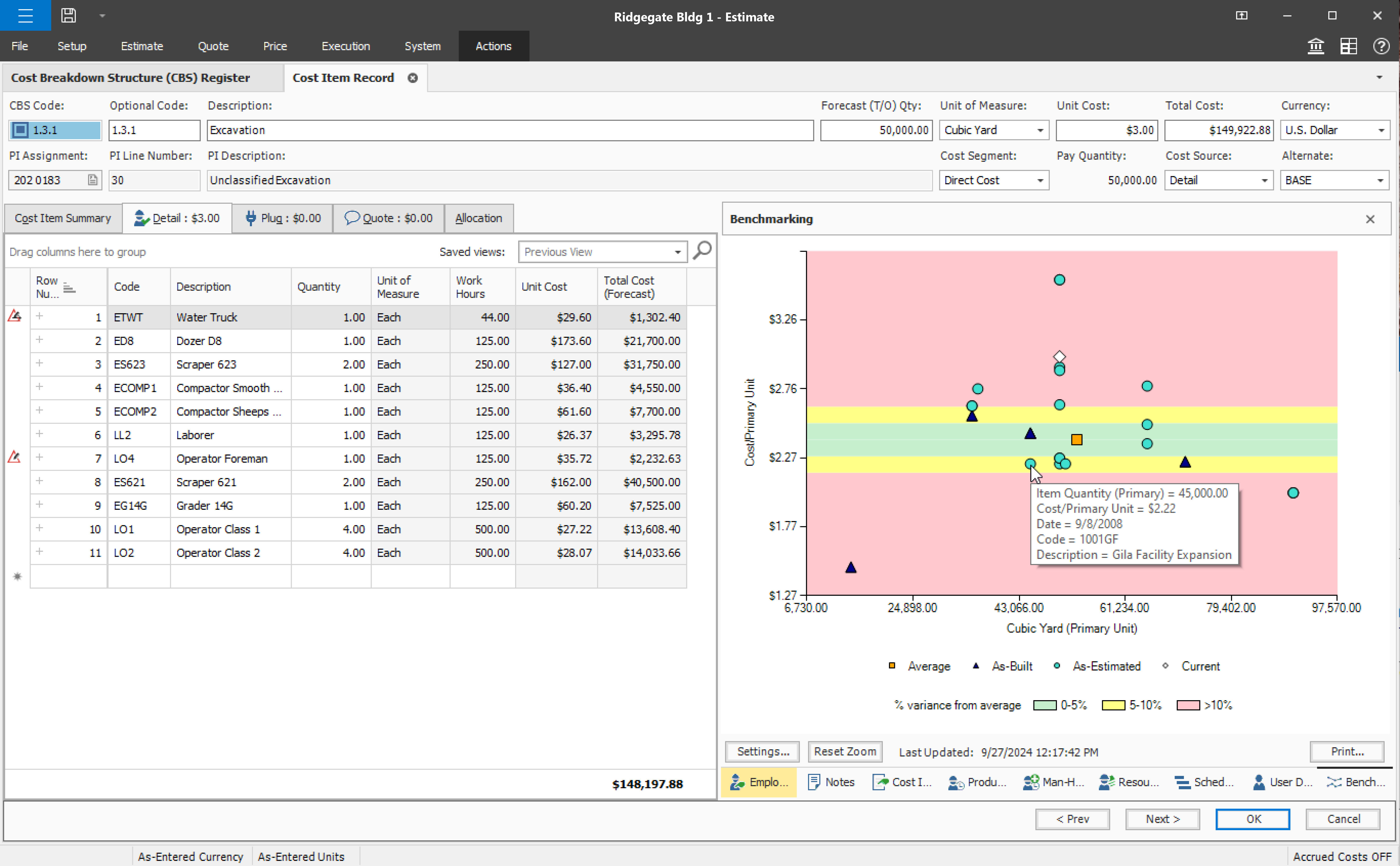
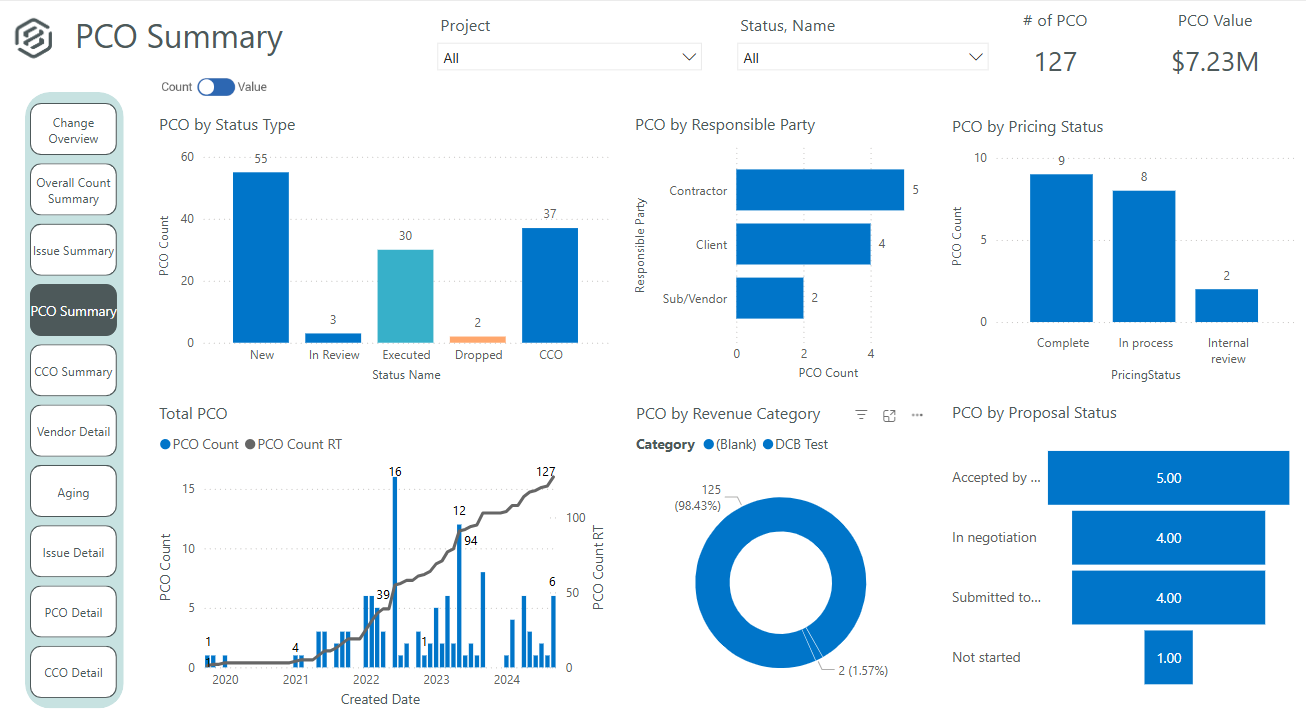
It's definitely a good tool for progress tracking, as well as time tracking. The ability to forecast quantities provide an even better scenario, closer to the reality, supporting even change management. The change management is also a good method, besides the fact of rework if you think in the whole process of issue creation, promoting to PCO, promote to CCO, execute the issue, move to change in controls, and so on... just now I think having all in a single place would minimize the manual work and maybe increase the engagement on it. About a negative point, I'd use a feature that appears to be in all modules. It's pretty much a cosmetic, but it impact in the productivity, a lot. For all fields you will fill with information, whenever your mouse hover over it, a tooltip appears, impeding you to continue, so you have to walk around, click in a place that's not being covered by that tooltip, go back to your keyboard and continue... again, it's a cosmetic, but having this in a Monday, with a full job to plan, claim quantities, and whatever else, it's annoying.
TaskRay is a great solution for small to medium sized businesses running multiple projects at the same time. It is very cost effective and their development team is actively adding new functionality regularly. If you prefer working from a tiled Kanban board view, this is highly worth evaluating.
Integration of tools like Bitbucket, Github, etc., has made it easier to track the code changes, pull requests, and branches linked to the respective ticket.
The detailed tracking system in JIRA has helped the teams prioritize and understand the project tasks and issues.
JIRA's project tracking board helps you keep track of the project, its flow, and expectations in a structured format.
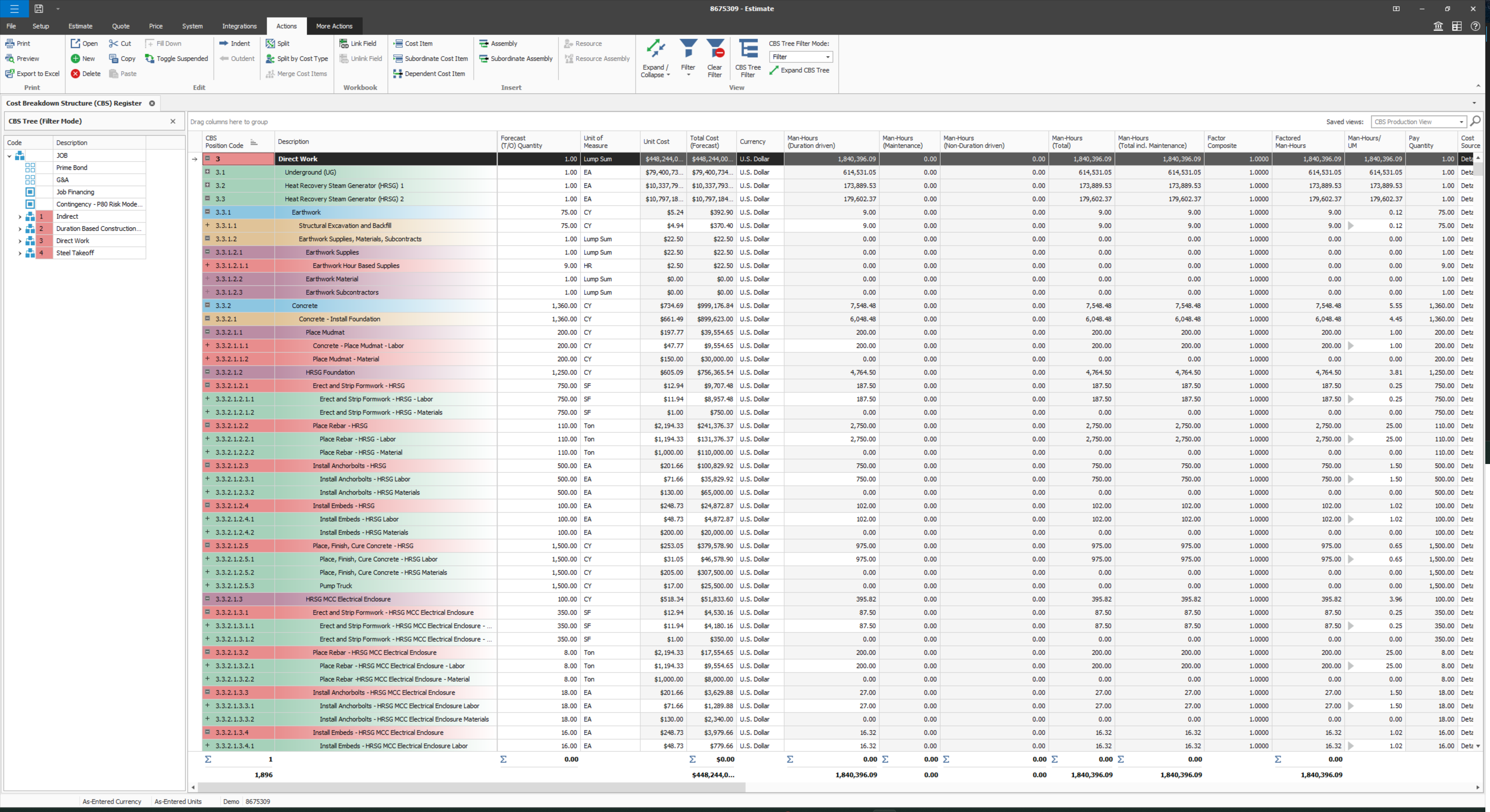
User defined views and descriptions for all screens.
Customizable ribbons to provide an efficient use of the software.
Multiple layers/dependents to allow for an extreme drill down of the work and the ability to roll up to a more useful level for upper management review.
You can bid the work as you would build it, in detail.
Provide a simpler version (cliff notes) of the knowledge database
Offer versions of InEight for smaller companies, i.e. less than 20 emplyees, under $5M in revenue
When an estimate is complete, offer a dialog box to ask if the job was won, lost, or still in progress. We tend to leave most of our estimates in the bidding column. This is a user error, but the prompt would be helpful.
Unfortunately TaskRay does not allow us to share templates externally with customers.
We have employees all over the world and we don't think TaskRay will support other languages such as Japanese. Note, I am speaking with a sales rep next week to confirm this, so we may be incorrect.
This is because Jira Software generates a huge profit for an affordable price. Having a tool that makes team management transparent and effective is very valuable.
In addition, the renewal of Jira Software and all Atlassian tools is predictable and clear, as the prices are published on the Atlassian website and there is no pyramid of intermediaries.
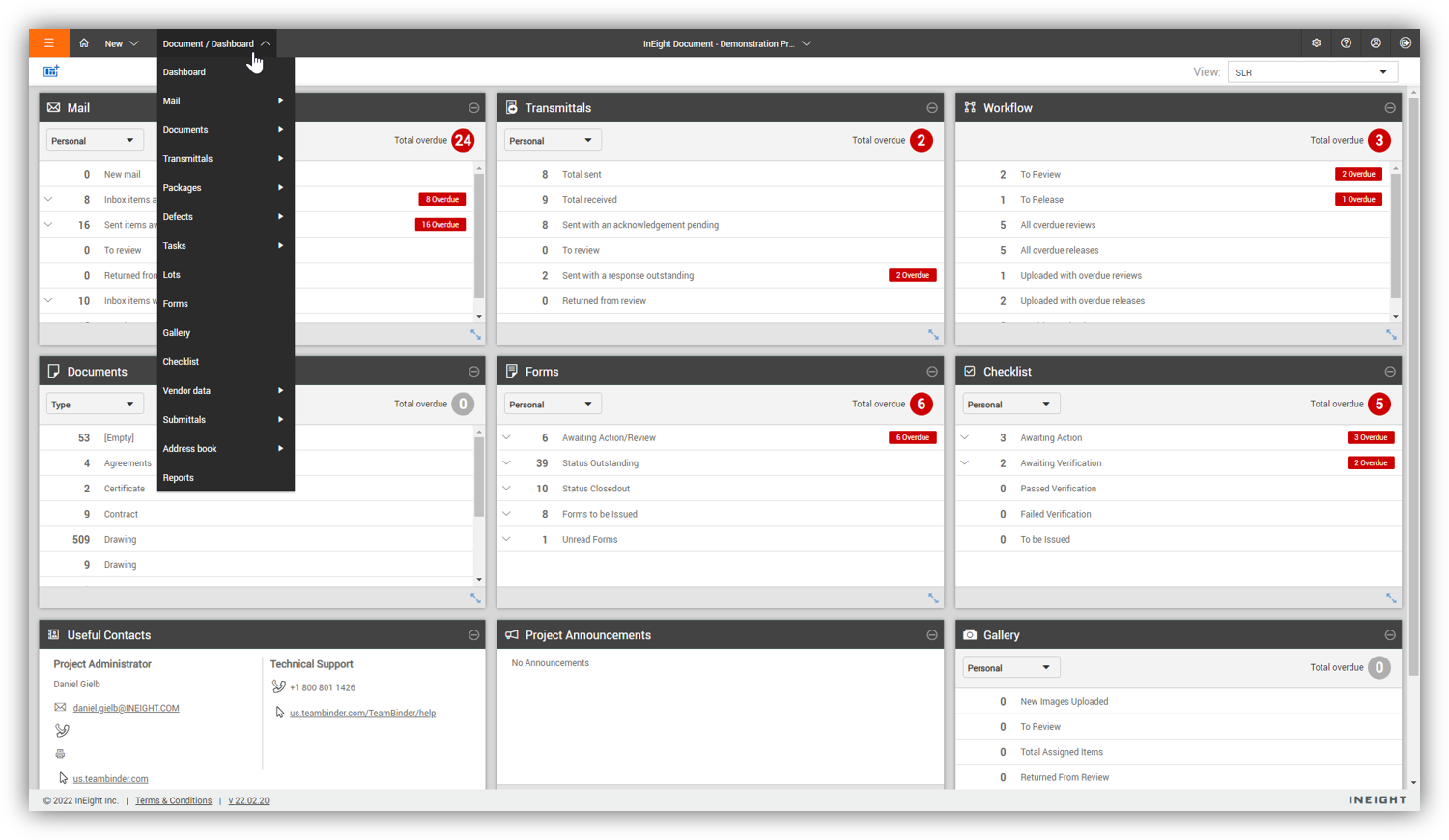
Some features with InEight's TeamBinder are worthy of single use, however the review feature and subsequent revision and version numbering could be improved. We will be aiming to roll out the package to encompass our internal documentation in the near future and will be in a better position to judge the usability after that point in time.
It's hands-down the best PM tool we have ever used. Nothing compares in ease of use and being easy to learn. It also looks great and makes sense immediately
The interface is simple and easy to use if you have some experience with it. Configuration is also logical most of the time. However, less experienced users tend to find themselves lost in some tasks - usually complex project configuration- but sometimes simple things, such as seeing why a user can't move issues in a workflow. Jira configuration requires a good amount of experience - and even experienced users often resort to documentation. It's a tool that's easy to use if you know what you're doing and where to find the proper documentation, but novice users tend to find it challenging.
I would give it an 8 out of 10 because the software can be a bit cumbersome to new users. It also takes a long time to set up the library and input all of your companies needs so that the software will provide the level of service required to estimate projects. However, once the software is set up it is a powerful tool. We only use a portion of what the software is capable of delivering
Did not face any issues and whenever they plan maintanance they update all of us very well in advance also so in that view we are good with the product stability.
Performance is really good though it holds lot of data it loads quickly especially search operation also get the results very quickly as needed hence its good
I have not had a chance to contact JIRA's customer support. It does offer extensive documentation, although it often feels too technical for me. There is also a JIRA training app that lets you take little lessons and quizzes on different areas (e.g., JIRA basics, agile). I did find it a helpful way to teach myself.
We are new to the use of the system, and so far, we have not reached out for any support. The only support we have requested so far is the development of a training program that involves other staff - some are to learn the use of the program, and some are for informational purposes in understanding the capabilities of InEight.
Had received training from our own internal user so it was good and also very easy to understand topics and many tasks in the UI are self explanatory and we can do by our own
One of their strong points i stheir documentation. Almost all of the basic set up needed within JIRA is available online through atlassian and its easy to find and very precise. The more critical issues need to be addressed as well and hence the rating of 8 instead of a 9.
Take your time implementing Jira. Make sure you understand how you want to handle your projects and workflows. Investing more time in the implementation can pay off in a long run. It basically took us 5 days to define and implement correctly, but that meant smooth sailing later on.
Since the original inception, I have been required to overhaul the system so that it is more user friendly and combines both aspects of our business, documentation and drawings. Being able to control revision and version numbering has been a key struggle that only staff training has been able to mark this as complete.
monday.com cannot be integrated with CI/CD tools, whereas Atlassian Jira integrates with CI/CD tools seamlessly. Atlassian Jira has strong Agile and Scrum support. Coming to monday.com, it has basic agile functionality. But Atlassian Jira has a complex UI, and monday.com has an intuitive, drag-and-drop interface. Overall, Atlassian Jira provides features like Agile project management, DevOps integration, and customizable workflows.
We looked at HCSS and Bid 2 Win but chose Ineight due to the fact that it seemed more user friendly, plus I had used it at a former company when it was available from the Grantlun Corporation and was very familiar with it in its ease of use and reliability.
We are still in our year long evaluation process. But TaskRay has been the easiest, and most successfully adopted tool so far. Even if we do not end up choosing TaskRay, I do not regret implementing the system or the experience working with the team at TaskRay. The only reason we may not end up going with TaskRay is lack of templates and slightly stunted reporting features (this is mainly due to Salesforce limitations). Our organization is growing so quickly, we need to consider tools that are better able to regiment processes in a larger group of Customer Service Representatives and give management more detailed insight into those activities.
InEight is a good system that has scaled nicely as the company has grown. the tools are still readily available and applicable for our larger scope of work. It has kept up with the growth of the company very nicely
Atlassian Jira's robust workflow automation has boosted team efficiency, shortening delivery cycles and driving a positive ROI through improved project management.
Its advanced reporting and integration capabilities have enabled data-driven decisions, aligning operations with key business objectives.
However, the steep learning curve can delay adoption, potentially hindering short-term ROI.