Azure DevOps Server (formerly Team Foundation Server, or TFS) is the on-premise version of Azure DevOps. To license Azure DevOps Server an Azure DevOps license and a Windows operating system license (e.g. Windows Server) for each machine running Azure DevOps Server.
N/A
LiquidPlanner
Score 8.3 out of 10
Mid-Size Companies (51-1,000 employees)
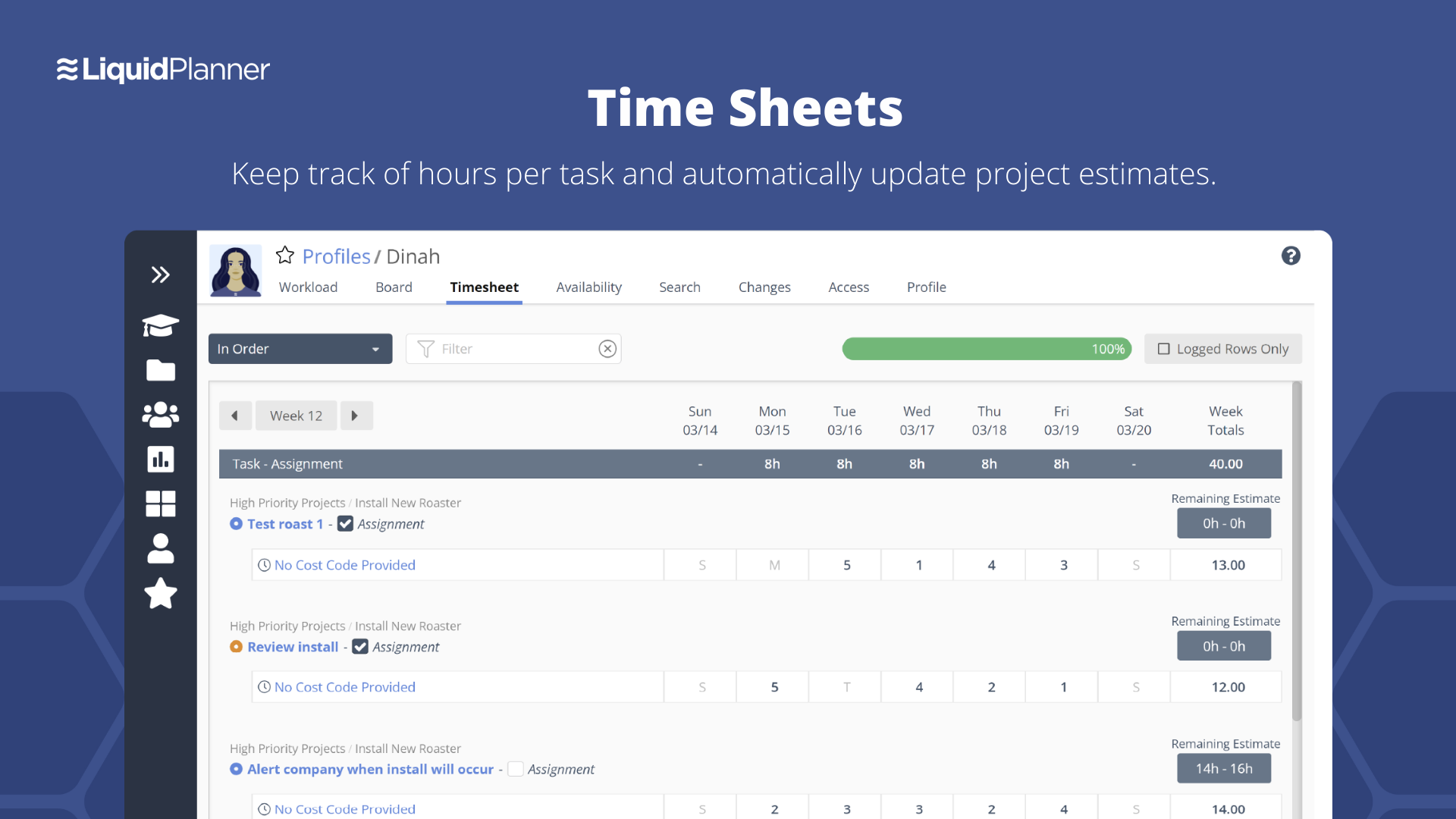
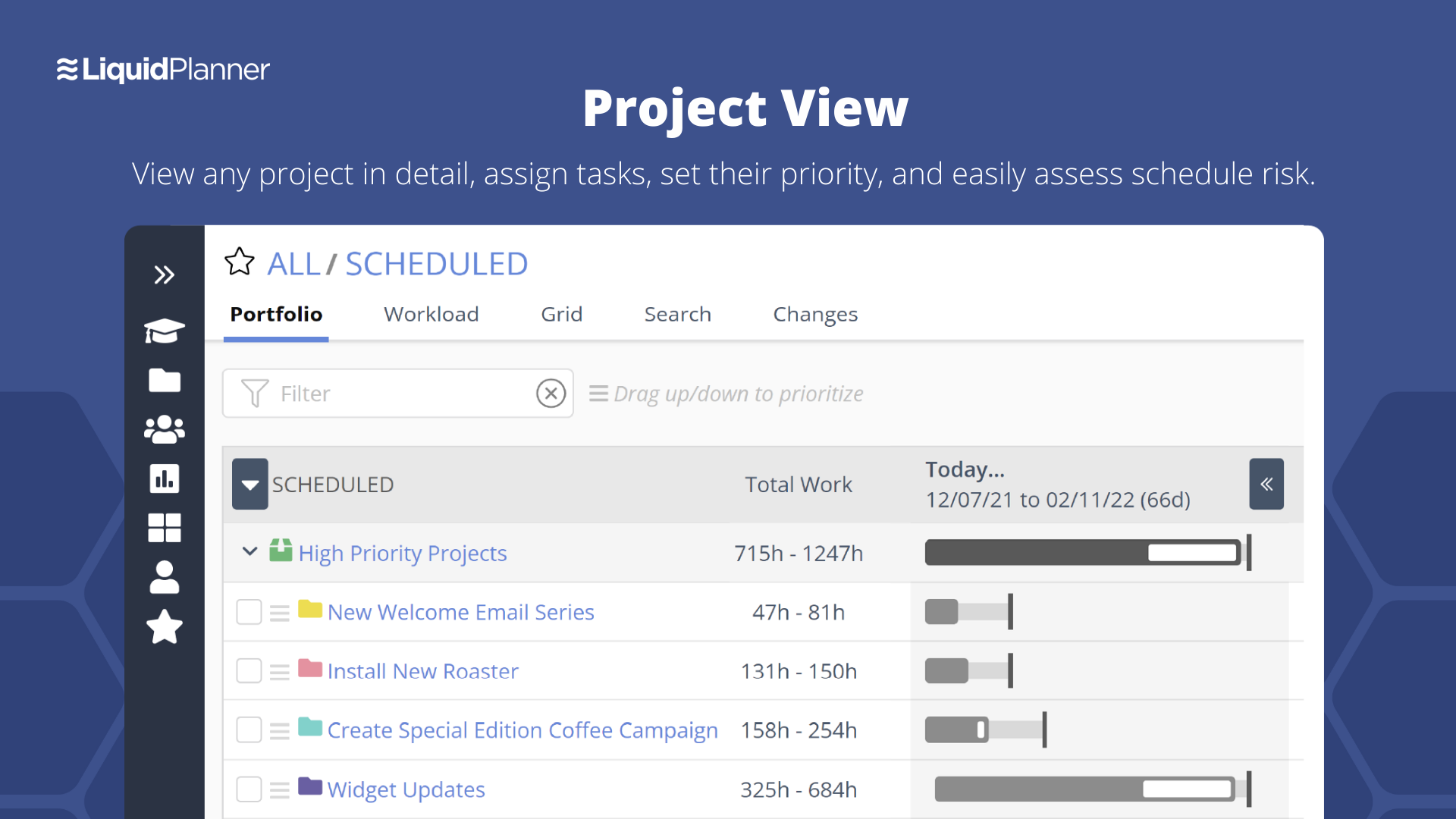
LiquidPlanner is a cloud based predictive project management solution. Some key features include: Dynamic Timeline View, Workload View, and Real-Time Activity Stream.
$0
per month per user
Wrike
Score 8.6 out of 10
Mid-Size Companies (51-1,000 employees)
Wrike is a project management and collaboration software. This solution connects tasks, discussions, and emails to the user’s project plan. Wrike is optimized for agile workflows and aims to help resolve data silos, poor visibility into work status, and missed deadlines and project failures.
$240
per year 2 users (minimum)
Pricing
Azure DevOps Server
LiquidPlanner
Wrike
Editions & Modules
No answers on this topic
Free
$0
per month per user
Essentials
$15.00
per month per user
Professional
$25
per month per user
Ultimate
$35
per month per user
Enterprise
CALL FOR VOLUME PRICING
Wrike Free
$0
per month per user
Wrike Team
$10
per month (billed annually) per user (2-15 users)
Wrike Business
$25
per month (billed annually) per user (5-200 users)
Apex
Request a quote
per month per user
Pinnacle
Request a quote
per month per user
Offerings
Pricing Offerings
Azure DevOps Server
LiquidPlanner
Wrike
Free Trial
No
Yes
Yes
Free/Freemium Version
Yes
Yes
Yes
Premium Consulting/Integration Services
No
Yes
Yes
Entry-level Setup Fee
No setup fee
No setup fee
No setup fee
Additional Details
—
—
Every premium plan begins with a 14-day trial period.
Wrike just has so many more features as well as a more modern UI. It also has a very responsive support team that quickly implements suggestions if they find them useful.
We are currently using all of these products. Each of them does some things really well. Confluence is great for documentation on functionality that isn't changed frequently or to define how a business unit captures metrics. GitHub is good for source control, but we use Wrike to …
Azure DevOps is good to use if you are all-in on the Microsoft Azure stack. It's fully integrated across Azure so it is a point-and-click for most of what you will need to achieve. If you are new to Azure make sure you get some outside experience to help you otherwise it is very easy to overcomplicate things and go down the wrong track, or for you to manually create things that come out of the box.
LiquidPlanner is amazing for any time of project management scenario where you have to manage several teams and details. Running a project through LiquidPlanner is so easy because it lets you break down the project into sections and folders and small tasks that you can assign to specific people. With a small to medium size team-- LiquidPlanner is amazing for organizing and tracking details. If you have a huge team or not a ton of details to track LiquidPlanner might not be right for you because it is a software that requires some good training to learn and has tons of functions that can be utilized so it seems better suited to be used by a smaller group looking to coordinate or for people who have lots of details that can be difficult to track.
I think that Wrike is customizable enough to fit most needs, so I would generally recommend it as a starting point to anyone that is looking for a project management tool. Some people on my team don't like it, but I think that is moreso due to lack of exposure than any flaws in the tool itself. I predominately taught myself many of the features, and I found it to be straightforward. There is lots of great documentation out there, plus the community forums are incredible helpful as well. Wrike might not be THE perfect tool for every single need, but I think that there would be very few situations where it would ultimately be incompatible with a team's workflow needs.
Priority based planning. Every other planning software we've used relies on dates and therefore needs constant attention. Priority based planning means that the plan is always up to date.
Ease of use. LiquidPlanner has a very short learning curve. This is critical to getting team members to use it.
Forecasting. LiquidPlanner makes it very easy to run scenarios by simply dragging and dropping projects and reassigning resources.
Awesome Support. I get personal responses very fast. Usually within a couple hours. And, they listen and ask for more information.
The interface is messy and cluttered. The best way to find things and see what you actually want to see is the main Projects view which is also the most cluttered and hardest to maneuver in.
Clicking an external link someone posted in a comment or task description doesn't open in a new window by default, so we are constantly having to go back to get to LiquidPlanner again.
The way that the interface saves your state globally (rather than per tab instance) means that if you click a link from someone else to a task that's not yours, then it adjusts your filters on the Projects page. Then if you refresh another LiquidPlanner window where you were on the Projects tab, suddenly all of its filters are updated and what you were looking at may no longer be there.
It might just be the way that we use the system, but the Home and My Work tabs are fairly useless for us. They typically don't show the tasks we're actually looking for.
Because we are a Microsoft Gold Partner we utilize most of their software and we have so much invested in Team Foundation Server now it would take a catastrophic amount of time and resources to switch to a different product.
We may not renew LiquidPlanner's contract, but only because my company has recently been acquired and we'll be adopting some of the software that they're using to standardize process. LiquidPlanner's development team releases new features pretty often, so it seems like the gaps and inefficiencies are slowly getting smaller/less frequent
I wish that Wrike had more drag and drop functionality that would be connected to assignee and also I wish that the finish date of a task would update to the date where you checked completed. It does not do that. Also finishing a task doesn't move the start date of the next task it "protects your time in that way", but our management team wants us to quickly see what we have down the pipeline rather than having to scroll down the list of upcoming tasks.
For standard users the interface is friendly. but if you are a manager some tools are a little confusing to use, like the query system that you always need to create from scratch. Templates should be more helpful for queries and for standard procedures that you need to duplicate PBIs over time. The search history of Work Items is a little painful to use.
It's easy as pie to use. I don't have any issues and only the oldest, most un-tech savvy of coworkers on my team seems to have issues with it. It's quick to pick up, intuitive, and effective. I have no criticism for it.
Over two years of (almost) daily usage without outages. Don't remember any errors. I give it 9 only because some Wrike plugins (for online document edit) are based on NPAPI architecture. These types of plugins are being phased out in new browsers, and NPAPI plugins are disabled by default in recent versions of Chrome so you have to do some browser adjustments when you switch browsers or move to another computer.
Wrike tasks loads fine, but I hate clicking files and wait for a bit of time since it is powerpoint or word, Wrike assumes I want to open those on Wrike. My suggestion is to link it to office 365 so we do not need Wrike based decoder for PPTX and DOCX
I have not had to use the support for Azure DevOps Server. There have never been any issues where I was not able to figure it out or quickly resolve. Our Scrum Master has used support before though, and the service has always been prompt and clear with a customer-focus
They have been great in trying to come up with creative solutions to help us do what we want to do with the platform. I would say their support has been exceptional because we have hit them with some complex requests.
During my learning phase with Wrike, I initially struggled with setting up automation rules and request forms. However, Wrike support was always my go-to, resolving issues within seconds or minutes. Their assistance made the learning process much easier. My best experience was receiving step-by-step screenshots to follow, with the support team on standby until I was completely satisfied.
I love the Wrike training options. Wrike Discover has tons of courses, learning plans, certifications, etc. This is an area where Wrike definitely shines! I wish these resources were more in your face for new people, because it seems like a lot of coworkers didn't know all of this training was available to them.
There are a lot of bells and whistles in Wrike, and not all of it is easy or intuitive to understand once it's plopped in your lap. It's easier when there are a few choice people who understand Wrike as a platform and articulate it in such a way where it makes it easy to pass it along to others in the group
In my opinion, DevOps covers the development process end to end way better than Jira or GitHub. Both competitors are nice in their specific fields but DevOps provides a more comprehensive package in my opinion. It is still crazy to see that the whole suite can be used for free. The productivity increase we realized with DevOps is worth real money!
Miro is a more versatile tool, but not quite made for planning and organizing. LiquidPlanner is very intuitive, fast to learn and easy to communicate. The added value of prioritizing tasks, personalized boards and gantt charts are really important during the planning and design thinking in the business. LiquidPlanner is simplified yet more helpful.
We use both monday.com and Wrike. While Monday does have a better user interface, Wrike allows us to have more visibility into tasks where multiple people are collaborating. And also to receive project brief-ins and requests for new projects. We use both differently and I would say for us Wrike is more the collaboration tool than the day to day individual task management tool - and it works great.
The sky is the limit for what can be done in Wrike. We started with 1 use case and within 5 months we migrated several key business practices over to Wrike because they were easier to manage. Use cases so far: process improvement, management review, corrective actions, maintenance requests, month-end financial closing, and document management. As we grow, it's easy to imagine putting even more into Wrike where it becomes a cornerstone for how we do business
It has streamlined the pipeline and project management for our agile effort.
It has helped our agile team get organized since that is a new methodology being leveraged within the Enterprise.
The calendar has improved visibility into different OOOs across the project team since we all come from different departments across the larger organization.
LiquidPlanner really forces you to map out your workflow. For me, honing into a template that I can later adjust as needed has been huge, as there is less time at the beginning of a project trying to assign and figure out what needs to happen when usually it never changes.
Communication between employees, especially ones not immediately available in the office has been very welcomed. It helps having conversations documented in a public, logical place that is easy to find and refer to as the project continues.
Our productivity has definitely skyrocketed as we've really gotten a feel and committed to using LiquidPlanner daily. As we move forward, we continually try to add more and more ways for us to use the service.
Different teams (e.g., contracting, compliance, provider relations) can view updates in real time, comment directly on tasks, and escalate items when needed.
Wrike allows us to template the contracting process (from intake to signature) to ensure consistency across payers and reduce administrative overhead.
Leadership can see the status of negotiations at a glance, identify bottlenecks, and prioritize resources accordingly.