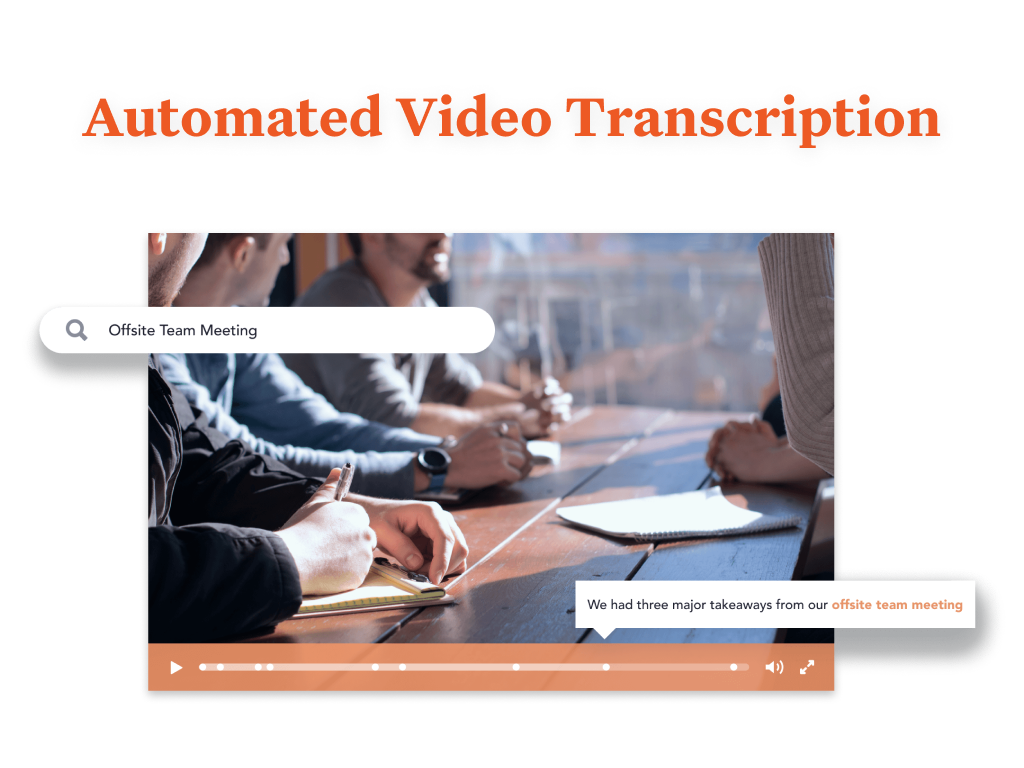
Bloomfire provides knowledge engagement, aiming to deliver an experience that connects teams and individuals with the information they need to excel at their jobs. Their cloud-based knowledge engagement platform aims to give people one centralized, searchable place to engage with shared knowledge and grow their organization's collective intelligence.
$25
per month
Dialpad Sell
Score 8.9 out of 10
N/A
Dialpad Sell is a phone system built for sales, with real-time coaching and CRM integrations. It features call analytics, voice intelligence with objection handling, call sentiment analysis for just-in-time coaching, and support for a range of headsets and phones.
N/A
Showpad eOS®
Score 8.2 out of 10
N/A
Showpad is an Enablement Operating System (eOS™) that aligns sales and marketing teams around high-impact buyer interactions while generating the insights needed to continuously improve conversion rates.
N/A
Pricing
Bloomfire
Dialpad Sell
Showpad eOS®
Editions & Modules
Basic
$25.00
per month
No answers on this topic
No answers on this topic
Offerings
Pricing Offerings
Bloomfire
Dialpad Sell
Showpad eOS®
Free Trial
No
No
No
Free/Freemium Version
No
No
No
Premium Consulting/Integration Services
Yes
No
Yes
Entry-level Setup Fee
$25
No setup fee
Optional
Additional Details
—
—
There is also an Ultimate package available. Pricing for Ultimate is available by custom quote only. Contact Showpad for Ultimate pricing.
More Pricing Information
Community Pulse
Bloomfire
Dialpad Sell
Showpad eOS®
Features
Bloomfire
Dialpad Sell
Showpad eOS®
Preview Dialer
Comparison of Preview Dialer features of Product A and Product B
Bloomfire
-
Ratings
Dialpad Sell
8.0
22 Ratings
9% above category average
Showpad eOS®
-
Ratings
Contact preview
00 Ratings
8.021 Ratings
00 Ratings
Dialer-CRM integration
00 Ratings
8.018 Ratings
00 Ratings
Call notes & tags
00 Ratings
8.020 Ratings
00 Ratings
Automatic call logging
00 Ratings
8.020 Ratings
00 Ratings
Core Dialer
Comparison of Core Dialer features of Product A and Product B
Bloomfire
-
Ratings
Dialpad Sell
8.4
22 Ratings
9% above category average
Showpad eOS®
-
Ratings
Outbound dialing
00 Ratings
8.022 Ratings
00 Ratings
Inbound routing
00 Ratings
8.022 Ratings
00 Ratings
Custom caller ID
00 Ratings
7.121 Ratings
00 Ratings
Click-to-call
00 Ratings
9.020 Ratings
00 Ratings
Recorded voicemail drop
00 Ratings
10.019 Ratings
00 Ratings
Dialer contact import
00 Ratings
8.919 Ratings
00 Ratings
Campaign & list management
00 Ratings
8.216 Ratings
00 Ratings
Call Follow-up and Quality Assurance
Comparison of Call Follow-up and Quality Assurance features of Product A and Product B
PTS: needed to bring a new senior marketing team member up to speed on how we got to our current TV campaign
Solution: Series featuring consumer insights, why specific spokesperson, agency brief, the entire creative process - scrips, animatics, rough cuts, feedback, and testing at each step. Including the actual creative from each step.
Total time to build: 1 hour
Concept testing:
PTS: things get lost, findable but version control
Solution: everything in one placeConcepts, testing, IHUTs, verbatims, videos with transcripts. Reduces the possibility of missing something, helps with any builds (reuse), but gives us a the chance to dig deeper. Example: search on terms like "indulgent", or "crispy" or "share" much faster
Well, There are numerous scenarios where a Dialpad can be very helpful in terms of communication tools. It allows the user to send text unlimited messages, making outbound calls, and review daily, weekly, monthly, or custom analytics. Saving n number of contact details, easy to search them on Dialpad. As of now, I did not come across any scenario where I can say Dialpad would not be suited.
Any person who is interested in understanding the level of engagement from a client needs Showpad. It is a must-have software if you have people within your organization that are customer-facing. If your role is primarily communicating with employees within your own organization, then this software might not be as useful to you. For those in sales, account management, or who needs to know if your recipient has seen your emails/content, this is a useful tool.
Quickly reach out to whatever employee segment you want to reach by posting a topic and it will send a notification to everyone in that group with a link to the posting.
Bloomfire saves all of the previous posts so in your free time you can go to the site, and explore the various range of topics others have posted. The information on there will only be as good as the person posting it, but it will be people within your company and industry posting it. So it will always be helpful.
Bloomfire is a place to be noticed by your peers. Have a great topic you want to express, my company allows all to post there as long as we keep it professional. So you can share your ideas or experiences in a safe and productive manner. But we do have some fun on there too!
User-Friendly. The ability to easily customize to fit your needs
Delivering content easily and quickly, reducing cost for print, and out of date information
Reporting. Providing the analytical function to track what content has been utilized or not utilized and become more efficient in the type of information you share
Offline Use. The ability to be able to view content offline
I would recommend adding a feature to combine different posts/series by job title (so in addition to the Revenue Ops category, there could be a structured walkthrough for Revenue Manager).
Live Q+A sessions for group onboarding initiatives.
Most likely we will renew, our team needs a refresher on possible opportunities to advance our usage and learning of opportunities to move this answer to a 10, can't live without it.
Bloomfire is an easy-to-use platform for posting information and asking questions of my peers. It also has a user-friendly search capability. Yet like any other CMS, the secret to success rests in such items as the ability to use metadata to tag content or posts, and Bloomfire provides a wide range of options to make posting content and subsequently searching for it.
Dialpad Sell is Very easy to use, whether at home or in the office dial pad has very sleek and easy to use features, all features are easy to find and are pretty self explanatory, the switch from regular phones to dial pad was a very easy and non stressful switch for our whole team
I have not needed to pose questions to the support team yet, as it is a very simple piece of software to use, however, its help documents and the bot ready to answer questions let me know I am in good hands. The help center could load a little quicker, but that's my only complaint.
I have not been involved with support from Showpad so I am not entirely sure. However, we have received some emails from our help desk about an outage and it seems like it didn't last very long so I would say that it was pretty effective support to that extent.
I like Bloomfire because it is more concise with the work I do whereas Google search engine would provide broader information. It has just been so user-friendly, and easier to use [than] I could have imagined. I would use this program over any other that I have tried in the past.
I think that Skype for Business was a clunky system to use and didn't seem as up-to-date with their interface as Dialpad Sell does. I have found that Slack does a better job at communicating within the company, but Dialpad Sell is still the best system for external outreach.
The only option our company used was cloud-based file-sharing services (Box, Dropbox, etc) and emails like Outlook or Gmail. Both options make it hard for version control and for ease of navigation. Generally, end-users had an easier time finding content on Showpad.