Bloomfire provides knowledge engagement, aiming to deliver an experience that connects teams and individuals with the information they need to excel at their jobs. Their cloud-based knowledge engagement platform aims to give people one centralized, searchable place to engage with shared knowledge and grow their organization's collective intelligence.
$25
per month
Sage CRM
Score 8.9 out of 10
Mid-Size Companies (51-1,000 employees)
Sage CRM is an SMB-oriented CRM platform offered in both SaaS and on-premise editions. Unlike the Sage SalesLogix product, the SaaS version is a true multi-tenant offering.
The platform offers excellent integration with Sage ERP and accounting products. It is also a good global solution and is available in many languages and is used by over 12,000 customers worldwide, with many customers in Europe.
$33
per month
Salesforce Experience Cloud
Score 8.2 out of 10
N/A
Salesforce Marketing Cloud Engagement (formerly Salesforce Experience Cloud or Salesforce Community Cloud) is an online forum powered by Salesforce that enables businesses to connect with their employees, customers, partner organizations, and prospects. Designed to help facilitate communication and information sharing, customers can ask questions and request help, administrators can integrate data from third-party apps, and employees can collaborate across projects and…
N/A
Pricing
Bloomfire
Sage CRM
Salesforce Experience Cloud
Editions & Modules
Basic
$25.00
per month
Sage CRM (cloud)
$45
Per User per Month
Sage CRM (on premise)
Lifetime License per Seat
No answers on this topic
Offerings
Pricing Offerings
Bloomfire
Sage CRM
Salesforce Experience Cloud
Free Trial
No
Yes
No
Free/Freemium Version
No
No
No
Premium Consulting/Integration Services
Yes
Yes
No
Entry-level Setup Fee
$25
No setup fee
No setup fee
Additional Details
—
Tiered pricing is available for multiple users.
—
More Pricing Information
Community Pulse
Bloomfire
Sage CRM
Salesforce Experience Cloud
Features
Bloomfire
Sage CRM
Salesforce Experience Cloud
Sales Force Automation
Comparison of Sales Force Automation features of Product A and Product B
Bloomfire
-
Ratings
Sage CRM
8.8
17 Ratings
12% above category average
Salesforce Experience Cloud
-
Ratings
Customer data management / contact management
00 Ratings
9.017 Ratings
00 Ratings
Workflow management
00 Ratings
8.616 Ratings
00 Ratings
Territory management
00 Ratings
8.517 Ratings
00 Ratings
Opportunity management
00 Ratings
8.917 Ratings
00 Ratings
Integration with email client (e.g., Outlook or Gmail)
00 Ratings
9.016 Ratings
00 Ratings
Contract management
00 Ratings
8.614 Ratings
00 Ratings
Quote & order management
00 Ratings
9.016 Ratings
00 Ratings
Interaction tracking
00 Ratings
9.216 Ratings
00 Ratings
Channel / partner relationship management
00 Ratings
8.716 Ratings
00 Ratings
Customer Service & Support
Comparison of Customer Service & Support features of Product A and Product B
Bloomfire
-
Ratings
Sage CRM
8.1
16 Ratings
5% above category average
Salesforce Experience Cloud
-
Ratings
Case management
00 Ratings
8.016 Ratings
00 Ratings
Call center management
00 Ratings
8.215 Ratings
00 Ratings
Help desk management
00 Ratings
8.214 Ratings
00 Ratings
Marketing Automation
Comparison of Marketing Automation features of Product A and Product B
Bloomfire
-
Ratings
Sage CRM
8.7
16 Ratings
11% above category average
Salesforce Experience Cloud
-
Ratings
Lead management
00 Ratings
8.816 Ratings
00 Ratings
Email marketing
00 Ratings
8.715 Ratings
00 Ratings
CRM Project Management
Comparison of CRM Project Management features of Product A and Product B
Bloomfire
-
Ratings
Sage CRM
9.0
17 Ratings
16% above category average
Salesforce Experience Cloud
-
Ratings
Task management
00 Ratings
9.016 Ratings
00 Ratings
Billing and invoicing management
00 Ratings
9.015 Ratings
00 Ratings
Reporting
00 Ratings
9.113 Ratings
00 Ratings
CRM Reporting & Analytics
Comparison of CRM Reporting & Analytics features of Product A and Product B
Bloomfire
-
Ratings
Sage CRM
8.6
17 Ratings
11% above category average
Salesforce Experience Cloud
-
Ratings
Forecasting
00 Ratings
8.716 Ratings
00 Ratings
Pipeline visualization
00 Ratings
8.416 Ratings
00 Ratings
Customizable reports
00 Ratings
8.717 Ratings
00 Ratings
Customization
Comparison of Customization features of Product A and Product B
Bloomfire
-
Ratings
Sage CRM
8.6
17 Ratings
11% above category average
Salesforce Experience Cloud
-
Ratings
Custom fields
00 Ratings
8.517 Ratings
00 Ratings
Custom objects
00 Ratings
8.516 Ratings
00 Ratings
Scripting environment
00 Ratings
9.016 Ratings
00 Ratings
API for custom integration
00 Ratings
8.314 Ratings
00 Ratings
Security
Comparison of Security features of Product A and Product B
Bloomfire
-
Ratings
Sage CRM
8.7
17 Ratings
3% above category average
Salesforce Experience Cloud
-
Ratings
Single sign-on capability
00 Ratings
8.717 Ratings
00 Ratings
Role-based user permissions
00 Ratings
8.813 Ratings
00 Ratings
Social CRM
Comparison of Social CRM features of Product A and Product B
Bloomfire
-
Ratings
Sage CRM
9.4
13 Ratings
23% above category average
Salesforce Experience Cloud
-
Ratings
Social data
00 Ratings
9.513 Ratings
00 Ratings
Social engagement
00 Ratings
9.313 Ratings
00 Ratings
Integrations with 3rd-party Software
Comparison of Integrations with 3rd-party Software features of Product A and Product B
Bloomfire
-
Ratings
Sage CRM
9.0
14 Ratings
18% above category average
Salesforce Experience Cloud
-
Ratings
Marketing automation
00 Ratings
9.114 Ratings
00 Ratings
Compensation management
00 Ratings
8.912 Ratings
00 Ratings
Platform
Comparison of Platform features of Product A and Product B
PTS: needed to bring a new senior marketing team member up to speed on how we got to our current TV campaign
Solution: Series featuring consumer insights, why specific spokesperson, agency brief, the entire creative process - scrips, animatics, rough cuts, feedback, and testing at each step. Including the actual creative from each step.
Total time to build: 1 hour
Concept testing:
PTS: things get lost, findable but version control
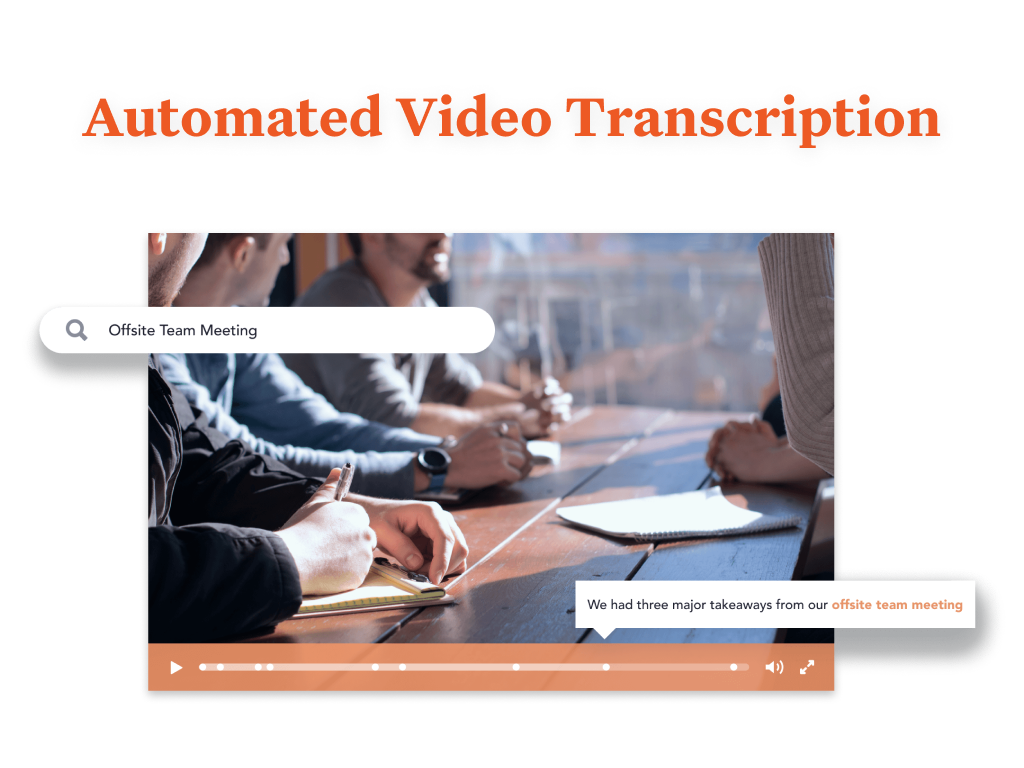
Solution: everything in one placeConcepts, testing, IHUTs, verbatims, videos with transcripts. Reduces the possibility of missing something, helps with any builds (reuse), but gives us a the chance to dig deeper. Example: search on terms like "indulgent", or "crispy" or "share" much faster
as it is a very flexible software that can be adapted to any business model, other functions human resource management, manufacturing and supply chain planning, all these functions are housed in a highly technological interface. I liked this system because it made automating accounts payable so much easier.the control of the basic accounting of any type of company
For well-suited, this product is great for your external clientele groups that you would not necessarily want to have a high user fee rate for. So basically general public or a group that will be authorized to come in and just do a few things here and there, but you don't necessarily want them access to all of your systems and your data points for groups that it would not be a great use for. I'd say probably your high level internal staff, they're going to be using a lot of the backend functionality automations, evaluating data, managing data, and doing custom inputs. That's just not what's intended for.
Quickly reach out to whatever employee segment you want to reach by posting a topic and it will send a notification to everyone in that group with a link to the posting.
Bloomfire saves all of the previous posts so in your free time you can go to the site, and explore the various range of topics others have posted. The information on there will only be as good as the person posting it, but it will be people within your company and industry posting it. So it will always be helpful.
Bloomfire is a place to be noticed by your peers. Have a great topic you want to express, my company allows all to post there as long as we keep it professional. So you can share your ideas or experiences in a safe and productive manner. But we do have some fun on there too!
When in client profile, it is very intuitive, allowing you to easily transcribe notes in the clients profile.
Sage allows 3rd party plugins, so if you utilize a particular phone services or would like to import something as simple as google drive, its compatible.
Easy to use, just like Salesforce's other products. Many users can sit down and figure it out in no time, and with a little training become power users.
Fast and secure - Salesforce is a leader in the cloud world so you get consistently fast results and security that is top notch in the industry.
Accessible from anywhere - if you use cloud CMS already this is a no-brainer, but for those that do in-house CMS still, this is a major difference. Mobile access from anywhere on the planet without a VPN is something you just can't do without the cloud.
I would recommend adding a feature to combine different posts/series by job title (so in addition to the Revenue Ops category, there could be a structured walkthrough for Revenue Manager).
Live Q+A sessions for group onboarding initiatives.
Reliance on Apache Tomcat causes a lot of headaches. There are common issues trying to start up the server, resulting from Apache Tomcat misconfigurations, or Java. Some forum posts on Sage City address common issues, but digging into server logs seems to be an often occurrence.
Support is somewhat lacking, less user install base means error messages are sometimes hard to find quick answers for. Most of the knowledge found on the internet is in the Sage City forum.
Integration with Microsoft 365 causes you to have to turn off some security features. This will result in your 365 tenants running lower security standards than recommended, it may put you at risk for targeted attacks.
Unlike other CMS platforms like Wordpress and Adobe Experience Manager, Salesforce does not provide a fully featured editor with a drag-and-drop design tool.
Our content creators and marketing team often struggle with permissions and how to distribute content across different experience cloud sites.
Also, there is no side-to-side comparison view for content editors to update the content easily.
Most likely we will renew, our team needs a refresher on possible opportunities to advance our usage and learning of opportunities to move this answer to a 10, can't live without it.
There are really no other words to say, it is a very easy to use application that is more straightforward and has provided better results with the bulk of features that appeal to a very broad amount of users. There may be other CRM platforms out there that are more prevalent, but I have found them to be much more clunky and less intuitive than Sage CRM.
Bloomfire is an easy-to-use platform for posting information and asking questions of my peers. It also has a user-friendly search capability. Yet like any other CMS, the secret to success rests in such items as the ability to use metadata to tag content or posts, and Bloomfire provides a wide range of options to make posting content and subsequently searching for it.
Excellent integration with the most important social networks (LinkedIn, Facebook and Twitter) to get leads. The mobile app is quite useful for speeding up the tasks at hand and not relying on the computer or being in the office to get them done.
Strengths: - Intuitive for Salesforce Users – If you’re already working within the Salesforce ecosystem, the Salesforce CMS is easy to navigate, with a clean UI, drag-and-drop content management, and reusable assets for quick updates. - Seamless Integration – Since it connects natively with Experience Cloud, Marketing Cloud, and CRM, it allows for efficient multi-channel content distribution without needing extra third-party tools. - AI-Powered Personalization – The ability to deliver dynamic content based on user profiles and engagement data is a huge plus, making content delivery more relevant and impactful. Challenges: - Learning Curve for New Users – If you're not already familiar with Salesforce, the interface can feel overwhelming, requiring training to fully leverage all features. - Limited Customization & Workflow Automation – While it works well for structured content, advanced approval workflows and deep editorial customization are limited compared to enterprise CMS platforms like Adobe Experience Manager. - Media & Design Limitations – Salesforce CMS is not as robust for managing rich media-heavy content, which can be frustrating for teams needing more flexibility in multimedia presentation.
Sage works very quickly based on the network you are using it on. It is internet based so if your network is slow, it will perform slowly. Reports seem to run reasonably fast, if there is too much information it is trying to populate that could slow it down a little. When Sage CRM is integrated with a Sage ERP product it doesn't tend to slow down either system at all
Again, since we provide and recommend solutions, I can't speak to every client's individual experience, but can offer general reflections as to keep their collaborations private, that they are satisfied with the experience. We hear a lot about how this system helps to encourage collaborations between their own business partners, customers, and internal members, and enables quality integrations with other products that help drive revenue.
I have not needed to pose questions to the support team yet, as it is a very simple piece of software to use, however, its help documents and the bot ready to answer questions let me know I am in good hands. The help center could load a little quicker, but that's my only complaint.
Support team is really slow and they need to work on this really. Sometimes it takes days to resolve a simple query and there is no way to get it expedited. Rest the product is is amazing but the team should look into the costumer support and get it working
Although support from Salesforce itself can be quite unresponsive sometimes, the community hub is incredibly helpful. The large user base of Salesforce products contribute to troubleshooting and the forums are a powerful tool for finding solutions and possible bugs and response times can be quite fast compared to your regular support channels.
The implementation and upgrades were rather quick and straight forward. Attempting to link Sage CRM with Sage 100 ERP however was a nightmare and will be avoided by us in the future due to numerous issues.
I like Bloomfire because it is more concise with the work I do whereas Google search engine would provide broader information. It has just been so user-friendly, and easier to use [than] I could have imagined. I would use this program over any other that I have tried in the past.
Whilst SAGE CRM was selected around 10 years ago and we became a partner, the main contenders would have been at the time Sales Logix and MS CRM 4.0. However, we had extensive experience of the mid-market CRM's and decided on SAGE CRM since it had a clean, easy to understand interface and importantly offered both workflow automation and Self Service capability, all of which across both the Case and Sales and Marketing functionality was seamless and saved time. As it was pure browser based, access was from anywhere we wanted. In my view, SAGE CRM still stacks up well against all the other mid-market CRM systems and offers good value for money, but more importantly, it is an easy to operate and customisable solution which user like. Again, we can teach administration users very quickly to support and customise themselves since the admin. function are clear as well.
Salesforce Experience Cloud was selected due to its tight integration with our existing Salesforce CRM platform. Customization of the portal was much, much simpler compared to Sharepoint - especially with role-based security parameters that are ultimately inherited based on attributes within the Salesforce CRM platform. Salesforce Experience Cloud was a natural fit for this customer-facing purpose.