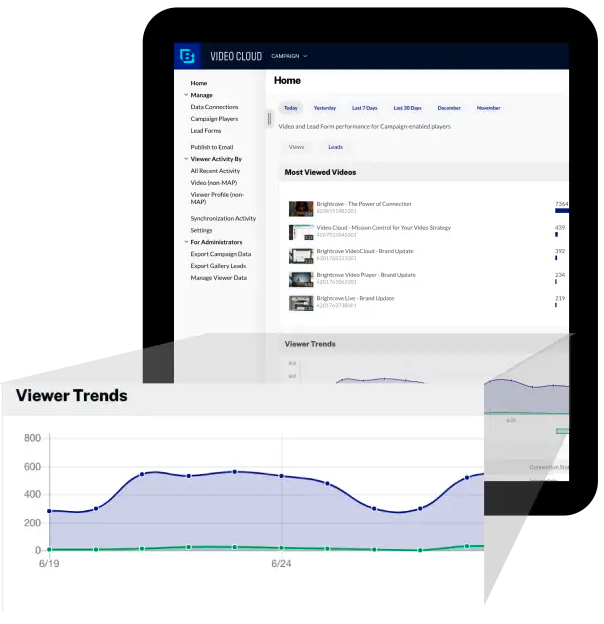
Brightcove Video is a video hosting and publishing solution. The company also provides a cloud media processing product called Zencoder.
N/A
IBM Video Streaming
Score 8.6 out of 10
Mid-Size Companies (51-1,000 employees)
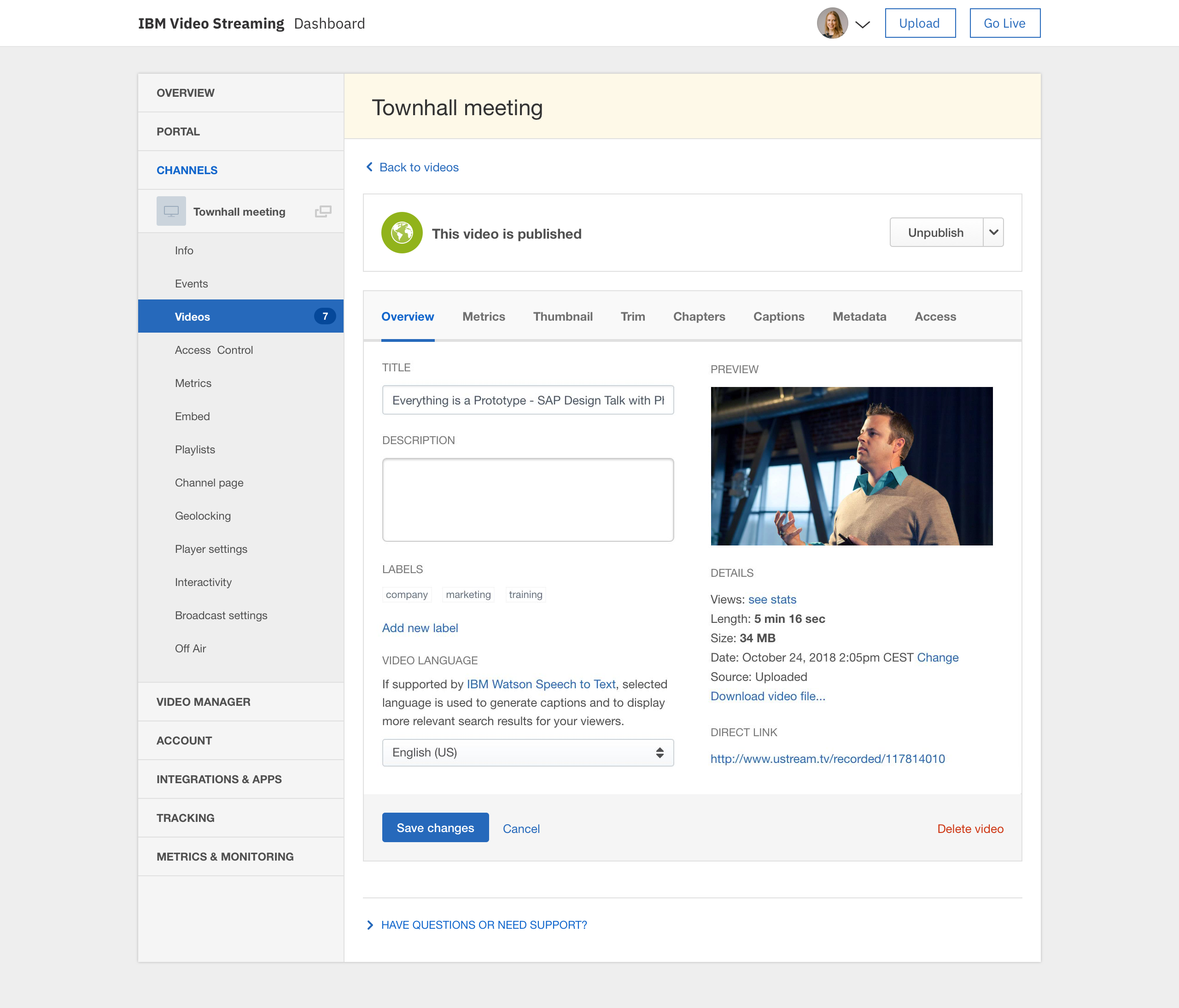
IBM Video Streaming solutions are used to stream virtual events, executive town halls, video marketing product launches, and 24-hour streaming channels. According to IBM, the solution is built for privacy, reliability and scale, to optimize video quality, and powered by IBM Watson AI for video search and automated closed captioning. IBM Enterprise Video Streaming can power security-rich video communications ranging from employee town halls, to…
$137
per month 100 viewer hours
ON24
Score 7.6 out of 10
N/A
ON24 is an intelligent engagement platform, that enables customers to continuously engage audiences with AI-powered, hyper-personalized webinar, virtual event and content experiences.
N/A
Pricing
Brightcove
IBM Video Streaming
ON24
Editions & Modules
No answers on this topic
Silver
$137
per month 100 viewer hours
Gold
$688
per month 2,000 viewer hours
Platinum
$1380
per month 5,000 viewer hours
No answers on this topic
Offerings
Pricing Offerings
Brightcove
IBM Video Streaming
ON24
Free Trial
Yes
Yes
No
Free/Freemium Version
No
No
No
Premium Consulting/Integration Services
Yes
Yes
No
Entry-level Setup Fee
No setup fee
Optional
No setup fee
Additional Details
—
Video Streaming edition is available for purchase via credit card online (or via IBM salesperson if needs exceed those outlined in the online plans).
Enterprise Video Streaming edition must be purchased from an IBM salesperson.
—
More Pricing Information
Community Pulse
Brightcove
IBM Video Streaming
ON24
Considered Multiple Products
Brightcove
Verified User
Manager
Chose Brightcove
YouTube, Vimeo, they are not on list, but still Brightcove Video is the best so far and we have been using it for a long time.
We have looked at a range of platforms - Livestream, Oolya, Brightcove, NeuLion, YouTube, Facebook etc., and all platforms have their pros and cons. The points raised earlier are the key changes that need to be made form our perspective to improve the platform. Offering direct …
The ability to scale the platform, as well as its ability to interface with other IBM systems, was the reason they decided to use it. Integral to the concept of an advanced analytics suite was the comparative advantage it had over other competitors and analysis tools crucial …
The main reasons I would recommend Ustream over other competitors are: SSO integration, how accessible/responsive support is, the ease of use for the viewer, the consumption/seat model is easy to understand, server side encoding to multiple bitrates/qualities, ability to …
When this project was evaluating streaming providers in 2013, Livestream was the closest to uStream in feature set. However, we found the packages that uStream provided were financially better considering the volume of customers who were going to stream our content. We also …
Each project we deliver is different - different region, different language, different audience, different content and different requirements. Each time we select Ustream it is because we think Ustream delivers the best looking live stream from our elemental encoder.
We used Brainshark for a number of years before we moved to ON24. The tracking of credits, the tracking of participants through the registration page, the live polling, the simu-live broadcasts that make an on-demand video "feel" live, are all great features.
There's no silver bullet in any of these platforms. Each has its own strengths. ON24 is a straightforward, easy to use the platform if you need a simple system with a low ramp-up period. It is ready to go almost out of the box. I had no role in picking the platform, it was in …
ON24 beats all other webcast products from a usability standpoint, as well as support, innovation and communication. Our firm currently uses WebEx technology for some internal meetings, and the quality and technology difference between the two products is no contest. I have …
Features
Brightcove
IBM Video Streaming
ON24
Online Meetings / Events
Comparison of Online Meetings / Events features of Product A and Product B
Brightcove
-
Ratings
IBM Video Streaming
-
Ratings
ON24
6.1
412 Ratings
31% below category average
Calendar integration
00 Ratings
00 Ratings
7.8355 Ratings
Meeting initiation
00 Ratings
00 Ratings
7.03 Ratings
Integrates with social media
00 Ratings
00 Ratings
2.02 Ratings
Record meetings / events
00 Ratings
00 Ratings
6.7394 Ratings
Slideshows
00 Ratings
00 Ratings
6.7391 Ratings
Event registration
00 Ratings
00 Ratings
6.7388 Ratings
Online Events Collaboration
Comparison of Online Events Collaboration features of Product A and Product B
Brightcove
-
Ratings
IBM Video Streaming
-
Ratings
ON24
7.4
415 Ratings
9% below category average
Live chat
00 Ratings
00 Ratings
7.03 Ratings
Audience polling
00 Ratings
00 Ratings
7.4376 Ratings
Q&A
00 Ratings
00 Ratings
7.9412 Ratings
Online Events Security
Comparison of Online Events Security features of Product A and Product B
Brightcove
-
Ratings
IBM Video Streaming
-
Ratings
ON24
8.3
383 Ratings
3% below category average
User authentication
00 Ratings
00 Ratings
8.02 Ratings
Participant roles & permissions
00 Ratings
00 Ratings
8.4373 Ratings
Confidential attendee list
00 Ratings
00 Ratings
8.5356 Ratings
Online Events Marketing
Comparison of Online Events Marketing features of Product A and Product B
Brightcove
-
Ratings
IBM Video Streaming
-
Ratings
ON24
7.6
389 Ratings
8% below category average
Branding options
00 Ratings
00 Ratings
8.5381 Ratings
Integration to Marketing Automation
00 Ratings
00 Ratings
7.5334 Ratings
Attendee list export
00 Ratings
00 Ratings
6.737 Ratings
Virtual Event
Comparison of Virtual Event features of Product A and Product B
It works very nicely for our company site because it can easily and seamlessly embed into the site and email HTML pages. It also has picture in picture, sharing, closed captioning (CC) as basic functions. It will also show the time of the video. Because these are short-term-use videos or might get updated frequently and also are just targeting a specific audience, being able to hide or not able to show the number of views or date published (unlike YouTube) actually helps us.
Very limited customization features. Permissions are a mess too if you want to have people assigned as chat moderators for events for instance, but dont want them access to the admin panel. The quality of the broadcast and live captions work well, but they charge extra for live captions. For operating a video on demand site, the design of the page is really poor and limited on customization. Been a user for years and seen almost no new innovation on the platform which has been disappointing. The metrics are a mess on the user panels too. They do provide an api link for your external metrics and/or data dumps for using something like tableau, but that features not really something to write home about and a rather basic offering. This is an expensive platform with limited options and an outdated style unfortunately. We have been getting by for our uses but there's nothing really keeping us with IBM if another platform offering came around
I find that ON24 caters for all types of organisations, having it allows for more choice/options. The experience around virtual events if fantastic and the ON24 team is constantly improving the platform. If you want to run a virtual events programme where you want to generate leads and track engagement, then ON24 is the platform for you
Ability to easily output a JSON response for requested video data. This makes it easy to work with Brightcove as partner.
The read APIs are very flexible and can the output can be easily customized using cgi args. This provides great customization of the output and sorting and filtering mechanisms to find the videos you're looking for.
The ability to add captions to videos is good, especially with the regulations requiring video captioning. DFXP support works great as long as the player is given the exact XML format it is looking for.
IBM Video Streaming allows for the integration of interactive elements into video content, such as quizzes, polls, and live Q&A sessions. This can make learning more engaging for young students by making it interactive and fun, thus increasing their attention and participation.
Teachers in a K-5 setting can access and share professional development materials and teaching resources through the platform. This can help them stay updated on the best practices for early childhood education, innovative teaching methods, and subject-specific strategies, ultimately benefiting their students.
IBM Video Streaming provides the capability for teachers to create a library of on-demand educational videos. This is particularly useful for young learners who may need to revisit concepts multiple times to fully understand them. It also supports differentiated learning by allowing students to learn at their own pace.
Young students often benefit from visual aids in their learning process. IBM Video Streaming can deliver high-quality video content that includes animations, demonstrations, and visual explanations of concepts. This can be particularly effective in subjects like science, math, and reading, where visualizations can enhance understanding.
The code for customizing the video player can be made easier, I think it still uses BEML code.
Easily accessible ready made code will help users like me to implement a cool looking player.
I would love to implement Brightcove video cloud on most of the projects that I work on and I see we could use it in so many different ways but pricing is not easily available on the website.
Again if I could work with someone to price for small, medium and large businesses that would be great.
Occasionally, we experience a form of static that lasts for about 1 to 2 minutes. It appears in the live stream and in the auto-recorded file, but not in the live worship assembly. It occurs roughly 1 in every 4 hours of webcast time. I wish there was a way to trace the source of that recurring static. The diagnostic tools could be more robust.
It would be nice if the chat room allowed a user photo/avatar for each user to personalize that a little more.
I have wished for a way that an admin could use a “laser pointer” on the video window to point out something on the feed that other live viewers could see.
It would be wonderful to have a mini-tutorial for viewers who are not technically savvy that would inform them of how to get to the site and explain how they can use the software. For example, how they can see and type in the chat room, how to maximize the screen and make it smaller. Some of our viewers are in nursing homes or otherwise limited in capability to learn to use this on their own.
There was a recent update within the past year where the UX designer or developer thought it would be best to wide all titles from the audience view until they placed their mouse on top of the window. That was the worst mistake, as we have a moderator script where we tell the audience what each of the tool bars are and they can’t grasp what the tool is without putting their mouse there. From an accessibility standpoint point, it’s back to 1999 when there was no laws about accessibility.
Number one above is a major pain point.
ON24 needs to do a better job of introducing features and soliciting feedback from their customers vs making a high impactful change like #1 described above.
It took quite some time to upload and organize our video library. The amount of time it would require to relocate all this information outweighs any negative aspect I personally have with the experience. They have been pretty good to work with and from speaking with my Brightcove rep, I know some of the issues I have listed are currently being addressed and tested for future releases.
Our organization depends heavily on this streaming service. Now that we have the option of allowing our clients to attend meetings virtually, we can never retract that option as so many of our clients love the flexibility. Also, we have no complaints with the service itself. It is reliable and dependable and any issues we have encountered have never been to blame on the service but rather our lack of knowledge of it or needing to update our embed code
ON24 is everything we expected and everything we needed. It's simple to use, extremely customizable, and scales very easily. The integration to our CRM makes ON24 major lead generator for our sales team from our established webinars series. We can automate lead delivery to our sales team as well. If anything, we will look to expand our partnership in the future.
The user interface is pretty straightforward, but simply needs optimization. (Please hire a seasoned UX person to fix it.) However, all of the key features are there and understandable. It's a great platform overall, a bit expensive, and could use some more options for its viewing experience, and a better "smart" embedding window for mobile applications.
97% of our attendees say it is the best trainings they have every attended. But they other 3% have a horrible experience (while watching the event live) interesting fact. On24 uses two different encoders for live vs OnDemand. I have never had issues with the On-Demand experience. My only complaints come during live events
Absolutely. We have never had an outage problem or any application errors that I have been privy to. We are duly notified generally in advance of outages or updates
ON24 is always available when I have a question about a new feature, if I'm having issues during a live webinar, or if I'm having issues with a webinar on the backend. Our client support specialist, Heather Haines, has always been incredibly consistent with getting me the answers I need when I need them.
As we use it now, we are satisfied with the streaming performance. I cannot speak to integration yet as we have yet to engage in that but have plans to in the future
Sometimes (it may be my computer) i cant login to ON24. I create a new PW and then i still cant get in. I clear cache/try new browser etc. and nothing works. I come back in a few hours and its like the problem never existed, its the strangest thing. Outside of that everything works pretty seamless. We've ran into a few bumps with Marketo talking to ON24 and passing reg through but have that figured out now. Not being able to be on a VPN when connecting to webcam on the presenter side does cause issues for our government speakers.
We are notified often of downtime, and I have not heard from a support rep for over a year. It really makes it hard to learn what new things are coming out and how we can take our video to the next level when there is no contact from the team on a regular cadence.
We funded 'white glove' service as our timelines were tight and our needs were well-defined. Tier 1 and Tier 2 support were able to help us get up and running in shorter order than we would have on our own. Documentation on the eCDN product had gaps, increasing the time to resolve and created concerns about success.
ON24 support is really good with the 24/5 support chat line, where someone actually responds within 30 seconds. The customers success team is also really good and our rep is very helpful with all our questions. Whenever we have more technical questions, she will bring on a IT designer or a tech specialist on our calls for additional comments and help.
On24 has amazing ON-Demand trainings that you can use at anytime and they walk you through step by step on different topics/ they are always updating and innovating and putting out new trainings. I would highly reccomend the trainings and reading the documents they have created. They also do live webinars on a rolling basis that are filled with so much knowledge and Information
Ustream is easy to implement. It takes any stream we have thrown its way and distributed it quickly and with quality. When talking to others that are pursuing live stream implementations, I often remind them that the technology used to distribute your live stream is less important than the quality of the content you are distributing. Taking care to use the right camera equipment, the proper encoder, and quality sound gear will result in a high-quality stream that will allow the strength of the Ustream CDN to shine.
We had a few training's, which were broken up, and focused on specific areas of how to use the platform. Mostly though, a lot of it is just dedicating your time to learning and exploring what the possibilities are for enhancing your webinars
Marketing department favors it because EVERYONE uses YouTube. Overall, YouTube offers decent features and functionality. But Brightcove offers the ability to brand and style players, and control what our users see (and so much more) and YouTube does not. For instance, on YouTube, users are presented with other videos (which could contain competitor videos).
Vimeo offers better tools for on-demand like chapters and marketing tools. But their live options are limited to event durations. YouTube can stream for longer durations but IBM 24/7 stream has been much more reliable and easy to use.
From what I've seen, ON24 is built specifically to meet the needs of event marketing (or marketing generally), versus the other platforms which are more about simply providing a mechanism to hold virtual meetings. The integration with sales and marketing systems is really valuable. I don't know about pricing differences, but if the competitors were comparable, I would still select ON24.
The ON24 platform is straightforward to use and train clients on, which is a huge plus. Clients appreciate its features and simplicity. Internally, we receive valuable analytical data from webinar events, enabling the organization to make data-driven decisions. This helps us optimize strategies and drive success for B2B businesses effectively.
Our ROI is measured by the provision of ministry and satisfaction of our congregation. We are extremely pleased with our USTREAM and feel that it is a valuable asset to our church.