Chose CallidusCloud LeadRocket (discontinued)
Manticore is slightly better, simply because it kind of worked as opposed to not working at all. Pardot is great.

| Product | Rating | Most Used By | Product Summary | Starting Price |
|---|---|---|---|---|
 CallidusCloud LeadRocket (discontinued) | N/A | CallidusCloud LeadRocket offered users the ability to consolidate online and offline leads in one single platform. It has been discontinued in favor of SAP's Sales Cloud. | $50 per user per month | |
 Constant Contact | N/A | Constant Contact is a full-featured email marketing solution with capabilities such as social media integration, drag-and-drop editing, and real-time reporting. It is a bulk email tool designed for SMB customers. Since 2019, Constant Contact also offers marketing automation features, a website and landing page builder, and other tools to support midsize businesses. | $12 per month | |
 Makesbridge | Mid-Size Companies (51-1,000 employees) | Makesbridge is a marketing automation product designed for SMBs, featuring core marketing capabilities. It is an on-demand product that is delivered without long-term contracts via a monthly subscription. | $30 per month |
| CallidusCloud LeadRocket (discontinued) | Constant Contact | Makesbridge | ||||||||||||||||||||||
|---|---|---|---|---|---|---|---|---|---|---|---|---|---|---|---|---|---|---|---|---|---|---|---|---|
| Editions & Modules |
|
|
| |||||||||||||||||||||
| Offerings |
| |||||||||||||||||||||||
| Entry-level Setup Fee | No setup fee | No setup fee | No setup fee | |||||||||||||||||||||
| Additional Details | Additional users, domains, DNS, dedicated IP, and email volume are available as add-ons. Monthly pricing is available upon request. | The SMS Marketing tool can be added to any Standard or Premium Constant Contact account. SMS is only available in the US for Standard and Premium paid plans. SMS can be added when logged in to an account after purchase. Plans start at $10/month for up to 500 messages. | Makesbridge offers a range of pricing plans and packages to comfortably accommodate any combinate of needs and budget. Pay As You Go plans are just that - companies only pay for what they use in a given month. Alternative packages - PRO, Enterprise and Engage - are for companies with consistent use patterns and willingness to pay a minimum monthly fee. In all cases there is no long term obligation; 30 days notice is all that's required to cancel a PRO, Enterprise or Engage. | |||||||||||||||||||||
| More Pricing Information | ||||||||||||||||||||||||
| CallidusCloud LeadRocket (discontinued) | Constant Contact | Makesbridge | |
|---|---|---|---|
| Considered Multiple Products |  CallidusCloud LeadRocket (discontinued) |  Constant Contact No answer on this topic | Makesbridge No answer on this topic |
| CallidusCloud LeadRocket (discontinued) | Constant Contact | Makesbridge | |||||||||||||||||||||||||||||||||||||||
|---|---|---|---|---|---|---|---|---|---|---|---|---|---|---|---|---|---|---|---|---|---|---|---|---|---|---|---|---|---|---|---|---|---|---|---|---|---|---|---|---|---|
| Email & Online Marketing |
| ||||||||||||||||||||||||||||||||||||||||
| Lead Management |
| ||||||||||||||||||||||||||||||||||||||||
| Social Media Marketing |
| ||||||||||||||||||||||||||||||||||||||||
| Platform & Infrastructure |
| ||||||||||||||||||||||||||||||||||||||||
| Reporting & Analytics |
| ||||||||||||||||||||||||||||||||||||||||
| Pre-Send Testing |
| ||||||||||||||||||||||||||||||||||||||||
| Campaign Management |
|
| CallidusCloud LeadRocket (discontinued) | Constant Contact | Makesbridge | |
|---|---|---|---|
| Small Businesses |  Vbout Score 9.9 out of 10 |  Mad Mimi Score 10.0 out of 10 | Vbout Score 9.9 out of 10 |
| Medium-sized Companies |  PFL Direct Mail Platform Score 9.0 out of 10 |  VerticalResponse Score 10.0 out of 10 | PFL Direct Mail Platform Score 9.0 out of 10 |
| Enterprises | PFL Direct Mail Platform Score 9.0 out of 10 |  Emma by Marigold Score 8.7 out of 10 | PFL Direct Mail Platform Score 9.0 out of 10 |
| All Alternatives | View all alternatives | View all alternatives | View all alternatives |
| CallidusCloud LeadRocket (discontinued) | Constant Contact | Makesbridge | |
|---|---|---|---|
| Likelihood to Recommend | 2.9 (15 ratings) | 9.3 (135 ratings) | 8.2 (7 ratings) |
| Likelihood to Renew | 6.0 (13 ratings) | 9.9 (23 ratings) | 9.1 (2 ratings) |
| Usability | 7.4 (2 ratings) | 10.0 (12 ratings) | 8.8 (2 ratings) |
| Availability | - (0 ratings) | 9.0 (2 ratings) | 9.1 (2 ratings) |
| Performance | - (0 ratings) | 10.0 (2 ratings) | 9.1 (1 ratings) |
| Support Rating | 6.0 (2 ratings) | 10.0 (9 ratings) | 8.2 (2 ratings) |
| Online Training | - (0 ratings) | 10.0 (1 ratings) | 5.5 (1 ratings) |
| Implementation Rating | - (0 ratings) | 10.0 (5 ratings) | - (0 ratings) |
| Configurability | - (0 ratings) | 10.0 (1 ratings) | - (0 ratings) |
| Product Scalability | - (0 ratings) | 10.0 (1 ratings) | - (0 ratings) |
| CallidusCloud LeadRocket (discontinued) | Constant Contact | Makesbridge | |
|---|---|---|---|
| Likelihood to Recommend | Discontinued Products
 Wendy Hamstra-Smith Associate Dean of Admission | Constant Contact
| Makesbridge Technology
 Michelle Rogers Director of Sales |
| Pros | Discontinued Products
 Jessie Mead Director, Business Services | Constant Contact
| Makesbridge Technology
 Bryan Barnes CEO |
| Cons | Discontinued Products
 Stephanie Rosenburg Marketing Program Coordinator | Constant Contact
| Makesbridge Technology
 Julie Bylow Market Education Strategist |
| Likelihood to Renew | Discontinued Products
| Constant Contact
 Ty Swartz, CPP, USN Ret. Multimedia Communications Supervisor | Makesbridge Technology
Julie Bylow Market Education Strategist |
| Usability | Discontinued Products
 Calvin Scharffs VP Marketing and Product Development | Constant Contact
 Giselle Aguiar Owner, Consultant | Makesbridge Technology
Julie Bylow Market Education Strategist |
| Reliability and Availability | Discontinued Products No answers on this topic | Constant Contact
| Makesbridge Technology
|
| Performance | Discontinued Products No answers on this topic | Constant Contact
| Makesbridge Technology
|
| Support Rating | Discontinued Products
| Constant Contact
| Makesbridge Technology
|
| Implementation Rating | Discontinued Products No answers on this topic | Constant Contact
| Makesbridge Technology No answers on this topic |
| Alternatives Considered | Discontinued Products
Wendy Hamstra-Smith Associate Dean of Admission | Constant Contact
| Makesbridge Technology
|
| Scalability | Discontinued Products No answers on this topic | Constant Contact
| Makesbridge Technology No answers on this topic |
| Return on Investment | Discontinued Products
 Sundeep Gopal Business Development | Constant Contact
| Makesbridge Technology
|
| ScreenShots | CallidusCloud LeadRocket (discontinued) Screenshots     | Constant Contact Screenshots      | Makesbridge Screenshots   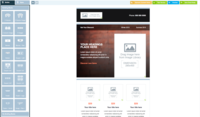  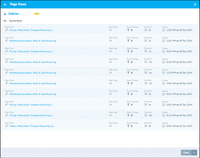 |