Chose Capsule CRM
CRM Is by far the best CRM I have used for small businesses. However, I find Pipedrive the better option for bigger businesses.

| Product | Rating | Most Used By | Product Summary | Starting Price |
|---|---|---|---|---|
 Capsule CRM | N/A | Capsule is a CRM solution for businesses of up to 1,000 employees. The vendor boasts over 10,000 businesses globally as customers, who choose it as the platform to deliver success across their sales and customer facing teams. Capsule is presented as easy to use and quick to adopt. It also integrates with a growing range of popular apps, including Google G Suite, QuickBooks, MailChimp and Zapier. A free trial is available, and paid plans are available from $18 per user, per month. | $18 per month per user | |
 Insightly | N/A | Insightly is presented as a modern, affordable CRM that is easy to use, simple to customize, and that scales with companies as they grow, designed to solve common pain points that legacy CRMs can't. Available in any vertical, Insightly CRM customers can add companion products for marketing automation, customer service, and integrations in the same platform. Insightly has more than a million users worldwide. | $348 per year per user | |
 Pipedrive | N/A | Pipedrive is a customer relationship management (CRM) software built to help small teams to drive sales. | $24 per month per seat |
| Capsule CRM | Insightly | Pipedrive | ||||||||||||||||||||||
|---|---|---|---|---|---|---|---|---|---|---|---|---|---|---|---|---|---|---|---|---|---|---|---|---|
| Editions & Modules |
|
|
| |||||||||||||||||||||
| Offerings |
| |||||||||||||||||||||||
| Entry-level Setup Fee | No setup fee | No setup fee | No setup fee | |||||||||||||||||||||
| Additional Details | — | — | Monthly plans are available. The Essentials monthly plan at $24 per month. | |||||||||||||||||||||
| More Pricing Information | ||||||||||||||||||||||||
| Capsule CRM | Insightly | Pipedrive | |
|---|---|---|---|
| Considered Multiple Products | Capsule CRM  Rosi Muñoz Analyst Chose Capsule CRM Salesforce was a complete failure for us because it did way too much. The learning curve was too steep, it was too expensive, and it didn't fit us overall (we're a very small business). Insightly was clumsy and didn't have the flexibility (and huge amount of integrations) that … |  Insightly  Bill Combes President Chose Insightly Salesforce is way too much money, we're using Pipedrive and I liked Insightly over Nimble.  Nick Dorogavtsev Narrow Artificial Intelligence Engineer (Business Accounting Automation) Chose Insightly
 Vince McConville Advisor / Director Chose Insightly For me, Insightly works for the Basic price point subscription (lucky to have been on this subscription level before they closed it to new customers). Also, like the Gmail interface and the ability to manage both sales and projects.  Ignacio Cruz Sales Development Chose Insightly We selected Insightly because of the price. After a year we migrated to Freshsales because it gives us all the features we need for inbound and outbound (workflows for tasks, email campaigns, auto-assignation, integration with a phone provider, integration with multiple apps …  Leonardo Hernandez sap dev engineer Chose Insightly Insightly CRM could stand to offer more functionality for larger organizations. But what Insightly CRM does, it does very well, with a few minor caveats. The user interface (UI) is easy to follow, and there are plenty of customizations and integrations. However, it cannot …  Aleese Gulick Program Manager 2 Chose Insightly It does everything that the above products do but it does them better and with more ease of use. The user interface is easy to follow and there are plenty of customizations that are available. We selected it specifically for this purpose since we have a wide variety of …  Renato Cagno Commercial Director Chose Insightly
 Franck Sidon Managing Director Chose Insightly Looked at other products like Capsule but none had the level of integration with Google Apps that insightly has. |  Pipedrive  Jason Carlage Director of Sales Chose Pipedrive I really like Pipedrive for a small business or a Salesforce with a lot of newer reps. It's so simple to see at a glance what is needed for follow up of all top leads, and all leads in general. Reps won't forget the next steps because of the reminders, and it's very easy to …  Stephen Steinberg Founder Chose Pipedrive Pipedrive is extremely simple with the pipeline management, but more time-consuming than necessary for even simpler tasks like browsing through contacts or organizations, and especially making changes to those contacts or organizations. If they were able to make it so that you …  Matt Heerema Director Chose Pipedrive Pipedrive is a lightweight tool, both in terms of price, and features. This means that it is easy to use and not very expensive. Other apps had unwieldy interfaces, or too deep a feature set (which corresponded to higher costs.). Pipedrive was the the right level of tool for … |
| Capsule CRM | Insightly | Pipedrive | |||||||||||||||||||||||||||||||||||||||
|---|---|---|---|---|---|---|---|---|---|---|---|---|---|---|---|---|---|---|---|---|---|---|---|---|---|---|---|---|---|---|---|---|---|---|---|---|---|---|---|---|---|
| Sales Force Automation |
| ||||||||||||||||||||||||||||||||||||||||
| Customer Service & Support |
| ||||||||||||||||||||||||||||||||||||||||
| Marketing Automation |
| ||||||||||||||||||||||||||||||||||||||||
| CRM Project Management |
| ||||||||||||||||||||||||||||||||||||||||
| CRM Reporting & Analytics |
| ||||||||||||||||||||||||||||||||||||||||
| Customization |
| ||||||||||||||||||||||||||||||||||||||||
| Security |
| ||||||||||||||||||||||||||||||||||||||||
| Social CRM |
| ||||||||||||||||||||||||||||||||||||||||
| Integrations with 3rd-party Software |
| ||||||||||||||||||||||||||||||||||||||||
| Platform |
|
| Capsule CRM | Insightly | Pipedrive | |
|---|---|---|---|
| Small Businesses |  Salesmate Score 10.0 out of 10 | Salesmate Score 10.0 out of 10 | Salesmate Score 10.0 out of 10 |
| Medium-sized Companies |  Creatio Score 9.0 out of 10 | Creatio Score 9.0 out of 10 | Creatio Score 9.0 out of 10 |
| Enterprises | Creatio Score 9.0 out of 10 | Creatio Score 9.0 out of 10 | Creatio Score 9.0 out of 10 |
| All Alternatives | View all alternatives | View all alternatives | View all alternatives |
| Capsule CRM | Insightly | Pipedrive | |
|---|---|---|---|
| Likelihood to Recommend | 8.0 (16 ratings) | 7.7 (432 ratings) | 8.0 (71 ratings) |
| Likelihood to Renew | - (0 ratings) | 9.0 (34 ratings) | 8.0 (3 ratings) |
| Usability | 8.6 (4 ratings) | 7.7 (168 ratings) | 9.0 (25 ratings) |
| Availability | - (0 ratings) | 9.0 (6 ratings) | 8.2 (1 ratings) |
| Performance | - (0 ratings) | 7.9 (25 ratings) | - (0 ratings) |
| Support Rating | 8.6 (4 ratings) | 8.9 (34 ratings) | 8.5 (15 ratings) |
| In-Person Training | - (0 ratings) | 9.1 (1 ratings) | - (0 ratings) |
| Online Training | - (0 ratings) | 9.0 (8 ratings) | - (0 ratings) |
| Implementation Rating | - (0 ratings) | 8.2 (26 ratings) | 8.2 (1 ratings) |
| Configurability | - (0 ratings) | 10.0 (18 ratings) | - (0 ratings) |
| Contract Terms and Pricing Model | - (0 ratings) | 8.5 (3 ratings) | - (0 ratings) |
| Ease of integration | - (0 ratings) | 9.0 (10 ratings) | - (0 ratings) |
| Product Scalability | - (0 ratings) | 9.0 (9 ratings) | - (0 ratings) |
| Professional Services | - (0 ratings) | 10.0 (1 ratings) | - (0 ratings) |
| Vendor post-sale | - (0 ratings) | 9.1 (3 ratings) | - (0 ratings) |
| Vendor pre-sale | - (0 ratings) | 7.9 (3 ratings) | - (0 ratings) |
| Capsule CRM | Insightly | Pipedrive | |
|---|---|---|---|
| Likelihood to Recommend | Zestia
| Unbounce
| Pipedrive Inc.
|
| Pros | Zestia
Rosi Muñoz Analyst | Unbounce
 Anton Parker Account Manager | Pipedrive Inc.
|
| Cons | Zestia
 Hannah Eleanor Social Media Ghostwriter & Storyteller | Unbounce
 Jeff Keeney Sales and Customer Success at Cross-Sell | Pipedrive Inc.
 Mark Rueckert Sales Director |
| Likelihood to Renew | Zestia No answers on this topic | Unbounce
| Pipedrive Inc.
|
| Usability | Zestia
 Farjana Labonno Frontend Developer | Unbounce
| Pipedrive Inc.
 Adil Khan Robin Front-end Developer| Team Lead |
| Reliability and Availability | Zestia No answers on this topic | Unbounce
 Erwin Chua Junior Tech Specialist | Pipedrive Inc. No answers on this topic |
| Performance | Zestia No answers on this topic | Unbounce
| Pipedrive Inc. No answers on this topic |
| Support Rating | Zestia
 Samuel-Borris James Digital support officer | Unbounce
| Pipedrive Inc.
|
| In-Person Training | Zestia No answers on this topic | Unbounce
Erwin Chua Junior Tech Specialist | Pipedrive Inc. No answers on this topic |
| Online Training | Zestia No answers on this topic | Unbounce
| Pipedrive Inc. No answers on this topic |
| Implementation Rating | Zestia No answers on this topic | Unbounce
| Pipedrive Inc.
 Ed Juline Director of Sales |
| Alternatives Considered | Zestia
| Unbounce
| Pipedrive Inc.
|
| Contract Terms and Pricing Model | Zestia No answers on this topic | Unbounce
Erwin Chua Junior Tech Specialist | Pipedrive Inc. No answers on this topic |
| Scalability | Zestia No answers on this topic | Unbounce
 Phil Cashen Vice President | Pipedrive Inc. No answers on this topic |
| Professional Services | Zestia No answers on this topic | Unbounce
| Pipedrive Inc. No answers on this topic |
| Return on Investment | Zestia
 Alicia Barevich, bCRE, bCEE Database Administrator | Unbounce
| Pipedrive Inc.
|
| ScreenShots | Capsule CRM Screenshots    | Insightly Screenshots  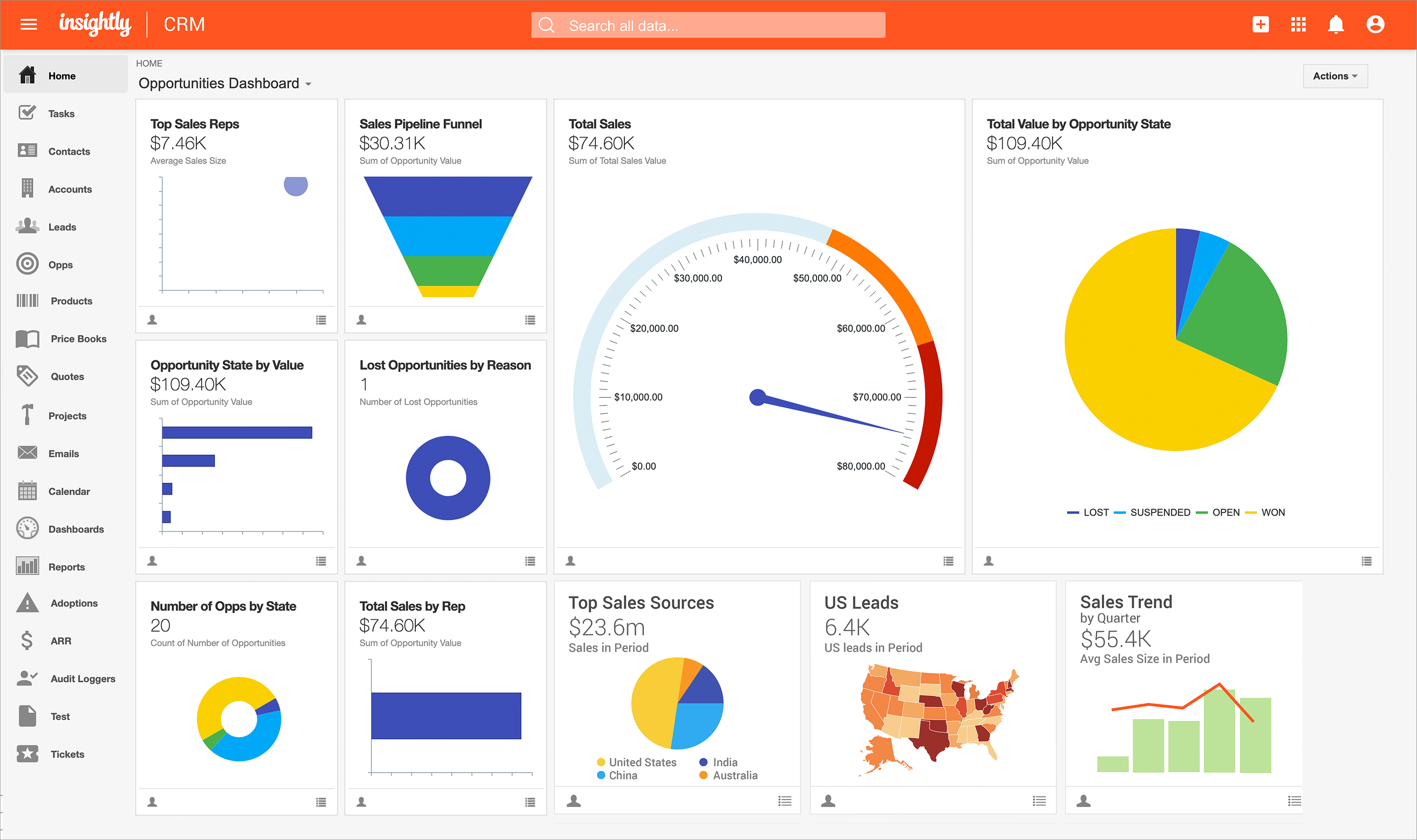  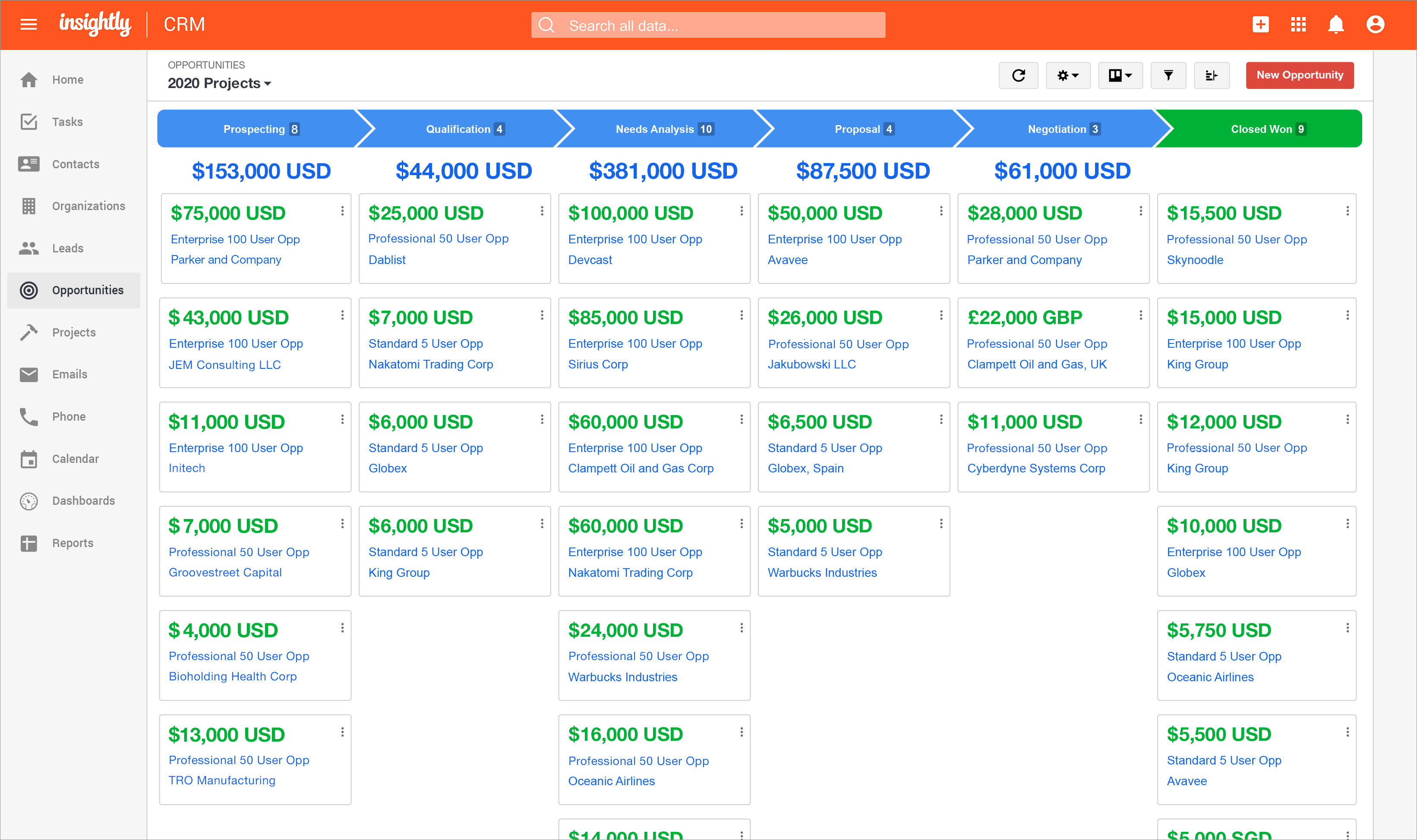  | Pipedrive Screenshots      |
