Clicktools is a cloud-based survey software. It enables business users to collect information through surveys, call scripts, and web forms; automatically centralize the data in CRM; and act on those insights to increase loyalty. The program is offered by Callidus Cloud, which in turn was acquired by SAP in 2017 when the companies formed a strategic partnership.
N/A
Dayforce
Score 8.0 out of 10
Enterprise companies (1,001+ employees)
Dayforce is a people platform that simplifies HR operations. As a unified HCMS, it delivers HR, payroll, benefits, workforce management, talent, and analytics—helping organizations boost productivity, stay compliant, and make smarter decisions with embedded intelligence and personalized experiences.
N/A
Voxco Survey Software
Score 9.0 out of 10
Mid-Size Companies (51-1,000 employees)
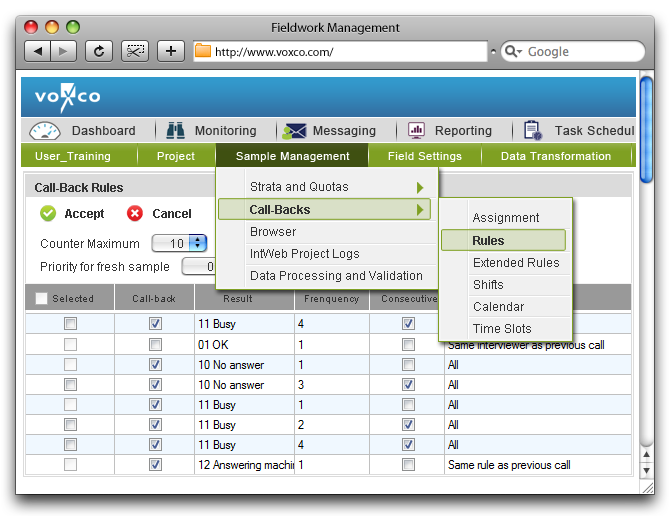
Voxco Survey Software features one centralized database across multiple survey channels. The vendor says that with this solution, users can collect and process respondent data at any time and in any place. This flexible software can be used to create device-responsive online surveys (web, mobile, or embedded in-app), over-the-phone interviews (CATI, IVR and dialers), or face-to-face interviewing (CAPI). According to the vendor, their clients appreciate their engaging, interactive survey…
N/A
Pricing
Clicktools
Dayforce
Voxco Survey Software
Editions & Modules
No answers on this topic
No answers on this topic
No answers on this topic
Offerings
Pricing Offerings
Clicktools
Dayforce
Voxco Survey Software
Free Trial
Yes
No
Yes
Free/Freemium Version
No
No
No
Premium Consulting/Integration Services
No
Yes
Yes
Entry-level Setup Fee
No setup fee
Optional
No setup fee
Additional Details
—
—
—
More Pricing Information
Community Pulse
Clicktools
Dayforce
Voxco Survey Software
Features
Clicktools
Dayforce
Voxco Survey Software
Survey Format & Appearance
Comparison of Survey Format & Appearance features of Product A and Product B
Clicktools
8.3
14 Ratings
4% above category average
Dayforce
-
Ratings
Voxco Survey Software
5.0
1 Ratings
46% below category average
Survey templates
7.011 Ratings
00 Ratings
5.01 Ratings
Themes
8.912 Ratings
00 Ratings
5.01 Ratings
Custom logo/branding
8.914 Ratings
00 Ratings
5.01 Ratings
Survey Content
Comparison of Survey Content features of Product A and Product B
Clicktools
8.9
16 Ratings
5% above category average
Dayforce
-
Ratings
Voxco Survey Software
7.5
1 Ratings
12% below category average
Changes to live survey
8.916 Ratings
00 Ratings
7.01 Ratings
Question design help
8.914 Ratings
00 Ratings
00 Ratings
Multiple question types
8.916 Ratings
00 Ratings
8.01 Ratings
Survey Logic
Comparison of Survey Logic features of Product A and Product B
Clicktools
8.0
13 Ratings
4% below category average
Dayforce
-
Ratings
Voxco Survey Software
7.0
1 Ratings
17% below category average
Survey logic flexibility
8.013 Ratings
00 Ratings
7.01 Ratings
Survey Reporting & Analytics
Comparison of Survey Reporting & Analytics features of Product A and Product B
Clicktools
9.5
16 Ratings
16% above category average
Dayforce
-
Ratings
Voxco Survey Software
5.8
1 Ratings
33% below category average
Response tracking
9.914 Ratings
00 Ratings
6.01 Ratings
Data export
9.915 Ratings
00 Ratings
6.01 Ratings
Standard reports
9.013 Ratings
00 Ratings
6.01 Ratings
Custom reports
9.911 Ratings
00 Ratings
5.01 Ratings
Analytics
9.011 Ratings
00 Ratings
6.01 Ratings
Survey Administration & Security
Comparison of Survey Administration & Security features of Product A and Product B
Clicktools
8.9
14 Ratings
3% above category average
Dayforce
-
Ratings
Voxco Survey Software
-
Ratings
Access controls
8.914 Ratings
00 Ratings
00 Ratings
Compliance
9.06 Ratings
00 Ratings
00 Ratings
Survey Distribution
Comparison of Survey Distribution features of Product A and Product B
Clicktools
9.0
6 Ratings
11% above category average
Dayforce
-
Ratings
Voxco Survey Software
-
Ratings
Vendor-offered crowdsourcing
10.01 Ratings
00 Ratings
00 Ratings
Respondent restrictions
8.06 Ratings
00 Ratings
00 Ratings
Human Resource Management
Comparison of Human Resource Management features of Product A and Product B
Clicktools
-
Ratings
Dayforce
8.1
602 Ratings
0% below category average
Voxco Survey Software
-
Ratings
Employee demographic data
00 Ratings
8.8525 Ratings
00 Ratings
Employment history
00 Ratings
9.0559 Ratings
00 Ratings
Job profiles and administration
00 Ratings
9.1549 Ratings
00 Ratings
Workflow for transfers, promotions, pay raises, etc.
00 Ratings
9.1553 Ratings
00 Ratings
Organizational charting
00 Ratings
6.7502 Ratings
00 Ratings
Organization and location management
00 Ratings
6.8548 Ratings
00 Ratings
Compliance data (COBRA, OSHA, etc.)
00 Ratings
7.4370 Ratings
00 Ratings
Payroll Management
Comparison of Payroll Management features of Product A and Product B
Clicktools
-
Ratings
Dayforce
8.6
602 Ratings
6% above category average
Voxco Survey Software
-
Ratings
Pay calculation
00 Ratings
9.1588 Ratings
00 Ratings
Support for external payroll vendors
00 Ratings
7.2295 Ratings
00 Ratings
Off-cycle/On-Demand payment
00 Ratings
9.0154 Ratings
00 Ratings
Benefit plan administration
00 Ratings
8.3475 Ratings
00 Ratings
Direct deposit files
00 Ratings
9.1574 Ratings
00 Ratings
Salary revision and increment management
00 Ratings
8.3456 Ratings
00 Ratings
Reimbursement management
00 Ratings
8.9309 Ratings
00 Ratings
Leave and Attendance Management
Comparison of Leave and Attendance Management features of Product A and Product B
Clicktools
-
Ratings
Dayforce
8.9
547 Ratings
9% above category average
Voxco Survey Software
-
Ratings
Approval workflow
00 Ratings
9.2515 Ratings
00 Ratings
Balance details
00 Ratings
8.9529 Ratings
00 Ratings
Annual carry-forward and encashment
00 Ratings
8.5434 Ratings
00 Ratings
Employee Self Service
Comparison of Employee Self Service features of Product A and Product B
Clicktools
-
Ratings
Dayforce
8.2
615 Ratings
0% above category average
Voxco Survey Software
-
Ratings
View and generate pay and benefit information
00 Ratings
8.5586 Ratings
00 Ratings
Update personal information
00 Ratings
8.4599 Ratings
00 Ratings
View company policy documentation
00 Ratings
7.6419 Ratings
00 Ratings
Employee recognition
00 Ratings
8.9219 Ratings
00 Ratings
View job history
00 Ratings
7.6492 Ratings
00 Ratings
Asset Management
Comparison of Asset Management features of Product A and Product B
Clicktools
-
Ratings
Dayforce
8.3
103 Ratings
3% above category average
Voxco Survey Software
-
Ratings
Tracking of all physical assets
00 Ratings
8.3103 Ratings
00 Ratings
HR Reporting
Comparison of HR Reporting features of Product A and Product B
Clicktools
-
Ratings
Dayforce
6.3
601 Ratings
18% below category average
Voxco Survey Software
-
Ratings
Report builder
00 Ratings
6.5592 Ratings
00 Ratings
Pre-built reports
00 Ratings
6.5592 Ratings
00 Ratings
Ability to combine HR data with external data
00 Ratings
6.0416 Ratings
00 Ratings
Onboarding
Comparison of Onboarding features of Product A and Product B
Clicktools
-
Ratings
Dayforce
8.6
394 Ratings
8% above category average
Voxco Survey Software
-
Ratings
New hire portal
00 Ratings
9.0384 Ratings
00 Ratings
Manager tracking tools
00 Ratings
8.2338 Ratings
00 Ratings
Performance and Goals
Comparison of Performance and Goals features of Product A and Product B
Clicktools
-
Ratings
Dayforce
8.4
257 Ratings
5% above category average
Voxco Survey Software
-
Ratings
Corporate goal setting
00 Ratings
7.9215 Ratings
00 Ratings
Individual goal setting
00 Ratings
8.9236 Ratings
00 Ratings
Line-of sight-visibility
00 Ratings
8.3201 Ratings
00 Ratings
Performance tracking
00 Ratings
8.6241 Ratings
00 Ratings
Performance Management
Comparison of Performance Management features of Product A and Product B
Clicktools
-
Ratings
Dayforce
8.1
283 Ratings
3% above category average
Voxco Survey Software
-
Ratings
Performance plans
00 Ratings
8.6262 Ratings
00 Ratings
Performance improvement plans
00 Ratings
8.3225 Ratings
00 Ratings
Review status tracking
00 Ratings
7.4265 Ratings
00 Ratings
Review reminders
00 Ratings
8.2260 Ratings
00 Ratings
Multiple review frequency
00 Ratings
7.7234 Ratings
00 Ratings
Succession Planning
Comparison of Succession Planning features of Product A and Product B
Clicktools
-
Ratings
Dayforce
8.2
131 Ratings
5% above category average
Voxco Survey Software
-
Ratings
Create succession plans/pools
00 Ratings
9.1104 Ratings
00 Ratings
Candidate ranking
00 Ratings
7.8113 Ratings
00 Ratings
Candidate search
00 Ratings
7.7118 Ratings
00 Ratings
Candidate development
00 Ratings
8.2106 Ratings
00 Ratings
Recruiting / ATS
Comparison of Recruiting / ATS features of Product A and Product B
For any organization that is using salesforce.com and needs to implement a survey system that directly ties back to their salesforce.com system I would highly recommend Clicktools. We tried building our own customer satisfaction survey and it was not worth the effort, especially as our questions are ever changing. The integration with the case module was easy to configure
I think Dayforce is a great option for a large and/or Global organization. I do not think it would be the best fit for a very small company or business. It really shines for enterprise organizations with multi-locations. While a small business could use it, I would say it has too many bells and whistles that might feel overwhelming to a smaller organization.
Integration with Salesforce: it is critical to us as we use Salesforce, and a lot of record management is automated thanks to great Clicktools integration with Salesforce.
Responsiveness of technical support: a lot of program staff across our organization use Clicktools every day, so having a quick response time to troubleshoot arising issues is important.
User-friendly interface: Clicktools improved their interface to make it more user-friendly which improves efficiency.
Speed - the quality of graphics is high and a lot of info is being pulled, it can take quite a bit of time to produce results.
I am unable to open multiple tabs to run several functions within Clicktools simultaneously.
Easier/more intuitive graphics uploading.
Run reports based on a certain factor (i.e. if there is a particular product we continuously run reports on, I would like to see a chart comparison of how that products scores have varied over time).
There have been a few instances of users being locked out of Ceridian due to recent upgrades. Not ideal when an employee wants to see their paystub and is suddenly have login issues.
Not the best for when an employee is transferred to another country as their employee number is locked to their SIN or SSN. And, we are required to create a new user record with a new employee number for the new country.
On the same topic about the automatic reordering of responses from max to min, the downside is it does not allow me to leave the ordering in original format.
We have loved using Clicktools and will continue to use it for the foreseeable future. The price and Salesforce integration is what really sets it apart from any other solution out there. I have learned a great deal about surveys and how to manage them in a CRM by using Clicktools. We will certainly be renewing our contract.
We are highly invested in Ceridian's Dayforce product. It give us the flexibility and scaling that our growing company needs. Its potential reaches beyond the basic HR functions to the decision making that our Management Team needs. Ceridian is always innovating the employee and employee experiences to offer cutting edge options.
ClickTools is very easy to use and get started doing the basics. Anyone will be able to easily log in an create a survey from day 1. Skip logic can be a little tricky and is less user friendly, so testing is very important. I would say that, overall, usability is good.
I think it's very usable for the employee. I don't think it is as easy for the HR/PR admins - especially if there is an issue. There are so many setup screens that need to be looked at to try to figure out why payroll isn't calculating properly, hours aren't feeding over correctly, or benefits are not calculating properly. For the most part, they can't do their own troubleshooting. The same is true for the managers. Our managers find it cumbersome to go into make any schedule changes after the schedules have been generated.
Dayforce's high availability ensures that our HR processes are supported around the clock, which is critical for a global organization like ours. The platform is cloud-based, offering reliable access from any location at any time, allowing our employees, managers, and HR teams to stay connected regardless of time zones or geographic locations. This level of availability ensures that payroll processing, employee self-service, and real-time data access continue uninterrupted, even during peak periods or unforeseen disruptions. The system’s robust infrastructure minimizes downtime, which is vital for operations that span multiple regions. Additionally, having a centralized platform that’s always available helps keep our teams aligned, ensures compliance, and facilitates timely decision-making across all our locations.
ClickTools is always available when I need it. The interface is quick and does not drag. Survey responses show up quickly after a survey is submitted. The survey analyzer is swift as well. There is no waiting around for something to process when you are using ClickTools.
We haven't noticed any slow-down due to the integration of Dayforce WFM with our Ceridian HPL products (HRIS and Payroll). The new HTML view of the timesheets don't load as quickly as the old Silverlight view - however, we have gotten used to the change.
I get frustrated by not being able to find the answers to my questions online by myself. I would rather search FAQs and find things that way, but it seems I always have to contact support to get the answer I need. They need a more robust support center so you can do it yourself. But on the upside, when I do contact support, they respond immediately and usually solve my problem quickly
Most of the time the support is great; it's not always super efficient but I always get the help I need. Occasionally it takes a lot longer than we had hoped or get conflicting responses. We had one ticket recently where we were told we would have to pay the service team to support us on the project and then another person called the next day with the solution to our query and was able to find a solution easily. Generally, though, the response is great and they either walk me though how to do something via a Zoom Meeting or they email step-by-step instructions on how to do it and say if I have questions we can set up a meeting to discuss further.
The courses are very interactive and informative. There are classes for every topic, which allows you to make the most of the system. There are also some "go at your own pace" course which is a great option for a busy schedule.
If you are setting up integration with a CRM (Salesforce) get this done early on in the process. You can always do it later, but it's easiest to lay your foundation first and then build up and around it later
Have a strong internal team. Communicate with your implementation team - they are there to make it work for you. Take the time to really think about how you want the system to work for you - in some cases, you may need to rethink your own business practices to see if you are working harder when the system could do it for you
There was no need to create survey landing pages from Salesforce for external polls, we could decide where survey results were captured in Salesforce (if at all - can report straight from CT), and with simple html skills we could brand everything
I can't speak much to how it would be if we had all of these features separately since I started with Dayforce all being integrated and have no other experience, but having it all in one place has made the completion of all of these HR tasks seamless. We can direct all of our energies into the same system, and it makes it easier to field employee inquiries and to troubleshoot when we need to
Very similar to SurveyMonkey and SurveyGizmo. They all have some minor differences and it makes you wish you could own all of them to get every function you would need.
Overall, we are extremely happy with the Dayforce WFM module. Our biggest pain point is concerning the twice annual software upgrades - which is the only reason I haven't rated them as a '10'. Because every customer is configured differently, the upgrades can sometimes have adverse effects on our current configured policies/rules. And although they roll-out the upgraded version in a test environment several weeks before go-live, not all testing is accurate in that environment. Some issues do not present themselves until you are working with live punches.
Clicktools plays a crucial role in our Net Promoter Score (NPS) survey. Twice a year we deploy the survey, and because of the flexibility of ClickTools and its integration with SFDC, we've seen a 40% response rate in a survey that formally only received 6-7%.
Performance Reviews/Comp used to be handled via paper and tracking/reporting was a nightmare - having all of that in the system is so much more efficient and provides huge ROI
Our organization used to have big problems with hiring managers going rogue and hiring positions that aren't approved by Finance - we built an approval workflow in the system that triggers before any req is approved which has completely solved this problem
Dayforce Wallet has been a huge perk for our employees - it's heavily used and our crew love it