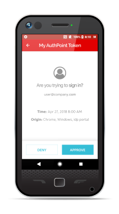
Google Authenticator is a mobile authentication app.
N/A
Totango
Score 7.8 out of 10
N/A
Totango customer success software, now with Catalyst, helps enterprise businesses and cross-functional teams accelerate customer outcomes in productivity, retention, and expansion. Totango and Catalyst will become a unified product, following the merger in February 2024.
N/A
WatchGuard AuthPoint
Score 9.1 out of 10
N/A
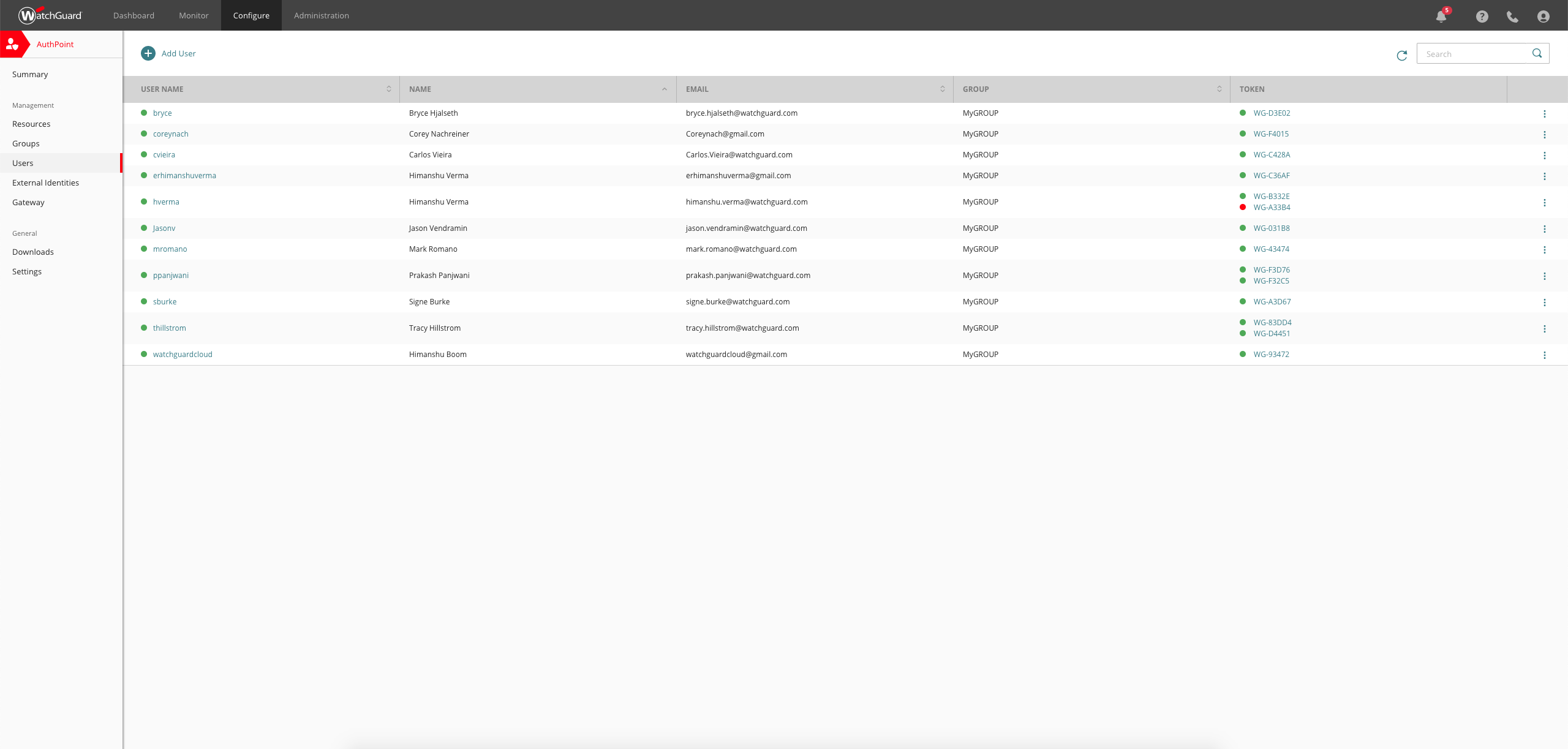
AuthPoint Total Identity Security provides businesses with a solution to protect user accounts and credentials. With
multi-factor authentication and dark web credential
monitoring, AuthPoint mitigates the risks associated with workforce credential
attacks. AuthPoint adds an extra layer of security by monitoring for
potential credential exposure in the dark web for both personal and corporate
accounts.
N/A
Pricing
Google Authenticator
Totango
WatchGuard AuthPoint
Editions & Modules
No answers on this topic
No answers on this topic
No answers on this topic
Offerings
Pricing Offerings
Google Authenticator
Totango
WatchGuard AuthPoint
Free Trial
No
No
Yes
Free/Freemium Version
No
No
Yes
Premium Consulting/Integration Services
No
Yes
No
Entry-level Setup Fee
Optional
Optional
No setup fee
Additional Details
—
Each package gives teams a 360° customer account profile, customer health scoring, customer journey program templates (SuccessBLOCS), automated workflows (SuccessPlays), email campaigns, self-paced onboarding, and customer support.
I also have to utilize WatchGuard AuthPoint, as it's a proprietary MFA - so I'm stuck with it. Google Authenticator looks nicer, cleaner and doesn't require me to have individual apps for each service I need to access.
There are a few things to keep in mind when using Google Authenticator. Second, it's imperative that everything be kept as simple as possible. Many customers don't understand why they're putting up MFA, therefore adding further difficulty to their daily routines is always a …
Being under the google umbrella gives a level of reassurance to our users. It seems to be cleaner and easier to use for our users. Being able to use a product from an already known vendor helps onboard new users to the software. It is clean and easy to use, all of the users …
First, Google Authenticator meets the security requirements which should be considered "table stakes". Second, simplicity is critical. Many users don' understand why they are setting up MFA (or they just don't care), and so adding additional complications to their day-to-day is …
We use the Microsoft MFA also and I have used the Google Authenticator (only prior to the MS version being released, however). They are similar in terms of functionality of course, but I have not attempted additional integrations using SAML 2.0 or anything like that so cannot …
AuthPoint is a good merge between Authy and Google Authenticator. Authy has a better push notification system while google auth has a better time based. AuthPoint is a perfect mix between the two, and if you need both, it is the obvious solution. Having integration …
WatchGuard AuthPoint is easier to manage on a company-wide scale than Google Authenticator. We do use AuthPoint in conjunction with the Microsoft Authenticator but for different services. WatchGuard also has other features available, like dark web monitoring and device …
Having the Multi-Factor Authentication developed by the same developer of the devices we use is very beneficial when we have to troubleshoot something. Support is great and is very responsive. Clients seem to prefer using their software over another vendor. The app is very …
WatchGuard offers similar performance to other authenticators but allows greater customization of the service and integrates with cybersecurity systems
AuthPoint has a simpler and more intuitive configuration, added to the cloud administration that it provides us, without a doubt it is a point in its favor.
FortiAuthenticator is OTP based only or 2FA. Whereas, WatchGuard AuthPoint has the flexibility of choosing OTP, QR, password, or Push notification. Fortitoken licenses are affixed to a single FortiGate unit and can only be used for FortiGate services only. Whereas WatchGuard …
AuthPoint offers an enterprise level service in comparison to the consumer products that are available. With centralised management of users and tokens, you have peace of mind thanks to the control, auditing and visibility of the secure of your systems. Consumer products …
WatchGuard's AuthPoint has been a breeze to implement and manage as compared to other vendor solutions and its third-party integrations put it in on a level beyond comparison.
We chose WatchGuard for two reasons. 1. We have been using WatchGuard appliances for many years and 2. The AuthPoint licensing prices are reasonable and fit our budget. So I would say that familiarity with WatchGuard products and knowing how good Watchguard support is were …
WatchGuard AuthPoint in my experience has been far easier to setup compared to Duo which I have used extensively in the past, for both engineers and the end users
Authpoint was an easy choice as we use WatchGuard firewalls. This allows us to set up two factor authentication for VPN access easily. With Work-From-Home becoming the norm [rather] than the exception, this extra layer of security is vital. It is nice that there are several …
Verified User
Employee
Chose WatchGuard AuthPoint
AuthPoint has a much broader use, where the competition falls short.
I've found most MFA applications function essentially the same. It's ideal to have all your accounts using the same platform for simplicity. WG's AuthPoint provides that compatibility.
We're a WatchGuard Gold Partner and have been installing WG firewalls and Wireless Access …
AuthPoint protects both cloud/app logins as well as, and most importantly, our corporate login (Active Directory based). WatchGuard AuthPoint gives the option of using hardware OTP tokens for corporate network login, as well as the mobile app which is simple to use, customise, …
WatchGuard has great documentation, and we use it in our product stack of firewalls which is why we thought it'd be a good compliment to use it for MFA. It was easy to use and setup with good documentation and support.
Logging into my work accounts is where Google Authenticator works best. Also, I had a personal account get hacked. I had an account created to book hotels, but someone was constantly resetting my password. To prevent further hacking attempts, I set up Google Authenticator. I do not believe it would be appropriate for banking accounts.
for a CSM it´s marvelous, you have in one window everything,the agenda for your day by day work, the workload you have in a day,all the customers database and call history added by tasks and toutch points, the to do thing in each customer you know what to do next, with renewal you hace an digital engadgement with customers inform they need to renew in order to keep using the app.
Works great as a 2FA token, for endpoint control, for computer and server updates, for scheduling updates, and for patching security features when exploits become known. Remote connection is very reliable and doesn't drop in and out as many programs do. It may not be as appropriate if you are looking for a plug-and-play control, as it requires more learning and setup to get it set up correctly.
I once performed a factory reset of my smartphone which had Google Authenticator. I didn't have a backup for the device. When I restored my phone with the same google account, I was not able to restore the authenticator app settings. I had to add all the keys back into the app to use it. This is cumbersome, but I understand it is set up this way for security reasons.
I don't like the ease with which it lets you delete a key. If I accidentally delete a key, I am doomed to get my 2FA key reset, unless I still have the QR code saved somewhere.
Integrations -- in my experience, they constantly break and disconnect.
Implementation -- I feel it was a HUGE challenge to set-up our environment. It took over 200 hours and it didn't work.
Communication -- during implementation/onboarding, in my opinion, we were mislead on how to create some of our custom data objects and it ended up being a big waste of time since the approach we were instructed to use ended up being incorrect.
Email support is SLOW unless I want to allow a stranger to access my production firewall. That is never allowed here, so our hands are tied in terms of being able to get support in less than 48 hours.
Again, support takes far too long because you refuse to employ any staff that works in US time zones during normal business hours.
There has to be another option besides: 1) you take full control of my systems or 2) I wait on SLOW email support that isn't that great.
I personally believe Totango is the right Customer Success Tool for me, my team, and my organization. I couldn't find limitations until now, it's capabilities are on point and it's very scalable. of course, transitioning to another tool would mean a lot of hours and training, and would expose risks
Today to ensure our ISO 27001 certification it is important that we maintain this solution. Today it is part of the way any employee within the organization works, we no longer have any other way of working and it is the simplest way to ensure that access to the workstation is done with MFA.
It's as easy as opening the app and what I need it for is there. I don't have to fumble with other accounts or getting something else to open it for me. I have all the access that I need for the use of the app within seconds and I can get access to the info that I need.
It is easy to use and understand, and simple to follow day to day. Logging notes and tasks is one of the key areas this is utilised along with tracking reports and accessing key data points for conversations with customers which is helpful. Mobile app helps too to access information on the go.
After initial setup, it practically runs itself. Onboarding new users is fast and easy as it should be. The AuthPoint mobile app is small and simple to use. The only reason I do not give it a 10 is that I frequently get complaints from end users that the AuthPoint app is "constantly downloading". In fact, it's not downloading anything and that what the users are seeing in the app is a timer for the 6-digit code that changes every minute.
I have yet to experience any downtime with Totango (knock on wood) so reliability has been really top tier since we were onboarded. Given that the support team has been really helpful so far, I can imagine should downtime every be the case, they'll be able to communicate proactively/effectively on the current state of the platform
At times the integration sync can be really slow when it comes to touchpoints. I can't say the same for customer health syncing, but I do tend to notice the lag from email syncing, and in those cases, I will need to refresh the Totango page a couple of times or wait a couple of extra seconds/minutes for it to show up.
I have found Google’s support to be hit or miss. There are times when they are very responsive, and I get my issue resolved quickly, and there are times where a response from them takes weeks. There is no in-between. But my support experience with this particular product is nonexistent because I have not had a problem with it yet. Hopefully, we do not have any problems with it either.
I give Totango a support rating of 10 because I can always get support whenever needed. If its a technical issue, I know I can email their support team for help. If it's a more in depth question with respect to our instance of Totango, I can reach out to our CSM and always get help in a very reasonable amount of time. I always look to Totango as the standard when I think of how to best communicate and support our own customers.
WatchGuard support is always quick and reliable. They have urgency levels that you are able to select when creating your support ticket, and they respond in accordance to the severity that you have set. I have never had an issue with getting someone on the phone in the same business day, even for very low priority issues.
It was an Onsite demo at the ditributor with the benefits of Watchguard Authpoint. Was very nice to see the abilities of the product. This Demo was a few years back, since then Authpoint changed allot. It is very nice for partners that you can get this demo without any aditional cost.
Our CSM did a great job of conducting the training so we understand, at the very least, the functionality that is directly relevant to us. This also allowed us to train our own new team mates when onboarding based on the training flow that was first presented to us. This was also conducted as a interactive sessions, as training are notoriously known to be dry
We use the online training for all our employees. There are both sales and technical trainings available and there even is a technical certification. You can use this for the Watchguard Partner Program which can give you aditional benefits. Every now and then you have a webinar that discusses multiple Watchguard products.
Totango has been easy for our team to integrate most of our new features into, which is great considering we have to factor in the customers' usage of the new features into all of the health and usage metrics we have. It has taken a while to integrate our second product however, which is why I would rank this a 7.
the first time it takes more effort. It is helpful to already understand how each authentication type works. Then it's much easier to understand the MFA solution that you implement. It is useful to check the release notes from time to time and update the key parts of the Watchguard Authpoint. Authpoint Gateway, Logon App, RDWeb... Also, it's useful to set up notifications when something goes wrong or sometimes check the statistics of how many requests are being approved/denied, etc.
First, Google Authenticator meets the security requirements which should be considered "table stakes". Second, simplicity is critical. Many users don' understand why they are setting up MFA (or they just don't care), and so adding additional complications to their day-to-day is always challenging. When it is simple, it makes life a lot easier. Finally, trust (due to the brand name recognition, primarily) removes any notion of "what is this?" that the user may have from being required to install something on their personal device for work purposes.
Pipedrive is a great CRM for Sales purposes but it doesnt give much tools for CX management. Totango is all the opposite, it is an excellent product for Customer Management . We currently use both platforms integrated with each other and it gives great results to both Sales and Customer Success teams
I would slot Authpoint (as a product) as better than ESET but not Duo. ESET has the same limitations as Watchguard in the OTP support. It also is an on-prem installed console rather than a cloud, which increases cost and maintenance requirements. The duo now supports standard OTP for admin accounts, so it can be managed by a team. Duo support however leaves a lot to be desired and gives Watchguard the edge
Information keeps missing and changing in totango . Because of that there is are lot of problems with it. We need to manually keep the backup in an another file. More over if in case we take the backup its so hard to track since its all in numbers. Totango can be much better if the cloud storage is working fine. My company is planning to discontinue due to this factor
More secure data = less worried about a data breach.
Takes longer to log in, and if I don't have my phone then I have to go looking for it, so it really makes it so that you can't be without your phone, which in certain instances is annoying or not possible and can hold up work time.
Everyone is willing to use the same program because everyone likes Google—makes it easier to manage.
We currently have 300 users on Authpoint, and most of them use insecure passwords. Authpoint gives us peace of mind that we don't have to police individual employee passwords.
In line with the comment above, with so many people in our organization using insecure passwords, I'm sure that Authpoint has already saved us from many potential security breaches.
Security breaches can cost a lot of money. Preventing them saves the company money and helps to achieve our bottom line.