GREENSPECTOR vs. TeamViewer vs. RealVNC Connect

Overview
ProductRatingMost Used ByProduct SummaryStarting Price
GREENSPECTOR
Score 0.0 out of 10
N/A
N/AN/A
TeamViewer
Score 8.6 out of 10
N/A
Teamviewer offers secure remote access, IT support and device management on a scalable platform. It speeds up problem resolution, reduces downtime and enhances control through automation, unattended access and complete visibility of every device and location.
$24.90
per month (billed annually) 1 Licensed User
RealVNC Connect
Score 8.7 out of 10
N/A
RealVNC® Connect is a secure remote access solution from RealVNC. It can be used to connect to a remote device anywhere in the world to view its desktop in real-time and take control as though sitting in front of it.
$8.25
per month (billed annually) per concurrent session
Pricing
GREENSPECTORTeamViewerRealVNC Connect
Editions & Modules
No answers on this topic
Remote Access
$24.90
per month (billed annually) 1 Licensed User
Business
$50.90
per month (billed annually) 1 Licensed User
Premium
$102.90
per month (billed annually) 15 Licensed Users
Corporate
$206.90
per month (billed annually) 30 Licensed Users
Essentials
$8.25
per month (billed annually) per concurrent session
Plus
$16.50
per month (billed annually) per concurrent session (add up to 3)
Premium
$29.75
per month (billed annually) per concurrent session (add up to 5)
Enterprise
Custom Pricing
per year
Enterprise
Custom Pricing
Offerings
Pricing Offerings
GREENSPECTORTeamViewerRealVNC Connect
Free Trial
NoYesYes
Free/Freemium Version
NoYesYes
Premium Consulting/Integration Services
NoNoNo
Entry-level Setup FeeNo setup feeOptionalNo setup fee
Additional DetailsPlans work on a Per Concurrent Session basis. Each plan gives access to a bundled number of devices, but limits apply to the amount of devices that can be connected at any given time. The Premium plan includes On-Demand Assist, a useful tool for providing just-in-time remote support to end-users without them needing RealVNC Connect installed on their device.
More Pricing Information
Community Pulse
GREENSPECTORTeamViewerRealVNC Connect
Considered Multiple Products
GREENSPECTOR

No answer on this topic

TeamViewer
Chose TeamViewer
TeamViewer does as much, if not more, for client connectivity. Both allow copious notes for each support connection. Client-based MDM would be a valuable addition for our specific needs.
Chose TeamViewer
TeamViewer offers more advanced features than AnyDesk e.g. TeamViewer Dex which automatically tracks user's system performance and provides proactive issue resolution. This feature helps to fix common IT issues automatically and reduces manual intervention.
Chose TeamViewer
I have used Anydesk for little over an year and currently using TeamViewer. AnyDesk is a very light software which doesn't require heavy RAM to run also its very stable than TeamViewer most importantly its cheaper than TeamViewer.

But TeamViewer stands out in terms of loaded …
Chose TeamViewer
Although it is the most expensive on the market, it has many built-in features and, above all, resilience and security. It is much more practical to work with when there is a need to provide constant support to many users.On the downside, I see that it is very dependent on a …
Chose TeamViewer
1. AnyDesk stops working in between. And not many users use AnyDesk. It has a complex permission section where users are not able to give remote permissions easily, which consumes time. 2. Zoom Meetings is slow in remote access response and it's time bounded when it comes to a …
Chose TeamViewer
TeamViewer is a go-to product for almost all newbies and smaller organizations, allowing multiple simultaneous connections and the ability to transfer files, letting you serve multiple clients at once.
Chose TeamViewer
Apple Remote Desktop requires a VPN connection to the LAN to be useful, but it is still necessary to use it when TeamViewer will not connect. Datto RMM seems very solid, and I like it, though I only have access to it from our MPS. It can often connect when the TV cannot. …
Chose TeamViewer
TeamViewer is easier to use, has a better UI that I can control more easily than others, is faster, and I think it uses less bandwidth than others. Also, 5 stars for me, it has a better chat display that can be shown or hidden according to our needs during the remote session. …
Chose TeamViewer
Saw several other users comment and praise TeamViewer, saw they had a "free" option, downloaded it, and started using it; it fits our needs well.
Chose TeamViewer
Compared to the RMM features of NinjaOne, Datto RMM, and N-Able, TeamViewer's RMM toolkit is thinner and less automated. The TeamViewer RMM features are not as robust as those of dedicated RMM platforms, like the ones I mentioned above. This is an important point to keep in …
Chose TeamViewer
MS Teams is good, but not on all our devices. We also experience more latency issues with MS Teams. TeamViewer has a small footprint on the devices and just seems to work.
Chose TeamViewer
For mobile, TeamViewer was much better, especially since some of them don't support mobile devices at all. Performance seems to be generally better than AnyDesk and on par with ScreenConnect in both performance and the feature set. One system not in the list above is RustDesk. …
Chose TeamViewer
We choose TeamViewer over AnyDesk due to its advanced and more secured features. It also offered us better pricing on corporate licensing.
Chose TeamViewer
TeamViewer is superior with remote assistance when our user is at statile site where there is no VPN tunnel implemented. All we have to do instead is just send users an email with the invitation for remote access, and we can assist those who have trouble. Highly recommended …
Chose TeamViewer
TeamViewer has a stronger more stable connection for accessing other devices such as mobile devices.

I tried adding mobile devices into teams meetings using my teams account, however the presentation has not always been the best.
Chose TeamViewer
TeamViewer is a little more robust than many of the other options that we have compared it to. The patching and package deployment option alone sets it apart. The ability to conduct file transfers from machine to machine also gives it an edge where other options have come up …
Chose TeamViewer
Pricing wise, the TeamViewer license is a lot more costly, but makes up for it in feature-richness and reliability. Pulseway has the benefit of having the possibility to keep an eye the IT infrastructure so you can catch things before they go wrong but our main focus was a …
Chose TeamViewer
Anydesk is a great tool but TeamViewer is already established at our organization and switch would require software re-installation for each managed computer.
Chose TeamViewer
Found TeamViewer expensive compared to other services, but it does work efficiently. LogMeIn has become incredibly expensive, hence moving away from them. Splashtop is more cost-effective but perhaps not quite so reliable.
Chose TeamViewer
End-to-end and transport encryption, Multi-factor authentication, Secure transfer of patches, logs, configuration files, and backups during support sessions or deployments.
Chose TeamViewer
TeamViewer's cost is much lower than that of other solutions, and its security is far superior to RemotePC's. TeamViewer is also a request-based remote session manager, unlike other software that allows indefinite connection time. TeamViewer's free version makes it even better …
RealVNC Connect
Chose RealVNC Connect
We selected RealVNC Connect due to their support of different OS's and having a mobile client.
Chose RealVNC Connect
Security is a big deal, even more so these days. We needed a remote access tool that we could trust to be secure and constantly evolve to modern standards. VNC Connect came at eh right price for us and provides all the tools we need.
Chose RealVNC Connect
VNC is light and sleek with the quick setup, was impressed with the quick setup despite poor Internet connection outdoor. Teamviewer is good, but the pricing is not as good as VNC. Both do the basic job, but VNC still outperform Teamviewer in terms of performance and ease of use.
Chose RealVNC Connect
TeamViewer is another easy to use remote connectivity software that I like for fast connection and little lag. TeamViewer is good for screen sharing. I often prefer VNC Connect for its cross platform compatibility and its mobile access capability. TeamViewer is a little …
Chose RealVNC Connect
The best part is that [the] VNC Connect application supports multi-platform compatibility with Windows and Linux systems. In addition, it is simple, and the session is approved or unapproved, which enables us to provide quick support in the business process. The running service …
Chose RealVNC Connect
It is good for one-shot use and not having to pre-configure remote devices, but we felt that the interface for connecting was not as simple.
Chose RealVNC Connect
With so many things tech-related we have many options and ways to accomplish the same thing. I think one of the important things to remember is the companies track record and support record for their users. In our experience, VNC Connect has been able to be competitive in all …
Chose RealVNC Connect
VNC Connect works just as well as the top products on the market. At the time VNC Connect was priced better and provided us with a simple reliable tool. VNC Connect works well cross-platform which is important to our institute as we are a 60/40 PC to Mac ratio. Reliability …
Chose RealVNC Connect

Remote desktop - works well but not as easy to initiate

Teamviewer - works well, easy to initiate but more expensive

Chose RealVNC Connect
VNC is much easier to use than any of the listed platforms.
Chose RealVNC Connect
There is no comparison. pcAnywhere was terribly buggy and was never reliable. VNC connect is 99% reliable.
Chose RealVNC Connect
I like VNC over TeamViewer and Microsoft Remote Desktop Services. Teamviewer seems slower than VNC and is more expensive. Microsoft RDP takes over the console so users cannot interact in any way.
Chose RealVNC Connect
VNC is way faster and has more features than Chrome Remote Desktop.
Chose RealVNC Connect
I have used TeamViewer and while both are great programs, VNC just seem more minimalist and tuned to doing EXACTLY what I need it to do.
Chose RealVNC Connect
Overall the VNC Connect software outperforms the TeamViewer software in most areas however, the TeamViewer billing model can be more appropriate for some situations.
Chose RealVNC Connect
VNC Connect stacks up very well to other competitors. With this simple program, you can remotely connect and access other computers with the same VNC Connect agent installed. The only reason we're moving away from using this is that our current Ninja RMM Tools computer …
Chose RealVNC Connect
Like I have mentioned before, depending on what you need, RealVNC may not be the best fit. It's the does-it-all Enterprise ready version produced by the original manufacturers. Installation's pretty simple, it's deployable if needed and it sports a lot of party tricks. …
Chose RealVNC Connect
I'm afraid that the only thing VNC has going for it is that it's free. Otherwise ConnectWise is an infinitely superior product and one which I would heartily recommend. We also looked at Bomgar, but the pricing there was astronomical in comparison with Connectwise. The free …
Chose RealVNC Connect
VNC works really well. It gives a superior level of access compared to far more expensive products such as GoToAssist or WebEx Support Center, and does so at a tiny fraction of the cost. It also consumes far fewer resources than either of those two competing products. It's an …
Chose RealVNC Connect
At the time of our switch to GotoAssist, we we seeking a solution that allowed admin access to workstations. GotoAssist met our requirements for this problem.
Chose RealVNC Connect
We have been using VNC for many years now and continue to use VNC due to its reliability and ease of use. When we need quick access to a remote computer for troubleshooting, VNC doesn't glitch or cause disconnects. Sometimes it may run slow but that is due to network issues, …
Chose RealVNC Connect
TeamViewer seems to crash often, causing the TeamViewer host to have to be restarted. The performance isn't comparable to RealVNC and the GUI isn't very intuitive. TeamViewer does shine better when using it for external connections, but RealVNC is moe lightweight and adaptable …
Chose RealVNC Connect
Screen quality compared to others like ScreenConnect, Bomgar, and others is not as good. But I don't need quality screens. I just need the minimal when connecting to servers so RealVNC fits that need very nicely.
Features
GREENSPECTORTeamViewerRealVNC Connect
Security
Comparison of Security features of Product A and Product B
GREENSPECTOR
-
Ratings
TeamViewer
8.7
Ratings
0% above category average
RealVNC Connect
-
Ratings
Role-based user permissions00 Ratings8.70 Ratings00 Ratings
Remote Administration
Comparison of Remote Administration features of Product A and Product B
GREENSPECTOR
-
Ratings
TeamViewer
8.7
Ratings
3% above category average
RealVNC Connect
7.3
Ratings
8% below category average
File transfer00 Ratings8.80 Ratings8.00 Ratings
Instant message00 Ratings8.70 Ratings6.10 Ratings
Access to sleeping/powered-off computers00 Ratings7.30 Ratings6.00 Ratings
Session record00 Ratings8.40 Ratings8.00 Ratings
Annotations00 Ratings8.00 Ratings5.30 Ratings
Screen sharing00 Ratings00 Ratings9.00 Ratings
Secure remote access with Smart Card authentication00 Ratings00 Ratings7.00 Ratings
Over-the-Internet remote session00 Ratings00 Ratings9.00 Ratings
Initiate remote control from mobile00 Ratings00 Ratings9.00 Ratings
Remote management of servers & workstations00 Ratings00 Ratings4.70 Ratings
Centralized management dashboard00 Ratings00 Ratings7.10 Ratings
Monitoring and Alerts00 Ratings00 Ratings7.00 Ratings
Multi-platform remote control00 Ratings00 Ratings9.00 Ratings
Platform & Infrastructure
Comparison of Platform & Infrastructure features of Product A and Product B
GREENSPECTOR
-
Ratings
TeamViewer
8.0
Ratings
0% below category average
RealVNC Connect
-
Ratings
Third-party software integrations00 Ratings8.00 Ratings00 Ratings
Remote Access
Comparison of Remote Access features of Product A and Product B
GREENSPECTOR
-
Ratings
TeamViewer
8.4
Ratings
5% above category average
RealVNC Connect
-
Ratings
Attended device access00 Ratings9.00 Ratings00 Ratings
Unattended device access00 Ratings8.50 Ratings00 Ratings
Mobile device access00 Ratings7.80 Ratings00 Ratings
Virtual device access00 Ratings8.40 Ratings00 Ratings
Multiple-display support00 Ratings8.30 Ratings00 Ratings
Multiple concurrent sessions00 Ratings8.30 Ratings00 Ratings
Best Alternatives
GREENSPECTORTeamViewerRealVNC Connect
Small Businesses
GitLab
GitLab
Score 8.8 out of 10
Getscreen.me
Getscreen.me
Score 9.7 out of 10
Getscreen.me
Getscreen.me
Score 9.7 out of 10
Medium-sized Companies
ManageEngine Site24x7
Score 10.0 out of 10
Action1
Action1
Score 9.5 out of 10
Remote Desktop Manager
Score 9.6 out of 10
Enterprises
ManageEngine Site24x7
Score 10.0 out of 10
Remote Desktop Manager
Score 9.6 out of 10
Remote Desktop Manager
Score 9.6 out of 10
All AlternativesView all alternativesView all alternativesView all alternatives
User Ratings
GREENSPECTORTeamViewerRealVNC Connect
Likelihood to Recommend
-
(0 ratings)
8.7
(0 ratings)
9.5
(0 ratings)
Likelihood to Renew
-
(0 ratings)
8.2
(0 ratings)
8.0
(0 ratings)
Usability
-
(0 ratings)
9.0
(0 ratings)
8.0
(0 ratings)
Availability
-
(0 ratings)
9.1
(0 ratings)
-
(0 ratings)
Performance
-
(0 ratings)
9.1
(0 ratings)
-
(0 ratings)
Support Rating
-
(0 ratings)
9.5
(0 ratings)
8.0
(0 ratings)
In-Person Training
-
(0 ratings)
9.1
(0 ratings)
-
(0 ratings)
Online Training
-
(0 ratings)
9.1
(0 ratings)
7.0
(0 ratings)
Implementation Rating
-
(0 ratings)
8.8
(0 ratings)
8.0
(0 ratings)
Configurability
-
(0 ratings)
9.1
(0 ratings)
-
(0 ratings)
Ease of integration
-
(0 ratings)
9.1
(0 ratings)
-
(0 ratings)
Product Scalability
-
(0 ratings)
9.1
(0 ratings)
-
(0 ratings)
Vendor post-sale
-
(0 ratings)
8.4
(0 ratings)
-
(0 ratings)
Vendor pre-sale
-
(0 ratings)
9.1
(0 ratings)
-
(0 ratings)
User Testimonials
GREENSPECTORTeamViewerRealVNC Connect
Likelihood to Recommend
No answers on this topic
Helpful for organized IT teams supporting multiple manufacturing warehouse zones. Useful for training, auditing, and meeting ISO/quality or compliance documentation requirements. False positives can lock users out unexpectedly, particularly common when supporting remote home users. Session connections can be interrupted, which is painful when configuring warehouse automation systems and printers that require a restart.
Read full review
It is very easy to use if the remote device is already set up to receive connections, so if you are setting up devices before deploying them, it is a great tool to have. It is well-suited to use when shadowing users or using it as a teaching tool. There are other products that are better if you are trying to help someone on a one-use basis.
Read full review
Pros
No answers on this topic
  • Quick support is an nice feature to make it easy for the end user to download and use
  • Easy to connect using numbers
  • The connection is always good when connected to an end user
  • The tool is easy to use, the buttons are easy to understand what the use for it is
Read full review
  • Allow remote connection to pc and servers that are located within our WAN. The connection is stable with fast response (no lag)
  • Allow remote connection to pc and servers that are located outside. The connection is stable with fast response (no lag)
  • It allows chat function with the user, and pasting capability from local desktop and mapped a drive to the remote system.
Read full review
Cons
No answers on this topic
  • Now, it doesn’t work in fast network environments: sometimes, data is delayed during transfer.
  • There are a small number of ways that a user is allowed to change the interface on the device.
  • Some minor increases in difficulty with advanced functions of the application.
Read full review
  • Some of the confusion of VNC upon installation is you need to be connected to the internet for it to function. This is not the case, but is unclear upon installation.
  • The licensing model is not ideal for locations that do not use the internet and function off of the grid.
Read full review
Likelihood to Renew
No answers on this topic
As long as I continue to provide remote support for my clients, it's a no brainier. For what I pay out, I probably make it back tenfold in the ability to provide remote support from wherever and whenever. Not to mention the saved gas money for a fix that only takes 5 minutes but it takes you 20 minutes to get there. As my business continues to grow, and I support more and more clients, my need for TeamViewer will only grow.
Read full review
VNC is a solid product for the price. It simply works and its reliable across different platforms. Some products state they work well in the Mac environment but don't deliver. This one does what it says. Connections are reliable, but of course, this depends on internet connections. The product works well over wireless connections as well. It delivers on what a remote tool should deliver on. My technicians are happy with the product and customers appreciate the ease of use when letting us connect to their systems. Some also appreciate the remote support while they are multi-task.
Read full review
Usability
No answers on this topic
Compared to other products I've used (ConnectWise Control), TeamViewer is harder to set up and get connected. It is especially difficult to set up "permanent" unattended remote access, where you want to be able to connect to and control a remote computer without having to exchange codes and passwords every time you connect.
Read full review
It's a niche product and in that niche they try to cater to as many use cases as they can. Other as a TCO aspect i don't see many use cases where you can't use this product as the one tool for all remote session use cases in your company
Read full review
Reliability and Availability
No answers on this topic
We get what we need with our TeamViewer licence.
Read full review
No answers on this topic
Performance
No answers on this topic
Steady connection and easy quick connect and disconnect
Read full review
No answers on this topic
Support Rating
No answers on this topic
The support from the Teamviewer team has always been top notch. Any support ticket that we have submitted has been handled very quickly and with the best possible resolution. We find in most cases, contacting for a support ticket is not even necessary, as the knowledge base is more than adequate.
Read full review
VNC Connect is a reliable product that has been around for a long time. It is reasonably priced and works well in the Mac & PC environment. When you have a small team that supports many users we need tools that we can rely upon and that will get the job done on the first try. Many customers appreciate the quick assistance and can multi-task while our team works on their computer issues remotely. From a customer service point of view, this tool gives us transparency and efficient effectiveness.
Read full review
In-Person Training
No answers on this topic
As expected without any problem! Alternate in-person training is another efficient way to learn how a product works. There are many third party supporters for TeamViewer courses available that can give additional ideas how to use TeamViewer for specific functions and features as we did require in respect of our usage.
Read full review
No answers on this topic
Online Training
No answers on this topic
I have never used the online training either. I have watched a few informational videos that were helpful when learning how to do a specific procedure within TeamViewer and get the most out of the software by utilizing one of the many features that are available with the software. Again, 5 if for neutral.
Read full review
The training is very informative, quick and to the point. All of the details one would need are present so the user doesn't have to go searching for additional information just to use the application. The layout of the training was also neat and concise, some of the other training sessions for other companies I've done in the past were confusing and not well thought out, this one is much more superior
Read full review
Implementation Rating
No answers on this topic
TeamViewer installation and deployment to other devices is pretty straightforward and does not require much technical know-how. This makes ease of use attractive when supporting both new and existing clients with limited technical knowledge. I think ease of use is a huge factor in getting new clients. TeamViewer handles that extremely well.
Read full review
No problem at all, love the product.
Read full review
Alternatives Considered
No answers on this topic
Apple Remote Desktop requires a VPN connection to the LAN to be useful, but it is still necessary to use it when TeamViewer will not connect. Datto RMM seems very solid, and I like it, though I only have access to it from our MPS. It can often connect when the TV cannot. ScreenConnect was not a good fit for us and did not seem to work well.
Read full review
VNC Connect stacks up very well to other competitors. With this simple program, you can remotely connect and access other computers with the same VNC Connect agent installed. The only reason we're moving away from using this is that our current Ninja RMM Tools computer monitoring agent includes the TeamViewer tool for us to use.
Read full review
Scalability
No answers on this topic
I've rarely had problems with the product.
Read full review
No answers on this topic
Return on Investment
No answers on this topic
It took about 3 months.
  • Customer Support of our business has become more interactive with customers, leading to faster resolution of their problems.
  • Remotely accessing devices in our office allows employees to stay productive while working from home.
  • TeamViewer helps us to collaborate with other firms for projects we're doing.
Read full review
  • I have just used the software for about 1 month and so far so god. I am saving time whenever I can access my client's computers from my desk as opposed to having to leave my office to go to their offices. Saves me time and the client money.
Read full review
ScreenShots

TeamViewer Screenshots

Screenshot of how TeamViewer lets users connect to devices and provide remote support.Screenshot of AI, automation and remediation.Screenshot of the interface to monitor and manage devices proactively.Screenshot of some of TeamViewer's integrations.

RealVNC Connect Screenshots

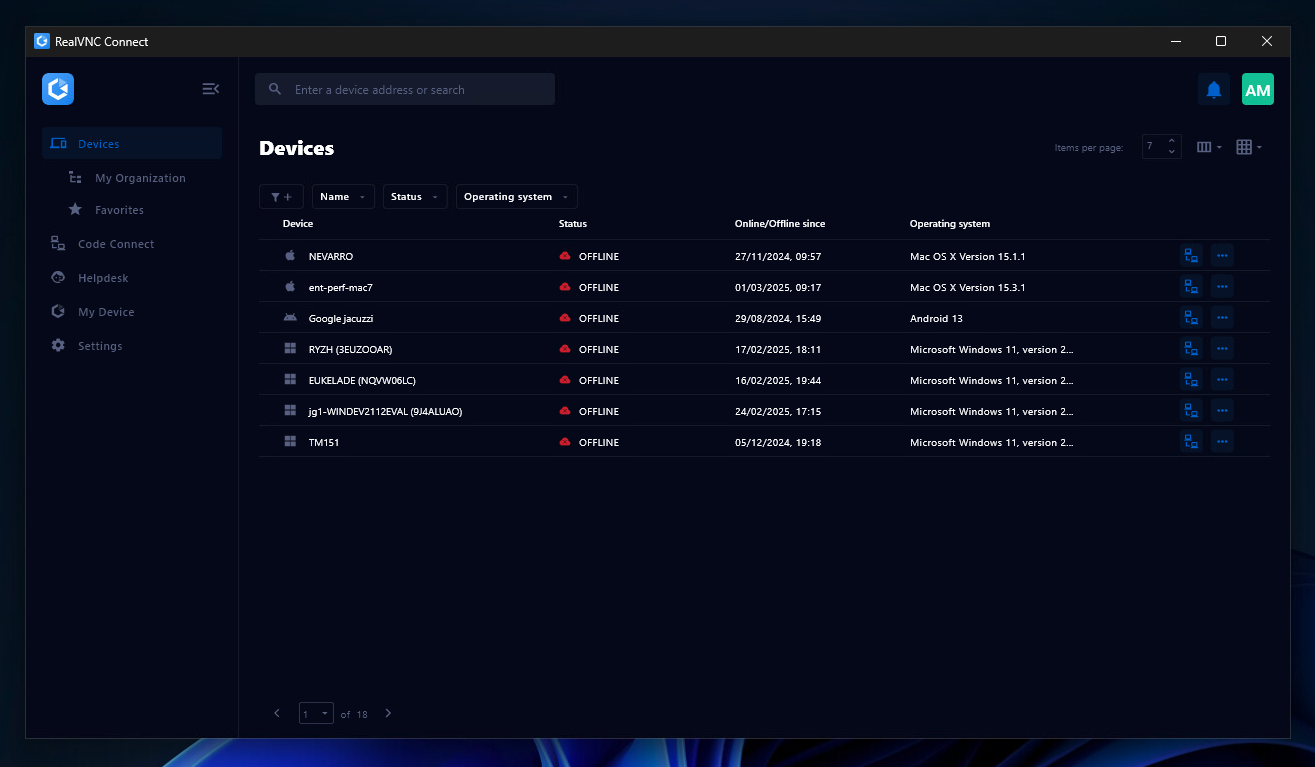
Screenshot of the Device List in the Connect v8 desktop appScreenshot of On-Demand Assist, which can be used to start a remote support session using a single-use code.