Paylocity provides 24/7 access to your online payroll and human resource data management. Paylocity offers highly customizable payroll functionality, as well as HR, benefits administration, and time and talent management programs.
N/A
Webexpenses
Score8.7 out of 10
N/A
Webexpenses is a global provider of spend management solutions, combining integrated Expense Cards with cloud-based software for businesses of all sizes across 70+ countries. Serving industries such as retail, finance, technology, construction, and not-for-profit, Webexpenses gives businesses control over company spending by automating processes, proactively enforcing policies, and controlling costs. Features The Webexpenses platform includes both desktop…
$10.13
per month per user
Pricing
Paylocity
Webexpenses
Editions & Modules
No answers on this topic
Essential
$10.13
per month per user
Scale
$12.15
per month per user
Pro
$18
per month per user
Offerings
Pricing Offerings
Paylocity
Webexpenses
Free Trial
No
No
Free/Freemium Version
No
No
Premium Consulting/Integration Services
Yes
Yes
Entry-level Setup Fee
No setup fee
$250 one-time fee per installation
Additional Details
—
These USD amounts are approximate and provided for guidance only. As exchange rates fluctuate daily with market movements, the actual USD equivalent will vary over time and may differ at the point of transaction or when a formal USD price list is established.
Consistent and ongoing issues with time and labor, payroll, benefits, and a lack of care and sense of urgency from the account manager and Paylocity staff in general when issues do arise. Every time an issue is fixed within the system, it seems that something else then begins to malfunction. 2026 specifically, there have been numerous issues with the time-off feature for both the employees and the HR Team.
A de minimis incentive was given to thank the reviewer for their time. The incentive was not used to bias or drive a particular response, nor was the incentive contingent on a positive endorsement. TR verified that a representative sample of customers was invited. More Info
Webexpenses is well suited for payroll to easily track workforce expenses and reducing hours of manual work from approving and processing the submitted claims. I have to highlight the automated custom report generating, which suits any needs to see reports for our teams. At our organization there is no sceniario, where Webexpenses would be less appropriate.
A de minimis incentive was given to thank the reviewer for their time. The incentive was not used to bias or drive a particular response, nor was the incentive contingent on a positive endorsement. TR verified that a representative sample of customers was invited. More Info
When I need assistance, calling the help line is easy, and most of the time there isn't a long wait. Also, they can and do call back if necessary. I have had Zoom meetings to address issues that required more than just a phone call.
Tracking taxes and filing reports is truly important to us so that we file in a timely manner and avoid penalties and interest. We incurred many penalties when we were using QuickBooks.
Keeping track of employee documents such as I-9 forms along with visas, work authorizations, resident cards, driver's licenses, and certifications is easy and in one location.
With Paylocity, we can easily see who filled out applications. Previously, we used paper applications, which were more manual and involved looking through actual paperwork. This was hard to manage.
A de minimis incentive was given to thank the reviewer for their time. The incentive was not used to bias or drive a particular response, nor was the incentive contingent on a positive endorsement. TR verified that a representative sample of customers was invited. More Info
A de minimis incentive was given to thank the reviewer for their time. The incentive was not used to bias or drive a particular response, nor was the incentive contingent on a positive endorsement. More Info
A de minimis incentive was given to thank the reviewer for their time. The incentive was not used to bias or drive a particular response, nor was the incentive contingent on a positive endorsement. TR verified that a representative sample of customers was invited. More Info
Would be nice if claims could be organised into certain chronological orders i.e. ordered by date so I don't have to copy and delete claims when adding a claim in that has an earlier date
Would be ideal to have an option to save full routes rather than just addresses maybe?
A de minimis incentive was given to thank the reviewer for their time. The incentive was not used to bias or drive a particular response, nor was the incentive contingent on a positive endorsement. TR verified that a representative sample of customers was invited. More Info
The system is easy to use. I love the knowledge base system offered, I can answer many of my questions by looking here first before calling in. If i do have to call in to the help desk, everyone seems to be super knowledgably about the Paylocity Product and if they are unable to assist, which rarely happens, they will escalate my call to the next level of assistance
A de minimis incentive was given to thank the reviewer for their time. The incentive was not used to bias or drive a particular response, nor was the incentive contingent on a positive endorsement. TR verified that a representative sample of customers was invited. More Info
There doesn't seem to be anything in the market at the same price point that is better, however if there is an interrupter in the market that provides better value, then we would heavily assess the cost of change to see if we should move on to the alternative offering.
A de minimis incentive was given to thank the reviewer for their time. The incentive was not used to bias or drive a particular response, nor was the incentive contingent on a positive endorsement. TR verified that a representative sample of customers was invited. More Info
I would say that these 2 factors are the biggest contributors to the rating that I have given. The app is still buggy; I gave up on it after not being able to clock in 3 times. Also, the Firefox unavailability. I had to give up the Firefox browser in order for me to sign my contract and use Paylocity. If they are able to address those 2 issues then it should be a perfect 10.
A de minimis incentive was given to thank the reviewer for their time. The incentive was not used to bias or drive a particular response, nor was the incentive contingent on a positive endorsement. TR verified that a representative sample of customers was invited. More Info
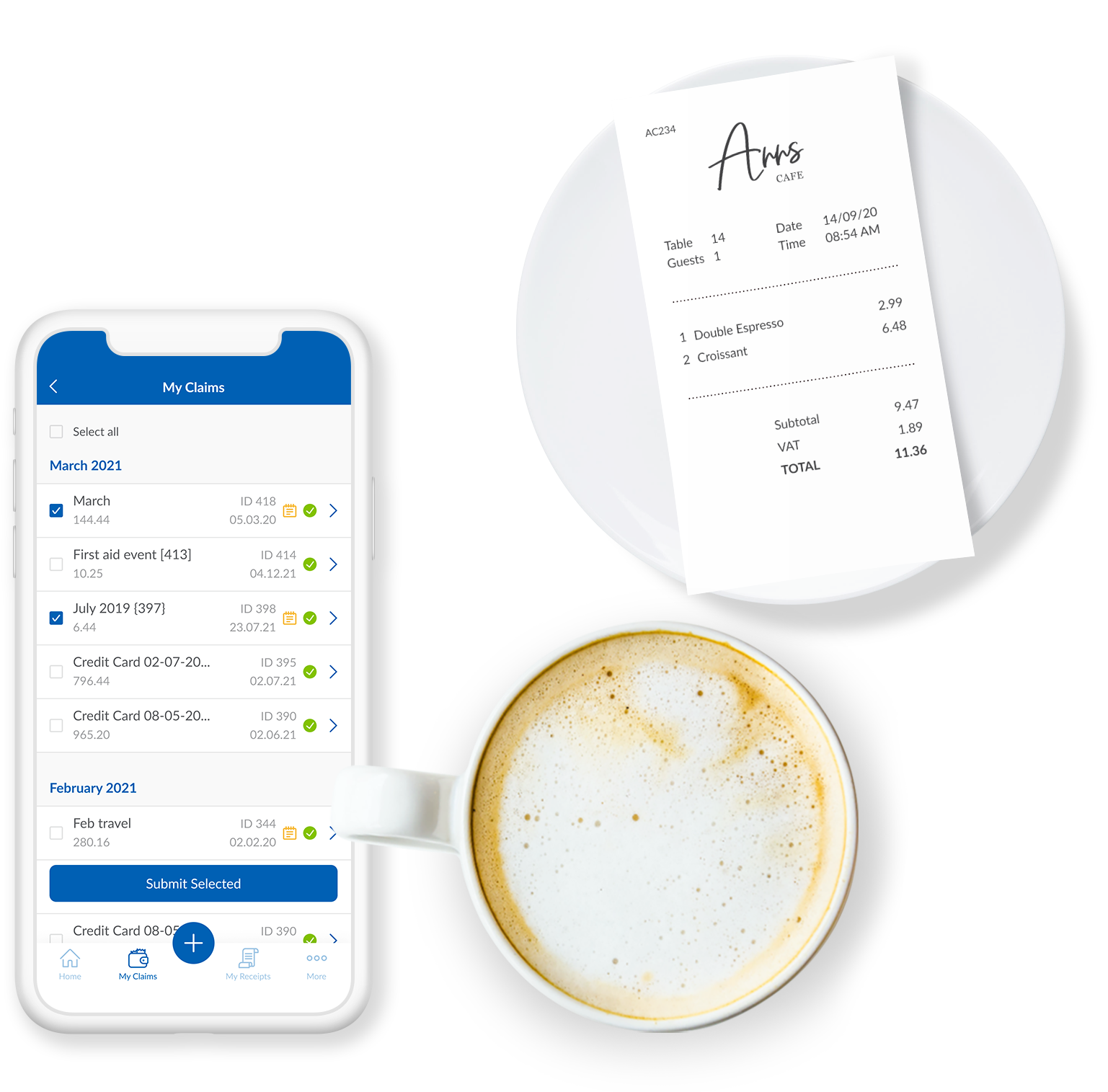
I think this is an easy to use and effective system for expense management. I like how I can upload images and documents directly from my phone onto the mobile app. It's beneficial for continuity that the app and the web browser work the same, and I can save claims to come back to later if I wish.
A de minimis incentive was given to thank the reviewer for their time. The incentive was not used to bias or drive a particular response, nor was the incentive contingent on a positive endorsement. TR verified that a representative sample of customers was invited. More Info
Over the last 3 years, we've only had one major service issue that rendered Airbase unusable for us for about 24 hours. That said, they navigated the SVB bank crisis very well and made sure funds were available during that time.
A de minimis incentive was given to thank the reviewer for their time. The incentive was not used to bias or drive a particular response, nor was the incentive contingent on a positive endorsement. TR verified that a representative sample of customers was invited. More Info
The soft ware is reliable. The phone app works well and allows you to upload evidence, receipts, log mileage and log expenses. It works well and is rarely locked or there are very few times the app is down. The laptop based software is easy to access and again is always available
A de minimis incentive was given to thank the reviewer for their time. The incentive was not used to bias or drive a particular response, nor was the incentive contingent on a positive endorsement. TR verified that a representative sample of customers was invited. More Info
We had some minor hiccups throughout the year but they have all been fixable. Paylocity integrates well with our 401k provider, Principal, and our benefits, OneDigital. It makes it simple to house everything and have it all connected. It doesn't slow anything down to have Principal integrated. It makes it more efficient
A de minimis incentive was given to thank the reviewer for their time. The incentive was not used to bias or drive a particular response, nor was the incentive contingent on a positive endorsement. More Info
The phone based app and the laptop based app always load quickly. It is easy to access. It is quick to use. It easy and quick to upload information and evidence. It is easy to log details. The information goes off to accounting and payroll quickly resulting in prompt payments for staff
A de minimis incentive was given to thank the reviewer for their time. The incentive was not used to bias or drive a particular response, nor was the incentive contingent on a positive endorsement. TR verified that a representative sample of customers was invited. More Info
I have contacted support on several occasions, mostly for assistance with voiding a check and running an off-cycle payroll. The account managers and support team were all very knowledgeable and helpful. They provided great insight and clarity in answering my questions and helping me navigate these processes. I learn something new and helpful each time I speak with them! On a separate note, we have reported technical issues regarding several Paylocity onboarding tasks since this past year. We have reached out several times regarding these issues, but are still waiting for a resolution. It seems sometimes that technical concerns are reported, with no proper solution or follow-up.
A de minimis incentive was given to thank the reviewer for their time. The incentive was not used to bias or drive a particular response, nor was the incentive contingent on a positive endorsement. More Info
The support for the initial setup was great, but since then we have only had to contact support once when we had problems uploading credit card files. The help we received at this time was not good and we ended up trying various things until we resolved the problem ourselves. The online support tutorials are good, but searching for a specific issue is difficult.
I didn't have in-person training, but I'm sure it was just as great as any other training/assistance Paylocity provides. Paylocity customer service is always available. You never have to be on hold and their answers are always accurate and timely. Documents in the help section are helpful as well. My in-person training was conducted y one of our employees who was involved in the initial set-up and training of all employees. She was excellent.
A de minimis incentive was given to thank the reviewer for their time. The incentive was not used to bias or drive a particular response, nor was the incentive contingent on a positive endorsement. TR verified that a representative sample of customers was invited. More Info
A de minimis incentive was given to thank the reviewer for their time. The incentive was not used to bias or drive a particular response, nor was the incentive contingent on a positive endorsement. More Info
It was virtually, click orange button in top right corner, click run report, hit submit. The training was minimal at best. I did not know what I was doing, so I just wrote down the steps, so when they steps failed I had no idea what to do, where I was in the process, What the terms mean or where to find them. When I had questions it was always the same answers, no understanding for WHAT I was doing when I hit the orange button.
A de minimis incentive was given to thank the reviewer for their time. The incentive was not used to bias or drive a particular response, nor was the incentive contingent on a positive endorsement. More Info
It was difficult to train multiple people via video, as they learned at different speeds, and most of the user champions were not as capable with systems and finance processes as our dept.
A de minimis incentive was given to thank the reviewer for their time. The incentive was not used to bias or drive a particular response, nor was the incentive contingent on a positive endorsement. TR verified that a representative sample of customers was invited. More Info
Implementation was a bit bumpy and Paylocity team not always available for next steps and/or questions. I feel like Paylocity could have done a better job in their fact finding as far as what we were currently doing, our payroll policies and needs, etc. so that we would have run into less issues as we moved forward.
A de minimis incentive was given to thank the reviewer for their time. The incentive was not used to bias or drive a particular response, nor was the incentive contingent on a positive endorsement. More Info
A de minimis incentive was given to thank the reviewer for their time. The incentive was not used to bias or drive a particular response, nor was the incentive contingent on a positive endorsement. More Info
We switched from QuickBooks because Paylocity offers more than just payroll. It combines payroll, time tracking, HR, benefits, and employee self-service in one system. This has helped us reduce manual work, improve reporting, and make payroll more efficient. Overall, Paylocity was a better fit for our company's growth and HR needs.
A de minimis incentive was given to thank the reviewer for their time. The incentive was not used to bias or drive a particular response, nor was the incentive contingent on a positive endorsement. TR verified that a representative sample of customers was invited. More Info
I would have to say that Webexpenses does not stack up well in comparison to Expensify. If given a choice, I would choose Expensify for the best user experience and mobile / desktop being more seamless. It accomplishes the same thing but has a more modern, minimal, and streamlined feel to it.
A de minimis incentive was given to thank the reviewer for their time. The incentive was not used to bias or drive a particular response, nor was the incentive contingent on a positive endorsement. More Info
A de minimis incentive was given to thank the reviewer for their time. The incentive was not used to bias or drive a particular response, nor was the incentive contingent on a positive endorsement. More Info
We have gone from a medium sized company to a larger company with no issues whatsoever with Paylocity being able to keep up or do what we need it to do for the size of our needs. In fact, it does more than we even use at this juncture
A de minimis incentive was given to thank the reviewer for their time. The incentive was not used to bias or drive a particular response, nor was the incentive contingent on a positive endorsement. More Info
Every department in my organization uses webexpenses. My role and the role of others involves travel, expenses and mileage. Everyone uses the app to log details, upload receipts and to claim allowable expenses. having spoken to everyone within my team and wider directorate, i do not know of anyone who has had issues with the app
A de minimis incentive was given to thank the reviewer for their time. The incentive was not used to bias or drive a particular response, nor was the incentive contingent on a positive endorsement. TR verified that a representative sample of customers was invited. More Info
Some are knowledgable others not as much and sometimes instead of helping you fix the issue will just give you some directions and expect you to try to figure it out yourself. Also, when your Account Manager needs to escliate the issue to another group, it can take a long time for them to get to your issue and there's no commuication.
A de minimis incentive was given to thank the reviewer for their time. The incentive was not used to bias or drive a particular response, nor was the incentive contingent on a positive endorsement. More Info
The time savings alone is worth the cost. I went from having to spend 3 - 4 full business days on payroll to about 1.
Being able to look all employee data up in one place is a lifesaver and time saver - even outside of the office if I need to access information quickly it is all just a sign in away.
It has saved significant time and reduced confusion related to onboarding. Everyone is able to see what stage an employee is at, I do not need to worry about employees potentially working for us illegally thanks to eVerify, and I am always assured that all required documentation for regulatory purposes has been obtained prior to employment beginning.
A de minimis incentive was given to thank the reviewer for their time. The incentive was not used to bias or drive a particular response, nor was the incentive contingent on a positive endorsement. TR verified that a representative sample of customers was invited. More Info
A de minimis incentive was given to thank the reviewer for their time. The incentive was not used to bias or drive a particular response, nor was the incentive contingent on a positive endorsement. More Info