TrustRadius: an HG Insights company

Centage

Score9.4 out of 10

17 Reviews and Ratings

What is Centage?

Centage delivers FP&A software that helps finance teams automate budgeting, forecasting, and reporting. Offered to teams that have outgrown Excel, Centage aims to replace fragile spreadsheets and version chaos with a faster, more reliable planning process.


Centage’s built-in financial and business logic allows users to create and update their budgets and forecasts and never worry about formulas, functions, links, or any custom programming. It offers synchronized P&L, balance sheet, and automatically generated cash flow reporting. With direct line-of-sight into the organization's financial health, Centage helps clients react quickly to market changes and capitalize on new opportunities.

Media

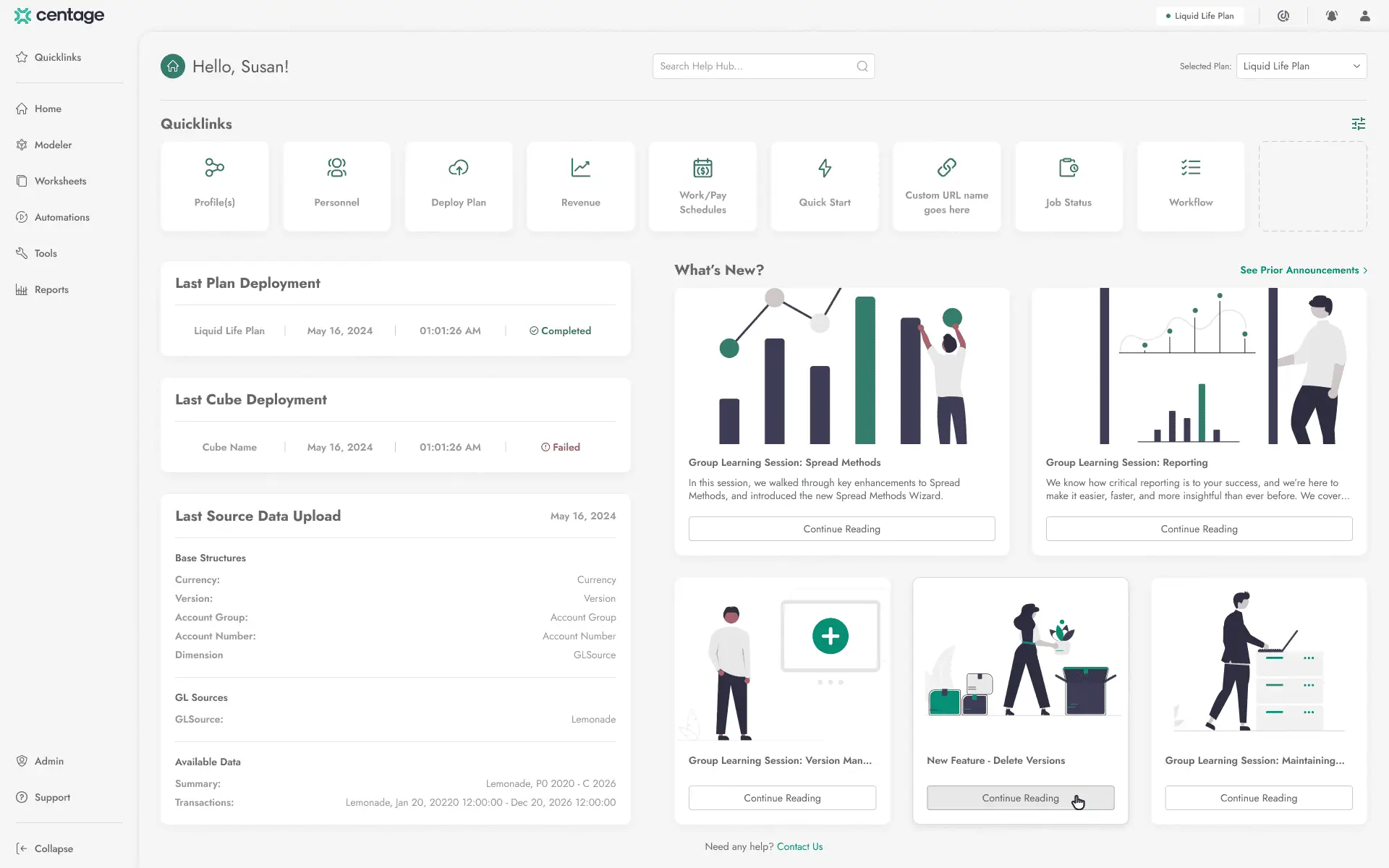
Centage Dashboard
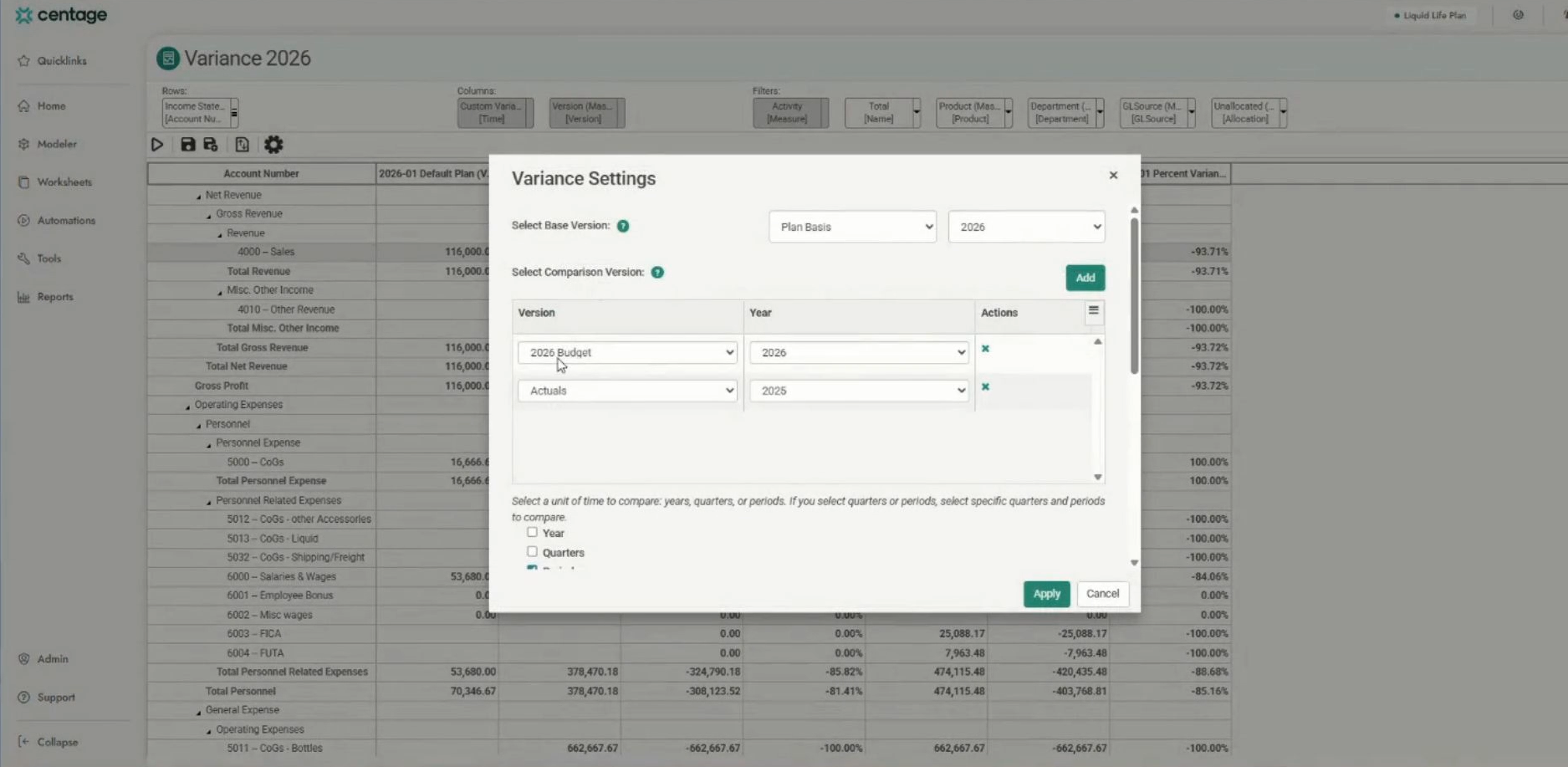
Reporting
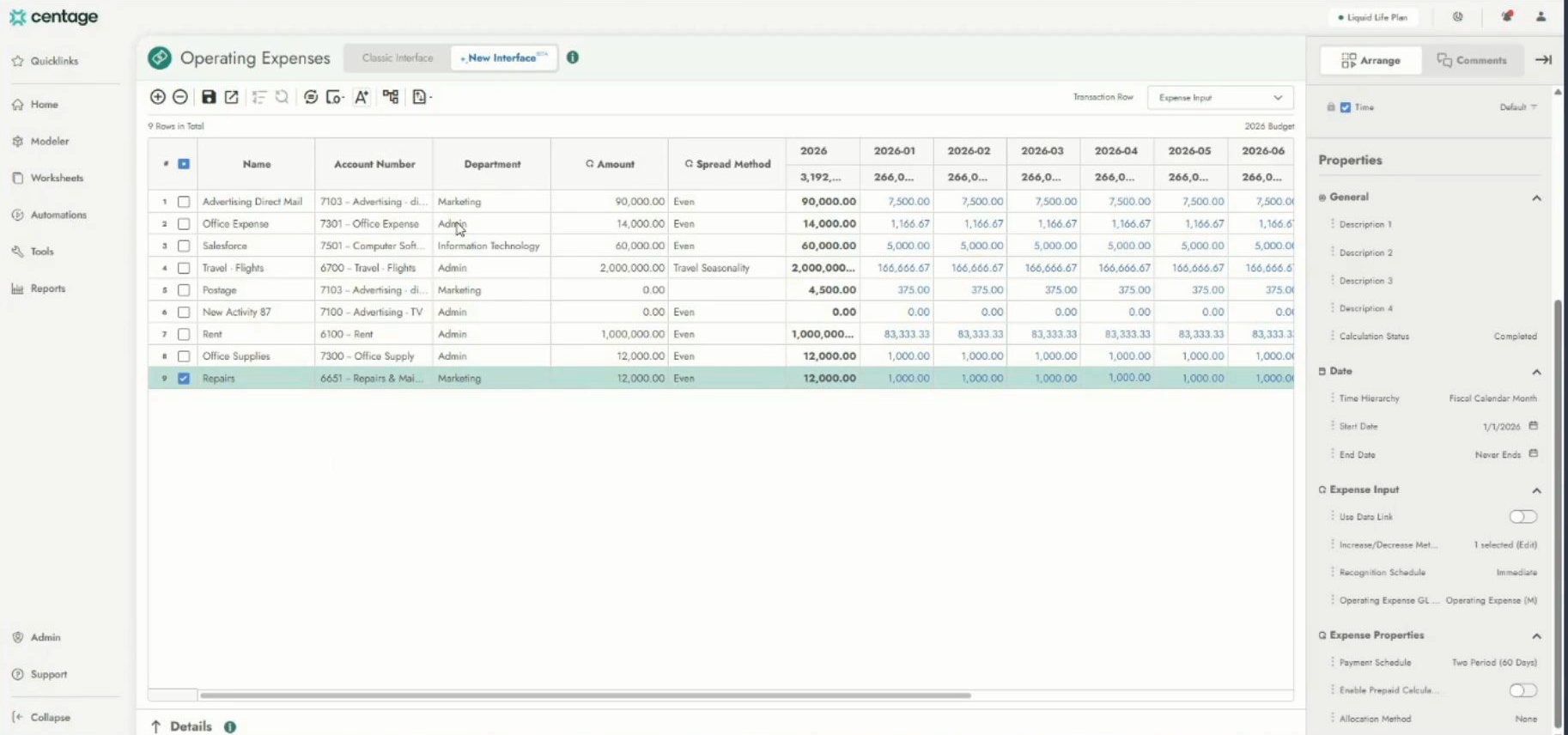
Operating expenses
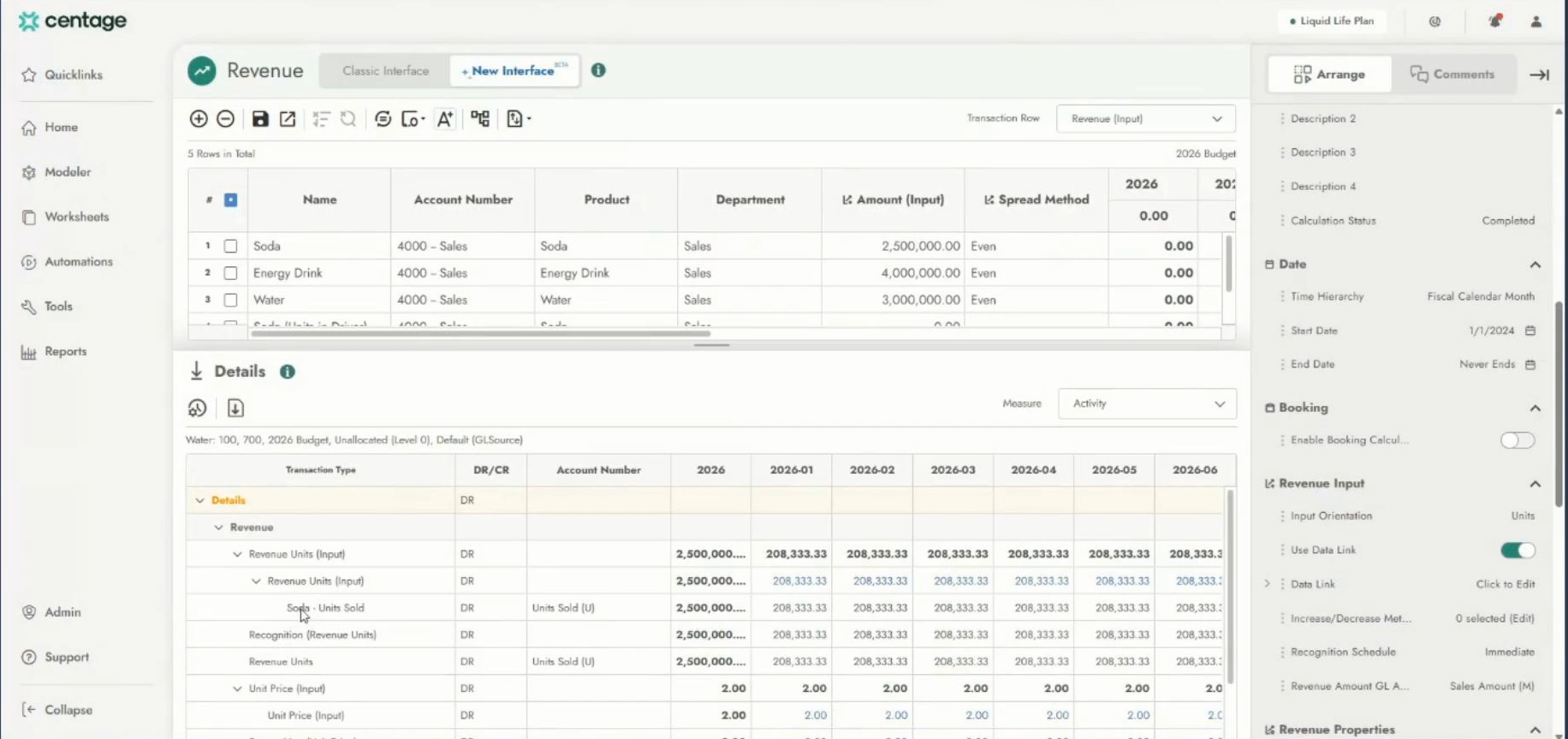
Revenue Planning

1 / 4

Top Performing Features

  • Financial budgeting

    Annual budget for revenue and operating expenses, headcount/compensation, capital expenses, projects, etc.

    Category average: 8.9

  • Role-Based Security Model

    Role-based access means that access to data is determined by job or position in the corporation.

    Category average: 8.7

  • Multiple Access Permission Levels (Create, Read, Delete)

    Multiple access permission levels means that different levels of users have different rights.

    Category average: 8.6

Areas for Improvement

  • Formatting capabilities

    Ability to format output e.g. conditional formatting, lines, headers, footers.

    Category average: 8

  • Publish to Web

    Category average: 7.8

  • Customizable dashboards

    Customizable dashboards are dashboards providing the builder some degree of control over the look and feel and display options.

    Category average: 7.6

Working with Planning Maestro - Centage

Use Cases and Deployment Scope

We use Centage's Planning Maestro for Annual Budgeting and Reforecasting purposes. It's really good as all the inputs entered by all the budget holders get consolidated in our income statement in real time. We can manage access to specific accounts, cost centers and project codes to each budget holder, which makes the process more efficient and minimizes errors. We also use they allocations methods, which are very useful in our case. There is also the possibility of managing different versions of Budgets and reforecasts.

Pros

  • Security setting at the level of the user
  • Expense allocation methods
  • Reporting of Income statement and others
  • Easy definition of parameters such as accounts, cost centers and project cods

Cons

  • We would need the actuals to be brought from our accounting system GP by project code. This is missing at the moment and we are a project driven organization.

Return on Investment

  • It's hard to calculate a ROI figure in this case, but I would say that the investment has been beneficial streamlining our budgeting process. We still have potential in developing much more in terms of dashboards and reports

Other Software Used

SAP Concur

Rollups are a breeze with Centage!

Use Cases and Deployment Scope

We use Centage's Planning Maestro to prepare our annual budgets. Centage allows us to import a lot of information rather than having to manually key it. Another great time-saving feature is the ability to build hierarchies to do budget "rollups" for various owners and managers.

Pros

  • Allow data importing
  • Department / company rollups

Cons

  • Comparison reporting across years and across budgets / actuals.

Return on Investment

  • The lack of actual vs budget reporting has cost of time and made reviewing budgets a bit difficult.
  • The product has saved us a tremendous amount of time when rolling up entity budgets by department, manager and owner.

Other Software Used

Microsoft Dynamics GP, Sage Fixed Assets

Transformative Budgeting

Use Cases and Deployment Scope

Our firm provides outsourced accounting and CFO staff. We work with many different industries and company sizes. We often get pulled into groups where cash management and budgeting concerns are at the top of the management's list. We see many groups try and do this with Excel and other tools, which has some level of success but often gets left or forgotten due to it being a cumbersome process. We will often recommend Centage's Planning Maestro and its budget tools to help these organizations deal with the fatigue that comes from using Excel-based techniques.

Pros

  • Planning Maestro can simplify and automates the budgeting process, by creating an environment where teams can collaborate and update data as needed.
  • The software uses historical data to generate financial forecasts. It enables users to create various scenarios, perform what-if analyses, and assess different business decisions on financial outcomes.
  • You can have real-time dashboards and reports, offering insights into key financial metrics, variances, and performance indicators.

Cons

  • Slightly heavier lift to get people trained on the new system compared to other tools on the market

Return on Investment

  • Overall, I have only seen this product have a positive impact on a business. A business that chooses to use this product as part of its close and reporting process will not be disappointed in the results it can bring to the organization.

Usability

Planning Maestro high benefit to cost ratio

Use Cases and Deployment Scope

We use Planning Maestro as our primary budgeting system. PM provides an efficient, relatively simple but robust, budgeting platform that allow us to have multiple budget versions, detailed budgeting with descriptions, data linking of expenses to revenues where applicable, personnel/salary budgeting, monthly budgeting (if preferred), simplified reporting, different hierararchies (data organization), work flow, etc for modest price. We could also use it for cash flow and balance sheet projections if we desired to do so.

Pros

  • Detailed budgeting even for shared chart of accounts with names and descriptions
  • Multiple budget versions, easy to copy versions
  • Easy navigation
  • Several layers of security rules
  • Uploading of budgets using excel based templates
  • Several options for filtering
  • Personnel or salary budgeting
  • Monthly budgeting

Cons

  • When changing dimensions (chart of accounts) or budgets, delay refreshing until line edits are completed
  • When refreshing data bases, add option to exclude static versions so they don't add processing time

Return on Investment

  • Budgeting system allows for budget transparency and single version budgets
  • Efficient budgeting system that does not take time to learn and use
  • Cost effective budgeting system for administrators and users

Other Software Used

Workday Financial Management

Usability

Absolutely great product!

Use Cases and Deployment Scope

We use Planning Maestro to determine our budget numbers viewed in multiple ways. We gather information for many departments in our company and input that information into Planning Maestro. We also upload the actual sales and expenses to Planning Maestro, allowing us to create a limitless amount of reports showing our forecast for the year, or showing our actual compared to planned sales and expenses.

Pros

  • It keeps up with personnel and all aspects of it.
  • It allows us to input information into each location and department and filter each section in the same way.
  • It is very quick to update the cube and reports to see any changes you have made inside the budget.

Cons

  • The allocations of personnel do not work well for our company. We have to add multiple lines of each person in admin because our expenses get distributed to many departments.
  • The reports inside Planning Maestro should be able to collapse and expand.
  • There is not an easy way to track counts of sales from the plan to the report.

Return on Investment

  • It has been a huge help in our planning and forecasting process.