Atlassian Jira is a project management tool, featuring an interactive timeline for mapping work items, dependencies, and releases, Scrum boards for agile teams, and out-of-the-box reports and dashboards.
$9
per month per user
ClickUp
Score8.8 out of 10
Small Businesses (1-50 employees)
ClickUp is a productivity platform that brings together work apps, data, and workflows. Also presented as a Converged AI Workspace, ClickUp eliminates work sprawl to provide context and a single place for humans and agents to work together. The platform currently boasts over 20 million users worldwide. ClickUp Brain² is deeply embedded into the workspace, offering conversational intake for project scoping and autonomous task generation. It can transform brainstorming docs…
$0
per month per seat
MeisterTask
Score9 out of 10
Small Businesses (1-50 employees)
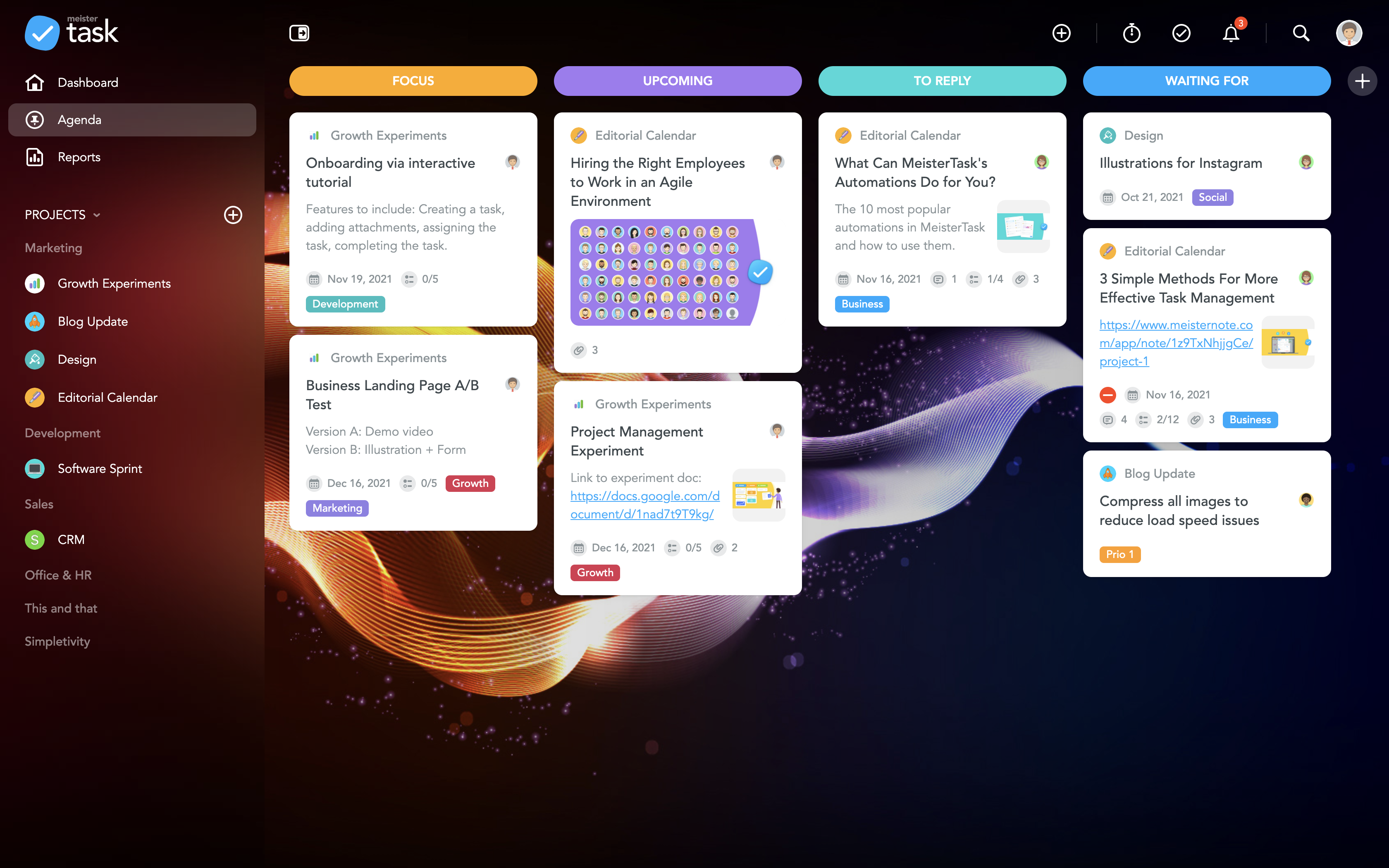
MeisterTask is a task management and collaboration tool that let teams manage tasks in a customizable environment. MeisterTask's project boards adapt to a team’s workflow, and is suitable for managing a variety of tasks from software sprints to editorial calendars. As opposed to only providing a tool that visualizes the work, MeisterTask automates recurring steps in users' workflows to help them work more efficiently and consistently.
MeisterTask is developed by…
$16
per month per user
Pricing
Atlassian Jira
ClickUp
MeisterTask
Editions & Modules
Standard
$9
per month per user
Premium
$17
per month per user
Enterprise
Contact Sales
per year
Unlimited
$10
per month per user
Business
$19
per month per user
Enterprise
Custom
Pro
$16
per month per user
Business
$32
per month per user
Enterprise
Custom
Offerings
Pricing Offerings
Atlassian Jira
ClickUp
MeisterTask
Free Trial
Yes
Yes
No
Free/Freemium Version
Yes
Yes
Yes
Premium Consulting/Integration Services
No
Yes
No
Entry-level Setup Fee
No setup fee
No setup fee
No setup fee
Additional Details
Higher volume teams may qualify buyers for a discount.
Discount available for annual billing.
Discounts are available for education and non-profit organisations. 28% discount for annual pricing.
I used ClickUp for task and project management. This is easy to start for small teams. Atlassian Jira is more powerful when it comes to managing software development projects. It provides better issue tracking, workflow, and strong support for agile method. Compared to this …
A de minimis incentive was given to thank the reviewer for their time. The incentive was not used to bias or drive a particular response, nor was the incentive contingent on a positive endorsement. More Info
Verified User
Chose Atlassian Jira
Jira was the application choose by the company that work for, was already part of the culture, it perform well for organizing and managing the software projects and the company, ClickUp its easier to configure projects and automations and Azure Dev Ops and Trello is simpler but …
A de minimis incentive was given to thank the reviewer for their time. The incentive was not used to bias or drive a particular response, nor was the incentive contingent on a positive endorsement. More Info
Vice President of Research in Research & Development at SPARK Neuro (Research, 11-50 employees)
Chose Atlassian Jira
Jira Software integrates with other software platforms nearly as well as its competitors, such as Asana or ClickUp. However, it provides more advanced tools than ClickUp and Asana, allowing project managers to see the workload of their team members, manage burndown, and react …
A de minimis incentive was given to thank the reviewer for their time. The incentive was not used to bias or drive a particular response, nor was the incentive contingent on a positive endorsement. More Info
Verified User
Chose Atlassian Jira
It was an organizational decision to go for JIRA and hence we moved to JIRA.
A de minimis incentive was given to thank the reviewer for their time. The incentive was not used to bias or drive a particular response, nor was the incentive contingent on a positive endorsement. More Info
QA in Quality Assurance at Horizontal (Computer Software, 201-500 employees)
Chose Atlassian Jira
Firstly the community support and the help that the community it supports is amazing also the product which is designed simple but is perfect when it comes to execution and the ease of using the product and the extra features of the bug logging and resources management and …
A de minimis incentive was given to thank the reviewer for their time. The incentive was not used to bias or drive a particular response, nor was the incentive contingent on a positive endorsement. More Info
Verified User
Chose Atlassian Jira
Atlassian Jira is like an old person trying to look young. In the last couple of years it started succeeding somewhat but I'd still pick something from the alternatives if starting a new project.
A de minimis incentive was given to thank the reviewer for their time. The incentive was not used to bias or drive a particular response, nor was the incentive contingent on a positive endorsement. More Info
Verified User
Chose Atlassian Jira
Great UI/UX, easy to use and great filters than the product we were using before.
A de minimis incentive was given to thank the reviewer for their time. The incentive was not used to bias or drive a particular response, nor was the incentive contingent on a positive endorsement. More Info
Analyst in Finance and Accounting at Airtel International LLP-Airtel Africa (Telecommunications, 10,001+ employees)
Chose Atlassian Jira
Jira [Software] [has] lot of [similar features to Pivotal Tracker]. Many apps are easily integrated with Jira [Software]. Jira [Software] is highly customizable and one can easily attach any other api in it.
A de minimis incentive was given to thank the reviewer for their time. The incentive was not used to bias or drive a particular response, nor was the incentive contingent on a positive endorsement. More Info
ClickUp
Verified User
Chose ClickUp
While Jira proved too technical and difficult for non-IT departments to adopt, ClickUp offered us much greater accessibility and flexibility. InvGate was very useful for incident management but fell short when it came to managing entire projects from conception to execution.
A de minimis incentive was given to thank the reviewer for their time. The incentive was not used to bias or drive a particular response, nor was the incentive contingent on a positive endorsement. More Info
A de minimis incentive was given to thank the reviewer for their time. The incentive was not used to bias or drive a particular response, nor was the incentive contingent on a positive endorsement. More Info
Head of IT in Information Technology at Longo Group (Automotive, 51-200 employees)
Chose ClickUp
At the time we moved from Jira to ClickUp, it was more modern and functionalities packed. Nowadays Jira has moved up as well but I still think ClickUp is more modern system. It just need to keep the stability in the level.
A de minimis incentive was given to thank the reviewer for their time. The incentive was not used to bias or drive a particular response, nor was the incentive contingent on a positive endorsement. TR verified that a representative sample of customers was invited. More Info
Help Desk in Information Technology at Santa Catalina (Hospital & Health Care, 1001-5000 employees)
Chose ClickUp
I have experience using Jira for project and issue management, and InvGate for managing support tickets. By comparison, I found ClickUp to be more flexible because it integrates task management, documentation, and collaboration in a single place. I chose it for its ease of use …
A de minimis incentive was given to thank the reviewer for their time. The incentive was not used to bias or drive a particular response, nor was the incentive contingent on a positive endorsement. More Info
Verified User
Chose ClickUp
It literally nests all platforms in one. It combines the best tools from each platform and simplifies them.
A de minimis incentive was given to thank the reviewer for their time. The incentive was not used to bias or drive a particular response, nor was the incentive contingent on a positive endorsement. More Info
A de minimis incentive was given to thank the reviewer for their time. The incentive was not used to bias or drive a particular response, nor was the incentive contingent on a positive endorsement. More Info
Customer Success & Growth Head in Customer Service at Transact Bridge (Financial Services, 11-50 employees)
Chose ClickUp
We selected ClickUp because of the UI, pricing, and features. We compared ClickUp with Jira, but Jira is more towards Tech as compared to ClickUp. ClickUp has many features that suit our business requirements, and it is very easy to set up. ClickUp's guest user feature is very …
A de minimis incentive was given to thank the reviewer for their time. The incentive was not used to bias or drive a particular response, nor was the incentive contingent on a positive endorsement. More Info
Marketing in Marketing at Ember (Hospitality, 1-10 employees)
Chose ClickUp
I have never been the decision maker on software like this. They are always decided by someone else before I start working for a company. ClickUp seems like the one with the most features though. My co-worker especially loves it and is the one who insisted we use ClickUp over …
A de minimis incentive was given to thank the reviewer for their time. The incentive was not used to bias or drive a particular response, nor was the incentive contingent on a positive endorsement. More Info
Verified User
Chose ClickUp
both are people using it for project management and product development and follow the agile teams across the teams to complete the things on time. But in ClickUp, it's all in one platform for all the daily tasks happening in the company, from onboarding to the completion of …
A de minimis incentive was given to thank the reviewer for their time. The incentive was not used to bias or drive a particular response, nor was the incentive contingent on a positive endorsement. More Info
Group Director, Client Operations in Marketing at Modifly (Marketing & Advertising, 11-50 employees)
Chose ClickUp
ClickUp had a more all-in-one solution for all the issues we have been trying to solve at the agency as well as an integration into our finance system (NetSuite) which helped adoption by our finance team.
A de minimis incentive was given to thank the reviewer for their time. The incentive was not used to bias or drive a particular response, nor was the incentive contingent on a positive endorsement. More Info
A de minimis incentive was given to thank the reviewer for their time. The incentive was not used to bias or drive a particular response, nor was the incentive contingent on a positive endorsement. More Info
Project Manager in Information Technology at Iotasol Technologies Pvt. Ltd. (Computer Software, 51-200 employees)
Chose ClickUp
Asana has a clean interface and is great for basic task management, but it lacks depth in custom workflows, advanced automation, and built-in documentation. ClickUp allows us to customize everything.
Jira is eccellent for technical teams, especially in software development, but …
A de minimis incentive was given to thank the reviewer for their time. The incentive was not used to bias or drive a particular response, nor was the incentive contingent on a positive endorsement. More Info
Owner of Copper Cabbage Studios at Copper Cabbage Studios (Entertainment, 1-10 employees)
Chose ClickUp
I walked away from so many other products that I tried primarily because I wanted to have a task and productivity tool that allowed me to re-envision my 'data' at the task level. I wanted to be able to have Gantt views and dashboard views and then dive in deeper with comments …
A de minimis incentive was given to thank the reviewer for their time. The incentive was not used to bias or drive a particular response, nor was the incentive contingent on a positive endorsement. More Info
Verified User
Chose ClickUp
ClickUp has the best UX by far. It also has the most necessary features and the fewest unnecessary features.
A de minimis incentive was given to thank the reviewer for their time. The incentive was not used to bias or drive a particular response, nor was the incentive contingent on a positive endorsement. More Info
A de minimis incentive was given to thank the reviewer for their time. The incentive was not used to bias or drive a particular response, nor was the incentive contingent on a positive endorsement. More Info
Project Manager in Product Management at Ancilla Ventures (Program Development, 1-10 employees)
Chose ClickUp
ClickUp is definitely a marked improvement in just about every way from Redmine. UI, functionalities, usability- all of it has been a much better experience in ClickUp. As for JIRA and Airtable, I think ClickUp's overall layout and organization style trumps those sites by …
A de minimis incentive was given to thank the reviewer for their time. The incentive was not used to bias or drive a particular response, nor was the incentive contingent on a positive endorsement. More Info
CEO in Marketing at Agência 23 (Marketing & Advertising, 1-10 employees)
Chose ClickUp
All of them are based on activity management, however ClickUp stands out in several areas: integrations with other tools, management of several spaces simultaneously through views/dashboards, the vast majority of the tools listed do not allow me to have visibility of everything …
A de minimis incentive was given to thank the reviewer for their time. The incentive was not used to bias or drive a particular response, nor was the incentive contingent on a positive endorsement. More Info
Systems Specialist in Professional Services at IT Visionists (Information Technology & Services, 1-10 employees)
Chose ClickUp
The best feature of ClcikUp over others is it's customization as well as hierarchy. Departments, clients, operations become easier to manage if the hierarchy is setup in a good way that can allow your business scale without altering it repeatedly. Customization is another …
A de minimis incentive was given to thank the reviewer for their time. The incentive was not used to bias or drive a particular response, nor was the incentive contingent on a positive endorsement. More Info
Verified User
Chose ClickUp
Because ClickUp simply aggregates all the best features from all those solutions.
A de minimis incentive was given to thank the reviewer for their time. The incentive was not used to bias or drive a particular response, nor was the incentive contingent on a positive endorsement. More Info
Verified User
Chose ClickUp
Custom Dashboards for Better VisibilityWe set up custom dashboards to track project progress, team workload, and deadlines in real time, eliminating the need for manual status meetings and Streamlining Team Collaboration & Task PrioritizationUsing priority flags and sprint …
A de minimis incentive was given to thank the reviewer for their time. The incentive was not used to bias or drive a particular response, nor was the incentive contingent on a positive endorsement. More Info
Verified User
Chose ClickUp
Firstly, due to price. Also, each of the tools is more suited for a different market, while ClickUp is diverse and customizable enough so that we can all use the same tool. Onboarding on Asana was much easier, for personal tasks it's a more user friendly tool.
A de minimis incentive was given to thank the reviewer for their time. The incentive was not used to bias or drive a particular response, nor was the incentive contingent on a positive endorsement. More Info
Systems Consultant in Professional Services at ProjectBox (Management Consulting, 1-10 employees)
Chose ClickUp
The short answer: other tools do individual pieces better. Productive handles financials and resourcing more natively. Notion is prettier for documentation. Monday looks slick for simple boards. But no other single platform covers the full spectrum the way ClickUp does: tasks, …
A de minimis incentive was given to thank the reviewer for their time. The incentive was not used to bias or drive a particular response, nor was the incentive contingent on a positive endorsement. More Info
Verified User
Chose ClickUp
ClickUp is easy to setup and build environment that is friendly to even a new user.
A de minimis incentive was given to thank the reviewer for their time. The incentive was not used to bias or drive a particular response, nor was the incentive contingent on a positive endorsement. More Info
Head of Project Division in Information Technology at PATH Product & Software House (Computer Software, 51-200 employees)
Chose ClickUp
Jira is really good and maybe it works better in big projects. But for a department that serves multiple customers at the same time, ClickUp stands out. monday.com seems difficult and complicated to use.
A de minimis incentive was given to thank the reviewer for their time. The incentive was not used to bias or drive a particular response, nor was the incentive contingent on a positive endorsement. More Info
A de minimis incentive was given to thank the reviewer for their time. The incentive was not used to bias or drive a particular response, nor was the incentive contingent on a positive endorsement. More Info
Verified User
Chose MeisterTask
Meistertask seems like it was made for work, and it doesn’t hide its features amid complicated menus. The Mobile experience is one of the best I have used in task management. It integrates with other tools more widely via Zapier and various built-in ecosystem connections within …
A de minimis incentive was given to thank the reviewer for their time. The incentive was not used to bias or drive a particular response, nor was the incentive contingent on a positive endorsement. More Info
Verified User
Chose MeisterTask
Easy to use user interface, easy setup and probably the quickest setup of what I’ve tried. For what I need it to do it excels. The other platforms are more robust and feature packed, but that comes with more cost and setup time.
A de minimis incentive was given to thank the reviewer for their time. The incentive was not used to bias or drive a particular response, nor was the incentive contingent on a positive endorsement. More Info
A de minimis incentive was given to thank the reviewer for their time. The incentive was not used to bias or drive a particular response, nor was the incentive contingent on a positive endorsement. More Info
Jira facilitates software development, bug tracking, and sprints. It's ideal for structured workflows, issue management, and customer communication. However, more straightforward tools might be more efficient for highly creative, unstructured tasks or tiny, agile teams with quick visual overviews. Jira's complexity can be overkill for basic task lists.
A de minimis incentive was given to thank the reviewer for their time. The incentive was not used to bias or drive a particular response, nor was the incentive contingent on a positive endorsement. More Info
I think it is great for task management and project management. It allows for much easier cross-team collaboration. Personally, I found it useful as a project and team manager to better keep track of all the deliverables that have been assigned to various members of the team. It is less appropriate to use as a CRM even though the website mentions it can be used as one, it still lacks many features which a full-fledged CRM would provide.
A de minimis incentive was given to thank the reviewer for their time. The incentive was not used to bias or drive a particular response, nor was the incentive contingent on a positive endorsement. More Info
The best part about Meistertask is how dead simple it is, while still absolutely nailing what it needs to really get right. Meistertask makes task management dead simple for me and keeps the detail out of the way unless I specifically need it.
A de minimis incentive was given to thank the reviewer for their time. The incentive was not used to bias or drive a particular response, nor was the incentive contingent on a positive endorsement. More Info
Integration of tools like Bitbucket, Github, etc., has made it easier to track the code changes, pull requests, and branches linked to the respective ticket.
The detailed tracking system in JIRA has helped the teams prioritize and understand the project tasks and issues.
JIRA's project tracking board helps you keep track of the project, its flow, and expectations in a structured format.
A de minimis incentive was given to thank the reviewer for their time. The incentive was not used to bias or drive a particular response, nor was the incentive contingent on a positive endorsement. More Info
Task Management - you can easily track details and notes of the tasks, deadlines and important dates, and notes and key links for the task. This has really leveled up how we manage projects and tasks.
Operational efficiency - by tracking where time goes the most or which tasks go the most, it enables you to identify areas where the most time is being spent and if that process needs to be improved or changed to streamline workflow.
SOP/Document storage - it is easy to create documents for standard operating procedures and processes and have a file to easily locate and reference them.
Files for projects or clients - ClickUp allows you to create separate files, folders, and subfolders to easily store and locate any corresponding tasks, projects, or important documents for that specific project or client.
AI overview - for tasks or documents with longer note sections or that have spanned more time and have more notes involved, ClickUp has an AI overview tool that helps with summarizing.
A de minimis incentive was given to thank the reviewer for their time. The incentive was not used to bias or drive a particular response, nor was the incentive contingent on a positive endorsement. More Info
The learning curve is really short compared to other software that is related to this.
It is very easy to manage several projects at the same time, thus saving time in the work process.
Managing the elements of the list is very comfortable since its interface allows everything to work in an orderly manner based on what I want to put as important for me.
It has versions that are adapted to any type of company or if you want to give a personal use because it also has an option based on what you want to do with MeisterTask.
A de minimis incentive was given to thank the reviewer for their time. The incentive was not used to bias or drive a particular response, nor was the incentive contingent on a positive endorsement. More Info
A de minimis incentive was given to thank the reviewer for their time. The incentive was not used to bias or drive a particular response, nor was the incentive contingent on a positive endorsement. More Info
A de minimis incentive was given to thank the reviewer for their time. The incentive was not used to bias or drive a particular response, nor was the incentive contingent on a positive endorsement. TR verified that a representative sample of customers was invited. More Info
A de minimis incentive was given to thank the reviewer for their time. The incentive was not used to bias or drive a particular response, nor was the incentive contingent on a positive endorsement. More Info
This is because Jira Software generates a huge profit for an affordable price. Having a tool that makes team management transparent and effective is very valuable.
In addition, the renewal of Jira Software and all Atlassian tools is predictable and clear, as the prices are published on the Atlassian website and there is no pyramid of intermediaries.
A de minimis incentive was given to thank the reviewer for their time. The incentive was not used to bias or drive a particular response, nor was the incentive contingent on a positive endorsement. More Info
It has been a game-changer in terms of project tracking, as animation is a demanding product that requires multiple layers of analysis, revisions, tracking, scheduling, etc. ClickUp simplifies many approvals as anyone can easily add items, and you can tag the people who need to look at them.
A de minimis incentive was given to thank the reviewer for their time. The incentive was not used to bias or drive a particular response, nor was the incentive contingent on a positive endorsement. TR verified that a representative sample of customers was invited. More Info
The interface is simple and easy to use if you have some experience with it. Configuration is also logical most of the time. However, less experienced users tend to find themselves lost in some tasks - usually complex project configuration- but sometimes simple things, such as seeing why a user can't move issues in a workflow. Jira configuration requires a good amount of experience - and even experienced users often resort to documentation. It's a tool that's easy to use if you know what you're doing and where to find the proper documentation, but novice users tend to find it challenging.
A de minimis incentive was given to thank the reviewer for their time. The incentive was not used to bias or drive a particular response, nor was the incentive contingent on a positive endorsement. More Info
ClickUp is generally very usable once the workspace is properly organized. The flexibility of views, custom fields, task structure, dashboards, and automations makes it easy to adapt the platform to different teams and workflows. The main reason I would no rate it a 10 is that the amount of functionality can make the interface overwhelming, specially for new users. large workspaces with many custom fields, notifications, views, and hierarchy levels can also require some training and ongoing governance.
A de minimis incentive was given to thank the reviewer for their time. The incentive was not used to bias or drive a particular response, nor was the incentive contingent on a positive endorsement. More Info
A de minimis incentive was given to thank the reviewer for their time. The incentive was not used to bias or drive a particular response, nor was the incentive contingent on a positive endorsement. More Info
Did not face any issues and whenever they plan maintanance they update all of us very well in advance also so in that view we are good with the product stability.
A de minimis incentive was given to thank the reviewer for their time. The incentive was not used to bias or drive a particular response, nor was the incentive contingent on a positive endorsement. More Info
For over a year ClickUp was unavailable to us just twice for a couple of hours. I would say for a system this big and working globally that was a minor issue. They managed to fix all the issues within a couple hours and then it was back up and running perfectly fine.
A de minimis incentive was given to thank the reviewer for their time. The incentive was not used to bias or drive a particular response, nor was the incentive contingent on a positive endorsement. More Info
Performance is really good though it holds lot of data it loads quickly especially search operation also get the results very quickly as needed hence its good
A de minimis incentive was given to thank the reviewer for their time. The incentive was not used to bias or drive a particular response, nor was the incentive contingent on a positive endorsement. More Info
The speed of ClickUp is average to be honest. This is one of the biggest flaws of the system, sometimes it's also lagging a little bit but we also have a lot of documents, lists etc. on our workspace. However, with the next version of ClickUp I've seen they are planning to increase the speed by almost 500%, probably by changing the technology, so I am more than looking forward to it.
A de minimis incentive was given to thank the reviewer for their time. The incentive was not used to bias or drive a particular response, nor was the incentive contingent on a positive endorsement. More Info
I have not had a chance to contact JIRA's customer support. It does offer extensive documentation, although it often feels too technical for me. There is also a JIRA training app that lets you take little lessons and quizzes on different areas (e.g., JIRA basics, agile). I did find it a helpful way to teach myself.
A de minimis incentive was given to thank the reviewer for their time. The incentive was not used to bias or drive a particular response, nor was the incentive contingent on a positive endorsement. More Info
I started using ClickUp when it was what most would consider a baby company. There were the occasional bugs that made working in ClickUp a little bit of a headache, but the support feature allowed me to chat with a real persona and communicate my issues. I would always get prompt support and someone willing to really help me, not just point me to FAQ pages. Not feeling like a number really makes a difference.
A de minimis incentive was given to thank the reviewer for their time. The incentive was not used to bias or drive a particular response, nor was the incentive contingent on a positive endorsement. More Info
A de minimis incentive was given to thank the reviewer for their time. The incentive was not used to bias or drive a particular response, nor was the incentive contingent on a positive endorsement. More Info
Had received training from our own internal user so it was good and also very easy to understand topics and many tasks in the UI are self explanatory and we can do by our own
A de minimis incentive was given to thank the reviewer for their time. The incentive was not used to bias or drive a particular response, nor was the incentive contingent on a positive endorsement. More Info
One of their strong points i stheir documentation. Almost all of the basic set up needed within JIRA is available online through atlassian and its easy to find and very precise. The more critical issues need to be addressed as well and hence the rating of 8 instead of a 9.
A de minimis incentive was given to thank the reviewer for their time. The incentive was not used to bias or drive a particular response, nor was the incentive contingent on a positive endorsement. More Info
There are multiple guides on literally all of the functions you can find within the system, therefore it's easy to learn anything you'd really like to use, starting from project and people management, down to Gantts, mind maps, time tracking, inviting Clients as guests to work with you on the projects and so much more.
A de minimis incentive was given to thank the reviewer for their time. The incentive was not used to bias or drive a particular response, nor was the incentive contingent on a positive endorsement. More Info
Take your time implementing Jira. Make sure you understand how you want to handle your projects and workflows. Investing more time in the implementation can pay off in a long run. It basically took us 5 days to define and implement correctly, but that meant smooth sailing later on.
A de minimis incentive was given to thank the reviewer for their time. The incentive was not used to bias or drive a particular response, nor was the incentive contingent on a positive endorsement. More Info
Start small. Don’t try to build the most elaborate plans first. Resist the urge to get into Gantt charts if no one is used to them. Just get work written, add dates and assignees, and start getting used to it. If you did not use a work management tool before, you need to be gracious with yourself about the fact that you likely do not have the muscle memory for working this way yet. But you will get there.
And leverage people who know it if possible. Look for ClickUp experts and vendors. They can really supercharge your effectiveness at building the tool out and speed up the process.
A de minimis incentive was given to thank the reviewer for their time. The incentive was not used to bias or drive a particular response, nor was the incentive contingent on a positive endorsement. More Info
monday.com cannot be integrated with CI/CD tools, whereas Atlassian Jira integrates with CI/CD tools seamlessly. Atlassian Jira has strong Agile and Scrum support. Coming to monday.com, it has basic agile functionality. But Atlassian Jira has a complex UI, and monday.com has an intuitive, drag-and-drop interface. Overall, Atlassian Jira provides features like Agile project management, DevOps integration, and customizable workflows.
A de minimis incentive was given to thank the reviewer for their time. The incentive was not used to bias or drive a particular response, nor was the incentive contingent on a positive endorsement. More Info
ClickUp is more robust and customizable than the ones we tried. I like Notion's user interface but seems more powerful to track progress. We didn't need the timetracker part of Monday and Asana seemed a little too cumbersome. So ultimately we went with ClickUp because it had the most potential... potential that we still have yet to harness.
A de minimis incentive was given to thank the reviewer for their time. The incentive was not used to bias or drive a particular response, nor was the incentive contingent on a positive endorsement. More Info
Meistertask seems like it was made for work, and it doesn’t hide its features amid complicated menus. The Mobile experience is one of the best I have used in task management. It integrates with other tools more widely via Zapier and various built-in ecosystem connections within the Meisterlabs space. If you need to get started simplifying your digital life, this can help.
A de minimis incentive was given to thank the reviewer for their time. The incentive was not used to bias or drive a particular response, nor was the incentive contingent on a positive endorsement. More Info
A de minimis incentive was given to thank the reviewer for their time. The incentive was not used to bias or drive a particular response, nor was the incentive contingent on a positive endorsement. More Info
A de minimis incentive was given to thank the reviewer for their time. The incentive was not used to bias or drive a particular response, nor was the incentive contingent on a positive endorsement. More Info
Scaling with ClickUp is superb. If you create a workflow best suited for your organization then it's all about creating new accounts and teaching the new employees the workflow you're using. It's that simple. There is no black magic when it comes to Clickup.
A de minimis incentive was given to thank the reviewer for their time. The incentive was not used to bias or drive a particular response, nor was the incentive contingent on a positive endorsement. More Info
For our marketing team, Jira Work Management caused us to lose valuable work time due to manual updates that could have been automated.
Due to lack of creative review tools within Jira Work Management, our team had to pursue other tools that do not integrate with Jira Work Management, thus creating additional OpEx.
A de minimis incentive was given to thank the reviewer for their time. The incentive was not used to bias or drive a particular response, nor was the incentive contingent on a positive endorsement. More Info
A de minimis incentive was given to thank the reviewer for their time. The incentive was not used to bias or drive a particular response, nor was the incentive contingent on a positive endorsement. More Info
MeisterTask saves me a lot of time in communicating about various tasks of a project. The activity chat feature lets me communicate with other members of my team without having to be in the same location as them, and increasing our productivity.
It has caused me to use some additional time though, and create a Gantt chart myself instead of being able to use a built-in feature.
MeisterTask is great for letting us organize and keep track of all aspects of a project and make sure each one gets done by its respective due date.
A de minimis incentive was given to thank the reviewer for their time. The incentive was not used to bias or drive a particular response, nor was the incentive contingent on a positive endorsement. More Info