BILL is an online service for SMBs which provides a central dashboard for managing Accounts Receivable, Accounts Payable, and cash flow management. It syncs with all major accounting systems like QuickBooks, Sage, Intaact, and NetSuite.
$45
per month
Microsoft Dynamics 365
Score 7.9 out of 10
N/A
Microsoft Dynamics 365 is a CRM providing sales, marketing, and service functionality. It is offered as SaaS and on-premise. Dynamics 365 is part of the larger Dynamics suite of business intelligence and ERP products.
$44
per month
Tipalti
Score 7.3 out of 10
Mid-Size Companies (51-1,000 employees)
Tipalti automates critical financial processes to drive efficiency, including accounts payable, mass payments, procurement, and expenses, all on one global finance automation platform that grows with the organization, automating, de-risking and simplifying finance.
$129
per month
Pricing
BILL
Microsoft Dynamics 365
Tipalti
Editions & Modules
Essentials
$45
per user/per month
Team
$55
per user/per month
Corporate
$79
per user/per month
Enterprise
Custom Pricing
No answers on this topic
No answers on this topic
Offerings
Pricing Offerings
BILL
Microsoft Dynamics 365
Tipalti
Free Trial
Yes
Yes
No
Free/Freemium Version
No
No
No
Premium Consulting/Integration Services
No
Yes
Yes
Entry-level Setup Fee
No setup fee
No setup fee
Required
Additional Details
—
—
Pricing starts at $149 per month for the platform fee. Users can upgrade to Tipalti's more advanced capabilities as their businesses gets more complex.
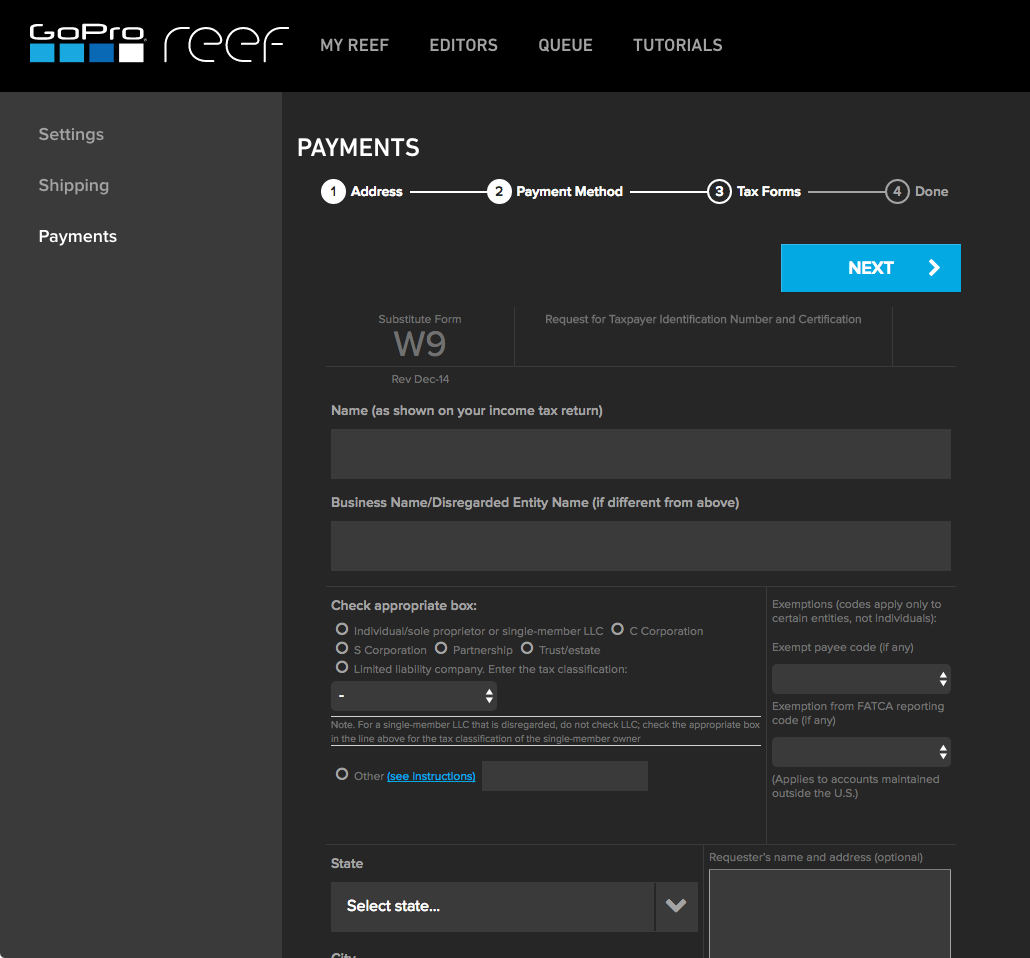
The Tipalti pricing model is designed to grow with the user's company. Advanced features such as W-8 tax forms, international tax IDs, or multi-entity payables are available as needed.
More Pricing Information
Community Pulse
BILL
Microsoft Dynamics 365
Tipalti
Considered Multiple Products
BILL
Verified User
Director
Chose BILL
We are switching from Bill.com to Tipalti because it is able to handle everything Bill.com cannot and allows our company to quickly scale. Bill.com has had the opposite effect on our company. We could not continue to scale until we decided to stop using their service. It was …
Microsoft Dynamics 365
No answer on this topic
Tipalti
Verified User
Employee
Chose Tipalti
We migrated from Bill.com, and I've only heard good things since.
While Bill.com is a respectable software with no glaring deficiencies, we chose Tipalti because we felt that this is a better platform on which to conduct international payables.
Tipalti was more cost-effective than Bill.com. The approval process is much easier with Tipalti as well. I did not implement Bill.com so I can’t speak to that. I do remember OCR in both invoice coding and approval workplace was good.
Tipalti was in fact the only solution that met all our critical requirements (e2e) and supported ISK payments. Credit cards is not an available functionality outside the US, but wasn´t a critical feature for us.
We originally selected Tipalti based on their ability to manage multi-entity subsidiary AP management, but improvements to the software haven't been as great or as quick as we would have hoped.
We chose Tipalti over other options as it provided us the flexibility we needed to process payments with minimal inputs and at a price point that really made sense for us. It removed some of the roadblocks that existed with other products in this space. The ease in …
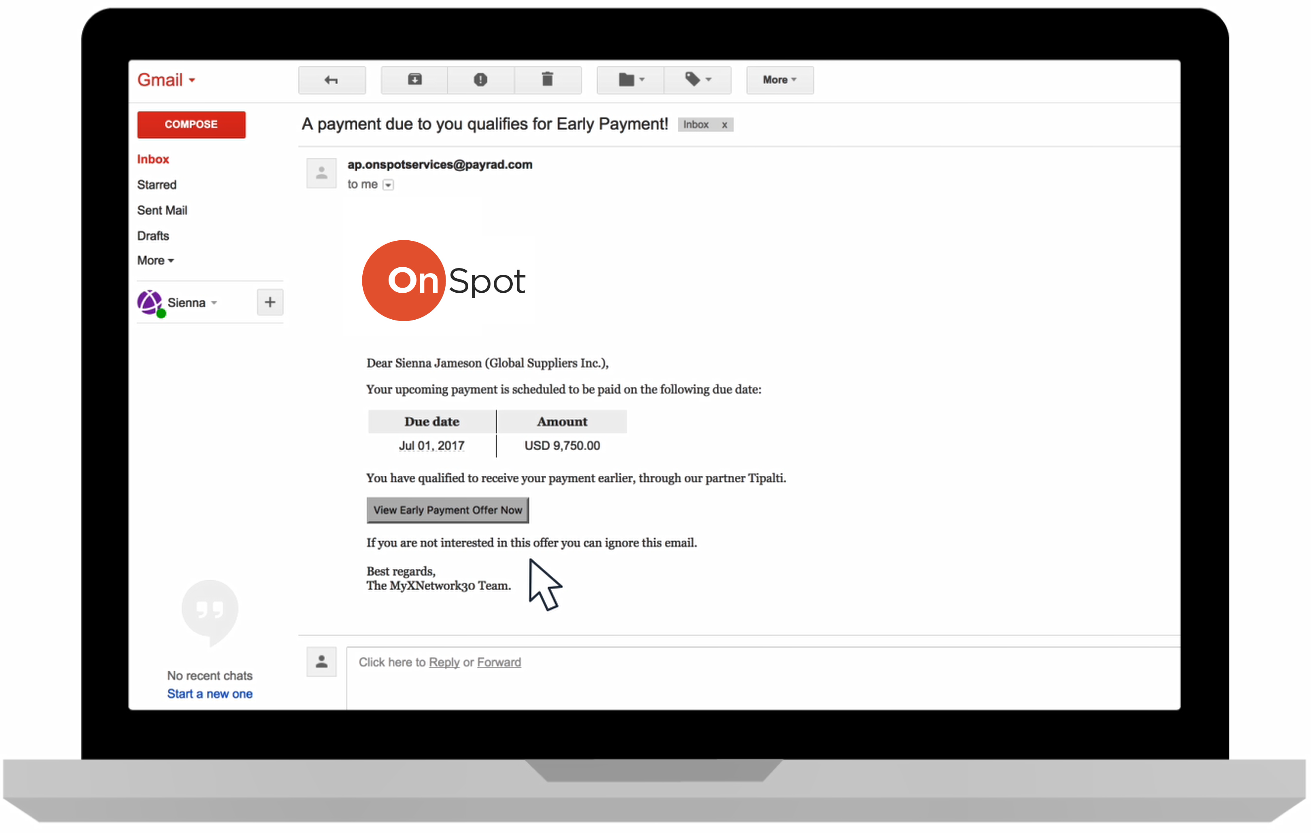
I love how Tipalti has the early-payment offer option which allows payees to be able to accept or request their payment earlier than the due date. The early-payment offer option is also a good ROI for companies as a percentage of the fees deducted for the payee goes to the …
It depends, Bill.com certainly has a strong reputation and I agree it can be a great solution in the right scenario but I think the implementation and initial setup are critical and need to be well thought out based on the setup of the organization you are a part of.
Provides our company access to manage and customize the folds tailored to our needs. We needed to have certain paragraphs on certain paperwork per customer. MD 365 has those options to customize where needed and remove when not. The system is easy to navigate, and training can be done in a matter of days, even without prior knowledge of the system or similar systems.
I would tell them that it manually syncs to ERPS. Additionally I would include the fact that you can pay multiple entities in one pay run allowing to be very efficient. I would also include that they can add rules to bill approvals or set up auto payments for certain vendors. Lastly, there are many reports you can run providing you will very informational data in seconds.
Best to use for AP - like in our organization, there are plenty of AP bills, so with Dynamics, we can quickly enter the same into the Excel utility, which means CSV-based upload, and then we can easily upload the same to the software. It's a time saver.
Best for Bank reconciliation - MS Dynamics makes Bank reconciliation easy. Banks can easily sync with software and easily get reconciled.
Generating invoices to customers and directly sending them to their inbox is easy with this software.
Currently, our company uses a different platform to submit expenses, we only use bill.com to receive them. So perhaps this isn't actually a place where bill.com could improve, but the expense submission process may not have been robust enough for our company.
The bill.com platform wasn't the most beautiful or pleasing to use, but this is a minor fault.
I'd love a way to set up recurring payments (e.g., my phone bill is reimbursed each month).
Small learning curve, obviously. You won't figure this out in a day, a week, or even a month. But given time, you can learn to be an expert. Or you can always get a consultant or hire in somebody. But learning the tool isn't out of the questions by any means.
Licensing can be confusing at times and isn't cheap, but it is cheaper than Salesforce. Plus no additional fees for data calls to better integrate your D365 CE data with other systems.
The Classic user interface left a bit to be desired, but now with the much-improved Unified Interface, the web client and the mobile client look the same, much more modern, and have more flexibility and power behind them for customizers as well.
The report that provides the "Not payable" vendors does not work well for us, particularly because the sync to our ERP goes both ways, which means all of the employees also sync over to Tipalti and remain as Not Payable. So the list is very long, and I don't find a good use for it.
While our firm does not use Bill.com internally, we know many customers that use Bill.com and are very happy with it. Based on the feedback from current users, I would say that the product should have a strong renewal forecast. Once customers move their AP to the cloud, they would be unlikely to move it back given a choice.
CRM has allowed us to keep all of our data in one place that is easy for all users within the company to view. I came into the company after they had been using CRM for about 4 years. They have all said that since we have used this it has helped us control work processes better, it has allowed us to be able to track things so much better, and has been something that has helped unite many processes that used to be all over the place. We are currently using CRM 4.0 and are planning on upgrading in the next 18 months to the 2011 version. Support for 4.0 is almost all but dried up. Understandably so. Some of the customization we have done, and a plugins we use, are now contained within the 2011 version so we are looking forward to that upgrade. We use an email marketing company as well, and they primarily support the 2011 version, but their product connects and is integrated within CRM. This is a great benefit as well so that all of our marketing information can be contained in one location.
Solid system performance. Suits our needs and solution provider very inclined to accept feedback and involve users in developing the solution to serve both the provider and the ultimate user. Tipalti has streamlined our process that was previously very manual and prone to error. Now there is transparency of information and role.
Bill.com continues to raise the bar with new features and improved interface. The Fast Pay option is another innovation that reduces administrative time when you have to get an overnight check out. The new Chat Support interface, powered by Zopim, which is world-class, adds to the responsiveness of Bill.com's support team and makes getting real-time answers that much easier.
The usability is easily adopted for users familiar with other Microsoft products. Dynamics 365 has several interfaces that cross over browsers and tablets. These multiple interfaces will be phased out and updated to a single unified interface eventually to provide the same usability across all devices. The backend configurations is slowly improving with the introduction of PowerApps compared to pre-D365 Online versions
Two-time Tipalti selector, implementor, and user. The payment features in the app saves many steps in the payment process. No longer do you have to set-up or upload payment information to your bank and then go back to your accounting system and mark items as paid. Tipalti does all of this with a click of a mouse. The payment feature is the stand out feature. Many vendors can process your invoices. Look at how at the payment process of others.....you will see.
The only time Bill.com was ever "unavailable" was then the Sync to Quickbooks function failed. That happened a time or two but was usually quickly remedied. I'm not sure if that's an issue with newer online versions of Quickbooks Enterprise -- at the time we were using a remotely hosted Quickbooks instance accessed via terminal server (vs a cloud offering like Bill.com is)
I could not explain to them how I was trying to remove an old email account from my company page while granting the new email account access to the bank account that the first email account had added. The "set a bank account as inactive" button is labeled delete, but they don't seem to recognize that. I requested my Bill.com account be deleted on Wednesday so I could start all over with a fresh account; this seemed to be completed Wednesday night, but when I tried to create a new Bill.com account from the same email, it took me to my old bill.com account.
Our partner, Ledgeview Partners has been FANTASTIC to work with. They are always timely in their response and have taken time to understand our business and our specific needs. We've made a lot of advanced customizations and they have been a great help in making those updates.
Since I also work in customer support, I often have to contact Tipalti's team with questions from our users. Tipalti's support team has always been exceptionally helpful and it was a pleasure to communicate with them. I have always received prompt responses to any inquiries and they are excellent at solving our customers' issues within a short time
The online training provided by Bill.com is concise and since the firm consistently improves the platform functionality, users are able to select the training for the modules they specifically need.
We used a data warehouse to house our data, and our IT team and implementation vendor worked diligently ahead of time to construct idea implementation plans. Out of millions of records- we had less than a dozen errors, which is remarkable. My major insight is simply having a group of completely devoted individuals working towards your goal who fully understand the desired outcome. Focused resources for implementation season are critical to success.
1. Automation & Workflow Efficiency.2. Integration Capabilities with other softwaresWe needed a centralized, automated, and scalable solution for managing both payables and receivables. The strong integration with our existing accounting software was a key factor.The platform gave us better visibility and control over cash flow and approval processes.
Microsoft Dynamics was part of a system overhaul for a local school, and we looked at many products. If we had used it for a company with low turnover, then it might have been more feasible. They needed something a new person could learn quickly, someone who might also be learning marketing terms at the same time - especially if there is nobody to train the individual now expected to know the system. Similar issues occurred with all of these programs (we called it being too big for their britches), and one of the bigger things we liked was that it is more compatible with MS Office products in both technical and visual appeal. If you have a steady employees who use a CRM consistently, low turnover, and those who are very familiar with Office products, Dynamics would be the smartest option for you. Unfortunately, this was just not true for the school environment
From initial implementation through to user experience, Tipalti has been able to exceed our expectations in terms of its functionality and useability. We have found with other systems implemented in the past they did not match our expectations which resulted in us terminating these services.
On our purchase, I'd been interrogated about our usage. Our needs are met by Microsoft Dynamics 365, which is simple to use. With so much data and information available, we must ensure that it is presented correctly to managers. Due to a lack of use, we don't have to spend as much money on Salesforce.
My company's preferred program right now is Microsoft Dynamics 365. We use it to keep track of customers and important sales metrics in a streamlined manner. Anyone familiar with CRMs will find the tool extremely useful. Considering that we have a good turnover, this product will be used for its basic segments. As a result, there are few chances of error with Microsoft dynamics because it is so easy to use. Many options for recording data on these leads are available. It meets our needs and pays off.
After receiving an offer to 'finance' outstanding invoices, I was enticed by the promise of a 3% total cost for a 60-day period, with the possibility of extending the financing for an additional 10 months (for an additional fee). Eager to access funds, I decided to finance an invoice worth $17,160.00. Within 24 hours, BILL deposited $16,645.20 (97% of the invoice amount) into my account.
However, when the customer paid their $17,160 invoice four days later, instead of the funds being deposited into my checking account as I expected, BILL chose to retire the loan and retain my $514.80 fee for the 4 day advance period. This unexpected turn of events resulted in an effective interest rate of a staggering 273.75%. It was clear that this arrangement was far from what I had initially understood, and the financial impact was outrageously high.
Frustratingly, my attempts to resolve this issue through customer service were in vain, as I spoke with three agents who provided no satisfactory solutions. To anyone contemplating using BILL's services, I strongly urge you to carefully scrutinize the fine print and consider opting for a more reputable finance company."
For those without a centralized, all in one solution for major HR, Finance and other departments, Microsoft Dynamics 365 has vastly improved employee time utilization and profit.
Migrating clients from on-premise to the cloud has reaped benefits including better security, no unscheduled downtime and frequent updates to functionality.
Those transferring from cheaper solutions have lost money in the aim to be better integrated with other Microsoft products and AI they don't really utilize.
Vendor onboarding has taken the responsibility from one person to the Vendor directly. This provides the vendor with the ability to enter their own banking information for payments and upload their Federal W9 form.
Vendors can upload their own invoices to the system, taking the possibility that our AP team did not receive an emailed or mailed invoice to upload. This also increases payment efficiency as the vendor's invoice is processed in a more timely manner.
AP can review invoices for accuracy and concentrate on how to code an invoice, rather than be a paper pusher or a data entry clerk. AP doesn't spend time searching for invoices that might be a duplicate, the system will communicate this on the software review process and if AP has uploaded by email the same invoice multiple times, an email will be sent to AP to indicate that the invoice was not uploaded due to duplication.