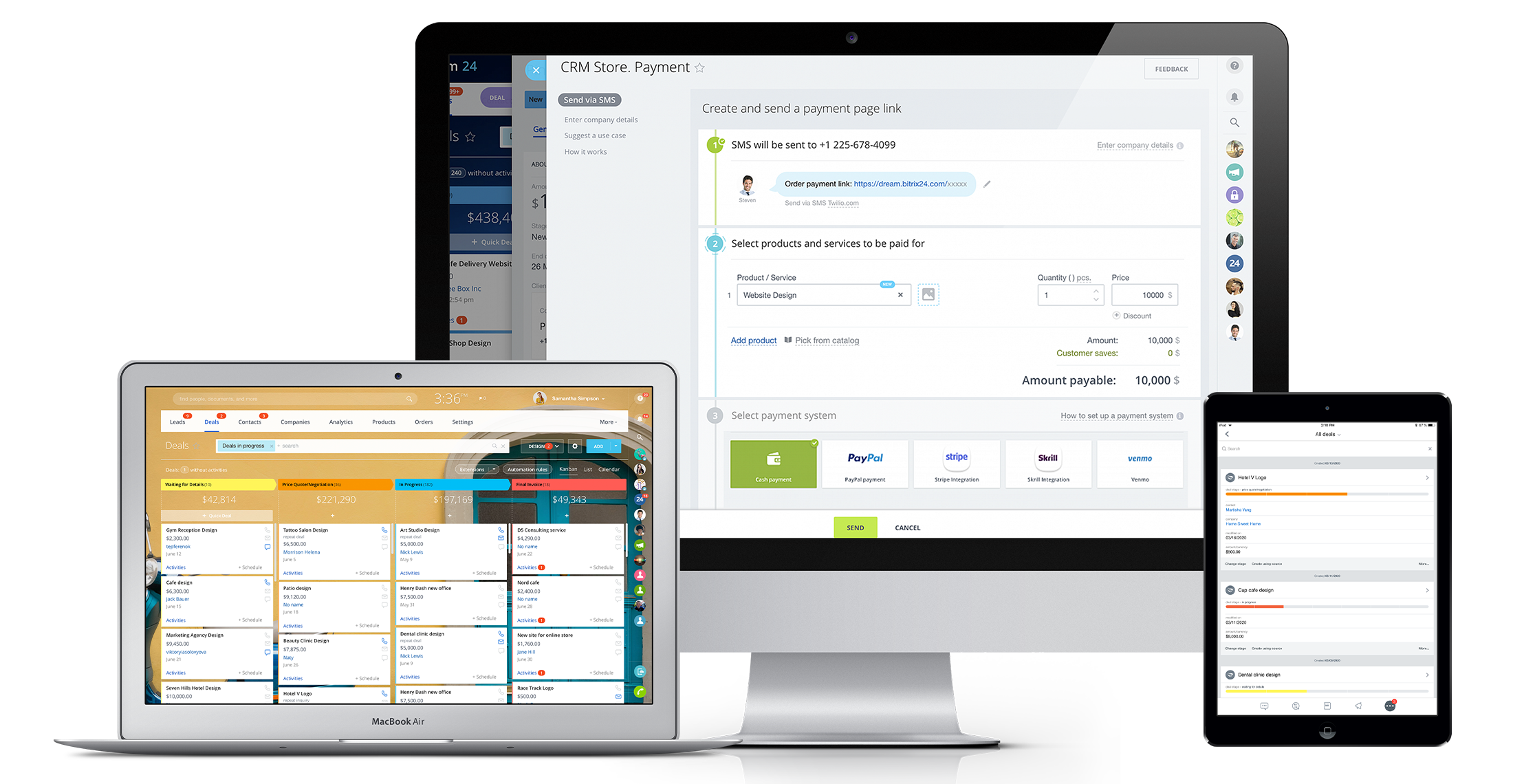
Bitrix24 is a local-hosted or cloud-based social intranet and project management platform that also contains core HR (HRMS) and CRM features. Bitrix24 also provides time management services and employee self-service.
$61
per month up to 5 users
Copper
Score 8.3 out of 10
N/A
Copper is a customer relationship management (CRM) built as an integration into Google Apps.
$12
per month per user
HubSpot CRM
Score 8.3 out of 10
N/A
HubSpot’s CRM enables growth-minded businesses to optimize their relationships with leads and customers. Through harnessing the power of carefully crafted sales, marketing, customer service, content management, and operations tools, the software aims to make it easy to unify team strategy and drive conversion. Additionally, the software allows users to connect with over 875 integration apps, APIs, and solutions partners to create a customizable user experience that suits the way teams work.…
These other CRMs are very modular and this implies that each module has an additional cost associated with it, unlike Bitrix24 that has all the tools in one with a single annual or monthly payment.
The plethora of features and also the beta ones like CRM Analytics, Sales center, and Online Store. I forgot you can also build an online store too. For the value, ease of use, features, this is one of the best to use. It's a time saver from changing from one app to another, …
I've attempted various task administration/joint effort apparatuses including Asana, Basecamp, Wrike, Wunderlist, Zoho, Salesforce, and so on. I can't address the client support of Bitrix, as I haven't reached them. Up until now, the framework has been genuinely dependable. The …
Copper integrates directly with Google Workspace, making data collection painless. Compared to HubSpot, where you have to manually add data fields for company name, email addresses, first and last names, and telephone numbers.
The interface looks nicer. I did not use Salesforce or HubSpot much in my day-to-day in previous jobs. I had to access it occasionally to review client emails.
Copper is just better implemented and user-centric. HubSpot kind of feels like old Windows versus new Mac. Insightly was good, but the Gmail integration and features lagged a little.
We are very pleased with Copper, and it matches our needs. Better than others I have evaluated and run.
Verified User
Manager
Chose Copper CRM
Very good in terms of price but it does need to incorporate more of the basic features which these companies offer as standard. The reporting needs improvement, things like creating lists on clients is quite difficult compared to HubSpot. You should be able to create lists …
Unlike Copper, I find Hubspot not as intuitive when it comes to their dashboard and customization. Copper offers much better value without having to pay for multiple add-on modules.
We outgrew Pipedrive and moved into Copper. After about a few years our sales teams grew and we needed a global slution for all teams across the globe, hence, moved into Hubspot.
Copper is cheaper than Hubspot if you have a lower amount of users and still need advanced features. However, the TERRIBLE customer service and DECEPTIVE cancellation policy should make you think twice before trying to save a few bucks.
I didn't have much authorization in the selection of Copper, however, I have looked into switching costs and leaving Copper due to their limited workflow automations. HubSpot and Salesforce look more robust and integrated with our other marketing tools.
Copper is simple and free, and we didn’t have a need for a more elaborate CRM that didn’t have event specific features. We do utilize a more specific marketing flow for drip campaigns but for basic email tracking for sales, Copper does what it needs to.
ProsperWorks is just an amazing lightweight CRM. Unless you're a large organization that needs to build out crazy custom reporting and tools that integrate into your CRM, Prosperworks is the best bet. Instead of being an IT project that you need to get a bunch of other people …
ProsperWorks had the robust Google Apps integration, Forecasting, Roles/Permissions, and Opportunity Tracking and the price point was right for us. All of the other softwares we evaluated (except Salesforce) where missing one or more of the features. We didn't go with Salesforce…
It is a very powerful tool to the level of Sugar and Salesforce. With its tight integration, as a Google product, it is seamless and really assists in managing communication with clients. While Zoho offers a great low-cost solution, ProsperWorks definitely hits the mark for …
I was not the person who made the decision to purchase HubSpot, but I am glad that we did. HubSpot is much more user-friendly and has much more functionality. Things that HubSpot has that Copper did not are: Recording Calls in the App, Recording Call Outcomes, Email Tracking, …
Salesforce Marketing Cloud and HubSpot Marketing are somewhat similar but the Marketing platform on HubSpot beats it 9/10. It's way easier to use and is just tailored to marketing a little bit more. When it comes to Copper and Zoho Marketing Plus however, HubSpot completely …
HubSpot is by far the best CRM I have used. Efficiency, options, features etc. The tool is straight forward and not overly complex. These is a learning curve but it's reasonable if you jump right in. I recommend HubSpot to colleagues and Team members here at OSP. HubSpot …
Bitrix24 is a unified platform with all features in one place. It has a smooth deployment and implementation process. The software boosts teams' productivity and ensures flawless collaboration. Pricing of the software is incredibly affordable. It is highly customizable and a scalable CRM solution.
If you need to track contract expiration dates of your clients or your prospects that you're trying to sell - Copper is your tool. If you want to track specific products, solutions, vendors, etc. Copper can do it. I use it to track many brands of IT products and services with the use of custom fields to track which prospects/clients have any number of these items. Rather than taking notes, I can select the product from a drop down list that I created VERY EASILY within Copper.
I am giving it a 9 rating out of 10 because it has saved my job and helped my team to cracks very big deals. Last year, we were supposed to give a presentation to a client as we were about to sign him for a project. The client asked for our numbers in a real meeting, but we hadn't prepared them for our presentation. I logged in to HubSpot CRM and created a small report that included the relevant numbers. This turned out to be a very good decision for our company, as we subsequently signed that client.
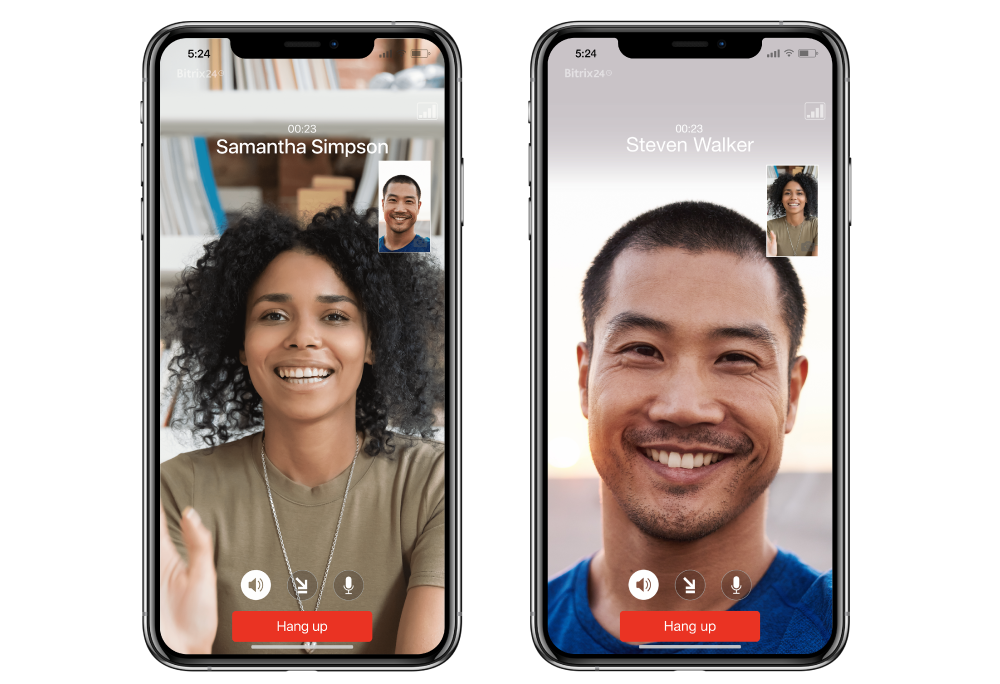
Real-Time Collaboration: Bitrix24 facilitates instant communication through features like instant messaging, group chats, and video conferencing. This enables teams to connect and share information in real time, promoting effective collaboration and timely decision-making.
Task Management: Bitrix24 offers comprehensive task management capabilities, allowing teams to assign tasks, establish deadlines, and monitor progress. This ensures that team members are aligned, promoting organization and focus on project objectives.
Social Intranet: Bitrix24 provides a social intranet platform that serves as a centralized space for employees to interact, exchange updates, and collaborate on projects. This fosters a collaborative environment, promotes knowledge sharing, and enhances teamwork across the organization.
Allows for contacts to be synced and organized directly from Gmail.
Gives a flexible style and customizable settings to match our company's specific needs.
Does a great job of helping us keep track of projects. We easily created a customized "Status" field with several status options that help us update the many phases of our project.
Timeline view and conversation log is extremely helpful and an underrated feature; this is in addition to the entire user profile view.
Task management is simple but effective.
Deal and company tracking with stakeholder management inside companies / deals is very handy; we know what is happening even though we might not be directly working on it.
Gmail integration is quite smooth along with email tracking.
It's user interface can use some work. Although it doesn't take as long as some other software to learn, there is still a bit of a learning curve when it comes to day to day usage.
Bitrix offers a lot of features. It would be nice to have those features laid out in an easier-to-read layout, versus the long list at the side of the page.
It's mobile app functionality is quite limited. It can be difficult to work with other team members, solely off of their mobile app.
Window change: for mobile - when you tap on a card from a pipeline it takes you to the lead’s basic info. I wish it would immediately just open all activities so I can quick see notes
I usually use Copper on the go. When you open the Copper app, it immediately opens a collab window. I wish it had some sort of easy dashboard….plus a notes area. I open Copper on mobile to quickly search for someone’s name or to take quick notes from a sales meeting
More of an integration issue I think than a problem with HubSpot CRM, but we have AirCall integrated for direct phone lines and synching with individual users for outbound calls. Opening Aircall to make an outbound call automatically generates a new client - unattached to a company record as an orphan.
Historical records with activities is awesome but when creating a deal it isn't always a choice to capture last 30 days of history. When it is an option and you click to add that to a deal you can see all the activity items and people who have done anything with the "file".
I would like to see more native options for automation.
It has become the central nervous system of the business and has constantly proven to be of value. We are not just renewing but might even upgrade to advanced Bitrix24 plans and will be adding more user licenses in the next 3 months. Bitrix24 has a sharper learning curve initially. However once it is surpassed, it opens doors to a range of creative deployment strategies
Thus far, our company has found HubSpot CRM to be a reliable service that serves its purpose well: a centralized business contacts database, accessible remotely, with a simple and visually-pleasing interface. Issues are non-existent or resolved quickly, and when the service is experiencing interruptions, notifications and/or updates are sent regularly.
It is a time-saving CRM that will help save time by using one application for all your business needs. Our brain sees colors, images, drawings, it is very visual, and so is Bitrix24. You can plan visually and easily see how everything is progressing. It has tasks, projects management, chat and video, CRM (as you know), visual staff structure, calendar, shared drive, mobile app. You can't ask for anything better out on the market for what you get with their free version and also their step-up plan is $20/month, all the way up to $200, they have a plan for your business. Get your free account and try it out for a few weeks.
Copper is simple to use and it's simple to figure out the additional functionality you may need or want to use. There are a lot of support articles and the support itself is great. But it's also fairly simple to figure out on your own. It integrates easily with Google Workspace as well.
I am giving it this rating because it has helped us keep track of leads, it saved us a lot of time by automating tasks, and it makes it easy for different teams to work together. It is user-friendly and has improved our approach to communicating with customers and closing deals.
I can't recall any instance of unplanned outages over the past 1 year of use. Likewise for application errors. However note that, advanced users will have a learning curve
The absolute worst! Your only contact method is via the paid version and via a chat window. They will take days to answer and when they finally do answer, they will provide nothing but a half baked canned help file.
There have been a few times when I contacted the "help desk" or "support team" and they just told me to watch a video or join a seminar to learn what I am looking to do. I would have expected someone to take a few minutes and literally walk me through the steps one by one until either I figured it out or accomplished the goal of my request.
Because when I needed help HubSpot responded immediately and provided me with the information I needed which enabled me to realize that HubSpot was even more customizable and easier to use than I thought! And I already thought HubSpot was very user friendly and easy to use, and then Support showed me how to manipulate the settings, columns and the appearance of the tool.
Overall the training was very comprehensive. The trainer did provider necessary additional reading materials as well. However the general approach at Bitrix24 is to divert users to self-help documentation and videos. It is recommended that atleast 1-2 personnel in the organization be "Bitrix24 experts" so that lower phases of training requirements are covered internally itself. Also the best part about Bitrix24 is that not all users need to go very deep while using it. We have multiple counsellors who started using it on day 2 without any major hiccups
If you've had any prior experience with cloud based marketing automation or group communication tools, you can do the implementation without paid outside support. Though getting to a SLA (service level agreement) would be best achieved with the help of a third party who can facilitate
The choice of the B24 was prompted by the fact that in 2012 the company had a box version, but without the CMR. The license was expired, the version was no longer supported by B24. In the stages, the company's directorate drove the employees into tasks for B24, but with different success. However, most of the B24 was still familiar.
We selected Copper over these other CRMs mainly because of its ability to integrate with Google Workspace. Members of our team have used Salesforce in the past and found it to be a nightmare to work with/on. Candidly, Copper doesn't fill all of our needs so we supplement that with the use of Asana.
We've been using Hubspot for years and don't foresee making any changes away from it. It has been fully integrated into how our business operates. We ultimately selected HubSpot CRM because it had all the features and functions that our marketing, sales, and operations teams wanted. And it offered those features and functions at the right price point for our organization.
The scalability and reliability is almost 9.5/10 to be honest. We istarted with Bitrix24 for just 2 functions and now have expanded its usage to 2 more. In terms of users, every full-time employee (FTE) now uses Bitrix24 without fail. We are also working on giving limited/partial access to external service providers