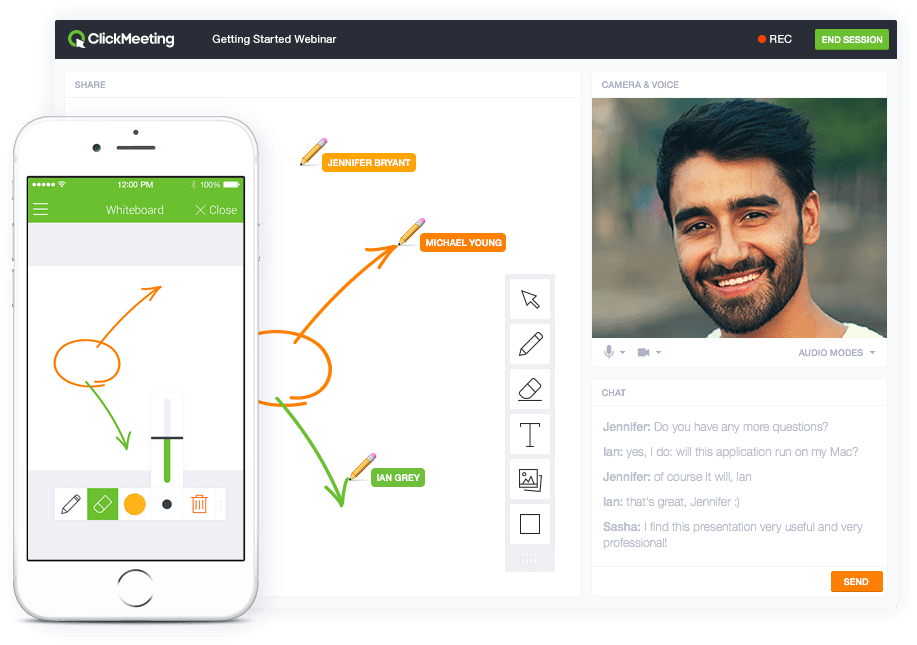
ClickMeeting is a webinar solution formerly owned by GetResponse, an email marketing software company. ClickMeeting's online meeting and collaboration tools are designed to support the sales, marketing, e-learning, and training needs of business of all sizes.
$25
per month
GoTo Webinar
Score8.6 out of 10
N/A
GoToWebinar is GoTo’s webinar and online conferencing solution, and offers features like audience polling and Q&A, flexible scheduling experiences, and webinar templates. It offers CRM integrations and reporting & analytics tools to help engage clients’ audiences.
$49
per month per organizer
WebinarJam
Score8.9 out of 10
N/A
WebinarJam is designed to allow users to host online events with HD streaming, interactive features like polls and chat, integrations, analytics, and payment processing that are intended to help maximize online growth.
Owner, Chief Technologist in Information Technology at S-FX.com Small Business Solutions (Information Technology and Services, 1-10 employees)
Chose ClickMeeting
ClickMeeting offers the most comprehensive feature set with the most affordable price, every time. It's robust, allows for custom branding, and - most importantly - is routinely stable. Other platforms require bulky downloads, allow little in the way of branding, and can …
A de minimis incentive was given to thank the reviewer for their time. The incentive was not used to bias or drive a particular response, nor was the incentive contingent on a positive endorsement. More Info
Verified User
Chose ClickMeeting
We selected ClickMeeting because it felt more fit for our clients small business yet was still entirely customizable to fit their needs. Most webinar services are anticipating thousands of views and their costs reflect that. We knew we wouldn't have that kind of viewership so …
A de minimis incentive was given to thank the reviewer for their time. The incentive was not used to bias or drive a particular response, nor was the incentive contingent on a positive endorsement. More Info
A de minimis incentive was given to thank the reviewer for their time. The incentive was not used to bias or drive a particular response, nor was the incentive contingent on a positive endorsement. More Info
Business Manager in Corporate at Canberra Medical Ecology Centre (Alternative Medicine, 1-10 employees)
Chose GoTo Webinar
I have bought Easy Webinar and WebinarJam. Both were cheaper, which drove the decision, but they were completely unreliable as they needed to be integrated with YouTube or google hangouts. Ultimately, we paid a lot more because we had to buy GoToWebinar in the end as it was the …
A de minimis incentive was given to thank the reviewer for their time. The incentive was not used to bias or drive a particular response, nor was the incentive contingent on a positive endorsement. TR verified that a representative sample of customers was invited. More Info
EHSSQ Specialist and Site Security Officer in Manufacturing at Evonik (Chemicals, 10,001+ employees)
Chose GoTo Webinar
Super-smooth video and fantastic audio with an extended range of volume control. Other vendors can claim their product is a superior choice; however, in my history of experiencing multiple options, GoTo Webinar gets my highest marks!
A de minimis incentive was given to thank the reviewer for their time. The incentive was not used to bias or drive a particular response, nor was the incentive contingent on a positive endorsement. More Info
Verified User
Chose GoTo Webinar
• GoToWebinar is better suited for external-facing webinars with a focus on marketing. training, or customer engagement. Its strength lies in detailed reporting, audience interaction tools, and ease of use for creating webinars
A de minimis incentive was given to thank the reviewer for their time. The incentive was not used to bias or drive a particular response, nor was the incentive contingent on a positive endorsement. More Info
Produtor de Eventos Bilingue in Social Media at mc2 eventos e congressos (Events Services, 51-200 employees)
Chose GoTo Webinar
GoTo Webinar comparing to its competitors has a lot of coins, below my list: GoTo Webinar X ON24: GoTo Webinar is much cheaper. GoTo Webinar x Webinar Jam: GoTo Webinar is more complete, has more analytics data after the webinar. GoTo Webinar x Zoom: GoTo Webinar is more …
A de minimis incentive was given to thank the reviewer for their time. The incentive was not used to bias or drive a particular response, nor was the incentive contingent on a positive endorsement. TR verified that a representative sample of customers was invited. More Info
Verified User
Chose GoTo Webinar
GoToWebinar was easily the fastest to get started experience from day one. Utilizing the templates provided, and the customization available, GoToWebinar helped us host a 3 day event with dozens of presenters with less overall time dedicated to the technology, so our team could …
A de minimis incentive was given to thank the reviewer for their time. The incentive was not used to bias or drive a particular response, nor was the incentive contingent on a positive endorsement. More Info
Launch Engineer in Marketing at Let's Launch (Marketing and Advertising, 1-10 employees)
Chose GoTo Webinar
GoToWebinar is the godfather of webinar software. All other webinar companies try and emulate the GoToWebinar platform and also try to add their own spin on it. I do appreciate when other software can build in other services that generally have to be completed by a third-party …
A de minimis incentive was given to thank the reviewer for their time. The incentive was not used to bias or drive a particular response, nor was the incentive contingent on a positive endorsement. TR verified that a representative sample of customers was invited. More Info
Growth Marketer in Marketing at Epignosis (E-Learning, 51-200 employees)
Chose GoTo Webinar
I had tried one or two alternatives to GoToWebinar before we went with them and we choose GoToWebinar because it was very easy to use, had a lot of automated actions to increase attendance, it was easy both for us and the users, and in general, it did everything we needed in a …
A de minimis incentive was given to thank the reviewer for their time. The incentive was not used to bias or drive a particular response, nor was the incentive contingent on a positive endorsement. TR verified that a representative sample of customers was invited. More Info
Customer Account Manager in Corporate at Quad (Printing, 10,001+ employees)
Chose GoTo Webinar
We have utilized several webinar tools in our search to find the most efficient/proficient platform out there. Overall, GoToWebinar performs nicely and offers a strong and reliable service for those looking to host content either internally or externally. Overall, it is …
A de minimis incentive was given to thank the reviewer for their time. The incentive was not used to bias or drive a particular response, nor was the incentive contingent on a positive endorsement. More Info
Verified User
Chose GoTo Webinar
GoToWebinar is definitely among my top 2 choices. The only way I'd go for other tool is when I need to evergreen the webinar, which is when I turn to EverWebinar. GoToWebinar has the easiest set up process and it allows you to customize and brand materials easily so it matches …
A de minimis incentive was given to thank the reviewer for their time. The incentive was not used to bias or drive a particular response, nor was the incentive contingent on a positive endorsement. More Info
Verified User
Chose GoTo Webinar
easywebinar - total joke of an app..nothing easy about it webinar jam - over-priced Zoom - limited functionality at the time of adoption...no integration with 3rd party tools
A de minimis incentive was given to thank the reviewer for their time. The incentive was not used to bias or drive a particular response, nor was the incentive contingent on a positive endorsement. More Info
Genesis Digital
Verified User
Chose WebinarJam
We had previously used GoToWebinar and found WebinarJam to provide overall better quality of audio, and it was less expensive. We now use Whereby.com for our staff meetings and for recording training sessions because it is much cheaper and easier to use because it does not …
A de minimis incentive was given to thank the reviewer for their time. The incentive was not used to bias or drive a particular response, nor was the incentive contingent on a positive endorsement. More Info
A de minimis incentive was given to thank the reviewer for their time. The incentive was not used to bias or drive a particular response, nor was the incentive contingent on a positive endorsement. More Info
Founder in Corporate at AchieveIT360.com (E-Learning, 1-10 employees)
Chose WebinarJam
WebinarJam beats all the other services I have used (Webex, GoToWebinar, Join.me) because I get a better looking system, for a better price. Join.me had some connectivity issues when presenting from the USA to Canada, and Webex/GotoMeeting always looked outdated to me. …
A de minimis incentive was given to thank the reviewer for their time. The incentive was not used to bias or drive a particular response, nor was the incentive contingent on a positive endorsement. More Info
Internet Marketing Coordinator in Marketing at FFC (Financial Services, 11-50 employees)
Chose WebinarJam
We don't run webinars that often so the price of WebinarJam was very attractive. Other than price, WebinarJam lacks numerous features that other platforms provide, and most importantly, their system reliability is decent at best.
A de minimis incentive was given to thank the reviewer for their time. The incentive was not used to bias or drive a particular response, nor was the incentive contingent on a positive endorsement. More Info
Co-Owner & Marketing Director in Marketing at Flight Media (Marketing and Advertising, 11-50 employees)
Chose WebinarJam
I prefer WebinarJam due to its super-easy setup and great integration options. It works well with other tools like ClickFunnels, Hubspot and Mailchimp. From the tools we tried, this one seems to work the best for our company and clients!
A de minimis incentive was given to thank the reviewer for their time. The incentive was not used to bias or drive a particular response, nor was the incentive contingent on a positive endorsement. More Info
ClickMeeting serves a dual purpose within our organization. Firstly, it acts as a reliable platform for hosting staff meetings, enabling effective communication and collaboration among team members. Whether it's for updates, discussions, or brainstorming sessions, ClickMeeting provides the necessary tools for seamless engagement.Secondly, ClickMeeting is instrumental in delivering online courses to our students. It empowers us to create interactive learning experiences regardless of geographical constraints. We can easily share course materials, conduct live or pre-recorded lectures, and facilitate interactive discussions and Q&A sessions. ClickMeeting ensures our students have access to high-quality education and a supportive learning environment.In summary, ClickMeeting is an invaluable tool for both internal staff communications and student-centered online courses. It fosters collaboration, engagement, and knowledge sharing in a flexible and accessible manner, enhancing our overall productivity and educational offerings.
It is great for big events like training or product demos. It's good for marketing webinars with features like polls and Q&A. It's not ideal for small, casual meetings. It can be too expensive for some businesses. For smaller events, other tools might be better.
We have used WebinarJam for many reasons. Our main reason is to host large free webinars but we have also used it for smaller live training courses that people paid for, we have held private training classes for companies, and so on. I guess you could get creative and use it for a conference-style virtual event but wouldn't really recommend it for that. You could use it for internal training within an organization and things but I still feel it best suited for webinars and marketing purposes.
A de minimis incentive was given to thank the reviewer for their time. The incentive was not used to bias or drive a particular response, nor was the incentive contingent on a positive endorsement. More Info
ClickMeeting is user-friendly, the admin and user panel is simple, intuitive!
When conducting training, you can use default settings such as edu mode and it saves time, I don't have to worry if I'm sure I've muted everyone and if I'm the only one visible.
ClickMeeting is also integrated with the Moodle e-learning platform, so it's a great support in organizing blended-learning processes.
A de minimis incentive was given to thank the reviewer for their time. The incentive was not used to bias or drive a particular response, nor was the incentive contingent on a positive endorsement. TR verified that a representative sample of customers was invited. More Info
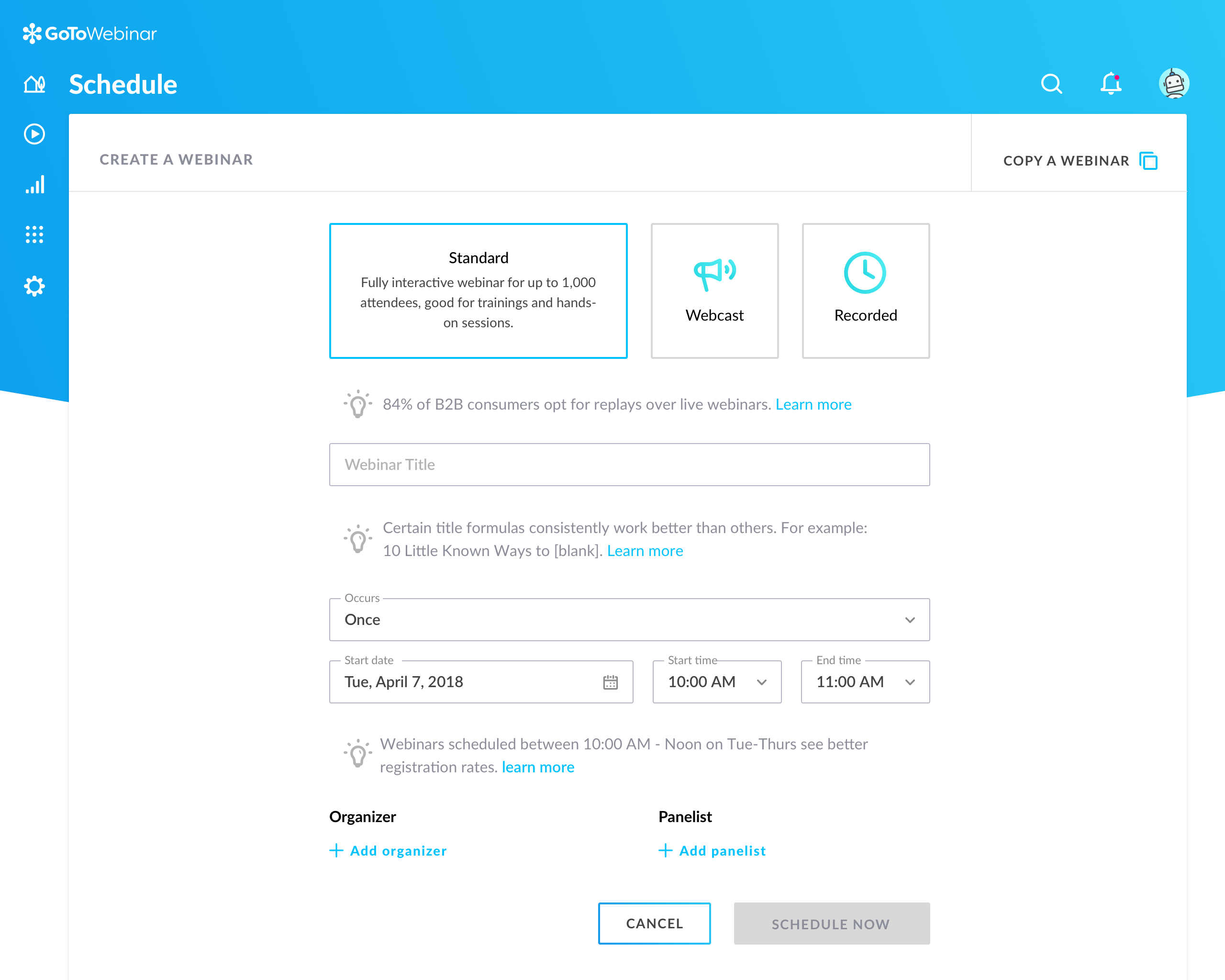
ADMIN/USER STRENGTHS: Easy to use the dashboard to start a webinar on demand, or schedule one in the future. Each step has a video tutorial made to set you up for success, understanding each set-up step along the way. If I want to practice a session live, I can set up a webinar instantly (called Right Now-takes 6 clicks and 30 seconds to set this up), and stream it through my YouTube Channel, or schedule a full campaign for a later date (takes about 10 minutes) and drive people to attend. I can set up one date, or multiple dates. It's very easy to follow the nine initial steps to (configuration, schedule, registration, notifications, integration, thank you, live, replay and finish) setting up your webinar. Once you have created a campaign, you can always clone them for future use.
ADMIN/USER STRENGTH: You can inject a pre-recorded video seamlessly. Let's say you did an incredible sales pitch on one of your webinars, you can inject this into future webinars to ensure a perfect presentation.
ADMIN/USER STRENGTH: Poll your customers BEFORE the webinar, on the registration page to find out what they are looking for, why they have signed up, to be sure the presenter covers each participant's needs.
ADMIN/USER STRENGTH: Autoresponder reminders can come from Webinar Jam (this is what I have always done to keep it simple) or integrate it with the top systems (AWeber, Active Campaign, Infusionsoft, IContact, MailChimp, ConvertKit, Drip, Kartra, Zapier).
ADMIN/USER STRENGTH: I can set up a replay for those who missed the event, or even a replica replay where I can go into the video, fix up my sales presentation, and add a new video for people to see. I can also see who watches the replay.
ADMIN/USER STRENGTH: In the analytics page I can see the numbers of people who visited the webinar registration page (to get an idea of how popular my topic was/change headings or topics if it's low, keep presenting if there's a high number), registrants, people in the room when I go live, and numbers for those who watched the replays. I can connect my autoresponder to communicate with people who missed the webinar/replay vs those who attended and even can see when people dropped off so I know if they were engaged for the entire webinar.
A de minimis incentive was given to thank the reviewer for their time. The incentive was not used to bias or drive a particular response, nor was the incentive contingent on a positive endorsement. More Info
Individual Audio Controls. I'd love to be able to adjust the audio for each of the presenters within the platform, as the host. Not all presenters are tech savvy and sometimes don't know how to adjust this themselves.
Additional Saved Color Schemes. I'd love to be able to create/save multiple custom color schemes that I can use for various events instead of a single one.
A de minimis incentive was given to thank the reviewer for their time. The incentive was not used to bias or drive a particular response, nor was the incentive contingent on a positive endorsement. More Info
Can't schedule recurring webinars twice per week or every other week--must manually add or delete instances.
Can't schedule recurring webinars more than 'x' number of instances (less than a year's worth).
If you want a recurring webinar to continue past the last instance (in order to keep the same link), your only option is to manually add future instances before the last one occurs. If the last instance occurs, the webinar (and corresponding link) are archived with no recourse and you must recreate it from scratch and update every bit of external collateral with a new link. So I have to have reminders on my calendar every 6 months to go in and add additional dates for all my recurring webinars in order to keep my links active.
Canceling/changing seats is a huge pain.
The default 'join' screen is app-based rather than web based, so registrants often have to download GTW. I have a lot of clients whose computers are locked down from unapproved apps and have missed the webinar because the ability to join on the web is very unintuitive.
A de minimis incentive was given to thank the reviewer for their time. The incentive was not used to bias or drive a particular response, nor was the incentive contingent on a positive endorsement. TR verified that a representative sample of customers was invited. More Info
One of the biggest problems we have is that WebinarJam was sold to us as a lifetime license, and it was supposed to include broadcasting on Facebook. For reasons that were never clear, they stopped providing that functionality, which greatly reduced our use for the product.
WebinarJam started out life as an innovative product, full of promise. Things changed within the organization, key staff and players changed, and it seems that key players just moved on to other projects. Users were required to pay for upgrades in order to get the best use out of the product.
A big problem that was never really solved was the Lag/Delay between realtime and what the users were seeing and hearing.
We really wanted to be able to administer Surveys to people during webinars and be able to store their responses and export them to a database. We were told there was no way to do that.
A de minimis incentive was given to thank the reviewer for their time. The incentive was not used to bias or drive a particular response, nor was the incentive contingent on a positive endorsement. More Info
Our largest issue with GoTo have been the limitations on recording and using recordings to host a webinar, and the biggest of those is the ability to record. We have had most of our webinars recorded successfully, but when it failed to save, it failed in a big way. Their customer service team was there to help, but they were unable to truly fix the problem. There are, of course, other providers, but as we are still seeing where hosted webinars fit in our marketing strategy, cost is an important factor. Since our company already uses GoToMeeting, it makes more sense for us to stay with the entire suite of products, especially while we are testing the strategy as a whole.
ClickMeeting's overall usability is commendably excellent. Its intuitive, user-friendly interface makes it remarkably easy for users of all skill levels to navigate. The platform delivers a seamless, streamlined experience from setting up meetings to engaging with participants. Despite some advanced features having a slight learning curve, the platform remains user-friendly, efficient, and reliable.
A de minimis incentive was given to thank the reviewer for their time. The incentive was not used to bias or drive a particular response, nor was the incentive contingent on a positive endorsement. More Info
This is very easy to set up, configure, onboard, and use. The features can be explored without much ado. In-webinar and post-webinar features are also used seamlessly. Any new person can self-train in minutes and be hands-on. I love the overall usability of this tool.
A de minimis incentive was given to thank the reviewer for their time. The incentive was not used to bias or drive a particular response, nor was the incentive contingent on a positive endorsement. TR verified that a representative sample of customers was invited. More Info
The platform is really hard to use and they have a habit of pushing out updates without telling their users first. The last update completely reverted all of our customizations back to the default EverWebinar layout. I only found out about this after a lead kindly send an email to the firm letting us know that [our] registration confirmation page was showing lorem ipsum script. Customization is lacking as well
I rated GoTo Webinar a 9 out of 10 for availability because it generally performs reliably, with minimal application errors or unplanned outages. The platform’s high uptime ensures that it’s usually accessible when needed, supporting a seamless experience for scheduling and conducting webinars. While occasional minor issues may arise, they are infrequent and typically well-managed, contributing to a strong overall rating for availability.
A de minimis incentive was given to thank the reviewer for their time. The incentive was not used to bias or drive a particular response, nor was the incentive contingent on a positive endorsement. More Info
I rated GoTo Webinar an 8 out of 10 for performance due to its generally robust capabilities. Pages load quickly, and reports are generated efficiently, even for complex data sets. The platform’s integration with other systems typically doesn’t introduce significant latency or performance issues. However, during peak usage times or when handling very large data volumes, there can be occasional slowdowns. Despite these instances, GoTo Webinar consistently provides strong performance and reliability in its core functions.
A de minimis incentive was given to thank the reviewer for their time. The incentive was not used to bias or drive a particular response, nor was the incentive contingent on a positive endorsement. More Info
It takes a bit of time to get to grips with the platform at first, but it's short and there is an online help chat available. People on the chat are very helpful and available for a long time - also on weekends, which greatly improves work. Really very good support.
I was always able to get someone on the phone when I needed to. They were very thorough and ensuring my questions were answered. And if I was asking for a solution or request that they didn't offer, they told me so I could at least stop trying to search for it.
A de minimis incentive was given to thank the reviewer for their time. The incentive was not used to bias or drive a particular response, nor was the incentive contingent on a positive endorsement. More Info
The support overall is good. In the early days, it wasn't the best but they have definitely stepped it up lately. If you have questions about the platform, issues, setup, etc, and don't mind waiting 24 hours to get a response then it's good. They may have faster response times now but when they updated to 4.0 it took a while as they were getting hammered with emails cause there were issues. It seems like they have worked out some of the kinks so I imagine their support can respond much faster now. There is no phone number to call so there is no way to get immediate help or answers which can be frustrating when you have issues right before or during your webinar
A de minimis incentive was given to thank the reviewer for their time. The incentive was not used to bias or drive a particular response, nor was the incentive contingent on a positive endorsement. More Info
I didn't participate in the implementation nor did my company. As far as I know we have an IT office running alla these projects and we just use the final products for our educational purposes. I also didn't notice implementation at any level while using the desktop interface, but would immediately recognize it, if so.
A de minimis incentive was given to thank the reviewer for their time. The incentive was not used to bias or drive a particular response, nor was the incentive contingent on a positive endorsement. More Info
- does not require installation - clear interface - fast chat technical support - available in Polish language - provides a stable connection - it allows us to share presentations - we can also record the meeting - the process of creating the meeting is quick and easy also for beginners
GoToWebinar has a user-friendly interface and intuitive controls. When comparing it with other platforms, assess how easily you can navigate through features, set up events, and engage with participants. Connection stability, audio and video quality seem pretty much ok. Interactive polls, Q&A sessions, recording options are also working fine and provide to the user experience
A de minimis incentive was given to thank the reviewer for their time. The incentive was not used to bias or drive a particular response, nor was the incentive contingent on a positive endorsement. TR verified that a representative sample of customers was invited. More Info
I prefer WebinarJam due to its super-easy setup and great integration options. It works well with other tools like ClickFunnels, Hubspot and Mailchimp. From the tools we tried, this one seems to work the best for our company and clients!
A de minimis incentive was given to thank the reviewer for their time. The incentive was not used to bias or drive a particular response, nor was the incentive contingent on a positive endorsement. More Info
I rated GoTo Webinar an 8 out of 10 for scalability because it effectively supports deployment across multiple departments and sites with its flexible features. It allows for easy management of large-scale webinars and integration with various systems, accommodating a growing number of users and sessions. However, some users might find limitations in advanced customization or specific integration needs as their requirements become more complex. Overall, its robust capabilities and adaptability make it a strong choice for scalable webinar solutions.
A de minimis incentive was given to thank the reviewer for their time. The incentive was not used to bias or drive a particular response, nor was the incentive contingent on a positive endorsement. More Info
ClickMeeting has had a very positive impact on our organization’s objectives. It allows us to run open training sessions and webinars for participants from multiple organizations, reaching more people without the need for travel or large venues. The platform’s reliability and ease of use help us deliver high-quality training efficiently.
WebinarJam has allowed us to present to multiple audiences at our prospective customers, rather than just a few individuals which made it difficult to get to the next sales step. By engaging a larger audience, we were able to drive more attention to our product and made follow up with the customer much easier.
A de minimis incentive was given to thank the reviewer for their time. The incentive was not used to bias or drive a particular response, nor was the incentive contingent on a positive endorsement. More Info