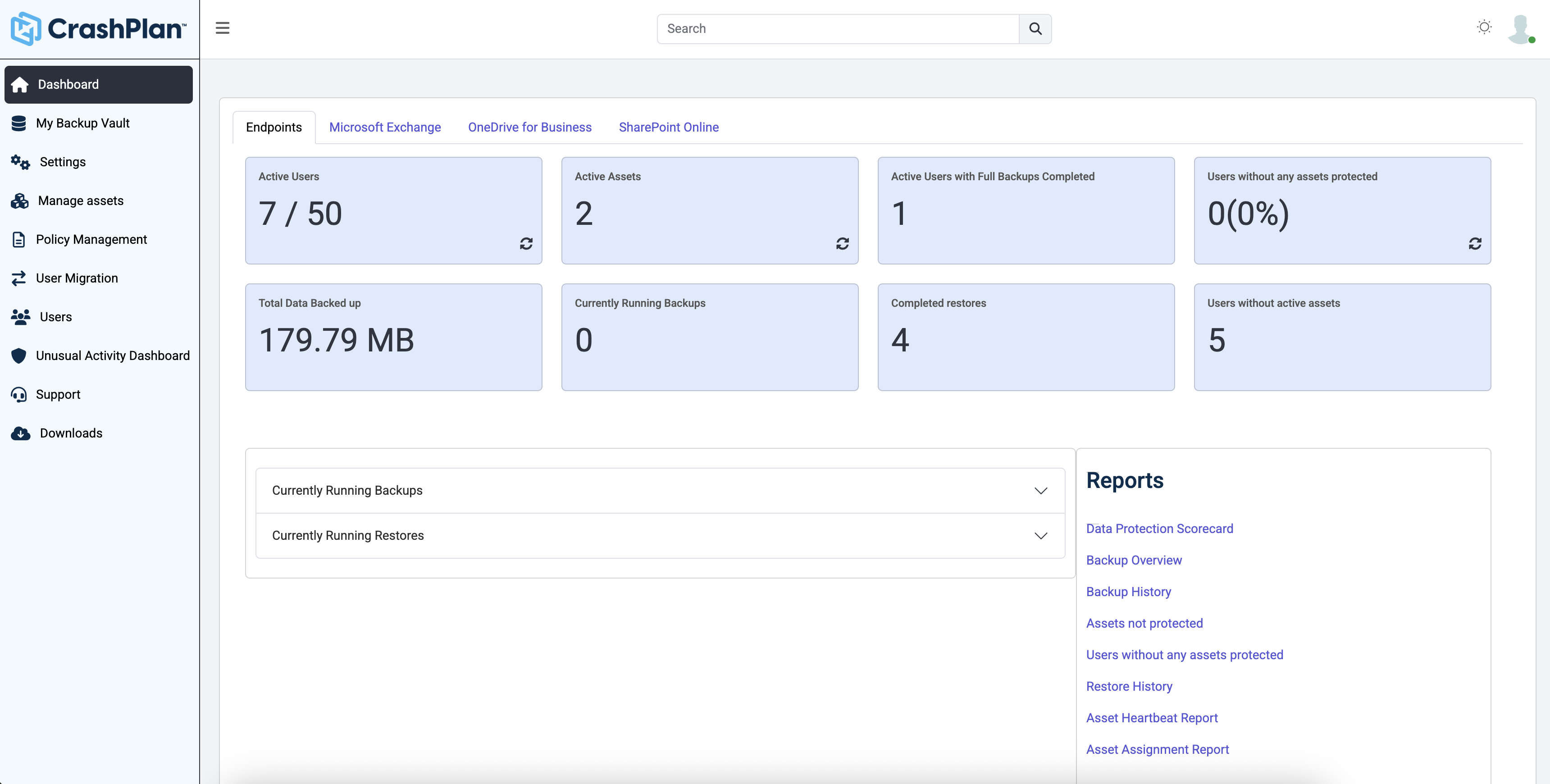
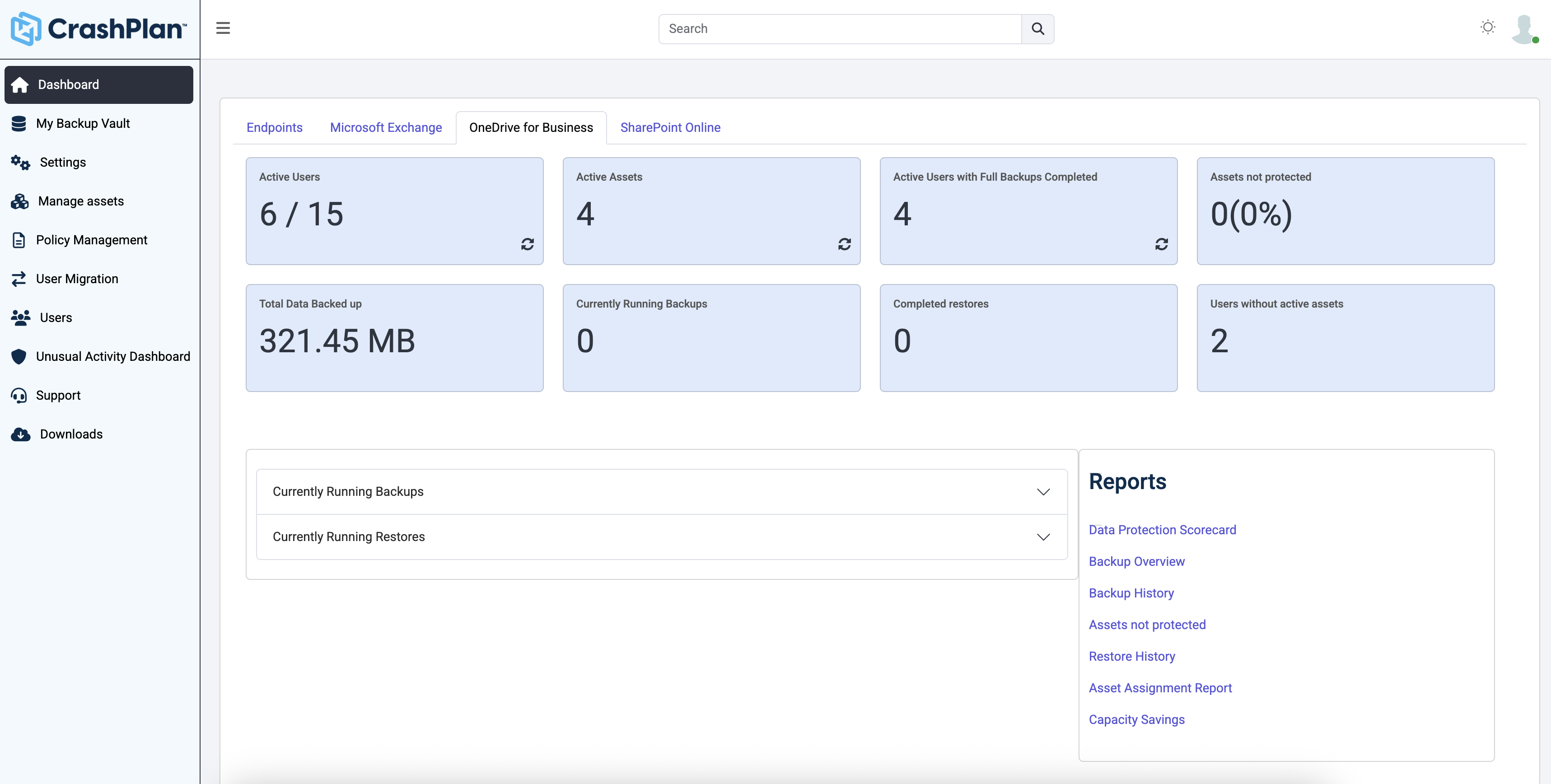
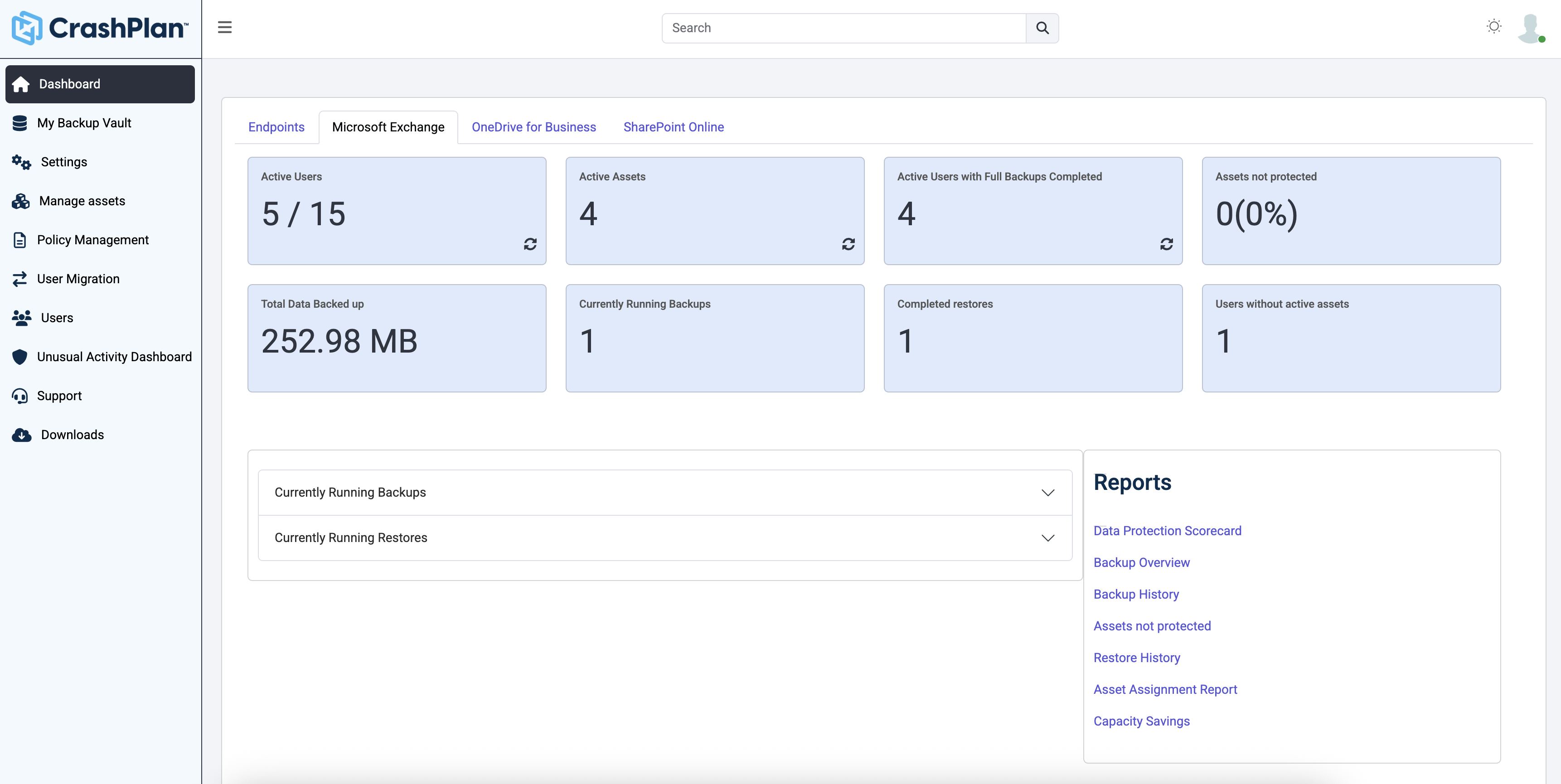
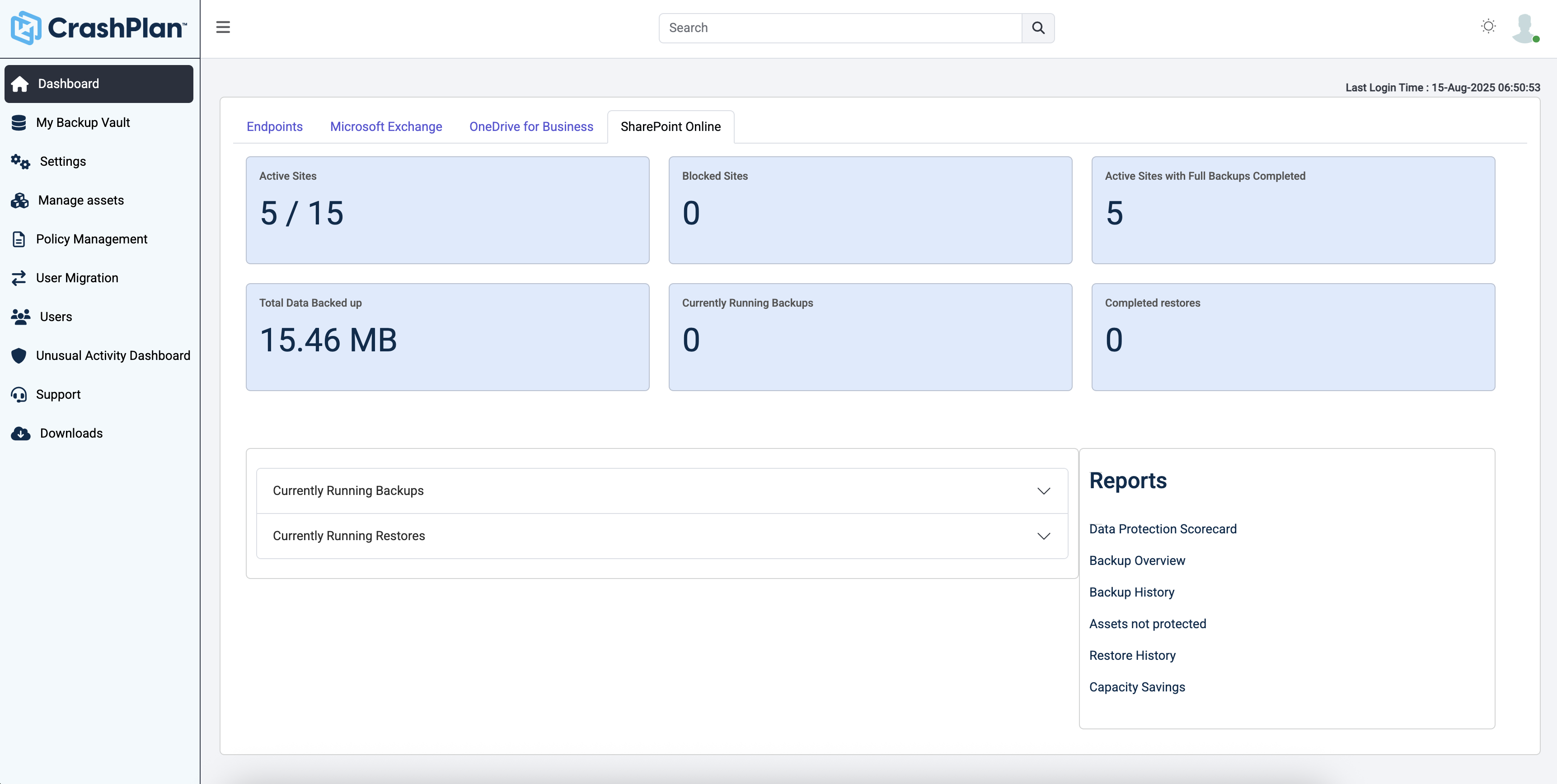
CrashPlan® provides secure, scalable, and straightforward endpoint data backup, to help organizations recover from any worst-case scenario, whether it is a disaster, simple human error, a stolen laptop, ransomware, or an as-of-yet-undiscovered calamity.
$8
per month per user
NAKIVO Backup & Replication
Score8.2 out of 10
N/A
NAKIVO Backup & Replication now also supports Proxmox VE, alongside VMware, Hyper-V, Nutanix AHV, and AWS EC2. It offers replication, failover, cloud backup, backup copy, size reduction, screenshot verification, and site recovery.
$2.50
per month per workload
OpenText Core Endpoint Backup
Score8.3 out of 10
N/A
OpenText Core Endpoint Backup, formerly Carbonite Endpoint, provides an enterprise-grade backup solution for all endpoints, including mobile devices or devices spread across a distributed enterprise network.
$24
per month
Pricing
CrashPlan
NAKIVO Backup & Replication
OpenText Core Endpoint Backup
Editions & Modules
No answers on this topic
Enterprise Essentials/Enterprise (Perpetual)
Starting at $329 per CPU socket
Indefinite use. Includes technical support during business hours. CPU sockets
Enterprise Essentials/Enterprise
Starting $76 per server and $25 per workstation
Indefinite use. Includes technical support during business hours. Server Workstation
Enterprise Plus
Contact vendor
Enterprise Essentials/Enterprise (Subscription)
Starting at $3.5 per workload/month
Billed yearly for up to 5 years. Includes 24/7 Support. Workload/Month
Pro Essentials/Pro (Perpetual)
Starting at $239 per CPU socket
Indefinite use. Includes technical support during business hours. CPU Socket
Pro Essentials/Pro (Subscription)
Starting at $2.5 per workload/month
Billed yearly for up to 5 years. Includes 24/7 Support. Workload/Month
Pro Essentials/Pro
Starting at $58 per server and $19 per workstation
Indefinite use. Includes technical support during business hours. Server Workstation
NAKIVO Backup for Microsoft 365
Starting at $0.80 per user/month
Billed yearly for up to 5 years. Includes 24/7 Support. Microsoft 365 User/Month
Basic Computer Backup
$24
per month
Advanced Endpoint Protection
$34
per month
Basic Server Backup
$50
per month
Basic Backup
$55
per month
Advanced Server Protection
$147
per month
Advanced Protection
$199
per month
Offerings
Pricing Offerings
CrashPlan
NAKIVO Backup & Replication
OpenText Core Endpoint Backup
Free Trial
Yes
Yes
No
Free/Freemium Version
No
Yes
No
Premium Consulting/Integration Services
No
No
No
Entry-level Setup Fee
No setup fee
No setup fee
No setup fee
Additional Details
Discount available for annual billing.
A workload is a VMware vSphere VM, Microsoft Hyper-V VM, Nutanix AHV VM, a physical machine (01 server and 03 workstations), an Oracle database, or an Amazon EC2 instance.
Consultant in Corporate at D & F IT Consultancy Pty Ltd (Computer & Network Security, 1-10 employees)
Chose CrashPlan
CrashPlan (in my specific case the CrashPlan Pro or CrashPlan for Small Business (there seems to be somewhat of an ongoing identity crisis with the products) is significantly lower overhead, in terms of cost and complexity, when compared to the other two products I have …
A de minimis incentive was given to thank the reviewer for their time. The incentive was not used to bias or drive a particular response, nor was the incentive contingent on a positive endorsement. More Info
Verified User
Chose CrashPlan
We've been using Nakivo and Code42 together. It works great as we are able to have the peace of mind of having data backed up offsite (Code42) and locally (Nakivo) I found this combo worked better than the costly and complicated setup of both Unitrends and Zerto. My biggest …
A de minimis incentive was given to thank the reviewer for their time. The incentive was not used to bias or drive a particular response, nor was the incentive contingent on a positive endorsement. More Info
Owner in Information Technology at Colorado Computer Care (Information Technology and Services, 1-10 employees)
Chose CrashPlan
The main advantage that CrashPlan has on competing services is it's ability to back up network drives and keep your backup archives indefinitely. While Backblaze costs significantly less ($50/year/computer vs. $10/year/computer - or $120/year/computer), it does not have the …
A de minimis incentive was given to thank the reviewer for their time. The incentive was not used to bias or drive a particular response, nor was the incentive contingent on a positive endorsement. More Info
Systems Analyst in Information Technology at Cutco Corporation (Consumer Goods, 501-1000 employees)
Chose CrashPlan
For our business model, Carbonite was not as economical. CrashPlan offered unlimited backup and unlimited deleted file retention for similar cost. Additionally, we had better results with support during evaluation with CrashPlan.
A de minimis incentive was given to thank the reviewer for their time. The incentive was not used to bias or drive a particular response, nor was the incentive contingent on a positive endorsement. More Info
A de minimis incentive was given to thank the reviewer for their time. The incentive was not used to bias or drive a particular response, nor was the incentive contingent on a positive endorsement. More Info
Senior Manager, IT & InfoSec in Information Technology at Achieve3000 (Computer Software, 201-500 employees)
Chose CrashPlan
We compared CrashPlan with other choices and they were either too expensive or didn't have the backup capacity we required at the time. For lack of a better solution, we were very close to signing with Mozy, and this was years ago when CrashPlan was still a new player in the …
A de minimis incentive was given to thank the reviewer for their time. The incentive was not used to bias or drive a particular response, nor was the incentive contingent on a positive endorsement. More Info
Lead Technical Consultant in Information Technology (Computer & Network Security, 1-10 employees)
Chose CrashPlan
I like Crashplan's centralized nature and flexibility with support for all platforms. Their support has been the best of all other competitors' solutions.
A de minimis incentive was given to thank the reviewer for their time. The incentive was not used to bias or drive a particular response, nor was the incentive contingent on a positive endorsement. More Info
Verified User
Chose CrashPlan
Centralized administration, AD integration, super ease to use, super easy to add users, 3-year contract discounts.
A de minimis incentive was given to thank the reviewer for their time. The incentive was not used to bias or drive a particular response, nor was the incentive contingent on a positive endorsement. More Info
A de minimis incentive was given to thank the reviewer for their time. The incentive was not used to bias or drive a particular response, nor was the incentive contingent on a positive endorsement. More Info
IT Manager in Information Technology at Communities Unlimited (Non-Profit Organization Management, 11-50 employees)
Chose CrashPlan
The deduplication feature and continuous backup puts this application ahead of others. The ability to prevent users from deleting files from backups is another feature that was attractive for our management and legal team. Set and forget is great. No intervention from the …
A de minimis incentive was given to thank the reviewer for their time. The incentive was not used to bias or drive a particular response, nor was the incentive contingent on a positive endorsement. TR verified that a representative sample of customers was invited. More Info
IT Support & Security Manager in Information Technology at Case Western Reserve University, College of Arts and Sciences (Higher Education, 5001-10,000 employees)
Chose CrashPlan
CrashPlan seems like it is much more geared towards enterprises and organizations than either Carbonite or Mozy. There are many more features that enterprises can use.
A de minimis incentive was given to thank the reviewer for their time. The incentive was not used to bias or drive a particular response, nor was the incentive contingent on a positive endorsement. More Info
Marketing Guru/Technical Lead at Next Generation Training (Education Management, 1-10 employees)
Chose CrashPlan
We tried out both Mozy and Carbonite before choosing Crashplan - it was the simplicity and power of the backup application that led us to pick Crashplan. Backups and restores just made sense and the application was organized in a way that was easy to navigate and understand. …
A de minimis incentive was given to thank the reviewer for their time. The incentive was not used to bias or drive a particular response, nor was the incentive contingent on a positive endorsement. More Info
Verified User
Chose CrashPlan
Continuous backup, in house sever, centralized management
A de minimis incentive was given to thank the reviewer for their time. The incentive was not used to bias or drive a particular response, nor was the incentive contingent on a positive endorsement. More Info
Verified User
Chose CrashPlan
We tried (actually purchased) one of these competitors first and had a terrible restore experience on a laptop used by one of our VPS. We tried CrashPlan and once we did, we bought it immediately.
A de minimis incentive was given to thank the reviewer for their time. The incentive was not used to bias or drive a particular response, nor was the incentive contingent on a positive endorsement. More Info
Nakivo Inc.
Verified User
Chose NAKIVO Backup & Replication
We were previously using Code42 (CrashPlan) prior to them changing their service. They no longer offered local backup as an option. We also used Zerto, but we found it painful and time-consuming to reconfigure the settings and re-sync every time we increased the volume size. Uni…
A de minimis incentive was given to thank the reviewer for their time. The incentive was not used to bias or drive a particular response, nor was the incentive contingent on a positive endorsement. More Info
IT Manager in Information Technology at VistaFood Exchange Inc (Wholesale, 51-200 employees)
Chose OpenText Core Endpoint Backup
I think this solution is decent, and works well enough for most businesses. I find their lack of alerts to be very troublesome - finding out you can't restore a file because the back did not run for two days is not a conversation I ever need to have again with the owner of the …
A de minimis incentive was given to thank the reviewer for their time. The incentive was not used to bias or drive a particular response, nor was the incentive contingent on a positive endorsement. More Info
Verified User
Chose OpenText Core Endpoint Backup
Overall, Carbonite is a better product, with a more intuitive interface and easier to use. The price was comparable, but I tried Carbonite again, and was able to install it correctly on my next computer.
A de minimis incentive was given to thank the reviewer for their time. The incentive was not used to bias or drive a particular response, nor was the incentive contingent on a positive endorsement. More Info
IT Consultant in Information Technology at Simplified IT Solutions (Information Technology and Services, 1-10 employees)
Chose OpenText Core Endpoint Backup
I use a mix of online backup solutions depending on the client's needs. If a client that I don't manage monthly needs monthly backups, I typically suggest Carbonite for its ease of use.
A de minimis incentive was given to thank the reviewer for their time. The incentive was not used to bias or drive a particular response, nor was the incentive contingent on a positive endorsement. More Info
Individuals (SOHO), families and SMBs, who have a tight budget for offsite critical company data backup are well suited to this product. Especially if you want your data to be hosted locally (Australia in our case). Larger companies, with higher requirements and budgets would be better served elsewhere. Especially when you consider the poor technical support. Although, to be fair, their poor support may just be issues with their Pro/SMB products, as opposed to their enterprise products. However, if that is the case it's a pretty poor show/indicator still.
NAKIVO Backup & Replication is well suited for a variety of scenarios. Firstly, it is ideal for businesses with virtualized environments, such as VMware or Hyper-V, as it offers seamless backup and recovery solutions tailored to these platforms. Secondly, organizations with a mix of virtual, physical, and cloud environments can benefit from NAKIVO's ability to provide unified data protection across these platforms. Additionally, businesses requiring fast and reliable disaster recovery capabilities will find NAKIVO Backup & Replication valuable, thanks to its site recovery and orchestration features.However, there are scenarios where NAKIVO may be less appropriate. For organizations with exclusively physical infrastructure and no virtualized environments, the full range of NAKIVO's features may not be utilized to its fullest potential. Similarly, companies with limited data storage requirements may not fully benefit from NAKIVO's deduplication and compression capabilities.
Carbonite Endpoint 360 is a great solution for any organization with compliance needs. Office 365 defaults to a 30 day backup of all data. Carbonite Endpoint 360 extends this well beyond 30 days and provides an all-inclusive source for retention for data in Office 365. Any small to medium business would greatly benefit from this solution as they can design their entire infrastructure in Office 365 and ensure it's all backed up.
A de minimis incentive was given to thank the reviewer for their time. The incentive was not used to bias or drive a particular response, nor was the incentive contingent on a positive endorsement. More Info
Code42 is the most affordable backup system offering unlimited storage that I could find. I came from SOS Online Backup, which I ultimately decided to drop after my monthly rate for their unlimited plan increased by 20x.
With Code42's unlimited storage option, I don't have to worry about the fact that my backups are significant in space. As a photographer with thousands of images at stake, I need to run large backups often.
Code42 runs continuously and silently in the background of my desktop computer. It is truly "set and go", so I don't have to think about it when I'm away. It runs until the designated drive has been fully backed up to my cloud storage. It will then automatically email me once the backup is complete (or, it will email me if it encounters any errors).
Customer service is above par. Anytime I need help, a chat agent is available (chat is my communication preference), they are always friendly, and go above and beyond to resolve my needs.
A de minimis incentive was given to thank the reviewer for their time. The incentive was not used to bias or drive a particular response, nor was the incentive contingent on a positive endorsement. More Info
Can be installed natively on nas appliances leveraging the use of underutilized appliances. No need to install the software on Windows or Linux Servers.
Backup natively Vmware Virtual Machines and File Shares (you need to buy the right license modules).
Destination storage for backups (or of the backup copies) can be Microsoft shares, Amazon S3, Wasabi, Backblaze and remotely to other sites using their transporter vm.
To not overload the system with overlapping jobs, they can be chained one after the other.
Rapid add/remove/reorder priority of vm to backup and their backup archive. Jobs can be easily changed or chained.
A de minimis incentive was given to thank the reviewer for their time. The incentive was not used to bias or drive a particular response, nor was the incentive contingent on a positive endorsement. More Info
It is excellent at automating your backups. You don't need to manually do it, just set it up once and let it run in the background.
It's pretty simple to set up and use. It will automatically suggest the best options that work for most people and you can be up and running pretty quickly.
It's safe and reliable. We have been using it for a couple of years now and had no major issues.
Their phone support is excellent.
It's also really easy to maintain your backed up data to reduce redundancy.
A de minimis incentive was given to thank the reviewer for their time. The incentive was not used to bias or drive a particular response, nor was the incentive contingent on a positive endorsement. More Info
The CrashPlan program installed on your computer is Java-based vs. a native application. While this makes development for CrashPlan easier, there are a lot of drawbacks to Java programs including more resources usage, less stability, and overall more clunky interface.
While this was also in the Pros category - CrashPlan is an extremely powerful and flexible program, which adds a great deal of complexity. Setting up CrashPlan isn't always a simple procedure, and depending on the complexity of your backup set, can take a while to tinker around with the settings to get everything to work properly.
The CrashPlan desktop program consists of a Java program front end, as well as a backend service - there are times when the backend service will crash, and the front end Java program will refuse to load. Typically, restarting the service or restarting the computer will resolve the issue, but sometimes more in-depth troubleshooting is required.
Perhaps one of the biggest downsides to CrashPlan is its price - at $10/month/computer CrashPlan is more than double the price of some existing backup services such as Backblaze (priced at $50/year/computer). To add salt to the wound, about a year and a half ago, CrashPlan discontinued their consumer options - which were very reasonably priced at $60/year for a single computer or a family plan priced at $150/year for up to 10 computers. When these options were discontinued, the cost of backing up with CrashPlan was effectively doubled for the same feature set.
Along with the previous example, CrashPlan had the option to back up to a remote machine on a different network with a free Crashplan account. This option was eliminated when the consumer line of services were discontinued.
While the backup service provided by CrashPlan are still first in class, the above two controversial changes have broken some trust between CrashPlan and its clients.
Backups have the option of "screenshot verification". Screenshot verification doesn't always work for us when our vmtools is out of date. If we are on an older version of VMware and that version of vmtools is up to date, NAKIVO still thinks it is out of date.
A de minimis incentive was given to thank the reviewer for their time. The incentive was not used to bias or drive a particular response, nor was the incentive contingent on a positive endorsement. More Info
To be honest not so impressed with the amount of time it has taken to get data backed up to the cloud.
I have not had to do a restore at this time so I cannot comment on the restore process.
I was not aware at time of procurement that the upload process would take so long since we were not procuring their hardware. Sales rep mad it seem like upload would only take a day or two and we are now starting week 7 hoping to be done by week 8 for 1.5 TBs of data.
A de minimis incentive was given to thank the reviewer for their time. The incentive was not used to bias or drive a particular response, nor was the incentive contingent on a positive endorsement. More Info
It is a product that contains most of the features of its big competitors but at an affordable price for small businesses. In addition, the support is very good even if they only have support in English. Another important factor is its compatibility with NAS devices, which greatly simplifies deployment. The implementation is simple and in a matter of minutes you can define the first copy Jobs
I found their alerting to be very poor. I missed several days of backups without knowledge of this, until I signed into the portal. I would get daily emails reporting backups were in progress or done, but nothing indicating that a backup had been stuck or paused for 3 days. For this reason alone, I did not renew.
A de minimis incentive was given to thank the reviewer for their time. The incentive was not used to bias or drive a particular response, nor was the incentive contingent on a positive endorsement. More Info
A de minimis incentive was given to thank the reviewer for their time. The incentive was not used to bias or drive a particular response, nor was the incentive contingent on a positive endorsement. More Info
NAKIVO Backup & Replication is very easy to set up. I did it by myself, and it went perfectly. Online documents are very well written, and also the tech support asked to help me set it up. I want to do it by myself and the setup process is very easy to do. The connection to your VM and servers is very easy to do.
Friendly and knowledgeable support team available to assist with this product. Code 42 (formerly CrashPlan) offers unlimited storage options for reasonable costs, so you really can't go wrong with this product. They have been a reliable resource for our company, and I would recommend to others looking for an easy setup with unlimited storage.
A de minimis incentive was given to thank the reviewer for their time. The incentive was not used to bias or drive a particular response, nor was the incentive contingent on a positive endorsement. More Info
The support is fast and perfect. If u have any questions, you can contact the support team via mail or chat and you always get a fast answer. You can also find a lot of help in the FAQ in the help center to resolve your problems. Anytime I had to contact the support, they helped me and solved my problem.
Does what it needs to do quietly and efficiently in the background without interrupting the workflow. It offers instant automated back-ups without troubling the end user. As it is such an automated system, once it is up and running, there is little or no support needed from the service provider. From what I understand the support from Carbonite during the setup and implementation was absolutely fine.
A de minimis incentive was given to thank the reviewer for their time. The incentive was not used to bias or drive a particular response, nor was the incentive contingent on a positive endorsement. More Info
It is very easy to do in all the formats in which it is implemented, whether as an appliance, in a windows machine, or an implementation in NAS. I only use the appliance one, but I have tried all of them in trial mode to know which one interested me more.
Unitrends is our primary backup solution here at my place of employment, and I have no complaints. It does on-prem backups to a storage pool and with that, we chose not to also use Unitrends could storage as the cost was pretty high. Crashplan has a low cost and we were familiar with it. We found a great fit for Crashplan at a remote office with a web server, file share server, and a Domain Controller in addition to the Unitrends solution there. I also set up CrashPlan for a nonprofit org, as well as a Health foods store. I felt like I could stand behind the CrashPlan solution with my experience with it, in places like these where every dollar mattered.
A de minimis incentive was given to thank the reviewer for their time. The incentive was not used to bias or drive a particular response, nor was the incentive contingent on a positive endorsement. More Info
NAKIVO Backup & Replication stands out as a more cost-effective and robust solution compared to Veeam ONE. With competitive pricing and a comprehensive feature set including incremental backups, global deduplication, LAN-free data transfer, and built-in WAN acceleration, NAKIVO offers efficient data protection and optimized storage usage. Its user-friendly interface and streamlined setup process make it appealing for organizations with limited IT resources. Additionally, NAKIVO's support for VMware vSphere, Microsoft Hyper-V, and Nutanix AHV further enhances its versatility. When evaluating data protection solutions, NAKIVO's affordability, robustness, and ease of use make it an attractive choice for businesses seeking a comprehensive and cost-effective backup solution.
We have also used Mozy Pro and Dropbox. They are all pretty similar in functionality/features of backing up data (not system state or databases as I don't think any of the 3 are well suited for that). To me, it comes down to personal preference and choosing a product that is universal for multiple users, for ease of management.
A de minimis incentive was given to thank the reviewer for their time. The incentive was not used to bias or drive a particular response, nor was the incentive contingent on a positive endorsement. More Info
The pricing for VM backups is good value for money as it does not limit how many VM's per socket. This works well for smaller sites with simple backup requirements. Physical machine backup pricing would more attractive with a sliding scale based on the number of physical machines.
A de minimis incentive was given to thank the reviewer for their time. The incentive was not used to bias or drive a particular response, nor was the incentive contingent on a positive endorsement. More Info
I contacted a few times Nakivo representatives, once for technical doubt and the other ones for commercial ones. Both support services are fast and reliable.
A de minimis incentive was given to thank the reviewer for their time. The incentive was not used to bias or drive a particular response, nor was the incentive contingent on a positive endorsement. More Info
Tremendous cost savings as the amount of data you backup doesn't impact cost. One flat rate!
Implementation time was minimal and requires little to no maintenance. Since installation, I've not had to correct or fix any issues. It just works.
We opted to supplement Code42 with another solution that allowed us to backup data to a local repository due to the amount for data that changes in our firm.
A de minimis incentive was given to thank the reviewer for their time. The incentive was not used to bias or drive a particular response, nor was the incentive contingent on a positive endorsement. More Info
One of our contributors has permanently deleted worksheets from our file server. From Nakivo, we were able to recover all the data in less than 10 minutes.
An authentication server was encrypted by ransomware, through NAKIVO Backup & Replication, we recover the entire server within 1 hour.
A de minimis incentive was given to thank the reviewer for their time. The incentive was not used to bias or drive a particular response, nor was the incentive contingent on a positive endorsement. More Info
Carbonite Endpoint has demonstrated value in its ability to easily restore seemingly lost files for remote users.
While we haven't yet had to exercise it, knowing we have the option of remotely wiping endpoints containing sensitive data has brought confidence to our management team that we can mitigate data breaches through preventable means.
The privacy issue around device tracking is costing the company in terms of employee trust and morale and needs to be mitigated with appropriate messaging and/or disabling of this feature.
A de minimis incentive was given to thank the reviewer for their time. The incentive was not used to bias or drive a particular response, nor was the incentive contingent on a positive endorsement. More Info