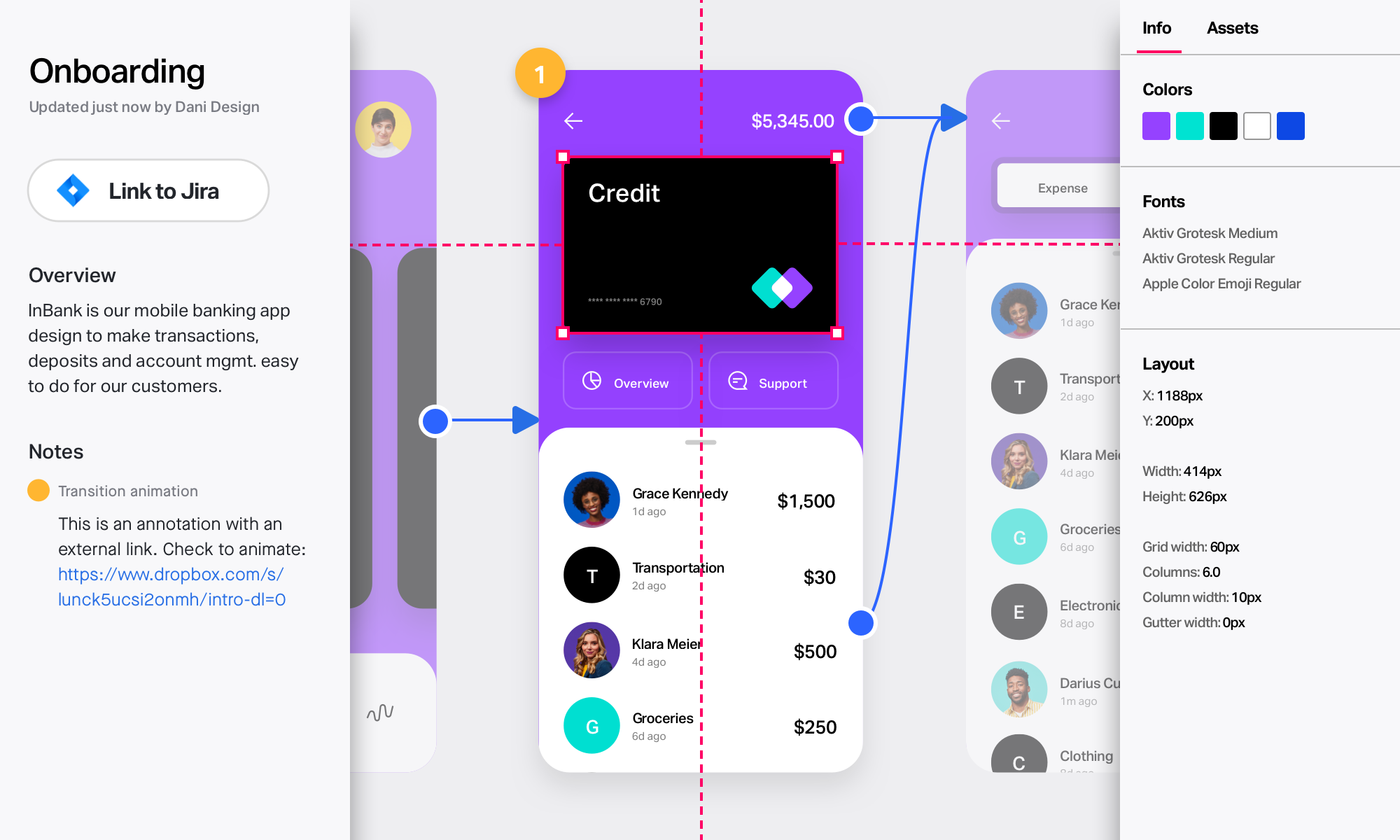
Figma, headquartered in San Francisco, offers their collaborative design and prototyping application to support digital product and UI development.
$15
per month per editor
InVision
Score7.9 out of 10
N/A
InVision is a collaborative design and prototyping platform with features such as freehand drafting mode and interactive mockups, collaboration, idea management, user testing, and integration with Slack and other collaboration tools. According to the vendor, 1 million designers are using the free version.
$0
Lucid Visual Collaboration Suite
Score9 out of 10
N/A
The Lucid Visual Collaboration Suite empowers teams to ideate, plan, design, build, and launch game-changing solutions from a shared infinite canvas.
VP of Growth in Product Management at Revel.xyz (Information Technology & Services, 11-50 employees)
Chose Figma
InVision was the dominant product (not that long ago, about 6-8 years) before Figma came on the scene. The ability to easily share Figma designs via link to colleagues who did not yet have Figma accounts was a key unlock that allowed it to quickly grow, because the more people …
A de minimis incentive was given to thank the reviewer for their time. The incentive was not used to bias or drive a particular response, nor was the incentive contingent on a positive endorsement. More Info
Verified User
Chose Figma
InVision was much better when it came to building and interacting with prototypes while Miro and Mural are much better visualization and collaboration tools. But from a pure design and development perspective Figma has been the best I have used and the one preferred by all …
A de minimis incentive was given to thank the reviewer for their time. The incentive was not used to bias or drive a particular response, nor was the incentive contingent on a positive endorsement. TR verified that a representative sample of customers was invited. More Info
Verified User
Chose Figma
Figma has become more expensive recently, but licenses and users are very easy to manage in comparison to the other tools. We've had a lot of positive Feedback from our designers after we migrated from InVision to Figma. On top of that, most of our product owner also preferred …
A de minimis incentive was given to thank the reviewer for their time. The incentive was not used to bias or drive a particular response, nor was the incentive contingent on a positive endorsement. TR verified that a representative sample of customers was invited. More Info
Verified User
Chose Figma
Figma is the best for collaboration, most intuitive interface and compatible with the most outside softwares. Plugin library is also expansive
A de minimis incentive was given to thank the reviewer for their time. The incentive was not used to bias or drive a particular response, nor was the incentive contingent on a positive endorsement. TR verified that a representative sample of customers was invited. More Info
Verified User
Chose Figma
Figma is by far the best prototyping tool out there. I am such a fan of this tool.
A de minimis incentive was given to thank the reviewer for their time. The incentive was not used to bias or drive a particular response, nor was the incentive contingent on a positive endorsement. TR verified that a representative sample of customers was invited. More Info
Verified User
Chose Figma
I prefer using Figma the most so far during the past several years over tools like JustInMind and/or UX Pin.
A de minimis incentive was given to thank the reviewer for their time. The incentive was not used to bias or drive a particular response, nor was the incentive contingent on a positive endorsement. More Info
Principal UX Designer at Fidelity Investments (Investment Management, 10,001+ employees)
Chose Figma
Figma is the only tool that was build from the ground up for enterprise level distributed teams. If I were a one man shop or even a small team, I would consider Sketch or other cheaper alternatives. For a large enterprise team, the only winner is Figma.
A de minimis incentive was given to thank the reviewer for their time. The incentive was not used to bias or drive a particular response, nor was the incentive contingent on a positive endorsement. TR verified that a representative sample of customers was invited. More Info
Verified User
Chose Figma
Figma is the best for collaborative work. Very easy to learn, so easy that most people dont use it properly (which is good and bad at the same time). Prototyping is where I'd wish it will improve. Axure was awesome.
A de minimis incentive was given to thank the reviewer for their time. The incentive was not used to bias or drive a particular response, nor was the incentive contingent on a positive endorsement. TR verified that a representative sample of customers was invited. More Info
Verified User
Chose Figma
Figma covers all our use cases. It helps with our design systems, pattern libraries, and prototyping; it's helpful to be cloud-based and sharable. Its plugins and usability for all team members make it very useful. Autolayout functionality is head and shoulders above the rest …
A de minimis incentive was given to thank the reviewer for their time. The incentive was not used to bias or drive a particular response, nor was the incentive contingent on a positive endorsement. More Info
Verified User
Chose Figma
I believe when it comes to prototyping and visualisation I would say Figma is way better than above mentioned tools. However, when it comes to workshops, brainstroming exercises and running sessions, I feel Miro might be better as compared to figjam and Mural. Figma is quite …
A de minimis incentive was given to thank the reviewer for their time. The incentive was not used to bias or drive a particular response, nor was the incentive contingent on a positive endorsement. TR verified that a representative sample of customers was invited. More Info
Verified User
Chose Figma
We migrated from Sketch to Figma and appreciated the design system when selecting Figma. We also liked the increased collaboration it would enable. We've found both to be incredibly helpful in practice and are very happy with our decision. Figma is intuitive and committed to …
A de minimis incentive was given to thank the reviewer for their time. The incentive was not used to bias or drive a particular response, nor was the incentive contingent on a positive endorsement. TR verified that a representative sample of customers was invited. More Info
Verified User
Chose Figma
Previously, we were using more than 1 tool for a specific use case related to design needs, but learned that Figma was more comprehensive, thus we were able to reduce usage of 2+ tools into one saving our overall budget on UX tools. Figma also seems to be an industry-wide …
A de minimis incentive was given to thank the reviewer for their time. The incentive was not used to bias or drive a particular response, nor was the incentive contingent on a positive endorsement. TR verified that a representative sample of customers was invited. More Info
Verified User
Chose Figma
Figma is truly a Swiss army knife in the retrospect that it does everything...but better that you'd expect it to be where you think...hmmm maybe I don't need this prototyping tool, or this design library framework app, or this simpler solution, because I can just use Figma for …
A de minimis incentive was given to thank the reviewer for their time. The incentive was not used to bias or drive a particular response, nor was the incentive contingent on a positive endorsement. TR verified that a representative sample of customers was invited. More Info
A de minimis incentive was given to thank the reviewer for their time. The incentive was not used to bias or drive a particular response, nor was the incentive contingent on a positive endorsement. TR verified that a representative sample of customers was invited. More Info
Verified User
Chose Figma
In theory it can do the all the things these other apps offer. And it does to a certain extend. if your prototypes are not too complex it can completely remove the need for other prototyping software. Through Figjam presentation and collaboration, alternatives provide no extra …
A de minimis incentive was given to thank the reviewer for their time. The incentive was not used to bias or drive a particular response, nor was the incentive contingent on a positive endorsement. TR verified that a representative sample of customers was invited. More Info
General Manager in Corporate at fctb. GmbH (Management Consulting, 1-10 employees)
Chose Figma
Free Version of Figma is quite well to give rapid access to customers on reviews. Existing user base and therefore documentations, tutorials and communities.
A de minimis incentive was given to thank the reviewer for their time. The incentive was not used to bias or drive a particular response, nor was the incentive contingent on a positive endorsement. TR verified that a representative sample of customers was invited. More Info
Verified User
Chose Figma
Figma is better for mockups and prototyping I prefer the other apps for flow diagrams as they are more intuitive, and people in my organization do not all have access to Figma so i often have to use those (due to cost of licensing)
A de minimis incentive was given to thank the reviewer for their time. The incentive was not used to bias or drive a particular response, nor was the incentive contingent on a positive endorsement. TR verified that a representative sample of customers was invited. More Info
Verified User
Chose Figma
What Figma does best above its competitors is allow collaboration without compromising design capabilities. The interface is incredibly intuitive and user-friendly, which made a big difference to us as not everyone on our team has the same skillset and design familiarity. …
A de minimis incentive was given to thank the reviewer for their time. The incentive was not used to bias or drive a particular response, nor was the incentive contingent on a positive endorsement. TR verified that a representative sample of customers was invited. More Info
Verified User
Chose Figma
Figma ruled them all out by having regular updates and becoming the leader in collaborative design app. Personally I liked Adobe XD better, it had a better feeling when working on a project, it was also faster but Figma won because of the “collaborative” part that it offered. …
A de minimis incentive was given to thank the reviewer for their time. The incentive was not used to bias or drive a particular response, nor was the incentive contingent on a positive endorsement. TR verified that a representative sample of customers was invited. More Info
Producer in Marketing at RocketBike (Marketing & Advertising, 11-50 employees)
Chose Figma
Figma can do it all and can do it all much better than the others. It covers all of our client and internal needs within a single platform that is highly collaborative and live, unlike these others. The robust nature of capabilities is also superior.
A de minimis incentive was given to thank the reviewer for their time. The incentive was not used to bias or drive a particular response, nor was the incentive contingent on a positive endorsement. TR verified that a representative sample of customers was invited. More Info
Verified User
Chose Figma
I selected Figma because there is many good features like It is based on web so we can easily work wherever and any system only we need login our account. In Figma we can easily work together in single file as well. Prototyping is very easy in Figma, we can make any (Web/App) …
A de minimis incentive was given to thank the reviewer for their time. The incentive was not used to bias or drive a particular response, nor was the incentive contingent on a positive endorsement. TR verified that a representative sample of customers was invited. More Info
Verified User
Chose Figma
In Figma we have it all! From sketches, wireframes, to complex design systems, components, tokens, libraries, etc.
It is also very easy to share interactive prototypes, the developer team can also access the files from anywhere, without installing anything on their computers, …
A de minimis incentive was given to thank the reviewer for their time. The incentive was not used to bias or drive a particular response, nor was the incentive contingent on a positive endorsement. TR verified that a representative sample of customers was invited. More Info
Verified User
Chose Figma
It's the organization's decision to move from Google Suite to Microsoft, so we changed our design tool to Figma.
A de minimis incentive was given to thank the reviewer for their time. The incentive was not used to bias or drive a particular response, nor was the incentive contingent on a positive endorsement. TR verified that a representative sample of customers was invited. More Info
Product Consultant in Product Management at Petro IT (Information Technology & Services, 11-50 employees)
Chose Figma
Yes definitely, it is way easier to use and has way better collaboration compared to Adobe Illustration and Sketch. Figma has better integration with the development team as it can export code and maintain assets as well.
Another big upside of Figma is prototyping, since the …
A de minimis incentive was given to thank the reviewer for their time. The incentive was not used to bias or drive a particular response, nor was the incentive contingent on a positive endorsement. TR verified that a representative sample of customers was invited. More Info
A de minimis incentive was given to thank the reviewer for their time. The incentive was not used to bias or drive a particular response, nor was the incentive contingent on a positive endorsement. More Info
Verified User
Chose InVision
We went with InVision because we were already bought into that ecosystem. We have since decided to move to Figma, as we were not receiving the features we needed from InVision and the associated tools (Whimsical, Sketch, Abstract, and Zeplin). The ROI of Figma allows us to free …
A de minimis incentive was given to thank the reviewer for their time. The incentive was not used to bias or drive a particular response, nor was the incentive contingent on a positive endorsement. More Info
Director Of Operations at Clearfire, Inc. (Internet, 1-10 employees)
Chose InVision
InVision can be a powerful tool when paired with Sketch and other platforms like Freehand. However, Figma is currently the industry leader in terms of functionality and usability for collaborative UI design and prototyping. Invision's sharing and prototyping features are its …
A de minimis incentive was given to thank the reviewer for their time. The incentive was not used to bias or drive a particular response, nor was the incentive contingent on a positive endorsement. More Info
Verified User
Chose InVision
Main difference is InVision's easy to use prototyping capability. When it is compared to Marvel and Axure RP, while it has less capabilities on tools it is more robust than both. I believe Figma is just a new and upgraded version of InVision where you could do everything online …
A de minimis incentive was given to thank the reviewer for their time. The incentive was not used to bias or drive a particular response, nor was the incentive contingent on a positive endorsement. More Info
Verified User
Chose InVision
InVision is a bit limited overall compared to other programs like Figma, Photoshop, Illustrator and XD. At the time we selected InVision they were one of the leaders and introduced a lot of new features that were beneficial. However now we've moved back to many of the Adobe …
A de minimis incentive was given to thank the reviewer for their time. The incentive was not used to bias or drive a particular response, nor was the incentive contingent on a positive endorsement. More Info
Verified User
Chose InVision
I choose InVision over Sketch, however Figma is leading because of the cloud feature collaboration and open source plugins
A de minimis incentive was given to thank the reviewer for their time. The incentive was not used to bias or drive a particular response, nor was the incentive contingent on a positive endorsement. More Info
Verified User
Chose InVision
InVision is a great tool to use and well worth the price. However, if you're looking for some variety, UXPin and Figma are worth looking into too. While UXPin may be a tad simplistic in the design ability, Figma is a great competitor to InVision. Both tools are worth looking …
A de minimis incentive was given to thank the reviewer for their time. The incentive was not used to bias or drive a particular response, nor was the incentive contingent on a positive endorsement. More Info
Verified User
Chose InVision
we use different 'similar' applications for different usecases.
A de minimis incentive was given to thank the reviewer for their time. The incentive was not used to bias or drive a particular response, nor was the incentive contingent on a positive endorsement. More Info
Verified User
Chose InVision
[InVision] provides the ability to iterate really quickly, in fact, it is so intuitive that can be applied on live wireframe designing, while the ideas are being scratched and stormed from the team in a single discovery session, as well as allowing and giving access to the …
A de minimis incentive was given to thank the reviewer for their time. The incentive was not used to bias or drive a particular response, nor was the incentive contingent on a positive endorsement. TR verified that a representative sample of customers was invited. More Info
Verified User
Chose InVision
InVision's design is much more polished and seamless due to its apps on mobile and web. They are very easy to learn and gather feedback compared to Sketch or Principle. Although these features are quickly coming to the other apps, InVision has an upper hand at the moment with …
A de minimis incentive was given to thank the reviewer for their time. The incentive was not used to bias or drive a particular response, nor was the incentive contingent on a positive endorsement. More Info
UX Designer in Product Management at SimpleNexus (Financial Services, 51-200 employees)
Chose InVision
Other design tools have been creating their own prototyping functionality, which has made InVision less valuable over time. It is much more convenient to use the same tool for both design and prototyping, because it removes the unnecessary steps of exporting, importing, and …
A de minimis incentive was given to thank the reviewer for their time. The incentive was not used to bias or drive a particular response, nor was the incentive contingent on a positive endorsement. More Info
Lucid Software
Verified User
Chose Lucid Visual Collaboration Suite
I think that many of these tools are great, I use Lucidchart because that's what our company uses. I think Lucidchart is better than draw.io. Canva and Figma are different use cases (for me) than Lucid Visual Collab. Figma I would go to for UI design, while Canva for me is …
A de minimis incentive was given to thank the reviewer for their time. The incentive was not used to bias or drive a particular response, nor was the incentive contingent on a positive endorsement. More Info
Verified User
Chose Lucid Visual Collaboration Suite
Figma is a little more robust but can turn new users off by looking too complicated.
A de minimis incentive was given to thank the reviewer for their time. The incentive was not used to bias or drive a particular response, nor was the incentive contingent on a positive endorsement. More Info
Director, Global Marketing Technology in Marketing at CBRE (Real Estate, 10,001+ employees)
Chose Lucid Visual Collaboration Suite
There are nice features in Miro and Figma for designers but I honestly find working on their canvas to be disorienting and the documents/artifacts created are not useful to how I need to communicate things. draw.io as a tool seems similar to Lucidchart but the functionality is …
A de minimis incentive was given to thank the reviewer for their time. The incentive was not used to bias or drive a particular response, nor was the incentive contingent on a positive endorsement. More Info
Product Designer in Engineering at Tactile Games (Computer Software, 201-500 employees)
Chose Lucid Visual Collaboration Suite
Figma has a learning curve so only the designers use it and it's fine and good. There is a huge library of templates, plugins, and practically you can make anything and everything you want to. However, the other people like engineers in my team don't know how to use it and also …
A de minimis incentive was given to thank the reviewer for their time. The incentive was not used to bias or drive a particular response, nor was the incentive contingent on a positive endorsement. More Info
Verified User
Chose Lucid Visual Collaboration Suite
Visio is pretty bad honestly, Lucidchart is much better in my opinion. I've also used InVision which is much easier to build with but lacks some of the more advanced functionality. I think the layering feature that LucidChart has is a key differentiator and helps it stand out …
A de minimis incentive was given to thank the reviewer for their time. The incentive was not used to bias or drive a particular response, nor was the incentive contingent on a positive endorsement. More Info
Verified User
Chose Lucid Visual Collaboration Suite
To be clear, I wasn't involved in buying process for any of these: Figma - seems like you can do pretty much everything that Lucid does in Figma. We also use Figma for wireframing. Not sure if you can use Lucidchart for wireframing. Google Slides - I didn't have Lucidchart at …
A de minimis incentive was given to thank the reviewer for their time. The incentive was not used to bias or drive a particular response, nor was the incentive contingent on a positive endorsement. More Info
Associate Product Marketing Manager in Marketing at BambooHR (Marketing and Advertising, 201-500 employees)
Chose Lucid Visual Collaboration Suite
Sketch and InVision we found to be better suited for making mockups of the product and more interactive elements of the product design. Lucidchart is better for the wireframes, flow, and processes for our team. We'll build out the concept, wireframe it, and then build how it …
A de minimis incentive was given to thank the reviewer for their time. The incentive was not used to bias or drive a particular response, nor was the incentive contingent on a positive endorsement. TR verified that a representative sample of customers was invited. More Info
Group Product Manager in Product Management at Stukent (Information Technology & Services, 201-500 employees)
Chose Lucid Visual Collaboration Suite
Lucid is the most intuitive for me to use, since I've used it from day 1 of its existence, but it has real limitations. Miro has better integrations and automations. I'm using Lucid Visual Collaboration Suite because 1) of its capacity planning capabilities, and 2) because of …
A de minimis incentive was given to thank the reviewer for their time. The incentive was not used to bias or drive a particular response, nor was the incentive contingent on a positive endorsement. TR verified that a representative sample of customers was invited. More Info
Verified User
Chose Lucid Visual Collaboration Suite
While all of the other platforms we have evaluated and some we even use, Lucid has it's own unique solution and aesthetic that we find to work well for us for many of our different deliverables. There is no "One-App-Does-All" solution out there, however, when it comes to …
A de minimis incentive was given to thank the reviewer for their time. The incentive was not used to bias or drive a particular response, nor was the incentive contingent on a positive endorsement. TR verified that a representative sample of customers was invited. More Info
Verified User
Chose Lucid Visual Collaboration Suite
I usually use excalidraw for more ad hoc realtime visualizations, but I usually use Lucid Visual Collaboration Suite charts when I need to work on a visualization to present in a document / presentation
A de minimis incentive was given to thank the reviewer for their time. The incentive was not used to bias or drive a particular response, nor was the incentive contingent on a positive endorsement. More Info
Verified User
Chose Lucid Visual Collaboration Suite
Lucid Visual Collaboration Suite is very professional in comparison to other products and has a lot more to offer.
A de minimis incentive was given to thank the reviewer for their time. The incentive was not used to bias or drive a particular response, nor was the incentive contingent on a positive endorsement. More Info
Verified User
Chose Lucid Visual Collaboration Suite
I think the products are very similar when it comes to actually making flowcharts, but Lucidchart is significantly better when it comes to collaboration and sharing
A de minimis incentive was given to thank the reviewer for their time. The incentive was not used to bias or drive a particular response, nor was the incentive contingent on a positive endorsement. More Info
Student in Human Resources at Universidad Nacional Autónoma de México (Education Management, 10,001+ employees)
Chose Lucid Visual Collaboration Suite
I think that among other diagramming tools, Lucidchart is one of the most complete and advanced. For its expertise in diagrams, it offers a wide range of options when it comes to making any kind of diagram because, unlike its competitors that have multiple uses, they do not …
A de minimis incentive was given to thank the reviewer for their time. The incentive was not used to bias or drive a particular response, nor was the incentive contingent on a positive endorsement. More Info
Manager Labs Network & Operations in Corporate at Visit Health (Health, Wellness and Fitness, 51-200 employees)
Chose Lucid Visual Collaboration Suite
Lucidchart when compared to the competition is way ahead of them. It has a good number of features available in the free version and the other thing is that there is none to a little learning curve required to understand the product. It is fairly easy to use when we compare it …
A de minimis incentive was given to thank the reviewer for their time. The incentive was not used to bias or drive a particular response, nor was the incentive contingent on a positive endorsement. More Info
Product - Ads BU in Product Management at Truecaller (Marketing & Advertising, 501-1000 employees)
Chose Lucid Visual Collaboration Suite
From the product and design perspective, we don't need such complex tools to innovate the existing product. However, Lucidchart will help us to focus on cannibalization.
A de minimis incentive was given to thank the reviewer for their time. The incentive was not used to bias or drive a particular response, nor was the incentive contingent on a positive endorsement. More Info
Director, Digital Pharmacy Product in Product Management at CoverMyMeds (Information Technology & Services, 10,001+ employees)
Chose Lucid Visual Collaboration Suite
I have used several different similar products over the course of my career and all seem to have some benefits but none seemed to really meet all my needs. Ideally, I want a tool that works for me individually and allows me to manage my own projects and visual communication …
A de minimis incentive was given to thank the reviewer for their time. The incentive was not used to bias or drive a particular response, nor was the incentive contingent on a positive endorsement. More Info
Product Manager in Finance and Accounting at Barclays (Financial Services, 1001-5000 employees)
Chose Lucid Visual Collaboration Suite
Lucidchart has a superior UI, with a very simple and delicate design. New team members can easily navigate and use the tool. Complex architectural designs, workflows can be made very easily with drag and drop features available. Also, the deep integration with major cloud …
A de minimis incentive was given to thank the reviewer for their time. The incentive was not used to bias or drive a particular response, nor was the incentive contingent on a positive endorsement. More Info
Verified User
Chose Lucid Visual Collaboration Suite
Lucidchart comes [in] handy while not replacing all the apps that you currently use but as an extra tool that I used along with all these apps for communication and knowledge transfer.
The point where Lucidchart brought so much efficiency to my workflows is just amazing and great.
A de minimis incentive was given to thank the reviewer for their time. The incentive was not used to bias or drive a particular response, nor was the incentive contingent on a positive endorsement. More Info
Verified User
Chose Lucid Visual Collaboration Suite
These products are better to do charts for frontend, Lucidchart is better to do graphics[.]
A de minimis incentive was given to thank the reviewer for their time. The incentive was not used to bias or drive a particular response, nor was the incentive contingent on a positive endorsement. More Info
Verified User
Chose Lucid Visual Collaboration Suite
Lucidchart is easier to use than PowerPoint and generates cleaner visuals. A big part of this is due to the intuitiveness of connecting lines to boxes or shapes and having the flexibility to move points of connection on any shape and easily create new lines out of shapes. A …
A de minimis incentive was given to thank the reviewer for their time. The incentive was not used to bias or drive a particular response, nor was the incentive contingent on a positive endorsement. More Info
A de minimis incentive was given to thank the reviewer for their time. The incentive was not used to bias or drive a particular response, nor was the incentive contingent on a positive endorsement. More Info
Verified User
Chose Lucid Visual Collaboration Suite
We use Lucidchart primarily because it is easier to onboard new users to this program than it is to get them up-to-speed with other tools. It has also been the most cost-effective tool we have used so far.
A de minimis incentive was given to thank the reviewer for their time. The incentive was not used to bias or drive a particular response, nor was the incentive contingent on a positive endorsement. More Info
Sr. Experience Designer in Information Technology at Maestro Health (Human Resources, 201-500 employees)
Chose Lucid Visual Collaboration Suite
Lucidchart is designed to do one thing in my opinion, design charts of connected shapes. Other apps can do the same but are often tied to a desktop app and bloated with other illustration features I do not need. I like that is Lucidchart is limited in features to those specific …
A de minimis incentive was given to thank the reviewer for their time. The incentive was not used to bias or drive a particular response, nor was the incentive contingent on a positive endorsement. More Info
I would recommend if you need to start from scratch a product UI or any customer journey that you need to implement that requires designing and visualizing different steps to complete a process. I would recommend that any design/UI/UX team brainstorm and make proposals that they can compare and discuss in a visual way.
A de minimis incentive was given to thank the reviewer for their time. The incentive was not used to bias or drive a particular response, nor was the incentive contingent on a positive endorsement. More Info
InVision is well suited for design reviews and immersing yourself in the experience of an app-to-be. As a Product Manager, it's difficult to take abstract concepts, user pain points, and business needs, and produce a vision for an app without a visual aid to communicate a vision. InVIsion offers PMs, designers, and developers the opportunity to sketch a vision, communicate about it with inline commenting, and shareable with other stakeholders.
A de minimis incentive was given to thank the reviewer for their time. The incentive was not used to bias or drive a particular response, nor was the incentive contingent on a positive endorsement. More Info
Lucid Visual Collaboration Suite is effective for process documentation and knowledge sharing across teams. For us, we used it to map out individual roles and specific tasks within each role to create clear and visual workflows that others can follow at any time. A key scenario where it works well in our business for business continuity during absences another colleague can pick up the role by following the process on Lucid Visual Collaboration Suite with minimal disruption. The visual diagrams are easy to understand and a written document.
A de minimis incentive was given to thank the reviewer for their time. The incentive was not used to bias or drive a particular response, nor was the incentive contingent on a positive endorsement. More Info
Figma allows us to create universal content. This means that if multiple designers want to re-use a piece of content, and if everyone's content should be dynamically updated from time to time, we can easily accomplish this by turning design elements into a universal instance. Then, if an update is needed, we can push the change out to all assets at once. It's very efficient and ensures we're all updating content accordingly.
Figma also allows us to set parameters for the company's brand guide and share them across various designers. This way, we can easily pull from approved brand fonts, colors, and more, which allows our assets to remain unified across multiple touchpoints.
Figma also allowed us to create and install our own plugin, which we use to export every slide we have in a frame at one time, versus the default export feature, which limits you to one slice at a time. This is particularly useful for us when we're working on email templates, since we tend to have a ton of slices in any given series.
A de minimis incentive was given to thank the reviewer for their time. The incentive was not used to bias or drive a particular response, nor was the incentive contingent on a positive endorsement. More Info
A de minimis incentive was given to thank the reviewer for their time. The incentive was not used to bias or drive a particular response, nor was the incentive contingent on a positive endorsement. More Info
Large number of predefined charts, diagrams, flows
A great repository of various symbols and objects
The easiness of using and manipulating objects and shapes. There is a lot of auto-editing and adjusting which the software does for you which saves a lot of your time.
Easy way of duplicating shapes.
While working with the app everything feels organic and natural. You don't get the clunky/limited feeling which happens with some other similar apps.
A de minimis incentive was given to thank the reviewer for their time. The incentive was not used to bias or drive a particular response, nor was the incentive contingent on a positive endorsement. More Info
It will be great if Figma will consider having the Pages where interactions can be stitched together among the Pages and not just one page with so many Frames to create the stand-alone clickable prototype that can be used to simulate the intended UX
Bring back the Inspect Mode tab right on the right-side panel of the main workspace instead of hiding behind the Dev Mode.
Figma Slides feature could be improved quite a bit more in order to be easier to assemble slides into a presentation deck and having pre-built templates for slides can be useful too.
A de minimis incentive was given to thank the reviewer for their time. The incentive was not used to bias or drive a particular response, nor was the incentive contingent on a positive endorsement. More Info
A de minimis incentive was given to thank the reviewer for their time. The incentive was not used to bias or drive a particular response, nor was the incentive contingent on a positive endorsement. TR verified that a representative sample of customers was invited. More Info
The sign in page could use some help. When I first signed up, it was really difficult to login, unless I was logged into the perfect Lucid Visual Collaboration Suite software. It doesn’t seem to have a route to get people to the right place if you’re in the wrong place.
It’s nearly impossible to move content off of the Lucid Visual Collaboration Suite if you’re looking to get your content into a different platform.
Lucid Visual Collaboration Suite requires frequent updates and refreshes of the pages (at least daily).
A de minimis incentive was given to thank the reviewer for their time. The incentive was not used to bias or drive a particular response, nor was the incentive contingent on a positive endorsement. TR verified that a representative sample of customers was invited. More Info
Figma is a pretty cool tool in many areas. My team almost uses it on daily basis, such as, brainstorming on product/design topics, discussing prototypes created by designers. We even use it for retrospectives, which is super convenient and naturally keeps records of what the team discusses every month. Furthermore, I do see the potential of the product - currently we mainly use it for design topics, but it seems it is also a good fit for tech diagrams, which we probably will explore further in the future.
A de minimis incentive was given to thank the reviewer for their time. The incentive was not used to bias or drive a particular response, nor was the incentive contingent on a positive endorsement. More Info
A de minimis incentive was given to thank the reviewer for their time. The incentive was not used to bias or drive a particular response, nor was the incentive contingent on a positive endorsement. More Info
There's a bit of a learning curve, but generally I think it's both more powerful and intuitive that other UX design tools. Most of what I need to do as a designer can be done in this platform, from basic wireframes to creating a design system, to creating pixel perfect designs, to prototyping to dev handoff.
A de minimis incentive was given to thank the reviewer for their time. The incentive was not used to bias or drive a particular response, nor was the incentive contingent on a positive endorsement. More Info
Easy for prototyping, sharing for comments and review changes with version. lags a bit when the design is heavy and large design models learning curve is shorter so saves time with new stakeholders responsiveness could be better and auto modeling can be introduced Not much advance features that can be used
A de minimis incentive was given to thank the reviewer for their time. The incentive was not used to bias or drive a particular response, nor was the incentive contingent on a positive endorsement. More Info
The usability of Lucid Visual Collaboration Suite is bar none and incomparable to any other tool used in the past. There is such a vast offering that covers all the needs of any user in industries far and wide. It is no doubt that this is a firm recommendation for anyone and everyone to utilize this tool for all their needs.
A de minimis incentive was given to thank the reviewer for their time. The incentive was not used to bias or drive a particular response, nor was the incentive contingent on a positive endorsement. More Info
A de minimis incentive was given to thank the reviewer for their time. The incentive was not used to bias or drive a particular response, nor was the incentive contingent on a positive endorsement. More Info
A de minimis incentive was given to thank the reviewer for their time. The incentive was not used to bias or drive a particular response, nor was the incentive contingent on a positive endorsement. More Info
I haven't used their support lately but in the past, they had a chat that I used often. They often responded in a few hours and were able to give a satisfactory solution. I would imagine it's less personal now but the community has expanded drastically so there are more resources out there to self serve with a bit of Google magic.
A de minimis incentive was given to thank the reviewer for their time. The incentive was not used to bias or drive a particular response, nor was the incentive contingent on a positive endorsement. More Info
I didn't need to contact InVision support, as I've never needed it. They have an intuitive UI, and most of the questions are answered in their help portal or in tutorials online. Since many people use it, there a great resources available on for example YouTube. No problems so far with InVision.
A de minimis incentive was given to thank the reviewer for their time. The incentive was not used to bias or drive a particular response, nor was the incentive contingent on a positive endorsement. More Info
I reached out about being able to access Linear through their new acquisition partner, and they kept pointing me to the same article even though I told them it wasn't giving me the information I needed. I asked for a meeting with a CSM and they didn't reach out to help. I've also tried to contact some PM friends to give feedback, but no one seems to care
A de minimis incentive was given to thank the reviewer for their time. The incentive was not used to bias or drive a particular response, nor was the incentive contingent on a positive endorsement. TR verified that a representative sample of customers was invited. More Info
In-person training has its own benefits - 1. It helps in resolving queries then and there during the training. 2. I find classroom or in-person training more interactive. 3. Classroom or in-person training could be more practical in nature where participants can have an hands on experience with tools and clarify their doubts with the trainer.
A de minimis incentive was given to thank the reviewer for their time. The incentive was not used to bias or drive a particular response, nor was the incentive contingent on a positive endorsement. More Info
Online training has its own merits and demerits - 1. Sometimes we may face issues with connectivity or the training content 2. The way training is being delivered becomes very important because not everyone is comfortable taking online training and learning by themselves. 3. With the advancement of technology online training has become popular but there is a segment of people who still prefer class-room training over online one.
A de minimis incentive was given to thank the reviewer for their time. The incentive was not used to bias or drive a particular response, nor was the incentive contingent on a positive endorsement. More Info
Miro is more user-friendly than Figma, but is less robust in terms of web prototyping and graphic design. While Figma isn't made to be used as a design tool, our team has taken to using it as such because it's richer in functions and personalizations compared to Miro and Figma.
A de minimis incentive was given to thank the reviewer for their time. The incentive was not used to bias or drive a particular response, nor was the incentive contingent on a positive endorsement. More Info
We only tested out using Adobe XD for similar uses and found it to be more challenging to fit within our processes. It didn't have as robust a set of capabilities as InVision and wasn't as easy to use enterprise wide. I recall also having issues with working with Sketch.
A de minimis incentive was given to thank the reviewer for their time. The incentive was not used to bias or drive a particular response, nor was the incentive contingent on a positive endorsement. More Info
Lucidchart is well beyond Microsoft Visio and is constantly improving. Visio is pretty much stagnant and hasn't been improved for several years, Lucid is constantly adding new functionality like AI powered functions and tools. We have no reason to pay for Visio licenses when Lucid can provide so much more for less.
A de minimis incentive was given to thank the reviewer for their time. The incentive was not used to bias or drive a particular response, nor was the incentive contingent on a positive endorsement. More Info
A de minimis incentive was given to thank the reviewer for their time. The incentive was not used to bias or drive a particular response, nor was the incentive contingent on a positive endorsement. More Info
A de minimis incentive was given to thank the reviewer for their time. The incentive was not used to bias or drive a particular response, nor was the incentive contingent on a positive endorsement. TR verified that a representative sample of customers was invited. More Info
InVision helps our team better and more professionally portray the value and the work we do as designers, leading to more company buy-in in supporting and funding our work. In the past, we would create PowerPoints with screenshots to portray a user workflow that we would share out to stakeholders. Once we began to use this app, where stakeholders could click through and comment as though they were “real” users, stakeholders began to better understand our work, designs, and workflows. This has led to more productive conversations that, in turn, lead to more effective end products that have more consistently served our business goals in tangible ways.
InVision helps us save production time, effort, and cost, as we are able to solve design issues early in the process by having clickable prototypes to show to internal stakeholders and external users. It’s, understandably, difficult for people to provide effective feedback on screenshots. Using the clickable prototypes we created in InVision, we are able to get more effective feedback to solve user workflow issues before we spend time and money developing problematic designs (and later having to redesign them).
It’s easier to market designs to potential buyers with clickable prototypes than with screenshots. With these prototypes, we’ve been able to sell more digital products before product release dates, which has helped to secure many contracts and new business relationships that continue to this day.
A de minimis incentive was given to thank the reviewer for their time. The incentive was not used to bias or drive a particular response, nor was the incentive contingent on a positive endorsement. More Info
Though I can't necessarily provide hard numbers, I can confidently say that Lucidchart has saved countless hours for myself and my teams as we don't need to try to develop some type of complex diagram using markup or any kind of code.
I have previously been able to build a complete ERD using Lucidchart in a past position, which the company never had before. It ended up being used by countless teams in the company and ultimately in a large-scale data stack migration effort.
A de minimis incentive was given to thank the reviewer for their time. The incentive was not used to bias or drive a particular response, nor was the incentive contingent on a positive endorsement. More Info