Gusto offers payroll, benefits and compliance capabilities. Gusto is scaled for small to mid-sized businesses, and emphasizes an easy to use interface.
$49
per month
Paycom
Score 8.4 out of 10
N/A
Paycom is an automated HCM platform, built on a single database that eliminates redundant data entry through automation. A payroll and HR software solution, Paycom is used by organizations of all sizes to access employee data without navigating multiple systems.
N/A
QuickBooks Online
Score 8.0 out of 10
N/A
QuickBooks Online is a SaaS version of the QuickBooks product. It contains all of the features found in the local version. Higher-priced plans include greater automation, payment management, inventory and time tracking, and analytics features.
$38
per month
Pricing
Gusto
Paycom
QuickBooks Online
Editions & Modules
Simple: A streamlined set of automatic payroll features and benefits integrations
$49/month + $6/mo per person
per month
Plus: Comprehensive payroll, benefits, and HR tools for employers building a great place to work
$80/month + $12/mo per person
per month
Premium: Scalable payroll and benefits, expert HR, and dedicated support for the complex needs of growing teams
$180/month + $22/mo per person
per month
No answers on this topic
Simple Start
$38
per month
Essentials
$75
per month
Plus
$115
per month
Advanced
$275
per month
Offerings
Pricing Offerings
Gusto
Paycom
QuickBooks Online
Free Trial
Yes
No
Yes
Free/Freemium Version
No
No
No
Premium Consulting/Integration Services
Yes
No
Yes
Entry-level Setup Fee
No setup fee
No setup fee
No setup fee
Additional Details
Gusto offers three pricing plans for payroll, benefits, and HR.
I think Gusto has much better marketing than the rest of their competition, and it has the assets to get in front of more people, like on live TV during a sports game, so I just knew about it before the others. When comparing, I think feature-wise and usability were big for …
I like Gusto because it's much more user-friendly than Workforce. I would rate QB a 6/10 and Gusto a 10/10 for user reliability and friendliness.
Verified User
Employee
Chose Gusto
Gusto is cheaper and just much more user friendly than other tools with similar skill sets that I have used previously. I much prefer its user interface, how the mobile app and desktop work seamlessly, and how just how much more affordable it is. While it still is expensive, …
I prefer Gusto's visual interface and ease of use. The employee visual for Gusto was much better. The customer service support that I have received with Gusto has far exceeded any other payroll processing service that I have used.
Gusto is so much more user friendly and the customer service is excellent. Waiting on hold for ADP and Quickbooks was very frustrating and I almost never got my issue resolved. When I did get a call back, there was often a “hard sell” attached to the call.
It's been a while since I used QuickBooks for payroll, but it doesn't even come close to it. Gusto is infinitely easier, allowing for employee time tracking, handling calculations and payments of payroll and payroll taxes, managing regulatory compliance in the background, and …
Gusto seems to offer everything that ADP Payroll does, but at a much more affordable cost. Gusto's prices are much more reasonable for very small businesses and startup businesses. Most of my clients fall into that category. I would say ADP is more for larger small …
Gusto is more approachable with a less corporate, more personalized feel. When we started, it was helpful for Paychex to be a one-stop shop where they offered a ton of add on services we hadn't thought of but found useful. Now that we are better able to navigate our needs, …
Gusto is incredibly user friendly and leaves you with a step by step guide of what you need to do, what you're missing and helps catches everything you might have missed.
Workful was a budget-conscious choice last year. However, it couldn't handle the nuances of a non-profit and was also not available to automate payroll tax filing in every state. They abruptly stopped offering payroll service, leaving me to switch clients immediately. Justwork…
Gusto is way easier to use and understand than other platforms. They just focus on what they're really good at without cluttering up the experience with other offers. The customer service is much better as well. Support is very responsive and helpful.
I think Quickbooks is hard to navigate and it has too many outages/down times. In my experience, you have to jump through hoops to get your information updated. I think it is slow and ugly
Personally, I believe that Gusto is the superior product, especially if used by a smaller firm. It has all of the same capabilities as QBO, but has a much simpler design that makes it more user friendly. As I've stated early, the technical support for Gusto is certainly more …
Gusto offers a better experience for both employees and employers with more intuitive navigation, simplified step-by-step builds for back-end structure, and user-friendly, secure processes for employees. Gusto is a well-designed platform that is years ahead of the others in …
ADP Workflow, Paylocity, BambooHR, Worklio - Paycom has a superior feature set and reporting tools. Rippling, Gusto, PlanSource - Paycom is less preferred due to its overly complex feature set.
In my opinion, Paycom is leaps and bounds ahead of Paylocity. Paycom is a much more sophisticated piece of software that has made the entire employee experience so much more palatable.
It used to take me hours to work between ADP Resource and ezLabor, Paycom does it in less than 30. We also must have been getting the bonus rate from ADP because it's a lot cheaper than what they were billing us for their outdated and discontinued software. I have used other …
Paycom offers better customer service and account management, better overall communication, more efficient services; implementation was outstanding, the people who handled our account and implementation were always so helpful, knowledgeable, available and made us feel heard and …
There is no comparison. Paycom has many more features, is designed to help the business in tracking and managing employee information, much better payroll system- especially with the "approve my check" feature. It has been a complete change to how stressful our payrolls were to …
Paycom allows more flexibility. The cloud-based integration is great and flexible, it also has a lower learning curve, allowing for an easy transfer to new team members if needed. We use almost all functionalities managing hundreds of accounts with personal data and archives, …
We were with ADP prior to implementing Paycom and we are very impressed with Paycom. Customer service is much better and payroll is more streamlined and efficient.
Paycom blows the competition away. Price, technology, customer service - These were all points of consideration when we evaluated other solutions. We were not impressed with the likes of companies that tried to offer the breadth of solutions Paycom offers today. Whether …
QuickBooks Online
Verified User
Analyst
Chose QuickBooks Online
The only other service I have used that was similar to QuickBooks was Gusto. My experience with it was pretty limited. We did not use it for very long. We tried it because it was made for small businesses and we are a smaller department. QuickBooks was more scalable and worked …
I use Gusto but have not evaluated it. It works great for us.
Verified User
Director
Chose QuickBooks Online
Sage Intacct is very difficult to use and the inter-face is decades behind QB online. The ease to which one can find and manage information on QB online versus Sage Intacct is remarkable. QB Online is made for people who actually manage and facilitate financial information. I …
As an accountant, QuickBooks Online uses the language I learned in school and throughout my career. Xero tries to simplify it, while actually making it more difficult to understand.
As I've mentioned, there aren't a lot of similar products, and certainly not with all the capability of QuickBooks Online. In my opinion, they nickel and dime for everything but they also do work pretty well across the board. I think the reconciliation process is also by far …
Other software packages such as NetSuite and Intacct I used in the past are more robust in terms of supporting a bigger organization, but at my current company we selected QuickBooks Online as our ERP because it is a perfect fit for the size of the company and our operations as …
I have used larger ERP systems like SAP and Netsuite which do offer a better solution however for the size of business (small) that is best fit for QuickBooks Online, it is a good tool to use. We selected this because its cloud bases, billed easy, low cost, and easy to learn.
I think Gusto is well-suited for any business, big or small, to use for accounting purposes. It makes it easy to keep track of many things, such as pay stubs, benefits, paid time off, and much more. Where I could see it being less useful is maybe for enterprise businesses with way more employees.
As I mentioned, the onboarding process is incredibly easy. We have around 300 employees and are constantly hiring, so Paycom has been a huge help. In fact, the ATS functionality was a major factor in our decision to switch to Paycom.
QBO is a great solution for small and midsize companies. If the goal is to record all transactions and pull reliable financial reports, QBO is a great option. QBO is also a great solution if most operations are run in a system like Ramp. It syncs well with systems like that and turns the data into something management can use to make decisions. QBO is great because so many people use it. It is easy to find training online, and many people have experience with it.
I like the employee self-service feature. It's very straightforward and easy to use. I also like my representative, Mikey. He's been very helpful—every time I call him, I get the assistance I need. I also appreciate how quickly I can get someone on the phone and get help when needed.
Workflows for accounts payable invoice review are terrific.
Bill payment allows you to pay vendors online via ACH or check without having to write a physical check, which reduces admin time.
The cloud based login lends well to a remote or hybrid work environment for staff.
QuickBooks Online allows you to pre-configure vendors' general ledger expense accounts. This helps with general ledger coding accuracy and consistency.
QuickBooks Online integrates with Rippling HRIS, Coast, Capital One, JPMorgan Chase, etc., which lends well to an efficient month-end closing and reduced administrative time.
Gusto upsold us labor law posters, but I later found them available for free online. Since we’re a fully remote team, I had to manually download and distribute them digitally. It would be much more efficient if Gusto offered free, auto-distributed digital posters tailored to remote compliance.
Benefits setup is unintuitive for startups
While our rep was helpful, navigating the benefits system felt complex and not tailored to early-stage companies. More guided flows or simplified options for small, remote startups would be a big help.
Limited dashboard customization for remote workflows
As a fully online company, we’d benefit from dashboard options that highlight relevant tools for remote operations—like compliance tracking, digital communications, or onboarding checklists.
I am not a fan of the most recent update. I wasn't prepared for the change especially given it came right before payroll was processed. I'm told given time, I will get used to it and I'm always open to change for the better.
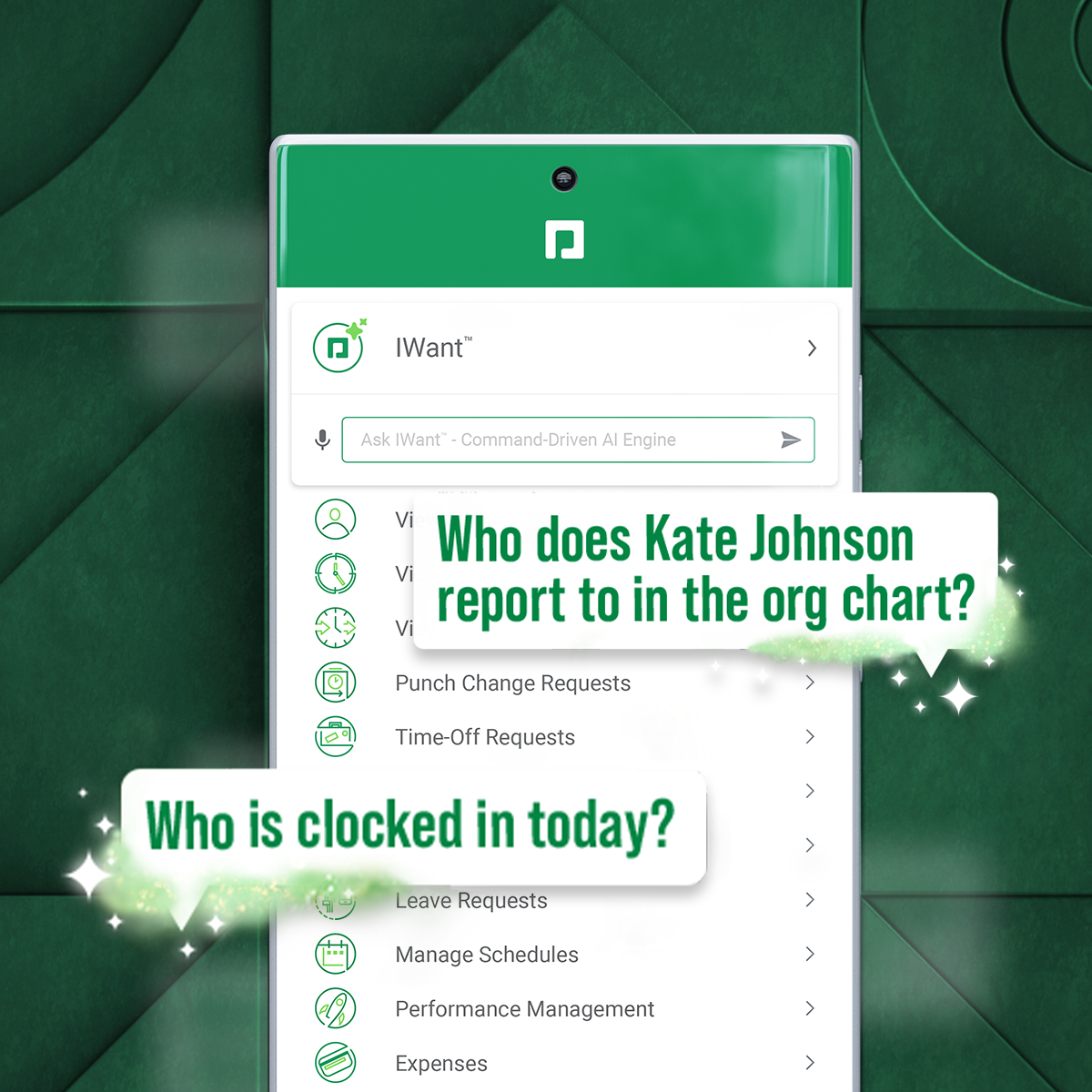
IWant™ feature isn't what I hoped it would be. I haven't used it much given the information I need in Paycom I can find quickly on my own. I have heard however that several employees utilize and appreciate the IWant™ feature.
I dislike that the online bill pay option through QuickBooks is required for their invoicing.
The auto-fill portion of the customer setup, specifically the company name, is listed, but it also auto-fills in the name portion, which is inconvenient and time-consuming to remove.
Unless they break it, I'm never leaving. It's just too easy. Gusto is also really affordable, and for what I pay, it's worth having the historical record within the system. I like that I can go back and pull up W2's for year's past. This sort of easy access reporting, has been helpful especially when getting reports for PPP loans.
we are having no problems with how the system works and our support system at paycom is the best - we are learning more and using the system in more ways all the time the only thing that could be better is pricing on some things
It like the product 'right out of the box' and I trust Intuit will continually improve it over the years based on my experience with their desktop products. The large providers of Apps makes customizing the entire package relatively easy and seamless for a wide variety of business types.
Gusto is pretty user-friendly, and the website is easy to navigate overall. They also offer good, responsive customer support and have helpful articles available when needed. So far, I have not had any major issues with the platform and am overall very happy with it.
I'm probably going to have to go seven and three-quarter to eight, and that may be user error to me because I know Paycom has got it figured out, but there's times I just can't figure it out, even with some of the tutorials, the university, the show-mes, and calling Alex, our representative. He can hold my hand and walk me through that process, and it just may be I didn't get it, but that's why I gave that score. I'd give it a solid nine.
Beyond being overkill for a small org's needs, QBO is constantly stealing screen real estate and attention by hammering users for account upgrades, connecting to one of their approved consultants or buying add-ons. The idea of using a simple configurable bookeeping and light accounting interface is completely missing. At the very least, we should be able to hide functions like inventory that we will never use.
Gusto's customer service has really deteriorated lately and they seem to have really changed their focus. It used to be when you called you were routed to an individual who knew about payroll, benefits, reporting, etc. but now you get someone who seems to have not received the correct training. My last call about a dismissal payroll took me over an hour of my time and the person still could not help me and finally transferred me to someone else.
In 6 years, we've never had a bad experience with client support. We implemented during COVID, and I was the only person in HR at the time. I was also having to homeschool our children, which meant bizarre work hours and limited time to focus on platform build at times. There were nights that I was literally on calls at 11 pm and the implementation team was unbelievably supportive. Recently, a Position Seat specialist came on site to help us set up for our 5 client codes - the experience was transformative for how we use the platform and an absolute game changer. I trust Paycom because I trust our representatives. They truly are strategic partners for us, and work to ensure we're maximizing the platform and that our needs are being met
In my experience, most representatives keep me on the phone for hours, literally, for a single issue and then usually cannot resolve it satisfactorily. I have 10 open cases that need resolution and, in my experience, there has been NO follow-up communication on any of them.
Tadd and Ellie have been great! They have show us many aspects that implementation did not. They are very personable and action oriented as well. Anytime we need them they offer to swing in.
It was good, but hard to know what questions you need to ask until you actually get in there and start working with a live product. But Paycom is also very helpful every time I call and can't figure something out. Nathan has been very friendly and helpful no matter what I call him about. He is always eager to help out.
Reach out to support immediately if you are having trouble setting up Gusto. Rather than being confused and trying to figure it out yourself, it's much better to talk to someone who knows what they are doing. Save yourself time and frustration and reach out to support
Not at all satisfied it was a nightmare we spent over 8 months with the implementation team having issues after issues all related to the Puerto Rico regulations (half my employees are in Puerto Rico) and at the end we were moved over from the implementation team to the production team without all the issues being resolved
The person in charge of QB needs to be very accurate with record keeping and is recommended to stay on top of tasks. The biggest issue we have is reconciliation, and those issues occur only when too much time has occurred between reconciliations
While I never actually got to the point of trying out ADP, I had several conversations with an ADP representative, and it seemed that they would be able to provide the same (if not less) level of service for a significantly higher price
I have not currently used any other products. I'm still kind of new to the HR industry. The only other thing that I really have to compare it to is Vonmar's system, which they created themselves, and it was not user-friendly.
As a freelance bookkeeper, the Desktop version of QuickBooks Online doesn't allow for ease of access from any device. Having to be on a computer with the software downloaded creates additional work to gain access to all required filings etc. Also, I personally find the linking functionality on the Online version to be much more streamlined and user friendly.
As we have grown along our professional path, we have also expanded our use of QB. The scalability is easy and features seem to be waiting for you until you need them. We have increased profits by over 10x from our first year in business to the current and have yet to find a reason to look elsewhere
It's helped us save time. We've been able to automate a number of payroll and accounting functions. It's also enabled our employees to use the ask gear feature. So it's really saved time, and also we've not gotten hacked, which is always a plus.
QuickBooks has given us a useful portal by which to get an overview of our financials.
QuickBooks has given us a relatively easy way to send out invoices quickly and efficiently.
Due to the customization limitations on QuickBooks, we've had to get creative in third-party implementations to better represent our brand and to track financials.