Infor CloudSuite ERP is the company's cloud-based ERP suite for medium to large global manufacturers, distributors, and after-sales service providers—delivering flexibility to manage mixed-mode and complex value chains.
N/A
QuickBooks Desktop Premier
Score 8.0 out of 10
N/A
QuickBooks Desktop Premier is an installed version of QuickBooks for general business, contractors, manufacturing and warehouse accounting, as well as nonprofits, professional services, and retail.
N/A
Vista
Score 8.2 out of 10
N/A
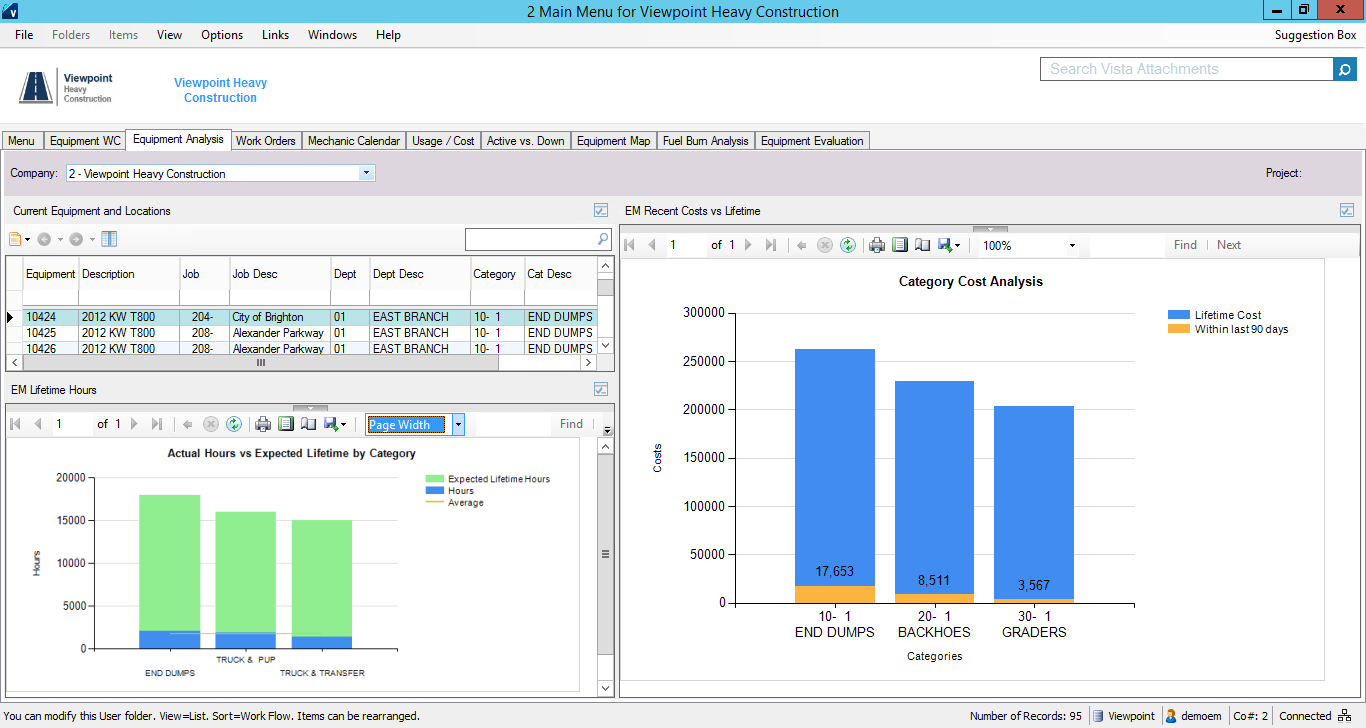
Viewpoint’s Vista is a construction accounting software. Vista’s core accounting features include accounts receivable and payable, general ledger, payroll and time management, and cash management. It also provides tools for document management, including document templates and reporting.
N/A
Pricing
Infor CloudSuite ERP
QuickBooks Desktop Premier
Viewpoint Vista
Editions & Modules
No answers on this topic
No answers on this topic
No answers on this topic
Offerings
Pricing Offerings
Infor CloudSuite ERP
QuickBooks Desktop Premier
Vista
Free Trial
No
No
No
Free/Freemium Version
No
No
No
Premium Consulting/Integration Services
No
No
No
Entry-level Setup Fee
No setup fee
No setup fee
No setup fee
Additional Details
—
—
Prospective buyers may contact Viewpoint directly for a price quote.
We have had great success with inventory management and production planning/execution. Also, data and system integrity have been key to our overall solution satisfaction. We struggle when it comes to reporting and analytics. The base product leaves room for improvement as much of the core reporting is not easily configurable and lacks the ability to scale forcing us to build a reporting model outside the solution
We really think that ANY typical business would be a reasonable fit for QuickBooks Desktop Premier. While not necessary, even a comparatively unexperienced accounting person could look at the "Home" screen and follow their nose thru typical daily accounting processes without much detailed knowledge. Reporting is simple, looking up customer info and prior transactions is simple, looking up vendors and prior payments is simple... all in all, quite straightforward. I really can't think of an instance where it would be 'less appropriate'.
The company has made a commitment to the use of the Vista products and continue to move forward trying to implement more with the Vista HR Management. From timekeeping to onboarding in the near future we strive to look for better ways to utilize the products for our accounting and payroll purposes.
Very stable product. Some of its weaknesses are also its strengths. The lack of web services seems to actually increase stability.
No software vendor in this space is perfect. Lawson does perform as advertised.
Again, a weakness of this (limited functionality) is a hidden strength as well. In software there is a complexity/feature tradeoff. Where Lawson lacks in features, it does give you a more simple setup for your organization.
Support for older versions of QuickBooks ends after three years, then users must purchase the newest version at full price. Renewals should be deeply discounted for existing users.
I would like to see better in-product inventory tracking, so we can choose LIFO or FIFO rather than the ambiguous "average cost" method.
I would like to be able to assign payroll taxes to jobs for better job costing.
Their payroll module is terribly slow and very clunky.
Job costing parameters are very strict and limited.
Each module interface has too many forms and screens.
There is too much flexibility regarding where to put information into the system. There isn't one place to do anything, which creates confusion for staff.
Other than the inherent pain of a new implementation, it's a great platform and Infor is a great partner to work with. Every system has problems, our are no worse than any other platform. Maybe even a little better, nothing to make us want to change platforms any time in the near future
Because we have been extremely happy with the product and our organization tends to be creatures of habit. We rarely leave a product that works this well for the latest and greatest. Typically we follow the "if it's not broken, don't fix it rule". While QB does make changes we typically just roll with it. If we do find something we don't like we work through it until we fully understand its functionality.
It is extremely customizable and tracks so many complicated costs very well, more-so than other construction software programs out there that we've used in the past. It is also not an easy program to use for those even slightly not comfortable with a computer. The help sections/knowledge base could be better organized and updated more. It is a very powerful software program for our business and we rely on it hugely to see how our projects are running in real-time.
Industry fit: Infor M3 is designed for specific industries, such as manufacturing, distribution, and food and beverage. If your organization operates in one of these industries, Infor M3 may be a good fit.Functionality: Consider the specific features and functionality that your organization requires from an ERP system, such as financial management, supply chain management, manufacturing, and sales and marketing. Review Infor M3's capabilities in these areas to determine if it meets your needs.
We switched to a more "robust" software program with the hiring of a new CFO. The migration of historical data and ancillary information has been cumbersome and riddle with errors and issues. In hindsight much of what the new software program was touted to accomplish is not come to fruition. QB Desktop Premier was sufficient for the organization needs
I think that Vista's is an easy program to use very user friendly with lots of help features to allow the user to fix an issue without having to put a support call into Vista. The reporting and exporting capability's are strong.
Only issue is when there is an upgrade - it takes several times to get back logged in. Otherwise no issues with getting on to the program. We are set up on lap top or on the remote desk top. Works 90% of the time
No issue downloading the reports - I do find sometimes it is easier to export and save than it is to print to a pdf. Options on the different reports not consistent. You can print a couple projects on the JC Contract Status Report - but you have to do each project for the JC Cost by contract item - when neither one is a drill down - not a big deal
The overall support of Inform M3 is simply the best! There isn't a single flaw that I can detect or think of about this software! I can't possibly express the greatness of the availability and all of the possibilities achieved. The ease of use and a lot of functionalities such as flexibility [allows in] configuration to add new functionalities fast.
This is where QuickBooks falls short. Many times my staff has had questions that have not been able to get resolved easily with a chat or call. I personally have had more general questions that have not been answered easily as well. I think QuickBooks needs to provide the resources of having readily accessible help in order to make it simpler to get solutions.
When privately owned, it was very good, then dropped when owned by Bane Capital Investments. Now that it has been bought by Trimble and has a home, support is back up again. Response time is better than most software companies, and the information provided is good. They have Chat support for quick answers, and a good Knowledge Base and video libraries.
Excellent training! They keep you on track to insure your implementation is going as planned. There are ample ways to receive additional training and training can be provided by position type. If you put on the effort, the training is there.
It is important to do your research. There are tutorial videos online that could help new user of this accounting system. These tutorials are straightforward and easily understandable.
The trainer Viewpoint sent did not understand the processes, he only knew where the modules were located. He had no understanding of the actual process itself.
One of the products I have used is an Oracle accounting product. I feel that Infor stands up well when comparing to the Oracle product especially for the accounting functions. In comparing it to Microsoft Dynamics I feel that Infor is easier to use in some accounting tasks. The one thing the Dynamics has going for it is the ease of use with other Microsoft Products.
QuickBooks Premier handles most of my business functions efficiently in one package. It is not my "everything." I use Replicon for time rather than QuickBooks. I don't want my WIP data interfering with my accounting. I use PaySimple for it's web interface and back office processing. I don't have security issues since I don't have any credit card data in my possession. With today's identity theft environment, I have to protect myself as much as I can. Not having credit card data in my accounting software lets me sleep much better at night. Quicken will do basic accounting but does not have all the double entry accounting systems contained in QuickBooks. QuickBooks Online does much of the basic business functions but I don't like the pricing structure. As a professional accountant, that is very important to me. Bill.com provided a good service but the ability of QuickBooks to add bills and receipts to transactions makes it redundant.
I personally have not used another ERP system other than Viewpoint Vista. I am sure there are others out there, but from listening to my managers experiences before Great Basin Industrial implemented Viewpoint, the other options were less superior to what Viewpoint offers. I think if you are looking for an ERP system in the construction industry, then Viewpoint is the way to go
For a small business - this program is well used in the accounting and operations. The two different work plans are set up for success. Alot of the programs we do not use - but like the reports that are generated - one disadvantage if you do not know crystal reports you cannot edit your form to meet your needs so there is a lot of printing different several forms to get all the information you need.
Most of our business clients use QuickBooks which makes it efficient for us to work on clients that use the program. We can import QuickBooks data into our software which adds efficiencies to our tax practice.
Having staff that are familiar with the software enables our firm to provide quality service to the clients that use QuickBooks.
We receive referrals from satisfied QuickBooks clients.
Not sure I can speak to this as the company moved to Viewpoint before I began here. I think it is helpful for the Project Management and Superintendent staff to easily review how specific job items went, which we do in the PM contract drilldown analysis