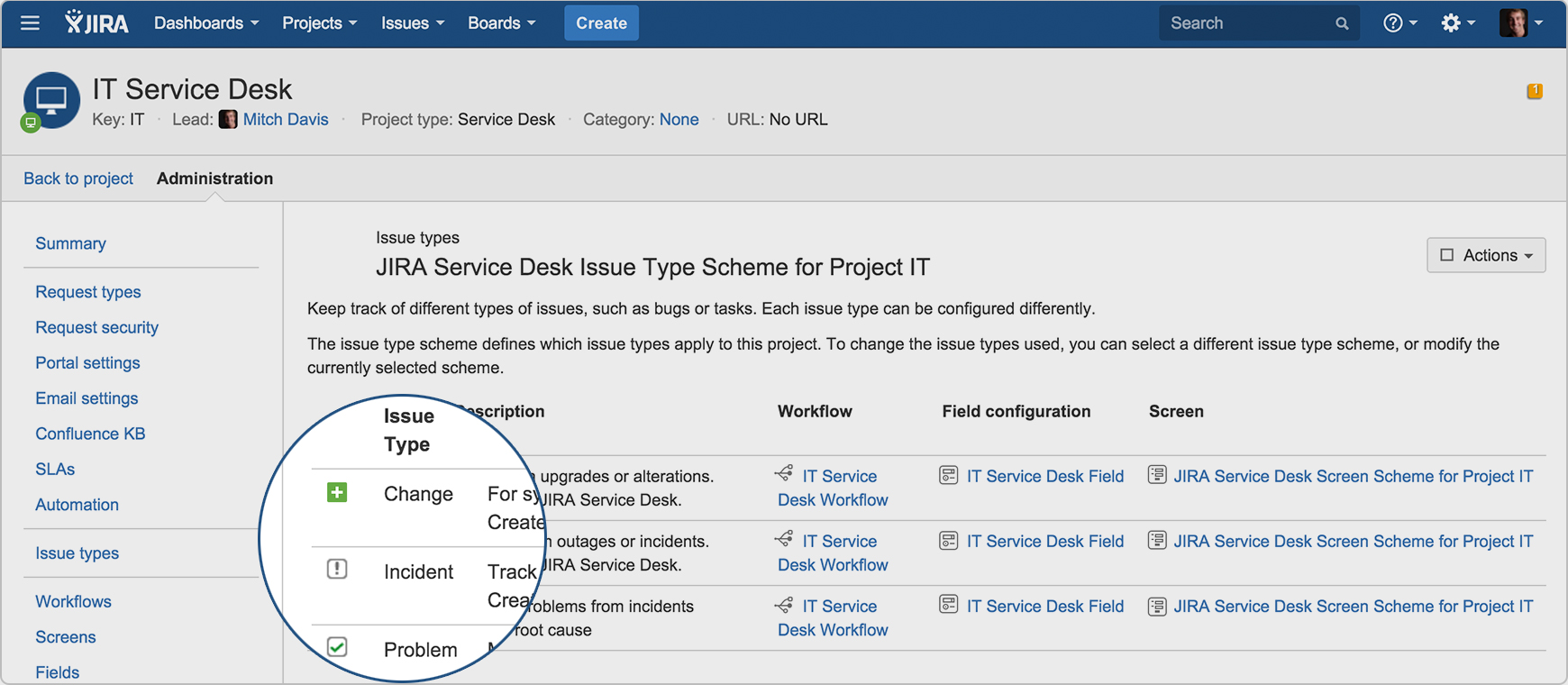
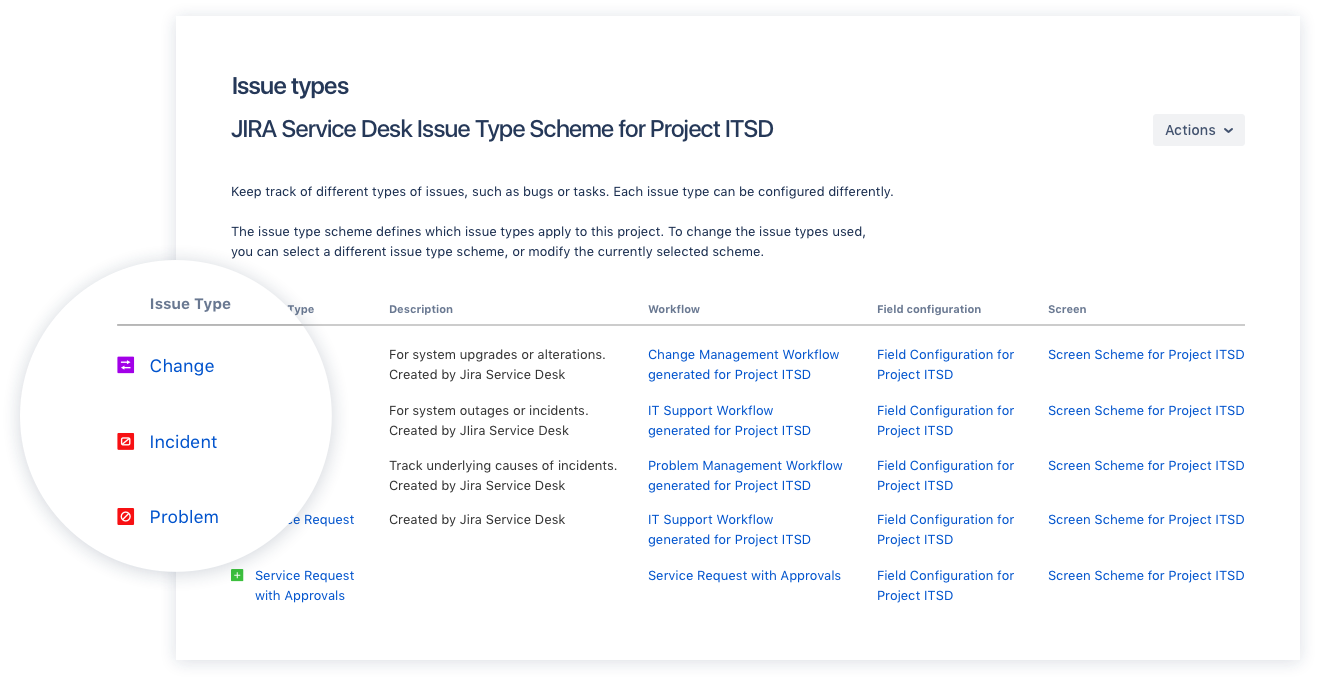
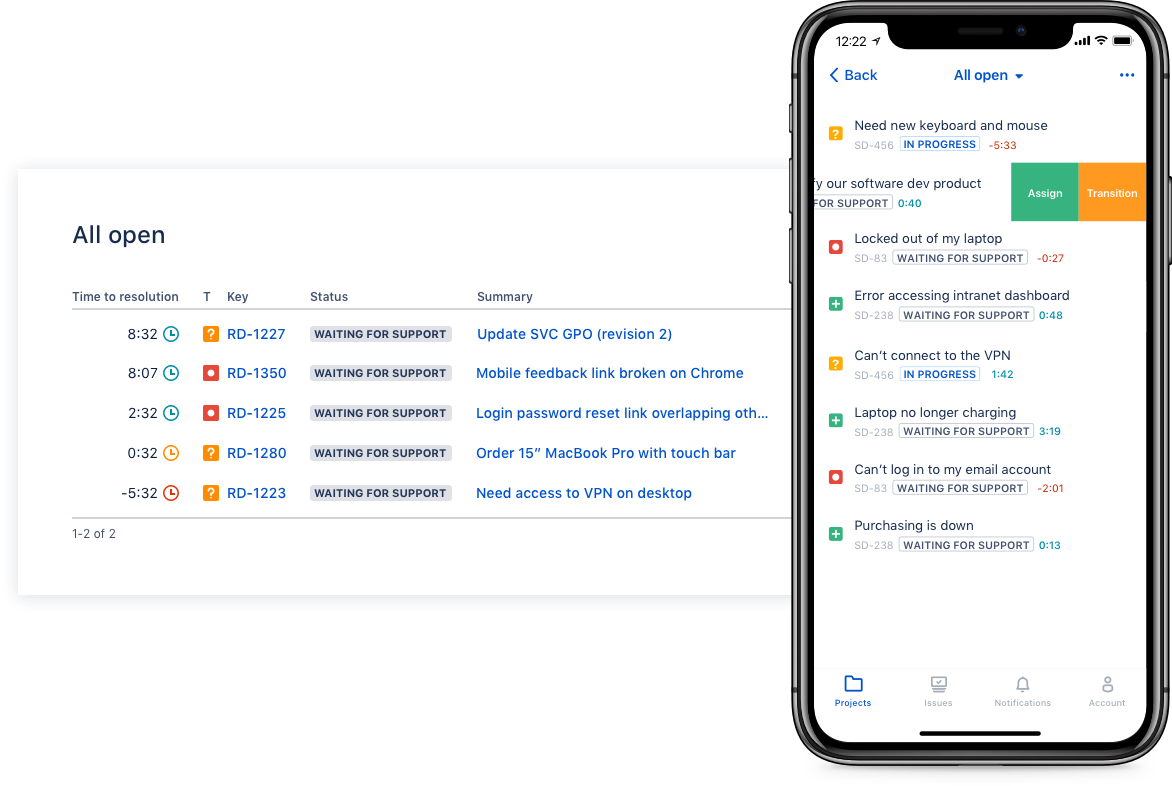
Jira Service Management (formerly Jira Service Desk, now including features from the former Mindville Insight, acquired by Atlassian in June 2020) is a service desk software that is purpose-built for IT, service, and support teams. The software provides everything IT and support teams need out-of-the-box for service request, incident, problem and change management. Jira Service Management integrates seamlessly with Jira Software so that IT and development teams can work better together. Users…
$0
per month
Salesforce Agentforce Service
Score 8.6 out of 10
N/A
Service Cloud is a customer service platform that helps businesses manage and resolve customer inquiries and issues. It provides tools for case management, knowledge base, omni-channel support, automation, and analytics, enabling companies to deliver exceptional customer service experiences.
$25
per month
Zendesk Suite
Score 8.6 out of 10
N/A
Zendesk is a customer support solution with built-in ticketing, conversational messaging, and live chat, designed to help businesses of all sizes and industries deliver personalized service at scale. Zendesk's AI agents are trained in CX to help Service teams resolve customer issues faster and more accurately while still providing a human-centered experience. Zendesk ultimately aims to help businesses improve time to value, reduce effort per ticket, and keep costs low.
JSM is more purpose-built for internal support tickets and processes. It also provides a structure to support users, unlike generalist tools like Notion. We found that there isn't really an 'all-in-one' tool that can correctly handle internal and external requests. This isn't …
We chose Jira Service Management due to its easy integrations with the rest of the Atlassian tools, as we have also invested in those. For the price, the ability to add or remove agents, and the cost being reflected in that, it was an excellent medium for us. For the …
It was the most complete package, requiring the lesser adjustments compared to the others, had the most options to tailor to our specific needs, and the price for the Cloud hosted version was fair.
We selected Jira Service Desk because we were already Jira users, and the price point was easy to absorb. Our experience as Jira administrators made it easy to customize Jira Service Desk to our needs.
Unlike the 2 other alternatives, Jira is more complete. It is a bit harder to use, but because it has more customized and better functionalities. While other software can be used for almost everything, Jira works best for tech companies that need to work on agile methodologies …
We are now in the process of moving from Jira to Zendesk, however, I would assume that we would still be using Jira for the time being. Zendesk is a bit easier to understand and manage for the non-technical people, but Jira gave us the basics that we needed to have in order to …
Zendesk is a similar ticketing system that our organization used before JIRA Service Desk. The main drawback of Zendesk was that it can only be used as a cloud service. This means that our company data would be living on the internet at the hands of their security team. Another …
Sure there are other great service management products in the market. Since we use JIRA and Confluence heavily, Service Desk fits perfectly in the suite. As a brief example, after the customer creates a case, we can create an associated issue at JIRA for development team, after …
We have looked into other software and still use the others like Zendesk and Wrike in other departments but Jira Service desk made the most sense due to our Product development teams using Jira Software already. It was easy to keep it all under one umbrella giving us the ease …
Zendesk - I think it's not exactly user-friendly for the final user, but it's user-friendly for the configuration. So it's easier to manage when we have these amounts of data we're going through and it's more AI prepared. So by far Salesforce is more ready for what we want as …
Evaluated ServiceNow. Evaluated Zendesk. We selected it primarily because we already had the Salesforce ecosystem and we didn't want to bring in another vendor. For us it was important to make sure that our data is only in so many different systems and so many different cloud …
Zoho is not very real-time, it has limited integration capabilities, and the UI is not very satisfactory for any incoming customer. The performance is slow and impacts the overall customer journey. The data stored in the backend is slightly scattered and needs to be cleaned …
Salesforce is lightyears behind Zendesk. You have to be trained as a Salesforce admin to do anything, while Zendesk takes minutes to set up and is actually customer friendly. There are not native telephony options within Salesforce and the tools you use to integrate are …
Salesforce Service offers the ability to customize the product to our business needs such as tracking workflow processes. While Zendesk is a good product it is limited to being more of a ticketing system, than a true overall Service application.
Zendesk has it's own challenges in terms of Administrator difficulties and a completely different back-end than Salesforce Service Cloud. I would recommend Salesforce Service Cloud if you need a clean database of Companies and Contacts. Zendesk does not excel in overall CRM …
We were after a robust and very scalable solution, which could be rapidly implemented. Salesforce Service Cloud not only fitted the bill, but it was much easier to source skills and find on-line learning to help achieve our goals. Although the other technologies could have …
Zendesk changed their agreements making us unable to continue with them due to our agreements with our customers. SalesForce allowed us to maintain our customer agreements.
Salesforce Service cloud integrates with its own world-class CRM which enables our agents to work more effectively and efficiently. We already had Salesforce Sales Cloud so it was a really easy transition. It was easy to set up and all our information was already there. The …
Salesforce Service Cloud has a solid reputation and brand recognition. The interface is user friendly enough to be utilized across an entire company with varying employee tech exposure. Service Cloud was selected due to the integration options with other software companies and …
Salesforce had the most flexibility, features and integrations. They were also so tightly integrated in with opportunity management and case management. I love having the ability to create custom objects to solve any kind of business problem. There is also a lot of …
Zendesk is great, but it doesn't allow for multiple ticketing channels to be linked to real time clients. Utilizing Service Cloud WITH Salesforce let's us see the full order/asset/tracking history that's occurred historically with buyers and sellers. The workflows are also …
We chose Service Cloud because of its deep, native integration with Salesforce, unified billing, and for the fact that we didn't have to learn or train on an entirely new platform. These other products were excellent, but for us it was more time and cost effective to use …
The chat functionality and the app of Zopim is pretty robust and functional. I do feel like Zopim/Zendesk do have features and a very clean UI that at times does over perform Salesforce.
I think SFDC Service Cloud provides more integration to other service desk features than other tools I have used or implemented. It is typically the very first solution I would review before considering others.
Salesforce has increased their traction in the SMB space for service with the acquisition of Desk.com. It provides a good entry level solution for customer service and knowledge for less complex organizations. Additionally, it gets them up and running quicker. Without Desk.com, …
Here are the explanations for my preference of analysis Zendesk Suite to this end:
Power + Usability: Zendesk Suite has abundant omnichannel coverage, acceptable automation, and decent reporting but does not go all in to full-custom dev mode, so hangs nicely in the space of …
To set up a service cloud for Salesforce, you need much more work and a dedicated person to do it. For Zendesk Suite, you just need a couple of hours and you are done, but again that really depends on where your customer data is stored, if your data is in Zendesk Suite, you are …
Salesforce is far more established but the price tag was too high for our small team. I would be surprised if we didn’t migrate to Salesforce when our team reaches a certain size
Zendesk support is your one-stop shop for managing customers via the customer support portal that has a slew of products available for use via several channels, depending on your particular need may it be email messaging, chat messaging, or voice, and it is quite superior …
Zendesk is the gold standard and Salesforce is lightyears behind. It is such an inferior product and it's only being used because SF ropes/tricks people into using it because their sales organization is already using SF. Zendesk is so easy to use and Salesforce requires …
Zendesk is more user-friendly than Salesforce Service Cloud, although Salesforce Essentials has very attractive pricing for including both the sales and service components. Freshdesk is a strong alternative, but we ended up going with Zendesk given its industry-leader status.
In comparison of tracking tickets, I found Jira to be more confusing than Zendesk. I have not used Jira in many years and I know that others in our organization use Jira in addition to Zendesk. Of all the support platforms, I think Zendesk is the best and most used, which is …
Zendesk is a customer support tool that offers the best features, is intuitive, dynamic and easy to use. Allows the use of macros to optimize messages to customers. This platform makes it possible to optimize and organize the services we offer to our customers, which are …
Zendesk is far superior because it can cater to any size company. Also, regardless of which package you purchase, you get to set up a multi-channel and extensive self-service support, which was very beneficial for us. Finally, the self-service portal hosts a rich knowledge base …
Zendesk is currently on par with both of these services in that they are great ticketing software programs but are light in Contact/Sales management. The autoresponder with Zendesk is much easier to implement and customize compared to the other options. The option of the mobile …
JIRA Service Desk is better suited if you need to connect with company's JIRA and internal WIKI (or Confluence). If you do use JIRA (which many companies do), JIRA Service Desk is a better choice. I didn't select Zendesk, but rather got it when joine dthe company.
We used Kayako and it was pretty basic in terms of workflows and ticket management. It wasn't multichannel and it didn't have a mobile app. Ticket categorization wasn't as robust and effective, but it was easy to learn. JIRA is as robust as Zendesk, but it is also not easy to …
Zendesk was a lot more user-friendly than Service Cloud or Desk.com. We ultimately chose Zendesk for that reason. We felt like all of the platforms we were considering were going to be able to help us accomplish our main goal of handling inbound support tickets, but we felt …
Salesforce is a more robust tool with back-end SQL reporting functionality and numerous plugins, but with this comes cost. Most startup organizations do not want the expense, at least not at the beginning of the product life cycle.
Features
Jira Service Management
Salesforce Agentforce Service
Zendesk Suite
Incident and problem management
Comparison of Incident and problem management features of Product A and Product B
Jira Service Management
8.5
85 Ratings
3% above category average
Salesforce Agentforce Service
8.3
81 Ratings
1% above category average
Zendesk Suite
8.8
173 Ratings
7% above category average
Organize and prioritize service tickets
8.884 Ratings
8.679 Ratings
9.3172 Ratings
Expert directory
9.02 Ratings
8.057 Ratings
8.2118 Ratings
Service restoration
9.52 Ratings
00 Ratings
00 Ratings
Self-service tools
8.176 Ratings
00 Ratings
00 Ratings
Subscription-based notifications
10.01 Ratings
8.467 Ratings
8.7119 Ratings
ITSM collaboration and documentation
7.771 Ratings
7.562 Ratings
8.2122 Ratings
ITSM reports and dashboards
6.772 Ratings
00 Ratings
00 Ratings
Ticket creation and submission
00 Ratings
8.979 Ratings
9.4173 Ratings
Ticket response
00 Ratings
8.378 Ratings
9.2172 Ratings
ITSM asset management
Comparison of ITSM asset management features of Product A and Product B
Jira Service Management
10.0
1 Ratings
19% above category average
Salesforce Agentforce Service
-
Ratings
Zendesk Suite
-
Ratings
Configuration mangement
10.01 Ratings
00 Ratings
00 Ratings
Asset management dashboard
10.01 Ratings
00 Ratings
00 Ratings
Policy and contract enforcement
10.01 Ratings
00 Ratings
00 Ratings
Change management
Comparison of Change management features of Product A and Product B
Jira Service Management
7.5
79 Ratings
14% below category average
Salesforce Agentforce Service
-
Ratings
Zendesk Suite
-
Ratings
Change requests repository
8.472 Ratings
00 Ratings
00 Ratings
Change calendar
6.52 Ratings
00 Ratings
00 Ratings
Service-level management
7.777 Ratings
00 Ratings
00 Ratings
Self Help Community
Comparison of Self Help Community features of Product A and Product B
Jira Service Management
-
Ratings
Salesforce Agentforce Service
8.7
76 Ratings
8% above category average
Zendesk Suite
8.2
157 Ratings
2% above category average
External knowledge base
00 Ratings
8.567 Ratings
8.1151 Ratings
Internal knowledge base
00 Ratings
8.874 Ratings
8.3144 Ratings
Multi-Channel Help
Comparison of Multi-Channel Help features of Product A and Product B
I think using a ticketing system is very easy to use and allows multiple teams to create help desks in the same portal. In terms of internal usage, I think this is a great option. However, suppose you're trying to keep internal items and external helpdesks in the same instance. In that case, this is not ideal, as there is no effective way to separate the two instances to protect internal data better.
I think Service Cloud is best suited for medium to large operations that require both proactive and reactive service. It’s a great fit for post-sales support. However, I wouldn’t recommend it for very small companies because it can be quite costly, and many of the features may go unused. Salesforce also performs best when you have a capable team managing it, so it’s important to consider your organization’s size and readiness before starting. Once you do, I recommend exploring other parts of the Salesforce ecosystem—Service Cloud works even better when integrated with Sales Cloud, since it allows better visibility across teams.
Being a customer support agent, I found it very good when it comes to send an email or call or chat- with the user. I can do all that from the one single platform which is so easy and time saving for you. It does not take much time to use this, We can chat- with the user and at the same time we can send an email to them as well.
Integration with many of the most common tools companies are using (Slack, MS Teams, Salesforce, ... etc)
Natural workflow with Jira (as product development / project management tool) which makes the full fix and follow up of the tickets / issues very easy to follow
Allow multiple different entry points and work flows for as many different needs your teams / company have
Email to case is an interesting piece of it. The threading is very strong, sometimes too strong, but it does very well at handling the incoming emails.
The omnichannel routing, using skill-based routing is really effective.
Pathing. So making the workflow and helping the team understand what it is that they're trying to do, what they have to accomplish, those step-by-step pieces. That's really helpful.
We had a principle initially to try and use Omni as much as we can from the user experience perspective, but have found that fairly restrictive. It was very difficult to actually get the right customer experience and customer engagement going. So we're actually on a journey at the moment to replace all of our Omni with Lightning web components that gives us that flexibility. That's probably one area where we've had some challenges in terms of how we've used the product out of the box.
Is there a way for AEs and CSMs to be informed in a weekly summary of all their accounts and any tickets? Example: Disney submitted a ticket on XYZ. Google has an urgent issue on X still unresolved.
Is there a way for CSMs or AEs to have a Dashboard that's specific to their accounts instead of seeing all the tickets in the queue that are not relevant to them?
In the current contect the requirments is around having a tool that is focused and can handle large ticket volumes and tracking incident, problem and user requests concerning end users. Jira has built in functionality to address the above practice needs faily easily and has a substantial amount of customizable reports for generating the relevant intelligence.
Professional edition works best for a small company with lower call volumes and is very useful but as you grow exponetially I think it has limited ability to do all the things we want to - SLA management, defect, release management to name a few. Reports and dashboards being available in real time.
Zendesk is an amazing tool for communicating with your customers easily. The communication tickets from sellers to us or from us to sellers are stored, and there are statuses used to make communication easy. We have internal conversations between departments, linked with useful software such as Zingtree, Talkdesk, and Webs.
If you're used to other tools in the Atlassian ecosystem, you'll feel right at home with JSM. It's also a platform that technical folk can easily pick up. However, I wouldn't recommend using JSM as a company's first jumping off point into Atlassian. There are a lot of other 'newer' tools that provide sleeker ITSM systems at a similar cost.
I had Salesforce experience prior to using Service Cloud which made it a little easier to learn and navigate, but overall my team (some who had no Salesforce experience) caught on very quickly and found Service Cloud to be easy to use.
Pros: The agent interface is sleek, contemporary, and relatively easy to learn compared to many other enterprise tools. For common tasks, admins are given point-and-click options- adding fields, modifying workflows, constructing macros. The knowledge base (Guide) editor is easy to use for non-developers. Drawbacks: Once you move past the initial things - complex automations, reporting/analytics in Explore, and/or customizations integrating the API, it requires much more advanced training to use successfully. Navigating between the different modules (Support, Explore, Chat, Guide) can feel very disconnected; often you are reminded that it really is a "suite" of products brought together -not really one unified platform. If you're using multiple brands managing simultaneous support tickets, or heavily customizing workflows to meet your brand, you may run into a bit of struggle with usability. So: it's a lot more user friendly than the palaces (Salesforce Service Cloud, ServiceNow), but is not used as quickly or with as much streamlined flow as a product made for a small shop. So if you are looking for a great balance, this is a good option if you are a net new organization or an organization on their way to scaling from 15 - 50 employee. Expect some elbow grease from the admin team once learning, adapting, and working efficiently once you move past the basics with your support tickets and initial customizations.
Working on an application that caters to customer needs requires a platform that acts as a mediator between the actual person and the client. This mediator handles the customer and resolves many of their doubts, helps them map through the entire process, and automates the processes. Such a platform is Salesforce Service Cloud. For queries that cannot be serviced by the platform, it creates a separate ServiceNow ticket for us, and it is assigned.
The Salesforce Service Cloud generally has very good performance, however the overall new Lightning user experience can bring that down. For example, if you have too many tabs open, then it can take a while for the Lightning UI to load. This UI is probably not well equipped to handle loading of all of that information at once, but Users tend to leave their tabs open all day long. It can also be fickle depending on which browser you use, what extensions you have installed, and whether you've cleared your cache. This can be the downfall with any software as a service though, not just Salesforce
I gave JIRA a 9 rating since for me JIRA works according to its purpose. Since there is a customer portal, our clients can leave a comment or communicate with us using the PR ticket that way it is easier for us to also request any additional information we need for our investigation.
Salesforce offers support, although it generally gets routed to overseas support teams first, and once they are unable to help, it gets escalated up the chain to higher tiers. Frequently, the answer back from support is that there is no native solution, and we either have to turn to the AppExchange for some solution provided by another developer, or custom build our own solution.
We rarely need to contact their support team, but when we do they are responsive. However there have been notable times when communication between myself and the support rep was challenging despite me providing clear explanation of the issue, screenshots, and a thorough explanation of the goal we hope to achieve. It took several back and forth attempt, on a few occasions, to get resolution on an otherwise simple request
Our in-person training was provided by our implementation partner and it was quite good. This was in part because we were already working with them and so it naturally leant itself to a good training relationship. And because they were building our customizations and configuring things, they could then provide training on those things naturally.
Trailheads are great but it was often unclear what actually applied to our organization. This made it difficult to get a whole lot out of it. Part of it is that because the basic Salesforce features didn't quite work for us, we had to add customizations, which then nullified a lot of the training.
Zendesk has tons of available material for training - videos, webinars, articles, etc. The only reason this is not a 10 is because it can be hard to figure out how to navigate to these things and find what you are looking for.
I would go through an implementation very differently knowing what I know now. It was difficult coming from systems we liked in post-sales service and having to adapt to the clunky and underwhelming feature set in Salesforce. I would trim back our expectations
I was very satisfied. They have a free trial for 30 days and I recommend you do that and use it. It is very easy to get started with the basics and the build on over time.
The only thing technically complex was single sign-on and integration to Salesforce.com required some tweaks – otherwise setting up system was very easy
Zendesk is a similar ticketing system that our organization used before JIRA Service Desk. The main drawback of Zendesk was that it can only be used as a cloud service. This means that our company data would be living on the internet at the hands of their security team. Another drawback of this is the price is significantly more expensive rather than hosting it yourself. Zendesk does have some additional features such as commenting on multiple tickets at once that JSD does lack. However, switching to JSD was significantly more cost effective because we have the ability and the infrastructure to host our own ticketing system, something that Zendesk could not provide. Ultimatley switching to JSD saved us money and allows the ability for integration with all of the other Atlassian Suite products that we use on a day to day basis.
We selected this product because we already had some competencies in Salesforce. We own a Salesforce partner with expertise in this area, and on top of that, Salesforce purchased it — it was originally called Velocity. When Salesforce decided to acquire it, that finalized the decision for us.
The customisable reporting every time. Our leadership reply on me to run my team and want to know what customers are telling us so they can elevate our products. We have extensive custom reports that tie up all aspects of our product and customer journeys. I've not found another product that allows me as much freedom as Zendesk Suite explore does, so far.
We have cut our service team in half over the past 5 years due to the efficiency of the tool
The amount of direct inquiries to our technical team is less than 10% compared to the number support tickets that get entered in the system for them to work in a more organized manner
Responses are 100% more timely because tickets can be responded to by any individual in the queue or on the team, as opposed to direct emails to just one person
Integrating other AI solutions for an organization with high volumes can cost about USD5000 monthly. With Zendesk AI and by building onto the same with AI powered apps built for Zendesk Suite we save a projected USD4000 monthly.
Robust Zendesk APIs have enabled us to integrate our internal system with a customized app saving us hundreds of hours every quarter spent loading customer profiles that are not loaded instantly from the app.
Plug and play apps like Round robin save us weeks of sprint delay timelines as they do not require additional coding or developer support to install and start using.