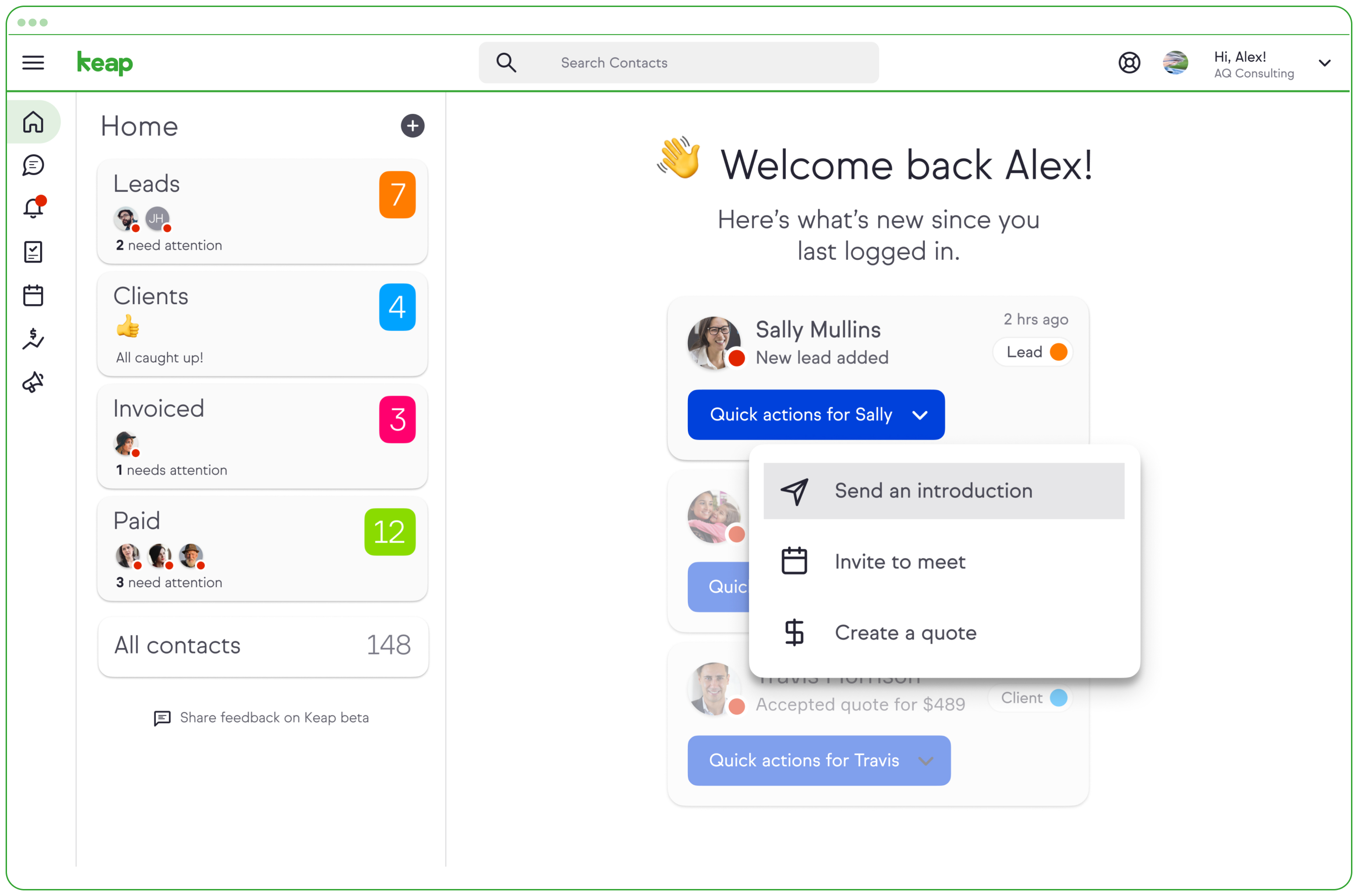
Keap is a small business-focused, comprehensive sales and marketing platform which combines basic contact management, CRM, marketing automation, and e-commerce capabilities into a single, subscription-based SaaS product.
$199
per month
monday.com
Score 8.3 out of 10
Mid-Size Companies (51-1,000 employees)
monday.com Work OS is an open platform designed so that anyone can create the tools they need to run all aspects of their work. It includes ready-made templates or the ability to customize any work solution ranging from sales pipelines to marketing campaigns, CRMs, and project tracking.
$36
per month (3 seats)
Sage CRM
Score 8.9 out of 10
Mid-Size Companies (51-1,000 employees)
Sage CRM is an SMB-oriented CRM platform offered in both SaaS and on-premise editions. Unlike the Sage SalesLogix product, the SaaS version is a true multi-tenant offering.
The platform offers excellent integration with Sage ERP and accounting products. It is also a good global solution and is available in many languages and is used by over 12,000 customers worldwide, with many customers in Europe.
$33
per month
Pricing
Keap
monday.com
Sage CRM
Editions & Modules
Pro
$199.00
per month
Max
$289.00
per month
Max Classic
Contact Us
per year
Basic
$12
per month per user
Standard
$14
per month per user
Pro
$24
per month per user
Enterprise
Contact Sales
Contact us
Sage CRM (cloud)
$45
Per User per Month
Sage CRM (on premise)
Lifetime License per Seat
Offerings
Pricing Offerings
Keap
monday.com
Sage CRM
Free Trial
Yes
Yes
Yes
Free/Freemium Version
No
Yes
No
Premium Consulting/Integration Services
Yes
Yes
Yes
Entry-level Setup Fee
Optional
No setup fee
No setup fee
Additional Details
All plans with 1 user and 500 contacts. The price is $30.00 for each additional user.
Keap is very good at contact management and automation creation but weaker at email campaign creation. I was particularly interested in a function where when manually entering a new contact, you are then able to email that contact using a premade HTML template. It will currently not do this. There is a workaround, but it is unnecessarily ponderous.
The platform is very well suited for our nonprofit programs that serve low-income clients who need diapers, wipes, and period products. It has helped us run our programs, capturing information and allowing us to view the data for reporting purposes. The ability to filter data is very helpful by allowing us to categorize information to get a better picture of the progress of our programs.
as it is a very flexible software that can be adapted to any business model, other functions human resource management, manufacturing and supply chain planning, all these functions are housed in a highly technological interface. I liked this system because it made automating accounts payable so much easier.the control of the basic accounting of any type of company
I like summary of subitems, especially with subitasks as subitems and add item tracking for each subtask it can show total tracked in parent item. Similar with other columns, like numbers, status, date.
Dashboard features, Many kinds of dashboard view available, we can utilize on the basis of requirements.
monday.com workform is very powerful, easily share form link when submitted it will create line item in board with provided data.
monday.com automation is very helpful in order to automate steps with specific rules and easy setup.
monday.com also provides integrations in order to automate processes if need to integrate multiple app together. or need to transfer data between multiple apps.
When in client profile, it is very intuitive, allowing you to easily transcribe notes in the clients profile.
Sage allows 3rd party plugins, so if you utilize a particular phone services or would like to import something as simple as google drive, its compatible.
More articles and videos on how to use the various functions of Keap
Having representatives designated to certain regions or companies for a point of contact when help is needed
More options when building the emails. While the click and drop options can be a plus, they can also be negative because you are limited to image and text sizing and positions
The desktop app for Mac seems to have a few issues with visual glitches appearing on screen, it only seems to go away when I close the tool and reopen it
Subtasks don't show on the individual users to-do list, only main level tasks
Reliance on Apache Tomcat causes a lot of headaches. There are common issues trying to start up the server, resulting from Apache Tomcat misconfigurations, or Java. Some forum posts on Sage City address common issues, but digging into server logs seems to be an often occurrence.
Support is somewhat lacking, less user install base means error messages are sometimes hard to find quick answers for. Most of the knowledge found on the internet is in the Sage City forum.
Integration with Microsoft 365 causes you to have to turn off some security features. This will result in your 365 tenants running lower security standards than recommended, it may put you at risk for targeted attacks.
We have invested a lot into Infusionsoft and are using it to automate our processes and marketing. Changing CRMs would have a HUGE cost for us and based on our evaluations, the grass isn't greener elsewhere. Infusiosoft fits most of our needs and is slowly getting better each year. Their support is great and we will continue to use them until something much better comes around or our company outgrows a small business CRM.
Teams involved in content creation, such as marketing or editorial teams, could use monday.com to manage the entire content lifecycle. Boards might track content ideas, assignments, drafts, reviews, approvals, and publication schedules, helping teams collaborate and keep content production on track.
There are really no other words to say, it is a very easy to use application that is more straightforward and has provided better results with the bulk of features that appeal to a very broad amount of users. There may be other CRM platforms out there that are more prevalent, but I have found them to be much more clunky and less intuitive than Sage CRM.
You do need to spend some time on-boarding and implementing the software in order to have full functionality. We were lucky - we had colleagues at the university with experience with Keap and then hired an intern familiar with the software to get us set up and ready to use it. We've had some functionality issues with it along the way and that has frustrated myself and the other uses in our department.
I give monday.com a 10/10 because I almost never encounter any lag or connectivity issues despite all of the many templates, boards, and automations we have. As a matter of fact, I feel like the last issue I encountered was over a year ago... and I'm in monday.com every single work day. Not only is monday trustworthy, it is easy to find what I'm looking for... making the overall usability extremely hard to beat.
Excellent integration with the most important social networks (LinkedIn, Facebook and Twitter) to get leads. The mobile app is quite useful for speeding up the tasks at hand and not relying on the computer or being in the office to get them done.
OMG, it's all in one and that compromises everything, fundamentally. If you want a race car, invest in a race car. If you want a dune buggy, get that. If you want a boat that floats, go for it.
Everything performs fairly well. Every now and then there are user errors where an employee will not click "ok" on a note they've created and simply exit out (I do wish that something was in place to prevent this, such as a pop "are you finished?")
Sage works very quickly based on the network you are using it on. It is internet based so if your network is slow, it will perform slowly. Reports seem to run reasonably fast, if there is too much information it is trying to populate that could slow it down a little. When Sage CRM is integrated with a Sage ERP product it doesn't tend to slow down either system at all
Generally, very responsive support for even our more complicated issues. We do have some open issues that we need resolutions on and that I understand are complicated and will take longer to resolve but the open issues are significantly impacting to our business.
monday.com only really care about accounts that have 20 seats or more. While this is great for monday.com, it pushes smaller organisations to evaluate alternatives. We rate monday.com highly in our organisation because key staff have already got good experience with the application and we know we will get to 20+ seats one day. But, till then the billing model and lack of permanent enterprise features is a dread.
Support team is really slow and they need to work on this really. Sometimes it takes days to resolve a simple query and there is no way to get it expedited. Rest the product is is amazing but the team should look into the costumer support and get it working
I have been to a number of in-person training sessions over the years with Keap and all of them have been FANTASTIC. They really put a lot of time and effort into these sessions. Staff and facilitators go out of their way to ensure that participants are getting what they need.
The results of training online are often based on how people learn. The training was great but with feature updates, you just have to get in there sometimes and do it! The training definitely lays a firm enough foundation for you to be successful even if its can't be updated with every feature update.
To have someone walk you thru the features and capabilities of Monday.com is priceless. Someone also coming along later in the contract to see if you are maximizing the program to suit your company needs is beyond helpful. The staff that have provided this training are fun, creative and very patient.
Don't let the fear of implementing a new software solution keep you from unleashing the power of automation that Infusionsoft provides. With the right implementation partner, the process can not only be smooth and painless, it can actually help you get a better understanding for how your current communication process can be improved upon.
We signed up for the accounts. Created the accounts. Ran the trial version and tested it live while we were running multiple projects and found that it was fitting our needs perfectly. When the trial ended and we were asked to purchase the full version, we did. We have found other ways to use it and it's a breeze.
The implementation and upgrades were rather quick and straight forward. Attempting to link Sage CRM with Sage 100 ERP however was a nightmare and will be avoided by us in the future due to numerous issues.
Keap is fast. The learning curve is shorter and they have an academy for learning with videos quite extensive that explain a lot of different scenarios, specially when you need to customize scenarios of automations and segments. Is cheaper if you consider that this services CRM + Mailing don´t come often in one package and the realiability to send mails is quite good.
monday.com is simpler and easier to grasp, apply and navigate than ClickUp, but the ClickUp free version has so much more functionality available than the monday.com free / low-cost options (sorry, but it's true!). Google Tasks is really simple and I shouldn't really compare them - it's just really nice to be able to see my tasks right next to my Google Calendar or Gmail (widget) - the "all on one" view on the screen is really nice ease of access, but the power of monday.com outweighs the nice-to-have of an all-in-one screen layout - it feels clumsy to bring in all my Calendar items from Google to monday.com, so an integration app to the Google screen where you can see monday.com tasks would be amazing.
Whilst SAGE CRM was selected around 10 years ago and we became a partner, the main contenders would have been at the time Sales Logix and MS CRM 4.0. However, we had extensive experience of the mid-market CRM's and decided on SAGE CRM since it had a clean, easy to understand interface and importantly offered both workflow automation and Self Service capability, all of which across both the Case and Sales and Marketing functionality was seamless and saved time. As it was pure browser based, access was from anywhere we wanted. In my view, SAGE CRM still stacks up well against all the other mid-market CRM systems and offers good value for money, but more importantly, it is an easy to operate and customisable solution which user like. Again, we can teach administration users very quickly to support and customise themselves since the admin. function are clear as well.
You get a lot of features included, but you don't need to use them all at once to start seeing an effect. When you are ready to use them, they are there. It also scales without costing too much money.
For it to work across multiple departments and sites, I would like to see improvements made with integrations and automation. For this question, I am acknowledging not only the addition of internal triggers/automation, but also an expansion on external ones.
Automation has allowed us to be more engaged and invested in our customers by reminding us about birthdays and other important events in their lives so that we can celebrate with them.
We lacked the manpower to sell and distribute orders online before setting up the payments and automation features. We now collect $5k+ a week in lost sales through online ordering.
List cleaning functionality and engagment settings have allowed us to run a 40-50% email open rate that allows us to create an engaged community around local events and opportunities as well as sales and special offerings.