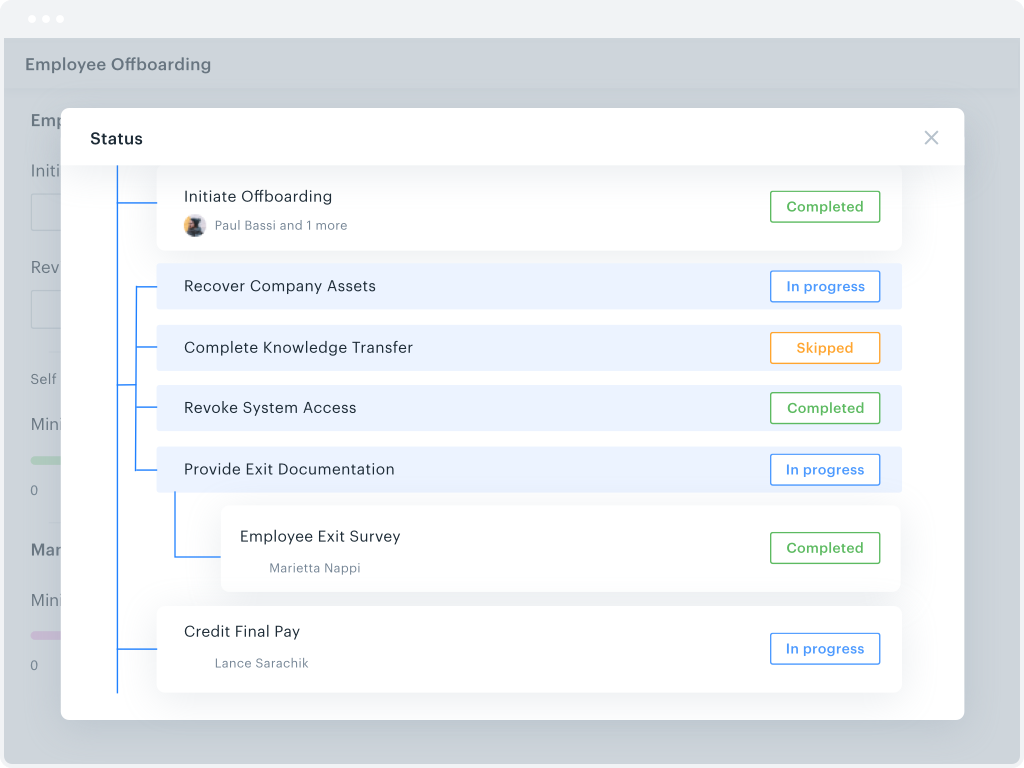
Kissflow is a low-code platform for custom application development tailored to business operations. Kissflow empowers process owners and IT developers to automate and build processes and applications for internal business operations.
$1,500
per month 50 Users
monday.com
Score 8.3 out of 10
Mid-Size Companies (51-1,000 employees)
monday.com Work OS is an open platform designed so that anyone can create the tools they need to run all aspects of their work. It includes ready-made templates or the ability to customize any work solution ranging from sales pipelines to marketing campaigns, CRMs, and project tracking.
$36
per month (3 seats)
Pipefy
Score 7.5 out of 10
N/A
Pipefy headquartered in San Francisco offers their process management and workflow software providing processes for customer success, service desk, sales operations, and other processes.
The process mapping allowed by KiSSFLOW, combined with automatic task assignments by email, made Kissflow the winner for task management. We still use Basecamp for other project management.
Pipefy is very process-oriented and not task or project-oriented. Other tools might offer different views such as the Gantt chart that makes a lot of sense if the project you are working on requires it. But Pipefy is better when the complexity of the process demands automation …
We've used Kissflow [School Cloud] in order to track parent requests for transportation in the SpEd department. It has been user friendly for parents to input a request and staff to review, double check school sites and locations, and set up specific routes to meet the needs of students and communicate the info back to parents.
The platform is very well suited for our nonprofit programs that serve low-income clients who need diapers, wipes, and period products. It has helped us run our programs, capturing information and allowing us to view the data for reporting purposes. The ability to filter data is very helpful by allowing us to categorize information to get a better picture of the progress of our programs.
Pipefy is very well suited if you have a team doing any sort of process... for real! It simplified everything from our sales and marketing objectives/processes, to our onboarding and accounting side of things. Since you can share different pipes with others, it's easy to see where others are at in the process and move the card along while keeping others informed. It makes sure you don't miss any information or steps along the way, which is great if your process is detail-oriented. It is a little less appropriate for marketing efforts, but we still try to use it to keep track of things in a central space. Definitely best suited for sales, technical things, and accounting.
They know what they are. You aren't going to get a Workflow program that also wants to be a CRM. You will get the equivalent of an electronic assistant going from station to station, taking care of business and giving you the end result.
Paper. It reduces the amount of paper needed for menial tasks tremendously. You can automate an entire process. As an educational institution, you may still need paper copies, but you aren't waiting for John Doe to sign Line 3, then Jane Doe to initial, and so on and so on with a paper form.
Tracking. If you need to know where things are in the process, the fact that this program is dedicated to workflow makes it incredibly easy to identify where people are in the sales flow.
Customer appreciation. When your workflow is stronger, faster, and better, the customers feel it. They feel like you are right there with them and getting things moving.
I like summary of subitems, especially with subitasks as subitems and add item tracking for each subtask it can show total tracked in parent item. Similar with other columns, like numbers, status, date.
Dashboard features, Many kinds of dashboard view available, we can utilize on the basis of requirements.
monday.com workform is very powerful, easily share form link when submitted it will create line item in board with provided data.
monday.com automation is very helpful in order to automate steps with specific rules and easy setup.
monday.com also provides integrations in order to automate processes if need to integrate multiple app together. or need to transfer data between multiple apps.
Workflow Design: There isn't a copy/paste function when creating the workflow, and you can't move a workflow task between parallel branches. This becomes a pain point when an item has 98% of what you need, but you can't copy it and place it in another branch to make the last tweaks. Instead, it needs to be completely recreated
Interface: While I like the current design features, which make it easy for an end-user to find their tasks and items, it would be nice to also have some flexibility within the platform. Things like being able to groups apps under a category or tailoring the look and feel of the page a little more would be a welcome addition.
The desktop app for Mac seems to have a few issues with visual glitches appearing on screen, it only seems to go away when I close the tool and reopen it
Subtasks don't show on the individual users to-do list, only main level tasks
Teams involved in content creation, such as marketing or editorial teams, could use monday.com to manage the entire content lifecycle. Boards might track content ideas, assignments, drafts, reviews, approvals, and publication schedules, helping teams collaborate and keep content production on track.
The system has room to grow as it's limited by not being able to edit POs after they've been approved. The system is great for registrations and syncing to other systems while including the attachments. The reporting from Kissflow is also easy to setup to link to other platforms such as Looker
I give monday.com a 10/10 because I almost never encounter any lag or connectivity issues despite all of the many templates, boards, and automations we have. As a matter of fact, I feel like the last issue I encountered was over a year ago... and I'm in monday.com every single work day. Not only is monday trustworthy, it is easy to find what I'm looking for... making the overall usability extremely hard to beat.
Everything performs fairly well. Every now and then there are user errors where an employee will not click "ok" on a note they've created and simply exit out (I do wish that something was in place to prevent this, such as a pop "are you finished?")
I haven't encountered a need for support with KiSSFLOW. It's not a perfect platform, but it's functional, dependable, and reasonably intuitive. I can't fault a support team just because their product works!
monday.com only really care about accounts that have 20 seats or more. While this is great for monday.com, it pushes smaller organisations to evaluate alternatives. We rate monday.com highly in our organisation because key staff have already got good experience with the application and we know we will get to 20+ seats one day. But, till then the billing model and lack of permanent enterprise features is a dread.
Pipefy support is pretty good. There were a few instances where the agent didn't really understand what I was trying to get help with, but that was only once. Every other time it has been pretty fast and efficient. They are also very kind and understanding. I don't think they need much help in that dept
To have someone walk you thru the features and capabilities of Monday.com is priceless. Someone also coming along later in the contract to see if you are maximizing the program to suit your company needs is beyond helpful. The staff that have provided this training are fun, creative and very patient.
We signed up for the accounts. Created the accounts. Ran the trial version and tested it live while we were running multiple projects and found that it was fitting our needs perfectly. When the trial ended and we were asked to purchase the full version, we did. We have found other ways to use it and it's a breeze.
KiSSFLOW is much easier to set up, less coding and easier to explain to those that are being trained. The company already had SharePoint, but it is a very difficult system to set up. A class had to be taken, along with getting books in order to understand the process of the workflow. With KiSSFLOW, it is simple to understand, the helpdesk is quick with their response, help topics are laid out simply and you can even talk with someone on that side to ask your questions. Overall, KiSSFLOW is a much easier workflow and system to use.
monday.com is simpler and easier to grasp, apply and navigate than ClickUp, but the ClickUp free version has so much more functionality available than the monday.com free / low-cost options (sorry, but it's true!). Google Tasks is really simple and I shouldn't really compare them - it's just really nice to be able to see my tasks right next to my Google Calendar or Gmail (widget) - the "all on one" view on the screen is really nice ease of access, but the power of monday.com outweighs the nice-to-have of an all-in-one screen layout - it feels clumsy to bring in all my Calendar items from Google to monday.com, so an integration app to the Google screen where you can see monday.com tasks would be amazing.
We started using software we already had (such as Slack and Sheets) but this software is not actually ideal to manage processes, which led to errors, miscommunication, and execution problems. Trello is good for managing demand but offers no process customization or approval and Jira is too focused on development for our needs, and also hard to customize.
For it to work across multiple departments and sites, I would like to see improvements made with integrations and automation. For this question, I am acknowledging not only the addition of internal triggers/automation, but also an expansion on external ones.
The only real hard number savings that we have had with KiSSFLOW is the money we have saved in forms being printed, especially multi-part forms. So for a small college like us that it probably in the $5000 to $10000 per year range. We have certainly saved money in increased efficiencies of the processes that we have moved to KiSSFLOW. But that is harder to calculate.
Our processes are more organized and we are not missing any steps.
We are able to touch base with customers easier since we have all potential/missed clients in one pipe, with automated alerts (i.e. it has been 60 days since contact with this customer).
We are able to keep track of customer billing changes easier.