RDCMan, or Remote Desktop Connection Manager from Microsoft, is a utility for managing multiple remote desktop connections. Once shut down due to a vulnerability in version 2.7, RDCMan is now updated and part of the Sysinternals family of tools. The 2.8 release fixes CVE-2020-0765, the XML parsing vulnerability. As of May, 2025, RDCMan is in version 3.1.
$0
TeamViewer
Score8.6 out of 10
N/A
Teamviewer offers secure remote access, IT support and device management on a scalable platform. It speeds up problem resolution, reduces downtime and enhances control through automation, unattended access and complete visibility of every device and location.
$299
per year
RealVNC Connect
Score9 out of 10
N/A
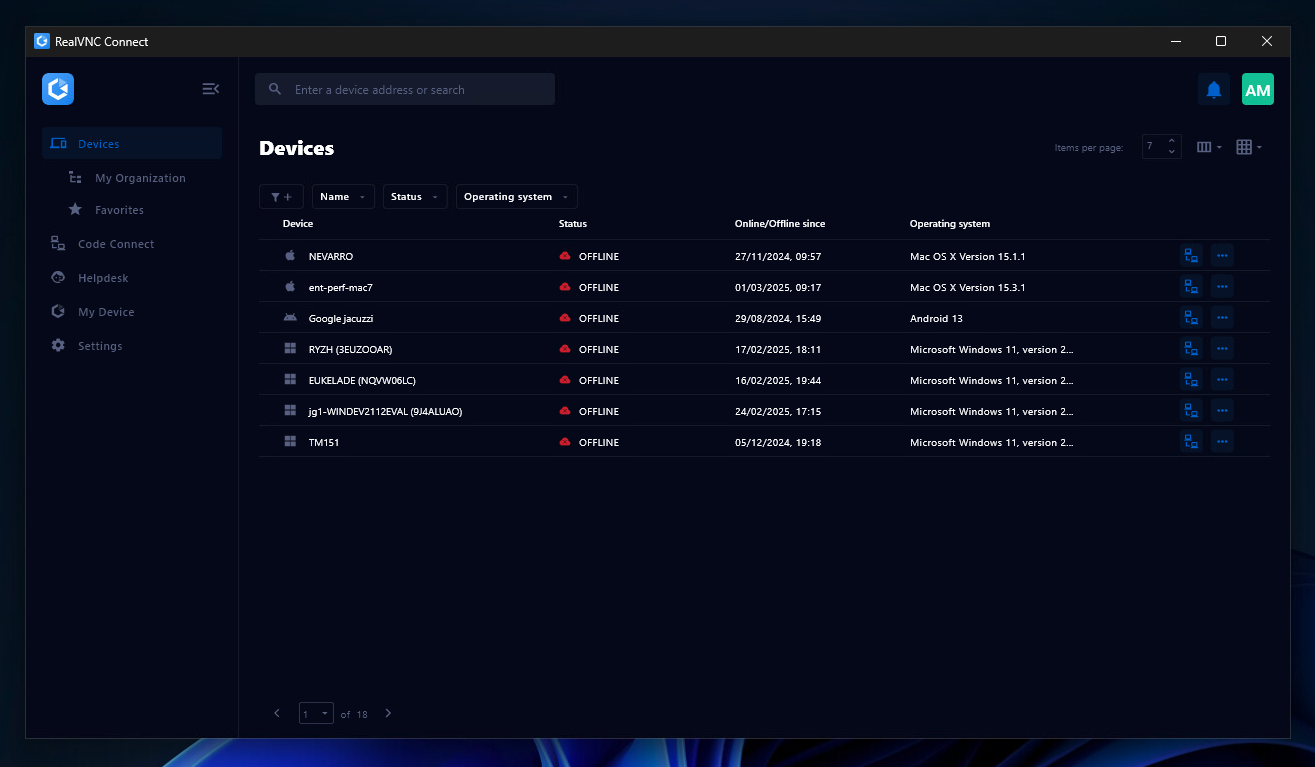
RealVNC® Connect is a secure remote access solution from RealVNC. It can be used to connect to a remote device anywhere in the world to view its desktop in real-time and take control as though sitting in front of it.
$99
per year (one concurrent session)
Pricing
RDCMan
TeamViewer
RealVNC Connect
Editions & Modules
No answers on this topic
Remote Access
$24.90
per month (billed annually) 1 Licensed User
Business
$50.90
per month (billed annually) 1 Licensed User
Premium
$102.90
per month (billed annually) 15 Licensed Users
Corporate
$206.90
per month (billed annually) 30 Licensed Users
Essentials
$8.25
per month (billed annually) per concurrent session
Plus
$16.50
per month (billed annually) per concurrent session (add up to 3)
Premium
$29.75
per month (billed annually) per concurrent session (add up to 5)
Enterprise
Custom Pricing
per year
Enterprise
Custom Pricing
Offerings
Pricing Offerings
RDCMan
TeamViewer
RealVNC Connect
Free Trial
No
Yes
Yes
Free/Freemium Version
Yes
Yes
Yes
Premium Consulting/Integration Services
No
Yes
No
Entry-level Setup Fee
No setup fee
Optional
No setup fee
Additional Details
—
—
Plans work on a Per Concurrent Session basis. Each plan gives access to a bundled number of devices, but limits apply to the amount of devices that can be connected at any given time.
The Premium plan includes On-Demand Assist, a useful tool for providing just-in-time remote support to end-users without them needing RealVNC Connect installed on their device.
IT Service Coördinator in Information Technology at Brightforward (Information Technology & Services, 11-50 employees)
Chose RDCMan
The Avanti Software needed alot of attention if you are new to such tools. So for that reason we chose Microsoft Remote Desktop Connection Manager because of the more user friendly use of it. Also because it integrades great with windows and the remote servers we have. Thats …
A de minimis incentive was given to thank the reviewer for their time. The incentive was not used to bias or drive a particular response, nor was the incentive contingent on a positive endorsement. More Info
Verified User
Chose RDCMan
RDCMan outshines TeamViewer in every possible way. It’s fast, more reliable, and easier to use. I have had frequent crashes and issues when using TeamViewer, while none with RDCMan. Screen responsiveness also seems much better with RDCMan versus TeamViewer. I would often …
A de minimis incentive was given to thank the reviewer for their time. The incentive was not used to bias or drive a particular response, nor was the incentive contingent on a positive endorsement. More Info
Verified User
Chose RDCMan
Like with everything IT, we have many tools in the tool box. Sometimes you can use different tools to do the same job. It can often depend on the user and experience of the situation. Many things have it's pro's and cons. But the main thing is that you fix the issue and the …
A de minimis incentive was given to thank the reviewer for their time. The incentive was not used to bias or drive a particular response, nor was the incentive contingent on a positive endorsement. More Info
Verified User
Chose RDCMan
We haven't needed to test or compare any other Remote Desktop Management solution, as Microsoft Remote Desktop Connection Manager (RDCMan) works so well, and does most everything we need it to do. There is also the benefit that it is both a Microsoft product (which has good …
A de minimis incentive was given to thank the reviewer for their time. The incentive was not used to bias or drive a particular response, nor was the incentive contingent on a positive endorsement. More Info
TeamViewer
Verified User
Chose TeamViewer
TeamViewer is a go-to product for almost all newbies and smaller organizations, allowing multiple simultaneous connections and the ability to transfer files, letting you serve multiple clients at once.
A de minimis incentive was given to thank the reviewer for their time. The incentive was not used to bias or drive a particular response, nor was the incentive contingent on a positive endorsement. TR verified that a representative sample of customers was invited. More Info
Verified User
Chose TeamViewer
Pricing wise, the TeamViewer license is a lot more costly, but makes up for it in feature-richness and reliability. Pulseway has the benefit of having the possibility to keep an eye the IT infrastructure so you can catch things before they go wrong but our main focus was a …
A de minimis incentive was given to thank the reviewer for their time. The incentive was not used to bias or drive a particular response, nor was the incentive contingent on a positive endorsement. TR verified that a representative sample of customers was invited. More Info
IT Service Coördinator in Information Technology at Brightforward (Information Technology & Services, 11-50 employees)
Chose TeamViewer
First of all the overall experience of TeamViewer feels and looks user friendly more than AnyDesk. The secure connection of 256-bit AES encryption and RSA 2048-bit key exchange. With TeamViewer, experienced users have numerous advanced options to help employees effectively, …
A de minimis incentive was given to thank the reviewer for their time. The incentive was not used to bias or drive a particular response, nor was the incentive contingent on a positive endorsement. TR verified that a representative sample of customers was invited. More Info
Assistant Manager F &A in Finance and Accounting at Rockman Industries Limited (Automotive, 1001-5000 employees)
Chose TeamViewer
I am using above listed software's. TeamViewer is best for IT Teams for remote troubleshooting. It has advance features like file transfer, session recording and multidevice support. It is secured and trusted platform as using this from so many years. It provides cross platform …
A de minimis incentive was given to thank the reviewer for their time. The incentive was not used to bias or drive a particular response, nor was the incentive contingent on a positive endorsement. More Info
President and Principal Consultant in Information Technology at Demtron, Inc. (Computer Software, 1-10 employees)
Chose TeamViewer
For our purposes, each is roughly equivalent in features and usability. I do actually use all three of them and have used TeamViewer primarily when jointly supporting clients with other contractors.
A de minimis incentive was given to thank the reviewer for their time. The incentive was not used to bias or drive a particular response, nor was the incentive contingent on a positive endorsement. More Info
IT Team Manager in Information Technology at Hillebrand Baufirmengruppe Holding GmbH (Architecture & Planning, 51-200 employees)
Chose TeamViewer
More comfortable and more reliable when connection to different networks espacially if they are secured with special firewall settings. Also the information of the clients (on-/offline status, agent version installed etc.) in the management board is more comfortable than in …
A de minimis incentive was given to thank the reviewer for their time. The incentive was not used to bias or drive a particular response, nor was the incentive contingent on a positive endorsement. TR verified that a representative sample of customers was invited. More Info
Engineering Team Leader in Information Technology at XCast Labs (Telecommunications, 11-50 employees)
Chose TeamViewer
TeamVIewer provides a better overall experience - handling multiple monitors more elegantly, and it seems to have the edge on performance and a seamless experience of remote control
A de minimis incentive was given to thank the reviewer for their time. The incentive was not used to bias or drive a particular response, nor was the incentive contingent on a positive endorsement. TR verified that a representative sample of customers was invited. More Info
A de minimis incentive was given to thank the reviewer for their time. The incentive was not used to bias or drive a particular response, nor was the incentive contingent on a positive endorsement. TR verified that a representative sample of customers was invited. More Info
Jefe de Proyectos de Cómputo in Information Technology at Universidad Iberoamericana (Education Management, 1001-5000 employees)
Chose TeamViewer
In the various tests we conducted for about a month with ten users with different roles and responsibilities, TeamViewer scored best in all parameters of our evaluation matrix. Cost/benefit and ease of use were the highest rated. All applications suffer a lot in Internet …
A de minimis incentive was given to thank the reviewer for their time. The incentive was not used to bias or drive a particular response, nor was the incentive contingent on a positive endorsement. TR verified that a representative sample of customers was invited. More Info
Verified User
Chose TeamViewer
it stacks up cause for the price TeamViewer is easy to use and work really great
A de minimis incentive was given to thank the reviewer for their time. The incentive was not used to bias or drive a particular response, nor was the incentive contingent on a positive endorsement. More Info
Verified User
Chose TeamViewer
Having a unified experience across operating systems and versions of operating systems has been helpful.
A de minimis incentive was given to thank the reviewer for their time. The incentive was not used to bias or drive a particular response, nor was the incentive contingent on a positive endorsement. TR verified that a representative sample of customers was invited. More Info
Verified User
Chose TeamViewer
So far, I've used the software described above, but I prefer TeamViewer because it easily solves our problem and has a user-friendly interface. Because of the various features that TeamViewer offers, it outperforms other programs on the market for accessing remote devices. The …
A de minimis incentive was given to thank the reviewer for their time. The incentive was not used to bias or drive a particular response, nor was the incentive contingent on a positive endorsement. More Info
Verified User
Chose TeamViewer
1) TeamViewer has multi-platform support 2) It has file sharing 3) Allows easy-communication with chat and call
A de minimis incentive was given to thank the reviewer for their time. The incentive was not used to bias or drive a particular response, nor was the incentive contingent on a positive endorsement. More Info
Senior Software Engineer in Information Technology at Cloudwerx (Computer Software, 51-200 employees)
Chose TeamViewer
TeamViewer has better support and features such as multiplatform support and file sharing. It is great for collaborations in multi national companies. Quality vise as well it is a great tool and the refresh rate is also quite good.It has great number of communication tools and …
A de minimis incentive was given to thank the reviewer for their time. The incentive was not used to bias or drive a particular response, nor was the incentive contingent on a positive endorsement. TR verified that a representative sample of customers was invited. More Info
Verified User
Chose TeamViewer
TeamViewer is a one click solution that doesn’t require the client to be a networking tech savvy to set it up. With TeamViewer, no need to worry about private and public IPs nor firewalls and reverse proxies as the connection can be established through the TeamViewer servers …
A de minimis incentive was given to thank the reviewer for their time. The incentive was not used to bias or drive a particular response, nor was the incentive contingent on a positive endorsement. TR verified that a representative sample of customers was invited. More Info
Partner in Information Technology at CyberClubTLV (Information Technology & Services, 11-50 employees)
Chose TeamViewer
Better security, stack of features, much better user friendliness and so on and so forth. Also the mobile support is a good edge. They keep updating the product and securing it.
A de minimis incentive was given to thank the reviewer for their time. The incentive was not used to bias or drive a particular response, nor was the incentive contingent on a positive endorsement. TR verified that a representative sample of customers was invited. More Info
A de minimis incentive was given to thank the reviewer for their time. The incentive was not used to bias or drive a particular response, nor was the incentive contingent on a positive endorsement. TR verified that a representative sample of customers was invited. More Info
Director, Information Technology in Information Technology at Cirion Biopharma Research Inc. (Biotechnology, 51-200 employees)
Chose TeamViewer
It's easier to get it to work. The user only has to download the client and give us its ID. We can then quickly connect to him and provide user support. This helped us to get our remote resources back to work faster and improved our ability to cut our support intervention time …
A de minimis incentive was given to thank the reviewer for their time. The incentive was not used to bias or drive a particular response, nor was the incentive contingent on a positive endorsement. TR verified that a representative sample of customers was invited. More Info
Verified User
Chose TeamViewer
The ease of use and application compatibility made the choice an easy one. The quick support module allows us to support our agents without the need for installation, which a lot of users appreciate. Connecting using an ID and password is much easier than trying to configure …
A de minimis incentive was given to thank the reviewer for their time. The incentive was not used to bias or drive a particular response, nor was the incentive contingent on a positive endorsement. TR verified that a representative sample of customers was invited. More Info
System Administrator in Information Technology at Liberty Mills Limited (Textiles, 51-200 employees)
Chose TeamViewer
I have selected TeamViewer over AnyDesk, because AnyDesk remote address was duplicated with our 2 or more organization computers. Because of this we are facing remote connectivity issues and were not be able to connect to our Users. So we advised our users to download and …
A de minimis incentive was given to thank the reviewer for their time. The incentive was not used to bias or drive a particular response, nor was the incentive contingent on a positive endorsement. More Info
Verified User
Chose TeamViewer
In past years there was little competition in the remote assistance market, TeamViewer was the only viable option. These days, Quick Assist, is included with Windows 11 for free. AnyDesk is as good as TeamViewer for a third of the price. If you're a bit tech savvy, you can …
A de minimis incentive was given to thank the reviewer for their time. The incentive was not used to bias or drive a particular response, nor was the incentive contingent on a positive endorsement. More Info
Wood Truss Designer in Manufacturing at GR Truss & Components LLC (Building Materials, 51-200 employees)
Chose TeamViewer
TeamViewer is a 10 compared to the alternative. In office sessions are easy to set up but mobile and other users not within our organization takes too much time to set up for remote sessions. TeamViewer is ahead of the game compared to most features offered. Installation is …
A de minimis incentive was given to thank the reviewer for their time. The incentive was not used to bias or drive a particular response, nor was the incentive contingent on a positive endorsement. More Info
Verified User
Chose TeamViewer
fairly easy installation in any environment picked Teamviewer because we heard good reports
A de minimis incentive was given to thank the reviewer for their time. The incentive was not used to bias or drive a particular response, nor was the incentive contingent on a positive endorsement. More Info
Gerente de produto in Information Technology at Voice Manager (Telecommunications, 201-500 employees)
Chose TeamViewer
Compared to other similar tools, teamviewer stands out for its simplicity of deployment, and easy management of users and devices. I can manage access centrally, there is not so much complexity for firewall releases on customers. In addition, for the end user, the installation …
A de minimis incentive was given to thank the reviewer for their time. The incentive was not used to bias or drive a particular response, nor was the incentive contingent on a positive endorsement. More Info
RealVNC
Verified User
Chose RealVNC Connect
VNC is light and sleek with the quick setup, was impressed with the quick setup despite poor Internet connection outdoor. TeamViewer is good, but the pricing is not as good as VNC. Both do the basic job, but VNC still outperform TeamViewer in terms of performance and ease of use.
A de minimis incentive was given to thank the reviewer for their time. The incentive was not used to bias or drive a particular response, nor was the incentive contingent on a positive endorsement. More Info
Engineering Manager in Engineering at Sigma Connectivity (Consumer Electronics, 501-1000 employees)
Chose RealVNC Connect
TeamViewer is another easy to use remote connectivity software that I like for fast connection and little lag. TeamViewer is good for screen sharing. I often prefer VNC Connect for its cross platform compatibility and its mobile access capability. TeamViewer is a little …
A de minimis incentive was given to thank the reviewer for their time. The incentive was not used to bias or drive a particular response, nor was the incentive contingent on a positive endorsement. More Info
Principal Network Administrator in Information Technology at Rensselaer County (Information Technology and Services, 1001-5000 employees)
Chose RealVNC Connect
I like VNC over TeamViewer and Microsoft Remote Desktop Services. TeamViewer seems slower than VNC and is more expensive. Microsoft RDP takes over the console so users cannot interact in any way.
A de minimis incentive was given to thank the reviewer for their time. The incentive was not used to bias or drive a particular response, nor was the incentive contingent on a positive endorsement. More Info
A de minimis incentive was given to thank the reviewer for their time. The incentive was not used to bias or drive a particular response, nor was the incentive contingent on a positive endorsement. More Info
Research & Development Project Manager in Research & Development at Over The Air Analytics (Utilities, 1-10 employees)
Chose RealVNC Connect
Overall the VNC Connect software outperforms the TeamViewer software in most areas however, the TeamViewer billing model can be more appropriate for some situations.
A de minimis incentive was given to thank the reviewer for their time. The incentive was not used to bias or drive a particular response, nor was the incentive contingent on a positive endorsement. More Info
Senior Associate in Information Technology at Stir Architecture (Architecture & Planning, 11-50 employees)
Chose RealVNC Connect
VNC Connect stacks up very well to other competitors. With this simple program, you can remotely connect and access other computers with the same VNC Connect agent installed. The only reason we're moving away from using this is that our current Ninja RMM Tools computer …
A de minimis incentive was given to thank the reviewer for their time. The incentive was not used to bias or drive a particular response, nor was the incentive contingent on a positive endorsement. More Info
A de minimis incentive was given to thank the reviewer for their time. The incentive was not used to bias or drive a particular response, nor was the incentive contingent on a positive endorsement. More Info
Security and Compliance Coordinator in Information Technology at Aux Sable Liquid Products (Oil & Energy, 201-500 employees)
Chose RealVNC Connect
TeamViewer seems to crash often, causing the TeamViewer host to have to be restarted. The performance isn't comparable to RealVNC and the GUI isn't very intuitive. TeamViewer does shine better when using it for external connections, but RealVNC is moe lightweight and adaptable …
A de minimis incentive was given to thank the reviewer for their time. The incentive was not used to bias or drive a particular response, nor was the incentive contingent on a positive endorsement. More Info
Senior Web & Database developer in Information Technology at Thomas Jefferson University (Higher Education, 10,001+ employees)
Chose RealVNC Connect
RealVNC existed before TeamViewer, and that's why we stay with RealVNC. Now it seems like when we try to connect from outside the network, only TeamViewer can do that job very well. So far I don't see RealVNC has a similar feature that we need without changing any setting from …
A de minimis incentive was given to thank the reviewer for their time. The incentive was not used to bias or drive a particular response, nor was the incentive contingent on a positive endorsement. More Info
Verified User
Chose RealVNC Connect
We selected RealVNC Connect due to their support of different OS's and having a mobile client.
A de minimis incentive was given to thank the reviewer for their time. The incentive was not used to bias or drive a particular response, nor was the incentive contingent on a positive endorsement. More Info
Verified User
Chose RealVNC Connect
Security is a big deal, even more so these days. We needed a remote access tool that we could trust to be secure and constantly evolve to modern standards. VNC Connect came at eh right price for us and provides all the tools we need.
A de minimis incentive was given to thank the reviewer for their time. The incentive was not used to bias or drive a particular response, nor was the incentive contingent on a positive endorsement. More Info
Verified User
Chose RealVNC Connect
The best part is that [the] VNC Connect application supports multi-platform compatibility with Windows and Linux systems. In addition, it is simple, and the session is approved or unapproved, which enables us to provide quick support in the business process. The running service …
A de minimis incentive was given to thank the reviewer for their time. The incentive was not used to bias or drive a particular response, nor was the incentive contingent on a positive endorsement. More Info
A de minimis incentive was given to thank the reviewer for their time. The incentive was not used to bias or drive a particular response, nor was the incentive contingent on a positive endorsement. More Info
Verified User
Chose RealVNC Connect
With so many things tech-related we have many options and ways to accomplish the same thing. I think one of the important things to remember is the companies track record and support record for their users. In our experience, VNC Connect has been able to be competitive in all …
A de minimis incentive was given to thank the reviewer for their time. The incentive was not used to bias or drive a particular response, nor was the incentive contingent on a positive endorsement. More Info
Verified User
Chose RealVNC Connect
Teamviewer has a lot of unnecessary windows and menus that sometimes makes difficult to click your mouse in the right spot.
Web based remote control is pretty slow (e.g. logmein, AMMYY)
As a IT specialist we have some servers we need acces to. I like to use Remote Desktop Connection Manager because it feel like you are on the computer. Is feel very trusted. Some colleagues use the Azure remote desktop version but I always recommend the windows integrated option. We also have our primary business application running on a server so they use a remote desktop connection too to log on to the server.
A de minimis incentive was given to thank the reviewer for their time. The incentive was not used to bias or drive a particular response, nor was the incentive contingent on a positive endorsement. More Info
I would definitely recommend it, and that's why I've stuck with it so long: continuous improvement. Now AI has fully embraced it to help with faster monitoring and Troubleshooting, saving me a huge amount of time and effort. Affordable to use for both personal and Professional work to assist colleagues from different workstations.
It is very easy to use if the remote device is already set up to receive connections, so if you are setting up devices before deploying them, it is a great tool to have. It is well-suited to use when shadowing users or using it as a teaching tool. There are other products that are better if you are trying to help someone on a one-use basis.
A de minimis incentive was given to thank the reviewer for their time. The incentive was not used to bias or drive a particular response, nor was the incentive contingent on a positive endorsement. More Info
A de minimis incentive was given to thank the reviewer for their time. The incentive was not used to bias or drive a particular response, nor was the incentive contingent on a positive endorsement. More Info
A de minimis incentive was given to thank the reviewer for their time. The incentive was not used to bias or drive a particular response, nor was the incentive contingent on a positive endorsement. TR verified that a representative sample of customers was invited. More Info
VNC Connect does an excellent job in remotely connecting to a computer through either your local area network or even another computer on the internet. As long as the VNC Connect services is installed and the client is running in the background.
VNC Connect provides password protection to prevent unauthorized users from attempting to remotely access your computer. There's an option to have a separate password to remotely view vs view & access a computer. You can even add an additional level of security by turning on the feature to require Windows login credentials.
VNC Connect provides an additional set of controls after a remote connection has been established with another computer. You can have special keystrokes like Ctrl+Alt+Del sent as a command sequence to the other computer as well as access more than a single screen when in use at the remote computer location.
A de minimis incentive was given to thank the reviewer for their time. The incentive was not used to bias or drive a particular response, nor was the incentive contingent on a positive endorsement. More Info
When trying to connect to a server/machine, and it doesn't connect, there is a "Disconnected" message that is displayed in the thumbnail. There is no information beyond this that explains why the server/machine did/could not connect. It would be helpful to the IT Administrator to know this information, even if Microsoft Remote Desktop Connection Manager (RDCMan) kept a log somewhere where this information can be analyzed.
There doesn't seem to be an option for connecting to a server that is usually only able to be accessed from a jump server. This will not connect if the server is set up as a server/machine within RDCman. This would be a beneficial feature to have within RDCman. Maybe one of the missing options is to be able to set this in the prospects for the jump server (within the Microsoft Remote Desktop Connection Manager (RDCMan) window).
A de minimis incentive was given to thank the reviewer for their time. The incentive was not used to bias or drive a particular response, nor was the incentive contingent on a positive endorsement. More Info
MFA could be a lot better when connecting to the remote device. If a phone is added to security for the remote worker, then the admin cannot use Easy Access to access the device without interaction with the remote worker. Admins should have access to remote devices via other MFA methods.
App updates sometimes cause unstable status and computer must be restarted.
OS updates often require additional user interaction before completing the sign-in process, leaving TeamViewer in an incomplete startup state and preventing the Remote Worker from accessing the device. An admin then has to remote into the device using another remote desktop access tool (Apple Remote Desktop, for instance) and bypass the user interaction screens, which allows the login process to complete and TeamViewer to start up fully. It would be best if the TeamViewer Host could connect even when the OS is prompting for user interaction (e.g., clicking OK on modal dialog boxes post-update).
A de minimis incentive was given to thank the reviewer for their time. The incentive was not used to bias or drive a particular response, nor was the incentive contingent on a positive endorsement. TR verified that a representative sample of customers was invited. More Info
A de minimis incentive was given to thank the reviewer for their time. The incentive was not used to bias or drive a particular response, nor was the incentive contingent on a positive endorsement. More Info
We need this tool in our day to day business. It is what we do all day remoting into clients devices. In this day and age we can access devices all over the world as long as we have secure internet connection. It certainly saves money in gas, and even if you are away you can help.
A de minimis incentive was given to thank the reviewer for their time. The incentive was not used to bias or drive a particular response, nor was the incentive contingent on a positive endorsement. TR verified that a representative sample of customers was invited. More Info
VNC is a solid product for the price. It simply works and its reliable across different platforms. Some products state they work well in the Mac environment but don't deliver. This one does what it says. Connections are reliable, but of course, this depends on internet connections. The product works well over wireless connections as well. It delivers on what a remote tool should deliver on. My technicians are happy with the product and customers appreciate the ease of use when letting us connect to their systems. Some also appreciate the remote support while they are multi-task.
A de minimis incentive was given to thank the reviewer for their time. The incentive was not used to bias or drive a particular response, nor was the incentive contingent on a positive endorsement. More Info
As alluded to in previous responses it is a very functional tool. It allows me to do my job quickly and efficiently every single day. There are little to no issues using the connection on a day to day basis. It handles everything you need from a remote connection perspective.
A de minimis incentive was given to thank the reviewer for their time. The incentive was not used to bias or drive a particular response, nor was the incentive contingent on a positive endorsement. More Info
TeamViewer is a reliable and really strong tool for accessing remote IT platforms secure and fast. We don't know any product that provide us such strong functionality to make our life as a internationally recognized MES provider with DIAMES with an international clientele so easy. We look forward for any new TeamViewer functionality that supports us even more.
A de minimis incentive was given to thank the reviewer for their time. The incentive was not used to bias or drive a particular response, nor was the incentive contingent on a positive endorsement. More Info
It's a niche product and in that niche they try to cater to as many use cases as they can. Other as a TCO aspect i don't see many use cases where you can't use this product as the one tool for all remote session use cases in your company
A de minimis incentive was given to thank the reviewer for their time. The incentive was not used to bias or drive a particular response, nor was the incentive contingent on a positive endorsement. More Info
TeamViewer has always been available when we needed to use it. We have not noticed any outages or periods where the software functions were unavailable.
A de minimis incentive was given to thank the reviewer for their time. The incentive was not used to bias or drive a particular response, nor was the incentive contingent on a positive endorsement. More Info
TeamViewer performance has always been very good. Pages load quickly and we can see what the remote engineers are doing on the computer in real time. This is very beneficial for our own technicians and engineers and helps their learning curve. Troubleshooting is much easier with TeamViewer. We have not noticed and lagging of our computers while using TeamViewer.
A de minimis incentive was given to thank the reviewer for their time. The incentive was not used to bias or drive a particular response, nor was the incentive contingent on a positive endorsement. More Info
Plenty of information and support online, and with many things it's pretty straight forward for the average tech to navigate and work with. But with most things online you're not the only person that's had the issue before, and using a search engine you should be able to figure it out.
A de minimis incentive was given to thank the reviewer for their time. The incentive was not used to bias or drive a particular response, nor was the incentive contingent on a positive endorsement. More Info
the few times i have had to contact teamviewer support, they were very responsive and give me quick answers and seemed to understand my problems quickly and easily. I did not have to sit on the phone for hours on hold or get passed around to multiple phone support techs before finding a solution to my issues, so i would rate their support very highly.
A de minimis incentive was given to thank the reviewer for their time. The incentive was not used to bias or drive a particular response, nor was the incentive contingent on a positive endorsement. More Info
VNC Connect is a reliable product that has been around for a long time. It is reasonably priced and works well in the Mac & PC environment. When you have a small team that supports many users we need tools that we can rely upon and that will get the job done on the first try. Many customers appreciate the quick assistance and can multi-task while our team works on their computer issues remotely. From a customer service point of view, this tool gives us transparency and efficient effectiveness.
A de minimis incentive was given to thank the reviewer for their time. The incentive was not used to bias or drive a particular response, nor was the incentive contingent on a positive endorsement. More Info
As expected without any problem! Alternate in-person training is another efficient way to learn how a product works. There are many third party supporters for TeamViewer courses available that can give additional ideas how to use TeamViewer for specific functions and features as we did require in respect of our usage.
A de minimis incentive was given to thank the reviewer for their time. The incentive was not used to bias or drive a particular response, nor was the incentive contingent on a positive endorsement. More Info
I have never used the online training either. I have watched a few informational videos that were helpful when learning how to do a specific procedure within TeamViewer and get the most out of the software by utilizing one of the many features that are available with the software. Again, 5 if for neutral.
The training is very informative, quick and to the point. All of the details one would need are present so the user doesn't have to go searching for additional information just to use the application. The layout of the training was also neat and concise, some of the other training sessions for other companies I've done in the past were confusing and not well thought out, this one is much more superior
TeamViewer installation and deployment to other devices is pretty straightforward and does not require much technical know-how. This makes ease of use attractive when supporting both new and existing clients with limited technical knowledge. I think ease of use is a huge factor in getting new clients. TeamViewer handles that extremely well.
A de minimis incentive was given to thank the reviewer for their time. The incentive was not used to bias or drive a particular response, nor was the incentive contingent on a positive endorsement. TR verified that a representative sample of customers was invited. More Info
A de minimis incentive was given to thank the reviewer for their time. The incentive was not used to bias or drive a particular response, nor was the incentive contingent on a positive endorsement. More Info
RDCMan outshines TeamViewer in every possible way. It’s fast, more reliable, and easier to use. I have had frequent crashes and issues when using TeamViewer, while none with RDCMan. Screen responsiveness also seems much better with RDCMan versus TeamViewer. I would often experience lag issues when using TeamViewer.
A de minimis incentive was given to thank the reviewer for their time. The incentive was not used to bias or drive a particular response, nor was the incentive contingent on a positive endorsement. More Info
TeamViewer's cost is much lower than that of other solutions, and its security is far superior to RemotePC's. TeamViewer is also a request-based remote session manager, unlike other software that allows indefinite connection time. TeamViewer's free version makes it even better for one end of the group to find support, while the other end has the paid version.
A de minimis incentive was given to thank the reviewer for their time. The incentive was not used to bias or drive a particular response, nor was the incentive contingent on a positive endorsement. TR verified that a representative sample of customers was invited. More Info
VNC is light and sleek with the quick setup, was impressed with the quick setup despite poor Internet connection outdoor. TeamViewer is good, but the pricing is not as good as VNC. Both do the basic job, but VNC still outperform TeamViewer in terms of performance and ease of use.
A de minimis incentive was given to thank the reviewer for their time. The incentive was not used to bias or drive a particular response, nor was the incentive contingent on a positive endorsement. More Info
A de minimis incentive was given to thank the reviewer for their time. The incentive was not used to bias or drive a particular response, nor was the incentive contingent on a positive endorsement. More Info
A de minimis incentive was given to thank the reviewer for their time. The incentive was not used to bias or drive a particular response, nor was the incentive contingent on a positive endorsement. More Info
A de minimis incentive was given to thank the reviewer for their time. The incentive was not used to bias or drive a particular response, nor was the incentive contingent on a positive endorsement. TR verified that a representative sample of customers was invited. More Info
I have just used the software for about 1 month and so far so god. I am saving time whenever I can access my client's computers from my desk as opposed to having to leave my office to go to their offices. Saves me time and the client money.
A de minimis incentive was given to thank the reviewer for their time. The incentive was not used to bias or drive a particular response, nor was the incentive contingent on a positive endorsement. More Info