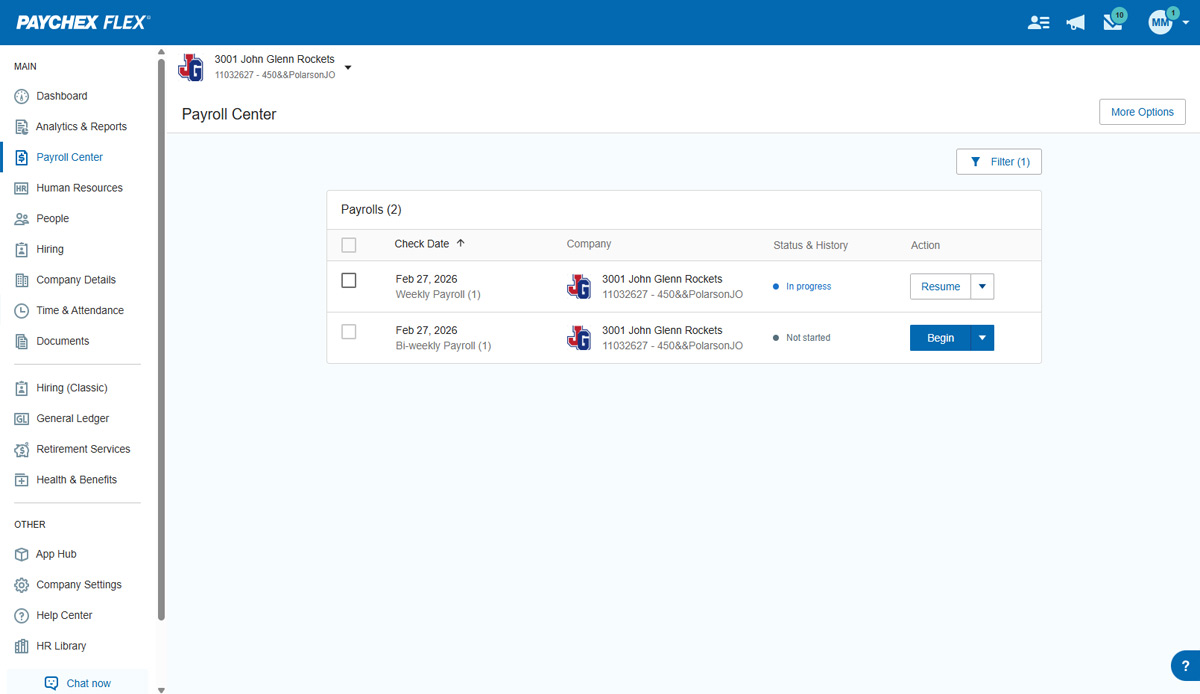
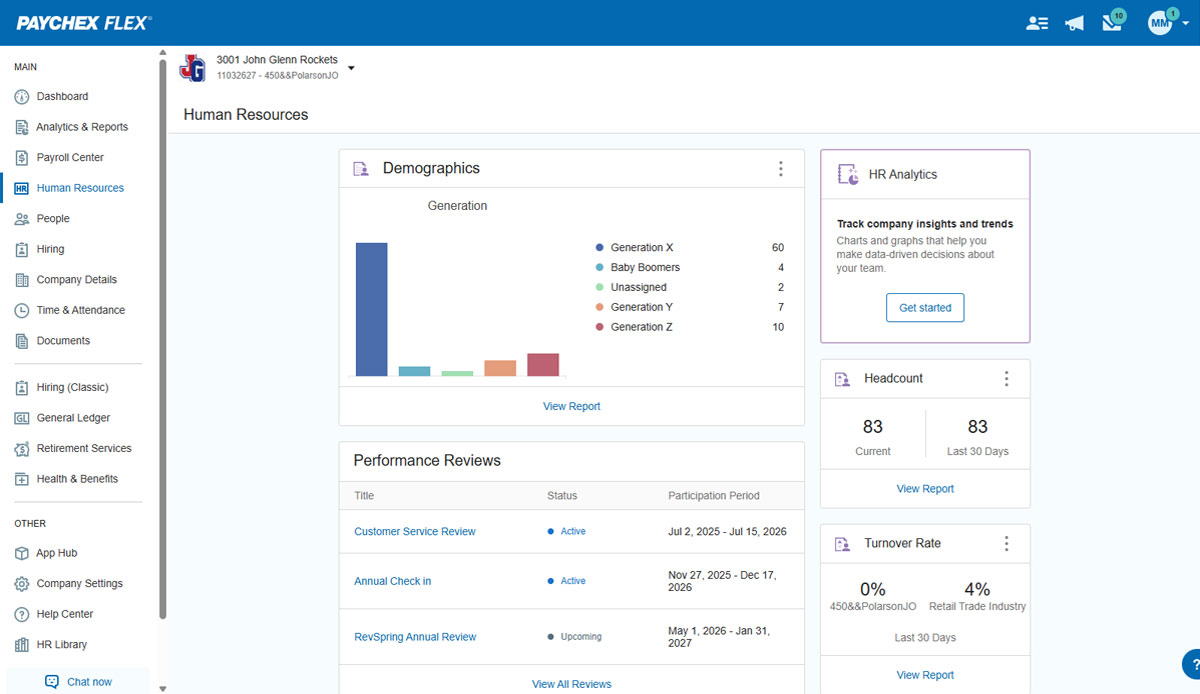
Paychex Flex, of Paychex' Online Payroll Services, is a cloud-based human resource management and payroll platform. Paychex offers core and specialized services, and scales to meet the needs of small businesses, SMBs, and large enterprises.
N/A
QuickBooks Online
Score8 out of 10
N/A
QuickBooks Online is a SaaS version of the QuickBooks product. It contains all of the features found in the local version. Higher-priced plans include greater automation, payment management, inventory and time tracking, and analytics features.
Executive Director at Visions of Hope Training Program (Non-profit Organization Management, 1-10 employees)
Chose Paychex
Paychex Flex is hands-down an easier way to manage payroll. I found QuickBooks Online to be somewhat confusing about when and where to file what form, and it was definitely more tedious than the easy flow of using Paychex Flex.
A de minimis incentive was given to thank the reviewer for their time. The incentive was not used to bias or drive a particular response, nor was the incentive contingent on a positive endorsement. More Info
CEO (Chief Executive Officer) at Action Sprinkler Service, Inc (Construction, 1-10 employees)
Chose Paychex
I use QuickBooks Desktop Pro and QuickBooks Online for a few of my companies, however the times I've briefly looked into them for payroll services I couldn't picture making the transition. Additionally, when issues arise with those companies, (for other things like merchant …
A de minimis incentive was given to thank the reviewer for their time. The incentive was not used to bias or drive a particular response, nor was the incentive contingent on a positive endorsement. More Info
Verified User
Chose Paychex
They were alright, some of the same issues. Lots of turnover with payroll consultants.
A de minimis incentive was given to thank the reviewer for their time. The incentive was not used to bias or drive a particular response, nor was the incentive contingent on a positive endorsement. More Info
Verified User
Chose Paychex
Both ADP and Paychex are very good at informing businesses of the latest changes regarding payroll. Not sure which one is better, but very much get the most out of each. Both are informative and always looking at additional topics in a world that is constantly changing. …
A de minimis incentive was given to thank the reviewer for their time. The incentive was not used to bias or drive a particular response, nor was the incentive contingent on a positive endorsement. TR verified that a representative sample of customers was invited. More Info
A de minimis incentive was given to thank the reviewer for their time. The incentive was not used to bias or drive a particular response, nor was the incentive contingent on a positive endorsement. TR verified that a representative sample of customers was invited. More Info
A de minimis incentive was given to thank the reviewer for their time. The incentive was not used to bias or drive a particular response, nor was the incentive contingent on a positive endorsement. More Info
A de minimis incentive was given to thank the reviewer for their time. The incentive was not used to bias or drive a particular response, nor was the incentive contingent on a positive endorsement. More Info
Verified User
Chose Paychex
Their prices are way better, but Paychex has actual, responsive customer support. If Square could match your support, I'd consider making the switch.
A de minimis incentive was given to thank the reviewer for their time. The incentive was not used to bias or drive a particular response, nor was the incentive contingent on a positive endorsement. More Info
CFO (Chief Financial Officer) in Finance and Accounting at Restore Addiction Recovery (Non-profit Organization Management, 11-50 employees)
Chose Paychex
Paychex far exceeds the QuickBook payroll system I used our first year. QuickBooks did not handle local taxes and I was responsible for filing those reports and returns.
A de minimis incentive was given to thank the reviewer for their time. The incentive was not used to bias or drive a particular response, nor was the incentive contingent on a positive endorsement. More Info
A de minimis incentive was given to thank the reviewer for their time. The incentive was not used to bias or drive a particular response, nor was the incentive contingent on a positive endorsement. TR verified that a representative sample of customers was invited. More Info
Verified User
Chose Paychex
Better customer service; support with onboarding; employee self-service. Time savings.
A de minimis incentive was given to thank the reviewer for their time. The incentive was not used to bias or drive a particular response, nor was the incentive contingent on a positive endorsement. More Info
A de minimis incentive was given to thank the reviewer for their time. The incentive was not used to bias or drive a particular response, nor was the incentive contingent on a positive endorsement. More Info
Verified User
Chose Paychex
Moved from Heartland, too many processing issues and site crashes. Paychex Flex site is easy to use and we like the portal for the employees.
A de minimis incentive was given to thank the reviewer for their time. The incentive was not used to bias or drive a particular response, nor was the incentive contingent on a positive endorsement. More Info
Senior Accountant in Finance and Accounting at Ryan & Wetmore, PC (Accounting, 11-50 employees)
Chose Paychex
I think Paychex Flex is slightly better than ADP. Paychex Flex and ADP create the same needed reports and have a lot of the same functions; however, Paychex Flex is more visually pleasing. Paychex Flex uses a tile format and is easy to get into different categories such as …
A de minimis incentive was given to thank the reviewer for their time. The incentive was not used to bias or drive a particular response, nor was the incentive contingent on a positive endorsement. More Info
Senior Accounting Associate in Finance and Accounting at Lewis & Knopf CPAs (Accounting, 11-50 employees)
Chose Paychex
Most of the reporting is a little easier to find and create in Paychex Flex. Most of the web interfaces for submitting payroll are fairly easy just like Paychex Flex.
A de minimis incentive was given to thank the reviewer for their time. The incentive was not used to bias or drive a particular response, nor was the incentive contingent on a positive endorsement. More Info
A de minimis incentive was given to thank the reviewer for their time. The incentive was not used to bias or drive a particular response, nor was the incentive contingent on a positive endorsement. More Info
Verified User
Chose Paychex
Actually, Paychex Flex is my first! I couldn't have asked for a better instructor!! Thank you
A de minimis incentive was given to thank the reviewer for their time. The incentive was not used to bias or drive a particular response, nor was the incentive contingent on a positive endorsement. More Info
Verified User
Chose Paychex
I have reviewed or used many other HRM and Payroll products. Paychex is a very solid program that overall does a very strong job. It is definitely competitive in the sense that it is constantly improving. With any large software system, there are glitches and issues that need …
A de minimis incentive was given to thank the reviewer for their time. The incentive was not used to bias or drive a particular response, nor was the incentive contingent on a positive endorsement. More Info
A de minimis incentive was given to thank the reviewer for their time. The incentive was not used to bias or drive a particular response, nor was the incentive contingent on a positive endorsement. More Info
A de minimis incentive was given to thank the reviewer for their time. The incentive was not used to bias or drive a particular response, nor was the incentive contingent on a positive endorsement. More Info
A de minimis incentive was given to thank the reviewer for their time. The incentive was not used to bias or drive a particular response, nor was the incentive contingent on a positive endorsement. More Info
A de minimis incentive was given to thank the reviewer for their time. The incentive was not used to bias or drive a particular response, nor was the incentive contingent on a positive endorsement. More Info
President & CFO in Corporate at Rapid Hot Flow, LLC (Oil & Energy, 11-50 employees)
Chose Paychex
We evaluated an early time clock offering but the integration to flex was poor and it did not work well when employees worked in multiple tax jurisdictions in the same pay period. Paychex over sold and under delivered, so after the initial set up and test, we elected not to …
A de minimis incentive was given to thank the reviewer for their time. The incentive was not used to bias or drive a particular response, nor was the incentive contingent on a positive endorsement. More Info
Owner in Manufacturing at Grandma's Gourmets (Food Production, 1-10 employees)
Chose Paychex
Paychex is light years ahead. They are so much more client oriented and pleasant to work with. For about the same money I would pick Paychex every time.
A de minimis incentive was given to thank the reviewer for their time. The incentive was not used to bias or drive a particular response, nor was the incentive contingent on a positive endorsement. More Info
It is best suited for payrolls from 1 to 150 employees, because their constant attention and flex system are easy to use. Any problem is taking care by your Paychex Agent, and they always listen to you. Better yet, when you become a client with more than 5 years, you get special discount on your renewal. Honestly, I can't not think on nothing that will be less appropriate.
A de minimis incentive was given to thank the reviewer for their time. The incentive was not used to bias or drive a particular response, nor was the incentive contingent on a positive endorsement. TR verified that a representative sample of customers was invited. More Info
QBO is a great solution for small and midsize companies. If the goal is to record all transactions and pull reliable financial reports, QBO is a great option. QBO is also a great solution if most operations are run in a system like Ramp. It syncs well with systems like that and turns the data into something management can use to make decisions. QBO is great because so many people use it. It is easy to find training online, and many people have experience with it.
A de minimis incentive was given to thank the reviewer for their time. The incentive was not used to bias or drive a particular response, nor was the incentive contingent on a positive endorsement. More Info
A de minimis incentive was given to thank the reviewer for their time. The incentive was not used to bias or drive a particular response, nor was the incentive contingent on a positive endorsement. TR verified that a representative sample of customers was invited. More Info
Workflows for accounts payable invoice review are terrific.
Bill payment allows you to pay vendors online via ACH or check without having to write a physical check, which reduces admin time.
The cloud based login lends well to a remote or hybrid work environment for staff.
QuickBooks Online allows you to pre-configure vendors' general ledger expense accounts. This helps with general ledger coding accuracy and consistency.
QuickBooks Online integrates with Rippling HRIS, Coast, Capital One, JPMorgan Chase, etc., which lends well to an efficient month-end closing and reduced administrative time.
A de minimis incentive was given to thank the reviewer for their time. The incentive was not used to bias or drive a particular response, nor was the incentive contingent on a positive endorsement. TR verified that a representative sample of customers was invited. More Info
I understand logging you out is a security function, but I'd prefer it not to log you out so soon.
The training we received for the team's meeting was subpar, in my opinion. Probably better geared for people with little to no computer experience. Very slow pace; we could have easily received all of this from some tutorials in a few minutes.
A de minimis incentive was given to thank the reviewer for their time. The incentive was not used to bias or drive a particular response, nor was the incentive contingent on a positive endorsement. TR verified that a representative sample of customers was invited. More Info
I dislike that the online bill pay option through QuickBooks is required for their invoicing.
The auto-fill portion of the customer setup, specifically the company name, is listed, but it also auto-fills in the name portion, which is inconvenient and time-consuming to remove.
A de minimis incentive was given to thank the reviewer for their time. The incentive was not used to bias or drive a particular response, nor was the incentive contingent on a positive endorsement. TR verified that a representative sample of customers was invited. More Info
Overall I like the features that Paychex Flex offers. I am sure that there are other features that I am unaware of, so I am excited to see if there is more that Flex is capable of to make my job easier. The basic features are really user friendly and easy to access. If there ever is an issue customer service is great
A de minimis incentive was given to thank the reviewer for their time. The incentive was not used to bias or drive a particular response, nor was the incentive contingent on a positive endorsement. More Info
It like the product 'right out of the box' and I trust Intuit will continually improve it over the years based on my experience with their desktop products. The large providers of Apps makes customizing the entire package relatively easy and seamless for a wide variety of business types.
A de minimis incentive was given to thank the reviewer for their time. The incentive was not used to bias or drive a particular response, nor was the incentive contingent on a positive endorsement. More Info
Once you are set up in the system, it is very user-friendly and usability is on par with my expectations. Onboarding new employees is simple, employee access is simple and easy for them to use. Tax documentation, reporting, and entering payroll is easy and user-friendly. Running reports and finding information necessary to keep the flow moving foward is easy to do
A de minimis incentive was given to thank the reviewer for their time. The incentive was not used to bias or drive a particular response, nor was the incentive contingent on a positive endorsement. More Info
Beyond being overkill for a small org's needs, QBO is constantly stealing screen real estate and attention by hammering users for account upgrades, connecting to one of their approved consultants or buying add-ons. The idea of using a simple configurable bookeeping and light accounting interface is completely missing. At the very least, we should be able to hide functions like inventory that we will never use.
A de minimis incentive was given to thank the reviewer for their time. The incentive was not used to bias or drive a particular response, nor was the incentive contingent on a positive endorsement. TR verified that a representative sample of customers was invited. More Info
We have not experienced any difficulties with unplanned outages. Notifications are always made for outages, and they do not effect normal business operations.
A de minimis incentive was given to thank the reviewer for their time. The incentive was not used to bias or drive a particular response, nor was the incentive contingent on a positive endorsement. More Info
A de minimis incentive was given to thank the reviewer for their time. The incentive was not used to bias or drive a particular response, nor was the incentive contingent on a positive endorsement. More Info
Unless there is lag time within the internet, the Paychex Flex website loads exceptional fast, pages load quickly and reports that I need to print or download load quickly. If I need to create a specialized report, once I complete it I receive an e-mail telling me my report is ready to be downloaded. Changing between web pages is fast as well.
A de minimis incentive was given to thank the reviewer for their time. The incentive was not used to bias or drive a particular response, nor was the incentive contingent on a positive endorsement. More Info
A de minimis incentive was given to thank the reviewer for their time. The incentive was not used to bias or drive a particular response, nor was the incentive contingent on a positive endorsement. More Info
The dedicated support we are given is good and very responsive. If there is a change to the dedicated support, we are notified quickly and have temporary support in place while we wait for our new rep. The phone support is knowledgeable and quick to help if there is an immediate need. However, the chat support can be the slowest option and doesn't always launch so I rarely use it.
A de minimis incentive was given to thank the reviewer for their time. The incentive was not used to bias or drive a particular response, nor was the incentive contingent on a positive endorsement. TR verified that a representative sample of customers was invited. More Info
In my experience, most representatives keep me on the phone for hours, literally, for a single issue and then usually cannot resolve it satisfactorily. I have 10 open cases that need resolution and, in my experience, there has been NO follow-up communication on any of them.
A de minimis incentive was given to thank the reviewer for their time. The incentive was not used to bias or drive a particular response, nor was the incentive contingent on a positive endorsement. More Info
A de minimis incentive was given to thank the reviewer for their time. The incentive was not used to bias or drive a particular response, nor was the incentive contingent on a positive endorsement. More Info
It was easy to understand and follow along. I do like the informational videos that we can utilize before we opt to call in for customer service support. It has made a difference since sometimes that resolves the issue I may have had and saved myself a phone call to Paychex support.
A de minimis incentive was given to thank the reviewer for their time. The incentive was not used to bias or drive a particular response, nor was the incentive contingent on a positive endorsement. More Info
Implementation was very smooth. The most cumbersome task was entering the current employees into the system during initial set up, but Paychex staff handled most of that and verified against prior system reports as well as internal reports provided to ensure 100% accuracy.
A de minimis incentive was given to thank the reviewer for their time. The incentive was not used to bias or drive a particular response, nor was the incentive contingent on a positive endorsement. More Info
The person in charge of QB needs to be very accurate with record keeping and is recommended to stay on top of tasks. The biggest issue we have is reconciliation, and those issues occur only when too much time has occurred between reconciliations
A de minimis incentive was given to thank the reviewer for their time. The incentive was not used to bias or drive a particular response, nor was the incentive contingent on a positive endorsement. More Info
In addition to the ones listed above, we also used BenePay, a local payroll company. We found Paychex Flex priced in the middle, with ADP the most expensive and too complicated, with many features that were unnecessary for us. We found that Paychex Flex's features and reporting to be sized right for our size (around 30 employees). Paychex Flex also offered a very reasonable service to apply for the ERTC
A de minimis incentive was given to thank the reviewer for their time. The incentive was not used to bias or drive a particular response, nor was the incentive contingent on a positive endorsement. TR verified that a representative sample of customers was invited. More Info
As a freelance bookkeeper, the Desktop version of QuickBooks Online doesn't allow for ease of access from any device. Having to be on a computer with the software downloaded creates additional work to gain access to all required filings etc. Also, I personally find the linking functionality on the Online version to be much more streamlined and user friendly.
I generally do payroll at the office, however I have had to go remote due to internet issues and also had to take payroll on vacation with me. Very easy to log in wherever you are and manage your TAA and payroll
A de minimis incentive was given to thank the reviewer for their time. The incentive was not used to bias or drive a particular response, nor was the incentive contingent on a positive endorsement. More Info
As we have grown along our professional path, we have also expanded our use of QB. The scalability is easy and features seem to be waiting for you until you need them. We have increased profits by over 10x from our first year in business to the current and have yet to find a reason to look elsewhere
A de minimis incentive was given to thank the reviewer for their time. The incentive was not used to bias or drive a particular response, nor was the incentive contingent on a positive endorsement. More Info
A de minimis incentive was given to thank the reviewer for their time. The incentive was not used to bias or drive a particular response, nor was the incentive contingent on a positive endorsement. More Info
QuickBooks has given us a useful portal by which to get an overview of our financials.
QuickBooks has given us a relatively easy way to send out invoices quickly and efficiently.
Due to the customization limitations on QuickBooks, we've had to get creative in third-party implementations to better represent our brand and to track financials.
A de minimis incentive was given to thank the reviewer for their time. The incentive was not used to bias or drive a particular response, nor was the incentive contingent on a positive endorsement. More Info