Adobe Acrobat DC is the current version of the well-established document / PDF management solution, part of the Adobe Document Cloud (the other part being Adobe's eSign services based on technology acquired with EchoSign in 2011).
$29.99
per month per seat
Dropbox Sign
Score 9.0 out of 10
N/A
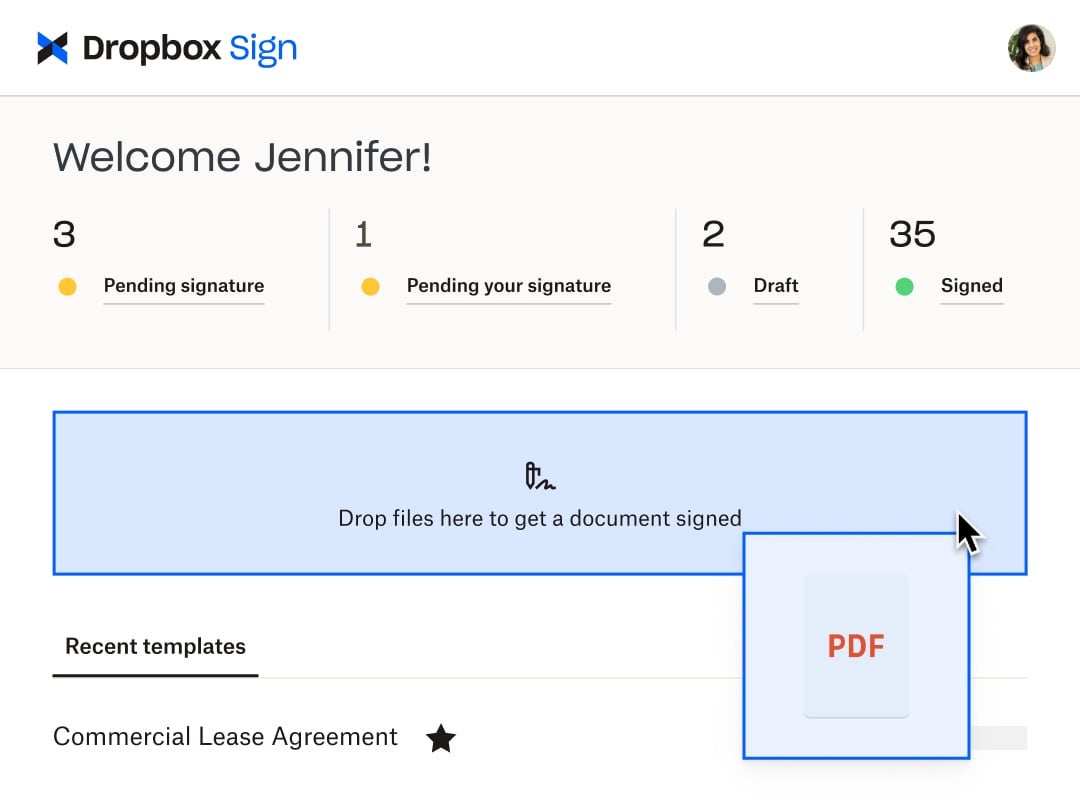
HelloSign is an electronic signature software offering acquired by Dropbox in early 2019. It includes features such as customization for businesses of any size and bank-level security.
$0
per month
PandaDoc
Score 8.6 out of 10
N/A
PandaDoc headquartered in San Francisco offers their eponymous electronic signature platform for sales teams, containing sales proposal automation and CPQ (configure, price, quote) features, and integration with CRMs.
$35
per month per seat
Pricing
Adobe Acrobat
Dropbox Sign
PandaDoc
Editions & Modules
Acrobat Pro for Individuals
$19.99
per month
Acrobat Pro for Teams
$23.99
per month per user
Acrobat Studio for Individuals
$24.99
per month
Free
$0
Essentials
$15
per month
Standard
$17.5
per month starting at two users, per user
Essentials API
$75
per month Starting at 50 signature requests / mo.
Standard API
$250
per month Starting at 100 signature requests / mo.
Premium
Custom
Custom
Starter
$35
per month per seat
Business
$65
per month per seat
Enterprise
Contact Sales
Offerings
Pricing Offerings
Adobe Acrobat
Dropbox Sign
PandaDoc
Free Trial
Yes
Yes
Yes
Free/Freemium Version
No
Yes
No
Premium Consulting/Integration Services
Yes
No
Yes
Entry-level Setup Fee
Optional
Optional
Optional
Additional Details
—
Additional pricing available for HelloWorks and HelloFax
PandaDoc offers a free eSign plan and 3 paid packages for eSigning and document automation. All plans include unlimited documents and eSignatures. Evaluations start with a free 14-day trial. Up to a 46% discount for annual pricing.
Adobe is a software that I have used for many years, about 10 years. I feel most comfortable with using it, but I have tried HelloSign since it can be integrated with other software that the company uses. HelloSign is quite similar to Adobe, but can not be used without the …
DocuSign has more features than Adobe Acrobat DC but it costs more and we don't need those features. HelloSign is not as robust as Adobe Acrobat DC. We have yet to use a program that we were as satisfied with the results of converting documents into PDF files as we are with …
PandaDoc is less customizable for creating/editing documents, less security but is much better when sending to a client and needing them to add text since the client would a paid subscription with Adobe Acrobat if I sent it that way
We considered getting PandaDoc, which seems to perform well, but the cost was ultimately not as competitive. TaxDome is a CRM for tax firms. It contains a PDF editor, available at no additional cost. Ultimately, we do plan to divest from Adobe Acrobat and use TaxDome's …
Really, this was not much of a competition for anyone standing up next to Adobe. There is so much more scalability and functionality in a team such as ours that we did not have any issues or concerns going with Adobe compared to any of the other competitors out there
Truly, we'd be piecing together the functionality from other apps like Google Docs, Mac Preview, Hello Sign, Dropbox, or PDF Expert. But with Acrobat, we get everything we need in one package plus we have the familiarity with Adobe products over time. Everyone knows how to use …
PandaDoc has an interface that isn't as simple but once you get used to it, it's really not bad. The biggest con is that I've had issues when using it where it glitches or just isn't loading. I think it's been issues on the back end that required ticketing. In the end, I didn't …
I selected Dropbox Sign because it was very easy to use, started with a free plan, and I knew that if I needed a professional plan, it would be reasonably priced. DocuSign was too expensive, and Adobe products are always hard to use and integrate with.
It is less expensive and assists nonprofits. That was the biggest factor for us, especially when it came to the integration with Salesforce and SharePoint. Although we do not use it now, we plan on using it other applications were way out of our price range, and DocuSign was …
Great software, however the integration of the Dropbox cloud in tandem with this is amazing and simpler than this great competitor for an all in one solution.
Verified User
Administrative Assistant
Chose Dropbox Sign
DropBox Sign is more user-friendly and not as confusing as the other.
While the options above are viable, they don't seem to have the cost structures set up appropriately to capture the longtail of users that my company and I exist in. Even if they are cheaper, they entangle you in a mesh that basically leaves you stuck in their ecosystem. …
Dropbox Sign has been the easiest to use as it's less complicated and friendly to use compared to the other competitor e-sign apps. We selected Dropbox Sign as it was cost-friendly as well as friendly to use, and a lot of our customers were familiar with the app, so it was easy …
We've been using HelloSign for so long that we are sticking with Dropbox Sign. I find Adobe's proprietary nonsense to be frustrating and annoying; I'm happy with Dropbox as a company and don't want to learn a new tool.
Very similar to the others, except this is tightly integrated within the dropbox file/cloud storage, which our company already uses, so that makes it that much more convenient you don't have to go to another platform. You can access it directly within the dropbox ecosystem.
HelloSign required an extra step for users to get verified before signing (poor user experience) SignNow was a good alternative except for it lacked HubSpot integration. DocuSign was much more expensive. PandaDoc had the right features at the right price, plus the integration …
We previously used DocuSign - while the eSignature features were good, we found it difficult to easily create and edit templates. It could be this has improved since then. I do think DocuSign contracts look more official. I took a demo with HelloSign - I liked it, but the …
We used Dropbox back when it was still HelloSign. At the time, new templates were very hard to create. We had to upload a PDF and then add the fields from there. With PandaDoc, we are able to drag and drop the text, images, logos, and fields we need easily. This has saved our …
We chose PandaDoc for its ease of use and tools that allow a professional feel. The convenience for our clients to review and sign agreements also helped us make the decision to go with PandaDoc.
PandaDoc is way easier to use than any other document system that I’ve experienced. The value proposition is definitely better than competitors, both the desktop and mobile user experience is significantly better, the functionality is much more intuitive, and the product is …
PandaDoc offers a free version with basic features and several tiered pricing options. The pricing is generally considered to be competitive and offers good value for the range of features provided. we often find PandaDoc intuitive and user-friendly. Its interface is designed …
PandaDoc stacks up above and beyond. It's replaced having to create a document in Word, save it to PDF, and then upload it for signature in an e-sign tool. I can create my documents in the editor. Present proposals in presentation mode instead of powerpoint and send directly …
We used HelloSign, which merged with Dropbox. It only gave three signatures per account and didn't allow for you to CC someone onto the document to receive it. It worked fine for what we needed, but we needed something that allowed for more signatures as we were sending …
PandaDoc is more accessible and easy to use then several of its competitors which we have trialed but do not match up to all of the functionalities available in this software. Lacking straight forward navigation and all of the field tools offered even in the unpaid version. We …
It came down to cost and simplicity. I may like more whistle's and bells, but just easier and cleaner template creation and management would be preferred.
PandaDoc is hands down a better sales tool than all mentioned above. There is no comparison with the ability to change and adjust contracts or proposals. There is nothing like PandaDoc when it comes to document manipulation prior to putting it in front of the end user. While …
We selected PandaDoc because DocuSign continued to increase the price each year and charged per document instead of just a simple contract like they started with. PandaDoc had all the same features for a much better price.
When preparing artwork for print production from an application like Adobe Illustrator, Photoshop, or InDesign, the best way to preview and preflight the work is to export to PDF and use Adobe Acrobat's output preview to check process colors, spot colors, dielines, and any special requirements, like foil stamping or varnish. Adobe Acrobat is also where you make any needed final adjustments to ensure correct reproduction on press. Documents intended for screen viewing must be exported to PDF and edited in Adobe Acrobat so as to add and edit needed accessibility features critical for legislative compliance.
Someone who has never used Dropbox Sign before could quickly figure it out without needing a tutorial or guide. It is very useful in instantly collecting signatures and keeping others in the loop as well, even if they aren't signers. I love that there's an option to cc someone in basically and they'll be able to see the documents and when it's signed. It's also impossible to miss a document not being signed because it automatically sends reminders to signers if they do not sign and emails reminders daily, letting me know how many documents are pending signatures.
Best suited for after demonstrations when requested by the prospect when they are looking for pricing with T&C. The data room is also great that acts like a drop box for opportunities and their contacts. Helps share pertinent information with others in the organization.
More printing settings, like being able to adjust the margins and place the print area on the page when the file size is larger than the page, and I only want to print one section. Illustrator has this feature. Often, we print from Illustrator instead, because of this limitation.
It would be nice to be able to build a template for just the location of the signature boxes that would allow me to upload a document, and the boxes could be basically replaced. I have the exact same doc for each of my clients, but there are small changes here and there, and I have to fill in their personal info through another program, so it would be nice to be able to do a template this way instead of just tying a template to one document.
Sometimes the fillable fields don't automatically map properly and you have to manually adjust.
Plan tiers and pricing recently changed, so now we get less value and less features (limited templates, no more pricing tables or invoicing/connected payment) for the same price, which is pricy for a small business.
Easier, integrated invoicing as an included feature (so we don't have to use a different software for invoicing/payment collection) would be ideal. You have to upgrade to the Business Plan for this.
Adobe Acrobat works seamlessly with the other Adobe products we use that are industry-standard. We will certainly continue to use Adobe InDesign, Photoshop, and Illustrator, meaning it will always be convenient to work seamlessly with Adobe Acrobat for our organization. We are happy with the performance of Acrobat and it's meets our expectations.
Because this product has been affordable which is so important for a non profit however it is also of good quality so its not like you get a cheap version of this you get a quality product at an affordable price and that is so important for a non profit
The reason I gave it a rating of 7 is because it's probable, but not for sure. This is because there are a few little things we don't love about pandadoc. Mostly that there is not conditional logic such as: they must either fill this field out OR this one. Also it's a little pricey. But we'll probably stay because it's good enough and a pain to switch to something new
It’s a very easy app to learn and software is essential. I feel like the app could load a bit faster but overall, is one of my go to apps. Makes reading and editing pdfs easy and I enjoy the usability of the app. It is definitely something I make sure to have downloaded on any computer I’m working from
I found this to be super user-friendly and easy to teach other teammates how to use in 5 minutes. I use it frequently, and there was little to no learning curve with this product. I also find that document signers have no problem navigating the documents we need them to review.
Once you get the hang of it, it's very easy to use. There can be a slightly steep learning curve to get fully in on the system. The new editor v2 has really improved usability and allows us to collaborate on documents simultaneously. Once the templates and library items are set up, a new document, whether it be a sales or HR document, takes very little time to complete.
We have not had availability issues with Adobe Acrobat, or at least none that I am personally aware of. Some may encounter crashes of the software during outages of electricity in their city or neighborhood, which no one can plan for, but with generators in our organization, we have been lucky not to have outages
I have not encountered this because it was so easy to use however just seeing how they created a community is great and shows that they are here for their users. I am going to say I am sure they are available and ready to assist when needed. The fact that we have not yet experienced an outage and issues says a lot though :)
One of the best features of Adobe Acrobat is its speed and stability. When dealing with massive multi-page files, having to reload a crashed program over and over again would slow down progress unnecessarily. And expanding on that, having the table of contents generated allows me to skip to different pages with ease, a necessary feature with exceptionally long files. word searches are even more helpful with text recognition.
Again I cannot say it is enough this app is simple. We are preparing to be able to integrate with Salesforce and Sharepoint at a very small cost per user (these are the platforms we use) and it is great that they have the option to integrate these apps. We love this app
The documents load quickly for the most part but sometimes if there are larger documents with a high number of variables it could take a bit longer to get the document to show up. Most of the time the document comes on the screen relatively quickly allowing for quick access to documents to be edited and sent out.
For a while, Acrobat DC crashed pretty frequently. I contacted Adobe Acrobat support about the problem. At first support was unable to provide a solution. After about a month Adobe's software engineers provided a fix. I just wish it had taken less than a month to solve the problem.
Support is limited to email only (for our subscription level), which might be OK for a e-signing platform if support was relatively rapid. This is not the case with HelloSign. Since the issues first arose a week ago, we have made no discernible progress in solving the problem. No matter how quickly I respond to a follow-up email, we receive only 1 email a day from the support. The other issue, which is a true edge case situation, is their insistence on receiving email from the same email account as the HelloSign registration. We changed our organizational email recently, and I was still logging into HS using our old email address. This became a hard stop on further support, which doesn't make sense on a practical level. Why would someone write in for support with specific issues if they weren't a customer? And if they did, wouldn't that be a miniscule proportion of the support requests? So if you adopt a policy that stops providing support to anyone who isn't verified, regardless of the situation, isn't that using a blunt instrument to solve a very rare issue? Reflects the overall organizational values, in my opinion, which is not to value the small customer.
Recently I could not upload a pdf to a contract - support was very responsive and easy to work with. They got back to me the next day with an apparent fix - however when I opened the document nothing had changed. I then could not respond to the rep who was helping me because it was a "no-reply address", the problem still has not been solved and we had to make alternate arrangements to get this to the client. Never had it happen before and was only with this one contract.
I was not involved with the implementation process, so I cannot answer this question. However, when it was installed on my computer system, they did so virtually. I just sat there while they took control of my computer over the network and watch them install it, lickety split
I can not say it enough - this was the easiest implementation we have had with an application. I became an admin, I added the person who would be the back up admin, we moved forward with adding accounts and that was it. All the users we have were self sufficient enough to move forward with very little guidance and the guidance they received was in house.
In my opinion, both complement each other. Microsoft clearly has with Copilot the AI Edge. However, the visual dynamics of Adobe Creative are Outstanding and provide a balanced approach to creativity, utilizing both Excellent, user-friendly Tools.
Dropbox Sign seems a little more intuitive and user-friendly than DocuSign. DocuSign also has a limit to the number of documents that you can send for signature over a period of time. Dropbox Sign integrates with just as many applications and software as DocuSign does. I also think the amount of templates that they give you to use is more than adequate for most business applications and more than other services seem to give you.
We used Dropbox back when it was still HelloSign. At the time, new templates were very hard to create. We had to upload a PDF and then add the fields from there. With PandaDoc, we are able to drag and drop the text, images, logos, and fields we need easily. This has saved our team an immense amount of time.
I find that many users aren't aware of many features of the software they use, nor may they be comfortable with learning multiple-step processes. For the simplest of PDF purposes (scanning, downloading, exporting), it gets a thumbs-up. For anything involving electronic signatures, meh--causes eyes to glaze over, or forgetting what all is involved.
Between the easy to use app, the pricing, and the team at dropbox. This app is hands down great! Easy to use. Anyone can start using it and if not I am sure the team at dropbox will guide you to implement. The cost especially for us as a nonprofit is sustainable which is great.
Adobe Acrobat has saved us time in managing documents. In this day, everything is fast, moves fast, and keeping up with that pace demands software that functions at the same level. Adobe Acrobat does that. It has streamlined the steps I need to take to edit and create documents we need to manage our customers.
Adobe Acrobat removes the worry and stress associated with managing a large influx of documents. Something as simple as a document featuring an image that was sent to us upside down. Using the old method, I would have to open other software, click 'Edit', find the 'Rotate Image' button, click it a couple of times, save it as a JPEG, then attach it to Word, and finally save it as a PDF. It was a grueling process that consumed a great deal of time. Now, I simply open the image, and Adobe automatically recognizes it is upside down and fixes it for me. I can save and move on; it literally takes me seconds. Amazing.
Adobe Acrobat is intuitive and easy to use, and the additional apps are relevant to the needs that come up. If I have an idea, I can go to the available apps and find exactly what I need. Impressive and speaks to the years of experience this company has had to fine-tune its product and make it obvious that it is aggressive in staying on top.