Adobe Workfront, acquired by Adobe in late 2020, is a web-based project-management tool. It is designed for both IT and marketing teams, but can be implemented for any kind of project. Workfront offers all the features standard to project management platforms, as well as resource allocation, automation, and agile workflow.
N/A
UKG Ready
Score 8.0 out of 10
N/A
The UKG Ready® software suite is a centralized HCM solution designed for small to mid-sized businesses. It automates and streamlines HR, payroll, benefits, time, talent, and scheduling processes. UKG Ready's suite of tools offer actionable insights while helping to ensure compliance. Using AI, it draws on work, people, and culture data to boost efficiency and productivity. For example, UKG Ready streamlines core HR functions by centralizing…
N/A
WorkJam
Score 10.0 out of 10
N/A
WorkJam is a workforce management software solution built to help employers streamline scheduling, communication, and training their workforce.
Workfront enables us to manage all our projects effectively while providing a comprehensive overview of team resources. The Resource Planner helps the team identify their capacity to determine whether they are over- or under-allocated. This information is crucial for project planning and ensuring team members do not experience burnout.
I might recommend UKG to a larger organization than ours. The complexity is rich, but perhaps it is too powerful a tool for what we need. That or it's a bit messy in its construction, having so many tools available but difficult to find or not working appropriately. UKG Ready processes payroll efficiently and with ease, but unless you are using a simple accounting platform it may not be able to easily integrate with yours
Simple to use as an end-user, a Top-Notch security feature allows us to authenticate every user. It increases productivity and lowers the operation cost. The intuitive user interface makes it easy for our HR team to manage all employees in the field or remote working by assigning tasks and having a follow back.
All that I've said already is why. I suppose the clearest way to say it is that at this point? I cannot imagine running the 300+ active projects in eMarketing without AtTask; it simply wouldn't be possible and even more; I wouldn't imagine why we'd try to find an alternative tool when we have one meeting our needs.
We plan to renew our support and use of UKG Ready each year unless it becomes unavailable or the district seeks another vendor. As of now, there are no plans to changes vendors. The district staff is now familiar with using UKG. Another vendor will need to meet the same expectations we have come to enjoy with using UKG
Workfront is overly complex, but it is functional as a tool to keep track of projects. It is a shame that sometimes it takes a lot of clicks to find anything. Workfront is slowly modernizing its interface but at the same time, hides certain information away thus making the experience feels worse.
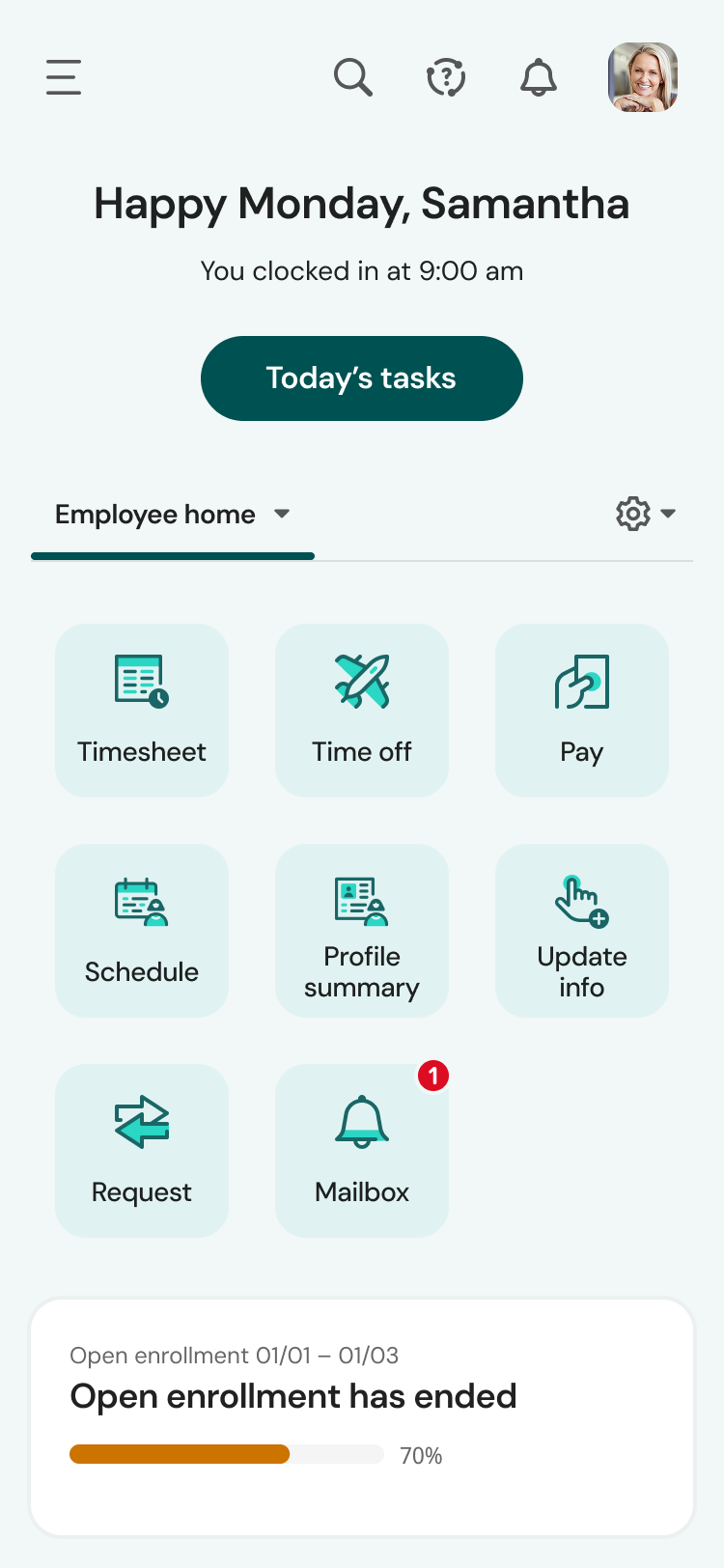
UKG is the platform with the best overall usability on both an admin and user side. Employees find it easy to update personal information, the dashboards are clear and easy to follow, and the navigation of it is also easy to follow. Overall my favorite platform to use and learn more about.
Maintenance is required, but usually after work hours, Some days the proofing tool function is not operational, but this is a new function of the tool that WF is working out. the kinks on. Chrome is the best browser to use the system in and we find Firefox and Explorer lose some view functionality - Gantt Chart, Resource Grid
The system seems very stable. Being hosted in the cloud, we are vulnerable to internet speeds and busy times. The system has been down a couple times over the 3 months we have been live, but Kronos resolved the issues very quickly. To have access from a desktop, tablet, time clock, or phone app is one of the best features....users have almost NO REASON they can't clock in.
Workfront's performance has been very good. Everything always feels very fast and snappy in my experience. We have integrated it with custom scripts to create folder structure for media managing our projects. It works very well.
We were always told that Kronos was the best, but there are reports that we got out of ADP and other payroll providers that we cannot get out of Kronos. One example is a report of Productive/Non-productive hours by department. We also need the dollar amount associated with the hours. This is information that is required on our cost report and we were told that that report is unavailable. It is very frustrating when I can't get what I need.
I know that this particular company has it's own Adobe Workfront employee that builds out things they need from the software, and meets with them regularly to troubleshoot. I'm not part of this process, but it's refreshing to see Adobe provide this level of customer service to people, and they're expedient.
If I was only rating support itself that would be a 10. Every support case I have entered has been addressed efficiently and with the desired result. On the implementation and transition to support there were multiple issues that those doing the implementation or transition could not answer or workflows and various settings left undone only to be discovered later. We implemented 3 different modules and the expertise we got for each one varied widely.
Our in-person training was a hybrid. Live online training with an instructor. They were very knowledgeable of the product & the area they were training on. I asked several specific questions and if they didn't know the answer immediately they followed up after class.
The training is very easy to use and you can simply choose the topics included in the course(s) that are most important to your training needs. After each training course, you are tested on what you have learned. If you need a refresher course, they provide Course Catalogs as well as instructor-led courses & workshops.
Pretty good online training, you have many how to options and can watch them several times. It can be hard at times to dig through the amount of data online but can usually find what you are looking for. Also you can download documentation for setting up the profiles and policies.
Most people learn as you go, a lot of this stuff requires trial and error throughout so my suggestion is to provide as much information in the upfront and keep it as simple as possible. You can add other tools and features as you go but everyone should have the basics down so no bad habits can start to develop. Be persistent with everyone, and don't be afraid to correct and talk through steps again so everyone is on the same page
Make sure the people who are doing the build have extensive knowledge on employment law and asking the right questions. I would bet that the people who helped with our builds did not read any of our employment contracts or ordinances; and when I asked questions about how other companies handled certain basic dictates from federal employment laws, they didn't have any idea what FMLA, FLSA, etc were.
It's been a while since I've used another time and resource management platform, but I would say that Adobe Workfront takes the cake. Its newly refreshed user interface is simple to navigate, whereas other platforms can be quite confusing when "drilling down" on a project. Also, Adobe Workfront has features that I have not seen in other platforms, including collaboration capabilities and the ability to upload a document as proof so it can be reviewed for grammar, consistency, formatting, etc., before being presented or sent to a client.
We currently use Paycom and are extremely dissatisfied with the lack of functionality and poor customer service. Rippling and ADP were other vendors we evaluated who performed well and offer a lot of functionality but we decided UKG was the best fit for our needs now and to scale with our strategic growth plans.
It's a simple, intuitive tool to use as an Engineer. I like how this tool is constantly improved and gives the best services like training employees, great channel feature which enables us to share information and messages, is also very useful. The support is there any time needed. It's a recommendable workforce management solution.
As I stated earlier, I didn't have to pay for Workfront myself- I'm a user under a large organization. I know it's not cheap to implement, I don't know how the price scales for a small-business, but I do like the product enough that I'm going to look into it in the future for my own company.
We have been using Workfront for about 3 years. During this time they continue to be a very stable project management system. Workfront's overall scalability is able to handle increased loads of work. When using Workfront for a project management tool for the web team, we store documents, images & video's without any issues. They work with their customer's to provide the best project management system in the market today! I highly recommend Workfront for all project management needs. Workfront strives to deliver unique technology solutions to growing companies!
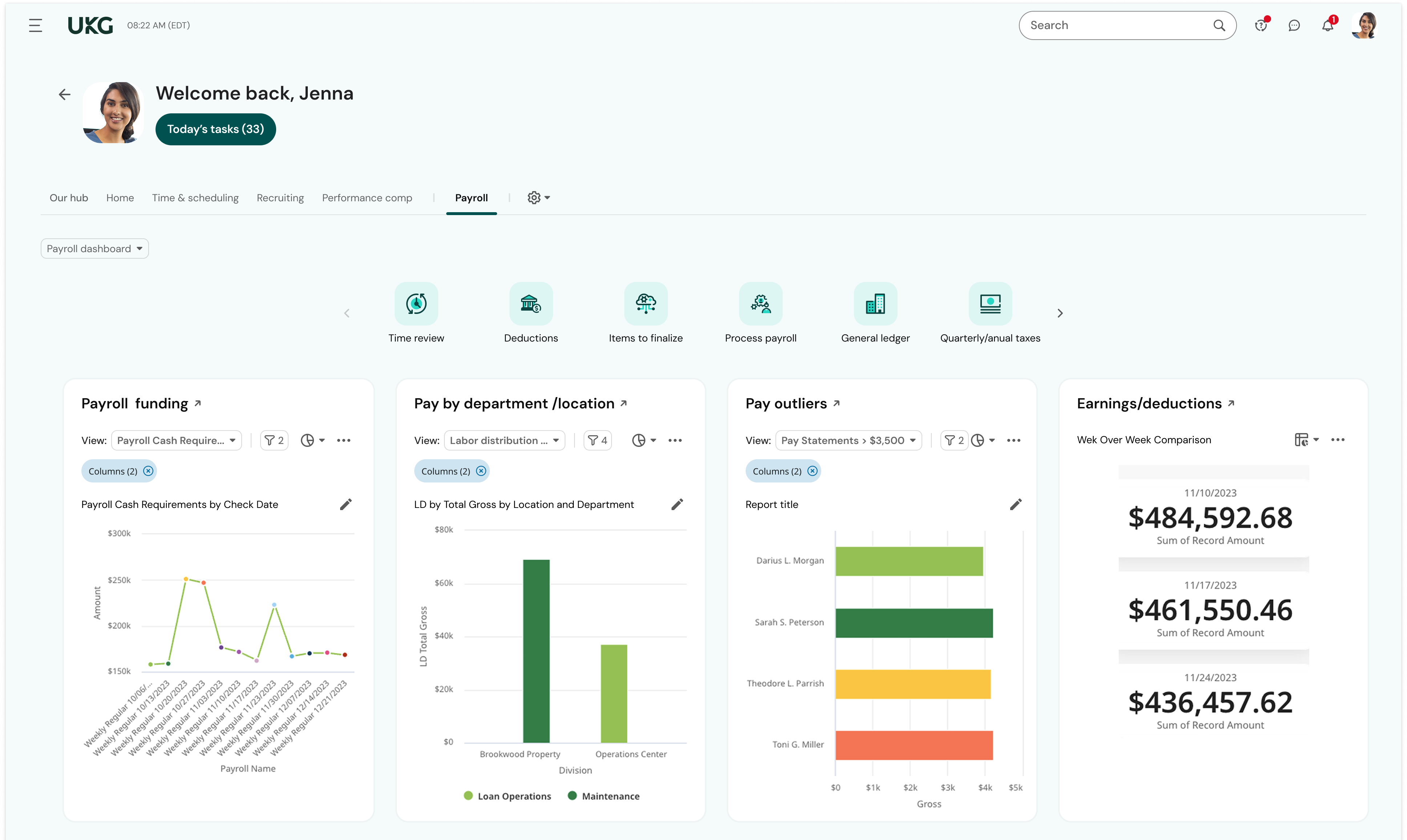
This is basic, but we finally know how many employees we have! It sounds ridiculous, but prior to UKG Ready we were on a payroll system that's reports were only as accurate as the last payroll cycle, so they were always 2 weeks behind and static. UKG Ready allows for realtime, daily reporting of information.
We are able to get salary data for our various locations to be able to compare them to each other, as well as across our "competitors" and external competition.
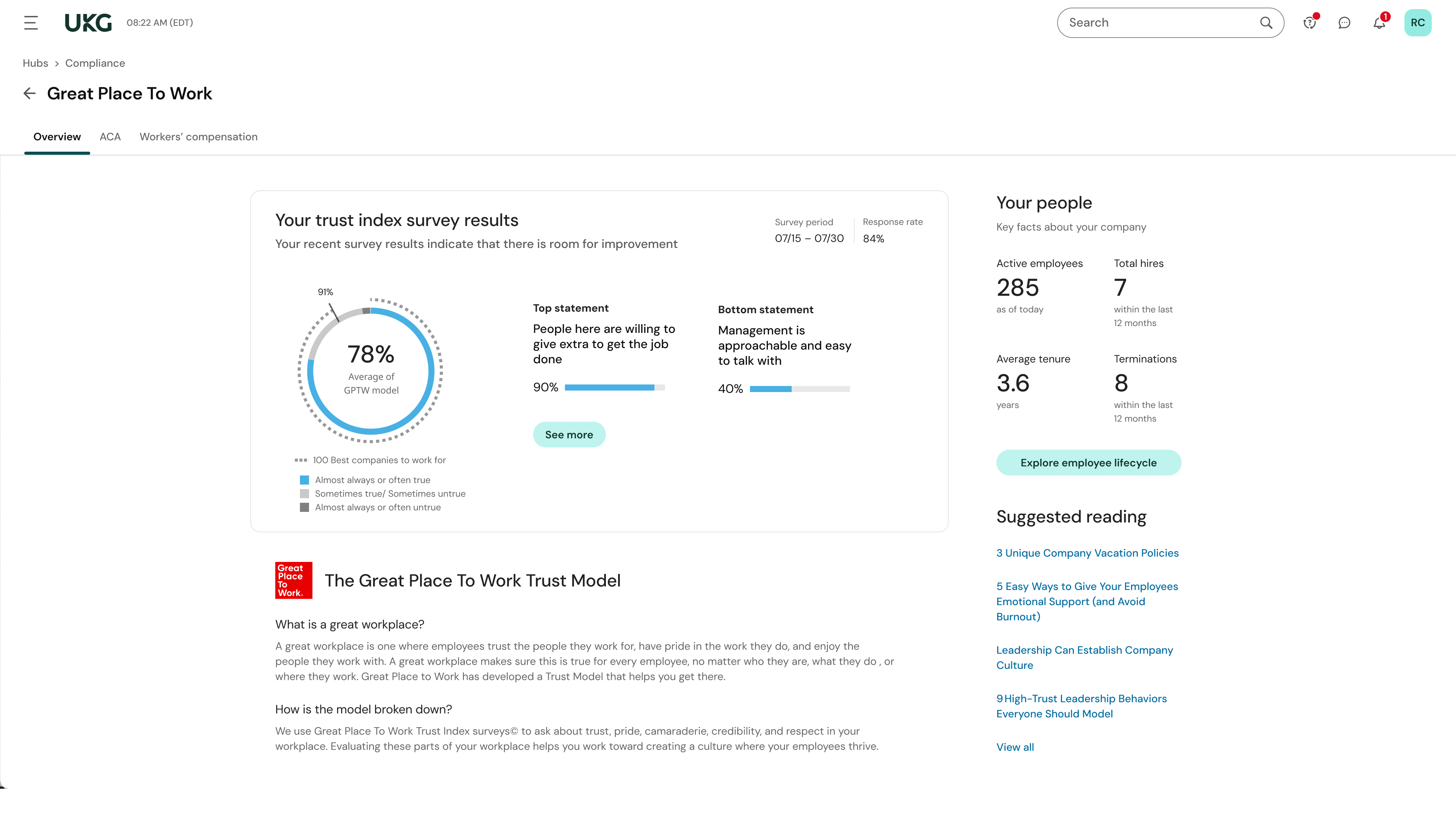
The data provided allows us to be able to understand the trends at individual locations including attrition, advancement, raise information, and other data points that we haven't historically done comparisons on
We can see the demographic and geographical information for our employees and the benefits that they elect