airSlate is a codeless workflow building platform, focusing on document generation, contract lifecycle management with e-sign, and what the vendor describes as mobile-friendly web forms which can be integrated with systems of record (e.g. CRM, etc), using no code airSlate bots.
N/A
Dropbox Sign
Score 9.0 out of 10
N/A
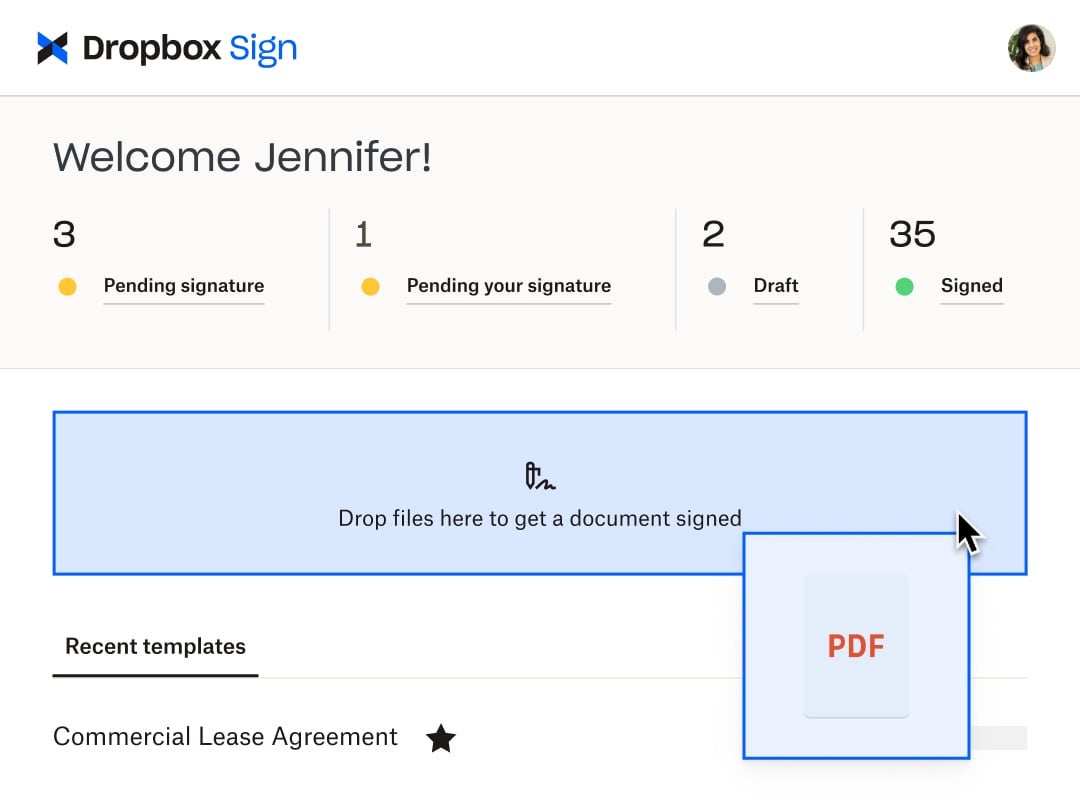
HelloSign is an electronic signature software offering acquired by Dropbox in early 2019. It includes features such as customization for businesses of any size and bank-level security.
$0
per month
PandaDoc
Score 8.6 out of 10
N/A
PandaDoc headquartered in San Francisco offers their eponymous electronic signature platform for sales teams, containing sales proposal automation and CPQ (configure, price, quote) features, and integration with CRMs.
$35
per month per seat
Pricing
airSlate WorkFlow
Dropbox Sign
PandaDoc
Editions & Modules
No answers on this topic
Free
$0
Essentials
$15
per month
Standard
$17.5
per month starting at two users, per user
Essentials API
$75
per month Starting at 50 signature requests / mo.
Standard API
$250
per month Starting at 100 signature requests / mo.
Premium
Custom
Custom
Starter
$35
per month per seat
Business
$65
per month per seat
Enterprise
Contact Sales
Offerings
Pricing Offerings
airSlate WorkFlow
Dropbox Sign
PandaDoc
Free Trial
Yes
Yes
Yes
Free/Freemium Version
Yes
Yes
No
Premium Consulting/Integration Services
Yes
No
Yes
Entry-level Setup Fee
Optional
Optional
Optional
Additional Details
—
Additional pricing available for HelloWorks and HelloFax
PandaDoc offers a free eSign plan and 3 paid packages for eSigning and document automation. All plans include unlimited documents and eSignatures. Evaluations start with a free 14-day trial. Up to a 46% discount for annual pricing.
More Pricing Information
Community Pulse
airSlate WorkFlow
Dropbox Sign
PandaDoc
Considered Multiple Products
airSlate WorkFlow
No answer on this topic
Dropbox Sign
Verified User
Employee
Chose Dropbox Sign
PandaDoc has an interface that isn't as simple but once you get used to it, it's really not bad. The biggest con is that I've had issues when using it where it glitches or just isn't loading. I think it's been issues on the back end that required ticketing. In the end, I didn't …
While the options above are viable, they don't seem to have the cost structures set up appropriately to capture the longtail of users that my company and I exist in. Even if they are cheaper, they entangle you in a mesh that basically leaves you stuck in their ecosystem. …
Dropbox Sign has been the easiest to use as it's less complicated and friendly to use compared to the other competitor e-sign apps. We selected Dropbox Sign as it was cost-friendly as well as friendly to use, and a lot of our customers were familiar with the app, so it was easy …
I think Dropbox Sign is very comparable to the others. I think they all do what they set out to do, but Dropbox Sign seemed to be the best deal, money wise.
I have used many proposal tools over the years including Pandadoc, Nusii, Better Proposals, HelloSign, and others. I chose Pandadoc, because of the ease of use, constant updates, and at least provide some integrations.
HelloSign required an extra step for users to get verified before signing (poor user experience) SignNow was a good alternative except for it lacked HubSpot integration. DocuSign was much more expensive. PandaDoc had the right features at the right price, plus the integration …
We previously used DocuSign - while the eSignature features were good, we found it difficult to easily create and edit templates. It could be this has improved since then. I do think DocuSign contracts look more official. I took a demo with HelloSign - I liked it, but the …
We used Dropbox back when it was still HelloSign. At the time, new templates were very hard to create. We had to upload a PDF and then add the fields from there. With PandaDoc, we are able to drag and drop the text, images, logos, and fields we need easily. This has saved our …
We used HelloSign, which merged with Dropbox. It only gave three signatures per account and didn't allow for you to CC someone onto the document to receive it. It worked fine for what we needed, but we needed something that allowed for more signatures as we were sending …
It came down to cost and simplicity. I may like more whistle's and bells, but just easier and cleaner template creation and management would be preferred.
To be honest the competition is quite tight but where PandaDoc has excelled was in the integrations with sales CRM/pipeline software and how easy it is to convert a sales lead into a contract, and automatically feeding this information back into your sales pipeline to retain …
PandaDoc was the only software that I tried that rang the most bells. From their 24 hour support to their full-size photos and content library, they stood above the crowd. Other products such as DocuSign were not intuitive or user friendly. PandaDoc is user friendly and …
More affordable, better design and features align more with what we need to use it for. PandaDoc gets the job done & at a fraction of the cost of the other competitors without sacrificing any features. If you're looking to go virtual to gain more customers, reduce costs, save …
We initially chose PandaDoc because it could do the basic things we needed to accomplish given the short amount of time we needed to search for a provider. Its price was the biggest factor, beating other competitors; however, with the sudden change in price, we needed to look …
PandaDoc is unique when compared to other e-signature platforms because it allows for lots of customization and the templates feature allows management to set up documents and levels of customization.
Much greater design capabilities, more integration possibilities, and more complete solution for sales teams. PandaDoc is sales enablement software, not just digital document signing.
While there's some things I'd love to see and maybe they will one day, I think this platform is an EXCELLENT choice for someone looking to automate forms. I love not having to manually update a spreadsheet daily, this is more of a set up and forget process although there are times that the automation fails and has to be done manually
Someone who has never used Dropbox Sign before could quickly figure it out without needing a tutorial or guide. It is very useful in instantly collecting signatures and keeping others in the loop as well, even if they aren't signers. I love that there's an option to cc someone in basically and they'll be able to see the documents and when it's signed. It's also impossible to miss a document not being signed because it automatically sends reminders to signers if they do not sign and emails reminders daily, letting me know how many documents are pending signatures.
Best suited for after demonstrations when requested by the prospect when they are looking for pricing with T&C. The data room is also great that acts like a drop box for opportunities and their contacts. Helps share pertinent information with others in the organization.
The bots are fantastic, so many to use to really increase functionality
User friendly for those who are first time users, and the system just gets easier and easier to use with experience
The email notifications for bot failures are very much appreciated, we know right away if something is not functioning
The customer technical support to assist with flow issues, they are quick to respond and assist until the problem is solved or the flow is functioning as envisioned
Regular updates to the platform for improve functionality
On occasion, bots need to be reset/removed in order to work.
I wish there was a way to add a quick document before sending something out similar to DocuSign envelopes. Versioning is very helpful but I do wish there was a way to prepare a form for sending, add in a quickly customized document and a field or two, and send it to just that person.
Being able to assign fields while in the field editor would be helpful!
It would be nice to be able to build a template for just the location of the signature boxes that would allow me to upload a document, and the boxes could be basically replaced. I have the exact same doc for each of my clients, but there are small changes here and there, and I have to fill in their personal info through another program, so it would be nice to be able to do a template this way instead of just tying a template to one document.
Sometimes the fillable fields don't automatically map properly and you have to manually adjust.
Plan tiers and pricing recently changed, so now we get less value and less features (limited templates, no more pricing tables or invoicing/connected payment) for the same price, which is pricy for a small business.
Easier, integrated invoicing as an included feature (so we don't have to use a different software for invoicing/payment collection) would be ideal. You have to upgrade to the Business Plan for this.
Because this product has been affordable which is so important for a non profit however it is also of good quality so its not like you get a cheap version of this you get a quality product at an affordable price and that is so important for a non profit
The reason I gave it a rating of 7 is because it's probable, but not for sure. This is because there are a few little things we don't love about pandadoc. Mostly that there is not conditional logic such as: they must either fill this field out OR this one. Also it's a little pricey. But we'll probably stay because it's good enough and a pain to switch to something new
It seems airSlate designers spent a significant amount of time ensuring the product is easy to use and appealing. They were able to accomplish this without sacrificing functionality and quality. The interface isn't cluttered and allows end-user to get going with minimal training. Designing workflows is a snap with the drag and drop "bots" (functions).
I found this to be super user-friendly and easy to teach other teammates how to use in 5 minutes. I use it frequently, and there was little to no learning curve with this product. I also find that document signers have no problem navigating the documents we need them to review.
Once you get the hang of it, it's very easy to use. There can be a slightly steep learning curve to get fully in on the system. The new editor v2 has really improved usability and allows us to collaborate on documents simultaneously. Once the templates and library items are set up, a new document, whether it be a sales or HR document, takes very little time to complete.
I have not encountered this because it was so easy to use however just seeing how they created a community is great and shows that they are here for their users. I am going to say I am sure they are available and ready to assist when needed. The fact that we have not yet experienced an outage and issues says a lot though :)
Again I cannot say it is enough this app is simple. We are preparing to be able to integrate with Salesforce and Sharepoint at a very small cost per user (these are the platforms we use) and it is great that they have the option to integrate these apps. We love this app
The documents load quickly for the most part but sometimes if there are larger documents with a high number of variables it could take a bit longer to get the document to show up. Most of the time the document comes on the screen relatively quickly allowing for quick access to documents to be edited and sent out.
I have reached out to airSlate support a number of times during setup and after. The platform includes a built-in support chat that is very convenient and fast. I'm able to get the answers I need is less time than it takes with any other software I use. And I don't need to pick up a phone or write an email and wait for a response. They support staff is very knowledgeable and accommodating
Support is limited to email only (for our subscription level), which might be OK for a e-signing platform if support was relatively rapid. This is not the case with HelloSign. Since the issues first arose a week ago, we have made no discernible progress in solving the problem. No matter how quickly I respond to a follow-up email, we receive only 1 email a day from the support. The other issue, which is a true edge case situation, is their insistence on receiving email from the same email account as the HelloSign registration. We changed our organizational email recently, and I was still logging into HS using our old email address. This became a hard stop on further support, which doesn't make sense on a practical level. Why would someone write in for support with specific issues if they weren't a customer? And if they did, wouldn't that be a miniscule proportion of the support requests? So if you adopt a policy that stops providing support to anyone who isn't verified, regardless of the situation, isn't that using a blunt instrument to solve a very rare issue? Reflects the overall organizational values, in my opinion, which is not to value the small customer.
Recently I could not upload a pdf to a contract - support was very responsive and easy to work with. They got back to me the next day with an apparent fix - however when I opened the document nothing had changed. I then could not respond to the rep who was helping me because it was a "no-reply address", the problem still has not been solved and we had to make alternate arrangements to get this to the client. Never had it happen before and was only with this one contract.
I can not say it enough - this was the easiest implementation we have had with an application. I became an admin, I added the person who would be the back up admin, we moved forward with adding accounts and that was it. All the users we have were self sufficient enough to move forward with very little guidance and the guidance they received was in house.
We had been unable to get much attention from DocuSign support/sales when we decided we wanted to connect forms to Salesforce. I stumbled across airSlate on the appExchange, and their sales team was responsive and helpful. I haven't worked in DocuSign myself, but my users tell me that airSlate forms are much cleaner.
Dropbox Sign seems a little more intuitive and user-friendly than DocuSign. DocuSign also has a limit to the number of documents that you can send for signature over a period of time. Dropbox Sign integrates with just as many applications and software as DocuSign does. I also think the amount of templates that they give you to use is more than adequate for most business applications and more than other services seem to give you.
We used Dropbox back when it was still HelloSign. At the time, new templates were very hard to create. We had to upload a PDF and then add the fields from there. With PandaDoc, we are able to drag and drop the text, images, logos, and fields we need easily. This has saved our team an immense amount of time.
Between the easy to use app, the pricing, and the team at dropbox. This app is hands down great! Easy to use. Anyone can start using it and if not I am sure the team at dropbox will guide you to implement. The cost especially for us as a nonprofit is sustainable which is great.