Overview
ProductRatingMost Used ByProduct SummaryStarting Price
Capsule CRM
Score 8.7 out of 10
N/A
Capsule is a CRM solution for businesses of up to 1,000 employees. The vendor boasts over 10,000 businesses globally as customers, who choose it as the platform to deliver success across their sales and customer facing teams. Capsule is presented as easy to use and quick to adopt. It also integrates with a growing range of popular apps, including Google G Suite, QuickBooks, MailChimp and Zapier. A free trial is available, and paid plans are available from $18 per user, per month.
$18
per month per user
Keap
Score 6.5 out of 10
N/A
Keap is a small business-focused, comprehensive sales and marketing platform which combines basic contact management, CRM, marketing automation, and e-commerce capabilities into a single, subscription-based SaaS product.
$199
per month
Pipedrive
Score 8.4 out of 10
N/A
Pipedrive is a customer relationship management (CRM) software built to help small teams to drive sales.
$24
per month per seat
Pricing
Capsule CRMKeapPipedrive
Editions & Modules
Professional
$18
per month per user
Teams
$36
per month per user
Enterprise
$54
per month per user
Pro
$199.00
per month
Max
$289.00
per month
Max Classic
Contact Us
per year
Essential
$24
per month per seat
Advanced
$49
per month per seat
Professional
$69
per month per seat
Power
$79
per month per seat
Enterprise
$129
per month per seat
Offerings
Pricing Offerings
Capsule CRMKeapPipedrive
Free Trial
YesYesYes
Free/Freemium Version
YesNoNo
Premium Consulting/Integration Services
NoYesNo
Entry-level Setup FeeNo setup feeOptionalNo setup fee
Additional DetailsAll plans with 1 user and 500 contacts. The price is $30.00 for each additional user.Monthly plans are available. The Essentials monthly plan at $24 per month.
More Pricing Information
Community Pulse
Capsule CRMKeapPipedrive
Considered Multiple Products
Capsule CRM
Chose Capsule CRM
CRM Is by far the best CRM I have used for small businesses. However, I find Pipedrive the better option for bigger businesses.
Keap
Chose Keap
We have used Pipedrive for our franchise sales side, but going forward we will be using ActiveCampaign for both our franchise sales and lead management for our owners. ActiveCampaign isn't as feature heavy as Infusionsoft, but it's a whole lot easier to use and setup. It allows …
Chose Keap
Constant Contact is very good but limited to one or two uses compared to multiple uses for Keap. Pipedrive is even more limited and not as user-friendly. Hubspot is great but way overpriced compared to the value delivered by Keap. Mailchimp is just, well... cheap in my view. …
Chose Keap
We didn’t select Keap, the company came with it and everyone new hates it and wants it gone.
Chose Keap
We went with Pipedirve because it is far easier to use and much cheaper. It also has a lot of useful addons that are reasonably priced.
Chose Keap
Easy to get started right away. Flexible campaign builder. Affordable. Built-in features without needing additional tools or plug-ins.
Pipedrive
Chose Pipedrive
Pipedrive has an excellent UI, email tracking features, and the ability to display contact information and notes about each individual. It allows us to integrate other systems with a high degree of automation, which is crucial to our workflow. Easy to pick up and use, with …
Chose Pipedrive
Pipedrive is extremely lightweight, but extremely powerful as you get deeper into it. My 61 year old father will use it, when he won't even use email on desktop. Pipedrive is inexpensive and easy to adopt. It's also easy to adapt, adding custom fields, deal stages, and other …
Chose Pipedrive
Pipedrive is extremely simple with the pipeline management, but more time-consuming than necessary for even simpler tasks like browsing through contacts or organizations, and especially making changes to those contacts or organizations. If they were able to make it so that you …
Chose Pipedrive
Pipedrive is a mature product that is feature-rich, but simple. It can be used as minimally as possible and is still a fantastic contact manager. But it is robust, and can really automate a lot of the sales process if used correctly.
Features
Capsule CRMKeapPipedrive
Sales Force Automation
Comparison of Sales Force Automation features of Product A and Product B
Capsule CRM
7.1
16 Ratings
10% below category average
Keap
-
Ratings
Pipedrive
7.9
68 Ratings
1% above category average
Customer data management / contact management8.016 Ratings00 Ratings8.724 Ratings
Workflow management7.014 Ratings00 Ratings7.721 Ratings
Territory management6.09 Ratings00 Ratings6.514 Ratings
Opportunity management8.016 Ratings00 Ratings8.365 Ratings
Integration with email client (e.g., Outlook or Gmail)8.015 Ratings00 Ratings8.764 Ratings
Contract management8.013 Ratings00 Ratings8.217 Ratings
Quote & order management6.012 Ratings00 Ratings7.214 Ratings
Interaction tracking7.014 Ratings00 Ratings8.521 Ratings
Channel / partner relationship management6.012 Ratings00 Ratings7.116 Ratings
Customer Service & Support
Comparison of Customer Service & Support features of Product A and Product B
Capsule CRM
8.4
10 Ratings
9% above category average
Keap
-
Ratings
Pipedrive
2.9
7 Ratings
91% below category average
Case management8.68 Ratings00 Ratings4.76 Ratings
Call center management8.17 Ratings00 Ratings1.15 Ratings
Help desk management8.58 Ratings00 Ratings3.16 Ratings
Marketing Automation
Comparison of Marketing Automation features of Product A and Product B
Capsule CRM
8.5
12 Ratings
9% above category average
Keap
-
Ratings
Pipedrive
7.5
49 Ratings
3% below category average
Lead management8.011 Ratings00 Ratings7.449 Ratings
Email marketing9.010 Ratings00 Ratings7.513 Ratings
CRM Project Management
Comparison of CRM Project Management features of Product A and Product B
Capsule CRM
7.7
15 Ratings
0% below category average
Keap
7.7
29 Ratings
7% below category average
Pipedrive
6.7
67 Ratings
14% below category average
Task management9.013 Ratings8.820 Ratings7.964 Ratings
Billing and invoicing management7.011 Ratings7.416 Ratings4.15 Ratings
Reporting7.013 Ratings7.127 Ratings8.163 Ratings
Automated CRM activity logging00 Ratings6.41 Ratings00 Ratings
Sales pipeline management00 Ratings9.11 Ratings00 Ratings
CRM Reporting & Analytics
Comparison of CRM Reporting & Analytics features of Product A and Product B
Capsule CRM
7.0
15 Ratings
9% below category average
Keap
-
Ratings
Pipedrive
7.7
68 Ratings
0% above category average
Forecasting7.013 Ratings00 Ratings7.619 Ratings
Pipeline visualization8.015 Ratings00 Ratings8.268 Ratings
Customizable reports6.012 Ratings00 Ratings7.516 Ratings
Customization
Comparison of Customization features of Product A and Product B
Capsule CRM
7.4
14 Ratings
4% below category average
Keap
-
Ratings
Pipedrive
6.4
64 Ratings
18% below category average
Custom fields7.014 Ratings00 Ratings8.464 Ratings
Custom objects6.012 Ratings00 Ratings8.454 Ratings
Scripting environment8.68 Ratings00 Ratings1.04 Ratings
API for custom integration8.010 Ratings00 Ratings7.646 Ratings
Security
Comparison of Security features of Product A and Product B
Capsule CRM
9.0
12 Ratings
7% above category average
Keap
-
Ratings
Pipedrive
6.7
62 Ratings
23% below category average
Single sign-on capability9.011 Ratings00 Ratings6.112 Ratings
Role-based user permissions9.012 Ratings00 Ratings7.260 Ratings
Social CRM
Comparison of Social CRM features of Product A and Product B
Capsule CRM
7.0
13 Ratings
6% below category average
Keap
-
Ratings
Pipedrive
1.1
5 Ratings
149% below category average
Social data7.013 Ratings00 Ratings1.15 Ratings
Social engagement7.012 Ratings00 Ratings1.15 Ratings
Integrations with 3rd-party Software
Comparison of Integrations with 3rd-party Software features of Product A and Product B
Capsule CRM
7.5
12 Ratings
0% above category average
Keap
-
Ratings
Pipedrive
3.6
7 Ratings
70% below category average
Marketing automation8.012 Ratings00 Ratings3.67 Ratings
Compensation management7.010 Ratings00 Ratings3.54 Ratings
Platform
Comparison of Platform features of Product A and Product B
Capsule CRM
8.0
13 Ratings
5% above category average
Keap
-
Ratings
Pipedrive
8.2
61 Ratings
8% above category average
Mobile access8.013 Ratings00 Ratings8.261 Ratings
Email & Online Marketing
Comparison of Email & Online Marketing features of Product A and Product B
Capsule CRM
-
Ratings
Keap
5.9
152 Ratings
27% below category average
Pipedrive
-
Ratings
WYSIWYG email editor00 Ratings9.050 Ratings00 Ratings
Dynamic content00 Ratings8.947 Ratings00 Ratings
Landing pages00 Ratings4.0136 Ratings00 Ratings
A/B testing00 Ratings6.410 Ratings00 Ratings
Mobile optimization00 Ratings4.5126 Ratings00 Ratings
Email deliverability reporting00 Ratings4.5151 Ratings00 Ratings
List management00 Ratings4.5149 Ratings00 Ratings
Triggered drip sequences00 Ratings9.049 Ratings00 Ratings
Lead Management
Comparison of Lead Management features of Product A and Product B
Capsule CRM
-
Ratings
Keap
5.5
153 Ratings
34% below category average
Pipedrive
-
Ratings
Lead nurturing automation00 Ratings5.0148 Ratings00 Ratings
Lead scoring and grading00 Ratings4.0130 Ratings00 Ratings
Data quality management00 Ratings4.5131 Ratings00 Ratings
Automated sales alerts and tasks00 Ratings5.0140 Ratings00 Ratings
Automated follow-ups00 Ratings9.11 Ratings00 Ratings
Campaign Management
Comparison of Campaign Management features of Product A and Product B
Capsule CRM
-
Ratings
Keap
8.0
90 Ratings
8% above category average
Pipedrive
-
Ratings
Calendaring00 Ratings9.089 Ratings00 Ratings
Reporting & Analytics
Comparison of Reporting & Analytics features of Product A and Product B
Capsule CRM
-
Ratings
Keap
6.4
150 Ratings
6% below category average
Pipedrive
-
Ratings
Dashboards00 Ratings7.255 Ratings00 Ratings
Standard reports00 Ratings4.0146 Ratings00 Ratings
Custom reports00 Ratings8.0137 Ratings00 Ratings
Platform & Infrastructure
Comparison of Platform & Infrastructure features of Product A and Product B
Capsule CRM
-
Ratings
Keap
5.7
144 Ratings
34% below category average
Pipedrive
-
Ratings
API00 Ratings8.0127 Ratings00 Ratings
Role-based workflow & approvals00 Ratings4.5110 Ratings00 Ratings
Customizability00 Ratings5.0140 Ratings00 Ratings
Third-party software integrations00 Ratings7.31 Ratings00 Ratings
Mobile app for sales & marketing automation00 Ratings5.51 Ratings00 Ratings
Best Alternatives
Capsule CRMKeapPipedrive
Small Businesses
Salesmate
Salesmate
Score 10.0 out of 10
Salesmate
Salesmate
Score 10.0 out of 10
Salesmate
Salesmate
Score 10.0 out of 10
Medium-sized Companies
Creatio
Creatio
Score 9.0 out of 10
LocaliQ
LocaliQ
Score 8.7 out of 10
Creatio
Creatio
Score 9.0 out of 10
Enterprises
Creatio
Creatio
Score 9.0 out of 10
LeadSquared
LeadSquared
Score 7.6 out of 10
Creatio
Creatio
Score 9.0 out of 10
All AlternativesView all alternativesView all alternativesView all alternatives
User Ratings
Capsule CRMKeapPipedrive
Likelihood to Recommend
8.0
(16 ratings)
5.2
(209 ratings)
8.0
(71 ratings)
Likelihood to Renew
-
(0 ratings)
9.0
(40 ratings)
8.0
(3 ratings)
Usability
8.6
(4 ratings)
5.7
(28 ratings)
9.0
(25 ratings)
Availability
-
(0 ratings)
9.1
(6 ratings)
8.2
(1 ratings)
Performance
-
(0 ratings)
9.1
(6 ratings)
-
(0 ratings)
Support Rating
8.6
(4 ratings)
9.0
(26 ratings)
8.5
(15 ratings)
In-Person Training
-
(0 ratings)
9.1
(6 ratings)
-
(0 ratings)
Online Training
-
(0 ratings)
8.6
(7 ratings)
-
(0 ratings)
Implementation Rating
-
(0 ratings)
8.0
(8 ratings)
8.2
(1 ratings)
Configurability
-
(0 ratings)
2.0
(1 ratings)
-
(0 ratings)
Ease of integration
-
(0 ratings)
1.0
(1 ratings)
-
(0 ratings)
Product Scalability
-
(0 ratings)
9.1
(3 ratings)
-
(0 ratings)
Vendor post-sale
-
(0 ratings)
6.0
(1 ratings)
-
(0 ratings)
Vendor pre-sale
-
(0 ratings)
1.0
(1 ratings)
-
(0 ratings)
User Testimonials
Capsule CRMKeapPipedrive
Likelihood to Recommend
Zestia
It is difficult to beat the simplicity of use and design of Capsule CRM. Add to the fact that they offer the best free plan which is great to sign up our clients with so that they can see how valuable having a CRM is. Getting newbies to use CRM with ease helps us with our CRM projects and to sign up more clients seamlessly. Hence, it is perfect place to start with for a small business. Based on feedback from clients, who already have some premium apps to manage their sales and work orders, it can get tricky to integrate them with Capsule CRM and hence it's not that favourable in the complex IT solution use case for specific clients. Support is through messages only and it can get a bit frustating if one is in a hurry to get the setup done. It's preferred to take your time and raise support tickets as and when necessary.
Read full review
Keap
Keap is very good at contact management and automation creation but weaker at email campaign creation. I was particularly interested in a function where when manually entering a new contact, you are then able to email that contact using a premade HTML template. It will currently not do this. There is a workaround, but it is unnecessarily ponderous.
Read full review
Pipedrive Inc.
Pipedrive is a fantastic tool to help monitor and track lead generation and referral sources. It helps maintain accountability with the sales team and helps ensure that we are doing appropriate marketing to maintain a steady influx of cases. The weekly and quarterly sales reports that it can generate are incredibly helpful and insightful. They help inform us of what we need to focus on each quarter/year.
Read full review
Pros
Zestia
  • Capsule is very easy to use. You can just jump in and learn as you go. There are advantages to really learning the ins and outs, but for those who aren't sold on a CRM to begin with it's good for just getting them started. It is what you make of it--you can use the most basic features or really dive in to the many functionalities.
  • The UI is clean and intuitive. We don't get easily overwhelmed while using it.
  • Capsule has a very robust contact management system. It allows for the generation of very specific lists within existing contacts, which is good if the user has to keep track of thousands of individuals and companies. There is a tagging feature that is great for further organizing contacts.
  • I like that there is a simple workflow option. I encourage the sales guys to make use of this "Tracks" feature, and they often do (but if they don't, it's not the end of the world, which is nice). It provides custom sets of tasks that are created as soon as you start an opportunity or a case.
  • Capsule has a LOT of integrations, which is great if you're looking to expand what you do with your CRM. We got Capsule just to keep track of the sales pipeline, but now that everyone's on board with the concept of a CRM (they weren't sold at first!) we can look into implementing more robust programs that can "talk to" Capsule.
Read full review
Keap
  • Pricing: Keap Max Classic (formerly Infusionsoft) is affordable for nonprofits and small businesses and includes all the automation features we need!
  • Customer Support: Our onboarding and success coaches have been so helpful, taking into account some unique processes we have and finding solutions.
  • Updates: Keap is constantly providing more and better solutions!
Read full review
Pipedrive Inc.
  • Great visual visibility of the funnel plus easy to drag the deals across the stages
  • The email integration that collects all relevant communication (also through the possibility of adding a deal-specific Pipedrive address on BCC)
  • The integration with Pandadoc, which we use a lot, so that Pipedrive keeps a really handy overview of the documents we have sent out / which have been signed
Read full review
Cons
Zestia
  • Its integration with Mail chimp is not smooth. Also, it does not allow to list contacts alphabetically which is a great downside of this tool. It does not contain some essential marketing features.
  • It needs to improve the user interface and make it more productive especially on the calendar view.
  • The contact sorting is quite disappointing. It would be nice if it allows users to set screen filters.
Read full review
Keap
  • More articles and videos on how to use the various functions of Keap
  • Having representatives designated to certain regions or companies for a point of contact when help is needed
  • More options when building the emails. While the click and drop options can be a plus, they can also be negative because you are limited to image and text sizing and positions
Read full review
Pipedrive Inc.
  • Showing the customers name on the pipeline page. Right now I can only get it to show the brand name twice. I wish it would replace the second brand name with the main point of contact.
  • Better reporting tools. Their reporting tools are not easy to pick up. I've spent time trying to figure it out and it isn't something I can pick up on quickly.
  • Better training options. I wish I had a personal trainer to walk me through the best way to use Pipedrive so I can get the most out of it.
Read full review
Likelihood to Renew
Zestia
No answers on this topic
Keap
We have invested a lot into Infusionsoft and are using it to automate our processes and marketing. Changing CRMs would have a HUGE cost for us and based on our evaluations, the grass isn't greener elsewhere. Infusiosoft fits most of our needs and is slowly getting better each year. Their support is great and we will continue to use them until something much better comes around or our company outgrows a small business CRM.
Read full review
Pipedrive Inc.
-2 for Its cost and +8 for the need of tracking of leads and monitoring of team.
Read full review
Usability
Zestia
As a well-rounded business tool, Capsule CRM is an excellent choice. It fulfills our requirements and aids in the operation of our business. One of the most effective tools for managing our business solutions and supply chains is adding this tool to our system to see the fantastic results of effective management. Capsule CRM could try and see what they're offering to get the best results.
Read full review
Keap
You do need to spend some time on-boarding and implementing the software in order to have full functionality. We were lucky - we had colleagues at the university with experience with Keap and then hired an intern familiar with the software to get us set up and ready to use it. We've had some functionality issues with it along the way and that has frustrated myself and the other uses in our department.
Read full review
Pipedrive Inc.
Pipedrive is easy to use and has a clean interface so we can follow up accurately. Its custom features help manage leads and evaluate team performance. It saves time and improves efficiency. Pipedrive is stable and supports integrations and automation.
Read full review
Reliability and Availability
Zestia
No answers on this topic
Keap
There have been few outages since we became a customer, and when they have technical issues they are typically resolved rapidly.
Read full review
Pipedrive Inc.
No answers on this topic
Performance
Zestia
No answers on this topic
Keap
OMG, it's all in one and that compromises everything, fundamentally. If you want a race car, invest in a race car. If you want a dune buggy, get that. If you want a boat that floats, go for it.
Read full review
Pipedrive Inc.
No answers on this topic
Support Rating
Zestia
Capsule CRM is the best application in allocating the problems and reasons for any project drawback. Your solution will be there within seconds. It controls business empowerment with its authentic approach and we can use this application without any problem. Our employees are on a single platform and we can decide and implement things at once. There is no need to wait for any meeting, as everything is just a click away. Our promotions are technical and easy to understand for clients and they can communicate well to deliver their ideas.
Read full review
Keap
Generally, very responsive support for even our more complicated issues. We do have some open issues that we need resolutions on and that I understand are complicated and will take longer to resolve but the open issues are significantly impacting to our business.
Read full review
Pipedrive Inc.
Between quick video tutorials and having very quick feedback from their support teams, it is one of the main reasons I would recommend Pipedrive. It is critical, especially when setting up the platform to meet your companies needs, that a solid support team like Pipedrive has is there to make the transition easier.
Read full review
In-Person Training
Zestia
No answers on this topic
Keap
I have been to a number of in-person training sessions over the years with Keap and all of them have been FANTASTIC. They really put a lot of time and effort into these sessions. Staff and facilitators go out of their way to ensure that participants are getting what they need.
Read full review
Pipedrive Inc.
No answers on this topic
Online Training
Zestia
No answers on this topic
Keap
The results of training online are often based on how people learn. The training was great but with feature updates, you just have to get in there sometimes and do it! The training definitely lays a firm enough foundation for you to be successful even if its can't be updated with every feature update.
Read full review
Pipedrive Inc.
No answers on this topic
Implementation Rating
Zestia
No answers on this topic
Keap
Don't let the fear of implementing a new software solution keep you from unleashing the power of automation that Infusionsoft provides. With the right implementation partner, the process can not only be smooth and painless, it can actually help you get a better understanding for how your current communication process can be improved upon.
Read full review
Pipedrive Inc.
Experiment is the only way to start
Read full review
Alternatives Considered
Zestia
We chose Capsule CRM over Zoho CRM due to the various modules that it would take for Zoho CRM to work for our firm. Additional Zoho modules would have been needed (Zoho CRM and Projects) to make it work for us which in turn requires additional management. With Capsule CRM, there was only one app that needed to be integrated within our app ecosystem
Read full review
Keap
Keap is fast. The learning curve is shorter and they have an academy for learning with videos quite extensive that explain a lot of different scenarios, specially when you need to customize scenarios of automations and segments. Is cheaper if you consider that this services CRM + Mailing don´t come often in one package and the realiability to send mails is quite good.
Read full review
Pipedrive Inc.
I much prefer the interface of Pipedive when compared to Zoho. Much more user friendly and the team is always readily available when we need them. Pipedrive allowed for many custom integrations to be added, as Zoho was a tad more complicated to manipulate. We would not go back to Zoho in any case.
Read full review
Scalability
Zestia
No answers on this topic
Keap
You get a lot of features included, but you don't need to use them all at once to start seeing an effect. When you are ready to use them, they are there. It also scales without costing too much money.
Read full review
Pipedrive Inc.
No answers on this topic
Return on Investment
Zestia
  • It's enabled us to have a cloud-based live database, rather than living off spreadsheets or an antiquated Access database
  • It's hard to really quantify ROI on a small startup, but it's been very helpful to have a small scale but powerful CRM as we grow the company.
  • Since we don't use it entirely as it's intended, the terminology and shortcuts are a bit confusing.
Read full review
Keap
  • Automation has allowed us to be more engaged and invested in our customers by reminding us about birthdays and other important events in their lives so that we can celebrate with them.
  • We lacked the manpower to sell and distribute orders online before setting up the payments and automation features. We now collect $5k+ a week in lost sales through online ordering.
  • List cleaning functionality and engagment settings have allowed us to run a 40-50% email open rate that allows us to create an engaged community around local events and opportunities as well as sales and special offerings.
Read full review
Pipedrive Inc.
  • Great on setup which made our work easier and less technically equipped people can manage a lot of things(compared to SalesForce where you need to hire a developer to set it up)
  • We were able to integrate our calling system easily and get things going on the lead calling aspect.
  • Great multipipeline option where we were able to manage both organisations under one roof.
Read full review
ScreenShots

Capsule CRM Screenshots

Screenshot of Screenshot of Screenshot of Screenshot of

Keap Screenshots

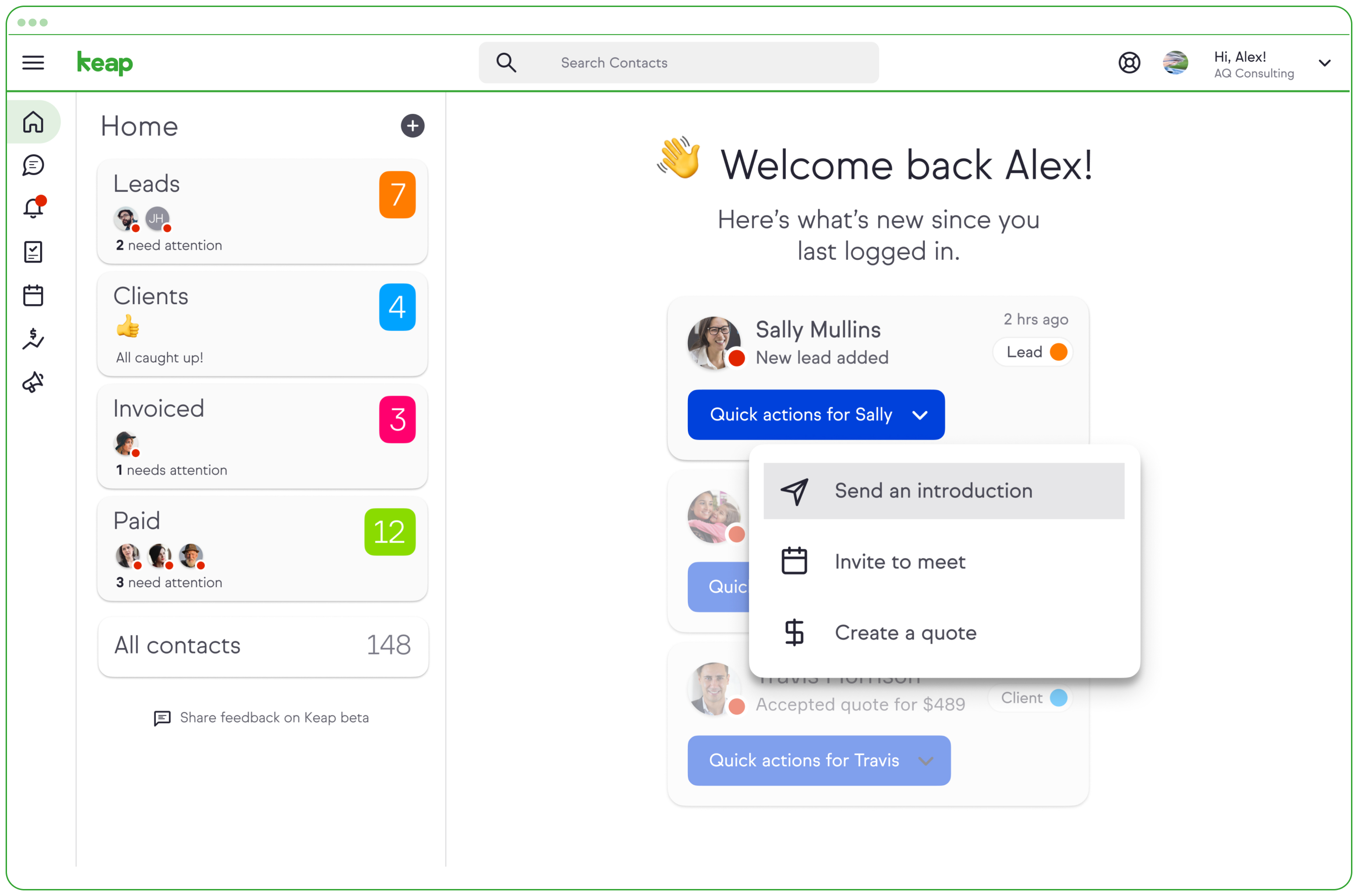
Screenshot of a Keap invoiceScreenshot of Screenshot of the entire sales pipeline displayed in one view.

Pipedrive Screenshots

Screenshot of Screenshot of Screenshot of Screenshot of Screenshot of Screenshot of