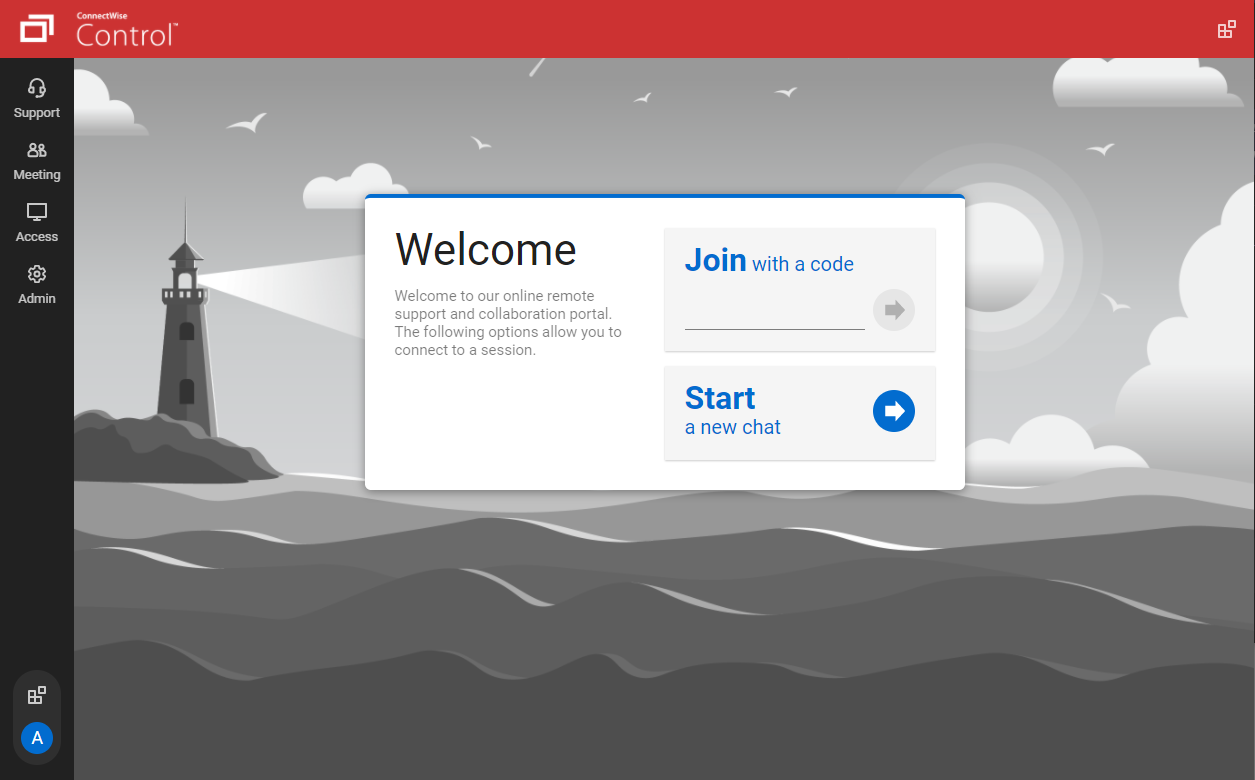
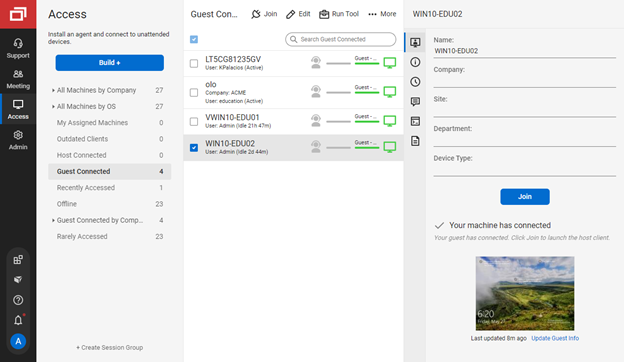
ConnectWise ScreenConnect is a remote support, access, and meeting solution. With it, users can utilize remote support and access to repair computers, provide updates, and manage machines. Users can also conduct online seminars and presentations using remote meetings.
$39
per month
Highfive (discontinued)
Score6.6 out of 10
N/A
Highfive was a web conferencing platform acquired by Dialpad in 2020. Its functionality became part of the now obsolete Dialpad Meetings, the functionality of which is now contained in Dialpad Connect.
N/A
Skype for Business / Lync (discontinued)
Score6.5 out of 10
N/A
Skype for Business was an online messaging and conferencing tool, now superseded by Microsoft Teams.
eLearning Technology Systems Analyst in Information Technology at Ann & Robert H. Lurie Children's Hospital of Chicago (Hospital & Health Care, 5001-10,000 employees)
Chose ScreenConnect
ConnectWise is comparable to the competition, but handles our firewall better than Chrome Remote Desktop. More of our staff is familiar with LogMeIn Pro. For simple screen sharing, Skype is the best tool, however.
A de minimis incentive was given to thank the reviewer for their time. The incentive was not used to bias or drive a particular response, nor was the incentive contingent on a positive endorsement. TR verified that a representative sample of customers was invited. More Info
ICT Specialist in Information Technology at Luxfield Communications (Telecommunications, 11-50 employees)
Chose ScreenConnect
ConnectWise Control offers more for less in all aspects compared to the competing platforms, plus features and services that would normally be unavailable otherwise and require the purchase of an overall package, which may include a lot of functions/services not required.
A de minimis incentive was given to thank the reviewer for their time. The incentive was not used to bias or drive a particular response, nor was the incentive contingent on a positive endorsement. More Info
Microsoft Specialist in Information Technology at Cognizant (Information Technology and Services, 10,001+ employees)
Chose ScreenConnect
ConnectWise is one of the most cost-effective remoting software. Multiple sessions are really a great feature. support is also good for sessions.speed of remote connections not bad even for multiple sessions. A little less customization. I feel it is one of the best value …
A de minimis incentive was given to thank the reviewer for their time. The incentive was not used to bias or drive a particular response, nor was the incentive contingent on a positive endorsement. TR verified that a representative sample of customers was invited. More Info
IT Support Specialist in Information Technology at Harper Love Adhesives (Packaging and Containers, 51-200 employees)
Chose ScreenConnect
We had trialed a few products before, but ConnectWise Control just seemed to be the most user friendly, seamless and easy to use software. It fit every need of our company to be able to support our co-workers while they are travelling.
A de minimis incentive was given to thank the reviewer for their time. The incentive was not used to bias or drive a particular response, nor was the incentive contingent on a positive endorsement. More Info
A de minimis incentive was given to thank the reviewer for their time. The incentive was not used to bias or drive a particular response, nor was the incentive contingent on a positive endorsement. More Info
Verified User
Chose ScreenConnect
It was really a cost search. We were looking for a program that provides the capability of ScreenConnect at a reasonable cost.
A de minimis incentive was given to thank the reviewer for their time. The incentive was not used to bias or drive a particular response, nor was the incentive contingent on a positive endorsement. More Info
Co-Owner in Professional Services at Tech Wizard Solutions (Computer & Network Security, 1-10 employees)
Chose ScreenConnect
ScreenConnect provides a more stable remote support portal than Instant Housecall and VNC. TeamViewer does have some available features that ScreenConnect does not they are very close in usability and features. The cost between using ScreenConnect over TeamViewer is …
A de minimis incentive was given to thank the reviewer for their time. The incentive was not used to bias or drive a particular response, nor was the incentive contingent on a positive endorsement. More Info
Corporate Manager in Corporate at Egg Harbor Cafe (Restaurants, 201-500 employees)
Chose ScreenConnect
We have tried TeamViewer and Skype for our screen sharing needs, but the biggest reason ScreenConnect is better than those for our purposes is because it does not require the "Screen Sharing Computer" to allow access every time. In other words, once a computer is set up for me …
A de minimis incentive was given to thank the reviewer for their time. The incentive was not used to bias or drive a particular response, nor was the incentive contingent on a positive endorsement. More Info
Partner in Engineering at AM Exclusive (Computer Networking, 11-50 employees)
Chose ScreenConnect
Replaced logmein and Rescue with ScreenConnect. Before we needed to connect to two consoles. Now we are able to a one off session or access computers with the ScreenConnect agent from the same URL.
A de minimis incentive was given to thank the reviewer for their time. The incentive was not used to bias or drive a particular response, nor was the incentive contingent on a positive endorsement. More Info
Discontinued Products
Verified User
Chose Highfive (discontinued)
They all have a free version. They all have clear audio and video. Skype has unlimited amount of time allowed where Zoom and now UberConference limit your calls to 45 minutes and then they just cut out.
A de minimis incentive was given to thank the reviewer for their time. The incentive was not used to bias or drive a particular response, nor was the incentive contingent on a positive endorsement. More Info
A de minimis incentive was given to thank the reviewer for their time. The incentive was not used to bias or drive a particular response, nor was the incentive contingent on a positive endorsement. More Info
Director of Customer Success at RouteThis (Computer Software, 11-50 employees)
Chose Highfive (discontinued)
Zoom is the winner of the space in my mind. It has all the features I want, works reliably, and the price is okay. Skype is a dumpster fire, has definite failures, and is a nightmare to admin. Hangouts is only suited to small companies and lacks recording, which is crucial.
A de minimis incentive was given to thank the reviewer for their time. The incentive was not used to bias or drive a particular response, nor was the incentive contingent on a positive endorsement. More Info
Verified User
Chose Highfive (discontinued)
UberConference seems to be a more user-friendly program that the alternatives, GoToMeeting and GoToWebinar. The overall user experience on the program is much better than the darker look of the alternative programs.
A de minimis incentive was given to thank the reviewer for their time. The incentive was not used to bias or drive a particular response, nor was the incentive contingent on a positive endorsement. More Info
A de minimis incentive was given to thank the reviewer for their time. The incentive was not used to bias or drive a particular response, nor was the incentive contingent on a positive endorsement. More Info
Verified User
Chose Highfive (discontinued)
UberConference has its place. Skype integrates with Outlook and Microsoft Office 365, but if you don't use those services UberConference is a great stand alone service. WebEx is very costly and is difficult to deal with.
A de minimis incentive was given to thank the reviewer for their time. The incentive was not used to bias or drive a particular response, nor was the incentive contingent on a positive endorsement. More Info
Founder & CEO in Marketing at Project World Impact (Internet, 11-50 employees)
Chose Skype for Business / Lync (discontinued)
Skype is a solid product, but in comparison to the other tools on the market (mainly the 3 we have used being UberConference, Zoom, and Join.e), it is significantly overpriced. The power of Skype for Business is extreme, however, they are all great at this point and it has no …
A de minimis incentive was given to thank the reviewer for their time. The incentive was not used to bias or drive a particular response, nor was the incentive contingent on a positive endorsement. More Info
Senior Data Analyst at Level Interactive (Marketing and Advertising, 51-200 employees)
Chose Skype for Business / Lync (discontinued)
Most people are familiar with Skype (having personally used it), and Skype for Business has an approachable learning curve. It's also functional across multiple platforms and well-supported for smartphones, which makes it an easy choice when onboarding new clients/vendors. It …
A de minimis incentive was given to thank the reviewer for their time. The incentive was not used to bias or drive a particular response, nor was the incentive contingent on a positive endorsement. More Info
Comparison of Remote Administration features of ScreenConnect and Highfive (discontinued) and Skype for Business / Lync (discontinued)
Feature
ScreenConnect
8.4
626 Ratings
6% above category average
Highfive (discontinued)
-
Ratings
Skype for Business / Lync (discontinued)
-
Ratings
Screen sharing
9.8596 Ratings
00 Ratings
00 Ratings
File transfer
8.6569 Ratings
00 Ratings
00 Ratings
Instant message
8.3501 Ratings
00 Ratings
00 Ratings
Secure remote access with Smart Card authentication
7.074 Ratings
00 Ratings
00 Ratings
Access to sleeping/powered-off computers
6.9311 Ratings
00 Ratings
00 Ratings
Over-the-Internet remote session
10.0602 Ratings
00 Ratings
00 Ratings
Initiate remote control from mobile
7.1389 Ratings
00 Ratings
00 Ratings
Remote management of servers & workstations
8.8517 Ratings
00 Ratings
00 Ratings
Remote Active Directory® management
9.2172 Ratings
00 Ratings
00 Ratings
Centralized management dashboard
7.6479 Ratings
00 Ratings
00 Ratings
Session record
8.1316 Ratings
00 Ratings
00 Ratings
Annotations
7.7266 Ratings
00 Ratings
00 Ratings
Monitoring and Alerts
9.2188 Ratings
00 Ratings
00 Ratings
Multi-platform remote control
8.6399 Ratings
00 Ratings
00 Ratings
Performance & Compatibility of Online Events Software
Comparison of Performance & Compatibility of Online Events Software features of ScreenConnect and Highfive (discontinued) and Skype for Business / Lync (discontinued)
Feature
ScreenConnect
-
Ratings
Highfive (discontinued)
7.8
27 Ratings
1% below category average
Skype for Business / Lync (discontinued)
8.0
195 Ratings
1% above category average
High quality audio
00 Ratings
8.527 Ratings
9.1191 Ratings
High quality video
00 Ratings
8.626 Ratings
9.0185 Ratings
Low bandwidth requirements
00 Ratings
6.323 Ratings
5.0181 Ratings
Mobile support
00 Ratings
7.922 Ratings
9.0146 Ratings
Screen Sharing
Comparison of Screen Sharing features of ScreenConnect and Highfive (discontinued) and Skype for Business / Lync (discontinued)
Feature
ScreenConnect
-
Ratings
Highfive (discontinued)
8.4
25 Ratings
5% above category average
Skype for Business / Lync (discontinued)
7.0
191 Ratings
13% below category average
Desktop sharing
00 Ratings
8.825 Ratings
9.0191 Ratings
Whiteboards
00 Ratings
8.04 Ratings
5.0120 Ratings
Online Meetings / Events
Comparison of Online Meetings / Events features of ScreenConnect and Highfive (discontinued) and Skype for Business / Lync (discontinued)
Feature
ScreenConnect
-
Ratings
Highfive (discontinued)
7.7
26 Ratings
6% below category average
Skype for Business / Lync (discontinued)
9.3
188 Ratings
13% above category average
Calendar integration
00 Ratings
7.219 Ratings
10.0174 Ratings
Meeting initiation
00 Ratings
6.825 Ratings
9.5182 Ratings
Integrates with social media
00 Ratings
8.05 Ratings
8.182 Ratings
Record meetings / events
00 Ratings
7.79 Ratings
9.0143 Ratings
Slideshows
00 Ratings
9.09 Ratings
10.0115 Ratings
Online Events Collaboration
Comparison of Online Events Collaboration features of ScreenConnect and Highfive (discontinued) and Skype for Business / Lync (discontinued)
Feature
ScreenConnect
-
Ratings
Highfive (discontinued)
7.5
12 Ratings
8% below category average
Skype for Business / Lync (discontinued)
7.5
173 Ratings
8% below category average
Live chat
00 Ratings
7.712 Ratings
8.5171 Ratings
Audience polling
00 Ratings
6.01 Ratings
7.094 Ratings
Q&A
00 Ratings
8.76 Ratings
7.094 Ratings
Online Events Security
Comparison of Online Events Security features of ScreenConnect and Highfive (discontinued) and Skype for Business / Lync (discontinued)
Feature
ScreenConnect
-
Ratings
Highfive (discontinued)
6.1
17 Ratings
28% below category average
Skype for Business / Lync (discontinued)
6.8
156 Ratings
17% below category average
User authentication
00 Ratings
6.216 Ratings
9.0142 Ratings
Participant roles & permissions
00 Ratings
6.314 Ratings
8.5148 Ratings
Confidential attendee list
00 Ratings
5.86 Ratings
3.0109 Ratings
VoIP system collaboration
Comparison of VoIP system collaboration features of ScreenConnect and Highfive (discontinued) and Skype for Business / Lync (discontinued)
We often need to create an ad-hoc session with a device that is not under our management. We find ourselves doing this more than ever in the COVID world. Many people are working from home on personal machines with their employer, our client's permission and we are facilitating more support for these personal machines. Connectwise Control [(formerly ScreenConnect)] gives us a robust resource to control the device, navigate anywhere we need, execute various commands, and engage in an on-screen chat with the client. The session is very simple to create and very user-friendly to initiate. We do not recommend it for Android, Apple, or Chromebook applications. There is little to no support for these platforms.
A de minimis incentive was given to thank the reviewer for their time. The incentive was not used to bias or drive a particular response, nor was the incentive contingent on a positive endorsement. More Info
The free version I would absolutely recommend, we've had some great use out of it for the past few years. Presenting, sharing screen, the conference line and some other features are all free. If we did need more analytics and more features, perhaps making it easier for the potential customer to share screen, we might re-start the search and we'd potentially rate UberConference lower, but for the free version it's been great for us.
A de minimis incentive was given to thank the reviewer for their time. The incentive was not used to bias or drive a particular response, nor was the incentive contingent on a positive endorsement. More Info
Skype for Business, now part of Microsoft Teams is a remote/virtual team collaboration tool must have...especially if you already use Microsoft tools. Of course, since it now part of an MS 365 subscription, it really doesn't make sense to use anything else. It is easy to use and just works. I'm not sure how anyone who works with digital files/documents and needs to work with other people doing similar work can be effective without such a tool. Of course, there are a number of alternatives like Zoom or Webex, but why pay or use another separate tool if you don't need to. :-)
A de minimis incentive was given to thank the reviewer for their time. The incentive was not used to bias or drive a particular response, nor was the incentive contingent on a positive endorsement. More Info
The interface is easy to use and makes sense. It's easy to understand how to organize a large number of machines involving multiple clients. But, it's also applicable for smaller set of machines too.
The connection speed is very quick. I've used solutions in the past that take a variable amount of time to connect, or they just take a long time every time. Control is quick every time. It doesn't get in the way of being able to support the machines on the other end.
The connections are reliable. I haven't experienced random disconnects throughout hundreds of instances. It was a breath of fresh air coming from the previous solution we used. I consider Control a gold standard for what a great remote connection solution can be.
A de minimis incentive was given to thank the reviewer for their time. The incentive was not used to bias or drive a particular response, nor was the incentive contingent on a positive endorsement. More Info
I appreciate being able to select a local phone number: it adds credibility and convenience for in-market clients/prospects.
I like being able to customize the hold music. One of our employees wrote and produced custom hold music for Anvil, which generates discussion and engagement as an ice-breaker.
The screen sharing is easy-to-use and is far more reliable than in the past. Prospects and clients do not have to download any app to make it work properly.
A de minimis incentive was given to thank the reviewer for their time. The incentive was not used to bias or drive a particular response, nor was the incentive contingent on a positive endorsement. More Info
Instant messaging to anyone who we know only by name/email. Even if they're offline, they get the message in missed convos and a notification automatically goes to them via Outlook mail. All conversations are saved and accessible via Outlook.
Video and voice calls are a norm in the WFH scenario, and an average employee has around 4-5 calls a day. Skype gives notifications for upcoming meetings, allows easy scheduling via outlook calendar, and its audio/video quality [is] reasonably good compared to the amount of data it consumes.
Status availabilities - in the WFH scenario, you could be off for lunch, out of office, busy, sharing screens - and might not want to be disturbed. Skype allows you to do that, and in case you're off, ensures that you know that you have missed messages.
Screen sharing - we have to share screens at least once or twice a day with a coworker when working on some issues/features, and Skype easily lets us do that. One of the best things about Skype is that the screen can be shared without being on a video/voice call - which is of immense advantage because oftentimes, you could prefer sharing the screen, while it [is] too noisy to talk.
I'd like to see the ability to selectively log off the remote machine via a button on the toolbar. Currently it's a setting to always lock on disconnect, or never lock on disconnect, requiring the tech to manually lock the machine if called for at the end of a session. Its a small time save that would add up!
The chat feature could be expanded to be a lot more useful. Allowing clients to start conversations, and have conversations ping an email address if no one is monitoring the dashboard would be extremely valuable.
Some clarity on licensing when providing host-passes to guest technicians would be a boon, especially for one-off support sessions with vendors.
A de minimis incentive was given to thank the reviewer for their time. The incentive was not used to bias or drive a particular response, nor was the incentive contingent on a positive endorsement. More Info
A de minimis incentive was given to thank the reviewer for their time. The incentive was not used to bias or drive a particular response, nor was the incentive contingent on a positive endorsement. More Info
Connection issues can be hard to diagnose when they come up(as some knowledge of server information may be needed to reestablish as the connection troubleshooting options on the sky are not as user-friendly as the rest of the platform.
Some issues setting up camera/sound could use more info on troubleshooting options with playback sound, video, etc.
Statuses sometimes are unreliable and do not display correctly .
A de minimis incentive was given to thank the reviewer for their time. The incentive was not used to bias or drive a particular response, nor was the incentive contingent on a positive endorsement. More Info
I would recommend this product for both internal remote control of end user workstations and remote access to other clients over the internet. It provides a secure and feature rich product that allows me to complete any necessary tasks without ever leaving the office. I will continue to renew as I'm eager to see what they do next. I would however wish the cloud service had a better API to work in conjunction with team collaboration or chat services to make it easier to connect with end users who use multiple workstations. (Slack or Stride provide this functionality)
A de minimis incentive was given to thank the reviewer for their time. The incentive was not used to bias or drive a particular response, nor was the incentive contingent on a positive endorsement. More Info
UberConference is more expensive than some of its competitors and we have not found a real advantage to using UberConference over certain less-expensive applications. UberConference charges per month per organizer and those costs add up quickly, so we will be moving forward with a more budget-friendly option in the coming months.
A de minimis incentive was given to thank the reviewer for their time. The incentive was not used to bias or drive a particular response, nor was the incentive contingent on a positive endorsement. More Info
The software is simple to install and configure. It is rather simple to explain for correct use. It is possible to profile users for the different functions offered. It is integrated quite completely with Outlook and with Active Directory security. It performs all communication functions well with one or more interlocutors and the possibility of granting control of your computer is convenient.
A de minimis incentive was given to thank the reviewer for their time. The incentive was not used to bias or drive a particular response, nor was the incentive contingent on a positive endorsement. More Info
On the whole SC is a very powerful tool that is a vital part of the IT service arsenal. On-site visits are an "emergency" only type of scenario. Just "showing your face" is not winning any browny points for me. If my client sees my face, it's usually just to upgrade hardware or to deal other aspects of business. SC provides me and my client the bulk of the info I need to get projects done.
A de minimis incentive was given to thank the reviewer for their time. The incentive was not used to bias or drive a particular response, nor was the incentive contingent on a positive endorsement. More Info
The interface is intuitive and stupidly simple, no complicated sub-menus or configuration settings. Easy to create a meeting space and then have others join with a link or dial-in PIN on the free tier. On the paid tier it's even easier with PIN-less joining and automatic reminder calls to get participants to join.
A de minimis incentive was given to thank the reviewer for their time. The incentive was not used to bias or drive a particular response, nor was the incentive contingent on a positive endorsement. More Info
Very easy to use. Even though Microsoft Teams has a lot of features and integrations, as a user I feel completely comfortable on finding what I need, getting information about the app extensions and using them. It's a very comprehensive tool, intuitive design and does not make me feel tired to be using it. I am glad with the current experience.
A de minimis incentive was given to thank the reviewer for their time. The incentive was not used to bias or drive a particular response, nor was the incentive contingent on a positive endorsement. More Info
It performs well. It also has full control over windows security and does not get hung up like GoToMeeting when trying to install remote software at the prompt to install as admin / override. I have used TeamViewer, WebEx, LogMeIn and GoToMeeting. This is by far the best at spontaneous, remote control. It is also very easy to get a novice user connected to the session.
A de minimis incentive was given to thank the reviewer for their time. The incentive was not used to bias or drive a particular response, nor was the incentive contingent on a positive endorsement. More Info
There have been two times when something has went wrong and I needed immediate assistance in order to be able to use Screenconnect to be able to help clients and response has not been immediate. The response time has been within 24 hours. Both times if there had been easier to navigate self help I would have been able to help myself. With better self help and a speedier response it would definitely be a 10 as they always respond and help. Just a little more difficult or slow than it should be at times
A de minimis incentive was given to thank the reviewer for their time. The incentive was not used to bias or drive a particular response, nor was the incentive contingent on a positive endorsement. More Info
I haven't needed support for the most part, which is a positive for Highfive. It's intuitive and most features are straightforward to use. In the one instance that I did contact them, it took them longer then expected to respond, but they were able to answer my question once they did.
A de minimis incentive was given to thank the reviewer for their time. The incentive was not used to bias or drive a particular response, nor was the incentive contingent on a positive endorsement. More Info
I have only had to reach out to the Support team at Skype for Business once with an issue, and I was pleasantly surprised and encouraged by the quickness and thoroughness of their response. The wait time was short and my question was dealt with politely and clearly, so I would say the support team has it together.
A de minimis incentive was given to thank the reviewer for their time. The incentive was not used to bias or drive a particular response, nor was the incentive contingent on a positive endorsement. More Info
I find ScreenConnect to be very simple and effective overall, with the main problem being that a number of my clients can't download the app due to existing firewalls and so on. Otherwise it does its job well, and I'm happy with it.
A de minimis incentive was given to thank the reviewer for their time. The incentive was not used to bias or drive a particular response, nor was the incentive contingent on a positive endorsement. More Info
ConnectWise has done everything they could to help us in any situation. Great support team and their new updates are always providing features that we need. Its a simple solution that works the way we need it to. Their legacy pricing model is still much better than their subscription based model however it is still fair pricing
A de minimis incentive was given to thank the reviewer for their time. The incentive was not used to bias or drive a particular response, nor was the incentive contingent on a positive endorsement. More Info
Skpe for business is utilized company wide in regards to my company. Everyone not only uses it, but uses it often. It is an effective way of communicating. It also integrates very nicely with outlook and all conversation history is pushed to a folder within the outlook system. We also have it so that if someone misses a message, they are sent an email reminder saying that there is a message that went unread.
A de minimis incentive was given to thank the reviewer for their time. The incentive was not used to bias or drive a particular response, nor was the incentive contingent on a positive endorsement. More Info
I have worked with Citrix, AnyDesk, LogMeIn, VNC Connect, and many others. I ultimately installed ConnectWise as a self-hosted solution, based on the incredible list of features and capabilities, and the pricing at the time. I continue to use the product as it is still one of the best solutions out there and is certainly capable of growing and expanding to meet the needs of my business.
A de minimis incentive was given to thank the reviewer for their time. The incentive was not used to bias or drive a particular response, nor was the incentive contingent on a positive endorsement. More Info
Uberconference is by far more reliable and has a better quality of service than the other providers in this space. I have never had a dropped call with Uberconference (unlike Skype and Hangouts). I do think they need to do more marketing because fewer people know about them than others and sometimes people decline to use the service so we have to use one of the other platforms to connect.
A de minimis incentive was given to thank the reviewer for their time. The incentive was not used to bias or drive a particular response, nor was the incentive contingent on a positive endorsement. More Info
For the below reason I will always choose this app over its competitors: Better audio and video quality, Little to no disconnections or freezing when on a call/video conference Integrates well with mailbox/ calendar/ one drive, and SharePoint is easy to use
I have used multiple remote desktop support software in the past (Bomgar, Team Viewer, Logmein and Join.me) and this is far the easiest of the bunch to use. It is very easy to create a session and easy to maintain remote desktops from their access view (where you install the software and can get in at any time) I highly recommend this product from ConnectWise!
A de minimis incentive was given to thank the reviewer for their time. The incentive was not used to bias or drive a particular response, nor was the incentive contingent on a positive endorsement. More Info
Instead of waiting 30+ seconds to initiate sessions, they initiate and display a desktop in two or three seconds. The amount of frustration this avoids is immeasurable.
Once installed it doesn't need more handholding, i.e., having the remote enter a username/password. It is always just there.
A de minimis incentive was given to thank the reviewer for their time. The incentive was not used to bias or drive a particular response, nor was the incentive contingent on a positive endorsement. More Info
Our teams use this every day. It makes it easy to meet with clients and share a screen and display analytics.
Some of my clients thought that they need to register first to be able to contact me. It's bad that they are not notified in any way that it's enough just to enter its names and that's it.
A de minimis incentive was given to thank the reviewer for their time. The incentive was not used to bias or drive a particular response, nor was the incentive contingent on a positive endorsement. More Info
Skype for Business has enabled a migration in part away from fixed line telephony and introduced the user to mobile working with a headset which cannot be overstated as being a game changer.
Being able to schedule Skype for Business meetings through Outlook has meant meetings with colleagues without a meeting room has been a great enabler.
A de minimis incentive was given to thank the reviewer for their time. The incentive was not used to bias or drive a particular response, nor was the incentive contingent on a positive endorsement. More Info