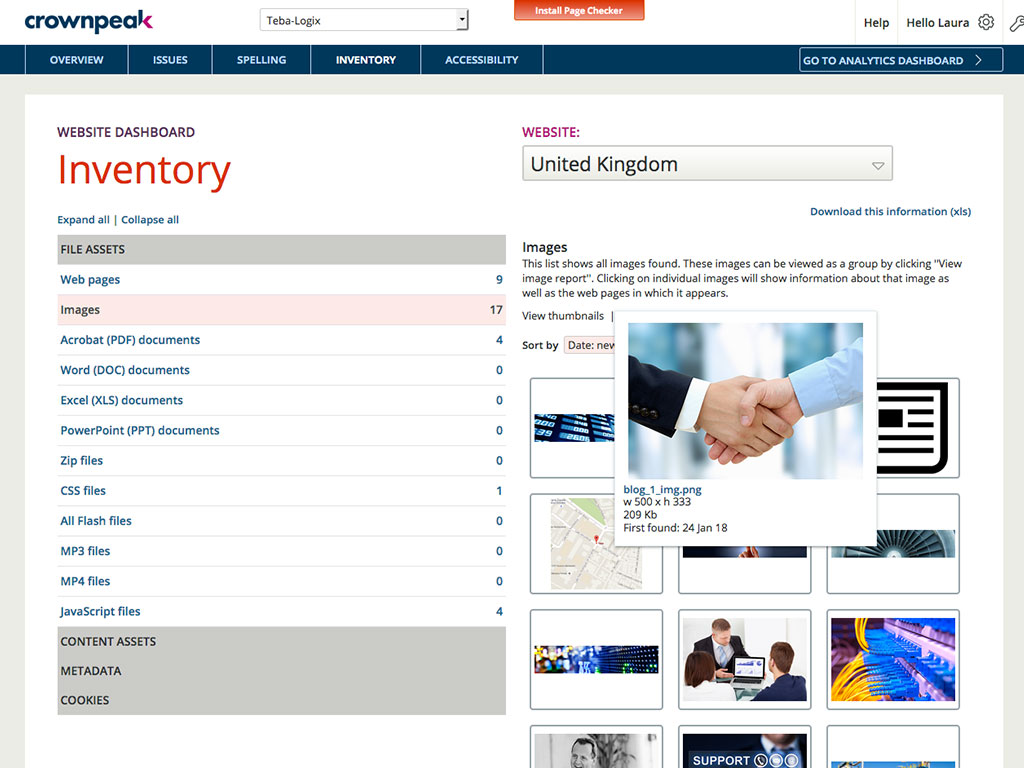
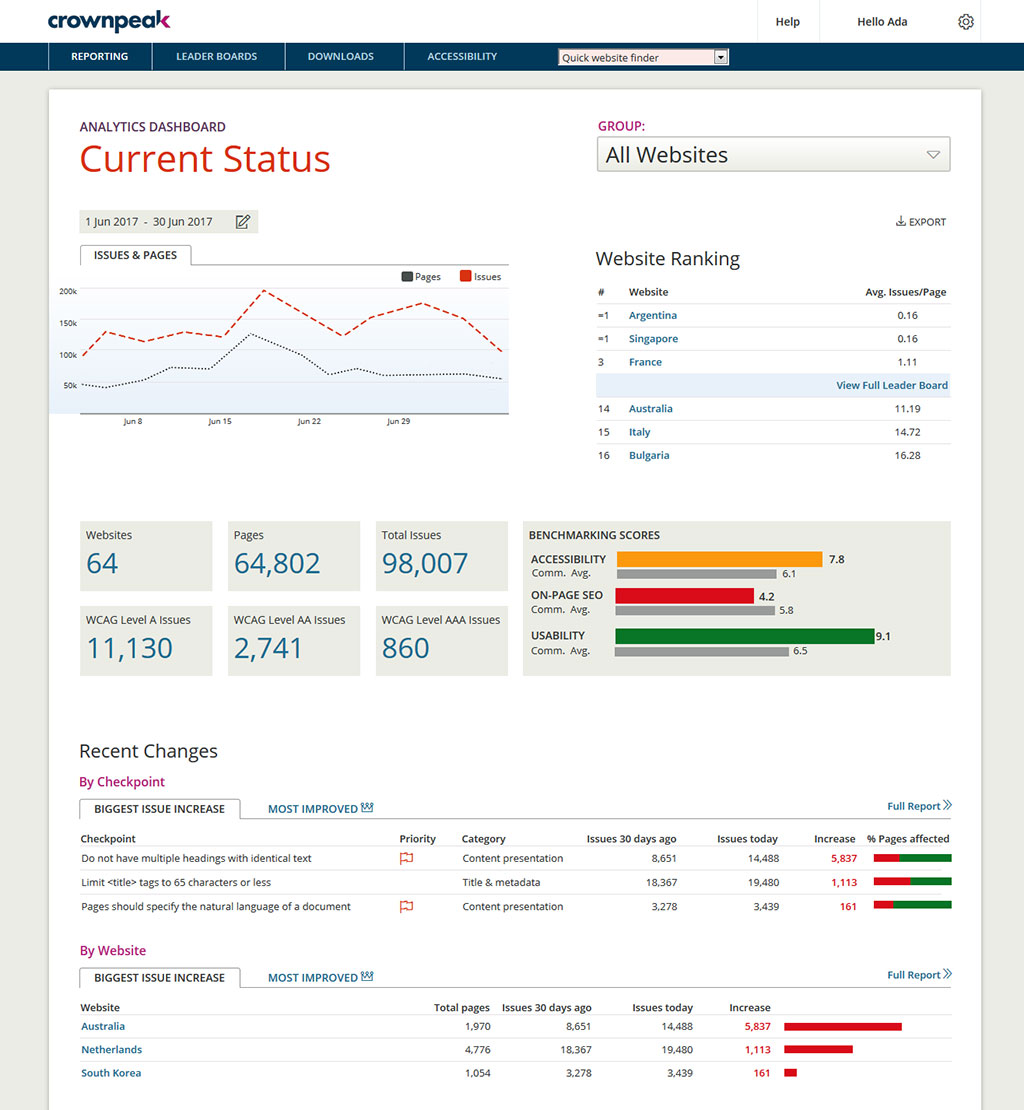
Crownpeak Digital Accessibility and Quality is a digital governance and web content management and monitoring solution designed to support excellent customer experience across all digital touchpoints, supporting web accessibility needs, error catching, SEO best practices, brand compliance, and analytics with benchmarking. Crownpeak Digital Accessibility and Quality can be integrated into an existing CMS.
N/A
Userlytics
Score 6.1 out of 10
N/A
Userlytics headquartered in San Francisco provides their suite of usablity testing tools for UI or website developers (or deliverers of similar digital assets) on a pay-as-you-go / per participant basis, or a subscription basis.
$3,450
per year
UserTesting
Score 8.2 out of 10
N/A
UserTesting helps UX researchers, designers, product teams, and marketers gather actionable insights through research, testing, and feedback. With a network of real people ready to share their perspectives, UserTesting enables organizations to make customer-first decisions at scale.
Userlytics can be a good alternate in terms of price point and has a better integration of apps like invision which helps. Mobile recording needs to be improved. Nowadays, competitors are way better in terms of functionality comparision.
UserTesting
Verified User
Manager
Chose UserTesting
Userlytics is probably the best alternative to UserTesting. It has a large panel, a similar tool for creating tests, [but] their pricing model is much more favorable for our company. They don't charge per seat license, but only per test that you conduct. That would allow my …
UserTesting has a better panel that is larger, more far reaching, and faster. UserZoom's GO platform has a better UI and a far better pricing structure, but their panel is smaller and studies take longer to fill. UserZoom has a poor panel for our needs. It is ok for general …
We use both UserTesting and Userlytics in conjunction with each other. Userlytics we find to be stronger with 1-2-1 moderated study set up due to it being really simple and intuitive for both the researcher and the participant to use. Userlytics also utilises AI analysis of …
UserTesting is probably the most polished with the largest tester pool, fastest turnaround, and great tools for both moderated and unmoderated tests. Userlytics is a solid alternative, especially for the budget-conscious. It supports usability testing on lots of devices, and …
UserTesting is by far superior to other competitors. The amount of features and non-limitations is much better than what the competitors have. It's also much more pleasing to look at. Perhaps it's because it is well organized in comparison. It still have some annoying quirks, …
All the tools we had evaluated before purchasing had similar features but the one thing that set UserTesting apart from the rest was the size and reach of their user base. We needed to reach global audiences and at the time of our choice, only UserTesting was able to reach a …
I have not personally used the competing products for UX research, but in my initial review of our options, I found UserTesting to have the best balance of platform and pricing.
Verified User
Analyst
Chose UserTesting
UserTesting has a better user base and quicker responses.
If you have a fully customized cms and have people working on the site with html and css knowledge this is the best tool ever, all specifics can be checked. Using ab tests and optimization services we identify best practices of the website and everywhere the best practices aren't implemented we find using the custom checkpoints. Aspects that cannot be automated via a quick IT solution is turned into a checkpoint and that's great!
Userlytics would be appropriate to use if you were investigating UX on your website, or wanted to identify any pain points which could be causing lower conversion rates. Not only will it be a way to gain direct user feedback, but it enhances your visual ability to see how a user progresses through your website. It is well suited if you have less time to conduct moderated user research at a facility or a client doesn't quite have the budget for that. It may be less appropriate if a client wants a bigger project with larger budgets and more time. In this case, moderated, face-to-face research may be more appropriate.
UserTesting has been great for moderated customer interviews/usability testing as well as for unmoderated testing of messaging, imagery, prototypes and live experiences. I would say that the scope of what you want needs to be limited, as the participants are only paid so much and tests are supposed to not exceed a certain amount of time. For customer interviews, I think it can be difficult to onboard customers to UserTesting if they have never used it before. If I set up interviews, I don't even have them use the UserTesting scheduling tool, I actually set up all the interviews with the customers myself through the tool (being mindful of time zones!). When we run the meeting, they really don't even know UserTesting is involved. Might be nice for UserTesting to allow the upload/connecting to of a Zoom interview and let it do the transcription/analysis from there.
It would be helpful if the Issues page under Website showed the WCAG level for each issue (A, AA, AAA). You currently have to look up the guideline to find the level.
There is no indicator that a page is currently being scanned. During a website scan, some of the reports are blank or missing information. Having a notification on the main page showing which websites are being scanned would be helpful.
Some ADA compliance items are left off, such as keyboard navigation, tabbing, etc.
It doesn't view the websites on mobile devices or if using a screen reader. Some pages or formatting changes depending on resolution. The DQM, from what I have seen, doesn't account for that.
Sometimes there are restrictions around types of research that can be used for moderated user-testing with our own users.
For tests on relatively small areas of a website or app, the AI analysis seems rather overblown, like it's trying too hard to come up with something insightful when the test is actually about something quite small (e.g. structure of a mobile app menu).
It's difficult to invite our own users to unmoderated user-testing because they wouldn't know how the UserTesting interface works - this is particularly an issue for mobile research.
I'm very happy with my experience of the product and the level of service and learning resources they provide. If the service becomes more expensive than it currently is then we might not be able to justify additional cost - but this is theoretical. I would recommend UserTesting and would ideally renew our contract.
I had a small learning curve in order to become fluent with the platform as it doesn't work like the other automated accessibility tools that I've used. However, once I was up to speed, I like it better than any of the other tools and find the data more useful, digestible, and relevant.
I think it's very user friendly. I think it gives you a chance to get a feel for websites you may not previously have experience with nor have otherwise experienced. It's also a great way to give input and help shape functionality of business you may enjoy or have further interest in
It's very good, I have used other tools in the past and this is by far the most intuitive and user friendly. Testament to this is the ease with which other non researchers who have been onboarded to the tool with our additional seat have found it easy to use
DQM support teams are responsive and knowledgeable, and will spend time working directly with client and agency teams to ensure the best outcomes are achieved. I can't fault the level of input and engagement from Crownpeak support teams across the board.
I have contacted UserTesting's customer service online, by email, or by phone a few times, and each time, I have encountered the same professionalism and expertise. Even in person during a work event, they were there, and it was the same experience.
From a technical perspective, the implementation was extremely smooth. Most of the change management / implementation hurdles were clearing use of the tool through our various security, legal, and information privacy teams. Once these concerns were addressed (UserTesting.com was very helpful in providing all the needed documentation), the implementation process was very simple and we were able to get going right away.
One of the most similar solutions to Crownpeak is the Yext tool because it has a good set of functions that can be managed from content to customer experiences, it is fascinating to be able to track all user interactions through users, in the same way as in Crownpeak that allows all users to create digital experiences.
We used WhatUsersDo. However, the tool currently got bought out by a bigger company and were removing the remote research tool. We chose to use Userlytics as it stacked up well against competitors.
The quality of the participants: they usually have good feedback and act like "professional" users. Which is good when we want a few insights in a short amount of time. Also, the interface is good. I miss having more features, like a good transcription tool like we have in Condens
When driving Customer Care, it was great to be able to add the Autofix tool to the web estate - a quick-win that really drives the accessibility agenda.
Building reports off the back of DQM gives senior stakeholders an understanding of the importance of usability and accessibility.
The gamification of league tables highlights to stakeholders the areas that need focus and budget in order to improve.