DocuWare’s document management software delivers digital workflow and document control to boost productivity without the need for IT resources. Its cloud and on-premises products are presented as a best-fit solution for companies seeking to digitize, automate and transform key processes. DocuWare is headquartered in New Windsor, NY, and their solution is presented as a DCM, or lightweight ECM.
$300
per month
Laserfiche
Score 8.9 out of 10
N/A
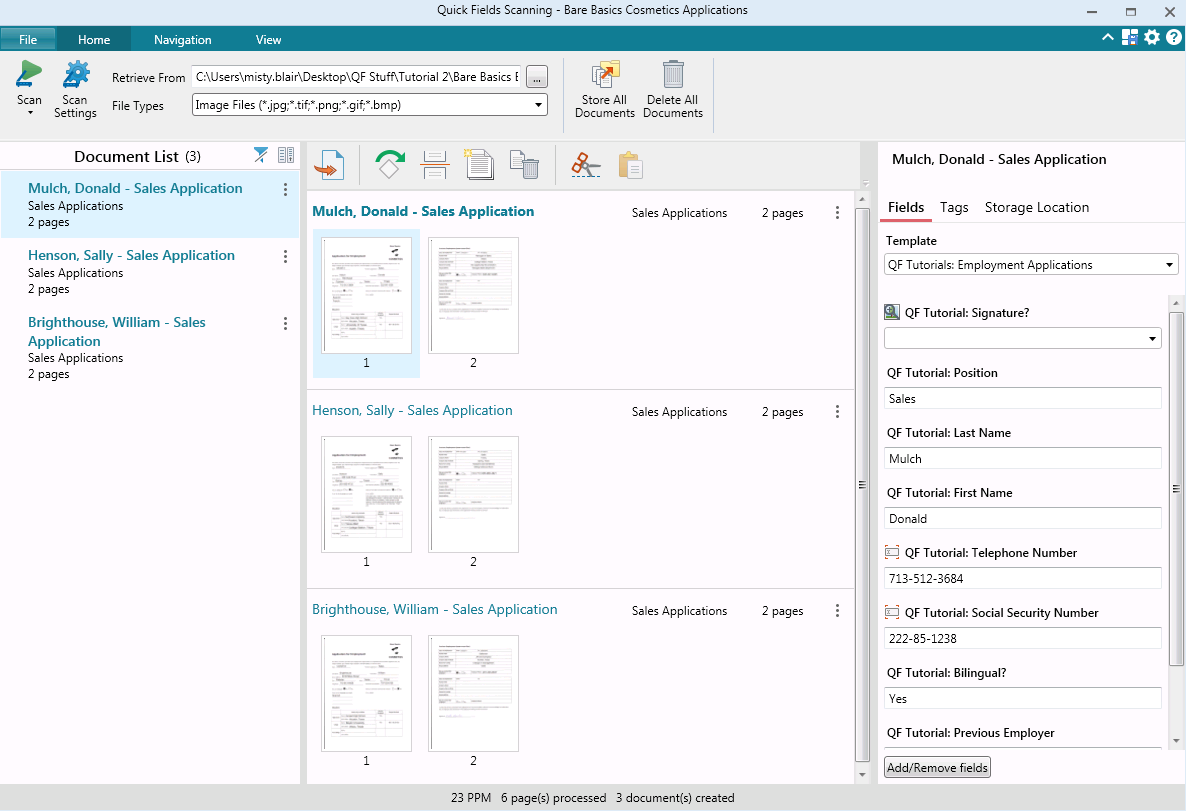
Laserfiche has two main editions: Rio and Avante: Laserfiche Rio is designed to meet the needs of large organizations that have more than 100 users. It combines content management functionality with business process management (BPM), security and auditing, unlimited servers and a thin-client interface. Add-ons include records management functionality, public Web portals and production-level document capture and processing.
Laserfiche Avante is an ECM suite for small to medium organizations with…
$540
per year per user
QuestionPro
Score 9.4 out of 10
N/A
QuestionPro is a insights and experience management platform, designed to help organizations of all sizes, from small businesses and academic institutions to large corporations, collect and analyze data to make better decisions. The platform provides an integrated ecosystem of tools for conducting everything from simple polls to complex, multi-stage research studies, supporting both quantitative and qualitative analysis. Core platforms and use…
Primarily, the ease of the user comes for our colleagues as not losing time is our priority. Besides, comfortable administration is also striking to benefit from using Laserfiche. The form creation of Laserfiche in contrast to DocuWare is doing great that provides amazing …
We currently have a scenario where we print 1,000 documents per month, one for each resident. Because of DocuWare's ability to process barcodes, we dump that pdf to DocuWare and it files it into each resident's account. We then run scripting to add each of those documents to our cloud-based property management software. Saves having to process one document at a time per resident.
Laserfiche is well suited to the submission of simple routine reports to create a record repository. We use it for routine transport reports, audit reports, and anonymous citizen complaints. It creates a simple chronological record of routine events that can be reviewed and easily stored and recalled. Because the reports are in PDF format, it is not well suited to anything that needs to be imported into a common database or amended after submission.
QuestionPro is great for forced-choice and Likert-scale data, and it easily turns raw data into readable statistics. The simple interface lacks attractiveness but is easy to learn and use, even for members outside the digital age. QuestionPro is less effective for qualitative data and short answer responses in large quantities. Reporting and analytic features leave this information in the bulky design, clogging the report and preventing cohesive presentation of the data.
Before choosing QuestionPro, we evaluated it and Qualtrics, SurveyGizmo, and SurveyMonkey. A committee tested each of 141 key features on all four products. QuestionPro did well in the comparison and we have ended up using even more features that we tested. The summary of that work can be found here: https://oit.utk.edu/research/documentation/qualtrics-to-questionpro/.
The way it handles anonymous surveys is particularly good. With most products, you have to remember to check the "anonymous" box to prevent it from saving email addresses or other identifiable data. But if you forget to do so, you can't tell by taking the survey. Question pro uses "Respondent Anonymity Assurance" that must be turned on by the company (a quick request from the chat window will suffice) and then it can never be turned off. This activates a link that appears on the bottom left-hand of each survey page. Clicking it takes the survey participant to a company page which assures them that the anonymous feature is indeed turned on.
It has a very nice combination of great power and ease of use.
The support we have received from the company has been excellent. Our team has worked with around 30 research software vendors for over 35 years and this company stands out as being extremely responsive to our needs. We told them we needed a migration tool to help us move from Qualtrics to QuestionPro and they created one in just a few weeks. They've added or improved a number of other features for us, at no charge.
While Laserfiche has some powerful development tools, it is difficult to manage configurations while promoting code across environments. For example, SQL connections and other environment specific resources have to be manually configured in each environment.
Laserfiche forms are a newer addition to the product family and could use some product maturity. While easy to use for simple forms, once your forms become more complex, you need to accomplish tasks by heavy JavaScript coding.
We plan on renewing Laserfiche for the coming year but also have been considering a scanning and document management solution that can be purchased from our new accounting system company, we are implementing the accounting system this year. It will be a couple years before we make a decision to stay with Laserfiche or change.
It's a fine product, but it's also a very competitive field, so it wouldn't take much to knock QuestionPro from top tier status. I would like to see more functionality in all programs, so whichever program does that first is likely to get my money in the next round of budgeting.
It has an intuitive design that feels very natural to any user that has ever used Outlook or Windows Explorer. There are multiple ways to perform every action in order to help users with various software experiences find the shortcuts and actions they seek quickly and effectively.
QuestionPro is very easy to use. There are lots of question types and drag and drop functionality. There are lots of ways that make the platform easy to use
I am very satisfied with Laserfiche. I have found that certain larger jobs may are slow. This may also be related to our infrastructure environment. We have been able to tune Laserfiche to increase performance on larger jobs.
Performance, of course, is largely dependent on the underlying environment. Laserfiche does its part with multi-threading, taking advantage of multi-core servers on scanning, workflows, and bots. A SQL-Server back-end is suitable for small to medium-sized company, but may not scale to large, where Oracle would be the better choice. Workflows can be poorly written and perform recursive work slowing down the system. It's better to run batch type workflows at night when possible.
We use a third-party company to assist in the support process, and they have been great to work with. Quick turn around on issues and almost immediate communication concerning support tickets. They are more than willing to consult with our IT partners as well, which is a must for our business.
I have never had to wait for help from Laserfiche. If I cannot find the answer online, I can easily send an email to a customer support representative. I have always been helped the same day and my questions have always been resolved. The Empower conference is always a great learning opportunity and the online resources and webinars are top-notch.
They offer email, chat, and phone support. I have used the chat support several times. Response time was fast, but the rep did not always have the answer. Inquiries are answered quickly and thoroughly.
Easily accessible 24/7 so am able to complete courseware whenever time allows: Commute to work; waiting for friends or family; at night while relaxing [with a delicious glass of wine!]; whenever and wherever time and circumstances permit. Courseware is well written and presented in an easy to follow and understand format.
The core infrastructure of Laserfiche, and the end user experience, is vastly superior. OnBase has a TERRIBLE UI and administration console by comparison. The core architecture of OnBase is also more scattered, while all Laserfiche processes go through a single service. Overall, the Laserfiche product is easier and more intuitive to install, maintain, and use.
First of all, QuestionPro has powerful futures when we compare it with others. I am not sure but somehow interface of the product is always important for some more than its functionality. QuestionPro has many features, functionality and has a great interface. It is easy to use and a software that is easy to understand.
Laserfiche has increased the efficiency of our sales reps by giving making all of the historical sales deal information very simple and fast to retrieve.
Laserfiche has increased our efficiency with our AP department and gave department heads the ability to approve invoices where ever they are.
I would say the biggest ROI came with the transparency of the order process for new deals. Before there would be numerous phone calls made daily to find out where an order was within the process, and now you can simply look at all deals at any time.
QuestionPro is being used to automate surveys that were previously done by hand. We would not have been able to do this without the anonymous tracking feature. It has cut turnaround of reports by more than half.
This is of course more efficient, but this could be expected of any software that automates a survey for you.