Google Forms is an app for creating forms and surveys, and is part of Google Apps for Work. The product focuses on ease of use; the interface is similar to a document editor, with drop down lists of options and drag and drop question re-ordering. Users can embed images and video into surveys. Users can also program the question flow with custom logic. Google sends users basic summaries of the survey results automatically, or users can export the raw survey results data and analyze it via…
N/A
Quadient Inspire
Score 9.5 out of 10
Enterprise companies (1,001+ employees)
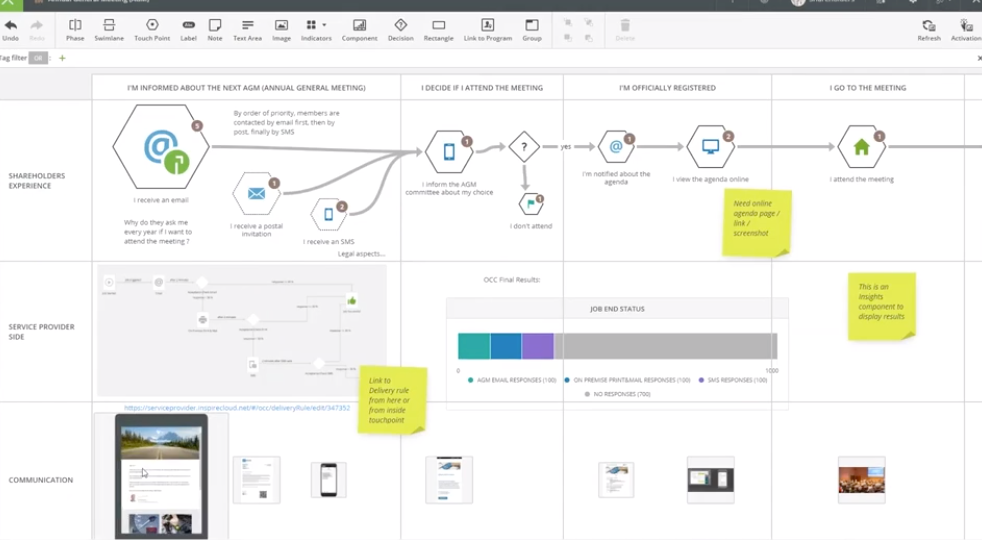
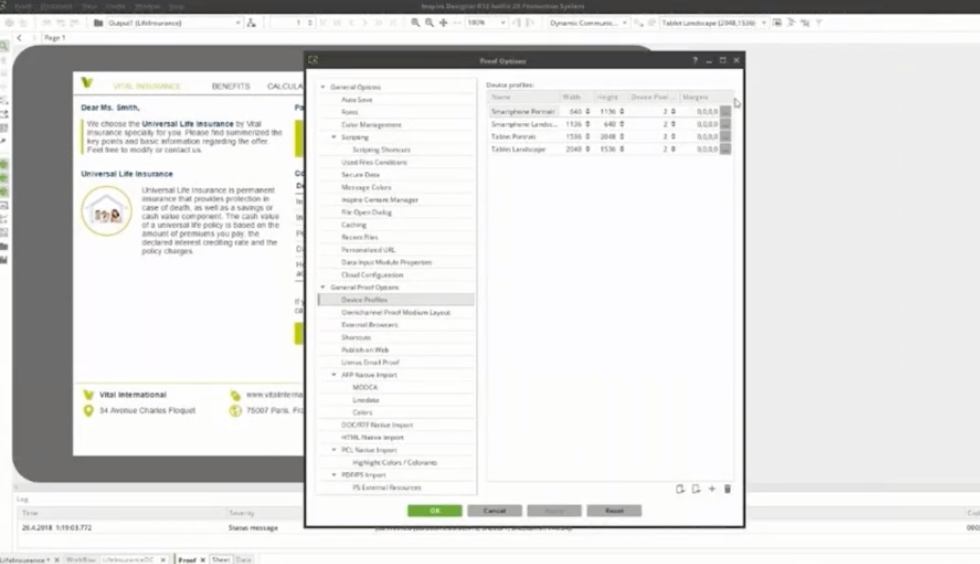
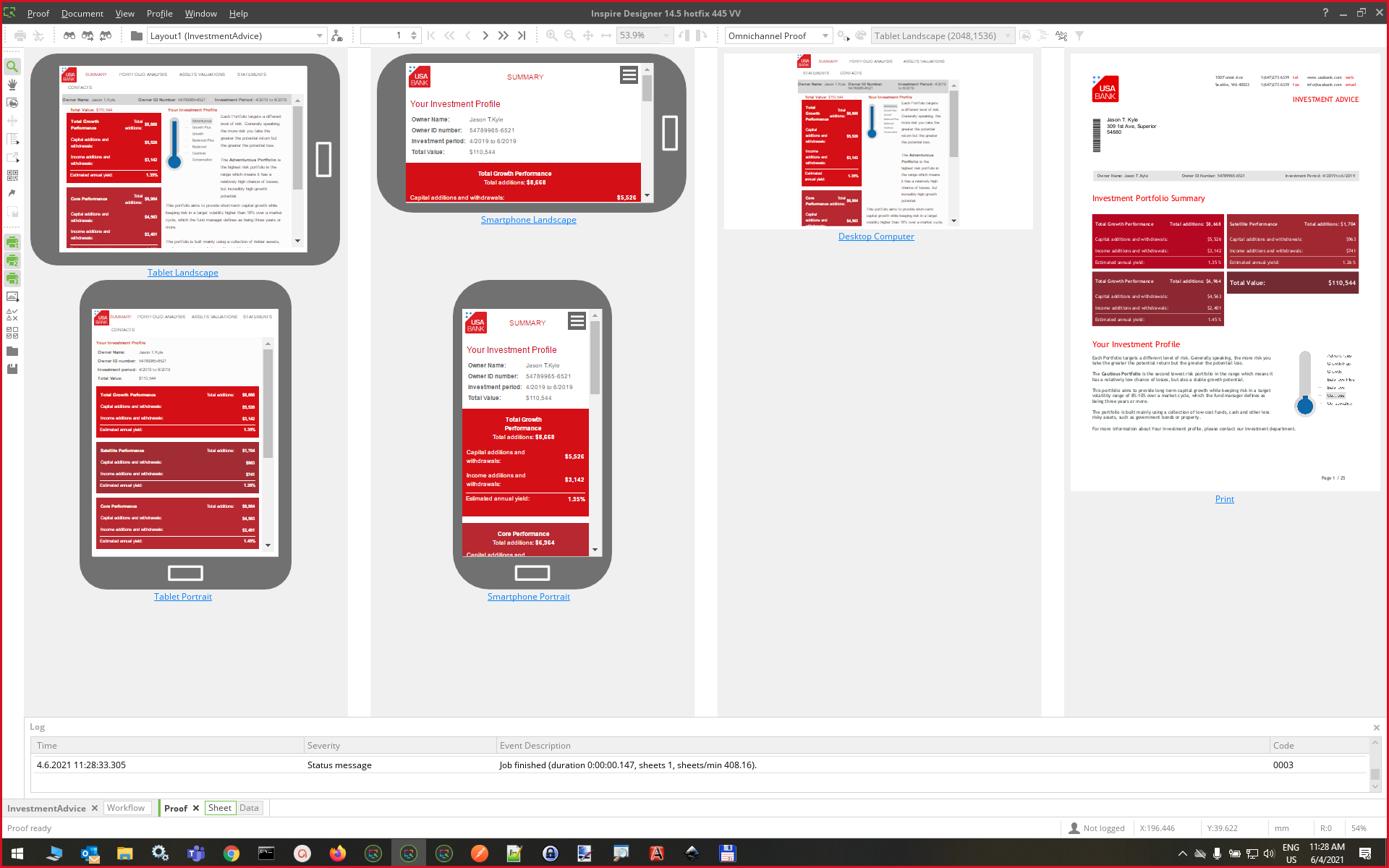
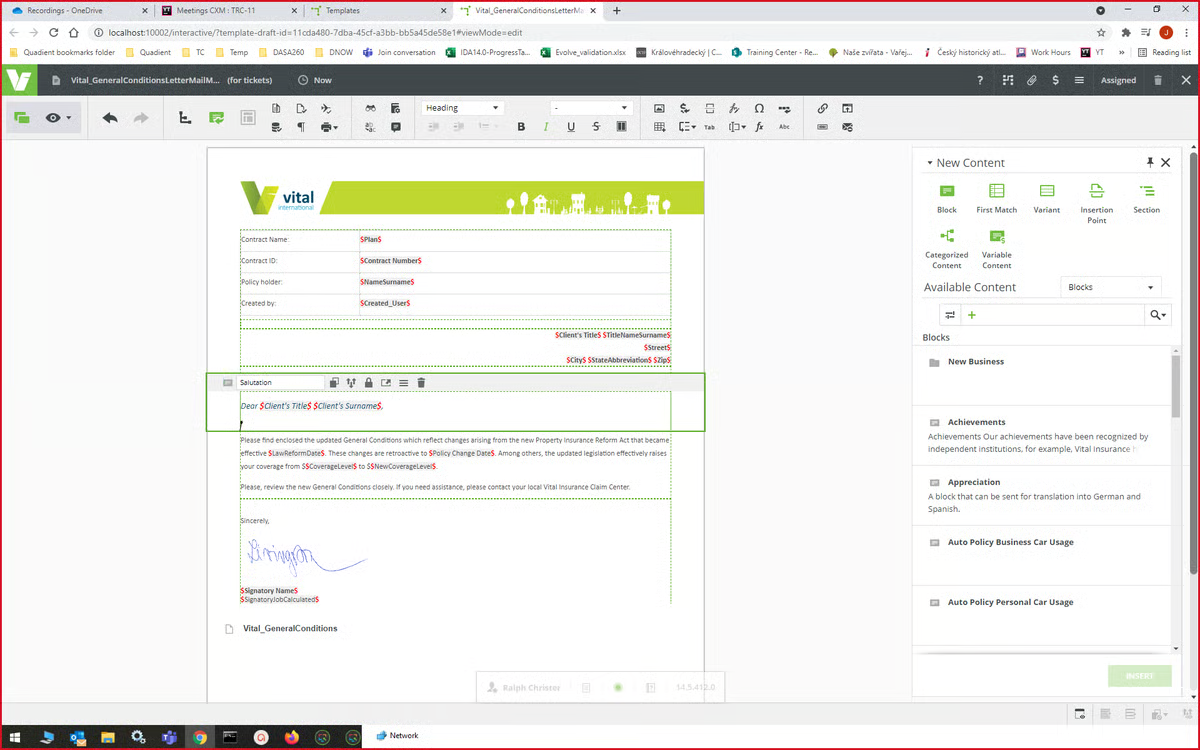
Quadient Inspire offers a customer experience management portfolio that provides human-centric communication solutions that span the entire customer lifecycle, to help organizations to create meaningful connections with their customers, wherever, whenever they prefer.
N/A
Wufoo
Score 9.0 out of 10
N/A
Wufoo is a web application for creating online forms. The tool automatically builds the database, backend and scripts needed making it easy to collect and understand data. Wufoo was acquired by SurveyMonkey in 2011.
$0
Pricing
Google Forms
Quadient Inspire
Wufoo
Editions & Modules
No answers on this topic
No answers on this topic
Free
$0
Starter
$14.08
per month
Professional
$29.08
per month
Advanced
$74.08
per month
Ultimate
$183.25
per month
Offerings
Pricing Offerings
Google Forms
Quadient Inspire
Wufoo
Free Trial
No
No
No
Free/Freemium Version
No
No
No
Premium Consulting/Integration Services
No
Yes
No
Entry-level Setup Fee
No setup fee
No setup fee
No setup fee
Additional Details
—
The solution is highly modular. Pricing may differ a lot depending on usage and configuration.
We have used Google Forms in the past as well and we do like it's ability to populate a google drive spreadsheet immediately that can be shared with an entire committee. We do have a lot of long term use forms though that wufoo has more stability for maintaining.
Google Forms is too simple in its field options for my organization's purposes.
Wufoo has pre-formatted fields to collect phone numbers, email addresses, and first/last names. These fields do not allow submission without these fields formatted properly, reducing typos. …
Wufoo has an unparalleled ease of use. It's a simple to follow layout and support staff are accessible within an hour window almost without fail. The forms are more dynamic and easy to set up than either Google Forms or Salsa Labs based registration, but unlike Salsa Labs, the …
In terms of building reports, Wufoo is very similar to Google Forms. Both have the capability to edit live forms and immediately share them. Wufoo offers a few more features than Google Forms does as well. Overall, our department has looked at both options and continues to use …
I think out of these apps, Wufoo and SurveyMonkey maybe are the ones with more robust and complex features. But neither has a design so beautiful as Typeform, nor the simplicity of creating and answering surveys in Google Forms. Usually I use:
For companies who want budget-friendly, customizable forms software that allowed them flexibility and ease of use (where design did not matter), our first recommendation would be Wufoo. Wufoo has all the integrations and capabilities that Typeform has - with more, actually. The …
Both are good basic options. While Google Forms is free, Wufoo provides a free version with premium options. Wufoo has additional customization options such as logos, backgrounds, and other visual changes. Both offer analytics abilities to digest the data and to find common …
Wufoo is more robust than Survey Monkey and has more question/answer options. Wufoo also has more customization options for a cleaner, more professional experience for the user when compared to Survey Monkey and Google Forms.
It was the most affordable, easiest to use and best product that we researched and evaluated. We liked the interface of it, how you could make multiple accounts, the different theme options you could choose from and how easy it was to share your form. We needed something we …
Google Forms is great for simple surveys, such as quick polls, but any logic beyond conditional pages is not supported. Google Forms is best used when the survey participants have and are permitted to use a Google Account to fill out the form; we ran into issues with hospital IT departments. I don't believe there's a better free tool out there than Google Forms, though.
Scenarios where Quadient Inspire is well suited - When we want to create some content which can be reused, as we create blocks in Quadient which has some data in it, and these blocks can be reused. When we want to create consistent content and want to deliver it through omni-channel medium in large volume, as Quadient Inspire makes delivery of large volume communications possible, and it does so in mere seconds. Scenarios where Quadient Inspire is less appropriate - sometimes it feels like editing in a Word document is easier than Quadient Inspire, e.g., when we need to add bullet points in the content.
Wufoo is well suited when someone needs to gather data from visitors. It's not so well suited when you need to have people send files over 25MB in size. That's the limit and it's pretty low. We use it for resumes and MS Word files, so the size is okay for us, but might not be the case for other needs.
Live results: When a user completes the form the results are added instantly.
Easy to create: Google Forms has a simple interface that allows for a wide range of question types. Google will even try to guess the question type based on the question (but this can be overridden).
Answers export to Google Sheets: It is easy to have each response to your form add a row to a Google Sheet, allowing for further analysis or processing.
Ability to automatically collect email addresses within a domain: If you have a form that has been shared with users in your domain, you can set it to automatically collect the users' email addresses without them needing to type it in. Makes checking whether all students have completed the form easy.
Clear and powerful workflow design that makes support easy to understand as teams evolve
Great internal debugging tool that simplifies and accelerates the development cycle
Powerful scripting structure available at nearly every aspect of data management, composition, and finishing allowing for specialized requirements not available in the standard toolset to be met
Flexible, multiple entry forms: Wufoo allows users to create forms with multiple options or formats (radio, single choice, checkbox, text, paragraph text)
Conditional forms: Need to ask a question that only applies to a specific group? Then Wufoo is for you - it allows you to create conditional logic that allows you to reserve specific paths for specific entrants.
Integrations: Wufoo integrates with EVERYTHING via Zapier. You can sync it to Google sheets, email ESPs / CRMs, payment gateways... All kinds of applications for this software with its flexible uses & integrations, including embeddable HTML or direct integration to your website.
Sometimes finding the output -- a Google Sheet with all responses-- is a little difficult. It's also sometimes confusing to figure out how to get back into the Google Form Survey itself.
As always, sharing among an institutional Google account and your personal Google account can be frustrating. You have to make a copy and can't share across the two different accounts very easily.
I will definitely renew my use of Google Forms because I really like the ease of use and the number of tools that Google forms provide. I also love that I can administer a test in real-time and get results in a timely manner
We are using Quadient Inspire products since last 5 years. And we are able to achieve everything with respect to the customer's needs and desired output. Quadient is adding new very important features every day that make document structure very easy for developers and end users. We would like to stick with Quadient for a long time.
I only give it this mid-range rating because, since the 2014 Super Bowl is history, our company will be closing in a couple months. I hope in my next employment opportunity that I will be able to use Wufoo again. I will probably use it to a limited extent in my personal life to communicate with friends and contacts in a unique manner. I am also working on a Certificate in Web Development and I definitely use Wufoo as embedded forms in websites I build.
Overall ease of use for staff, volunteers, and adult learners, and easy to get reports and to share reports via Sheets. As a free tool, it does more than expected. Easy to change the look and brand it to your organization, or just make it more fun, depending on what you want to use it for.
There are parts of the product that are extremely easy to use, but it can be hard to build it up to get to that point. I'm a power user and I know I've only barely scratched the surface, but the transactional users barely have to lift a finger to get their letters out. There's a lot more that can be done if I had the time and resources to devote to improving our letters more and there are times when the interface is in my way as to meeting those goals, but by and large, it's a swift and easy to use program.
Wufoo's usability from the user to the client is simple. The forms are simple to construct and they are easy for our clients to fill out. I have yet to really hit something that is difficult to do and even when I do get a little stumped their excellent support team helps me through it.
In the years I've used GoogleForms I've never ran into any issues with the reliability or availability. Google is a gigantic company with essentially limitless resources which makes it very easy to trust that I will continue to be able to enjoy the same reliability I've come to know and expect from GoogleForms
I am giving this rating because Quadient products are highly available. Most of the time all Quadient products are available. In some cases Quadient always follows the planned schedule and maintenance. They always inform all the partners and clients a day or two in advance so that the clients can work accordingly.
One of the things that comes as a benefit of the lack to create complex logic branching and truly custom design is that there isn't lot of room to bog down the software. GoogleForms has always loaded just as fast as my internet service and device would allow it. I'm not sure about front end integrations or integrations into the form itself, as I've never explored it, but on the backend, I've never had any issues with integrations channeling from GoogleForms from the GoogleForms's end of things.
I want you to rate the performance of the Quadient Inspire 9 out of 10. Because every time we work with Quadient products I never feel any sluggishness and any performance issue. Along with this, one thing that we all should understand is that the performance of any application also depends on the computer hardware. So along with the software application, your hardware should also meet the minimum requirements.
Every time I try to use a different Form Builder - I constantly go back to Wufoo, especially compared to WordPress Plugin Form Builders. The biggest reason is the reliability of the form notifications getting sent and delivered are better than form builder that rely on the Wordpress Mail Send Feature. The only feature that I have found over the last 3 years that Wufoo is missing is the ability to customize the layout of the notification emails. But that is minor in the grand scope of its reliability.
We haven't used much official support for Google Forms. However, because it is so widely used, there are a ton of articles and guides available online to help administrators of varying technical abilities to work through problems that arise. Additionally, Google provides an official support forum where there are discussions with other users as well as Google developers that can help address issues if needed.
Overall Quadient team is very responsive and willing to come to the table and provide valuable information and resolution for problems. What tier of support you have would defiantly impact the experience you have. Had some challenges with a few members of the support team , but when brought up with the vendor it was quickly resolved
I will be completely honest - I have never needed to contact any specific support for Wufoo. This is because we've never had any problems with Wufoo that I'm aware of! It has proved to be a reliable and easy to use product, and therefore, we have not needed to reach out for any kind of support or assistance. I suppose this would speak to the exceptional quality of the product!
I had a couple of weeks of training back in 2005 on the Quadient premises in Hradec Kralowe. The instructor was just great! Besides showing as normal functionalities, he went so far to solve our concrete challenges. He actually encouraged me to become a "real" programmer. I have written my first lines of code in Inspire (GMC PrintNetT) and never looked back.
Quadient offers online training for all of its products (paid service). You can choose your pace and go through the material and then solve real challenges. At the end, you can choose to take a final assignment and get certification which is a really good thing to do. If you get stuck, the training team will answer any of your questions and give you guidance.
Google Forms doesn't really require "implementation": simply log into GDrive and create a survey! You can configure settings per survey to, for example, automatically write responses to a GSheet.
As you consider your digital transformation, think of the people who may object. They have valid criticisms, valuable insights and information critical to your success. Quadient’s advice is to build a strong internal team and confront these questions early. When everyone understands the project from their perspective, the project has a better chance of success.
Implementing Wufoo was a seamless process. It was an instantaneous transition from the old pdf forms and webforms we were using to the easier to understand Wufoo forms. Employees learned it with ease and the clients response was instantaneously positive. Adding Wufoo to your workflow is not only easy it is necessary.
Although both platforms offer similar functionalities, Google Form has a personal advantage and it is the impeccable integration with the different applications of the Google suite, this allows to make use of all of them in a transparent way, which in the work environment allows to perform work efficiently and without affecting the quality of it.
The above drop down would not allow me to pick the similar products that I have used previously. Planet Pres : Good in its time. Now very slow compared with Quadient. Compart: As quick... If not slightly quicker than Quadient. This does not counteract how difficult this software is to use. It has no GUI interface and even advanced programmers struggle to use it. Both of these products are inferior to Quadient when it comes to implementing within a normal organisation.
In terms of building reports, Wufoo is very similar to Google Forms. Both have the capability to edit live forms and immediately share them. Wufoo offers a few more features than Google Forms does as well. Overall, our department has looked at both options and continues to use Wufoo because of the data management and ease of building forms.
Not really. It's not cheap, but it's a great value for what you get. This is enterprise-level software and the cost reflects that. The pay-per-page aspect makes sense too. We get a lot of sheets included in our contract and we use them all. It's a good contract with pricing that makes sense.
GoogleForms lacks the ability for complex logic branching and the ability to truly design it in a custom manner. It's pretty obvious when you land on a GoogleForm that it is in fact a GoogleForm. This rating solely reflects the lack of flexibility which in turn makes it something that wouldn't usually be scaled. That being said, if needing to scale a simple solution, GoogleForms would be up for the job.
I am giving this rating because Quadient products are very reliable. Quadient products can be deployed across multiple departments and sites as needed. We can integrate Quadient products with other applications and tools in a very effective, efficient and flexible way. We can deploy Quadient products in Cloud as well.
The PSO team is very involved and knowledgeable. Some times there are availability issues due to the number of companies they are supporting but they do their best to deliver on time. PSO cost aren't cheap, but they deliver a big bang for the buck especially on critical projects or involving them in strategic approaches/decisions.
Since purchasing Inspire we have won many business opportunities as it enables us to create documents we couldn't do before, for example: Council Tax Bills.
It is a lot faster at processing than our previous software. We had one job we had to extract addresses from, it was 56,000 records from a 5.5million line text file. Our previous software took 26 hours to pull out the addresses, Quadient Inspire took 43 seconds!
We are able to automate processes through Inspire via CLI batch files, where a job would normally take 30 minutes to set up and process, a bit of time spent on the workflow and automation script means we can just double click a batch file for repeat jobs and the print file is created in seconds.
Wufoo has had a positive impact on our marketing department by allowing us to create and deploy forms on our websites and landing pages with significantly increased efficiency and speed.
Wufoo has also had a huge impact in reducing our reliance on IT support to build and deploy forms to our websites.
Wufoo has also empowered our marketing team to be able to try and solve our business problems through tons of integrations between Wufoo and other 3rd party systems (such as Salesforce and Zapier).