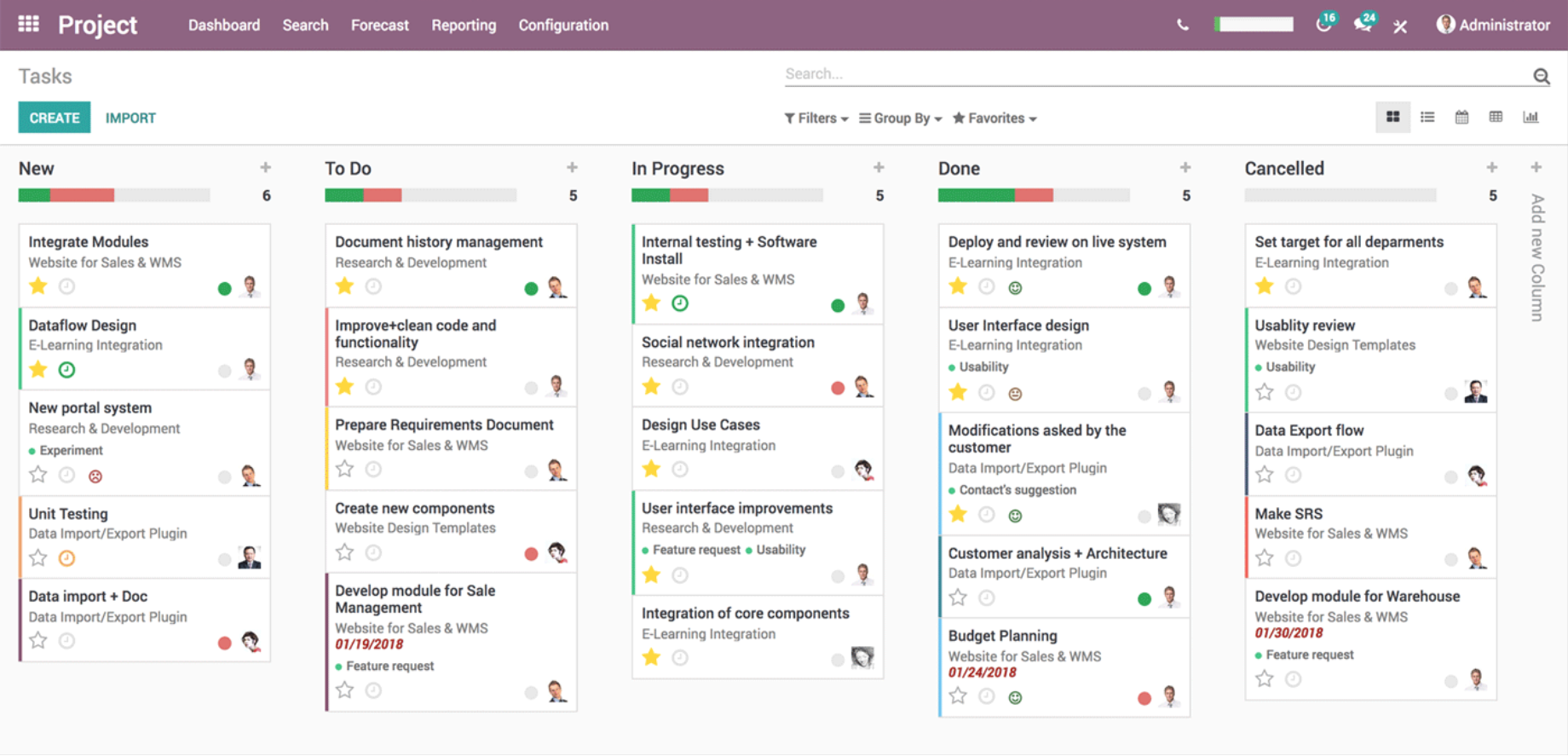
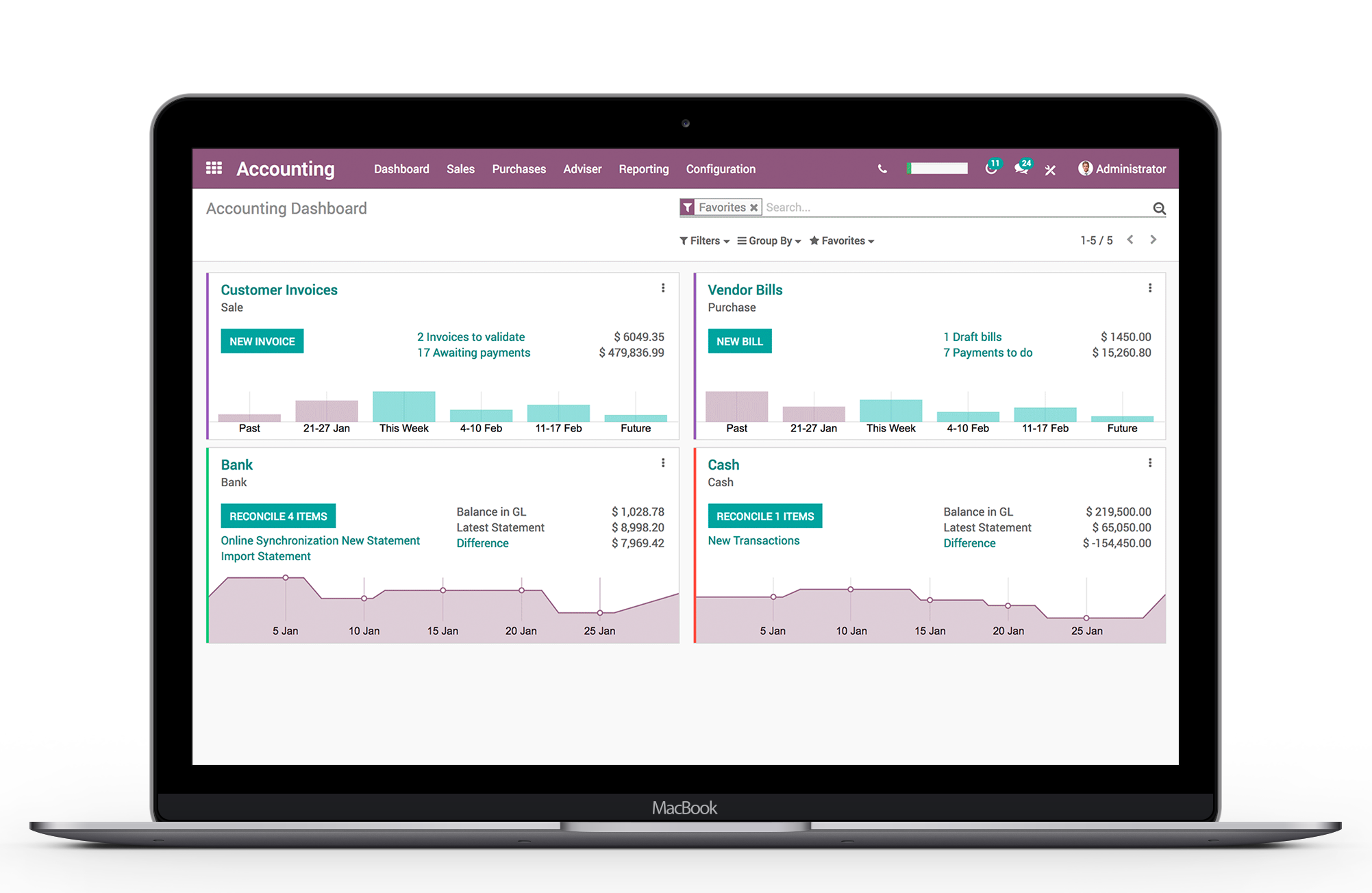
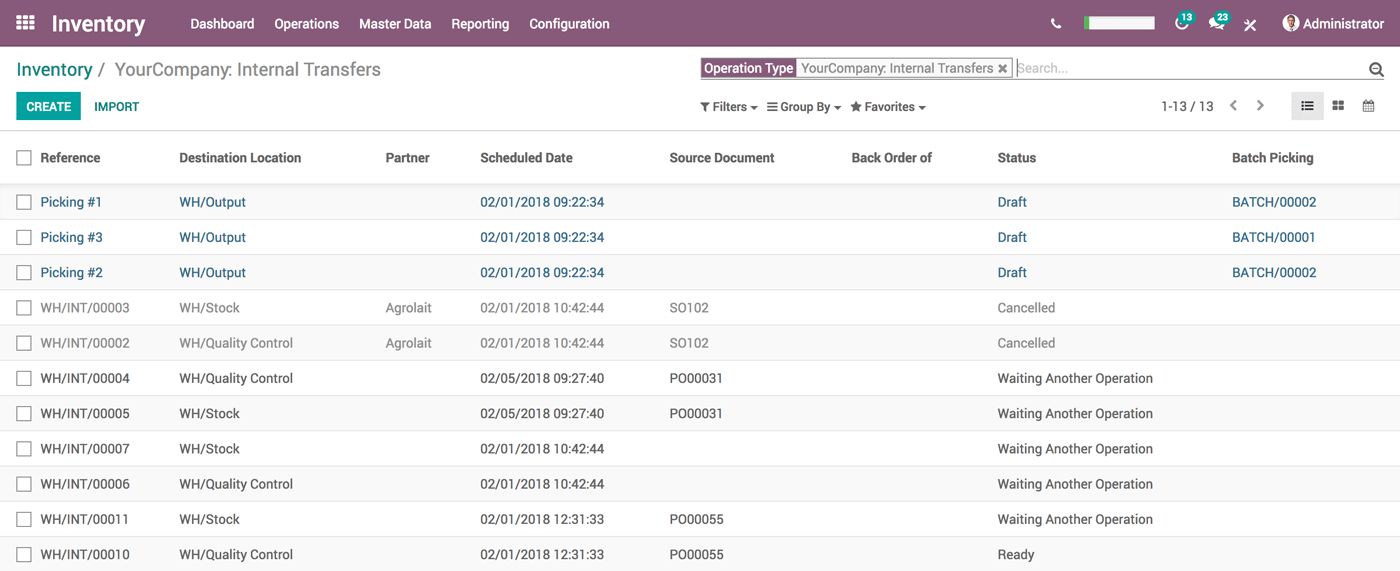
Odoo, from the Belgium-headquartered multinational company of the same name, is a suite of business applications for managing the sales pipeline. It also comprises a PoS and inventory management modules, scaling to a warehouse or retail management solution.
$31.10
per month per user
QuickBooks Online
Score 8.1 out of 10
N/A
QuickBooks Online is a SaaS version of the QuickBooks product. It contains all of the features found in the local version. Higher-priced plans include greater automation, payment management, inventory and time tracking, and analytics features.
$38
per month
SAP Business One
Score 8.3 out of 10
N/A
SAP Business One is an integrated enterprise resource planning (ERP) solution for small and medium-sized businesses, The product encompasses functionality around sales, customer relationships, inventory, operations, financials and human resources.
$99
per month
Pricing
Odoo
QuickBooks Online
SAP Business One
Editions & Modules
Standard
$31.10
per month per user
Custom
$46.70
per month per user
Simple Start
$38
per month
Essentials
$75
per month
Plus
$115
per month
Advanced
$275
per month
Limited
$99.00
per month
Starter
$110.00
per month
Pro
$132.00
per month
Offerings
Pricing Offerings
Odoo
QuickBooks Online
SAP Business One
Free Trial
Yes
Yes
No
Free/Freemium Version
Yes
No
No
Premium Consulting/Integration Services
Yes
Yes
No
Entry-level Setup Fee
-$49,321,250 per app/ per user/ per month
No setup fee
No setup fee
Additional Details
A discount is offered for new users for the first 12 months of use for the initial users purchased. ($24.90 instead of $31.10 for Standard)
Odoo is much easier to use than SAP and is much more adaptable and cost effective. Odoo is much more of a complete system than Quickbooks and more thorough in its approach. If you have a very basic business to run, Quickbooks could work, but if you have any customizations that …
It is a platform that we consider to be mid-range. Where we are below cost and functionality relative to the more robust players like a SAP Business One, but still powerful enough for a medium or large size operation.
In addition to being one of the few global solutions that …
QuickBooks Online is best for small and mid sized businesses needing simple affordable accounting. Its starting price is from $19. Xero is stronger for collaboration with unlimited users. Their cost starts with 15, and they are good for flexible reports. Netsuite is built for …
SAP Business One
Verified User
Consultant
Chose SAP Business One
We did not use many ERP systems yet so I'm unable to go to much in detail. We tested some and the main issue was the pricing. Good alternatives would be Oracle NETSUITE, Microsoft Dynamics if your company is Microsoft based with al the other programs (great integrations). And …
As a consultant, SAP Business One has a strong set of core features that will perform well for a multitude of businesses. It is a mature product with lots of documentation and available training online to answer questions and assist users. It also has multitudes of proven …
SAP Business One is a good fit for an organization that wants to transform its business operation with a reasonable cost for migration from the legacy system. SAP Business One can match and support the organization needs because it has most of the best business practices …
SAP business one provided a more complete solution since all modules are included in their package. Other ERP providers charged extra for each module that was implemented. SAP was more economical than other providers.
It is well suited for inventory tracking, shipping and sales work flows. While some customization is needed to make it functional, if done correctly Odoo can serves as a powerful one stop shop for all of a businesses needs. The ease of customization for email templates, both for sales communications and marketing outreach leaves something to be desired. Perhaps our team hasn't explored this fully enough. I have personally found it intimidating in trying to construct a news letter using the email marketing module
QBO is a great solution for small and midsize companies. If the goal is to record all transactions and pull reliable financial reports, QBO is a great option. QBO is also a great solution if most operations are run in a system like Ramp. It syncs well with systems like that and turns the data into something management can use to make decisions. QBO is great because so many people use it. It is easy to find training online, and many people have experience with it.
SAP Business One would be more useful if it contained tools to acommodate the growing need of online sales. A more complete shipping module which handles tracking numbers with the common couriers would be great. A built in warehouse management system would be great designed to be used with barcode scanners
The creation of products is extremely simple, I like that it does not complicate you to put a lot of detail, of course if you want to put more detailed information later it allows you to do it without problems
The fact that I can manage my inventory of my warehouse is very convenient, I only generate my stock report of the products we have in stock and taking inventory is easier
The management of opportunities in the CRM is also great, because the guys from the sales department generate their opportunity, place what their client is requiring and we, the logisticians, can automatically generate the quote for what they are requesting, and from there they can only download their quote and send it to their clients.
Workflows for accounts payable invoice review are terrific.
Bill payment allows you to pay vendors online via ACH or check without having to write a physical check, which reduces admin time.
The cloud based login lends well to a remote or hybrid work environment for staff.
QuickBooks Online allows you to pre-configure vendors' general ledger expense accounts. This helps with general ledger coding accuracy and consistency.
QuickBooks Online integrates with Rippling HRIS, Coast, Capital One, JPMorgan Chase, etc., which lends well to an efficient month-end closing and reduced administrative time.
Customer service is nonexistent. You will need a 3rd party to assist you.
The system has an open app for integrating with other programs. These are developed by third parties and can be hit or miss in functionality.
The system offers great flexibility; however, it is too much and requires coding. For example, changing a Sales order PDF requires coding to modify the document.
Initial implementation is clunky and seems to require a 3rd party just for setup.
I dislike that the online bill pay option through QuickBooks is required for their invoicing.
The auto-fill portion of the customer setup, specifically the company name, is listed, but it also auto-fills in the name portion, which is inconvenient and time-consuming to remove.
Following a bench mark process - this seems contradicting to flexibility however we have wished we could follow more of an industry benchmark. Our challenge as a small company has been knowing how to properly use the system. We have discovered that we have set up the system wrong based and are using it improperly which has cause a lot work to correct.
Better live reporting options - current we are on prem SQL. Yes SAP is moving to HANA however smaller companies like ourselves are not ready for that. We need to be able to maintain our existing SQL DB. We also have a demand for live BI Reporting. It has been difficult to do this with our current set up.
Error handling - have found it very difficult to troubleshoot. Errors are not always clear and answers are hard to find.
It like the product 'right out of the box' and I trust Intuit will continually improve it over the years based on my experience with their desktop products. The large providers of Apps makes customizing the entire package relatively easy and seamless for a wide variety of business types.
As I said before, it is a first level tool, well developed, and with very strong development support, although the learning curve, its implementation, the cost-benefit ratio, the price and the user experience is not the most suitable for small and medium-sized companies. It is a company with extensive experience, market positioning, technical support and expanded use
Once you complete the training with Odoo, you have a great grasp of how the system works, and most every feature is intuitive- There is rarely a task within Odoo that I get frustrated trying to figure out- I can typically look through the system and find what I need to do, and if I ever do need support, the Odoo Support team is excellent
Beyond being overkill for a small org's needs, QBO is constantly stealing screen real estate and attention by hammering users for account upgrades, connecting to one of their approved consultants or buying add-ons. The idea of using a simple configurable bookeeping and light accounting interface is completely missing. At the very least, we should be able to hide functions like inventory that we will never use.
I would like to give 8 out of 10 rating for SAP Business One because SAP Business One is a good choice for the mostly used business management solutions for the small and medium-sized companies. SAP Business One can help in optimizing the existing business process and enables streamline business processes for the daily activities for all users across the entire organization. The importance realization of SAP Business One implementation is based on the selection of the good reputation partner and its approach for the entire implementation. SAP Business One is a user-friendly and easy to use Enterprise system that the organization can benefit its features and functionalities by utilizing it.
The SAP Business One software is up and running every time you need it as it was planned. In more than 6 years that we have been using the product, it has never been unavailable and if it ever was, it was because of a planned maintenance window scheduled in the company.
SAP Business One performance depends mostly on the speed of your internal servers, should you have the solution on premise as we do. Sometimes the system tends to be a little slower for some users when others are executing really big reports of performing some batch loads, but generally, the performance is acceptable to all the users.
Easy - there is NO SUPPORT (like in ABSOLUTELY NOTHING!!!!!!!). Even for legally mandatory requirements where the system MUST work, they will gladly take a month to get back to you with a NON-answer. We couldn't even get our bank statements correctly into Odoo for 2 months - leading to no reconciliation and the company accounts were a mess (still are!!) as a result - Completely irresponsible. Have not EVEN had an apology from Odoo - they couldn't care less !!
In my experience, most representatives keep me on the phone for hours, literally, for a single issue and then usually cannot resolve it satisfactorily. I have 10 open cases that need resolution and, in my experience, there has been NO follow-up communication on any of them.
I rate my experience with SAP Business One's support team as excellent (10). They are easy to contact and effortless to work with on any issue or concern. I like the support SAP provides for any of their products. SAP has a great backing and I would recommend them to any of my colleagues.
The training I get was a consultant level training, so it's basically a 6 weeks training covering every aspect and every module of the system. It covered most common use cases and exercise training so you can get along with the software, as well as examples so there culd be a better understanding.
Over the past two years SAP has added a great deal of new SAP Business One on-line training for version 9.0 and 9.1. Most of the training is very strong, but some is difficult to understand and follow. Additionally, SAP still has a few holes in their on-line training around Production, Bill-of-Materials, MRP and Service.
The person in charge of QB needs to be very accurate with record keeping and is recommended to stay on top of tasks. The biggest issue we have is reconciliation, and those issues occur only when too much time has occurred between reconciliations
These implementations are not easy. Even a standard implementation can be difficult. With a never-been-done-before implementation, the implementation team and the user team need to be thorough with planning, make a decision on key points, and stick to them before any design happens. Our biggest challenge was not from StellarOne, rather it was from the mid-implementation decisions from our internal team. StellarOne did a great job warning us, implementing our decision, and then helping us adjust our SAP to handle the new direction we took.
We decided to go with Odoo over Netsuite due to a few factors. Price was a big reason why, Netsuite is the most expensive ERP we vetted. I also did not have a great experience with Netsuite at my last job. I was on the roll out team and it did not work as promised for POS, inventory managing or reporting, it crashed constantly in the middle of using it. Just over all very poor. Considering it is owned by Oracle and the most expensive, you would think it would be able to function on some sort of base level. That company ended up terminating their contract with Netsuite early and going with a different company.
We don't have crashing or error issues. I can complete receives, cycle counts etc and all of my information saves. Visually, Odoo is more satisfying also.
As a freelance bookkeeper, the Desktop version of QuickBooks Online doesn't allow for ease of access from any device. Having to be on a computer with the software downloaded creates additional work to gain access to all required filings etc. Also, I personally find the linking functionality on the Online version to be much more streamlined and user friendly.
SAP provides the most robust solution, with modules available for all department managers and even options for customization according to the company's special needs. We especially used the Crystal reports options to provide reports for each module. Overall, even if it's not the least expensive option, it has the best value for money.
As we have grown along our professional path, we have also expanded our use of QB. The scalability is easy and features seem to be waiting for you until you need them. We have increased profits by over 10x from our first year in business to the current and have yet to find a reason to look elsewhere
For most small businesses, the only way you outgrow SAP Business One is if the nature of your business changes radically. Going from 1 to 50 users is quite easy with SAP B1. Going beyond 50 may require moving to the Hana SAP B1 platform to maintain or improve performance, but the path is there. Add-ons to SAP B1 can also be added as specific needs are encountered that are not closely met by the standard product. These may be required early in the product life because of the nature of your business, or as you expand the use of SAP B1.
QuickBooks has given us a useful portal by which to get an overview of our financials.
QuickBooks has given us a relatively easy way to send out invoices quickly and efficiently.
Due to the customization limitations on QuickBooks, we've had to get creative in third-party implementations to better represent our brand and to track financials.
Employee efficiency has definitely increased with SAP Business One. This is attributed in a lot of ways to information visibility. Our employees are able to gather the data they need, quickly, and effectively.
Identifying inconsistencies in pricing has also been accomplished through use of reporting off individual tables. Previously, we weren't able to access our data in such a way as to enable us to write custom reports in-house.
We have also benefited greatly from having a single source of all business information. We utilize SAP Business One exclusively in-house. All documentation is attached to specific orders and Business Partners, as well as serialized equipment that has been sold.