OnPay's payroll and HR is designed for people who want to spend more time running their business, and less on back-office tasks. The application aims to enable users to: • Run payroll • Automate taxes • Track time and attendance • Let employees do more themselves • Simplify HR processes • Offer benefits in any state OnPay starts at $49 plus $6 per person each month. The monthly fee includes integrations with QuickBooks and Xero and time-tracking software, as…
$49
per month +$6 per month, per person
UKG Pro
Score8 out of 10
N/A
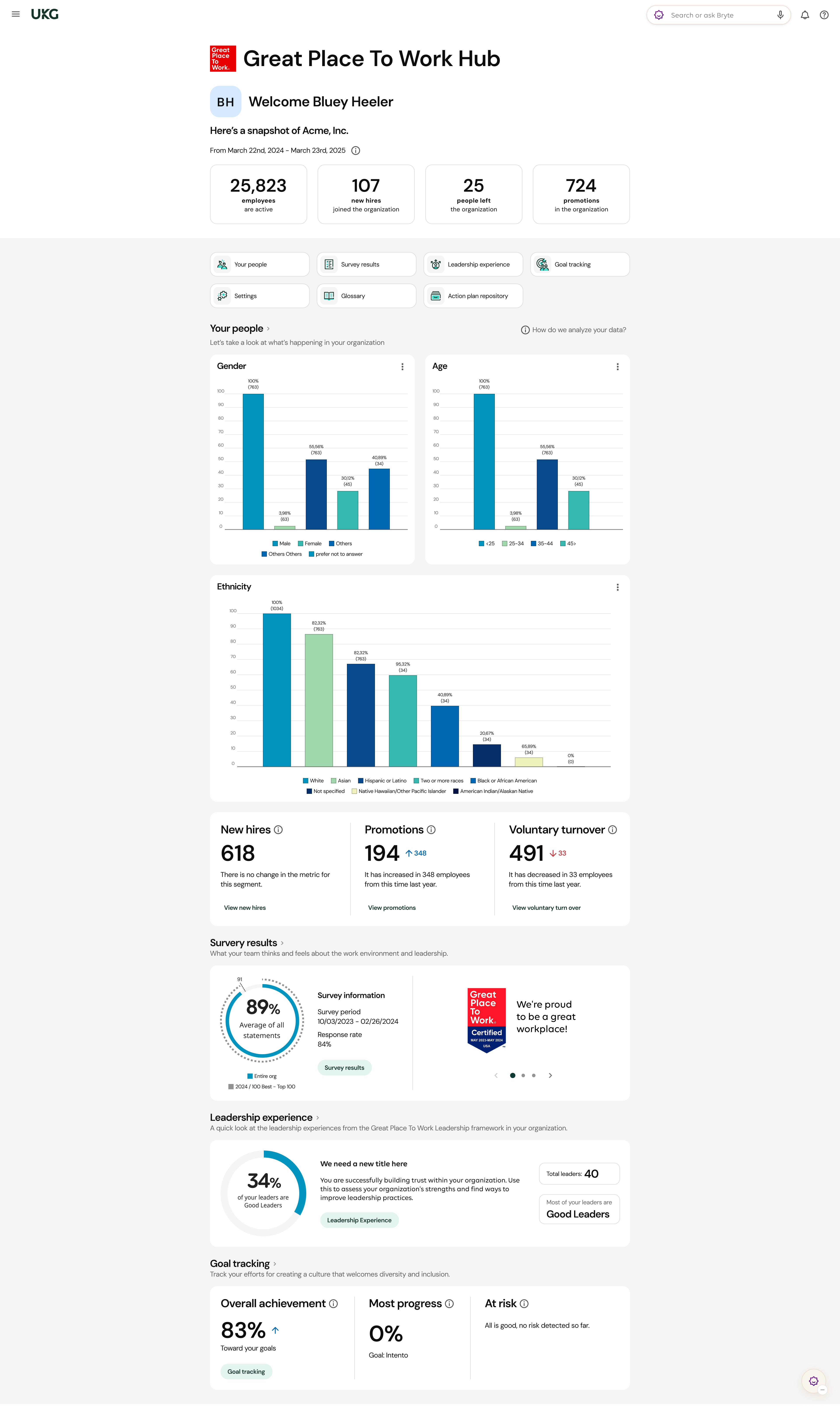
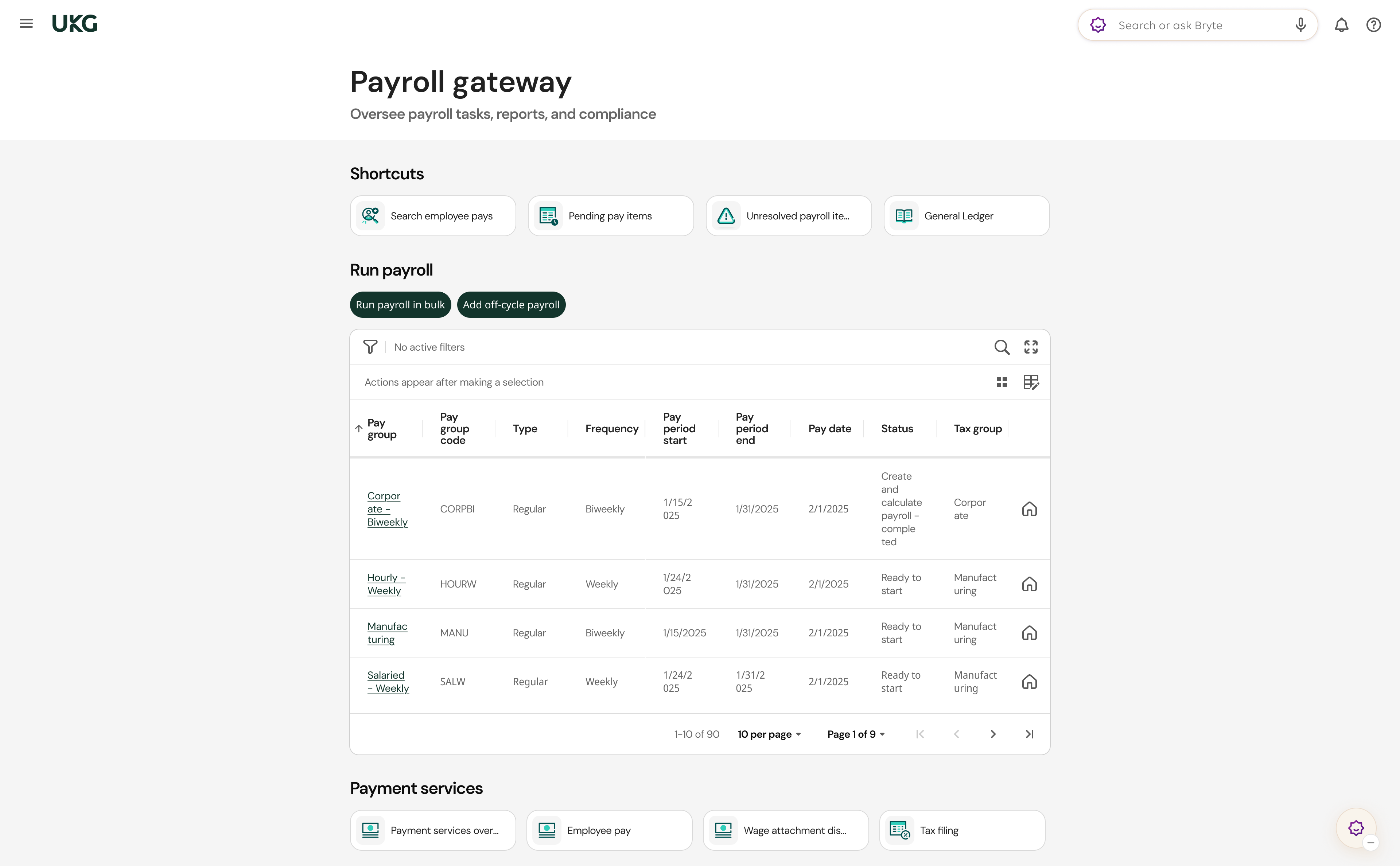
UKG delivers cloud-based HCM solutions including UKG Pro that help businesses simplify payroll computations, accelerate talent acquisition, manage time and attendance, and support proactive, strategic talent management on a global level.
N/A
Pricing
OnPay
UKG Pro
Editions & Modules
No answers on this topic
No answers on this topic
Offerings
Pricing Offerings
OnPay
UKG Pro
Free Trial
Yes
No
Free/Freemium Version
No
No
Premium Consulting/Integration Services
No
Yes
Entry-level Setup Fee
No setup fee
No setup fee
Additional Details
First month free, then $49 + $6 per employee each month.
OnPay works for me as a small business owner. It streamlines HR, Payroll and Employment Tax Filings - and it can be helpful in exploring benefit options with integrated partners. We run payroll for both of our companies through OnPay and haven't had any issues. The employees find it easy to use on their end, as well. The OnPay representatives are extremely proactive and communicate updates/changes in a very timely manner. If you have a substantial number of employees, it may be more efficient to look elsewhere due to cost.
A de minimis incentive was given to thank the reviewer for their time. The incentive was not used to bias or drive a particular response, nor was the incentive contingent on a positive endorsement. More Info
I feel UKG Pro has been so horribly rolled out at the City of Houston. I'm amazed that, as a system administrator, it even works at all. In my opinion, the greatest expense the city has budgeted is managed by a shoe-string, janky, bug-ridden mess. I truly hope UKG is bought out for 2 cents and scattered to dust. In my opinion, terrible maintenance and support, the worst consultants money can buy, the sleaziest sales accountants. This system tries my patience as a lead system administrator and I would caution anyone considering bringing in this mess to their business. It's been a year now, and we still have workarounds and bugs daily.
Communication - From my first call I was so impressed at the level of care and compassion OnPay expressed. I was assigned specific employees who were available in the sign up process to walk me through each step and to answer all my questions. I know some of my questions were probably "stupid" but OnPay never minded answering them and I was always treated with respect.
On Boarding - The nightmare I had experienced with a competitor became a dream with OnPay. They said if I would authorize them to sign onto my account they would take care of the sign up process. And they did!!! They also did it correctly. All of the numbers and information was error free. The only information I was required was input was direct deposit bank information.
Resolving an Issue - I have only had one issue that needed to be resolved. The person I talked to had to check with another person for an answer but she stayed on the line with me to make sure the problem was resolved. Then I received a follow up email outlining exactly what action they had taken.
Ease of using the website - I can find what I am looking for! I like the verification code. And every time I sign on to my account the red heart by our company name makes me smile.
A de minimis incentive was given to thank the reviewer for their time. The incentive was not used to bias or drive a particular response, nor was the incentive contingent on a positive endorsement. More Info
UKG has an amazing support team to reach out to if assistance is needed
All add-ons of UKG Pro integrate seamlessly making it a powerful software program
UKG Pro is very configurable to meet the specific needs of companies
It is easy to use and navigate
The mobile app is loved by all employees and provides on-demand access
The Ultimate Community is amazing!! On-demand information on all products and how they are used. Connect with other companies that use UKG Pro and learn from each other.
The Learning Centre is also amazing!! Learning right at your fingertips anytime, anywhere.
A de minimis incentive was given to thank the reviewer for their time. The incentive was not used to bias or drive a particular response, nor was the incentive contingent on a positive endorsement. TR verified that a representative sample of customers was invited. More Info
You can add additional additions or benefit items such as a car allowance. The process required me to contact a representative as that wasn't as easy to navigate.
The process for handling additional withholdings for pre-payed taxes required support to ensure the calculations were accurate.
Process for on-boarding is a little tricky if you don't start the process from the point of hire. You can add various things easily but it reflects differently in terms of completion of an Employee file.
Teachers that are hard functionality. Okay. I would say the most issues that we've had is the admins or the HR department losing their access and it throws us for a loop. It's like, what happened? What's going on? So that's the main thing. And then some of our employees struggle with the hourly employees try to struggle with timekeeping as in clocking in and clocking out. But we got that resolved. Thank you UKG Pro. And our employees are happy again. I would recommend UKG Pro.
A de minimis incentive was given to thank the reviewer for their time. The incentive was not used to bias or drive a particular response, nor was the incentive contingent on a positive endorsement. TR verified that a representative sample of customers was invited. More Info
We have used OnPay for a few years now and we do continue to renew our annual use of OnPay. We are only a small organization and although OnPay provides a lot of additional services that larger organizations might ind useful, OnPay still meets our limited requirements of running bi-weekly payroll and submitting our quarterly state and federal tax documents, and at a price that we still find affordable.
A de minimis incentive was given to thank the reviewer for their time. The incentive was not used to bias or drive a particular response, nor was the incentive contingent on a positive endorsement. More Info
We have been a customer since 2015, we have gone to market and find that UKG Pro product is both user friendly for administrators as well as the employee. The qualify of support and service of UKG team is valued and we trust the product.
A de minimis incentive was given to thank the reviewer for their time. The incentive was not used to bias or drive a particular response, nor was the incentive contingent on a positive endorsement. More Info
For a one geography business in a larger metro area not planning to expand tax geographies or do anything other than the same-ol, same-ol, then I think OnPay is great. Their biggest issue is tax support responsiveness - it's simply unacceptable yet they seem to not be concerned about it at all.
It gets the job done, but not with a few deep sighs. Once you know where stuff lives, it's manageable, but the first learning curve is steep, some menus feel buried. However, it's consistent, reliable and doesn't crash on me, which counts for a lot. With a little UI glow up it could push into a 9 zone.
A de minimis incentive was given to thank the reviewer for their time. The incentive was not used to bias or drive a particular response, nor was the incentive contingent on a positive endorsement. More Info
A de minimis incentive was given to thank the reviewer for their time. The incentive was not used to bias or drive a particular response, nor was the incentive contingent on a positive endorsement. More Info
For the most part UltiPro has been reliable, but it could definitely be better. There have been several notable server issues where we were unable to access the product or unable to utilize some of the features. Customer support is usually quick to respond to questions about these issues, but they do not proactively reach out to customers whose environments have been effected by outages
A de minimis incentive was given to thank the reviewer for their time. The incentive was not used to bias or drive a particular response, nor was the incentive contingent on a positive endorsement. More Info
Normally UKG Pro loads quickly. We had been having major issues with reports running in a timely manner but recently they broke out our virtual server to another instance where is wasn't sharing resources and that seems to have helped reporting run more efficiently.
A de minimis incentive was given to thank the reviewer for their time. The incentive was not used to bias or drive a particular response, nor was the incentive contingent on a positive endorsement. More Info
As mentioned previously, I appreciate the Chat feature and have used it several times. I've also used the help database and found it wonderful. And I've had many email support interactions. Every time I've interacted with many individuals from the support team including...(who has helped me a number of times). The interactions have been professional and courteous and extremely helpful. Often they're able to resolve my problems and questions very quickly. OnPay has provided great support to our team here at Strike Visuals.
A de minimis incentive was given to thank the reviewer for their time. The incentive was not used to bias or drive a particular response, nor was the incentive contingent on a positive endorsement. More Info
The quality of UKG Support is related directly to the UKG rep. who handles the issue. In some cases you get someone who really is good at supporting the product and others may not have as much experience and it shows
A de minimis incentive was given to thank the reviewer for their time. The incentive was not used to bias or drive a particular response, nor was the incentive contingent on a positive endorsement. More Info
I've been to a few in-person (hands on) training sessions and it is very similar to the online classes. You have the same reference material to look back on after the training. So regardless of in person training or online you really get the same thing.
A de minimis incentive was given to thank the reviewer for their time. The incentive was not used to bias or drive a particular response, nor was the incentive contingent on a positive endorsement. More Info
Most of the online training was very generic (to be expected) but we had specific requirements for configuration that could have been better addressed with more individual sessions earlier on from our project team. However, we did finally begin booking training sessions with our implementation team which were recorded, and so provided additional information for how to correctly configure and test the system.
A de minimis incentive was given to thank the reviewer for their time. The incentive was not used to bias or drive a particular response, nor was the incentive contingent on a positive endorsement. TR verified that a representative sample of customers was invited. More Info
A de minimis incentive was given to thank the reviewer for their time. The incentive was not used to bias or drive a particular response, nor was the incentive contingent on a positive endorsement. More Info
Make sure you have all of your tax account information with all the states you are registered in available and that you are knowledgeable about the filing status, frequency, etc. We had some unique challenges with our state unemployment tax set up that I was not aware of and needed to be addressed prior to going live. Working with the state unemployment office can be a challenge.
A de minimis incentive was given to thank the reviewer for their time. The incentive was not used to bias or drive a particular response, nor was the incentive contingent on a positive endorsement. TR verified that a representative sample of customers was invited. More Info
OnPay is tremendously less expensive and technically superior to Quickbooks in my opinion. OnPay is less expensive and offered the ease of managing a restaurant payroll that was better in my opinion than When I Work. My experience when evaluating all of the payroll products that I felt the company could afford was that OnPay had a superior staff of professionals who knew their product and could explain how to use it most clearly.
A de minimis incentive was given to thank the reviewer for their time. The incentive was not used to bias or drive a particular response, nor was the incentive contingent on a positive endorsement. More Info
We used ADP WFN prior to switching to UKG. We interviewed three different payroll companies to see what our options were. UKG stood out and aligned with our company values. The sales team was very helpful and asked questions about what we were currently doing and how they could assist with simplifying things. I personally had a side meeting with them to see if there were options for a process that we manually process and if UKG could actually eliminate the process. We came to the conclusion that we weren't able to get it 100%, but we could pull 80% of what we needed from UKG, and then we would only need to manipulate 20% of the information. It was also determined from that meeting that we wouldn't need to pay extra to have a special report built. The customer service is what we were sold on. The other companies that we looked at didn't give us the confidence that their customer service would be any better than what we previously had.
A de minimis incentive was given to thank the reviewer for their time. The incentive was not used to bias or drive a particular response, nor was the incentive contingent on a positive endorsement. TR verified that a representative sample of customers was invited. More Info
A de minimis incentive was given to thank the reviewer for their time. The incentive was not used to bias or drive a particular response, nor was the incentive contingent on a positive endorsement. More Info
A de minimis incentive was given to thank the reviewer for their time. The incentive was not used to bias or drive a particular response, nor was the incentive contingent on a positive endorsement. TR verified that a representative sample of customers was invited. More Info
A de minimis incentive was given to thank the reviewer for their time. The incentive was not used to bias or drive a particular response, nor was the incentive contingent on a positive endorsement. More Info
My company acquired another company, and with a UKG partner, we were able to bring them online in UKG within two months of the acquisition date.
When COVID sent us remote, we could configure custom fields to track vaccination status.
The C-suite can get custom reports done in minutes, or ours, where our previous HRIS would have taken days to accomplish, as data would have had to have been exported to Excel and then manipulated inside Excel.
UKG has allowed to go virtual paper free as both a candidate and employee.
A de minimis incentive was given to thank the reviewer for their time. The incentive was not used to bias or drive a particular response, nor was the incentive contingent on a positive endorsement. TR verified that a representative sample of customers was invited. More Info