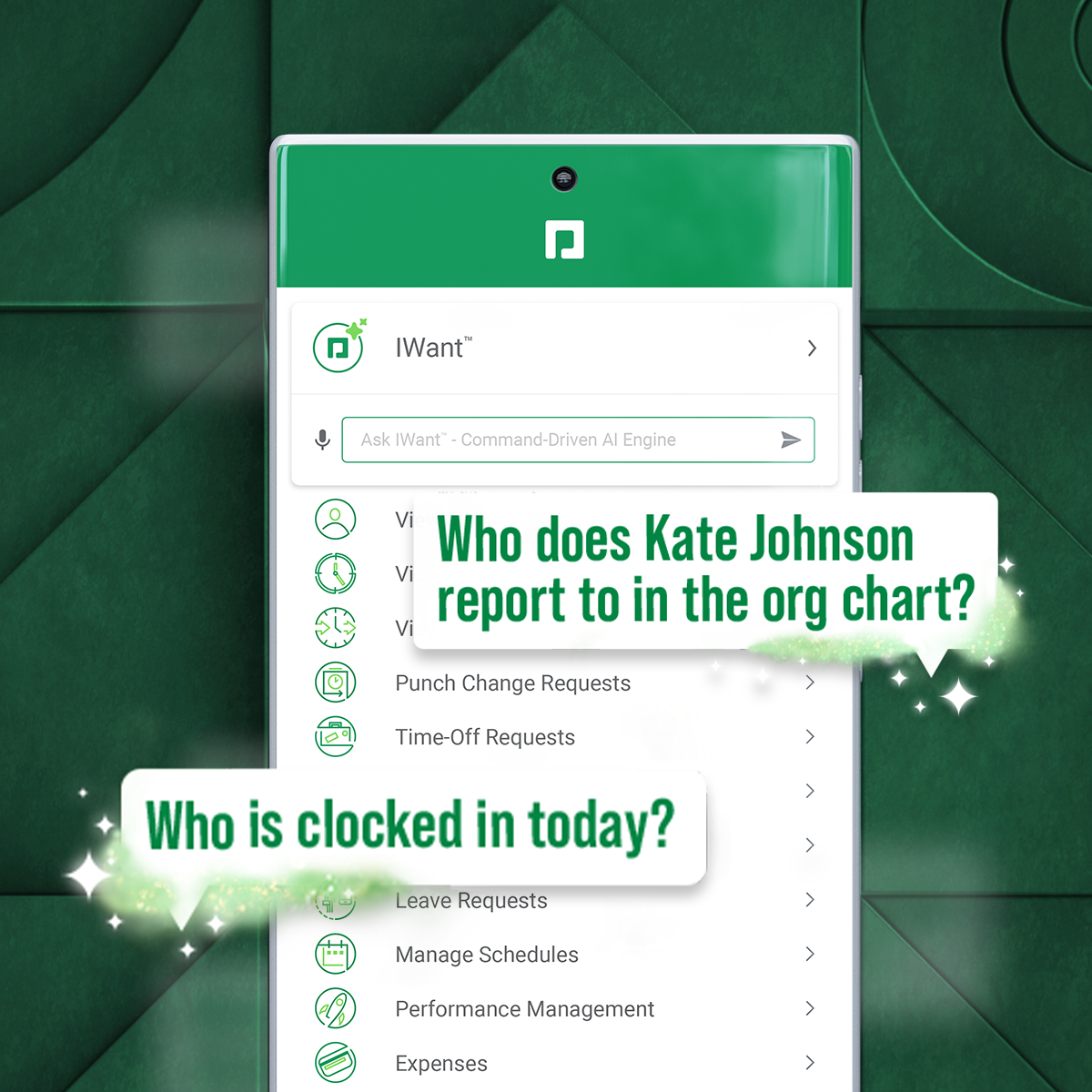
Paycom is an automated HCM platform, built on a single database that eliminates redundant data entry through automation. A payroll and HR software solution, Paycom is used by organizations of all sizes to access employee data without navigating multiple systems.
N/A
Workday HCM
Score 8.1 out of 10
N/A
Workday Human Capital Management is a cloud-native system offering a globally
consistent user experience. Workday HCM is part of an intelligent, unified system with other
Workday products.
In my opinion, Workday is more costly, more customizable, and is better for larger organizations. We just needed a more plug and play resource that could handle the number of employees we have at a cost that was more managable.
In my 23 year career in HR, I have used PeopleSoft, ADP, Ultipro, SAP, Workday, and Paycom. The first part of my career I used PeopleSoft, ADP, Ultipro, and SAP products. I then used Paycom for 8 years at 2 different organizations and really enjoyed its functionality and …
Paycom is more reliable compared to the ADP Enterprise HR, Paycom is more user-friendly and simple to use compared to ADP Enterprise HR. Paycom online feedback and customer reviews are also good compared to any other HR management software. Paycom is a reliable software you do …
Paycom stacks up well against the competition. My previous employers typically used ADP or Workday for their payroll services. The Paycom app and workday app are both intuitive and very user friendly. I would give Paycom a slight edge in the usability of its mobile application.
Paycom is available as a continuously connected phone app, [and] Workday is a heavyweight pc based application that is not cross-functional with a phone app.
No downtime or very little downtime during data refresh with Paycom, …
As an ATS provider, I prefer ClearCompany over Paycom. ClearCompany is more expensive, you pay for each recruiter license, but it's a sleek design that allows posting to seven main job boards along with company social media. If you are looking to save money, I will go with …
Workday HCM helps my organization better align our corporate strategy with defined objectives and KPIs while managing the performance of team members to deliver results. The user interface and time tracking capabilities of Workday HCM are also best-in-class. The Workday cloud …
Features
Paycom
Workday Human Capital Management
Human Resource Management
Comparison of Human Resource Management features of Product A and Product B
Paycom
7.9
452 Ratings
3% below category average
Workday Human Capital Management
8.5
98 Ratings
5% above category average
Employee demographic data
8.9409 Ratings
8.483 Ratings
Employment history
7.8393 Ratings
8.793 Ratings
Job profiles and administration
8.0396 Ratings
8.695 Ratings
Workflow for transfers, promotions, pay raises, etc.
7.5396 Ratings
9.290 Ratings
Organizational charting
7.3309 Ratings
9.289 Ratings
Organization and location management
7.6347 Ratings
8.986 Ratings
Compliance data (COBRA, OSHA, etc.)
8.3330 Ratings
6.761 Ratings
Payroll Management
Comparison of Payroll Management features of Product A and Product B
Paycom
8.3
460 Ratings
2% above category average
Workday Human Capital Management
8.9
81 Ratings
9% above category average
Pay calculation
8.7447 Ratings
8.569 Ratings
Support for external payroll vendors
6.447 Ratings
8.757 Ratings
Off-cycle/On-Demand payment
9.115 Ratings
9.819 Ratings
Benefit plan administration
8.2388 Ratings
8.564 Ratings
Direct deposit files
9.3447 Ratings
8.770 Ratings
Salary revision and increment management
8.2372 Ratings
9.167 Ratings
Reimbursement management
8.4254 Ratings
9.244 Ratings
Leave and Attendance Management
Comparison of Leave and Attendance Management features of Product A and Product B
Paycom
8.4
405 Ratings
3% above category average
Workday Human Capital Management
8.6
76 Ratings
5% above category average
Approval workflow
8.6386 Ratings
8.575 Ratings
Balance details
8.2385 Ratings
8.475 Ratings
Annual carry-forward and encashment
8.4320 Ratings
8.861 Ratings
Employee Self Service
Comparison of Employee Self Service features of Product A and Product B
Paycom
8.5
461 Ratings
4% above category average
Workday Human Capital Management
8.4
96 Ratings
2% above category average
View and generate pay and benefit information
9.0452 Ratings
8.885 Ratings
Update personal information
8.8457 Ratings
8.694 Ratings
View company policy documentation
8.0405 Ratings
7.674 Ratings
Employee recognition
8.7221 Ratings
8.057 Ratings
View job history
7.9366 Ratings
8.885 Ratings
Asset Management
Comparison of Asset Management features of Product A and Product B
Paycom
4.9
26 Ratings
49% below category average
Workday Human Capital Management
8.3
25 Ratings
3% above category average
Tracking of all physical assets
4.926 Ratings
8.325 Ratings
HR Reporting
Comparison of HR Reporting features of Product A and Product B
Paycom
7.1
399 Ratings
6% below category average
Workday Human Capital Management
8.4
80 Ratings
11% above category average
Report builder
7.8392 Ratings
8.876 Ratings
Pre-built reports
7.7389 Ratings
8.578 Ratings
Ability to combine HR data with external data
5.855 Ratings
7.866 Ratings
Onboarding
Comparison of Onboarding features of Product A and Product B
Paycom
8.1
396 Ratings
2% above category average
Workday Human Capital Management
8.5
58 Ratings
6% above category average
New hire portal
8.1393 Ratings
8.453 Ratings
Manager tracking tools
8.1341 Ratings
8.754 Ratings
Performance and Goals
Comparison of Performance and Goals features of Product A and Product B
Paycom
6.1
230 Ratings
27% below category average
Workday Human Capital Management
8.4
62 Ratings
4% above category average
Corporate goal setting
4.236 Ratings
8.652 Ratings
Individual goal setting
7.8213 Ratings
8.661 Ratings
Line-of sight-visibility
4.835 Ratings
7.952 Ratings
Performance tracking
7.6225 Ratings
8.660 Ratings
Performance Management
Comparison of Performance Management features of Product A and Product B
Paycom
7.6
287 Ratings
4% below category average
Workday Human Capital Management
8.8
65 Ratings
11% above category average
Performance plans
7.7266 Ratings
8.964 Ratings
Performance improvement plans
7.4250 Ratings
8.856 Ratings
Review status tracking
7.8258 Ratings
8.760 Ratings
Review reminders
7.8264 Ratings
9.059 Ratings
Multiple review frequency
7.3236 Ratings
8.852 Ratings
Succession Planning
Comparison of Succession Planning features of Product A and Product B
Paycom
8.7
46 Ratings
11% above category average
Workday Human Capital Management
7.9
42 Ratings
1% above category average
Create succession plans/pools
9.125 Ratings
9.136 Ratings
Candidate ranking
9.131 Ratings
7.636 Ratings
Candidate search
8.344 Ratings
7.940 Ratings
Candidate development
8.241 Ratings
6.838 Ratings
Recruiting / ATS
Comparison of Recruiting / ATS features of Product A and Product B
well suited for smaller businesses. most of our functions are housed in the payroll system, so that makes things easier. Not sure how sophisticated the labor allocation and job costing system would work with a large organization. We have to closely monitor tax profiles and multi-state things. Hard to follow and understand at times.
I would say it's well suited in every environment because I think it does so much. It's like the holy grail of HRIS systems is what I like to call it because thinking about all parts of the employee lifecycle, it lives here in Workday Human Capital Management. So I love the fact that you can do the people data analytics, you can store employee records, the talent acquisition pieces there. I'm thinking I can't think of anything negative right now except for the fact that I can't drill down into the data for the people analytics side. Other than that, I think it's literally, yeah, the holy grail of HRIS systems, I love it and I would highly recommend it.
Before Paycom we were using Paylocity and in about six months of running payroll with Paylocity, we never once had 100% accuracy from a payroll standpoint. So we had disgruntled employees because either their time was off or their pay was off. With Paycom, we've never had a case where our payroll was not 100% accurate.
Groups employees in management hierarchies and creates Org Charts that are easy to navigate and allow for visualizing management chains regardless of employee locations
Intuitive and easy to use. The Workday search functionality works very much like Google; one can search for anything that they have access to in the database and drill down into the various details. All information is connected through hyperlinks and users can easily keep digging into the details for as far as their security access would take them.
Tasks such as to do, review or approve items are sent to the user's Workday Inbox, very much resembling email. Notifications about outstanding "to do" items are also sent to each the user's work email address on a daily basis.
I think that when we do need a response back, which is very unlikely from the contact about something that's happening or going on, it can take a little long to get back to us. Longer than we would like because obviously it's an emergency to us, but we understand they have tons of emergencies they have to solve. But I think that's the only aspect.
I know from a payroll standpoint, which I'm not really privy to because I don't work on the payroll side, there have been some little hiccups that about certain formulas used, certain credits being issued that we've already filed for tax credits that we filed for. So I know that my CFO's already on top of it and pay comes on top of it as well and it's getting resolved, but obviously that's a big issue that needs some work there.
Because it has everything that we need and as we grow, we are learning how robust Paycom can actually be but we need to be willing to spend the money. It's not expensive but we, as a company, are not used to spending that much on a system for HR and payroll.
It is work to make one system the source of truth for our data, but now that it is done, there is less work involved in staying on this path. This means for us that maintaining and/or implementing new modules like performance, finance, talent, etc. is simple. It's a no-brainer
The interface is very intuitive, you can navigate it pretty well. Everything's pretty much spelled out and the features just flow really well. They make it easy for you to go back and forth with the UX/UI type of interface. So I think it was built pretty well.
Workday's on a great path in terms of user experience. Their goals is to deliver a use experience that doesn't require training or instruction, like Amazon on the consumer side for example. That's hard to do when you're talking about complex business processes and important and sensitive employee information, but they're doing it well
In 2014, Workday has changed the update process. There will be two updates a year; the updates will be delivered to customers typically in a 24 hour window during these two weekends a year. They also keep the Community up-to-date about any planned outages, etc. There is weekly scheduled downtime on Friday night.
From my perspective, the system runs like a well oiled machine and I have not had any issues with customers complaining about speed. If a report is taking long to run, the report can run in the background and you can go about your business. For larger enterprises, there is additional space and machines to process the application in what Workday refers to it as Extended Configuration Tenant
Our TSR has been wonderful to work with. Every step of the way he was quick to respond and answer any questions we had. I knew I could reach him at any time (day or night) and he would be available to assist. Implementing a new HRIS system is obviously a huge task and I contribute all our success to our rep Kurt! Of course, with any implementation, there were bumps along the way and issues. But I always knew we would work as a team to get those issues figured out. Working in the Paycom system has been smooth and easy to learn and I enjoy the employee self-service interface. Our managers have had positive things to say and are all excited about the changes we have been able to make to our organization due to Paycom being implemented.
Workday is still learning about the needs of higher education. I have seen rapid improvement in support and knowledge over the last year so am confident this will continue to improve. Overall however, I have found the Support Team to be extremely responsive and Workday offers the advantage of having support across several timezones so that we never wait more than a few hours for a response.
Some training is offered online. Cost is per-person. This also gets quite expensive. Training doesn’t follow a logical path A to B. Starts in middle. When you try to do it afterwards at your desk, difficult. • Training scenarios are not very real
All the online training modules were short and straight to the point. Every module teach you how to use the system. If there is one thing they know how to do is training. We did implementation during the pandemic so all had to be done online or via zoom meetings.
I have done for report writing and mass imports (EIBs). They give materials and you run through examples, i.e. you don’t just watch them do tasks, so that is helpful. Training is expensive – a single reporting writing class is $600 per person for virtual training
Not at all satisfied it was a nightmare we spent over 8 months with the implementation team having issues after issues all related to the Puerto Rico regulations (half my employees are in Puerto Rico) and at the end we were moved over from the implementation team to the production team without all the issues being resolved
It was implemented before my joining the company. At my last company, we used Workday professional services.
Based upon my experience at my last company, I would rate the implementation experience an 8/10. There are different ways to set things up and we had different people telling us different things. It set us back a couple of times.
Regarding configuration advice, we could set things up where every manager has supervisory organizations, or have it financially based i.e. aligned to cost center/department. We chose the individual manager path and I think we should have chosen a department route. Going down the individual manager path, to maintain the information, we have to inactivate a supervisory org whenever a manager changes/leaves.
We really only had Paychecks and that was our biggest problem is that with several different companies, it was very hard If you had a salary employee and didn't terminate them in the prior company, they get paid twice, so this has really been definitely a big help for us.
Workday is an incomplete product, by this I mean it must work alongside other products and does not work by itself. Trying to make several different products work smoothly together becomes very challenging. As compared to ADP products, when purchased all together work very well all together. Also, ADP has extensive Training programs and extensive Customer Support. So ADP's products are far superior to Workday's products in my opinion.
Workday has released Financials and is continuing to develop it's Human Capital Management footprint with the addition of Workday Recruiting. I think customers will find that is easy to add on additional functionality in the system. Workday does make it easy for customers to make changes without relying on IT resources. The Business Process framework is a visual tool that allows functional resources to make changes and see the flow of the transaction
I would think the most time would come from applicant tracking and I don't think that's a Paycom issue necessarily. I think it was a training issue during implementation. I would say that that has improved now that we had onsite training. But initially the applicant tracking piece can be difficult when you're used to just using an ATS. That's specifically for talent acquisition because there's a lot of nuances that goes into the system that Paycom bills.
Positive ROI, we were one of the first organizations that went with Workday HCM, and we received numerous discounts. Cloud systems are the way to go and we feel the system is stable for our growing work force.
The user conferences have been helpful to network and learn more deepness in the modules and functionality.
Right off the bat, our implementation costs were lower than budgeted and we had less 'billing' surprises.