Adobe Connect is a web conferencing platform that enables users to create presentations, online training materials, and learning modules. The product is entirely Adobe Flash-based and has several add-ons for customizing its software to suit each users’ unique needs.
$50
per host/per month
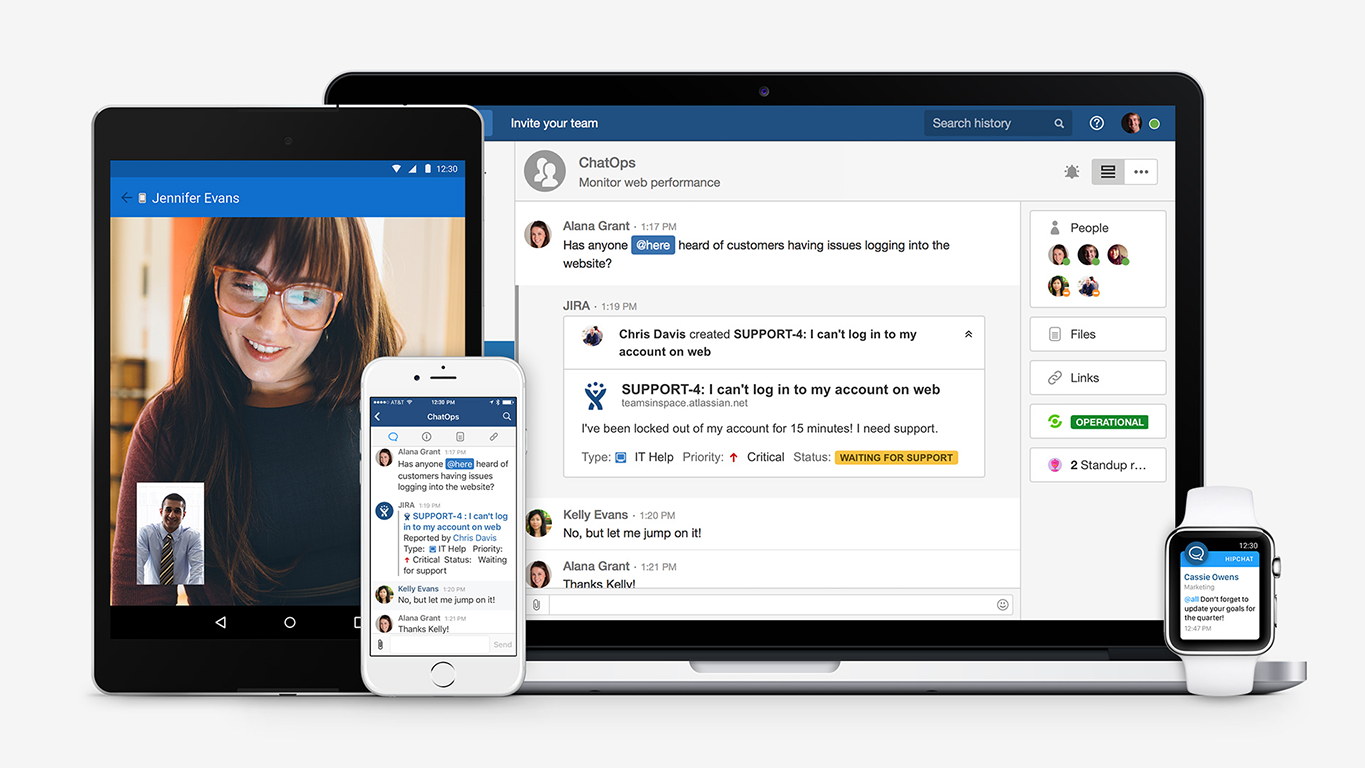
HipChat (discontinued)
Score 9.7 out of 10
N/A
Hipchat was discontinued by Atlassian. Users are being migrated to Slack.
$0
per user
Skype for Business / Lync (discontinued)
Score 7.1 out of 10
N/A
Skype for Business was an online messaging and conferencing tool, now superseded by Microsoft Teams.
N/A
Pricing
Adobe Connect
HipChat (discontinued)
Skype for Business / Lync (discontinued)
Editions & Modules
Meetings
$50
per host/per month
Webinars & Learning
$130
per host/per month
Small Meetings
Free
Forever free for up to 3 participants
HipChat Basic
$0
per user
HipChat Plus
$2
per user
No answers on this topic
Offerings
Pricing Offerings
Adobe Connect
HipChat (discontinued)
Skype for Business / Lync (discontinued)
Free Trial
Yes
Yes
No
Free/Freemium Version
No
Yes
No
Premium Consulting/Integration Services
No
Yes
No
Entry-level Setup Fee
No setup fee
No setup fee
No setup fee
Additional Details
—
For Server pricing info please visit https://www.hipchat.com/server (Only $1.20/user/month at the highest user tier!)
We selected Adobe Connect, because it is an application with a lower cost and offers the same functionality as Skype for Business, and even its interface seems easier to use and more practical.
We ultimately ended our use of Adobe Connect due to continued issues, lack of resolution & loss of participants. Currently we are using Microsoft Teams as it is our primary communication tool at our organization.
i have in the past used webex, zoom, skpe, teams. For what I need it for, [Adobe Connect] works well. Webex, Skype, teams are nice in the sense the audio is built in, however [Adobe Connect] offers more in the way of file sharing, link sharing, chats, polling and those are …
Adobe in terms of functionality is competitive with the other platforms out there. It has a strong reputation and seems to solve most of the organization's issues, however, it is more costly and isn't as user-friendly as it could be. It appears to have a lot of functionality …
Like I said, Adobe Connect is a monster product. There is likely no capability or feature you will want for if you purchase it. It is the most robust platform I've ever used. But there is a price for that, both in terms of dollars and complexity. And remember, unless all your …
In my own opinion, if you compare the aspect of hosting a webinar online, it is pretty similar to other tools out there. When Adobe Connect is used for training purposes and mainly the virtual breakout session feature, that is where the tool really stands out and shine! I …
It has some better features and some not so good qualities that makes it not exactly the product of choice. Most of our meetings involve 5-15 participants, so it doesn't always work for our situation.
The best part of Adobe Connect is sharing the information with others who use this software. If you attend school and love taking notes through your iPad or Computer, you can share what notes you are writing with everyone in your classes. Also, it is a great virtual meeting …
Internet Technician/Consultant for Cox Communications at Sutherland Global Services/CloudSource
Chose Adobe Connect
Bar none... Skype Business was used for a short period of time. Rooms crashing, lag, inability to screen share at times, room limitations, etc... These were all issues we faced when moving to Skype Business as a way to interact. Although there are many issues with Adobe …
Adobe Connect provides a higher level of participant interaction and flexibility in creating small groups and discussions. It also provides a consistent and persistent virtual meeting room where all content and engagement tools can be saved and reused. The ability to export and …
We have used Nefsis conferencing software in the past. It served a purpose but wasn't nearly as robust in the features it offered, making it just an okay platform for training. For conferencing, it worked very well, but if you're looking to add tools that will contribute to the …
learning management system administrator/ data analyst
Chose Adobe Connect
Adobe connect is much more formal for our external audience. Skype and GoToMeeting work for internal meetings or informal meetings. The back end database for adobe connect is much more useful as well in my opinion.
We tried a lot of chat clients before choosing HipChat. The Skype for Business UI on the Mac side was 5 years old and terrible. Mac users hated the app including our CTO. Cisco Jabber was expensive to license and maintain; Skype was open to the public which took time away due …
Slack is better developed then HipChat. It's better and faster for connecting with people. HipChat is also good but needs to be developed. The company has to update their software regularly to reach the level where Slack is now.
HipChat offers a good advantage for organizations looking for a low cost communication tool. The integration is easy and widely supported by many forums. Though, the technical issues are less reliable. Due to technical failures, Slack and Skype take the cake. Slack offers many …
I used HipChat in a company which was pro "open source" and another one which is pro Atlassian. For the "open source" company I was not involved in the decision of selecting HipChat but I know that the integration with Jenkins and other internal tools were drivers for selecting …
Technical Lead Datastore, Site Reliability Engineer
Chose HipChat (discontinued)
Hipchat behaves equally good among several other platforms used at my company (OSX, Windows, Linux). It brings us the possibility to integrate with most of our used tools, and the cost is lower than other options. Chat history and encryption makes it easier to find previous …
Much superior to Skype and Google Hangouts for collaboration. Love the integrations! Probably on par with Slack but, more outages in my recent experience than when I used Slack.
HipChat is more a 1 to 1 chat and is not a proper contender but Google Hangouts has pretty all we need and at the moment has taken Skype for Business' place. It's free and is even more widespread than Skype. You need just Google Chrome.
Hangouts have the worst user interface I've ever seen on a web application. Skype is a separate purchase, while Office 365 includes Skype as part of the subscription. When it comes to competing with Skype, Hangouts needs an overhaul of the UI. We've made the switch to Microsoft …
Hangouts has worst UI ever. It requires an additional purchase where skype comes free with office 365. Hangouts doesnt have dedicated PC or Mac app. It works only on browser due to which notifications are hit and miss. Skype has dedicated PC app but no web app. Hangouts needs a …
All are variations on the same theme. They each have things they do better and things they do worse. In the case of Skype, I think the mobile integration is great, the browser support is so-so, and the security as a whole is weak. Others have things like individualized URLs …
The three are great tools, but each one have its set of benefits. Lync it's getting out of market, but certainly it still has a great market to those companies that are not worried with external communication, for example. Teams and Slack, have already this approach, but both …
Easier integration than some, but unlike Google Hangouts, it is not free. We chose Skype for Business because of the easier integration and simplified licensing when bundled with Office365.
Skype for Business works, but it's not as user-friendly or stable as normal Skype. One difficulty with Skype for Business is that the features aren't always implementable. Skype for Business is more stable than Google Hangouts. It doesn't have as many features as WebEx, but it …
Adobe Connect is wonderful for repeatable branded learning experiences or webinars. They allow for creating an event with a series of similar layouts. The ability to alter these are easy, and duplicating layouts makes for fast alterations. Changing between layouts also creates visual interest as learners see things shift. Adobe Connect also is great for accessibility, the captions allow for resizing and placing the captions in various sections. The recordings also can have a searchable transcript to get to the information you want fast. Adobe Connect allows for running fun games/events as well, there are lots of apps that make the experience unique, and allows for managing content on screen as you'd like.
Skype for Business, now part of Microsoft Teams is a remote/virtual team collaboration tool must have...especially if you already use Microsoft tools. Of course, since it now part of an MS 365 subscription, it really doesn't make sense to use anything else. It is easy to use and just works. I'm not sure how anyone who works with digital files/documents and needs to work with other people doing similar work can be effective without such a tool. Of course, there are a number of alternatives like Zoom or Webex, but why pay or use another separate tool if you don't need to. :-)
It's a quick method to exchange files, file, documents, and videos from a web app. Real-time conversation, and screen-sharing are all supported. It has a highly user-friendly interface. It is really simple to assist the teams.
Even team engagements is beneficial since it allows them to share their expertise with others, and the big benefit is the security of the rooms' access is fairly simple to manage.
The interface, which include features like notes, chat, pods, etc. When we're trying to gather rapid and exact information, simplify our work as much as possible.
Adobe Connect's features since they allow team members to express their ideas during meetings without causing disruptions, thereby bypassing the current international boundary of distance.
HipChat is very stable and reliable. I have never had issues with not being able to connect or being able to communicate with others on HipChat.
HipChat integrates quite well with other applications, such as Jira and Stash. This is a main selling point for my team. It provides a convenient feed of actions on a JIRA story or Stash pull request.
HipCat does a good job of allowing 1-1 and group chats. It is simple to start a new conversation and it is easy to hold a group conversation and keep track of who is in the room.
I like how HipChat has away/here/on mobile statuses. This makes it easy to see if a person is available to be contacted.
Instant messaging to anyone who we know only by name/email. Even if they're offline, they get the message in missed convos and a notification automatically goes to them via Outlook mail. All conversations are saved and accessible via Outlook.
Video and voice calls are a norm in the WFH scenario, and an average employee has around 4-5 calls a day. Skype gives notifications for upcoming meetings, allows easy scheduling via outlook calendar, and its audio/video quality [is] reasonably good compared to the amount of data it consumes.
Status availabilities - in the WFH scenario, you could be off for lunch, out of office, busy, sharing screens - and might not want to be disturbed. Skype allows you to do that, and in case you're off, ensures that you know that you have missed messages.
Screen sharing - we have to share screens at least once or twice a day with a coworker when working on some issues/features, and Skype easily lets us do that. One of the best things about Skype is that the screen can be shared without being on a video/voice call - which is of immense advantage because oftentimes, you could prefer sharing the screen, while it [is] too noisy to talk.
Mobile app is not very responsive on iOS. Sometimes connection to Hipchat servers is taking too long even on good networks.
Both mobile and desktop versions have no alphabetical or recent sorting for groups and chat rooms.
Video and audio calls are pretty useless, they're slow and not always work.
The whole user interface is simple but very outdated - apparently Atlassian didn't focus too much on Hipchat even though they tried in the last 2 years.
Connection issues can be hard to diagnose when they come up(as some knowledge of server information may be needed to reestablish as the connection troubleshooting options on the sky are not as user-friendly as the rest of the platform.
Some issues setting up camera/sound could use more info on troubleshooting options with playback sound, video, etc.
Statuses sometimes are unreliable and do not display correctly .
The longer you use Adobe Connect, the longer you are likely to use it. Because you can build more and more resources over time, creating rooms that you re-use, recorded content you can repurpose, and tools that form the basis of ever increasing productivity, the more you use Connect, the more productive you become. Unlike competing products where, with every meeting you essentially start over -- setting up your resources for each meeting -- in my Connect rooms, I have highly tuned tools to accomplish my knowledge transfer goals. When I want to conduct another session - I send a link out to the appropriate room and instantly we are all focusing on getting a job done together. This ability of Adobe Connect to make you productive at an ever quickening rate is a competitive advantage
The software is simple to install and configure. It is rather simple to explain for correct use. It is possible to profile users for the different functions offered. It is integrated quite completely with Outlook and with Active Directory security. It performs all communication functions well with one or more interlocutors and the possibility of granting control of your computer is convenient.
I gave it a 6 because it does have lots of functionality, has a strong brand and reputation following, etc. but it does have its glitches and experiences with low bandwidth issues. I believe it has more features than my organization fully leverages, so some of those pieces haven't been explored yet. But there are opportunities for improvement in their online resource support, stability at high usages as well.
The app itself had a pleasant if not generic interface. As a user experience expert and engineer I can say the interface is fairly intuitive if not bland. It does what you expect it to do and it's available on iOS and Android devices. If I recall it was generally pretty light weight in terms of installation size.
Very easy to use. Even though Microsoft Teams has a lot of features and integrations, as a user I feel completely comfortable on finding what I need, getting information about the app extensions and using them. It's a very comprehensive tool, intuitive design and does not make me feel tired to be using it. I am glad with the current experience.
The customer support of Adobe connect is professional and well-skilled for resolving our minor and major issues. Moreover, it has almost all the features that will provide you a secure connection, with people across the world. Education institutes can also implement this software. On the basis of its quality and technology, I will surely advise you to try it once.
HipChat support is good . Responds in timely manner when ever we have raised the request via email , phone and gives us continue update on the request .Though most of the questions are answered by HipChat FAQs , but they can still improve it and add more to the knowledge base .
I have only had to reach out to the Support team at Skype for Business once with an issue, and I was pleasantly surprised and encouraged by the quickness and thoroughness of their response. The wait time was short and my question was dealt with politely and clearly, so I would say the support team has it together.
The ability to have most of the functionality of a full LMS at a fraction of the cost is huge. I can create manage and deploy both synchronous and asynchronous training based on the situation and all of my training is tracked through a series of easily created reports
Prices do not seem to vary much among resellers of the Adobe Connect hosted license; the only price variation you're likely to find are among the audio providers. When implementing, you may also wish to look into expanding the amount of storage you are allowed on the server to avoid any problems later on as your library of files starts to build up
Skpe for business is utilized company wide in regards to my company. Everyone not only uses it, but uses it often. It is an effective way of communicating. It also integrates very nicely with outlook and all conversation history is pushed to a folder within the outlook system. We also have it so that if someone misses a message, they are sent an email reminder saying that there is a message that went unread.
Actually, it was the other way around....we were using Adobe Connect, company-wide, then switched over to Zoom, mostly, I think, as a cost-cutting measure. But some Learning & Development folks campaigned to be allowed to retain some Adobe Connect licenses (for example, one L&D area had literally over 250 room layouts that their course facilitators could just jump into and use to deliver a course on short notice), which also allows some of us to continue to publish Presenter and Captivate modules to the Adobe server. (But, even those of us who still have Adobe Connect licenses use Zoom for most regular business meetings.)
We tried a lot of chat clients before choosing HipChat. The Skype for Business UI on the Mac side was 5 years old and terrible. Mac users hated the app including our CTO. Cisco Jabber was expensive to license and maintain; Skype was open to the public which took time away due to users dealing with spam and could allow viruses and malware. HipChat being a closed product, centrally managed and available to try without an upfront investment was perfect for our environment. All our Agile teams have their own room, chat and can communicate with others quickly and easily.
For the below reason I will always choose this app over its competitors: Better audio and video quality, Little to no disconnections or freezing when on a call/video conference Integrates well with mailbox/ calendar/ one drive, and SharePoint is easy to use
Actually I never shared of HipChat using with more than 25 persons in team simultaneously, but I believe it can be scaled for much largest collaboration teams. At least it works flawlessly for us, with transparent integration with Jira, and I am not see any reasons for some troubles for work at big scale.
Save on time - our instructors and people that use the platform can teach more classes and more often than in-person training and time traveling.
We cut down on spending. When we offer training using Connect - we do not have to spend on meals, hard copy materials, and reserving a venue to deliver training.
We increase our training sales significantly but offering Connect as an alternative - any unforeseen cancellations to a public class can result in transferring to a remote online Connected class.
HipChat has increased the effiency with which I am able to communicate with my coworkers, particularly those who work out of other offices. Having a light, portable messaging solution has been beneficial for checking in on small things without the need to send emails or schedule phone calls.
Skype for Business has enabled a migration in part away from fixed line telephony and introduced the user to mobile working with a headset which cannot be overstated as being a game changer.
Being able to schedule Skype for Business meetings through Outlook has meant meetings with colleagues without a meeting room has been a great enabler.