
Prateek Naharia
IST Analyst
Chose Alteryx Platform
The Flaws could be the reason

| Product | Rating | Most Used By | Product Summary | Starting Price |
|---|---|---|---|---|
 Alteryx Platform | N/A | The Alteryx AI Platform gives organization automated data preparation, AI-powered analytics, and machine learning with embedded governance and security. Its self-service functionality, with self-service data prep, machine learning, and AI-generated insights, gives enterprise teams with a simplified user experience allowing everyone to create analytic solutions that improve productivity, efficiency, and the bottom line. Alteryx Designer can be used to automate every analytics step… | $14,850 per year 3 users (minimum), cloud edition | |
 Google Analytics | N/A | Google Analytics is perhaps the best-known web analytics product and, as a free product, it has massive adoption. Although it lacks some enterprise-level features compared to its competitors in the space, the launch of the paid Google Analytics Premium edition seems likely to close the gap. | $0 per month | |
 Google Analytics 360 (discontinued) | N/A | Google Analytics 360 (formerly Google Analytics Premium) was an enterprise-level analytics solution that was sunset in July of 2024. | $150,000 Up to 1 Billion hits/month |
| Alteryx Platform | Google Analytics | Google Analytics 360 (discontinued) | ||||||||||||||||||||||
|---|---|---|---|---|---|---|---|---|---|---|---|---|---|---|---|---|---|---|---|---|---|---|---|---|
| Editions & Modules |
|
|
| |||||||||||||||||||||
| Offerings |
| |||||||||||||||||||||||
| Entry-level Setup Fee | No setup fee | No setup fee | No setup fee | |||||||||||||||||||||
| Additional Details | — | — | — | |||||||||||||||||||||
| More Pricing Information | ||||||||||||||||||||||||
| Alteryx Platform | Google Analytics | Google Analytics 360 (discontinued) | |
|---|---|---|---|
| Considered Multiple Products | Alteryx Platform Prateek Naharia IST Analyst Chose Alteryx Platform The Flaws could be the reason  Joe Root Marketing Technology & Intelligence Program Manager Chose Alteryx Platform Alteryx's UI is fantastic insomuch that training can really be self-driven, albeit with several Google searches a day and visits to the Alteryx community. The other solutions we looked at were much less intuitive and not nearly as flexible, automated, and didn't give you the … |  Google Analytics  Thomas (TC) Riley Senior Director, Information Services Chose Google Analytics Adobe Analytics and Google Analytics 360 are both paid/premium options for website tracking. Though there are certain use cases when these might make sense (you operate entirely in the Adobe suite, you're a massive company/site that doesn’t mind the price tag on Google …  Rigel Cable Director, Data Analytics Chose Google Analytics Google Analytics is a great first step into the world of analytics. For a major corporation, especially in eCommerce or retail, or any business with a sizeable marketing spend, the standard (free) version of Google Analytics won't stack up, and wouldn't be reliable for … |  Google Analytics 360 (discontinued)  Anthony Burke Public Information Officer Chose Google Analytics 360 (discontinued) Well, I suppose it's worth comparing the two versions of Google Analytics. I believe the difference really is as simple as how large your total managed monthly traffic. If it's over the threshold (10 million/month, if I recall), then GA 360 (the premium version) is a must. If …  Rachel Harrison CRO & UX Manager Chose Google Analytics 360 (discontinued) As long as the budget isn't in question, then I think you get a lot more for your money for 360. Having more confidence in the data is essential, your typical GA suite is good but there are limitations. These limitations unfortunately mean that a lot of the time you are having …  Lee Preston Conversion Rate Optimisation Consultant Chose Google Analytics 360 (discontinued) It's only got a couple more features so for most businesses it's really hard to justify the price increase.  David Matousek Mobile Architect Chose Google Analytics 360 (discontinued) Easier to use than Adobe. Easy for develops to customize tacking. Tag manager was an extremely useful companion.  Moses Sam Paul Johnraj Head of Marketing and Business Development Chose Google Analytics 360 (discontinued) Piwik: On the downside, it counts time spent on the page the same way GA does. The interface looks cluttered as if it’s missing a stylesheet. And while its main focus is being a GA alternative, it can’t compete with Google’s AdSense and AdWords integration. But to be fair, most … Chose Google Analytics 360 (discontinued) There are several enterprise web analytics solutions - Adobe Marketing Cloud, IBM Enterprise Marketing and WebTrends and Google Analytics Premium. Google Analytics Premium is much easier to use and master than other solutions.  Rebecca Visconti Senior Digital Analyst Chose Google Analytics 360 (discontinued) I am also an advanced IBM Digital Analytics user and beginner Adobe Site Catalyst user. I definitely prefer GA Premium for non retail clients due to the ease of use, flexibility and robust marketing attribution modeling. I also prefer it for multi-site implementations due to …  Salman Malik Consultant, Team lead Chose Google Analytics 360 (discontinued) GAP is far more intuitive than any other analytics vendor, what it lacks in reporting robustness it makes up in usability. A very solid product, business and technical users both can get up and running on this tool in no time. |
| Alteryx Platform | Google Analytics | Google Analytics 360 (discontinued) | |||||||||||||||||||||||||||||||||||
|---|---|---|---|---|---|---|---|---|---|---|---|---|---|---|---|---|---|---|---|---|---|---|---|---|---|---|---|---|---|---|---|---|---|---|---|---|---|
| Web Analytics |
|
| Alteryx Platform | Google Analytics | Google Analytics 360 (discontinued) | |
|---|---|---|---|
| Small Businesses |  IBM SPSS Statistics Score 8.2 out of 10 |  StatCounter Score 9.0 out of 10 | StatCounter Score 9.0 out of 10 |
| Medium-sized Companies |  JMP Score 9.6 out of 10 |  Siteimprove Score 9.0 out of 10 | Siteimprove Score 9.0 out of 10 |
| Enterprises | JMP Score 9.6 out of 10 |  Optimal Score 9.1 out of 10 | Optimal Score 9.1 out of 10 |
| All Alternatives | View all alternatives | View all alternatives | View all alternatives |
| Alteryx Platform | Google Analytics | Google Analytics 360 (discontinued) | |
|---|---|---|---|
| Likelihood to Recommend | 9.1 (138 ratings) | 8.5 (192 ratings) | 8.0 (55 ratings) |
| Likelihood to Renew | 8.9 (19 ratings) | 9.0 (51 ratings) | 10.0 (11 ratings) |
| Usability | 9.1 (53 ratings) | 7.4 (19 ratings) | 9.0 (5 ratings) |
| Availability | 7.3 (4 ratings) | 10.0 (4 ratings) | - (0 ratings) |
| Performance | 8.8 (45 ratings) | 10.0 (2 ratings) | 10.0 (1 ratings) |
| Support Rating | 9.2 (52 ratings) | 7.0 (42 ratings) | 10.0 (23 ratings) |
| In-Person Training | 7.0 (1 ratings) | - (0 ratings) | 9.0 (1 ratings) |
| Online Training | 8.5 (2 ratings) | 10.0 (2 ratings) | 7.0 (1 ratings) |
| Implementation Rating | 8.0 (5 ratings) | 9.0 (7 ratings) | 10.0 (3 ratings) |
| Configurability | 7.3 (2 ratings) | 6.0 (2 ratings) | - (0 ratings) |
| Ease of integration | 8.2 (3 ratings) | 10.0 (1 ratings) | - (0 ratings) |
| Product Scalability | 7.3 (3 ratings) | 10.0 (2 ratings) | - (0 ratings) |
| Vendor post-sale | 8.2 (2 ratings) | 10.0 (1 ratings) | - (0 ratings) |
| Vendor pre-sale | 7.3 (1 ratings) | 9.0 (1 ratings) | - (0 ratings) |
| Alteryx Platform | Google Analytics | Google Analytics 360 (discontinued) | |
|---|---|---|---|
| Likelihood to Recommend | Alteryx
| Google
 sandro merkvilishvili Head of e-commerce deparment | Discontinued Products
|
| Pros | Alteryx
| Google
| Discontinued Products
 Sergey Gorbanenko QA Engineer |
| Cons | Alteryx
Prateek Naharia IST Analyst | Google
| Discontinued Products
Rachel Harrison CRO & UX Manager |
| Likelihood to Renew | Alteryx
 Mark Frisch Director, Technology Services | Google
| Discontinued Products
|
| Usability | Alteryx
| Google
 Victor Campos Web Developer | Discontinued Products
Rebecca Visconti Senior Digital Analyst |
| Reliability and Availability | Alteryx
 Dan Chapman Manager, Market & Competitive Insights | Google
| Discontinued Products No answers on this topic |
| Performance | Alteryx
| Google
| Discontinued Products No answers on this topic |
| Support Rating | Alteryx
| Google
 Sarah Hoffman Media Director | Discontinued Products
 Eric Buhman Senior Sales Manager |
| In-Person Training | Alteryx
 Altan Atabarut Digital Transformation & Innovation Lead, Middle East Africa (MEA), Turkey & Central Asia | Google No answers on this topic | Discontinued Products No answers on this topic |
| Online Training | Alteryx
Altan Atabarut Digital Transformation & Innovation Lead, Middle East Africa (MEA), Turkey & Central Asia | Google
 Roy Morejon President | Discontinued Products
 Tyson Kirksey VP, Search Marketing & Analytics |
| Implementation Rating | Alteryx
Dan Chapman Manager, Market & Competitive Insights | Google
 Joshua Van Horsen Marketing Manager | Discontinued Products
Eric Buhman Senior Sales Manager |
| Alternatives Considered | Alteryx
 Lauren Susoeff Data Analytics and Reporting Consultant V | Google
| Discontinued Products
|
| Scalability | Alteryx
 Chris Broussard Analytics Team Lead | Google
| Discontinued Products No answers on this topic |
| Return on Investment | Alteryx
| Google
 Heide Rembold Director of Marketing & Analytics | Discontinued Products
|
| ScreenShots | Alteryx Platform Screenshots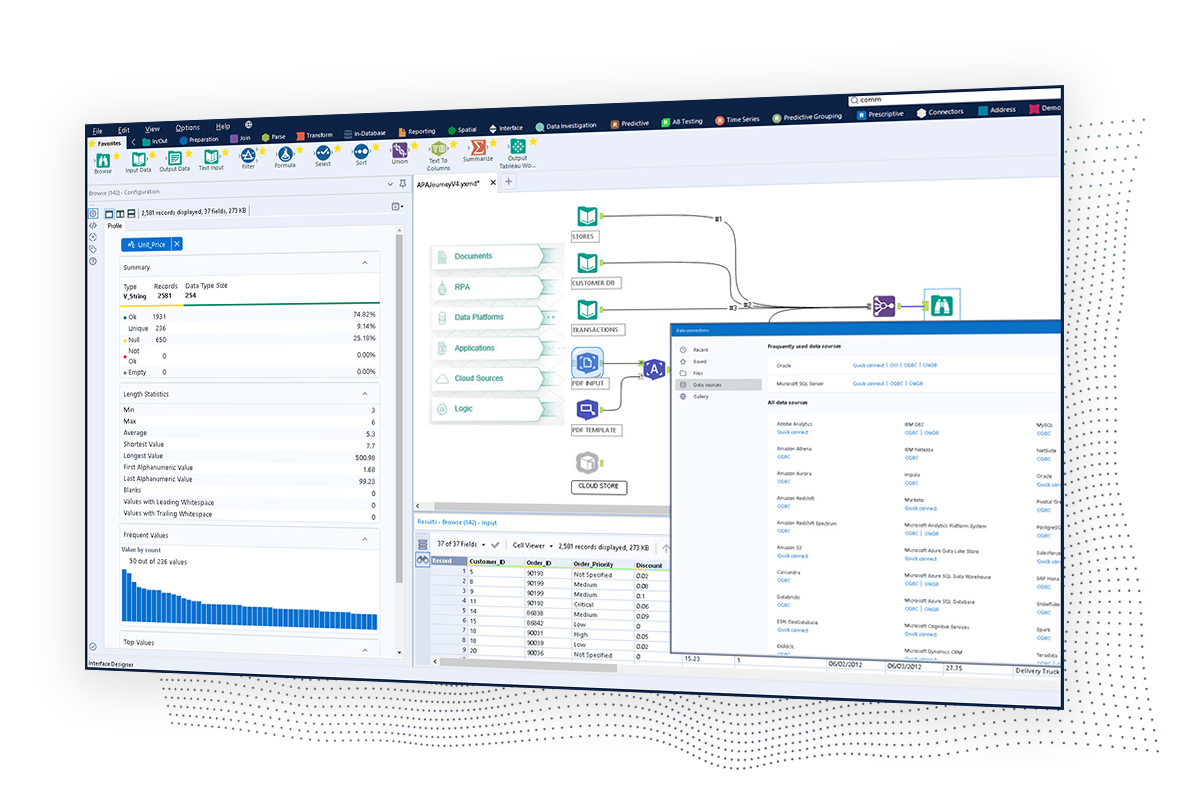   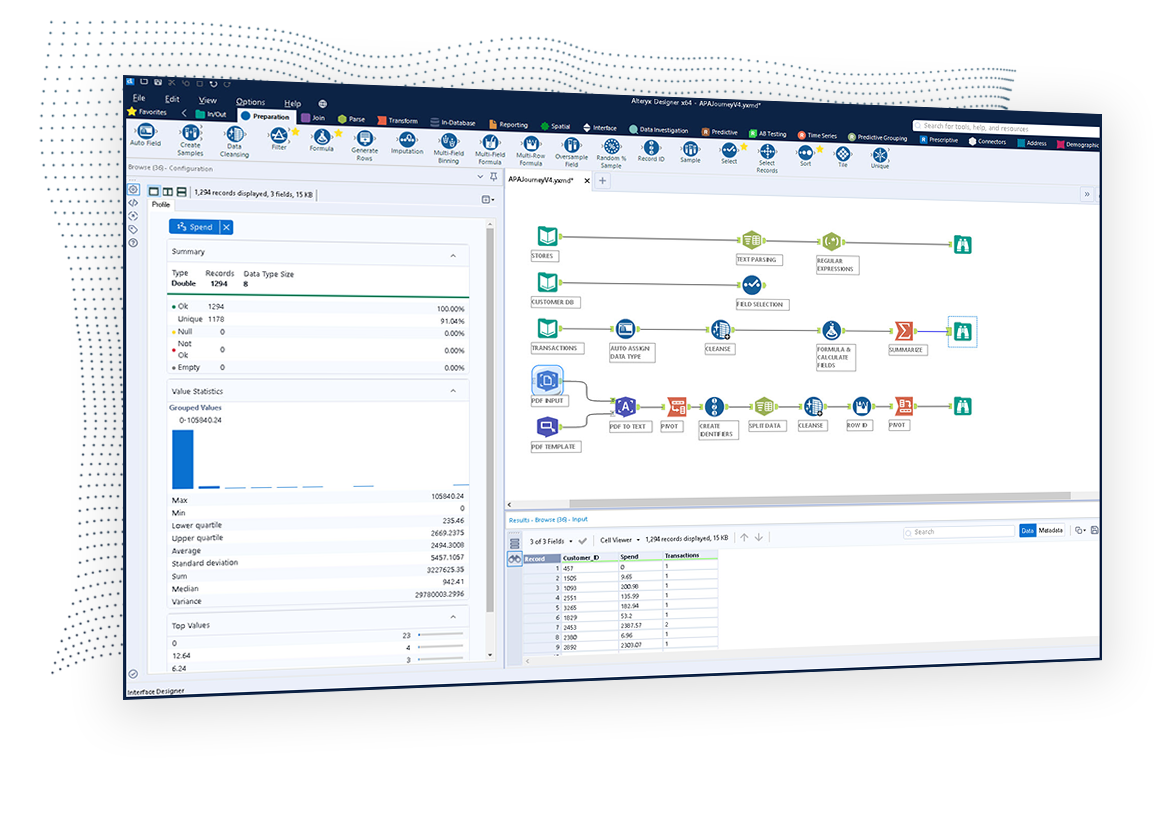  |
