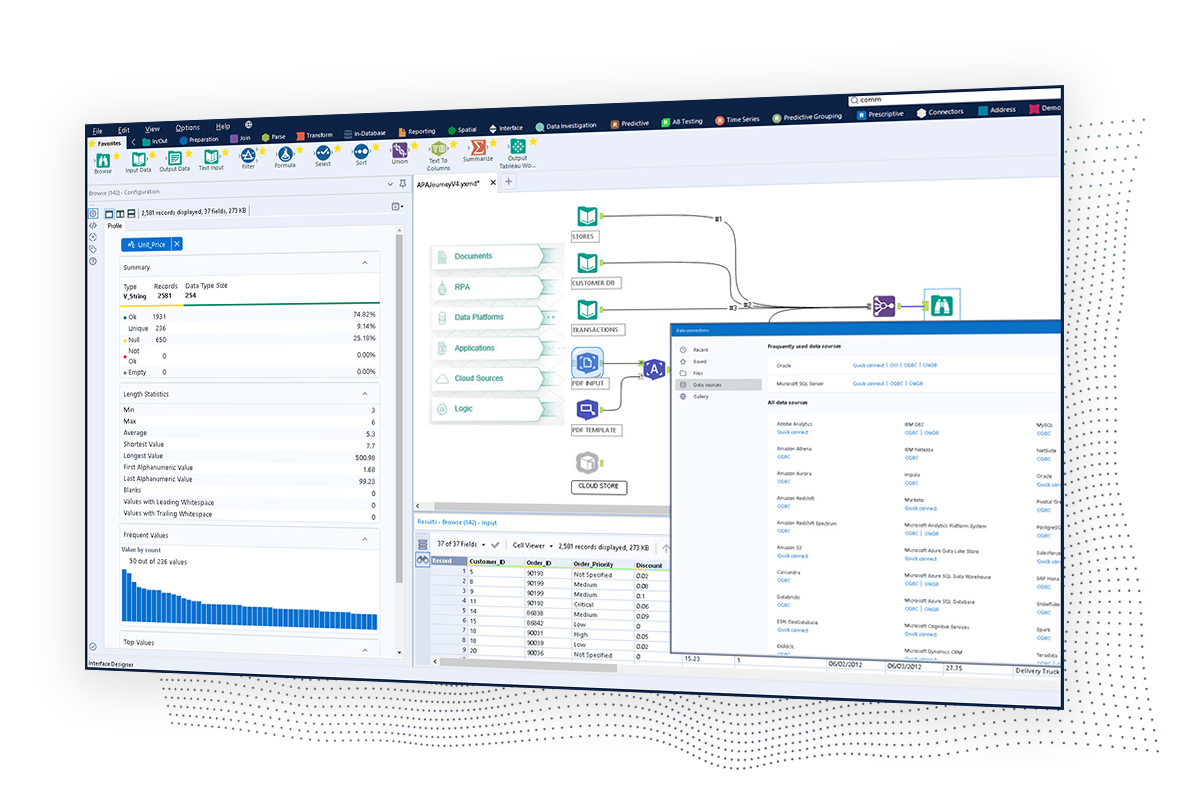
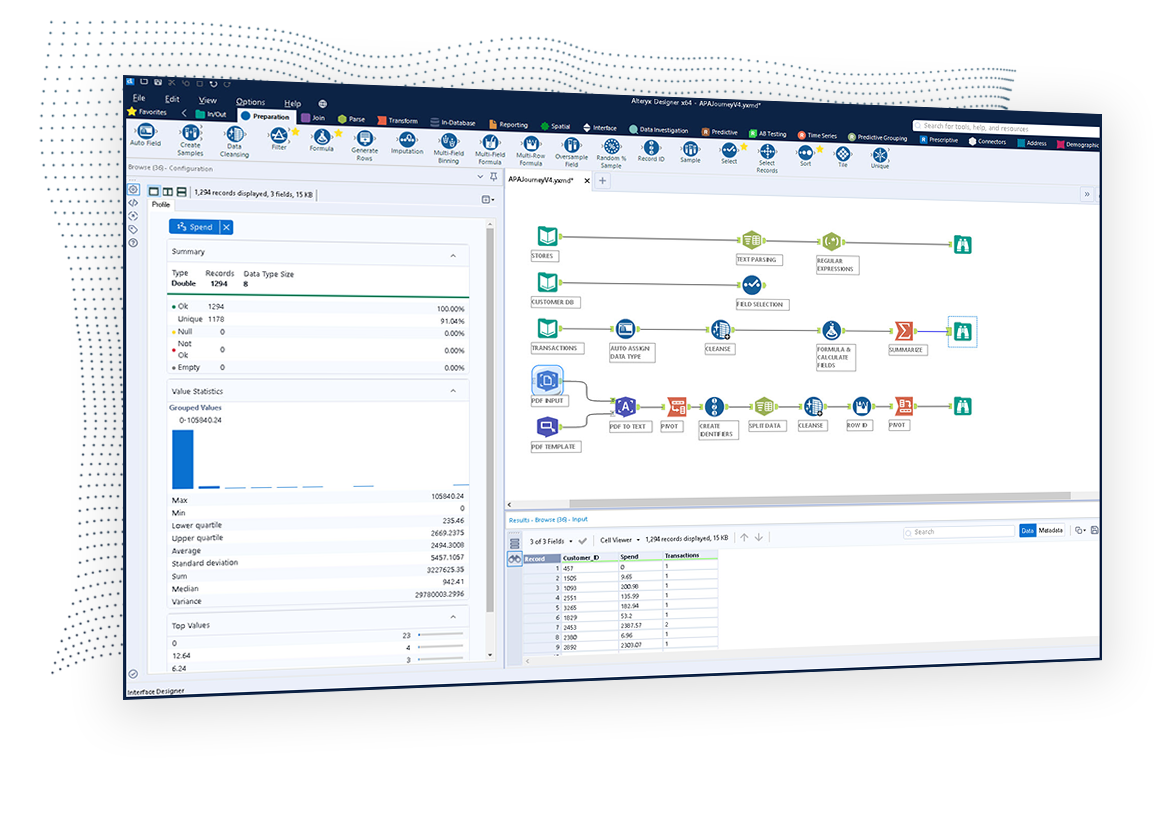
The Alteryx AI Platform gives organization automated data preparation, AI-powered analytics, and machine learning with embedded governance and security. Its self-service functionality, with self-service data prep, machine learning, and AI-generated insights, gives enterprise teams with a simplified user experience allowing everyone to create analytic solutions that improve productivity, efficiency, and the bottom line. Alteryx Designer can be used to automate every analytics step…
$14,850
per year 3 users (minimum), cloud edition
Looker
Score 8.4 out of 10
N/A
Looker is a BI application with an analytics-oriented application server that sits on top of relational data stores. It includes an end-user interface for exploring data, a reusable development paradigm for data discovery, and an API for supporting data in other systems.
N/A
Sisense
Score 7.5 out of 10
N/A
Sisense is a BI software and analytics platform. With what the vendor calls their In-Chip™ and Single Stack™ technologies, users have access to a comprehensive tool to analyze and visualize large, disparate data sets without IT resources.
N/A
Pricing
Alteryx Platform
Looker
Sisense
Editions & Modules
Designer Desktop
starting at $5,195
per year per user
Designer Cloud Professional Edition
Starting at $4,950
per year per user (minimum of 3 users)
No answers on this topic
No answers on this topic
Offerings
Pricing Offerings
Alteryx Platform
Looker
Sisense
Free Trial
Yes
Yes
Yes
Free/Freemium Version
No
No
No
Premium Consulting/Integration Services
Yes
Yes
Yes
Entry-level Setup Fee
No setup fee
Required
No setup fee
Additional Details
—
Must contact sales team for pricing.
Must contact sales team for pricing.
More Pricing Information
Community Pulse
Alteryx Platform
Looker
Sisense
Considered Multiple Products
Alteryx Platform
No answer on this topic
Looker
Verified User
Engineer
Chose Looker
Sisense aims to do too many things, such as ETL, at the cost of not excelling at any one thing. Looker excels by keeping the focus on data exploration and doing it extremely well.
It was cheaper and less complicated. We were not ready to just into something as big as Sisense and quite frankly didn't need that level of product at the time. We also considered building our own tool but eventually realized that would be way more time and effort consuming so …
Looker is an off-the-shelf, free tool for Google business users. Other than the internal cost of time to build, we had no costs to set up what we needed to do. Knowledge sharing internally and using templates greatly reduced this cost, making the overall cost very low.
Most of the other BI tools are fairly similar in terms of charting capabilities and performance. Looker stands out with its modeling layer and SQL free end-user interface. It also has a feature-rich API enabling you to embed Looker into your own web app to customize it further …
Looker stacks up very well against the other tools we have evaluated and used. All the tools have their own pros and cons. Looker had a better edge in terms of visualizations when we chose to use it. After several updates, other tools began to have newer features. Looker still …
Unfortunately, I was not in charge of the decision to select Looker as it was before my time. I can see why the decision was made as I do see the potential. We have felt the need to supplement Looker with another free tool and, if our integrations weren't so deep and our …
Senior Manager Business Intelligence Data Architect
Chose Sisense
Sisense allows you to export individual widgets as iframes. It provides cube and row level security and can manage lots of data without interfering with the data sources. Tableau data sources were harder to manage and version. The customer support team with Sisense was head and …
Verified User
C-Level Executive
Chose Sisense
Before purchasing Sisense and began recommending it as a solution to our clients, we tested four other BI visualization tools. All four of these ranked high on the Gartner Magic Quadrant. We researched Domo, Looker, MS Power BI and Tableau. Looker could be a better solution if …
Verified User
Director
Chose Sisense
As someone coming from more of an enterprise tool level Sisense seemed like a step down at first. Compared to other tools in the market or tools that it replaced (Looker), it provides far better data integrations and the ability to build their data cubes meant less reliance on …
Each tool has strengths, but Sisense stands out for its ease of use, scalability, and robust data integration. We chose Sisense for its balance of robust functionality and ease of use. We are happy that it can handle complex data integrations that aligned perfectly with our …
Sisense does very well against most of the tools in the market. We chose this tool because of its great visualizations and easy to deploy procedures. The reports are very easy to generate and distribute them across departments and organization. It provides a great interface to …
I would 100% recommend Alteryx to a friend, for me its friendly interface is the best, it has all the tools I need without the headache that programming is. It can be used for simple or complex analysis, so honestly, I don’t see a scenario where it wouldn’t suit. I’ve used Alteryx to make simple things I could do in Excel, for example, but it was less complex and faster to do in Alteryx, so why not? Its a very versatile tool.
When data drives potential for new orders, Looker earns its place in our tech stack. If, on the other hand, we are hoping for pipeline generation, Looker is useful if you are willing to repeatedly go check customer utilizations .... it is not appropriate if you are hoping to automate data analysis for this purpose.
I believe Sisense is perfectly suited for any organization of any size that have access to the proper resources, as the tool is very expensive. The data connectors come in all shapes and sizes out of the box, which allows a great deal of data control within the ElastiCubes. Additionally, while the platform only runs on Windows platforms, the web application can be accessed on any client: mobile, Apple, Windows, etc. This allows a much more flexible user experience, resulting in data and dashboards reaching further than any other tool.
Pulling data from multiple disparate data sources.
Allows users to see the data at every step of the workflow to be able to cleanse, analyze, and optimize the data.
Provides an analytics platform that is easy for users of all levels to thrive in whether they are just starting out in their analytics journey or they have a master's degree in Data Science.
Show visited pages - sessions, pageviews - which programs are viewed the most.
Displays session source/medium views to see where users are coming from.
It shows the video titles, URLs, and event counts so we can monitor the performance of our videos.
It gives a graphic face to the numbers, such as using bar charts, pie graphs, and other charts to show user trends or which channels are driving engagement.
Our clients like to see the top pages visited for a month.
I like the drop-and-drag approach, and building charts is a little easier than it was before.
Steeper Learning Curve: Alteryx can have a steep learning curve for users who are new to the platform or have limited experience with data analytics. Enhancements to the user interface and user onboarding resources could help make the learning process more intuitive and accessible to a wider range of users.
Enhanced Data Visualization Capabilities: Alteryx offers basic data visualization capabilities, but there is room for improvement in terms of advanced visualizations and interactive dashboarding features. Adding more sophisticated chart types, interactive widgets, and customization options would enhance the data visualization capabilities within the platform.
Improved Error Handling and Debugging: Alteryx provides error handling mechanisms, but enhancing the error reporting and debugging capabilities would be beneficial. Improved error messages, better visibility into data flow, and debugging tools could help users troubleshoot and resolve issues more efficiently.
The usability of the application on mobile devices needs some improvement, especially navigation and filtering.
Dashboards that are created by multiple users can be a bit of a hassle to share by Admins.
If you need to embed dashboards into your website, you are require to buy a license separate from the user and platform license. This is a norm on most BI visualization tools, but Sisense can seem a bit on the high side, cost-wide.
We've developed a working partnership with Alteryx. As an enablement suite, we're continuing to innovate and deliver great products with use of Alteryx in our solutions. Alteryx use expands to our global product development teams and is in use in multiple parts of our organization. Alteryx also delivers Experian demographic content to other clients in their product offering. We're highly likely to renew, but that decision is way above my pay grade.
I give it this rating because it deems as effective, I am able to complete majority of my tasks using this app. It is very helpful when analyzing the data provided and shown in the app and it's just overall a great app for Operational use, despite the small hiccups it has (live data).
I think the business and myself as a user has come to rely on SiSense as a dashboarding and quick ad-hoc reporting tool. I am hoping to integrate SiSense dashboards into more parts of the business in the future. We have reduced our report turn-around time for the most part from hours/days to minutes and in some cases almost the speed of thought. Reports are also easier on the eye and more easily distributed. I would also like to say that the support and professionalism from the SiSense team has been excellent.
I've found that while some things might take a little longer to create, the flexibility of Alteryx allows you to perform any function needed. I haven't found a use that was not available in Alteryx yet. APIs and XMLs can be created to perform certain functions. In addition, CMD line commands can be sent using Alteryx to perform certain functions as well.
Looker is relatively easy to use, even as it is set up. The customers for the front-end only have issues with the initial setup for looker ml creations. Other "looks" are relatively easy to set up, depending on the ETL and the data which is coming into Looker on a regular basis.
New V5 is ground floor of an exciting collection of possibilities. Weekly Sisense developers come up with new functionality that they share with us in their forums. The move to HTML5 has been pleasing in that widgets auto size themselves into appropriate forms in the board but everyone of them can be popped out to full page size to be looked at in more detail
I use many programs and compared to others, Alteryx virtually never goes down, freezes up or gives an application error. Over a 4 year time period that I have used this program, any of these may have happened 3 times. It is an incredibly stable program that I feel completely confident in.
There are very few situations when there is unexpected downtime. Mostly during development, new dashboard implementation and during upgrades. other then that there were very few crashes.
I already gave the example of journal entries created in less than a second. What else can I tell you about.... I can tell you those 2 journal entries have historically had to be split into separate accounting systems so the outputs had to be very different (D365 vs Intacct) such that they are exactly ready for uploading. I can tell you I used to have some tire and battery queries hitting a line item detail table and they took hours to run UNTIL I asked IT for a view in SQL and now they're ready in about 5 minutes total. I guess I'd say if anything does take a long time - do some research with others and figure out what would speed them up
Somehow resources heavy, both on server and client. I recommned at least 50Mbs data rate and high performance desktop comouter to be abke to run comolex tasks and configure larger amount of data. On the other hand, the client does not need to worry when viewing, the performance is usually ok
SiSense is usually performing better then other solutions even if going for complex reports/dashboards(of course within reasonable frames). I haven't noticed any bad influence on other systems, usually if something happens it stays within SiSense.
Stellar, bar-none. Some of the best support folks of any vendor. The Alteryx Community is the most responsive and supportive. On the rare occasion of a release issue or bug, we've been able to get quick help to solve the core problem. Alteryx does not play the blame game. They genuinely help the users solve their issues or respond to questions
Never had to work with support for issues. Any questions we had, they would respond promptly and clearly. The one-time setup was easy, by reading documentation. If the feature is not supported, they will add a feature request. In this case, LDAP support was requested over OKTA. They are looking into it.
SiSense's support ninjas are very knowledgeable and are exceptionally responsive. So far, all of the issues we ran into were resolved within minimum time. My sense of dealing with the support staff at SiSense is that they are very focused on not just answering your immediate question, but also to delve into the cause of the matter.
1st level of trainings which I've attended in Paris was easy and I was already knowing %90, that learning could have been an e-learning instead of in-person
Easy and free training that allowed us quickly understand basics in SiSense and start using them. More advanced features requires some browsing through SiSense forums, but there is always support to help, and SiSense support is one of the best whith which I worked so far.
Very good, detailed online trainings which you can take at your own pace, and strong certifications exists, certifications are extremely detailed and hard...
Many examples, videos and scenarios which you try on your own right away. This combined with in-person training gives you enough to utilize most of SiSense's power.
There is really not much to it (the installation, that is). Once you get it installed, along with any of the add-ons (demographics, R, etc.), you are up and running almost immediately. There is really no additional setup. You can immediately begin blending data, running demographics, performing spatial queries, running predictive analysis, etc. And for many of these functions, the learning curve is quite easy.
Alteryx is MUCH more user friendly. both provide the ability to code within them, but Alteryx has much nicer interface. The formula tools have a more simple language that is easier to learn than formulae in SSIS. Alteryx is easy to read with multi colored tools identifying what each one does. It also allows for macros. You can build your own tool to process records of data or batch records together.
Looker Studio, you can easily report on data from various sources without programming. Looker Studio is available at no charge for creators and report viewers. Enterprise customers who upgrade to Looker Studio Pro will receive support and expanded administrative features, including team content management. So it's good.
1) Easy to use, really, there is nothing too much to say. The set up is easy and not confusing. You can use it internally or externally.
2) Customer Service, having spoken to various product reps from similar industry. Sisense rep provides you with the best support to get started, and it is really appreciated.
Individual analysts can quickly generate results using their own copy of Alteryx Designer. But using the Server and developing macros for more complex needs can be time consuming.
Error handling - allows controls to be built into workflows easily and allows them to be isolated and spat into control reports that can be easily reviewed and audited, thanks to the ability to create multiple outputs in one go.
Time-saving - saved huge amounts of time, especially when moving Excel processes into Alteryx.
Product development - allowed my firm to create products that we have been able to market and sell to clients.
Looker has a poignant impact on our business's ROI objectives. As an advertising exchange we have specific goals for daily requests and fill, and having premade Looks to monitor this is an integral piece of our operational capability
To facilitate an efficient monthly billing cycle in our organization, Looker is essential to track estimated revenue and impression delivery by publisher. Without the Looks we have set up, we would spend considerably more time and effort segmenting revenue by vertical.
Looker's unique value proposition is making analytical tools more digestible to people without conventional analytical experience. Other competing tools like Tableau require considerably more training and context to successfully use, and the ability to easily plot different visualizations is one of its greatest selling points.