Asana is a web and mobile project management app. With tasks, projects, conversations, and dashboards, Asana lets an entire team know who's doing what by when, enabling workload balancing. Users can also add integrations for GANTT charts, time tracking and more.
$13.49
per month per user
Jotform
Score 8.4 out of 10
N/A
Jotform Enterprise is a digital workspace productivity tool that provides a platform for organizations. The aim of Jotform Enterprise is to give companies an easy-to-navigate tool that makes reaching out to customers, collaborating with coworkers, and collecting e-signatures and data a more seamless process. Jotform Enterprise strives to enable companies to make data-driven decisions without compromising when it comes to quality and security. It doesn’t matter what type of…
$0
Paymo
Score 9.0 out of 10
N/A
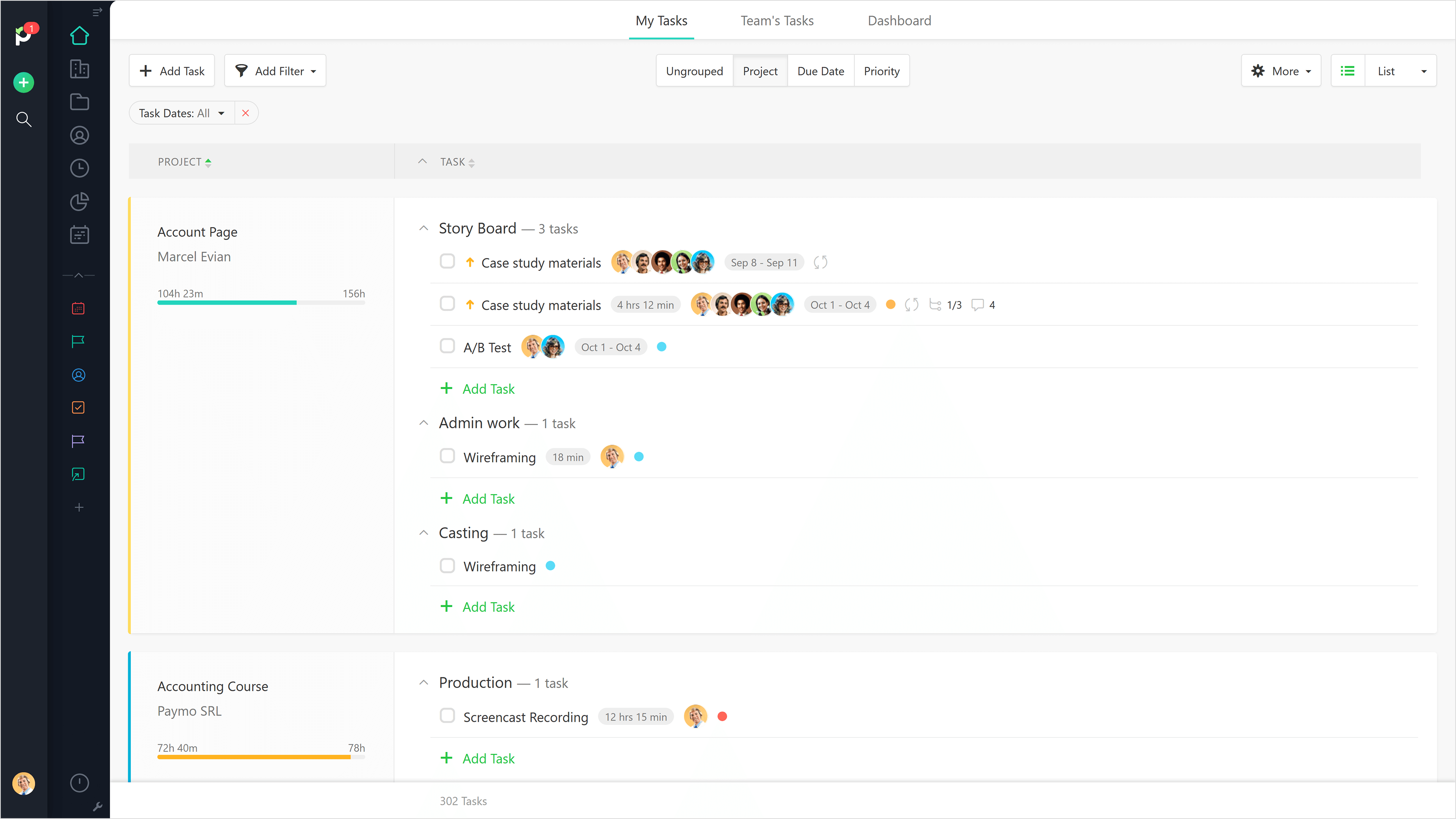
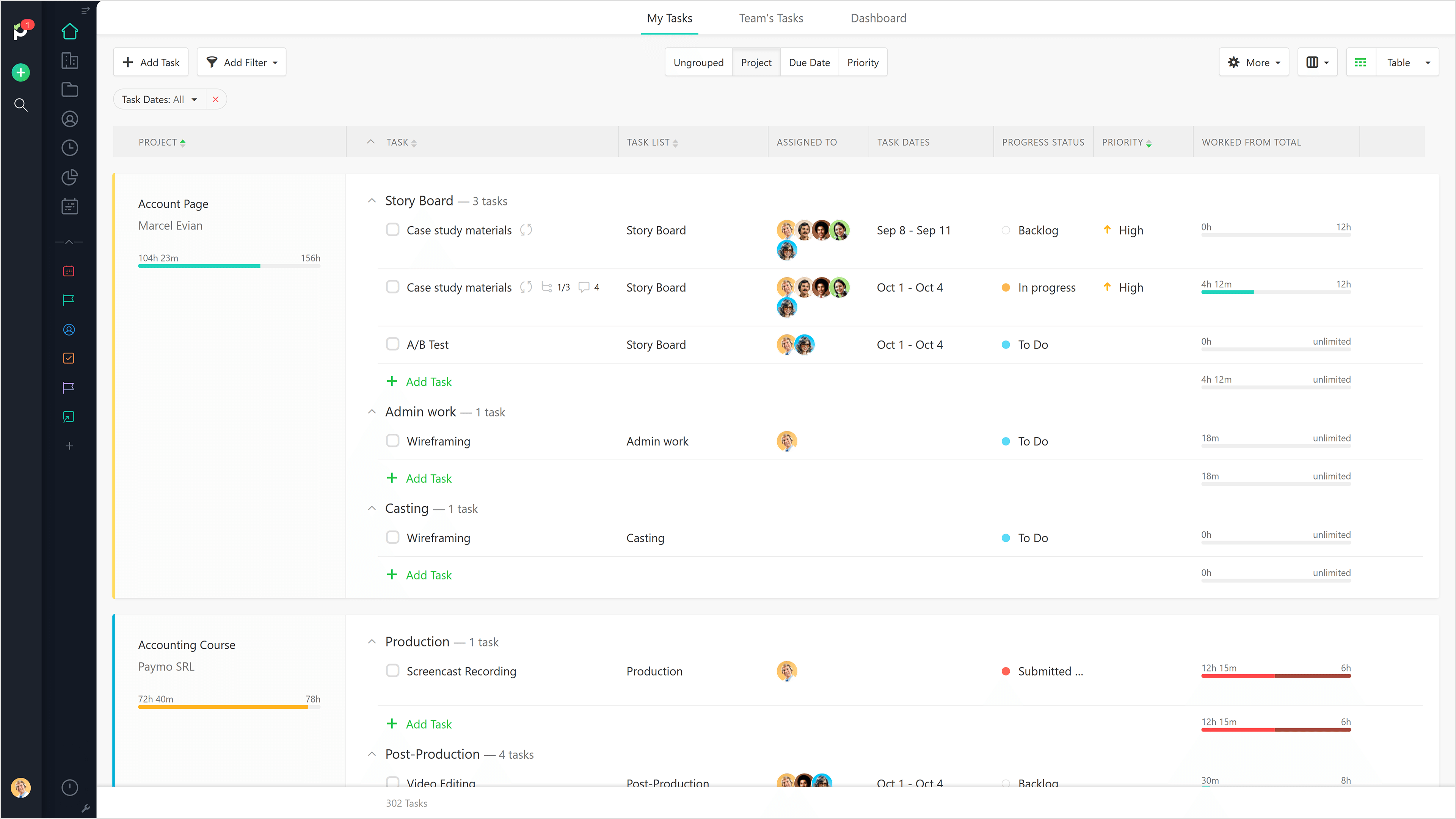
Paymo is a collaborative work management platform that helps track team progress, collaborate in context, and make smarter decisions. It acts as a single source of truth, where project planning, resource scheduling, file proofing, time tracking, and billing feed into each other to co-exist under the same roof.
Before buying a license for this software we made sure that it had what it needed. Asana also has an unrivaled technical support team that helps with every problem that comes up, even with integration and adaptation. We were looking for software that would do the work of …
Toggle was confusing. I couldn't figure out how to work a task within a project and would mix up tracking different tasks along with projects. I didn't understand why tagging is needed. Paymo was super easy and intuitive, and I didn't want to bother spending time to learn how …
The usability of Asana is broad since it's available in a variety of platforms that are widely used nowadays. I think that it would be great for people who are constantly on the move and switching devices, since it has allowed me to work from my phone, too. I also think that Asana has proven itself to handle a large quantity of work
We use it for mostly community surveys and I absolutely prefer it over any other survey program out there. It is easy to create, easy to understand and easy to navigate. I love the QR code option it creates for you to share your form/ survey with others. It really is the best out there!
Beautiful interface throughout, easy setup, most natural progressions are fluid and easy to use. Browser functionality allows us to use it cross-platform. Very reasonable pricing model as well. We have had a little trouble using Paymo for the entire creative process to have proofs reviewed and approved. Also, have to use external forms to have work submitted from campus.
Through it, we were able to communicate and cooperate with the rest of the team to complete the work in the required manner and at the appropriate time.
The ability to code exactly what time I worked on a project enables me to bill clients more accurately and within different minimums, which besides more accurately tracking time, this has been extremely helpful as I negotiate contracts for services and offer different deals with potential clients. Some are billed to the minute, some in 15-minute minimums, and some in 20-minute blocks.
The live reports are great, showing time spent in the minimums that I've set, while also including as much detail as I wish to share.
I've now started just writing my notes into the tracker, which are then carried into the live reports - this eases my needing to send logs to clients, as well as helping me to keep projects on track.
It would be really helpful if on the timer tool, they asked you to switch projects when you stop the timer, so it could fill that time in right away for you.
I never use the 'My Tasks' because I don't fully understand how to integrate it to be useful to what our purposes are in Paymo. Some Youtube tutorials might be helpful
It is very user-friendly. Takes a new employee an hour to start figuring out how the system works. That's an important factor. You don't want to encounter the issue where employees need a week to understand how the system works. For example, JIRA, I tried using it for a week and I still don't understand the complicated layout. Asana has a simple interface. Once you see it, you get it type of program.
As a seasoned user who relies on seamless online forms for a multitude of purposes, I can confidently attest that JotForm has not only simplified the form creation process but has also elevated it to new heights.JotForm's interface is a masterpiece of intuitive design. Even if you're a newcomer to the world of online form creation, the platform's user-friendly layout will have you crafting professional-grade forms in no time.
It is a complete, a bit overambitious app but with many features that are needed. I didn't need most of the features but managed to make the most of the two I was using. Also, I think it is a well-rounded app and I am considering moving some team collab there.
I haven't had to use their support so I can't rate it. The fact that I haven't needed them reflects the ease of use of the product. I would recommend that any new users schedule a complete demo of the product to ensure that they are using it to it's fullest (there's a lot of useful features).
I honestly have not used the support feature with Jotform. From what I can see when I look information up, everything I want to do something that I can't figure out myself it seems to not be a possible solution or edit that Jotform is currently capable of.
Good! Fast, excellent, speedy responses. They always wanted to know why and how they could improve on something (good on receiving feedback, too). Not that they were much needed, but my limited experience with them is good; they were really keen to understand what the problem was really about and how they could help with it.
the most valuable things that Jotform give free trial, so the resistant users can get the experiences of the easiness and more handling to the digital things
Asana is a top-tier project management software that helps us organize and track projects from start to finish. It allows us to apply tasks/to-dos to multiple projects without duplication, divide complex projects into smaller tasks, and track project progress. It also helps us organize work on Kanban boards or linear lists. It stands out from the crowd in a big way compared to the competition.
Typeform is better hands down [in my opinion]. It's not even a comparison as [I feel] JotForm doesn't work properly and [from my experience I think] their support is very problematic. I would suggest using Typeform or using GravityForms as an alternative to JotForm. Whatever you do, [I feel you shouldn't] depend on JotForm for something that is important to your business or research project.
We still use Trello and Slack, but Basecamp and HubSpot are too much for our operation to manage or integrate. Paymo is missing some of the tracking features of HubSpot and isn't as universally used as Basecamp but we've been with them for 8 years and they seem to know what matters most to their user base
It saved me time. Within minutes I was able to create and share forms to collect demographic data.
While struggling to use another software, I thought of Jotform and it was able to assist me with collating the data I had to confirm results previously obtained.
I could not easily identify what new information was provided in a resubmission by a respondent.
Gives me more accurate time that I've spent on projects compared to older methods I've used.
Has data that I can pull together, for example my boss wanted to know the percentage of time I'd spent working on projects for one client compared to everything else - I was able to give them an accurate percentage.
Forces you to stay on top of jobs, which can lengthen the time to complete something