Overview
ProductRatingMost Used ByProduct SummaryStarting Price
Asana
Score 8.5 out of 10
N/A
Asana is a web and mobile project management app. With tasks, projects, conversations, and dashboards, Asana lets an entire team know who's doing what by when, enabling workload balancing. Users can also add integrations for GANTT charts, time tracking and more.
$13.49
per month per user
Teamwork.com
Score 8.5 out of 10
N/A
Teamwork.com is a project management platform built specifically for client work. The platform helps users deliver work on time and on budget, eliminate client chaos, and understand profitability. Teamwork.com’s customers track and manage their projects with a suite of integrated solutions such as helpdesk, collaboration, knowledge sharing and customer relationship management add-ons, enabling Teamwork.com to be the ‘one-stop shop’ solution for business owners. Headquartered in Cork,…
$13.99
per month per user
WorkOtter PPM
Score 9.1 out of 10
Mid-Size Companies (51-1,000 employees)
WorkOtter is presented by the vendor as a simple, flexible, and scalable project portfolio management (PPM) solution for IT, Engineering, and Professional Service PMOs. The software manages the lifecycle of work from ideas through project planning, control, lessons learned, and close. Projects can then be rolled up to Programs (multi project efforts) or Portfolios (Roadmaps with What If Scenarios). All features were designed to support Project Teams with simplicity and usability in mind.…
$10
per user per month
Pricing
AsanaTeamwork.comWorkOtter PPM
Editions & Modules
Starter
$13.49
per month per user
Advanced
$30.49
per month per user
Enterprise
Contact Sales
Personal
Free
Deliver
$13.99
per month per user
Grow
$25.99
per month per user
Free Forever
Free
Up to 5 users
Scale
Contact sales team
Time/Status
$10
per user per month
Team
$20
per user, per month
Manager
$35
per user, per month
Offerings
Pricing Offerings
AsanaTeamwork.comWorkOtter PPM
Free Trial
YesYesYes
Free/Freemium Version
YesYesNo
Premium Consulting/Integration Services
YesNoYes
Entry-level Setup FeeOptionalOptionalNo setup fee
Additional DetailsA discount is offered for annual billing.A discount is offered for annual billing.Time/Status Tier is BEST FOR: Contractors, Consultants, Limited Team Members FUNCTIONALITY AVAILABLE:Timesheets, Adjust Estimate To Complete, Create Notes for PM and Team Members Team Tier is BEST FOR: Customers, Suppliers, Contractors, Consultants, Team Members FUNCTIONALITY INCLUDES TIME/STATUS PLUS: My Home Dashboards, Support Log Updates, Issue Updates, Changes, Timesheet & Expenses, Risks, Action Items Limited, Reporting, E-Mail Updates, Chat & Collaboration Manager Tier is BEST FOR: Project Managers, Program Managers, Executives, PMO Department Managers, Administrators FUNCTIONALITY INCLUDES TEAM PLUS: Project Management, Microsoft Project -Way Sync, Dashboard Reporting, Program Management, Resource Management, Portfolio Management, Workflow Management, Estimating and Templates
More Pricing Information
Community Pulse
AsanaTeamwork.comWorkOtter PPM
Considered Multiple Products
Asana
Chose Asana
Basecamp is a great tool but looks a bit juvenile next to Asana. Basecamp treated us very well but Asana is a perfect fit for us now. It's easy to use and clients use it, which is a big win.

Teamwork was extremely complex and cluttered. Something that made is really hard for my …
Teamwork.com
Chose Teamwork.com
I've used Asana as a project management software before, which is nice but the layout makes less sense to me than Teamwork. Teamwork is more streamlined and allows much more collaboration than Asana.
The one thing I like more about Asana is that you can color-coordinate …
Chose Teamwork.com
Teamwork has gantt charts which I find very useful but it's not a deal breaker for us. Trello is too simplistic and we have outgrown Basecamp. Our tool of choice given the specificities of my agency is Asana, after we tried to use Teamwork.

I have many friends who own agencies …
Chose Teamwork.com
We moved from TaskRay to Teamwork Projects in large part because of the total cost. By moving away from TaskRay we were able to discontinue SalesForce licences for many team members that didn't need access to CRM data. The trade off is that projects and tasks aren't integrated …
Chose Teamwork.com
Asana's UX is somewhat more intuitive, but that's the only thing that really holds better. Teamwork has chat, a media library, tasks, and teams that are much more intuitive to use.
Chose Teamwork.com
Teamwork does time-tracking for me, and because it's not only free for me, but also within the same application, Toggl and Harvest are obsolete.

Asana asks far too much money from a small business so Projects wins. Trello is fine but not near as thorough of a software as I need …
Chose Teamwork.com
We didn't like Asana. We thought it wasn't user-friendly at all and our team did not adapt to Asana. Some of us were not even using it because of how complex it was. We chose Teamwork and stayed with it because it was very user-friendly and it has everything our team needed.
Chose Teamwork.com
Teamwork is a more robust tool compared to Asana and was our "growing up" tool purchase. It made it easier to see all working Projects in a clearly separate environment from one another.
Chose Teamwork.com
We used Basecamp extensively and really dislike that tool. Teamwork Projects is so much better. We evaluated Wrike and Asana before ultimately deciding on Teamwork Projects. We felt it was a better option over those two for our use case.
Chose Teamwork.com
I've been a dedicated user of Asana and Basecamp, a dabbling user for Trello, a highly impressed Workfront prospect and I helped transition some teams from Redbooth. Some of the drag and drop efficiency from Asana and Basecamp aren't quite there in Teamwork but I think it makes …
Chose Teamwork.com
I spoke about this quite a bit before, but as far as usability goes, Microsoft Projects is totally useless for me, so I avoid it at all costs. Basecamp was just a task management app and had very small feature set beyond that. We had to rig it to do other things for us, but it …
Chose Teamwork.com
Teamwork was the choice for us during the first few years, as it was accessible and affordable. Later on, Asana and monday.com delivered superior features and functionality.
Chose Teamwork.com
We have tested other products but according to our context of use, Teamwork suited as the best option due to functionality (complete and easy-to-use) and fair pricing. We found and tested other tools that had the same features but they were not so intuitive. Basically, Teamwork …
Chose Teamwork.com
The tools that Teamwork Projects offer are advanced yet not as confusing when compared to other platforms used in project management. It is compatible with the web and all mobile devices to enable users to go mobile when organizing projects, teams, and resources.
Chose Teamwork.com
For my purposes, Teamwork blows all other project management systems out of the water. They are providing more frequent updates as well so the software is always improving. Teamwork's mobile app isn't as good as some other's, but that is not my main device, so that doesn't …
Chose Teamwork.com
Teamwork Projects is better organized than other online tools. It is well though out and organized. Having the ability to set priorities and order on lists is a big deal for us. The best part was being able to toggle from lists to cards and get a visual indication of what is …
Chose Teamwork.com
On the whole Teamwork Projects comes across as the preferred solution due to cost, speed of adoption, support for multiple devices, licensing models, support for internal/external users, email services, integration capability and the support services. Furthermore, the …
Chose Teamwork.com
Teamwork Projects stacks up against them with one feature and it is tracking time. It is intuitive, but you need to give it some time - at first it may be a bit of an overwhelming tool, simply too difficult to use and enjoy.
Chose Teamwork.com
We started with Basecamp and switched to Teamwork Projects because of it's greater flexibility with tasks especially. After using both I do prefer Teamwork Projects because of the many features. However, we aren't completely happy with it and are looking into other software …
Chose Teamwork.com
I would say that Teamwork blows Trello out of the water, but Goodday may be better, especially when you consider the current price difference.

I really don't like Trello. The part of Teamwork I don't like the most is Board View and Trello is basically just board view! Board view …
WorkOtter PPM

No answer on this topic

Features
AsanaTeamwork.comWorkOtter PPM
Project Management
Comparison of Project Management features of Product A and Product B
Asana
8.3
179 Ratings
7% above category average
Teamwork.com
6.7
80 Ratings
14% below category average
WorkOtter PPM
9.9
2 Ratings
24% above category average
Task Management9.2179 Ratings10.080 Ratings10.01 Ratings
Resource Management8.0152 Ratings6.911 Ratings10.02 Ratings
Gantt Charts9.061 Ratings5.171 Ratings10.02 Ratings
Scheduling8.4162 Ratings6.126 Ratings10.02 Ratings
Workflow Automation8.9132 Ratings5.922 Ratings10.01 Ratings
Team Collaboration9.3178 Ratings8.423 Ratings9.01 Ratings
Support for Agile Methodology8.57 Ratings7.415 Ratings10.01 Ratings
Support for Waterfall Methodology8.57 Ratings8.216 Ratings00 Ratings
Document Management8.2150 Ratings7.471 Ratings00 Ratings
Email integration8.2142 Ratings7.463 Ratings00 Ratings
Mobile Access8.7149 Ratings5.162 Ratings00 Ratings
Timesheet Tracking6.16 Ratings7.423 Ratings10.01 Ratings
Change request and Case Management8.44 Ratings3.517 Ratings10.01 Ratings
Budget and Expense Management7.077 Ratings4.315 Ratings00 Ratings
Professional Services Automation
Comparison of Professional Services Automation features of Product A and Product B
Asana
6.5
48 Ratings
17% below category average
Teamwork.com
5.2
33 Ratings
39% below category average
WorkOtter PPM
-
Ratings
Project & financial reporting5.51 Ratings5.715 Ratings00 Ratings
Integration with accounting software7.547 Ratings5.028 Ratings00 Ratings
Quotes/estimates00 Ratings5.012 Ratings00 Ratings
Invoicing00 Ratings5.012 Ratings00 Ratings
Best Alternatives
AsanaTeamwork.comWorkOtter PPM
Small Businesses
Stackby
Stackby
Score 9.0 out of 10
Stackby
Stackby
Score 9.0 out of 10
Stackby
Stackby
Score 9.0 out of 10
Medium-sized Companies
InEight
InEight
Score 8.5 out of 10
InEight
InEight
Score 8.5 out of 10
InEight
InEight
Score 8.5 out of 10
Enterprises
InEight
InEight
Score 8.5 out of 10
InEight
InEight
Score 8.5 out of 10
InEight
InEight
Score 8.5 out of 10
All AlternativesView all alternativesView all alternativesView all alternatives
User Ratings
AsanaTeamwork.comWorkOtter PPM
Likelihood to Recommend
9.0
(208 ratings)
10.0
(82 ratings)
10.0
(2 ratings)
Likelihood to Renew
9.6
(34 ratings)
10.0
(2 ratings)
-
(0 ratings)
Usability
8.3
(36 ratings)
10.0
(21 ratings)
-
(0 ratings)
Availability
8.4
(2 ratings)
-
(0 ratings)
-
(0 ratings)
Support Rating
5.0
(42 ratings)
8.8
(27 ratings)
-
(0 ratings)
Product Scalability
8.2
(1 ratings)
-
(0 ratings)
-
(0 ratings)
User Testimonials
AsanaTeamwork.comWorkOtter PPM
Likelihood to Recommend
Asana
The usability of Asana is broad since it's available in a variety of platforms that are widely used nowadays. I think that it would be great for people who are constantly on the move and switching devices, since it has allowed me to work from my phone, too. I also think that Asana has proven itself to handle a large quantity of work
Read full review
Teamwork
Teamwork is awesome for teams who need a flexible tool that supports all types of projects. Since it supports kanban it makes visualizing the work to be done and the work in progress very easy. The Gantt chart support is decent and helps to understand how a team is doing when it comes to getting work done in a given time frame. Teamwork isn't a great option for companies that have a bunch of projects going simultaneously due to the way Teamwork structures their billing based on a number of active projects.
Read full review
WorkOtter
I know it works well for IT but not sure how it would work for construction. I think construction has a different set of needs.
Read full review
Pros
Asana
  • Through it, we were able to communicate and cooperate with the rest of the team to complete the work in the required manner and at the appropriate time.
  • Available for free on Android and iPhone.
  • Asana has a simple and easy user interface
Read full review
Teamwork
  • I am a believer that simple and easy should be the key to create great opportunities.
  • Teamwork has helped me to turn simple task management into the execution of large, massive projects.
  • It has certainly worked great in helping to maintain workflow in my department.
Read full review
WorkOtter
  • Users find it easy to use which is important if you have a large number of users who don't have time for a lot of training or when new hires come on-board.
  • WorkOtter has a lot of advanced features that we don't use but when we do need one, it is nice to know the feature is waiting for us. We have used several of these features for special projects.
  • It does a good job with resource management.
Read full review
Cons
Asana
  • Asana is not really a project management tool, it is good for simple projects only
  • UI has some glitches (doesn't save preferences, etc.)
  • Integration with other tools (Office 365, MS Project)
  • No reminders if the working period you entered is on holidays
Read full review
Teamwork
  • Visualization needs to be improved, charts graphs are limited
  • Value stream mapping should be available to determine and prioritize the work.
  • Documentation should be available stepwise with export and printable facility.
  • It should be configurable like ERP with cross functionalities of different users, where users login, assign and approve the work, job or project details, where it should be collectively effected on a project.
  • Add many examples, little more AI, Machine learning required for suggestion and recommendation. It would be a plus point
Read full review
WorkOtter
  • Nothing significant. Maybe could be faster at times but I'm not sure if that is our own internet connection.
Read full review
Likelihood to Renew
Asana
  • Mobile + Desktop capabilities - Able to use it anywhere, anytime.
  • Task management - Easy to view projects and their progress.
  • Time management - Easy to see what elements require time / how they interrelate and manage the project on an overall basis.
  • Company management - Be able to see from a master dashboard perspective where each project is in its stages of completion.
  • Clear communication - It's visually documented who is doing what at what time so that the whole project gets done.
Read full review
Teamwork
We are already at an annual contract, and have been for the past 5 years; so far the system has delivered, and our personal is already trained in it. A major overhaul of our entire infrastructure (as in moving everything to a single, unified platform) might change the current continuity of Teamwork Projects on our organization, but that's not feasible in the near future.
Read full review
WorkOtter
No answers on this topic
Usability
Asana
It is very user-friendly. Takes a new employee an hour to start figuring out how the system works. That's an important factor. You don't want to encounter the issue where employees need a week to understand how the system works. For example, JIRA, I tried using it for a week and I still don't understand the complicated layout. Asana has a simple interface. Once you see it, you get it type of program.
Read full review
Teamwork
I give it a 9 out of 10, because there is a bit of a learning curve when you first start using Teamwork Projects because there is a lot to learn & recognize where to find it. They do offer a good range of tools that can be applied to every project - So say you're working on an internal project and don't need Milestones or Billing, you can shut those modules off. This can help simplify the interface for beginners. Once you've had a few days in Teamwork Projects, I think it's a 10/10 usability. It's very easy to accomplish your tasks and keep track of what you're managing.
Read full review
WorkOtter
No answers on this topic
Reliability and Availability
Asana
Working with Asana on a daily basis
Read full review
Teamwork
No answers on this topic
WorkOtter
No answers on this topic
Support Rating
Asana
I haven't had to use their support so I can't rate it. The fact that I haven't needed them reflects the ease of use of the product. I would recommend that any new users schedule a complete demo of the product to ensure that they are using it to it's fullest (there's a lot of useful features).
Read full review
Teamwork
We've been able to meet with the customer success team on multiple occasions to discuss the roadmap and learn about the company culture. Being based in Ireland, we occasionally have to wait until they wake up to get support requests handled in the states and larger conversations about big enhancement requests were politely collected but not followed up on
Read full review
WorkOtter
No answers on this topic
Alternatives Considered
Asana
Asana is a top-tier project management software that helps us organize and track projects from start to finish. It allows us to apply tasks/to-dos to multiple projects without duplication, divide complex projects into smaller tasks, and track project progress. It also helps us organize work on Kanban boards or linear lists. It stands out from the crowd in a big way compared to the competition.
Read full review
Teamwork
I spoke about this quite a bit before, but as far as usability goes, Microsoft Projects is totally useless for me, so I avoid it at all costs. Basecamp was just a task management app and had very small feature set beyond that. We had to rig it to do other things for us, but it failed at that. Asana was a very nice app to trial, but it lacked many of the features that we were looking for.
Read full review
WorkOtter
No answers on this topic
Scalability
Asana
I used this tool on a daily basis at work and it runs as a solid rock
Read full review
Teamwork
No answers on this topic
WorkOtter
No answers on this topic
Return on Investment
Asana
  • Productivity - Most of all, it allows me to be more productive and have a good sense of where I am with projects and deadlines.
  • Easy to use - I can make the most of my time to get up (and stay) up and running.
  • Project coordination - Allows me to assign tasks to my interns and communicate directly within the platform to keep the work train moving.
Read full review
Teamwork
  • Teamwork was a great starter into project management software. We were WAY more organized and efficient than we ever were with Trello boards and the PM software included with our accounting system.
  • Clients were mostly pleased with interacting with Teamwork, and appreciated the ability to track their comments and requests in one place.
  • Ultimately, we stopped using Teamwork after about 6 months because we need something more focused on web development projects specifically
Read full review
WorkOtter
  • I think it has really helped us make sure we are using resources effectively but I think it is hard to prove. Although we don't have hard ROI numbers, I believe the general feeling is that you really need a good PPM tool or will waste a lot of time and money.
  • It helps with communication since we have a standard process.
Read full review
ScreenShots

Asana Screenshots

Screenshot of Product HomepageScreenshot of Team ConversationsScreenshot of Project CalendarsScreenshot of InboxScreenshot of List ProjectScreenshot of Portfolios

Teamwork.com Screenshots

Screenshot of Project's viewScreenshot of Task viewScreenshot of Board viewScreenshot of Project's tabScreenshot of Calendar view

WorkOtter PPM Screenshots

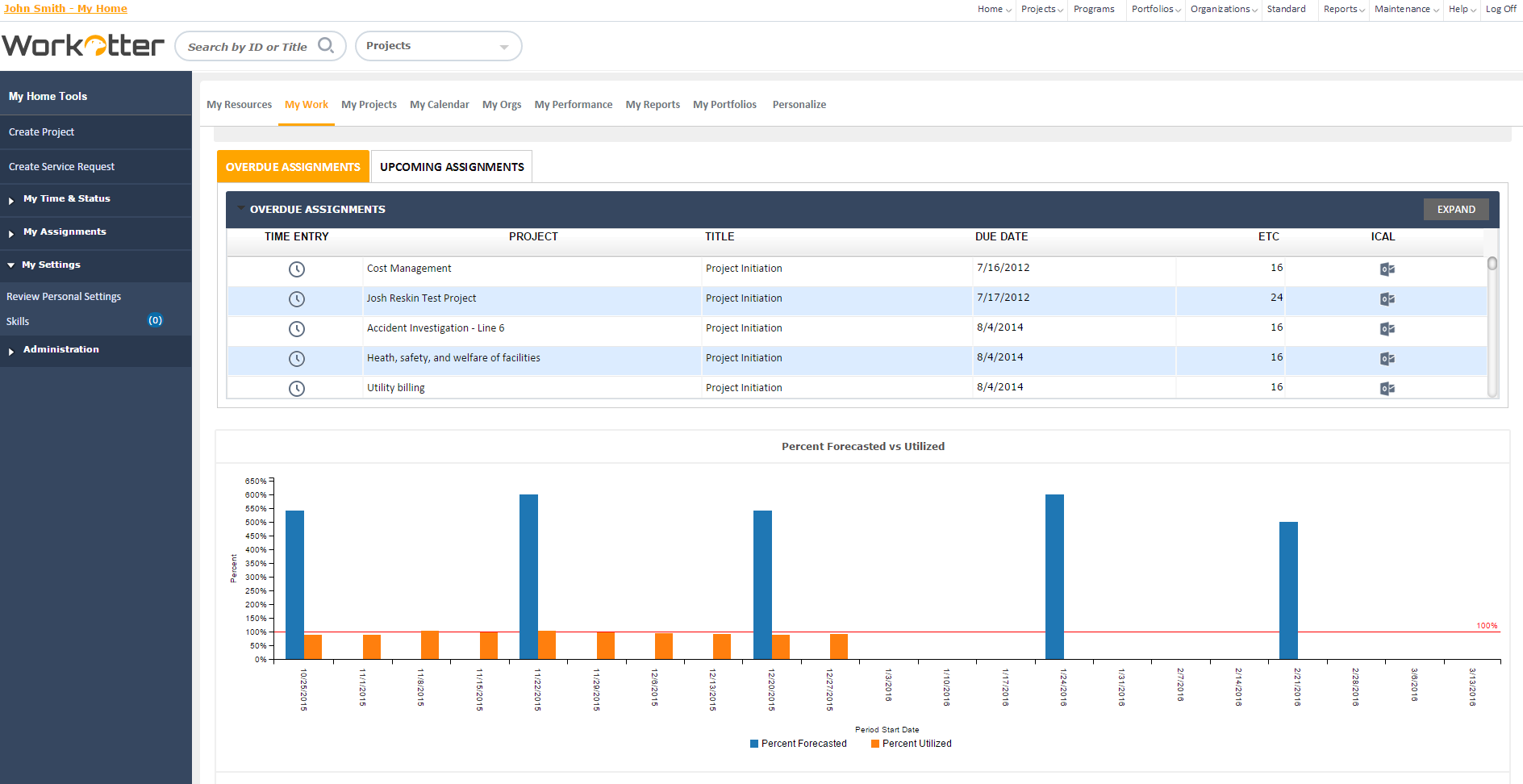
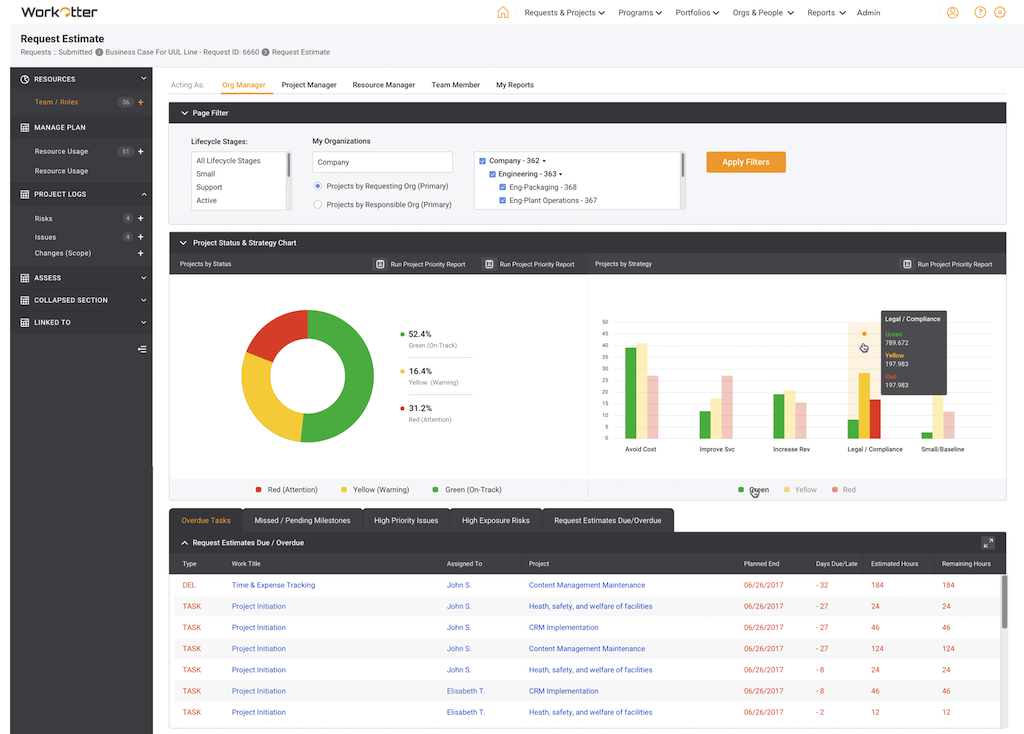
Screenshot of Dashboard viewScreenshot of WorkOtter MyWork viewScreenshot of Dashboard OverviewScreenshot of Resource Usage for People, Tasks, Time, BudgetScreenshot of Over/Under resource allocation viewScreenshot of Project Management Workflow - Customizable