
Kari Tjader
Account Executive - Waterparks and Attractions
Chose Atlassian Loom
Zoom's recording feature has been helpful before Loom, but I appreciate that with Loom I can go back and re-record something if I made a mistake. It's much easier.

| Product | Rating | Most Used By | Product Summary | Starting Price |
|---|---|---|---|---|
 Atlassian Loom | N/A | Loom is a screen recorder for Chrome, Mac, Windows, and iOS from Atlassian, presented as quick to install, easy to use, and boasting a functional free edition. | $8 per month | |
 Jive | N/A | Jive Software, part of the Aurea family of customer experience solutions, provides the gateway to an organization's most important assets – its knowledge and people. Jive's interactive intranet solution promises to connect people, information and ideas to help businesses outpace their competitors. The vendor says the product has more than 30 million users worldwide across every industry, and is consistently recognized as a leader by top analyst firms. | N/A | |
 Zoom Workplace | N/A | Zoom Workplace, Zoom’s open collaboration platform with an AI Companion, empowers teams to be more productive, and strengthen customer relationships throughout the customer lifecycle with Zoom’s Business Services for sales, marketing, and customer experience teams, including Zoom Contact Center. | $16.99 per month per user |
| Atlassian Loom | Jive | Zoom Workplace | ||||||||||||||||||||||
|---|---|---|---|---|---|---|---|---|---|---|---|---|---|---|---|---|---|---|---|---|---|---|---|---|
| Editions & Modules |
| No answers on this topic |
| |||||||||||||||||||||
| Offerings |
| |||||||||||||||||||||||
| Entry-level Setup Fee | Optional | No setup fee | No setup fee | |||||||||||||||||||||
| Additional Details | — | — | Discount available for annual billing. | |||||||||||||||||||||
| More Pricing Information | ||||||||||||||||||||||||
| Atlassian Loom | Jive | Zoom Workplace | |
|---|---|---|---|
| Considered Multiple Products | Atlassian Loom Kari Tjader Account Executive - Waterparks and Attractions Chose Atlassian Loom Zoom's recording feature has been helpful before Loom, but I appreciate that with Loom I can go back and re-record something if I made a mistake. It's much easier.  Chandler Elmore Marketing Technologist Chose Atlassian Loom Loom is the best video screen sharer that we have come across. Its ease of use and relative value in its free product make it an easy stand out when we went looking for a platform to use. Though there are different video recording platforms out there that can do similar things …  Andrea Cross Customer Service Representative Chose Atlassian Loom For desktop recordings, I've only used Quicktime. Loom is overall a nicer looking and functioning tool for recording videos, although there are a couple tools that Quicktime has (like splicing videos and selecting a specific recording size) that I wish Loom had.  Carl Pieri Leadership Rotational Program - Customer Marketing Chose Atlassian Loom Loom is much better and easier to use for recording presentations. Zoom has a record function but not so good for like recording yourself talking. |  Jive No answer on this topic |  Zoom Workplace  Christine Francois Director of Customer Success Chose Zoom Workplace Zoom Workplace is superior in my opinion. It is the best for training clients and allows for annotation. Teams does not allow you to annotate and that makes it VERY hard to direct someone where to go on a screen.  Jason Rutel Creative Director & Owner Chose Zoom Workplace Zoom is much more reliable, and the call quality on Google Meet has been less than great for any meeting more than 1-on-1. I chose Zoom because I could try that it would work and that I could hear the other person. It's easier and simpler to use. Zoom wins.  James Sennett Corporate IT Manager Chose Zoom Workplace Zoom has blown our previous Voice & Meeting vendors away in cost, quality, and consistency. The cost was a major factor that allowed us to take a risk on a newer service, but the quality of the voice and video across all zoom products paired with the outstanding communication … |
| Atlassian Loom | Jive | Zoom Workplace | |||||||||||||||||||||||||||||||
|---|---|---|---|---|---|---|---|---|---|---|---|---|---|---|---|---|---|---|---|---|---|---|---|---|---|---|---|---|---|---|---|---|---|
| Performance & Compatibility of Online Events Software |
| ||||||||||||||||||||||||||||||||
| Screen Sharing |
| ||||||||||||||||||||||||||||||||
| Online Meetings / Events |
| ||||||||||||||||||||||||||||||||
| Online Events Collaboration |
| ||||||||||||||||||||||||||||||||
| Online Events Security |
| ||||||||||||||||||||||||||||||||
| Cloud PBX |
| ||||||||||||||||||||||||||||||||
| Call Management |
| ||||||||||||||||||||||||||||||||
| Mobile apps |
| ||||||||||||||||||||||||||||||||
| Unified Communications Platform and Collaboration |
|
| Atlassian Loom | Jive | Zoom Workplace | |
|---|---|---|---|
| Small Businesses |  Sendspark Score 10.0 out of 10 |  HCL Connections Score 9.0 out of 10 |  Broadvoice | GoContact Score 9.3 out of 10 |
| Medium-sized Companies |  Snagit Score 9.6 out of 10 |  RWS Tridion Sites Score 9.0 out of 10 |  Cisco Unified Communications Manager (Call Manager) Score 8.6 out of 10 |
| Enterprises | Snagit Score 9.6 out of 10 | RWS Tridion Sites Score 9.0 out of 10 | Cisco Unified Communications Manager (Call Manager) Score 8.6 out of 10 |
| All Alternatives | View all alternatives | View all alternatives | View all alternatives |
| Atlassian Loom | Jive | Zoom Workplace | |
|---|---|---|---|
| Likelihood to Recommend | 9.7 (39 ratings) | 9.1 (37 ratings) | 8.8 (1019 ratings) |
| Likelihood to Renew | - (0 ratings) | 6.6 (17 ratings) | 7.6 (25 ratings) |
| Usability | 9.7 (6 ratings) | 6.1 (4 ratings) | 8.7 (45 ratings) |
| Availability | - (0 ratings) | 5.0 (1 ratings) | 9.1 (2 ratings) |
| Performance | 10.0 (2 ratings) | 9.0 (1 ratings) | 9.0 (3 ratings) |
| Support Rating | 8.9 (7 ratings) | 6.9 (2 ratings) | 6.1 (46 ratings) |
| In-Person Training | - (0 ratings) | - (0 ratings) | 9.1 (1 ratings) |
| Online Training | - (0 ratings) | 5.0 (3 ratings) | - (0 ratings) |
| Implementation Rating | - (0 ratings) | 3.0 (1 ratings) | 6.3 (11 ratings) |
| Configurability | - (0 ratings) | - (0 ratings) | 9.1 (2 ratings) |
| Contract Terms and Pricing Model | - (0 ratings) | - (0 ratings) | 8.0 (13 ratings) |
| Ease of integration | 8.1 (2 ratings) | - (0 ratings) | 7.3 (2 ratings) |
| Product Scalability | - (0 ratings) | - (0 ratings) | 9.7 (3 ratings) |
| Professional Services | - (0 ratings) | - (0 ratings) | 9.2 (8 ratings) |
| Vendor post-sale | - (0 ratings) | - (0 ratings) | 9.1 (2 ratings) |
| Vendor pre-sale | - (0 ratings) | - (0 ratings) | 7.3 (2 ratings) |
| Atlassian Loom | Jive | Zoom Workplace | |
|---|---|---|---|
| Likelihood to Recommend | Atlassian
 Carlos Andrés Patiño Talent & Culture Manager | Aurea
| Zoom
 François Lavallée president |
| Pros | Atlassian
| Aurea
 Anna Stepanenko Руководитель проекта | Zoom
|
| Cons | Atlassian
| Aurea
 Terry Rydzynski Digital Manager | Zoom
 Cheryl Hillen, CSMC Director Business Admin |
| Likelihood to Renew | Atlassian No answers on this topic | Aurea
 Chris Becker Principal | Zoom
 Stefan Scherbik Associate, Video and Collaboration |
| Usability | Atlassian
 Jack Edward Heald Managing Partner | Aurea
| Zoom
|
| Reliability and Availability | Atlassian No answers on this topic | Aurea
| Zoom
Stefan Scherbik Associate, Video and Collaboration |
| Performance | Atlassian
| Aurea
| Zoom
Stefan Scherbik Associate, Video and Collaboration |
| Support Rating | Atlassian
| Aurea
| Zoom
|
| Online Training | Atlassian No answers on this topic | Aurea
 Maxime Guglielmetti Business Intelligence coordinator & CRM expert | Zoom No answers on this topic |
| Implementation Rating | Atlassian No answers on this topic | Aurea
| Zoom
Stefan Scherbik Associate, Video and Collaboration |
| Alternatives Considered | Atlassian
 Manan Vora CEO and Founder | Aurea
| Zoom
 Daniel Berry Copywriter |
| Contract Terms and Pricing Model | Atlassian No answers on this topic | Aurea No answers on this topic | Zoom
 Bart Harris Software Engineer, Infrastructure |
| Scalability | Atlassian No answers on this topic | Aurea No answers on this topic | Zoom
Stefan Scherbik Associate, Video and Collaboration |
| Professional Services | Atlassian No answers on this topic | Aurea No answers on this topic | Zoom
 Brandon Losover SMB Sales Specialist |
| Return on Investment | Atlassian
 Alyssa Parr Founder & Creative Director | Aurea
| Zoom
 Randy Palmer Manager, Training & Learning Development |
| ScreenShots | Atlassian Loom Screenshots  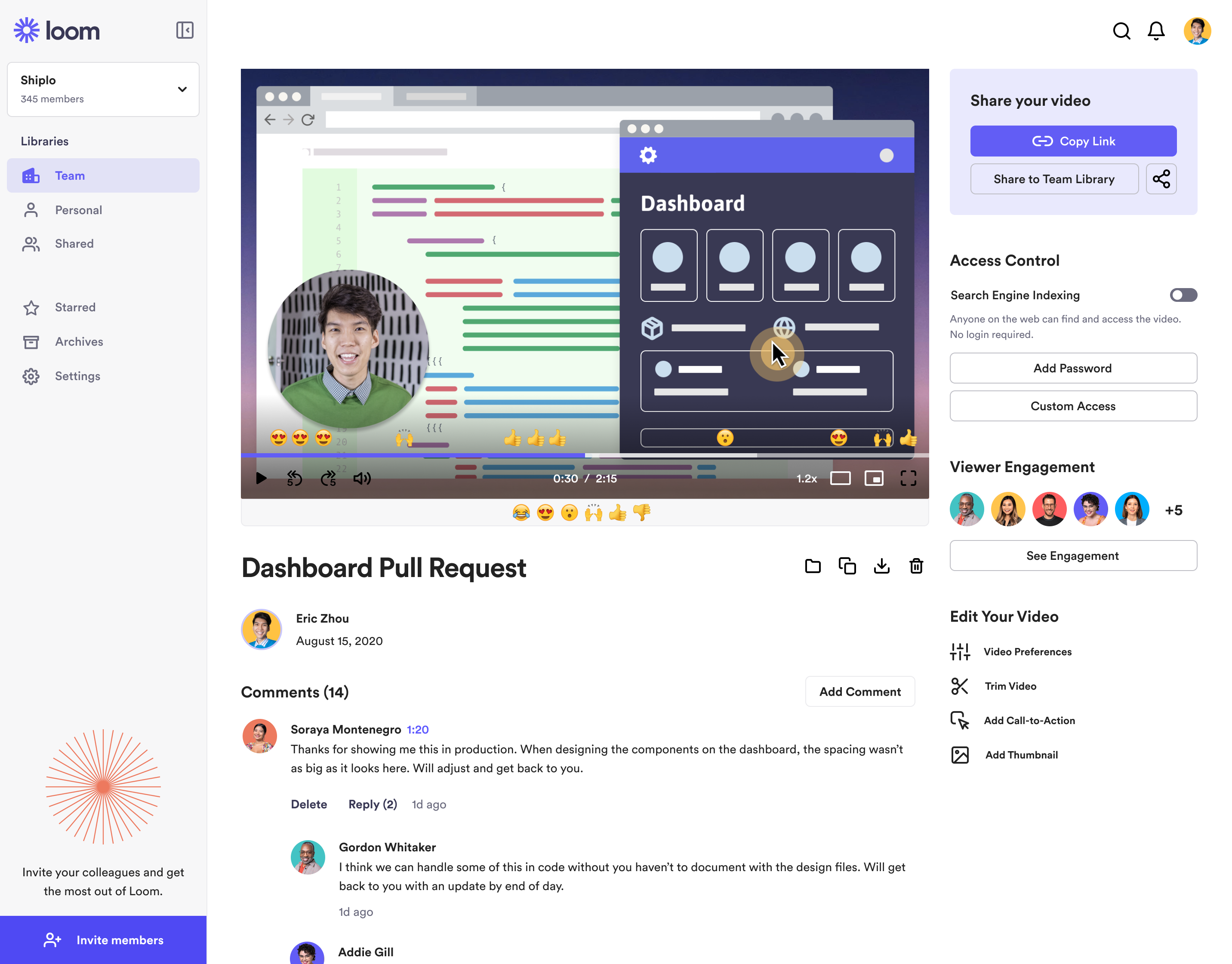  | Jive Screenshots | Zoom Workplace Screenshots     |
