Basecamp is a web-based project-management tool. Basecamp offers features standard to project management platforms, as well as mobile accessibility, unlimited users, and 3rd party integrations. Basecamp is priced by space requirements and concurrent projects.
$15
per month per user
ConnectWise PSA
Score 8.1 out of 10
Small Businesses (1-50 employees)
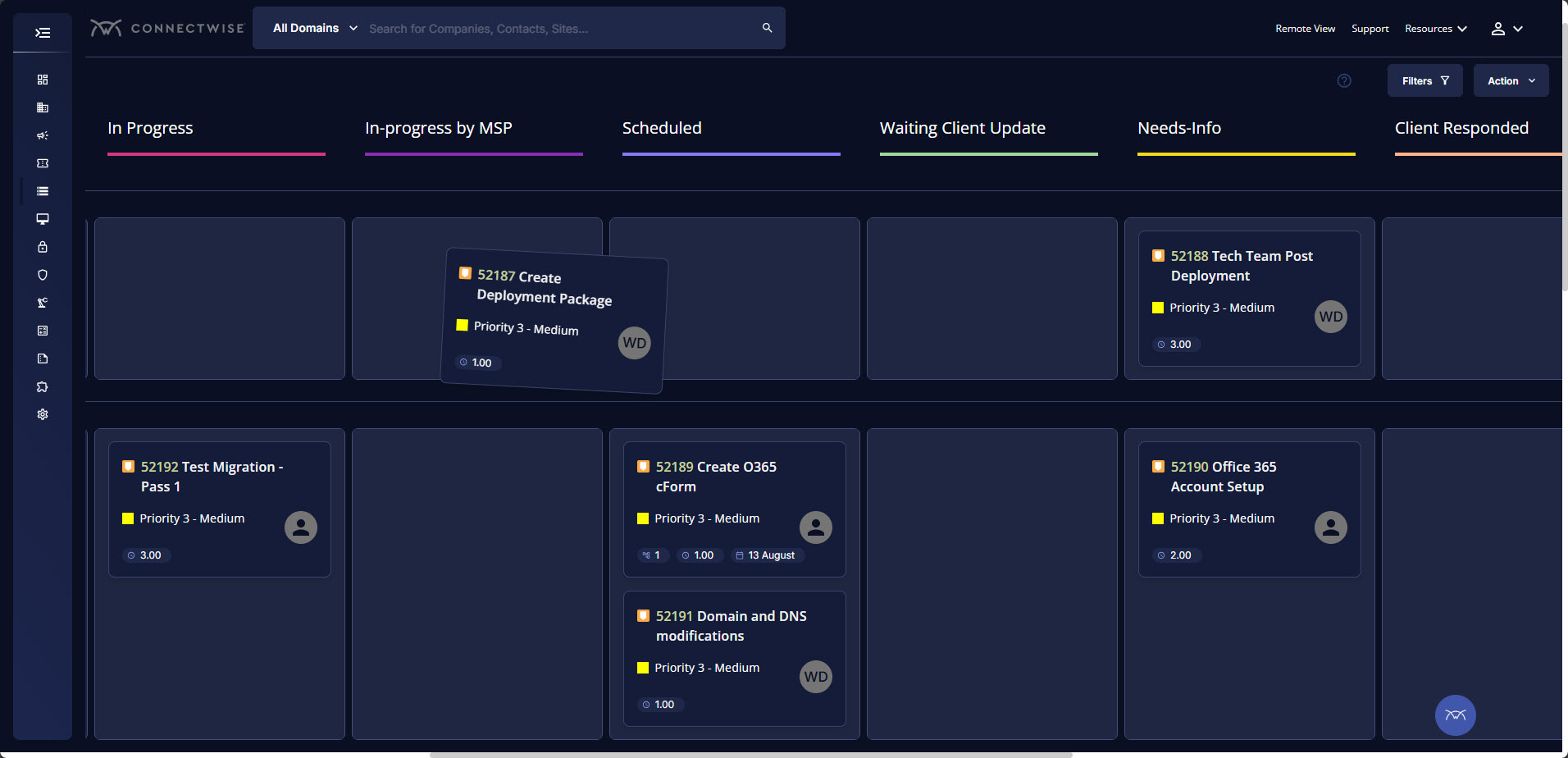
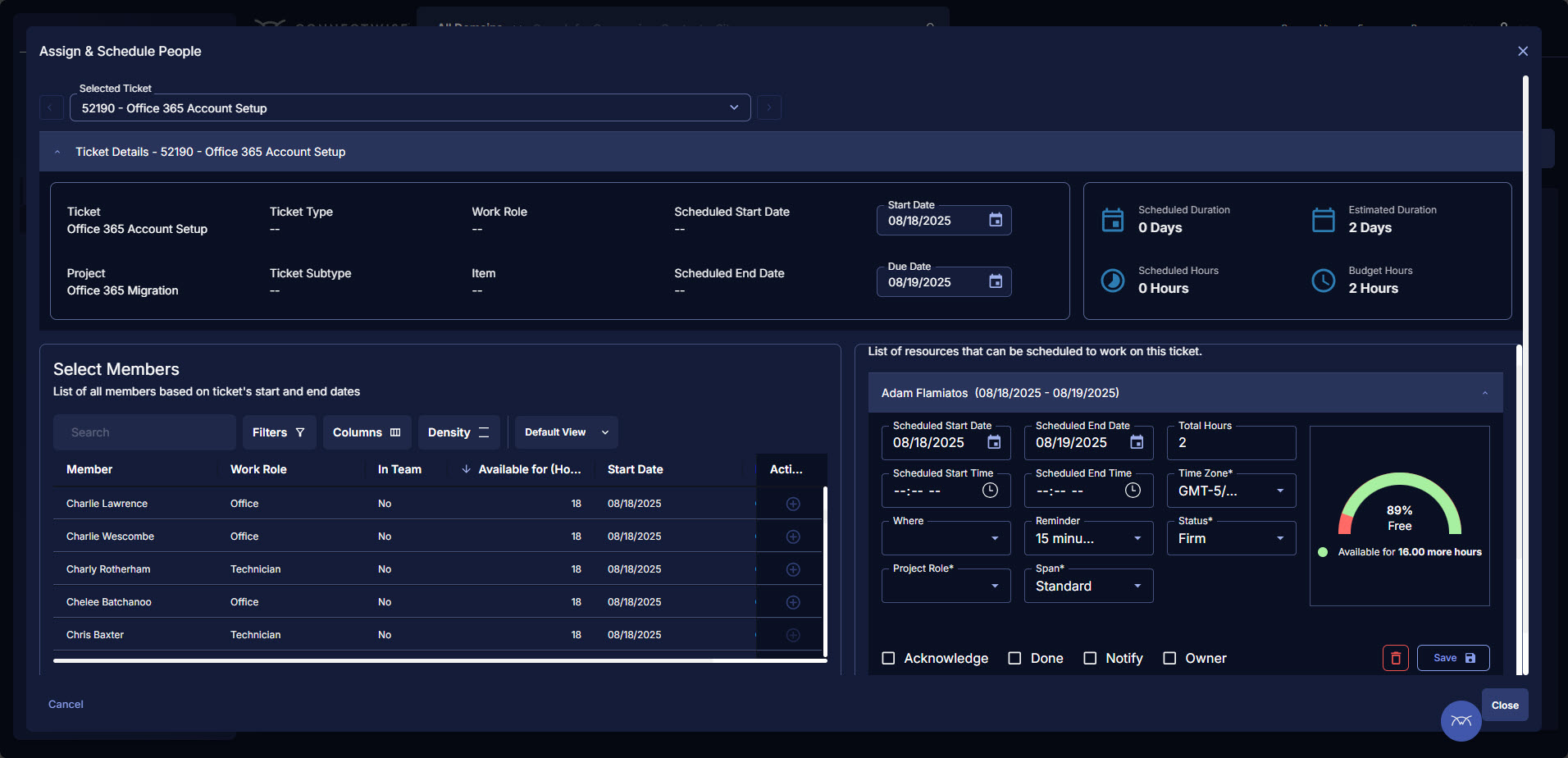
ConnectWise PSA (formerly Manage) is a business management platform for companies that sell, service, and support technology. The platform is cloud-based and integrates automation, help desk and customer service, sales, marketing, project management, and business analytics. It is the hub of the ConnectWise suite.
$35
Per Tech Per Month
monday.com
Score 8.3 out of 10
Mid-Size Companies (51-1,000 employees)
monday.com Work OS is an open platform designed so that anyone can create the tools they need to run all aspects of their work. It includes ready-made templates or the ability to customize any work solution ranging from sales pipelines to marketing campaigns, CRMs, and project tracking.
JIRA is a project management tool for IT developers built on the Agile principle, while Trello is built on a board style methodology. monday is a grid style project management tool that works great for visual project management. Basecamp on the other hand is all about team …
Basecamp is probably towards the bottom of the totem pole here based on what our needs were. Trello lacks reporting as well, but there's much more customization with Trello. Asana has more reporting and integration capabilities. monday.com is my favorite so far. The amount of …
We moved from Basecamp to monday.com. Monday is much better suited to an environment where most projects are similar to other projects you are currently working on or have already completed. Monday isn't as "social" or as "community building" as Basecamp, but we've always used S…
We found that Basecamp worked better for our needs than these competitors. ML is a bit slow for our purposes, and it doesn't handle images/video in as nice of a way. InVision could potentially work alright for our needs but would require too many different screenshots being …
Basecamp is the best application we've found for our team to interface with external clients. It makes project management simple, and allows our clients visibility into their projects, which in turn builds trust, fosters open communication, and improves customer satisfaction. …
Basecamp is a feature-rich and user-friendly platform that outpaces other solutions we've explored. The vast number of integrations available, as well as the years of dedicated developers as well as the natively available mobile apps, really make Basecamp a leader in this …
Trello is less expensive and the free version works pretty well. For the paid version, Trello is also a really great tool. Overall, I do like Basecamp better. It's a more simple layout and structure to the software. I like the communication threads better on Basecamp. Trello …
There is a simplicity that basecamp offers where most other project management systems seem to miss. They've worked hard at keeping the right things in place and not adding so many of the extra features that just get in the way of getting work done. The thing I liked most …
We selected Basecamp for the low cost of entry for the org and the number of users who had previous experience on Basecamp. We ultimately will be transitioning to another project management tool that includes relational decision capability and Gantt chart capacity.
Comparatively, Basecamp has been found to be the easiest to use and onboard new users. Additionally the cost model for our organisation is much lower on Basecamp compared to the competition.
Other products are more aligned with Agile practices but for most of our operational …
Verified User
Contributor
Chose Basecamp
Basecamp seemed to be more user-friendly compared to the others I've previously used. It is really easy to use and doesn't require intensive training for its users.
Lead Graphic Design Specialist/ Social Media Marketer
Chose Basecamp
Basecamp is a similar type of software but is on a totally different playing field than Monday. Basecamp is definitely a lot more bare bones, it is a task tracking software and that is all. Basecamp is more of a "To Do" list where as Monday is a full-on task scheduling, time …
Haven't tried any other software or platform other than Basecamp, but before the purchase process we reviewed other products and they seem very similar and the decision that got us to buy Basecamp was because of the price and the understanding of the web page related to the …
We used another system called Connectwise and it was a nightmare. Basecamp has made us so happy. Connectwise was just an Internet Explorer/ PC computer based program that ran so slow. We had MAC users who wanted to pull out their hair because of the slow connection with the …
ConnectWise PSA
Verified User
Project Manager
Chose ConnectWise PSA
monday.com is very easy to use, and it is much easier for new team members to learn how to use it. I use it with our web developers, and the interface is much easier to navigate. Emails to clients/other resources that are generated from their tasks are much nicer looking and do …
We reviewed a lot more products than those listed above but in the end, we are told by our business mentors to just pick one and use it - everything has its learning curves. However, all of the other products we tried couldn't even come close to what Connectwise Manage could …
Part of our organization is still using Basecamp. I am leading my team with Dapulse, because its visual platform and capacity to measure progress across the boards helps me lead our team better. Basecamp has great features, but Dapulse is helping me visualize. As a creative …
With both Asana and Basecamp, unless you are the organizer, it is very hard to control how much information you are receiving. That is one reason we chose dapulse because each specific user has more control over how involved they want to be. Asana and Basecamp are also both set …
I've used Basecamp, Central Desktop & SharePoint in the past. And they're fine. But this had a nicer user-interface and a free trial period to let me use it and determine if it could be useable by the team.
Basecamp has some very nice project management features but Monday.com really focuses on task management and keeping teams accountable/organized. We fell in love with the visual task boards that Monday.com offers and that's why we chose to go with it. We also really enjoyed …
Jira can be complicated to setup, but offers the most versatility. Basecamp is simple to use; however, doesn't provide everything a team or many teams may need. Monday fits in the middle and is easy to use and versatile.
monday.com is far superior to Microsoft Planner and Basecamp, and arguably superior to Trello and Slack Lists as well. Asana (for work management and Zendesk (for request management) put it to shame. My main monday-using client selected it primarily because of its slightly …
Although monday.com costs more than the other services, it can handle more as a platform. The functions, features, integrations, and automations allow you to do so much more than, than just keeping track of project & task deadlines.
Monday is much easier to use and learn. So far everyone has figured it out just by using it or after watching a brief training video. Most other tools have parts that we wouldn't use or be just too complicated for the average user. We feel with Mondayulse we are not struggling …
Monday.com is definitely a good platform—it has the things you need if someone is looking for a project management software, but we found Airtable and Google Sheets as fine alternatives to what we wanted at a lower price. Teamwork was also good and they had a free version for …
We have tried many other project management programs. In the end, we were able to customize Monday more easily to fit our team's needs and handle more things in Monday than the others. It's nice to have everything in one place (campaign planning, team task lists, upcoming …
Monday.com does not stack up against HubSpot. HubSpot is a CRM whereas monday.com is a database or project manager. If you want to actually do something with the contacts then you need a different tool. It's good for sales teams to keep track and use throughout the pipeline, …
Monday.com has been the first task management/project management tool we have assessed that met every need our digital agency requires. And to top it all off, we've had an amazing time with the customer support team, who have been helpful and timely in their assistance. We …
Learning Management System Analyst -- CornerstoneOnDemand
Chose monday.com
We selected monday for the user interface. The idea we had in mind for how we wanted to set up updates and workflows just aligned perfectly well with that monday offered. we had to create accounts for everyone but once the setup/homework was complete the workflows fell into …
Monday.com is overall a better program that is much more visually appealing. It's easy to use as well and couldn't see using another program at this point.
dapulse is much more organised in terms of the platform functionality and general layout. It's easier to use and easier to use as a group tool and central hub for our team.
Dapulse is great for team checklists and assigning tasks. It is a great way to see everything in one spot. I like that I don't have to sign out and into another system to see other projects. It gives me a good look at what needs to be done and by whom.
Basecamp is a wonderful tool for teams of varying degrees of technical knowledge, teams managing lots of different types of "agifall" and waterfall projects, and teams that are remotely distributed. It's probably less useful for more strictly agile-focused development teams, compared to other more flexible software applications like Jira and Asana.
BrightGauge lets us know when we have critical issues that need solving. A massive influx of tickets all at the same time triggers an investigation. Usually, it is tied to a server going down, which we can address. It would not be helpful for a small MSP or IT department with just a few daily tickets. The stats are better used to track a large amount of clients.
The platform has a good deal of versatility and extensibility, but I do not feel it is well suited for anything too complex. More complexity seems to bog down performance and increase maintenance to keep everything humming. As much as possible, avoid creating too many bespoke workarounds that will end up creating tech debt. The platform seems to work best for more straightforward scenarios and smaller to mid-size companies. Pricing can be reasonable for specific teams, but can feel a little too pricey for company-wide usage. It has served us well for the early stages of our company, but we find ourselves offloading the more complex use cases to other apps specifically developed for those, and reducing to just those teams that are more deeply embedded in the functionality.
Task management - It is very easy to add, organize and discuss tasks within Basecamp's interface.
The "Campfire" function is great for communicating when you just have a quick question for someone on the team.
Notifications - Basecamp lets you decide how often and about what you'd like to be notified. The ability to respond to messages in Basecamp directly via email saves a lot of time.
Tickets- Customers can email and a ticket is generated and falls under their profile for historical records. You can save documents and select if they are customer facing or only internal facing. The option as well to have communication in tickets whether its internal facing or customer facing is nice to have when you're trying to keep a record or important details for just internal means and the customer doesn't have to see all the jargon.
Procurement - It's great to have this integrate with Quosal Sell. Quotes being processed into opportunities and then into a sales order which connects to a ticket or project is pretty easy to use. It does have a learning curve but once you get the hang of it, it's straightforward. Everything is pretty connected, whether keeping track of products customers have purchased historically through us, to knowing what ticket is associated to an RMA.
I like summary of subitems, especially with subitasks as subitems and add item tracking for each subtask it can show total tracked in parent item. Similar with other columns, like numbers, status, date.
Dashboard features, Many kinds of dashboard view available, we can utilize on the basis of requirements.
monday.com workform is very powerful, easily share form link when submitted it will create line item in board with provided data.
monday.com automation is very helpful in order to automate steps with specific rules and easy setup.
monday.com also provides integrations in order to automate processes if need to integrate multiple app together. or need to transfer data between multiple apps.
High Learning Curve. It's true that it can be easy to use, but to use well and effectively takes some time to learn. It's recommended to have an agreed-upon system in your team of what tools to use and when.
Notification Overload. If people aren't careful they could send a notification to everyone when only a couple people were meant to be prompted. And since emails are sent by default, you could have your mailbox overloaded with unnecessary updates. This is where it takes a bit of training in your team to have an agreed-upon system.
Lack of organization with Archived Projects. I will often need to reference an archived project to make a new one, but there is only a list of archived projects in alphabetical order, with no way to organize by archive date, or even search.
Annual or more than annualized data is desperately needed for MSPs to show trends, current limitation is previous 240 days for ConnectWise tickets
Alerts when datasets do not sync properly, I have to rely on my team to notice vs get an automated alert from BrightGauge
Small thing, but it would be nice to have more options on the report scheduler to enable a start date. If you wish to do it quarterly, you have to start the schedule exactly 3 months from the next run.
I would like to see our company logo show up larger on the form feature.
I prefer the version of the form they have now instead of the new version for 2025. The current form shows the questions in bold font, and the new version does not. This may mean it could take our volunteers longer to get to the pertinent information on the form.
It would be nice if monday.com staff had monthly webinars showing how to use some features. such as, using formulas effectively.
When I bring new people onto a project, it's immediately obvious how to use Basecamp. I don't have to worry about teaching them the features or walking them through it, it's just incredibly user-friendly. For this reason, I'll continue to renew my subscription even as new people are brought onto production jobs or the client changes.
ConnectWise has uniquely positioned themselves with the Modern Office Suite to have direct integration with a nearly full suite of tools for MSPs. Although each tool may not necessarily be the absolute best tool on the market, the efficiencies leveraged through direct integration make the entire suite an obvious choice for most companies.
Teams involved in content creation, such as marketing or editorial teams, could use monday.com to manage the entire content lifecycle. Boards might track content ideas, assignments, drafts, reviews, approvals, and publication schedules, helping teams collaborate and keep content production on track.
It is easy to use, even for clients who have no experience with the platform. It can only get a little cumbersome to ensure that a client can't see certain documents you might want to keep in the Docs & Files folders. And sometimes, getting a client to actually use an unfamiliar platform can be a challenge.
I have been using ConnectWise since 2004 and I am impressed with the progress they have made. However, there are still bugs that don't work quite like they should. If I were to run reports and get consistent answers along with a couple other annoyances, then I would score CW as a 10
I give monday.com a 10/10 because I almost never encounter any lag or connectivity issues despite all of the many templates, boards, and automations we have. As a matter of fact, I feel like the last issue I encountered was over a year ago... and I'm in monday.com every single work day. Not only is monday trustworthy, it is easy to find what I'm looking for... making the overall usability extremely hard to beat.
I've never experienced downtime while using Basecamp, or been unable to access it when I needed it. That's not to say they've never had downtime, but I've been lucky enough not to encounter any, and I work odd hours, including late nights when maintenance is often undertaken.
We use the cloud version of ConnectWise and in the last 5 years it has never been down for us during business hours. I can only recall 1 time when it was not available during off hours when we wanted to use it.
Some tab for certain areas load speeds could be better. Dashboards can load slowly when they reference multiple reports. Some reports can load slowly based on the tables and views they are accessing. At times the SQL queries being performed in the background can actually timeout and a tab or screen will fail to load.
Everything performs fairly well. Every now and then there are user errors where an employee will not click "ok" on a note they've created and simply exit out (I do wish that something was in place to prevent this, such as a pop "are you finished?")
For the many reasons I've given, Basecamp is a very strong program. There are a few features I can imagine that might make it even better, but I don't have a basis for comparison to be able to say that there is definitely a better one out there. I've noticed that Basecamp has evolved a bit from the time I started using it until now, so that makes me think that the producer of this program values it and believes in continuous improvement. If you could use the features offered by Basecamp, I would think you could use it with confidence.
The front line support techs are wildly inconsistent when it comes to the level of support. Sometimes you get someone who just wants to throw links to University documentation at you, sometimes you get someone who truly tries to understand your issue and confers with peers and managers to find an answer, and sometimes you get someone who just wants to create a ticket and escalate immediately. If you ask three different techs the same question you will probably get three different answers, one of them being, "That's not possible."
monday.com only really care about accounts that have 20 seats or more. While this is great for monday.com, it pushes smaller organisations to evaluate alternatives. We rate monday.com highly in our organisation because key staff have already got good experience with the application and we know we will get to 20+ seats one day. But, till then the billing model and lack of permanent enterprise features is a dread.
We are a telecoms company. Whilst CW were very happy to sell us their product and tell us how good it is for telecoms. All the training material is geared towards IT MSP's. The on-line training material was virtually useless. We found the implementation a bit of a joke. They tried telling us 12 hours of implementation time would be sufficient to launch the product. We erred on the side of caution and paid for 24 hours. This was quickly eaten away and we were nowhere near ready to go-live. I find the on-line chat facility is of much more use for us.
To have someone walk you thru the features and capabilities of Monday.com is priceless. Someone also coming along later in the contract to see if you are maximizing the program to suit your company needs is beyond helpful. The staff that have provided this training are fun, creative and very patient.
Decide the process before implementation - i.e. when it's due 8/9 does that mean 8am, noon, 5pm, 11:59pm? Check your to-do list frequently Set-up templates - just not with the dates (they can be funky)
Rather than letting them sell you a block of time for implementation, create a list of things that must be completed do declare the implementation complete. The implementer will have the discretion on what they set up and in what order. They will be trying to end their services in as little time as possible and may not get things set up right. You are best advised to hire a third-party wizard that has done many of these setups. Record the audio and video of all of your implementation sessions.
We signed up for the accounts. Created the accounts. Ran the trial version and tested it live while we were running multiple projects and found that it was fitting our needs perfectly. When the trial ended and we were asked to purchase the full version, we did. We have found other ways to use it and it's a breeze.
Pretty good, but [Basecamp] has its drawbacks. Honestly I find the interface non-intuitive and sometimes have trouble figuring out how to change the status of a task. Perhaps it has something to do with the way it was originally set up by the admin, but I'm not sure. I liked Jira's drag and drop obvious functionality, but the project management side of the software was lacking. Smartsheet has excellent project management functionality, but the task management isn't as good.
Everyone but dynamics had holes in it. Dynamics is good, but it requires more development time. I spoke with some people that have CW and liked it. But when I inquired after our frustrations, I discovered they had a full time scheduling & logistics CW manager and the field people were using it purely like any other more simplistic ticket system. They said it would be impossible otherwise. The one big difference is the transparency of the sales effort. The other sales people were honest on the limitations or potential challenges and worked with us. They also worked with our agenda. At CW they don't have that option. The consulting time is eaten through a pre-formatted agenda which they communicate too you, not with you.
monday.com is cleaner, offers more customization and is easier to design out with a team project focus in mind. With the ability to automate steps as well, it is super easy to move tasks along, have stages auto-update and to go through my personal to-do list of tasks to get things done.
ConnectWise seems to have a good understanding of the IT service industry. During the required onboarding training, they even preach configuring only features that you need right now, as you can always scale up later. The feature set for the most part takes into considerations all aspects of an IT business, whether small or enterprise, or growing from one to the next.
For it to work across multiple departments and sites, I would like to see improvements made with integrations and automation. For this question, I am acknowledging not only the addition of internal triggers/automation, but also an expansion on external ones.
It has saved me time when having to get the same message out to multiple restaurants
It has helped us make smarter operational decisions because we can all collaborate on an answer in a shorter amount of time (instead of calling a meeting!!!)
The calendar function allows us to plot out our marketing agenda for the month and add/change it together as needed. The chef will post his recipe, the managers will cost it out, the social media manager will post pictures on it, and ultimately we will get that information out on an info sheet to the staff by printing the page.
Much easier to review my prior month and report to clients on work completed; easy to extract the information and work done to Excel to add budget tracking etc - I see this is possible in monday.com and I will investigate how/if this is possible on our current plan.
Very fast and easy set-up of Boards.
Still lots to learn and grasp - many more opportunities to become more efficient using monday.com. I'm only just getting started.
The initial automations are quick and easy to set up, and if set up correctly.
My month-end client status and progress reports are now more accurate, and I can keep track of all the information in one place (inside monday.com).