BILL is an online service for SMBs which provides a central dashboard for managing Accounts Receivable, Accounts Payable, and cash flow management. It syncs with all major accounting systems like QuickBooks, Sage, Intaact, and NetSuite.
$45
per month
Emburse Certify
Score 7.4 out of 10
N/A
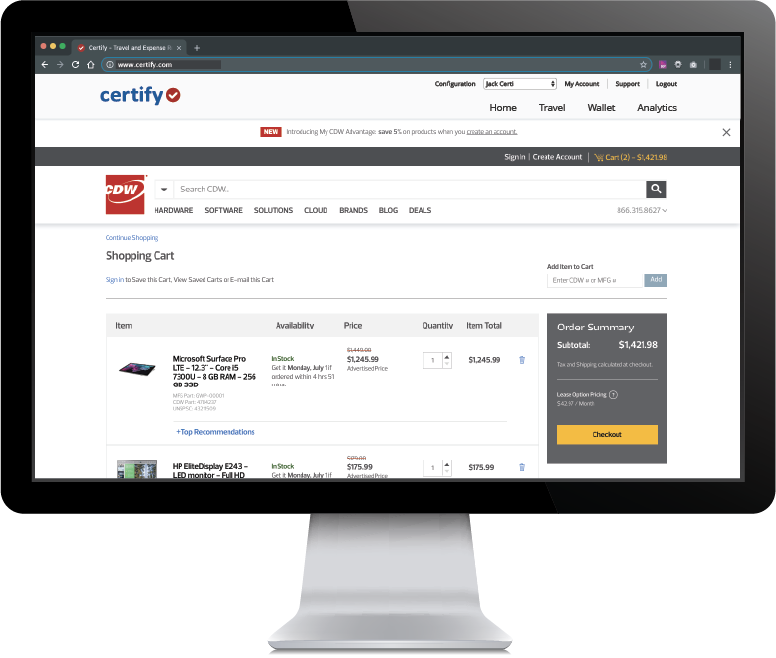
Certify is travel and expense management software developed by the company of the same name in Maine, which merged with Chrome River in 2019 to form Emburse.
N/A
Expensify
Score 9.0 out of 10
N/A
Expensify automates the entire spend management process. Scan receipts, track mileage, submit and approve expenses, manage corporate cards, reimburse employees, pay bills, send invoices, and book travel. Built for individuals and companies of all sizes, anywhere in the world.
$5
per month per user
Pricing
BILL
Emburse Certify
Expensify
Editions & Modules
Essentials
$45
per user/per month
Team
$55
per user/per month
Corporate
$79
per user/per month
Enterprise
Custom Pricing
No answers on this topic
Collect
$5
per month per user
Control
$9
per month per user
Offerings
Pricing Offerings
BILL
Emburse Certify
Expensify
Free Trial
Yes
Yes
Yes
Free/Freemium Version
No
No
No
Premium Consulting/Integration Services
No
No
No
Entry-level Setup Fee
No setup fee
$8 Expense report
No setup fee
Additional Details
—
Certify AP has volume based pricing based on processed invoices
It's more flexible and affordable than Expensify and QB online. It allows a more novice user to understand and manage the backend of the platform. It costs less for growing companies since you don't have to sign a long contract. Its similar in flexibility of payments to PayPal …
1. Automation & Workflow Efficiency.2. Integration Capabilities with other softwaresWe needed a centralized, automated, and scalable solution for managing both payables and receivables. The strong integration with our existing accounting software was a key factor.The platform …
Verified User
Employee
Chose BILL
In my last job, we used Clients and Profits (which isn't listed as a product). We switched from it to NetSuite and I believe used Epay to print checks from CSV import files generated from NetSuite. Bill.com seems way easier and streamlined.
Banks and other financial institutions provide electronic bill pay and processing services, but these generally do not provide the embedded approval and security which Bill.com does. Accounting software also enables bill payment, but then requires access to the main accounting …
Bill.com had just been implemented when I joined the company where I first used it. I never saw a need to look at anything else. In my current role, I turned to Bill.com again and had it up and running within a few hours.
They fail in every aspect to compete with Expensify, or any other program out there. We selected Certify because we were told it could help us and replace our very manual process.
Verified User
Manager
Chose Emburse Certify
Bill.com allows for multiple approval chains and dollar limits. Generally not needed in a small organization, but very important in a larger organization.
We narrowed our selection down to Certify and Expensify. I had our director of IT review both. He was extremely happy with the ease of use as well as the support we would receive through Certify. I believe his initial conversation was with "Mr. Happy. "Certify will know who …
To be honest we haven't even looked at Expensify ever since we switched full time to Certify. At the time when we compared the 2 platforms, Certify came out on top due to its flexibility of use and customer support. Every once in a while an employee brings up a comparison but I …
I believe for a large organization Certify is the least costly provider compared to other solutions. It is significantly better than using the likes of SAP's Concur ERP type platform. However, it is not as forward-thinking and cool to use like Expensify or Zoho. Again, you …
Certify is similar to Expensify in terms of features and overall potential. Expensify, however, works exactly how I expected it to work when I first opened it. There was very little that I had to learn. Certify’s workflow and interface are a little different than I anticipated, …
Originally we selected Certify because of favorable pricing and it met our basic needs. 5 years in we are again evaluating other products seeking direct integration with our accounting system, Intacct and potentially a solution that also offers time tracking.
It is definitely 10 times better than using an Excel spreadsheet. We are talking a digitized with AI type capabilities to do the work for you. It’s honestly a lifesaver. This beats manual calculations and data entry any day. Scanning 100 receipts and saving them to pdf files …
Expensify is much easier to use from what I hear. I was not at the company when they were using Certify but there were fewer automations and people did not like it.
Emburse has similar features but is very manual. You have to create a report of nothing will get submitted. The UI is also not delightful to use. Expensify makes the process much simpler, faster, and easier.
Verified User
Employee
Chose Expensify
Pure efficiency and automation. Workday took way too long to process expenses and was not user-friendly. Quickbooks is great for tracking invoices, but just not as good as Expensify for expense management.
Expensify and Concur are similar products, but we ultimately went with Expensify because of its more robust sync options (e.g., syncs to more systems easily) and was more cost-effective for the number of users we have set up (between 50-100). I haven't used Concur to any great …
It depends, Bill.com certainly has a strong reputation and I agree it can be a great solution in the right scenario but I think the implementation and initial setup are critical and need to be well thought out based on the setup of the organization you are a part of.
Certify is not well suited for multi-dimensional ERPs. Although Certify 'offers' general ledger dimensions GLD, the use of them is extremely limited. Filtering on any GLD can only be done once. There is not the possibility for creating hierarchies with the dimensions. The only method of exporting is via a flat file or the open API, which I understand is quite limited. This software is for a smaller scaled business that is not trying to track across dimensions or create hierarchies. Data flow is one directional. I cannot emphasize enough the shortcomings of the reporting. The parameters are mostly based on expense dates rather than expense reports. There are entirely too many of them, and some of them perform the function!
I think it's really good for small businesses. At least in the way we use it. It's very good for keeping an eye on employee spending in nearly real time. I'm not sure how it works for larger companies when there is a larger number of people to keep track of.
Integration with Amtrav or other travel booking systems. Certify has a tight integration with travel systems that makes it feel nearly like one cohesive tool.
Easy expense options. Use OCR on receipts, import from credit cards and merge items, approve and inquire about expenses. Track your submissions.
Easy UI. Friendly and easy to navigate without getting lost.
Currently, our company uses a different platform to submit expenses, we only use bill.com to receive them. So perhaps this isn't actually a place where bill.com could improve, but the expense submission process may not have been robust enough for our company.
The bill.com platform wasn't the most beautiful or pleasing to use, but this is a minor fault.
I'd love a way to set up recurring payments (e.g., my phone bill is reimbursed each month).
Reporting: I would like to see more chart availability from the program. We include various data points from Certify in our monthly financial statement package. Currently, we export data from the program and create our own pivot tables to create charts.
Dashboard feature: It would be nice to be able to use the data for a specific date and then be able to print that information.
Can't think of another one. As stated before, they listen to their customers so prior issues have been addressed and implemented.
I wish that I could sync accounts on the back end kind of like with banking software, so that Expensify would automatically port over receipts for recurring expenses as soon as they're available
It would be nice to one-click submit an expense all the way through instead of having to attach it to a report
Wackier profile icons? :) Not a big deal. This software is pretty much amazing as it is now, and typically the urge to update and modify very good software leads to poor outcomes!
While our firm does not use Bill.com internally, we know many customers that use Bill.com and are very happy with it. Based on the feedback from current users, I would say that the product should have a strong renewal forecast. Once customers move their AP to the cloud, they would be unlikely to move it back given a choice.
We like using the tool and we receive positive feedback from employees and management who use the tool. It saves time and helps us concentrate on the value adding activities so we are very likely to keep using Expensify in the future
Bill.com continues to raise the bar with new features and improved interface. The Fast Pay option is another innovation that reduces administrative time when you have to get an overnight check out. The new Chat Support interface, powered by Zopim, which is world-class, adds to the responsiveness of Bill.com's support team and makes getting real-time answers that much easier.
If the integrations with our card programs had succeeded, I expect [Emburse] Certify would have worked well for expense submitters and approvers. During the short time that the American Express Business integration was active, transactions flowed smoothly, and the expense reporting and receipt matching functions were quite good. The [Emburse] Certify mobile app was particularly powerful and easy to use.
My rating of 8 out of 10 for Expensify's overall usability reflects its strong performance in empowering individual users and streamlining core expense processes, while acknowledging that there are specific areas, particularly on the administrative or enterprise side, where the user experience could be further refined. Exceptional End-User Experience (for basic tasks).Automation & Time-Saving Features.Clear Workflow for Approvers. Why it's not a perfect 10 (areas for improvement that dock points): Limited corporate bank to choose from, limited multi-currency to pay to ( for instance, as a foreign corporatio,n i cannot pay with my US account to Israeli employees, or pay to our UK employees)
The only time Bill.com was ever "unavailable" was then the Sync to Quickbooks function failed. That happened a time or two but was usually quickly remedied. I'm not sure if that's an issue with newer online versions of Quickbooks Enterprise -- at the time we were using a remotely hosted Quickbooks instance accessed via terminal server (vs a cloud offering like Bill.com is)
I could not explain to them how I was trying to remove an old email account from my company page while granting the new email account access to the bank account that the first email account had added. The "set a bank account as inactive" button is labeled delete, but they don't seem to recognize that. I requested my Bill.com account be deleted on Wednesday so I could start all over with a fresh account; this seemed to be completed Wednesday night, but when I tried to create a new Bill.com account from the same email, it took me to my old bill.com account.
The measure of support is how well they respond when you really need them, like when the system is not performing correctly. We have been on the platform less than a year, and there have been at least 2 instances, where the platform was down. The 2nd time was the day before out fiscal year end. And they need a development website. When they are making changes to your LIVE instance, and things go wrong, the client is the first to know about it! I've come to understand that Certify has tiers of support. Those in tier 1, barely know more about the software than the users. I sent a request for a report that shows expense reports currently pending approval and after 5 days of back and forth I was told to build it myself.
Our rep has been amazing. He has built custom reports for us that have been very time consuming and difficult. Our reps are also currently looking into new submission solutions for us that we are excited about. They came up with this and recommended it on their own without me complaining about an issue. They are about our success and are very excited about the product they offer.
The online training provided by Bill.com is concise and since the firm consistently improves the platform functionality, users are able to select the training for the modules they specifically need.
The implementation process went rather smoothly, linking it to the bank and cards was handled easily. without too many unnecessary steps. Getting the accounts setup did take some time, but that would be true with any organization. All in all things went smoothly and I was very pleased with the setup and implementation process
1. Automation & Workflow Efficiency.2. Integration Capabilities with other softwaresWe needed a centralized, automated, and scalable solution for managing both payables and receivables. The strong integration with our existing accounting software was a key factor.The platform gave us better visibility and control over cash flow and approval processes.
Before Certify, there was only manual expense reports entered for our company. This took too much time for employees too finish and caused a delay of efficiency. With Certify, it is easier to access and finish each report with the right amount of effectiveness and efficiency it needs. Certify is really helpful in saving a lot of time for employees that do not have time.
It is definitely 10 times better than using an Excel spreadsheet. We are talking a digitized with AI type capabilities to do the work for you. It’s honestly a lifesaver. This beats manual calculations and data entry any day. Scanning 100 receipts and saving them to pdf files not only takes space on your storage but it is an extra unnecessary step
After receiving an offer to 'finance' outstanding invoices, I was enticed by the promise of a 3% total cost for a 60-day period, with the possibility of extending the financing for an additional 10 months (for an additional fee). Eager to access funds, I decided to finance an invoice worth $17,160.00. Within 24 hours, BILL deposited $16,645.20 (97% of the invoice amount) into my account.
However, when the customer paid their $17,160 invoice four days later, instead of the funds being deposited into my checking account as I expected, BILL chose to retire the loan and retain my $514.80 fee for the 4 day advance period. This unexpected turn of events resulted in an effective interest rate of a staggering 273.75%. It was clear that this arrangement was far from what I had initially understood, and the financial impact was outrageously high.
Frustratingly, my attempts to resolve this issue through customer service were in vain, as I spoke with three agents who provided no satisfactory solutions. To anyone contemplating using BILL's services, I strongly urge you to carefully scrutinize the fine print and consider opting for a more reputable finance company."
The organization and automatic flow of the expense report to approvers and then AP saves time for all. The user has agreed that it is easier and quicker to prepare the expense report and the managers and AP department finds the automated process to be quicker and more efficient. Time saved is money saved.
Certify can recognize if a duplicate expense is submitted or if an expense is submitted too late to be reimbursed according to our policies. This prevents us from reimbursing an expense in error.
We use a customized report to track a specific type of expense that gets submitted by our sales team. There is a limit on what can be spent on specific expenses that fall into an entertainment category and the report helps us to stay within the limits. Previously, without this tool, we had spent so much more time manually tracking these expenses and had gone over the limits, creating a deficiency in our processes.
We went from paying credit card fees with no approval process to a no fees and complex approval processes.
I personally save time in not having to develop a spend report I just have my admin assistent fill in the details of the auto generated report and it is done. Went from an hour long process to 5- 10 minutes max to prepare a high quality audit ready report.