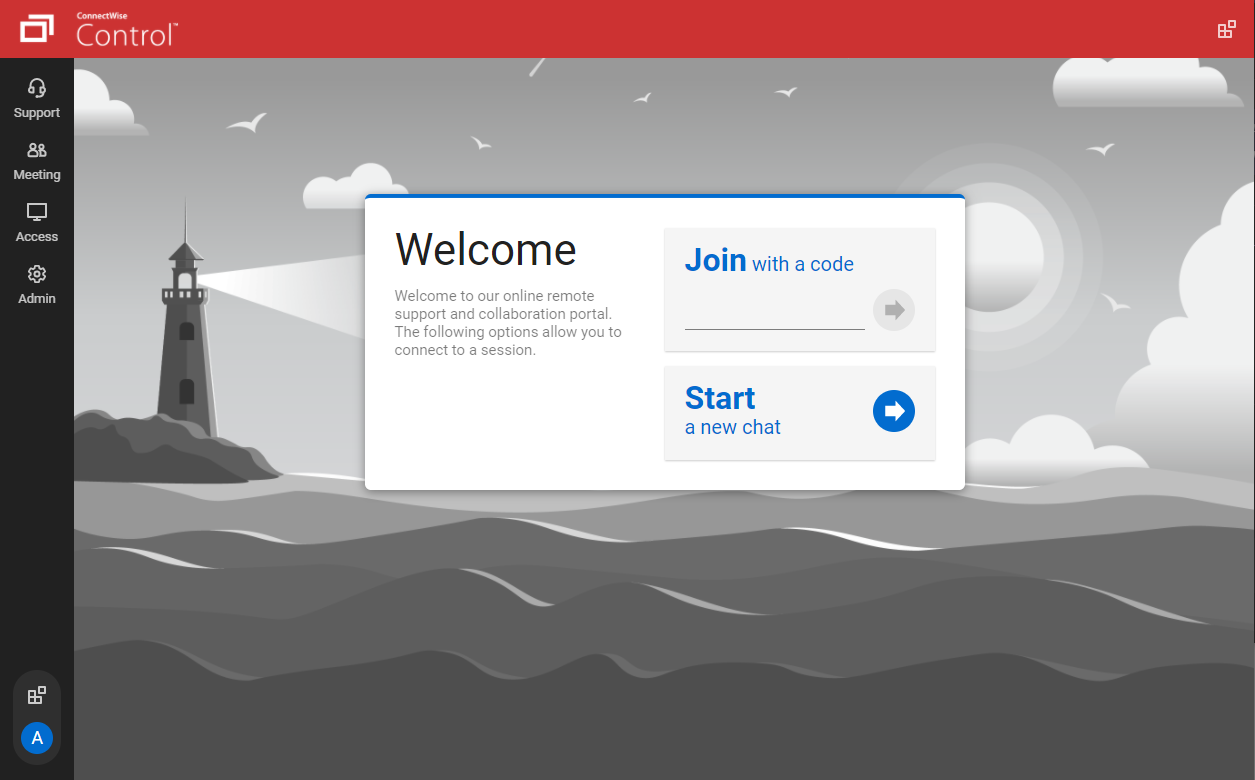
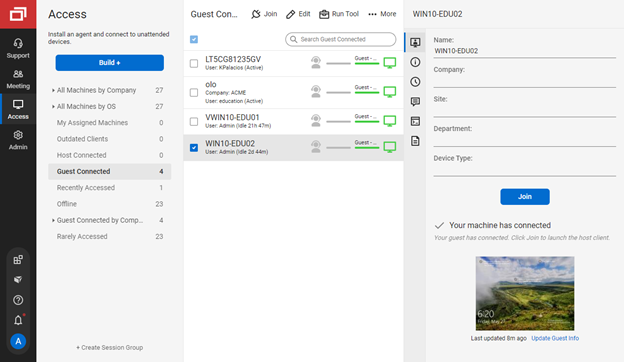
ConnectWise ScreenConnect is a remote support, access, and meeting solution. With it, users can utilize remote support and access to repair computers, provide updates, and manage machines. Users can also conduct online seminars and presentations using remote meetings.
$39
per month
Jive
Score 8.7 out of 10
N/A
Jive Software, part of the Aurea family of customer experience solutions, provides the gateway to an organization's most important assets – its knowledge and people. Jive's interactive intranet solution promises to connect people, information and ideas to help businesses outpace their competitors. The vendor says the product has more than 30 million users worldwide across every industry, and is consistently recognized as a leader by top analyst firms.
N/A
Zoom Workplace
Score 8.4 out of 10
N/A
Zoom Workplace, Zoom’s open collaboration platform with an AI Companion, empowers teams to be more productive, and strengthen customer relationships throughout the customer lifecycle with Zoom’s Business Services for sales, marketing, and customer experience teams, including Zoom Contact Center.
Cost, cost, cost. As a non-profit, our resources are extremely limited. Other resources were strong but I had used ScreenConnect for a number of years as an MSP. ConnectWise Control is an extremely strong product for the cost. We looked briefly at GoToMyPC and TeamViewer but …
Windows Remote Desktop Services are great for connecting to one machine but it doesn't allow for administration and viewing of multiple computers. Plus, it only works on Windows computers and the session can't necessarily survive a restart. ConnectWise can be used on Macs or …
Screenconnect has a monthly payment option, but I actually preffer the model TeamViewer uses to connect with clients (ID and password). Although Zoom has remote control, the operation and options it has is very weak compared to ScreenConnect.
Cost, deployment, branding, web based portal, the performance and ease of use along with the branding really sold us; and the price point was the ultimate key . As a business we need to make a ROI and continue operations in an efficient and professional manner. ScreenConnect …
IT Specialist, Legal Videographer, Marketing Specialist
Chose ScreenConnect
The big distinguisher between ConnectWise Control and LogMeIn Pro comes down to price. LogMeIn Pro continued to hike up the price each time we renewed for a year, and they simply didn't improve considering the amount of money we had to pay more with each renewal. ConnectWise …
With Five9, there may be a disadvantage in terms of prices, which is why we're switching to them for the phone service, but Zoom Phone is actually much better. The integration it offers with other tools allows for data collection and call recording. In the Admin service, you …
Zoom has blown our previous Voice & Meeting vendors away in cost, quality, and consistency. The cost was a major factor that allowed us to take a risk on a newer service, but the quality of the voice and video across all zoom products paired with the outstanding communication …
Director of Firm Administration and Chief Compliance Officer
Chose Zoom Workplace
I have used Skype - not very stable and hard to launch. WebEx is expensive. Screen Connect identified our charity as a business and blocked us from using the free service. The paid service is too expensive.
Zoom works well on every feature set it implements and outshines the rest. Zoom has proven its reliability to our client base and to us as a technology provider. It offers stability, and an extreme ease of use, be it for webinars, quick meetings, virtual conference rooms and …
IT Specialist, Legal Videographer, Marketing Specialist
Chose Zoom Workplace
Zoom provides a higher level of quality, functionality, usability, and reliability compared to Skype. We always have to worry about the clients being able to connect to Skype meetings or if their audio would work correctly, but Zoom makes it easy for any user on many types of …
We often need to create an ad-hoc session with a device that is not under our management. We find ourselves doing this more than ever in the COVID world. Many people are working from home on personal machines with their employer, our client's permission and we are facilitating more support for these personal machines. Connectwise Control [(formerly ScreenConnect)] gives us a robust resource to control the device, navigate anywhere we need, execute various commands, and engage in an on-screen chat with the client. The session is very simple to create and very user-friendly to initiate. We do not recommend it for Android, Apple, or Chromebook applications. There is little to no support for these platforms.
It's definitely worth considering Jive for the type of application we've developed i.e. a central shared repository for all employees to host and discuss information. I can't say I have ever used a superior tool, but they may exist. I'm just not sure I would want to use it exclusively for file hosting, though. It does integrate with various other tools, so perhaps it would be fine if used in conjunction with another tool for that purpose.
Zoom Workplace is ideal for many businesses, more so because it saves money by uniting different functionalities into one app - meetings, messaging, phone, and scheduling. The tool keeps teams connected thanks to the amazing collaboration and communication features. In addition, Zoom Workplace is helpful for businesses with a hybrid team, thanks to its effortless connections.
The interface is easy to use and makes sense. It's easy to understand how to organize a large number of machines involving multiple clients. But, it's also applicable for smaller set of machines too.
The connection speed is very quick. I've used solutions in the past that take a variable amount of time to connect, or they just take a long time every time. Control is quick every time. It doesn't get in the way of being able to support the machines on the other end.
The connections are reliable. I haven't experienced random disconnects throughout hundreds of instances. It was a breath of fresh air coming from the previous solution we used. I consider Control a gold standard for what a great remote connection solution can be.
Presence of Russian language (localization can be independently established)
You can configure several information tapes with different themes. One for work, the second for communication
A newly-arrived network user immediately receives a prepared block for beginners. After completing several game tasks, the user will receive the basics of using Jive.
There is a template for each scenario. There is even a template for planning R&D, and there are more than twenty of them.
Integrates with MS Office, Google Drive, Google Docs
There are all platforms (even Winphone and blackberry)
It offers amazing unified collaboration features, including Zoom whiteboard, Zoom team chat, and integrated mail and calendar.
Zoom is a great meeting solution, with features like smart recording, breakout rooms, and personalized video and audio, making it a functional business meeting tool.
It is equipped with amazing AI features that help summarize meetings, generate content, and provide quick catch-up, allowing one to ask AI questions without interrupting meetings.
I'd like to see the ability to selectively log off the remote machine via a button on the toolbar. Currently it's a setting to always lock on disconnect, or never lock on disconnect, requiring the tech to manually lock the machine if called for at the end of a session. Its a small time save that would add up!
The chat feature could be expanded to be a lot more useful. Allowing clients to start conversations, and have conversations ping an email address if no one is monitoring the dashboard would be extremely valuable.
Some clarity on licensing when providing host-passes to guest technicians would be a boon, especially for one-off support sessions with vendors.
I don't think there is any malfunction in their solution; it's extremely convenient to use, be it creating a meeting invite, adding people, sending any extra stuff to them. It's quick, and this is the only tool that works seamlessly even on Androids.
I would recommend this product for both internal remote control of end user workstations and remote access to other clients over the internet. It provides a secure and feature rich product that allows me to complete any necessary tasks without ever leaving the office. I will continue to renew as I'm eager to see what they do next. I would however wish the cloud service had a better API to work in conjunction with team collaboration or chat services to make it easier to connect with end users who use multiple workstations. (Slack or Stride provide this functionality)
There are always external factors that can impact this decision but currently, the Jive platform is maintaining its lead in the market place in this area. If the innovation in this space by Jive continues, then this number will remain high. Integration with other systems and adaptability to changes in the market or in client needs will also make this decision hard to predict more then 6 months into the future
We're sticking with Zoom for the foreseeable future--given its compelling feature set, ease of use, and advanced technology, there's just no other competition to be excited about. Plus it's a Gartner-recognized industry leader, so it's a rather easy choice.
On the whole SC is a very powerful tool that is a vital part of the IT service arsenal. On-site visits are an "emergency" only type of scenario. Just "showing your face" is not winning any browny points for me. If my client sees my face, it's usually just to upgrade hardware or to deal other aspects of business. SC provides me and my client the bulk of the info I need to get projects done.
It was harder to use that expected. The admin needs to be code savvy to truly customize the system. And users need to trained on the system and the setup. Trainings and monitoring need to continue to enforce use.
Zoom is made for the non tech office. It has features that can be made to do what you need to run things on a day to day basis. Immediately we we able to get meetings going with remote employees. The ability to be able to add smartphone connected people was a big plus. Zoom met our needs at the time.
Uptime was OK. But there was one day that the system crashed for a whole day. Our company was unable to operate. And all the plugins to word/excel froze causing those systems to freeze.
Jive posted a statement to the media saying all customers were up, but we were not.
There have been less than a handful of outages during our two years with Zoom, and whenever there was one, an email informing us of the outage went out immediately, and they had the issue resolved shortly thereafter.
It performs well. It also has full control over windows security and does not get hung up like GoToMeeting when trying to install remote software at the prompt to install as admin / override. I have used TeamViewer, WebEx, LogMeIn and GoToMeeting. This is by far the best at spontaneous, remote control. It is also very easy to get a novice user connected to the session.
Zoom has among the best performance of any video conference platform, as I've mentioned several times. Besides that, their Chat platform works great, and their back end always runs smooth. It's unfortunate that reporting can now only be done by one month at a time, but nonetheless, it only takes a second to run any kind of Zoom report, whether it's an attendee report, Poll results, a user report, a list of meetings from the past month, etc.
There have been two times when something has went wrong and I needed immediate assistance in order to be able to use Screenconnect to be able to help clients and response has not been immediate. The response time has been within 24 hours. Both times if there had been easier to navigate self help I would have been able to help myself. With better self help and a speedier response it would definitely be a 10 as they always respond and help. Just a little more difficult or slow than it should be at times
They did an OK job when I needed them. Except for the one day the system went down. Jive pointed the finger at the hosting company, and the hosting company pointed the finger at Jive. No reliable information came to us.
Because I got a response right away, and was assigned one specific individual to work with me from the beginning to the resolution. I had an actual email address and direct contact with this person without having to start over and over every time I contacted Zoom - this singular individual remained attentive and was well informed on the subject matter and quite able to resolve my needs.
I find ScreenConnect to be very simple and effective overall, with the main problem being that a number of my clients can't download the app due to existing firewalls and so on. Otherwise it does its job well, and I'm happy with it.
Jive online training is there. It is OK/average. I feel some other companies are doing better. It is not a piece that is required to have a successfully implementation, but it could be useful to improve it
ConnectWise has done everything they could to help us in any situation. Great support team and their new updates are always providing features that we need. Its a simple solution that works the way we need it to. Their legacy pricing model is still much better than their subscription based model however it is still fair pricing
If you receive any pushback from higher ups, point to any of the various positive reviews like this one. Or show Zoom's excellent Gartner report, or articles describing Zoom's partnership with Sequoia capital. It's not difficult to show how Zoom is a trustworthy industry leader with best-in-class technology.
I have worked with Citrix, AnyDesk, LogMeIn, VNC Connect, and many others. I ultimately installed ConnectWise as a self-hosted solution, based on the incredible list of features and capabilities, and the pricing at the time. I continue to use the product as it is still one of the best solutions out there and is certainly capable of growing and expanding to meet the needs of my business.
We had a Google phone number set up before and Jive was a lot better option than that. It is more consistent and can be configured much easier and with more advanced settings. Additionally, based on the pricing as well as working with the rep on our account, it was a perfect option for us
Teams do not stack up to Zoom at all. My clients use Teamas because it is a corporate policy, and they use it most of the time between employees of the same company. It makes sense for this, NOT for me. Every time a Teams meeting is launched, since I am not part of this company, the meeting is laborious, the interface is not as nice as Zoom's, sharing documents is more difficult, etc., etc. Zoom is superior to Teams in every way!!!
The billing and price model is really fair for so many functions that they offer, our remote work requires each of the features that Zoom offers, so accepting payment for a tool like this is the least we can do. I like that billing arrives on time and that they offer opportunities and payment times.
I have used multiple remote desktop support software in the past (Bomgar, Team Viewer, Logmein and Join.me) and this is far the easiest of the bunch to use. It is very easy to create a session and easy to maintain remote desktops from their access view (where you install the software and can get in at any time) I highly recommend this product from ConnectWise!
Because the Basic licenses are completely free, and because it's very easy to configure and install Zoom, and because anyone can join Zoom from a link without needing an account, scaling is a Breeze. There are absolutely no roadblocks. My company keeps adding more Zoom Pro license every week since it's so in demand. We were able to convert users from several different platforms onto Zoom with no trouble at all.
Zoom is perfect for our business. We use it to video chat with prospective clients. The name recognition alone gives us credibility and it is very easy to screen share and send content out.
Instead of waiting 30+ seconds to initiate sessions, they initiate and display a desktop in two or three seconds. The amount of frustration this avoids is immeasurable.
Once installed it doesn't need more handholding, i.e., having the remote enter a username/password. It is always just there.
reduce amount of files/documents scattered & lost across shared drives
increased discovery, awareness and interaction of historically more separated individuals & team functions across the organisation
from an IT perspective, we've benefited from improved IT operations (e.g. troubleshooting info shared and easily searched/found with all team members - such that even junior team members can solve technical problems outside of business hours, lessening the burden for standby/call-in for more senior team members)
We are still early in our adoption of Zoom Workplace for business, so we don't really have any data to show cost savings.
The ability to take a call summary or meeting summary and add it to our practice management system have been remarkable. It's a quick copy/paste and it's in the system. Prior to this, we would have to scan in notes and save them into the system, if it even got that far. Mostly, attorneys would be searching through legal pads for the notes of a previous meeting or phone call.