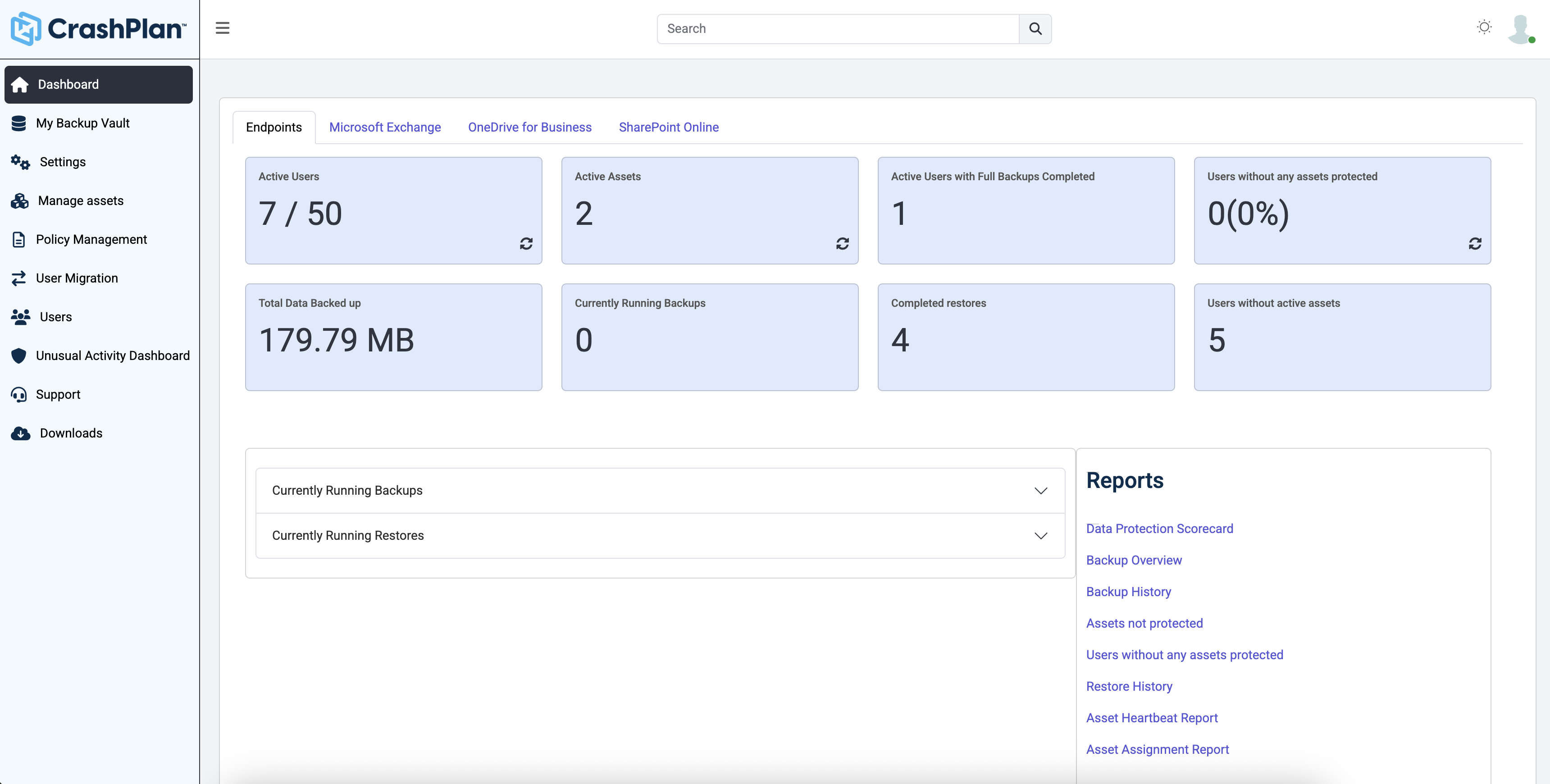
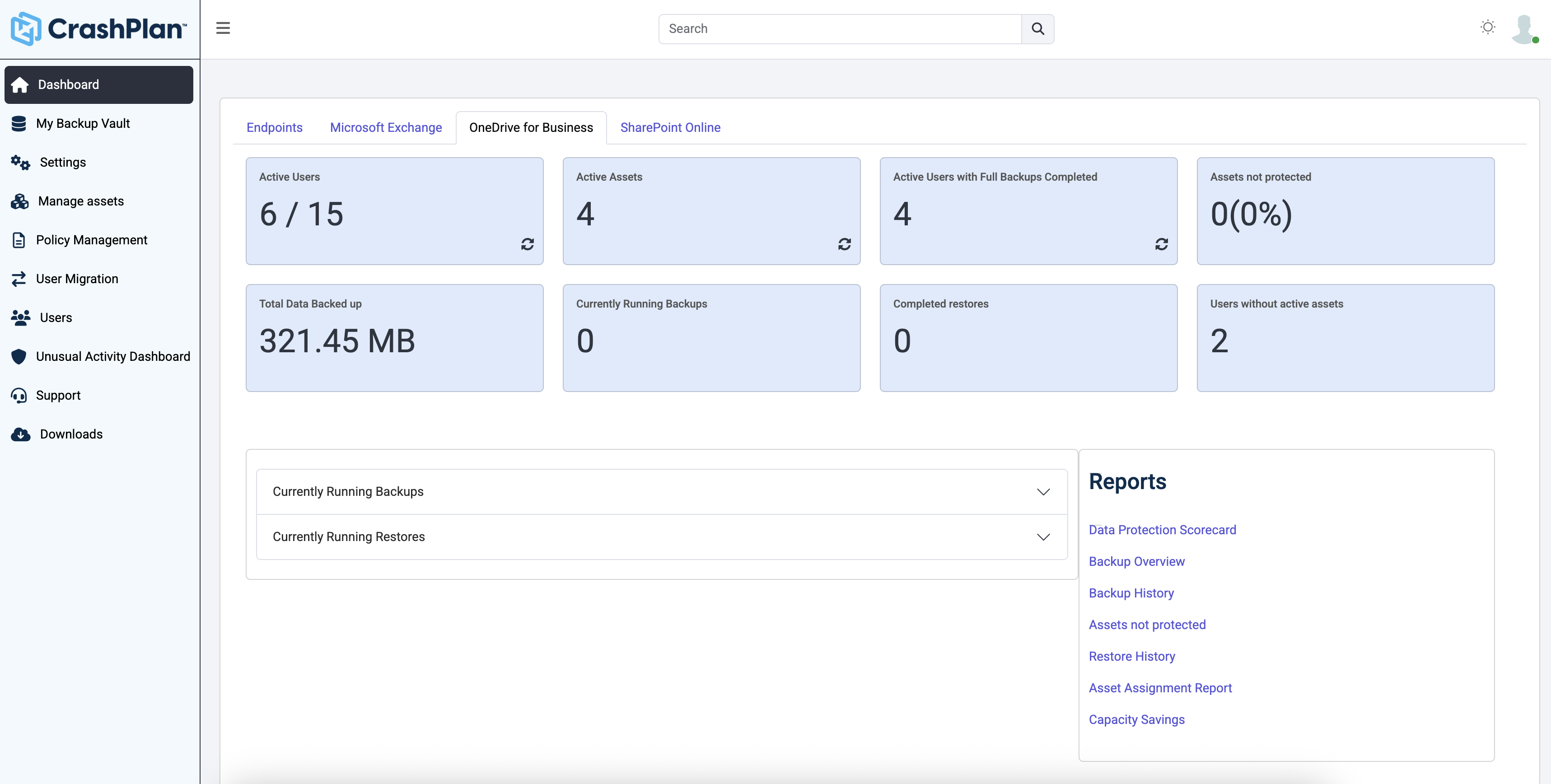
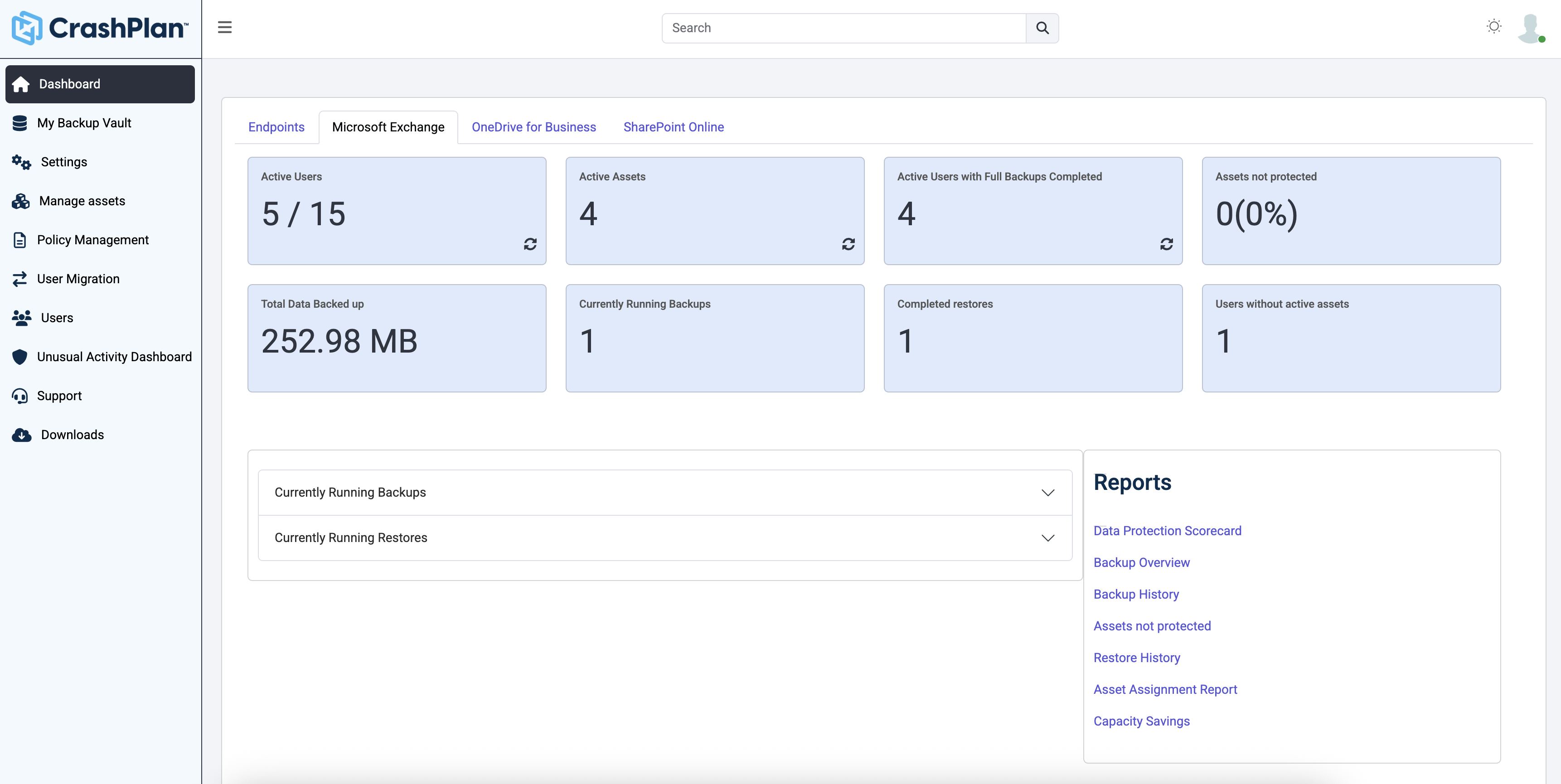
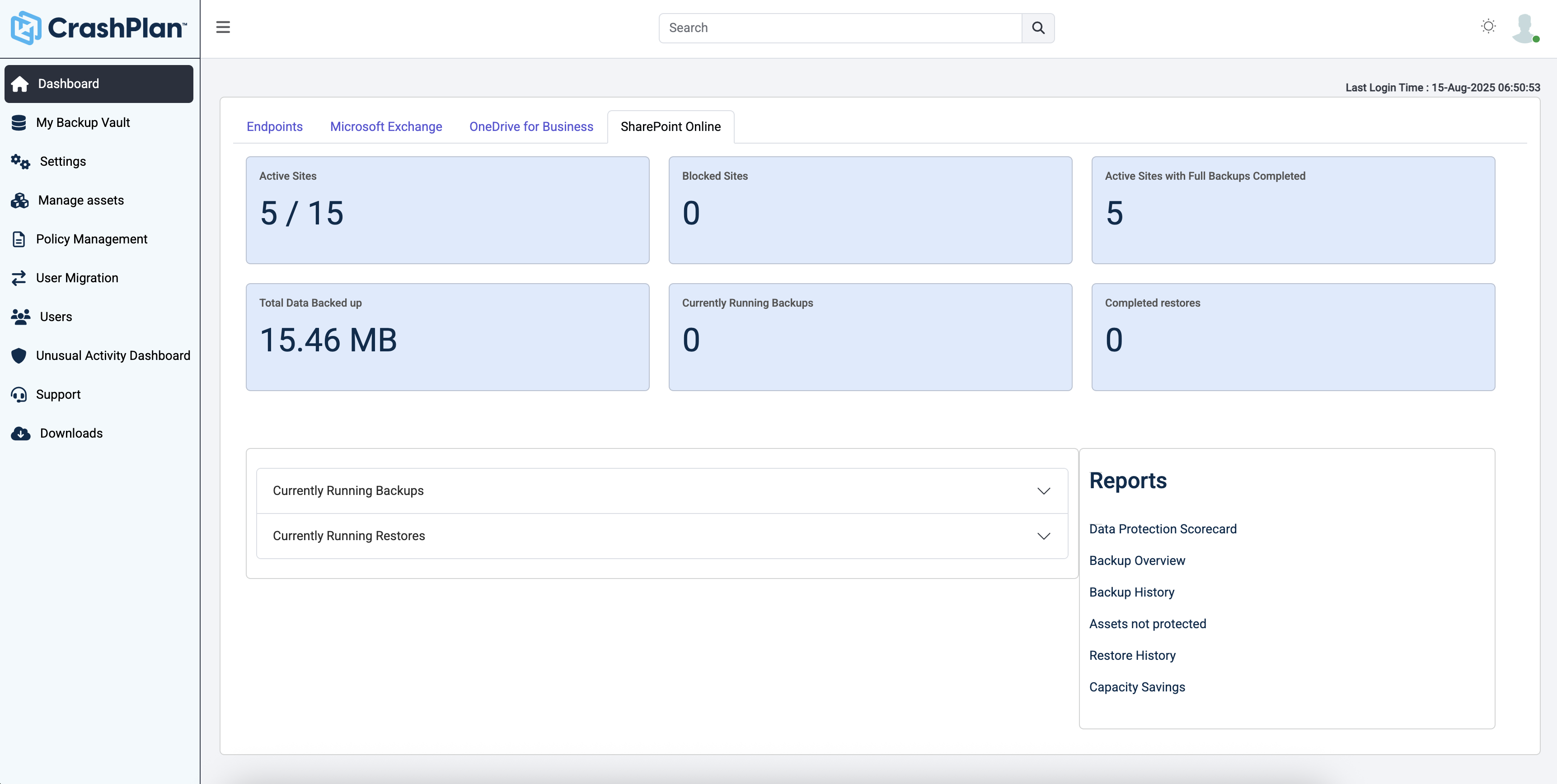
CrashPlan® provides secure, scalable, and straightforward endpoint data backup, to help organizations recover from any worst-case scenario, whether it is a disaster, simple human error, a stolen laptop, ransomware, or an as-of-yet-undiscovered calamity.
$8
per month per user
Dropbox
Score 8.5 out of 10
N/A
Dropbox is a cloud storage solution, equipped with features that help users to save time, improve productivity, and collaborate with others. Users can edit PDFs, share videos, sign documents, and collaborate with stakeholders without leaving Dropbox.
$9.99
per month
Druva Security Cloud
Score 9.4 out of 10
N/A
Workforce mobility and the rise of cloud
services is an essential part of any business, but it creates a number of
challenges for IT. Data spread across devices and cloud services, unpredictable
schedules, and varied network connections all complicate efforts to protect and
govern enterprise information.
The Druva Cloud Platform (formerly Druva inSync &
Druva Phoenix) provides unified data protection, management, and information
governance across endpoints and cloud…
I have only evaluated local backup/network storage products and Dropbox. CrashPlan is far and away superior to these. It's more reliable. It scales easily, and the management doesn't kill you. Neither do the finance folks for that matter!
I formerly used SOS Online Backup. It was a very similar system, originally offering unlimited backups at a price similar to Code42. After more than a year of backups, SOS informed me that they'd be reducing my storage from unlimited to 2tb, and, increasing my monthly rate by …
OneDrive is not a good backup solution for endpoints. It is for storing a few files and sharing those files but not for business backup. Druva is a very good product that we never had any problems with and I'm not exactly sure why we switched from it. Code42 has some extra …
We looked at file sync solutions that require an end user to move data independently, and two major things stuck out:
1. The human error factor was high. You cannot trust people to move files, even if they are important or they've agreed to move them on a certain schedule, and …
Prior to CrashPlan we did not have any centrally deployed or managed backup solution with which to compare. Much of our backups were being completed on a per user basis and were therefore unreliable.
These were the default ad hoc backup systems used before we implemented CrashPlan. While each can be made somewhat reliable, depending on user habits and practices, none provide true continuous versioned backup, none allow a single administrative overview, and only Time Machine …
If you don't need the old computer (Crashplan backs up only user files by default anyway) you may want to go with a synchronization system. Having the file both online and synched on multiple computers makes it easy to work on. No matter when or where, you can work on your …
Works better for cloud storage due to Druva using AWS for its offsite storage. AWS limits how many concurrent connections you can have and this results in a possible back log of backups while waiting for the pipe to clear. This could result in lost data.
We selected Crashplan because it was cross platform and the most cost effective solution at the time. The closest contender was LiveBackup but after evaluating the two side by side, Crashplan was the clear winner due to the ease of use for the end users and administrators.
Assistant Director of Development & Alumni Services
Chose Dropbox
I prefer Dropbox to Box. It's more familiar, and the interface is more elegant. With Dropbox I know where things are and how it is going to function. With Box, not so much. For my personal use, I also use Dropbox and like that I am again in that familiar universal workspace.
Druva is more cost effective for our environment then crash plan. We are also able to get more of our Junior technicians in the space to help support our staff with backups. crash plan was also difficult to implement and required almost around the clock maintenances and changes …
Druva was superior to all of the other possible software options as it not only had better features but the way that it protects the data in AWS is above and beyond the rest. Druva has a proven track record for being the best of the best and they are only getting better.
In terms of product support, Druva Cloud Platform is much better than Veeam backup. Our major point for selecting Druva Cloud Platform was that it helps large organizations backup data to a specific network and also helps restore data in less time. Compared to Veeam, it has …
Information Systems and Network Systems Administrator
Chose Druva Security Cloud
Code42 stopped supporting Windows servers, so we needed to move to another vendor that could support our Windows server in the cloud ASAP. Druva was able to do so and also cover our on-premise servers. The cost went up slightly to move to Druva, but we added a great deal more …
We piloted Code42 and currently use OneDrive. We felt that Druva capabilities were better aligned to our needs than Code42. OneDrive unfortunately does not have the version control features that Druva has so that alone makes Druva a far superior tool for our requirements.
It was all about cost and ease of mgmt in choosing Druva over Code42. Druva does have a greater feature set but we don't necessarily take advantage of all the capabilities.
I have used the above products in a domestic context, and Druva stacks up against them well. We chose Druva because we can use both InSync and Phoenix. We really chose Druva to replace using Windows native offline files functionality, which is an unending nightmare of failure.
We ran POC's for both Code42 and Druva and found that Druva was much easier to deploy on Windows/MAC and was/is more user friendly which is extremely important when working with customers.
Druva is much better than CrashPlan. CrashPlan had constant failures. It wouldn't automatically start and unless the end user noticed that and manually opened the app it wouldn't back anything up. Email notifications of backup failure would come so often that end users simply …
Druva is better suited than all other vendors in its space for the enterprise such as: CrashPlan, Mozy, EMC or Syncplicity. Druva has been our trusted solution and we recommend it to our customers as well.
Features
CrashPlan
Dropbox
Druva Security Cloud
Data Center Backup
Comparison of Data Center Backup features of Product A and Product B
CrashPlan
8.3
1 Ratings
4% below category average
Dropbox
-
Ratings
Druva Security Cloud
9.5
147 Ratings
10% above category average
Universal recovery
9.01 Ratings
00 Ratings
9.4111 Ratings
Instant recovery
9.01 Ratings
00 Ratings
9.5112 Ratings
Recovery verification
9.01 Ratings
00 Ratings
9.5109 Ratings
Business application protection
7.01 Ratings
00 Ratings
9.591 Ratings
Multiple backup destinations
8.01 Ratings
00 Ratings
9.3105 Ratings
Incremental backup identification
7.01 Ratings
00 Ratings
9.6133 Ratings
Backup to the cloud
8.01 Ratings
00 Ratings
9.6146 Ratings
Flexible deployment
8.01 Ratings
00 Ratings
9.6114 Ratings
Management dashboard
9.01 Ratings
00 Ratings
9.2138 Ratings
Platform support
8.01 Ratings
00 Ratings
9.5118 Ratings
Retention options
9.01 Ratings
00 Ratings
9.5138 Ratings
Deduplication and file compression
00 Ratings
00 Ratings
9.4138 Ratings
Snapshots
00 Ratings
00 Ratings
9.6110 Ratings
Encryption
00 Ratings
00 Ratings
9.4123 Ratings
Enterprise Backup
Comparison of Enterprise Backup features of Product A and Product B
CrashPlan
8.0
1 Ratings
6% below category average
Dropbox
-
Ratings
Druva Security Cloud
9.4
124 Ratings
10% above category average
Continuous data protection
10.01 Ratings
00 Ratings
9.6118 Ratings
Replication
8.01 Ratings
00 Ratings
9.5101 Ratings
Ransomware Recovery
6.01 Ratings
00 Ratings
9.572 Ratings
Operational reporting and analytics
00 Ratings
00 Ratings
9.2121 Ratings
Malware protection
00 Ratings
00 Ratings
9.498 Ratings
Multi-location capabilities
00 Ratings
00 Ratings
9.4107 Ratings
File Sharing & Management
Comparison of File Sharing & Management features of Product A and Product B
CrashPlan
-
Ratings
Dropbox
8.0
1336 Ratings
4% below category average
Druva Security Cloud
-
Ratings
Versioning
00 Ratings
8.11110 Ratings
00 Ratings
Video files
00 Ratings
7.91092 Ratings
00 Ratings
Audio files
00 Ratings
8.2988 Ratings
00 Ratings
Document collaboration
00 Ratings
7.81162 Ratings
00 Ratings
Access control
00 Ratings
8.41234 Ratings
00 Ratings
File search
00 Ratings
7.61280 Ratings
00 Ratings
Device sync
00 Ratings
8.31230 Ratings
00 Ratings
Cloud Storage Security & Administration
Comparison of Cloud Storage Security & Administration features of Product A and Product B
CrashPlan
-
Ratings
Dropbox
8.5
1265 Ratings
1% below category average
Druva Security Cloud
-
Ratings
User and role management
00 Ratings
8.41130 Ratings
00 Ratings
File organization
00 Ratings
8.41246 Ratings
00 Ratings
Device management
00 Ratings
8.61110 Ratings
00 Ratings
Cloud Storage Platform
Comparison of Cloud Storage Platform features of Product A and Product B
Individuals (SOHO), families and SMBs, who have a tight budget for offsite critical company data backup are well suited to this product. Especially if you want your data to be hosted locally (Australia in our case). Larger companies, with higher requirements and budgets would be better served elsewhere. Especially when you consider the poor technical support. Although, to be fair, their poor support may just be issues with their Pro/SMB products, as opposed to their enterprise products. However, if that is the case it's a pretty poor show/indicator still.
Let me describe a scenario that happened recently in our organization's marketing team storing thousands of images videos and pdfs and Dropbox is done a great perfomer in this situation by the product features which is very helpful for the team, such as smart sync reduces disc usage, preview support for many media formats & Integrate with Adobe Creative Cloud.
100% cloud backup solution that was implemented well and easy to use. Great communication from our AE through the process and whenever needed. There is a robust admin web management portal that offers a fairly granular user privilege setup and the ability to add different regions in backup. Druva Security Cloud doesn't require a lot of bandwidth or additional resources for either backups or restores. Users can independently recover their data. We are able to back the files up both individually and at a group level. The support team is 24/7 and easily accessible. Biggest con, in this day and age, is that it would be great to have an admin smartphone application. More details when the backup is running would be nice as well as more customizable reports. Also some cosmetic bugs related to the UX, but nothing huge.
Code42 is the most affordable backup system offering unlimited storage that I could find. I came from SOS Online Backup, which I ultimately decided to drop after my monthly rate for their unlimited plan increased by 20x.
With Code42's unlimited storage option, I don't have to worry about the fact that my backups are significant in space. As a photographer with thousands of images at stake, I need to run large backups often.
Code42 runs continuously and silently in the background of my desktop computer. It is truly "set and go", so I don't have to think about it when I'm away. It runs until the designated drive has been fully backed up to my cloud storage. It will then automatically email me once the backup is complete (or, it will email me if it encounters any errors).
Customer service is above par. Anytime I need help, a chat agent is available (chat is my communication preference), they are always friendly, and go above and beyond to resolve my needs.
I can make projects available to editors so that they can do their work.
Dropbox is a place where I can store files that I can access from anywhere, even if I don't have my laptop with me at the time.
I have an old friend who is an acting professor in Tokyo. He loves the dialogue that I write in my novels. He converts chapters into scenework for his acting students. They get very excited when there's new material!
The CrashPlan program installed on your computer is Java-based vs. a native application. While this makes development for CrashPlan easier, there are a lot of drawbacks to Java programs including more resources usage, less stability, and overall more clunky interface.
While this was also in the Pros category - CrashPlan is an extremely powerful and flexible program, which adds a great deal of complexity. Setting up CrashPlan isn't always a simple procedure, and depending on the complexity of your backup set, can take a while to tinker around with the settings to get everything to work properly.
The CrashPlan desktop program consists of a Java program front end, as well as a backend service - there are times when the backend service will crash, and the front end Java program will refuse to load. Typically, restarting the service or restarting the computer will resolve the issue, but sometimes more in-depth troubleshooting is required.
Perhaps one of the biggest downsides to CrashPlan is its price - at $10/month/computer CrashPlan is more than double the price of some existing backup services such as Backblaze (priced at $50/year/computer). To add salt to the wound, about a year and a half ago, CrashPlan discontinued their consumer options - which were very reasonably priced at $60/year for a single computer or a family plan priced at $150/year for up to 10 computers. When these options were discontinued, the cost of backing up with CrashPlan was effectively doubled for the same feature set.
Along with the previous example, CrashPlan had the option to back up to a remote machine on a different network with a free Crashplan account. This option was eliminated when the consumer line of services were discontinued.
While the backup service provided by CrashPlan are still first in class, the above two controversial changes have broken some trust between CrashPlan and its clients.
I’d like to be able to hover over an image/document and have it expand/enlarge without actually opening it
I’d love to see a carousel that lets me thumb through more quickly
I’m almost always in thumbnail view. I’d like to see them re-organize automatically when something is moved or deleted instead of leaving an empty space.
They have more ways to improve in Analytics section and UX.
I recommend to have to integrate with the cloud storages cheaper option to store backups which would be tremendous for customers to save snapshots costs.
Love to see Druva Data Resiliency Cloud have a better rbac policy on who can trigger the DR engine.
Dropbox is a user-friendly, easy tool which requires little to no skill and they offer a free version with a good amount of storage available. There are other file sharing tools available however at a cost. Dropbox free version I have used for years and it serves every purpose I need.
This is the second company I've brought to Druva. Just today, I was tasked with recovering a file from a user that last saw it 6 months ago. I was able to restore it in under 5 minutes of getting the request. It's really that easy.
It works extremely well, and we have never had any issues with connecting or sharing files. It's very easy to use, and any team member can share, add, and delete files to a virtual drive. This is extremely helpful, and it's an amazing tool to use, ensuring everyone can connect and work together effectively.
The product is easy to navigate and manage. Setup and configuration is also easy. We did not need to pay for any additional professional services. Our account team worked with use on the integration. It was not complex or difficult to learn how to setup and use. End users also have the ability to log in and manage their own files and emails
I really recommend the product for the Dropbox availability is a great having very very less downtimes, they errors are less I have been faced yet, due to connectivity sometimes we are getting errors. Only sometimes the limitations of some features show some errors.
Like any service, there are scheduled maintenance periods and unscheduled outages, however outages have been very limited and fortunately have not had any impact on our environment.
Dropbox is really useful, you can access any file from anywhere and you can upload and even edit files online, but, sometimes it can be slow. Downloading, uploading, and syncing is a bit slow, it can take several minutes. Furthermore, the search engine for large amounts of data can be slow too and it is not powerful.
Page response in the admin center is acceptable- rarely are we waiting for data to load. Backup speeds seem fine, and restore speeds are OK considering it's likely pulling data from cold storage. It often takes 30-60 seconds for the restore to begin transferring files, but speeds are acceptable thereafter
Friendly and knowledgeable support team available to assist with this product. Code 42 (formerly CrashPlan) offers unlimited storage options for reasonable costs, so you really can't go wrong with this product. They have been a reliable resource for our company, and I would recommend to others looking for an easy setup with unlimited storage.
They immediately responded like in an example that I gave where one of our staff members accidentally deleted the whole Special Hope Network Dropbox, we immediately contacted Dropbox they walked us through the steps of how to retrieve the information and luckily enough we were able to retrieve the entire Dropbox and we have had back and forth with Dropbox on what to do when an employee leaves how to remove them how to add another employee.
We had an issue in my first year that took a long time to fix. The support guy was awesome, took screen shots, filled me in, was professional, but it just took so long. I do think that was an anomaly, but it certainly sticks out nonetheless. Beyond that, we've had pretty good support "relationships" with the reps. They're usually pretty prompt at getting back and quite knowledgeable. Just make sure you have your proxies updated, because that's always step 1!
The person for corporate product dealing and knowledge of the product explore and better and secure use are properly handover to us. Also provide full software and tool training from the basic to the pro level with each and every possible explanation. Provide many sessions regarding every doubt. Also Guide better suitable options for our business to migrate and integrate for the expansion in all places employee smoothly.
I did not personally take any training for Dropbox so I am self taught but I know when our Vice President selected Dropbox, he personally did do some training modules on it and I'm assuming it was very easy and simple to understand since he now acts like he is a pro at it!
I needed to stay current in improving my daily operations. Dropbox was suggested to me by a former colleague two-years ago and I've been using it just fine ever since.
Implementation from cloud ranger to Druva Data Resiliency Cloud platform was a seamless integration experience to upgrade the policies and license for continual backup/recovery support. This may be one of the best "set it and forget it" apps for backup solutions, that also allow notifications for failures etc...
Unitrends is our primary backup solution here at my place of employment, and I have no complaints. It does on-prem backups to a storage pool and with that, we chose not to also use Unitrends could storage as the cost was pretty high. Crashplan has a low cost and we were familiar with it. We found a great fit for Crashplan at a remote office with a web server, file share server, and a Domain Controller in addition to the Unitrends solution there. I also set up CrashPlan for a nonprofit org, as well as a Health foods store. I felt like I could stand behind the CrashPlan solution with my experience with it, in places like these where every dollar mattered.
I prefer the layout and visual aspect of Dropbox as it mirrors my files on my computer. I feel that I am more organized, and it's easier to find my files in Dropbox than it was with Google Drive.
We evaluated VMWare as a provider and found their dependence on IaaS or on-premises setup was a deal breaker. Being all-cloud really required that we have a cloud-native SaaS backup solution. VMWare and other IaaS and on-prem providers really could not match Druva Data Resiliency Cloud's abilities, at least not that we were able to determine.
I would recommend to this product directly to the sales team of Dropbox for the best deal provide to my referred person and provide the best service to them.
It's easy to integrate with the systems of Windows and Linux, easy to have web versions accessible, which provide the web login credentials. Also, it can be installed for individuals for the best autosync features.
As the product is cloud based within AWS, scaleability is unlimited. The on-premise units of scale are predictable and allow administrators to scale up / down as needed. In my experience, the flexibility around these appliances, allow organisations to vertically or horizontally scale the environment with confidence and ease. Conversely, it is possible to set thresholds to ensure that organisations do not over commit and manage budgets effectively.
Tremendous cost savings as the amount of data you backup doesn't impact cost. One flat rate!
Implementation time was minimal and requires little to no maintenance. Since installation, I've not had to correct or fix any issues. It just works.
We opted to supplement Code42 with another solution that allowed us to backup data to a local repository due to the amount for data that changes in our firm.
When it works (usually if a client already has Dropbox, so they don't get the solicitation to sign up), it works flawlessly.
I've had multiple clients not see the "continue with download only" at the bottom and email me to resend the media another way because they don't have a Dropbox account.
Using Druva has simplified greatly the backup process. Once fully configured to your business needs, Druva provides a fast amount of backups.
Druva has saved a lot of time for the IT team. Usually time is wasted by staff members searching for a missing email. Now, they reach out to us or use their own Druva account to locate a missing email quickly and easily.