Domo is a full self-service business intelligence software that combines several data analysis and reporting tools into one platform. It helps users connect to multiple data sources, create robust visual reports, manage their data, send messages in real-time, manage projects, and develop new apps.
N/A
Looker
Score 8.3 out of 10
N/A
Looker is a BI application with an analytics-oriented application server that sits on top of relational data stores. It includes an end-user interface for exploring data, a reusable development paradigm for data discovery, and an API for supporting data in other systems.
N/A
TIBCO Data Virtualization
Score 8.6 out of 10
N/A
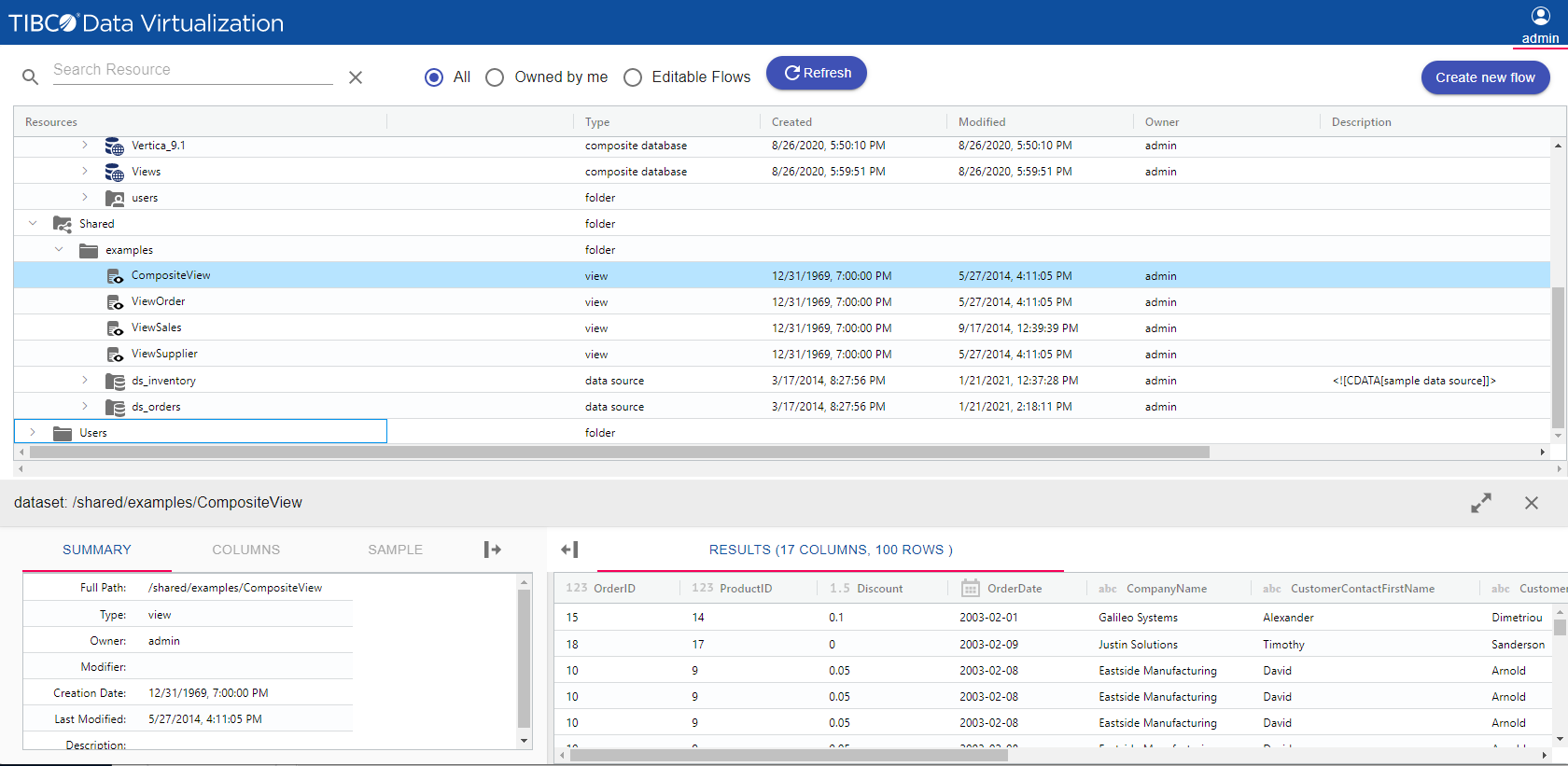
TIBCO Data Virtualization is an enterprise data virtualization solution that orchestrates access to multiple and varied data sources and delivers the datasets and IT-curated data services foundation for nearly any solution.
Domo is by far the industry leader. Other tools/platforms have unique strengths, but from an overall perspective, Domo is the most versatile and does an exceptional job in all areas. This is critical when it comes to "scale". A BI project may start with a siloed scope, but as …
Domo is the only one truly all-in-one platform. For example, at the time of assessment (mid-end 2016), Tableau didn't have alert feature off the shelf, Domo is the only one with powerful mobile apps, no other even come close. Domo not only has alert feature but it's also …
Mode & Chartio require user to write SQL. Looker – Looker has very powerful data modeling layer – LookML that allows data engineers to abstract end users away from the complexity of underlying data (and SQL). End users can perform analysis by selecting dimensions, measures, …
Tableau did not have the customization that we were told it had, and it was expensive. Domo looks promising, but is also expensive so we haven't purchased it (we may in the future). Google Sheets was very basic and did fine for what it was, but we needed something a bit more …
Looker is a free tool to use on the basic level, which can't really compare apples to apples since all of the other services are paid services. Looker already has a leg up because of that. The other platforms definitely have more features and capabilities off the bat because it …
I think working on Looker could be hard, but in performance, it can easily overtake Wave and Zoho Reports. The flexibility of the system and it being super fast makes Looker a standalone from other similar software.
I considered Looker along with RJ Metrics and Domo. The other platforms seemed to be offering much more of a service-focused offering, with fees that would likely scale quite high without certainty. Looker is focused on more of a product-driven approach and would be a good fit …
I think Looker is easier to use than Business Objects, Domo, Pentaho and Tableau. Tableau offers better visualizations than Looker but the overall package in Looker is better.
Both Domo and Datorama have embedded analytics capabilities that make them efficient for Marketing employees to use. They also continue to add visualizations and content that is relevant to Marketing. The disadvantage of both is they are separate cloud solutions and to store …
I believe that companies that record large amounts of data about their product, service employers KPIs, etc, can make the best out of Domo for reporting and data analysis, but if a company handles little data and is not recording this consistently, it will not be of much use.
When data drives potential for new orders, Looker earns its place in our tech stack. If, on the other hand, we are hoping for pipeline generation, Looker is useful if you are willing to repeatedly go check customer utilizations .... it is not appropriate if you are hoping to automate data analysis for this purpose.
TIBCO Data Virtualization is well suited for customers who are challenged to deal with extracting data from dozens of different sources and systems, and do not have the time and liberty to hire data engineers and/or ETL developers to write dozens or hundreds of complex ETLs. However, there are situations where TIBCO Data Virtualization severely underperforms, and those are where we are dealing with large volumes of data, in tera bytes or peta byte scale system. For example, a messaging queue which sends 200 million messages every hour will choke TIBCO Data Virtualization if the technology is chosen to route the data.
Exceptional Transform area of the platform - any/all raw data can be manipulated and combined to create datasources that are very useful for our departments.
Visualization layer is clean and is very business presentable. Its simple but includes depth. Visuals can be created/used by all roles throughout our firm, its not limited to analysts.
Ability to communicate and talk about insights in the data - the communication tool is exceptional. I can @ mention specific users to bring attention to a discovery. I can start a private chat. I can annotate and communicate what I am seeing. I love it.
Mobile experience is excellent. When I am on the road i can actively monitor and engage with my team due to my Domo dashboard on my mobile device. Its amazing to run the business and not worry while away from the office.
Show visited pages - sessions, pageviews - which programs are viewed the most.
Displays session source/medium views to see where users are coming from.
It shows the video titles, URLs, and event counts so we can monitor the performance of our videos.
It gives a graphic face to the numbers, such as using bar charts, pie graphs, and other charts to show user trends or which channels are driving engagement.
Our clients like to see the top pages visited for a month.
I like the drop-and-drag approach, and building charts is a little easier than it was before.
Copying Reports - In Excel or Google Sheets, I like to make copies of similar reports and modify them as necessary for users. In Domo, makes copies of reports (called cards) but all copies are connected. So if you adjust the copy, it changes the original. This means a user has to recreate the report from scratch and then adjust it.
Unforgiving SQL - Domo does allow users to write their own SQL codes, which is great. However, Domo's SQL code is pickier than the other SQL database I've used (Metabase).
Text Alerts - Domo's alerts aren't always the smartest. Some of my dashboards are about the sales teams monthly performance and I get notified when there is a change of more than 20%. I always get notified at the start of the month that reports have changed from 'x' number to zero. This is expected because it's a monthly report and I hate getting texts about it. The only reason I don't term them off so I can be aware if something breaks in the middle of the month.
Performance of TDV repository database is rather poor for larger numbers of objects .(Note: We have approx. 9tsd objects introspected in TDV and approx. 20tsd objects generated in upper DV layers.)
Propagation of privileges to parent/child dependencies does not work when applying recursively on a folder. (It's a huge setback when working with large number of objects organized semantically into subfolders.)
Lack of command line client interface for scripting at the time of version 8.4 (I had to write my own CLI.)
TDV Studio does an absolutely horrible job with its own code editors when indentation is in place. Also, the editor is brutally slow and feature-poor.
Tracking privileges on the level of table/view columns causes occasional problems when regranting.
TDV's stored programs ("SQL scripts" in their own terminology) compiler leaves out many syntactic and semantic checks, making them hugely prone to run-time errors.
TDV Server's REST API is a very poor (in terms of features) and flawed cousin to its SOAP API (at the time of version 8.4).
Domo is a great up-and-coming product. There are many fantastic features that are extremely compelling to our end users, which makes Domo a great fit for our organization. As with many BI tools, there are items on the wish list that could make implementation, administration and usage easier, but I believe these will be addressed over time as the product matures and evolves. The overall concept and approach of this solution has definitely raised the bar in this area of expertise and I would like to see things advance in giving the enterprise tools that will make decision making easier and more robust in the future.
I give it this rating because it deems as effective, I am able to complete majority of my tasks using this app. It is very helpful when analyzing the data provided and shown in the app and it's just overall a great app for Operational use, despite the small hiccups it has (live data).
The built-in user support and intuitive design of Domo makes it simple to learn and use. I find I can spend hours drilling deep, or else quickly gain an overview in just a few minutes. This is a great advantage since the flexibility fits well with the demands of my role. I enjoy using Domo since I know it will give me comparative data across almost every variable I might want to explore - I look forward to it!
Looker is relatively easy to use, even as it is set up. The customers for the front-end only have issues with the initial setup for looker ml creations. Other "looks" are relatively easy to set up, depending on the ETL and the data which is coming into Looker on a regular basis.
TDV's interface is a bit dated and not entirely intuitive. Would recommend some UX design review as the interface leaves a bit to be better understood to be used by users without inherent knowledge of Tibco. Overall I'd suggest more improvement here to ensure usability by a lesser tech audience.
Somehow resources heavy, both on server and client. I recommned at least 50Mbs data rate and high performance desktop comouter to be abke to run comolex tasks and configure larger amount of data. On the other hand, the client does not need to worry when viewing, the performance is usually ok
This product's performance is very consistent. It is extremely rare for templates to fail. I've been using this software for 5 years and find it to be both simple and powerful. The impact within the company has been very positive as different processes in different areas, such as data analysis, development, and integrations, have been improved, and, best of all, it has not affected the users. Various systems with which it is connected in order to obtain information.
Pretty responsive. It took a while to get a response in selecting data points for our particular cards. Might have taken about a month? I am not sure if this was something on our end or Domo's end. But haven't had any other issues yet that required additional support from Domo.
Never had to work with support for issues. Any questions we had, they would respond promptly and clearly. The one-time setup was easy, by reading documentation. If the feature is not supported, they will add a feature request. In this case, LDAP support was requested over OKTA. They are looking into it.
On a few occasions I have asked TIBCO technical support for help because I have adapted perfectly to their tools, but in those few that I have communicated with their technical team I have received personalized, attentive, responsible attention and I am always assisted by an expert staff the topic. A TIBCO technical support technician spent more than an hour helping me to solve a problem in the initial stage of implementation in my department and this is something that I always appreciate.
The training was helpful. I was able to understand how to use TIBCO for the data load process that we implemented and how to perform various troubleshooting steps based on the training I received. The technician was thorough and took the time to answer any questions. Once we were shown how to use TIBCO in the test environment, we were able to configure the production environment ourselves.
It is a true web-based application so implementation is much easier and smoother compared to other non-web based BI solutions. Also, they offered consulting services during the implementation process, which was helpful. Also, they provided lots of on-demand training courses and videos, which I liked.
Other vendors have clearer, more visual implementation documentation. We also did not have our data architect and and server administrator available full-time for implementation. In the future, we will secure the necessary internal resources.
At the end of the day, end-user adoption and taking the burden of IT to build reports was my goal. Demoing and testing many BI tools, DOMO is the one that allowed both to happen.
Looker Studio, you can easily report on data from various sources without programming. Looker Studio is available at no charge for creators and report viewers. Enterprise customers who upgrade to Looker Studio Pro will receive support and expanded administrative features, including team content management. So it's good.
We did not need to evaluate another technology in the same category for data virtualization, since we are 100% sure of the capabilities and benefits that we would have with TIBCO Data Virtualization, both for market positioning as well as success stories from other companies. great renown worldwide. From the first day of use, it meets our needs to provide the expected solutions.
I mentioned a "previously un-analyzable" dataset that we were able to visualize in Domo - the result was business re-alignment for increased productivity, cost savings and ROI.
It's tough to quantify the ability to provide insights that have been desired for years but not possible - we continue to amaze our executives and product managers with the analysis we can provide.
Looker has a poignant impact on our business's ROI objectives. As an advertising exchange we have specific goals for daily requests and fill, and having premade Looks to monitor this is an integral piece of our operational capability
To facilitate an efficient monthly billing cycle in our organization, Looker is essential to track estimated revenue and impression delivery by publisher. Without the Looks we have set up, we would spend considerably more time and effort segmenting revenue by vertical.
Looker's unique value proposition is making analytical tools more digestible to people without conventional analytical experience. Other competing tools like Tableau require considerably more training and context to successfully use, and the ability to easily plot different visualizations is one of its greatest selling points.