GoToWebinar is GoTo’s webinar and online conferencing solution, and offers features like audience polling and Q&A, flexible scheduling experiences, and webinar templates. It offers CRM integrations and reporting & analytics tools to help engage clients’ audiences.
$49
per month per organizer
Vimeo
Score 8.8 out of 10
N/A
Vimeo is a video experience platform. They enable anyone to create high-quality video experiences to connect and bring ideas to life. They proudly serve their growing community of nearly 300 million users — from creative storytellers to globally distributed teams at the world's largest companies.
$9
per month
Wistia
Score 9.6 out of 10
N/A
Wistia is a video marketing platform that helps teams create, host, market, and measure their videos and webinars. Wistia is used to create professional videos, host webinars, collect and send leads to a connected marketing automation platform. Wistia additionally offers customers support and educational resources.
$24
per month
Pricing
GoTo Webinar
Vimeo
Wistia
Editions & Modules
Lite
$49/month
per month per organizer
Standard
$99/month
per month per organizer
Pro
$199/month
per month per organizer
Enterprise
$399/month
per month per organizer
Starter
$9
per month
Standard
$25
per month
Advanced
$65
per month
Enterprise
Contact sales
Free
$0
up to 10 videos
Plus
$24
per month
Pro Plan
$99
per month
Advanced Plan
$399
per month
Offerings
Pricing Offerings
GoTo Webinar
Vimeo
Wistia
Free Trial
Yes
Yes
Yes
Free/Freemium Version
Yes
No
Yes
Premium Consulting/Integration Services
Yes
No
Yes
Entry-level Setup Fee
No setup fee
No setup fee
No setup fee
Additional Details
—
—
20% discount for annual pricing.
More Pricing Information
Community Pulse
GoTo Webinar
Vimeo
Wistia
Considered Multiple Products
GoTo Webinar
Verified User
Director
Chose GoTo Webinar
GoTo Webinar simply looks much much more professional - it is the standard and professional go-to (quite literally) when it comes to presenting information in an easy, secure, accessible way. We also attempted to/used to following: Vimeo, GoTo Meeting, Google Hangouts Meet, …
Wistia was significantly more expensive than Vimeo Pro. Budget played a huge factor in choosing Vimeo Pro over them. I also feel like the Vimeo player has greater aesthetic appeal than the Wistia player. If we needed more of the marketing automation integration features, then …
Youtube does not have the ability to livestream from anything other than your computer unless you have more than 1,000 subscribers. Vimeo on the other hand allow you to livestream from mobile, camera etc, you just have to subscribe.
Vimeo is more reasonably priced and a little more user-friendly. Plus, I like the look of it and that I can use it at a price that doesn't break the bank for a small business like mine. It seems to have more features than these other platforms, so you don't have to have so many …
Vimeo Pro works well for artistic folks, those on a budget, or those not looking to leverage video for demand gen or lead capture. It served us well for a while, but just wasn't cutting it. Wistia has more on the integrations end than Vimeo, and we have benefitted the most from …
Wistia is pretty comparable to Vimeo but it seems to cost more for the same features. I liked the Wistia brand and the great educational and entertaining content they produce which is largely why we chose Wistia. With a smaller budget, I would probably go with Vimeo next time …
Vimeo is less customizable. They both offer a free plan and paid premium plans. Vimeo doesn't have the A/B testing and ability to focus on the marketing aspect of the videos to obtain more revenue. The CTAs are much better in Wistia and are much easier to work with.
I found Vidyard to be a tad clunky, at least when I tried to use it. Vimeo's design features didn't seem as modern to me and didn't integrate as well with other apps/website platforms, at least when I was investigating a video hosting platform. Wistia is more expensive than Vidy…
Wistia is for business. Period. Vimeo has none of the benefits for a business that Wistia offers. The SEO value and SUPER FAST playback speed are essential. Wistia has it all. Personally, I can rarely get thought a video if hosted on Vimeo because of the glitchy playback and …
Verified User
Employee
Chose Wistia
Wistia is comparable to Vimeo or other video hosting platforms that I have used in the past. The feature set is almost identical, and I can't think of many things that Wistia doesn't have for this type of tool.
Wistia is more expensive than Amazon Web Services, easier to use than Vimeo, and ultimately scores a 8 or 9 out of 10. The statistics between the engagement tab and the embed tag inside of the Analytics section can contradict at times. It would be nice to have 10 specific …
Vidyard was much more expensive even though it has tighter integration with HubSpot. This put Wistia in a better category from a cost perspective because most of the heavy lifting with automation is handled on the HubSpot side of things. Vidyard also felt like it was geared to …
Wistia proved to strike a balance between features, support, reliability, and ease of use. Some offer deeper features, but require much more of executional teams, which increases drag and friction in continually distributing new content.
Wistia offers more features overall and a better interface. I have found that they have the best analytics and provide helpful insights into the performance of each video. You can integrate incredibly easy into websites, without technical savvy or any kind of expertise with …
Wistia is slightly more expensive, but the metrics/data provided, combined with the ease of use, makes it the perfect choice for us. Being able to break videos into series/projects is very useful. Additionally, the chapter feature makes it easy to allow users to watch all or …
Wistia seemed to be more embraced by our sales team. We had also met members of their team at marketing conferences and they were very helpful in sending materials and best practices that got us firing on all cylinders out of the gate. At the end of the day, we are looking for …
Wistia is leaps and bounds ahead of other companies with their customizable players, CTAs, analytics, and more. Wistia is robust, yet simple, and at the end of the day, the team provides a delightful user experience. Their integration with HubSpot is clean and works as it …
We use Vimeo in addition to Wistia, and will probably continue using both indefinitely. My team produces a lot of demo / testimonial webinars, which we host in Wistia for the aforementioned reasons. But, we also produce a lot of webinars, training videos, customer support …
Vimeo had the password ability so that we could sell classes on-demand, but did not have the ability to brand like Wistia offered. It also was not as quick to upload and render the videos so we could offer them to the viewers. Brightcove worked well with our CRM platform, but …
Wistia is better suited for businesses than YouTube and Vimeo as you get a more in depth look at your viewers, how many videos they are watching, how long they are watching or re-watching, and can get email addresses to connect with then. Although we also upload videos to …
Vimeo pro and Youtube. Youtube's embeds are messy and end in a mess of videos that aren't retailed to my product. Vimeo pro has analytics and embed options. However wistia takes the mess out of embeds and gives the in depth analytic options along with other platform embeds.
Features
GoTo Webinar
Vimeo
Wistia
Reporting & Analytics
Comparison of Reporting & Analytics features of Product A and Product B
GoTo Webinar
7.1
153 Ratings
8% below category average
Vimeo
-
Ratings
Wistia
-
Ratings
Dashboards
7.2145 Ratings
00 Ratings
00 Ratings
Data exportability
7.1141 Ratings
00 Ratings
00 Ratings
Performance & Compatibility of Online Events Software
Comparison of Performance & Compatibility of Online Events Software features of Product A and Product B
GoTo Webinar
7.6
170 Ratings
7% below category average
Vimeo
-
Ratings
Wistia
-
Ratings
High quality audio
8.2170 Ratings
00 Ratings
00 Ratings
Mobile support
7.6120 Ratings
00 Ratings
00 Ratings
Online Meetings / Events
Comparison of Online Meetings / Events features of Product A and Product B
GoTo Webinar
7.2
170 Ratings
12% below category average
Vimeo
-
Ratings
Wistia
-
Ratings
Calendar integration
7.7147 Ratings
00 Ratings
00 Ratings
Record meetings / events
8.4165 Ratings
00 Ratings
00 Ratings
Slideshows
8.5148 Ratings
00 Ratings
00 Ratings
Event registration
8.6161 Ratings
00 Ratings
00 Ratings
Online Events Collaboration
Comparison of Online Events Collaboration features of Product A and Product B
GoTo Webinar
8.2
215 Ratings
3% below category average
Vimeo
-
Ratings
Wistia
-
Ratings
Audience polling
7.9193 Ratings
00 Ratings
00 Ratings
Q&A
8.6211 Ratings
00 Ratings
00 Ratings
Online Events Security
Comparison of Online Events Security features of Product A and Product B
GoTo Webinar
7.9
166 Ratings
6% below category average
Vimeo
-
Ratings
Wistia
-
Ratings
Participant roles & permissions
7.8163 Ratings
00 Ratings
00 Ratings
Confidential attendee list
8.0143 Ratings
00 Ratings
00 Ratings
Online Events Marketing
Comparison of Online Events Marketing features of Product A and Product B
GoTo Webinar
8.1
133 Ratings
2% above category average
Vimeo
-
Ratings
Wistia
-
Ratings
Branding options
8.1129 Ratings
00 Ratings
00 Ratings
Integration to Marketing Automation
8.0113 Ratings
00 Ratings
00 Ratings
Video Marketing
Comparison of Video Marketing features of Product A and Product B
GoTo Webinar
-
Ratings
Vimeo
5.3
39 Ratings
35% below category average
Wistia
-
Ratings
Lead generation
00 Ratings
6.022 Ratings
00 Ratings
Video personalization
00 Ratings
6.535 Ratings
00 Ratings
eCommerce
00 Ratings
3.013 Ratings
00 Ratings
Support for advertisements
00 Ratings
2.914 Ratings
00 Ratings
Video SEO
00 Ratings
6.429 Ratings
00 Ratings
Integration to Marketing Automation
00 Ratings
7.022 Ratings
00 Ratings
Video Platform Integrations
Comparison of Video Platform Integrations features of Product A and Product B
GoTo Webinar
-
Ratings
Vimeo
2.8
11 Ratings
76% below category average
Wistia
-
Ratings
Integration to Salesforce.com
00 Ratings
1.06 Ratings
00 Ratings
Integration to Marketo
00 Ratings
1.06 Ratings
00 Ratings
Integration to HubSpot
00 Ratings
1.06 Ratings
00 Ratings
Integration to Eloqua
00 Ratings
1.04 Ratings
00 Ratings
Integration to LMS
00 Ratings
10.08 Ratings
00 Ratings
Video Security
Comparison of Video Security features of Product A and Product B
GoTo Webinar
-
Ratings
Vimeo
9.2
40 Ratings
7% above category average
Wistia
-
Ratings
Video access controls
00 Ratings
8.940 Ratings
00 Ratings
User management
00 Ratings
9.237 Ratings
00 Ratings
Video link sharing
00 Ratings
10.038 Ratings
00 Ratings
Internal video
00 Ratings
8.936 Ratings
00 Ratings
External video
00 Ratings
8.937 Ratings
00 Ratings
Video Player
Comparison of Video Player features of Product A and Product B
GoTo Webinar
-
Ratings
Vimeo
8.4
41 Ratings
2% above category average
Wistia
-
Ratings
Player customization
00 Ratings
7.133 Ratings
00 Ratings
Embedded videos
00 Ratings
8.640 Ratings
00 Ratings
Video quality / Bandwidth controls
00 Ratings
8.939 Ratings
00 Ratings
Mobile compatibility
00 Ratings
9.240 Ratings
00 Ratings
Video Analytics
Comparison of Video Analytics features of Product A and Product B
GoTo Webinar
-
Ratings
Vimeo
9.0
36 Ratings
14% above category average
Wistia
-
Ratings
A/B testing
00 Ratings
8.014 Ratings
00 Ratings
Streaming quality reports
00 Ratings
9.018 Ratings
00 Ratings
Per viewer tracking
00 Ratings
9.525 Ratings
00 Ratings
Per video tracking
00 Ratings
9.531 Ratings
00 Ratings
Video analytics dashboard
00 Ratings
9.029 Ratings
00 Ratings
Video Hosting, Management & Storage
Comparison of Video Hosting, Management & Storage features of Product A and Product B
GoTo Webinar
-
Ratings
Vimeo
9.3
40 Ratings
7% above category average
Wistia
-
Ratings
On-Demand video
00 Ratings
10.024 Ratings
00 Ratings
Live streaming
00 Ratings
10.015 Ratings
00 Ratings
Impact of streaming on network
00 Ratings
10.020 Ratings
00 Ratings
Video upload & format support
00 Ratings
9.537 Ratings
00 Ratings
Video library / File management
00 Ratings
7.536 Ratings
00 Ratings
Video portal
00 Ratings
9.026 Ratings
00 Ratings
Video Engagement
Comparison of Video Engagement features of Product A and Product B
It is great for big events like training or product demos. It's good for marketing webinars with features like polls and Q&A. It's not ideal for small, casual meetings. It can be too expensive for some businesses. For smaller events, other tools might be better.
For an overall professional appearance of Vimeo, I think it looks fabulous for the clients we work with. I think it works extremely well to host videos for courses and training that can be paid training. The privacy feature is great for that. I've never used it for going LIVE and wonder if that might be a good option for businesses but since I haven't tried it, I'm not of the capabilities. And I'm not sure how the clients are able to get on the LIVES. It does have so many new features since I started 4 years ago, and that means that there is a higher learning curve if you want to make full use of this platform.
For companies that want to integrate their videos into actionable steps like behavioral follow up through a CRM, Wistia is the best tool to use. You can automate your systems to track when a video is viewed, engaged with or how long a person has been watching along with heatmaps to show where people were most interested and least interested so you can adjust your videos to optimize their performance.
User-friendly interface for administrators of the account and external viewers. Being able to easily navigate a new platform or software is ideal for anyone.
Seamless sharing and embedding across many platforms. Vimeo is well-recognized so it makes it easy for other platforms to recognize Vimeo. The compatibility is outstanding.
As an administrator of the account, being able to select viewing privileges may seem like a basic function, but it's so necessary right now with how heavy our organization is utilizing the platform. We can mass upload content early and only release it for the public over time by simply changing it to a public video.
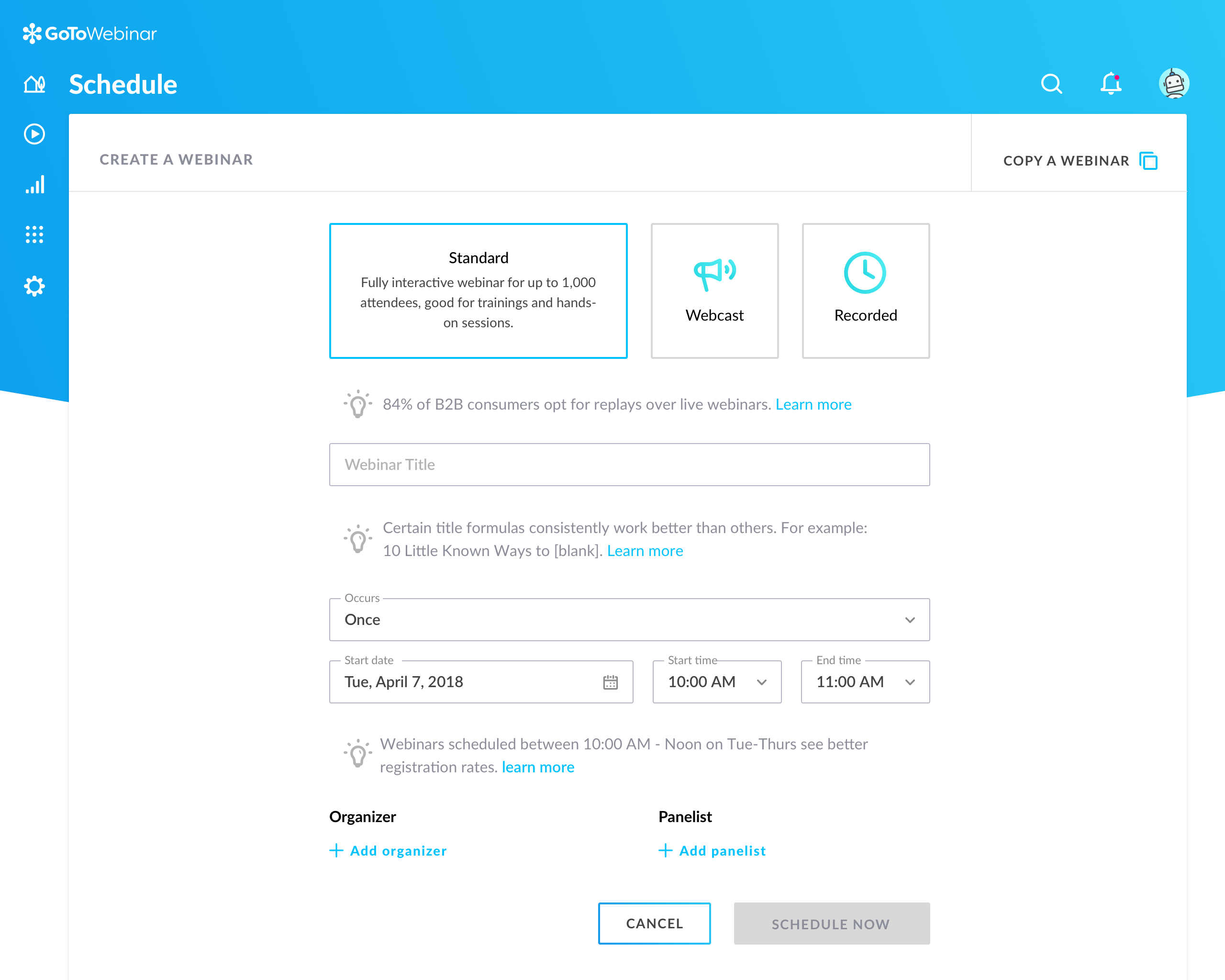
Can't schedule recurring webinars twice per week or every other week--must manually add or delete instances.
Can't schedule recurring webinars more than 'x' number of instances (less than a year's worth).
If you want a recurring webinar to continue past the last instance (in order to keep the same link), your only option is to manually add future instances before the last one occurs. If the last instance occurs, the webinar (and corresponding link) are archived with no recourse and you must recreate it from scratch and update every bit of external collateral with a new link. So I have to have reminders on my calendar every 6 months to go in and add additional dates for all my recurring webinars in order to keep my links active.
Canceling/changing seats is a huge pain.
The default 'join' screen is app-based rather than web based, so registrants often have to download GTW. I have a lot of clients whose computers are locked down from unapproved apps and have missed the webinar because the ability to join on the web is very unintuitive.
Price - For the full featureset of Vimeo, you will be paying $900 a year as of 2020, and this is expected to only go up over time. Thankfully, Vimeo offers lower tiers with less functionality, and most people will not need the unlimited streaming viewers or whopping 7 TB of storage that you get for the highest level of membership. But it is still a premium price for a premium service.
"Suggested" Algorithm - The equivalent of YouTube's suggested videos feature is the Vimeo Staff Picks, which recommends curated content from their team of editors. While this content generally has a high level of production, it is not especially relevant to the video you are watching, or to your watch history as a user. I rarely watch suggested videos in Vimeo.
Search - The Vimeo search page is beautiful, having huge thumbnails of videos with a clean, visually-appealing layout. However, the results themselves leave much to be desired. When I search for "jung" to try to find videos on Swiss psychologist C. G. Jung, of the first 18 results, not a single result is actually about C. G. Jung. On Youtube, the first 14 results are all about Jung. When I search for "c. g. jung" on Vimeo I find a number of relevant results, so it's not that the videos are not available in Vimeo. Rather, the search algorithm is not returning relevant results.
Obtaining embed codes for a significantly large number of videos can be very time consuming as there is no way to automatically pull a report.
Within a project, there is no way to set the list to show a specific number of videos and you may only have a certain number of videos shown unless you click to expand the list and continue to do so.
Once the list is expanded and you click in to a video, when clicking back, the list reloads and you must expand the entire list again which can become very time consuming.
Our largest issue with GoTo have been the limitations on recording and using recordings to host a webinar, and the biggest of those is the ability to record. We have had most of our webinars recorded successfully, but when it failed to save, it failed in a big way. Their customer service team was there to help, but they were unable to truly fix the problem. There are, of course, other providers, but as we are still seeing where hosted webinars fit in our marketing strategy, cost is an important factor. Since our company already uses GoToMeeting, it makes more sense for us to stay with the entire suite of products, especially while we are testing the strategy as a whole.
I usually extract the links of all lectures from the embed code, but now Vimeo is not allowing that feature. Instead, I have to copy the whole embed code and then extract the URL from the embed code separately. This process has become cumbersome and a bit of hassle since I don't need the whole embed code.
Wistia is super easy to use and very reliable, anytime a video needs to be updated, the existing media can be replaced, but the url remains the same so anywhere this media is shared or embedded, it is immediately updated. Their support is extremely helpful, and there is very rarely any issues with this product.
This is very easy to set up, configure, onboard, and use. The features can be explored without much ado. In-webinar and post-webinar features are also used seamlessly. Any new person can self-train in minutes and be hands-on. I love the overall usability of this tool.
The design is clean and intuitive for the most part, which allows for ease of use by both novice and experience users. We are grateful for the ways that the front-end video player is easy to navigate and intuitive to use, and the backend is generally designed the same way. Tools and options are where you expect to find them, and it was easy to navigate the storage on the backend through folders and content filters
Great, simple, usable product. Would have given it higher marks, but sometimes the folders and permissions aren't the most intuitive. Interface for uploading, tagging, describing videos is simple. Sharing is also relatively intuitive. Overall, a clean and simple interface and most of our marketing team had no issues using it. I think it was easier than using Vimeo.
I rated GoTo Webinar a 9 out of 10 for availability because it generally performs reliably, with minimal application errors or unplanned outages. The platform’s high uptime ensures that it’s usually accessible when needed, supporting a seamless experience for scheduling and conducting webinars. While occasional minor issues may arise, they are infrequent and typically well-managed, contributing to a strong overall rating for availability.
I rated GoTo Webinar an 8 out of 10 for performance due to its generally robust capabilities. Pages load quickly, and reports are generated efficiently, even for complex data sets. The platform’s integration with other systems typically doesn’t introduce significant latency or performance issues. However, during peak usage times or when handling very large data volumes, there can be occasional slowdowns. Despite these instances, GoTo Webinar consistently provides strong performance and reliability in its core functions.
Vimeo does well in performance with systems with ease. I have not encountered any issues with loading pages or slowing down in other software or systems.
I have never had any technical issues with Wistia. The service is fast and reliable. video play back begins as soon as a few seconds of video have buffered. The stats are accurate and available within a few hours of current use. I have integrated it with Marketo and found that the integration is clean and is easily incorporated into the campaign logic flow. (ex. If the user played more than 50% of the video, do Action-A, otherwise do Action-B.
I was always able to get someone on the phone when I needed to. They were very thorough and ensuring my questions were answered. And if I was asking for a solution or request that they didn't offer, they told me so I could at least stop trying to search for it.
Terrible support. When I subscribed to Premium we were guaranteed support. However, after the first e-mail I received from them, I never heard from them again. I sent several emails over the course of a couple of weeks acknowledging that due to covid, I did not expect a miracle overnight and that I was keen to work on the issue with them. I have not heard from customer service at all. This is very disappointing. We lost customers due to the poor quality of the livestreams and were left to sort the issue out without their help.
We have only had to reach out to Wistia support a handful of times in the 4 years we have been using Wistia. They have always been quick to respond and help us solve the problem. The system is self-service so there should be very little to no need to reach out to support on a regular basis.
I didn't participate in the implementation nor did my company. As far as I know we have an IT office running alla these projects and we just use the final products for our educational purposes. I also didn't notice implementation at any level while using the desktop interface, but would immediately recognize it, if so.
Vimeo does provide the legwork of content curation and management of sources. The quality of content is not bad from a viewer's point of view. I think the analytics could use a little bit of improvement, only because my department has a lot of users.
GoToWebinar has a user-friendly interface and intuitive controls. When comparing it with other platforms, assess how easily you can navigate through features, set up events, and engage with participants. Connection stability, audio and video quality seem pretty much ok. Interactive polls, Q&A sessions, recording options are also working fine and provide to the user experience
YouTube was the platform we primarily used previously, after having restrictions and having locked out of a couple of accounts we needed a better platform. We also lost some of our videos. We also have an internal app to track client videos and Vimeo supported it better. With the increased storage and the number of videos we create, we decided Vimeo would be better.
Wistia is for business. Period. Vimeo has none of the benefits for a business that Wistia offers. The SEO value and SUPER FAST playback speed are essential. Wistia has it all. Personally, I can rarely get thought a video if hosted on Vimeo because of the glitchy playback and slow rendering.
I rated GoTo Webinar an 8 out of 10 for scalability because it effectively supports deployment across multiple departments and sites with its flexible features. It allows for easy management of large-scale webinars and integration with various systems, accommodating a growing number of users and sessions. However, some users might find limitations in advanced customization or specific integration needs as their requirements become more complex. Overall, its robust capabilities and adaptability make it a strong choice for scalable webinar solutions.
Everything works fine in Vimeo, and the users like the quality and sound of the lectures when viewed on Absorb LMS. They can view the lectures on the desktop and mobile devices.
Doubled lead capture from lead magnet on website from one year to the next.
Increased email interaction on newsletters when embedding Wistia video thumbnail into email campaigns (10-15% links clicked bumped to 30-40% links clicked).
Can save us about 50+ hours of one-on-one client meeting time per year for pointing clients to video content rather than presenting the same info in a live setting.