HCL Digital Experience is based on the former IBM Web Content Manager and IBM WebSphere Portal products, acquired by HCL Technologies from IBM in late 2018. The product allows the user to create, manage and deliver engaging omnichannel digital experiences to audiences with responsive content, targeted offers, seamlessly integrated applications and consistent branding across channels (web, mobile, and hybrid mobile/web applications and more).
N/A
Xperience by Kentico
Score 7.0 out of 10
N/A
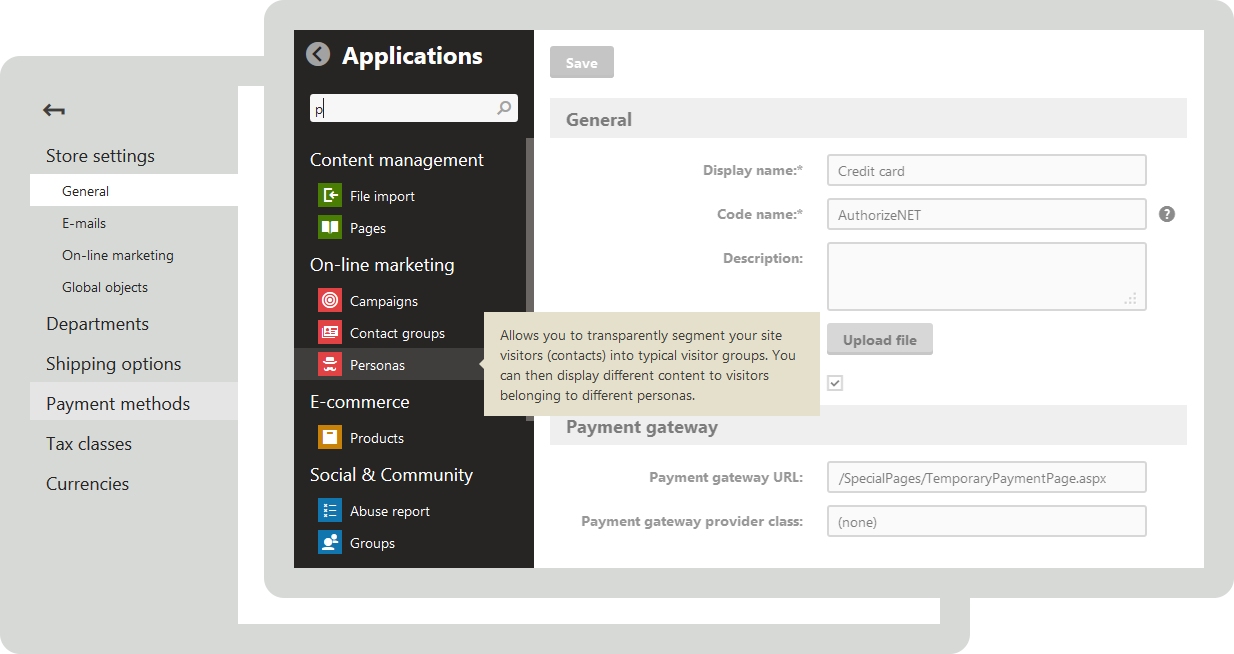
Kentico is a web content management system for building websites, online stores, intranets, and Web 2.0 community sites. Kentico CMS uses ASP.NET and Microsoft SQL Server for development via its Portal Engine, using Visual Studio, or through Microsoft MVC.
$9,999
Subscription license
Optimizely Content Management System
Score 8.5 out of 10
N/A
Optimizely Content Management System (CMS) is purpose-built for marketers, and fully composable for developers. The CMS supports the end-to-end content lifecycle, helping users to deliver on-brand, high-impact digital experiences that 'wow' audiences.
Preference in .Net and the limited functionality of saas offerings like Kentico has kept us on Episerver. Investigation is constant in searching for a solid .Net core solution that is headless first, and provides a similar admin experience to Episerver with a site tree …
We selected Optimizely Content Management system for their ease of use and their other offerings like content marketing platform which helps us to keep everything under one roof.
HCL DX does really well at managing and maintaining the site. It allows the business to basically maintain the site while IT spent time developing new and enhanced functions. The main issue I currently have with HCL DX is not directly with the product but it does play a role. It is difficult finding skilled resources to support HCL DX in my experience.
Kentico is a robust and flexible CMS platform that is great for managing multiple websites and multiple environments (dev, stage, and production for instance). It makes content management very easy and makes it easy to keep the environments synced with the same content. However, the Kentico CMS does require a bit more technical understanding to get it set up properly and requires a bit more effort and support than, say, free open-source options.
If you want to build a website quickly there are plenty of ways to do so with some great examples and plenty of support both from the company and in the forums. if you want to build a more complex structure you can but be ready to spend the time to build exactly what you need as a solid foundation goes a massive way before building out content and making those choices early and sticking with them helps
With Version 8.5, IBM Web Content Manager introduced in place editing capabilities which allow authors to make content edits on sections of the page instead of going to the content itself. This feature allows authors to make changes in context of the page and preview changes within the actual look and feel of a live page.
Projects provide a collaborative atmosphere for the author community so that authors can interact and work as a team to manage inter-dependent content changes under one project and publish all changes at once, instead of working separately on individual content changes. This brings awareness across authors in an organization and easy knowledge share.
IBM Digital Data Connector is a cool feature that allows [users] to integrate external content sources onto the portal using IBM Web Content Manager presentation components. This allows UI/UX designers to present integrated external data in any manner they want, manage UI changes with an underlying approval process and leverage syndication to push changes live immediately.
IBM Web Content Manager offers a targeted content feature that allows business users to deliver personalized content to customers based on customer demographic information, browsing history and other transaction related information. Any rules created follow the publishing process thereby making it just a configurable item resulting in less turn around to turn on the feature on a website.
IBM Web Content Manager offers 'multi lingual solution' out of the box which allows content creation for almost all popular languages.
Syndication feature has improved a lot and it now provides a detailed views comprising of 'failed items', 'items that have syndicated successfully, 'items in queue'. Failed items view provides detailed and clear cut information of what resulted in failure helping IT to troubleshoot problems easily.
I love the intuitive top and left navigation within the content management platform. I can easily find what section, sub-section, and page I'm looking to edit
For creating content, the WYSIWYG editor is so intuitive; it feels like you're working on an MS Word doc!
The tab for adding metadata in simple fields takes away the headache of having to hunt and peck through code to add H1 tag, page description etc.
I think the user interface for content admins is very good and very competitive. And compared to other providers, the technology that CMS in particular has. So the way it integrated the net ecosystem is very well because it follows the MBC pattern. So basically it just allows really simple implementations for what would normally be complex components on any other sort of vendor that's out there.
IBM Web Content Manager should provide some easily usable connectors through a GUI to connect to bring content from custom data sources including connecting to Salesforce and custom databases.
Should further optimize and enhance creation of rich and responsive content driven UIs on various digital channels.
Should further optimize and enhance content personalization features.
Kentico needs to invest in more enterprise class environment management utilities -- example: global CDN support via the CMS is sorely lacking. There are work-arounds, but it should be more elegant.
The Kentico staging module could be improved to support the concept of bundled releases. Current staging module functionality is good, but could be improved.
Kentico ecommerce support is a touch immature. While content management is superb, Kentico lags in this area when compared to many open source ecommerce engines.
Kentico is lacking MVC support. 99% of the time this isn't an issue for the end-user or business user, but can be a hurdle for technology teams depending on the team's makeup.
Magento did have some nice tools for creating product groups or carousels for promotion. Opti seems to be lacking in that.
A blog - maybe this is available and we don't have it installed, but a searchable blog would be very appreciated.
Structured Data/MicroData - maybe it's our install, but this seems to be missing
Meta data: we have access to limited types and need to make a request from IT, it would be nice to be able to access more to adjust for SEO needs.
When in a folder on the BLOCKS tab, it would be wonderful to hit the MEDIA tab and stay in that same folder.
I have some less technical people that will make folders with spaces - which Opti handles, but it would be great if it wouldn't accept a space or gave an error message not to use them.
I think I know why the extra code is added to urls and image links, but it causes issues when taking things from our testing site to the live site. For example, I need to copy the Navigation from Inspect Element on testing to put it in production. I have learned to work around it, but it's not my favorite.
IBM products always moves forward to adapt to new requirements and technologies. I have used versions 6, 6.1, 7 and 8 of IBM WCM, and I know IBM is ready to revamp the tool based on emerging needs, and still provide the capabilities to migrate your old system to the newer versions.
We are locked into Kentico for the long haul. It provides us with an easy and flexible solution for a very non technical company to create a site and have the features they want, especially with the inclusion of EMS into our license. Now we have a true platform to build and grow our solutions.
Since I work on the implementation side of things, and do not directly own licensing for Ektron CMS, I have to base this rating off of how I think it will be received or presented to customers looking to start a new site deployment. I try to remain CMS agnostic, though my specialty is with the .NET and Microsoft stack. Because of the experience I have working with Ektron, I tend to be more forgiving with the shortcomings as I am familiar with how to work around them or past them from experience. Being familiar with the community available also helps, as you become familiar with the best approaches to find solutions to your issues. Each product has it's ups and downs and all of them are only going to be as good as the company or development team implementing them can make them. This is EXTREMELY important to remember when choosing a CMS, as it can make or break your expensive investment.
It seriously is one of the best interfaces I have ever used. I also love the fact that I can use UI personalization to secure any functionality by user or role that I don't want that role to have access to. The best part is the customization of the UI, I can add in any button, tab, or menu item I want through it, no code required.
From our editors perspective they find the CMS system easy and to clear to use. Our developers find it very easy to design on and appreciate the level of service support available. It's also always evolving and getting better every year. We find this investment reassuring and encourages us to try keep pace and see how we can continue to push the envelope and continue to improve all aspect of our websites and online touch points.
Their support staff is friendly, knowledgeable, and will work with you until your issue is fixed. This could take a few phone calls back and forth, but they are very diligent in helping you.
I attended multiple trainings/tutorials early in the process. The vendor-supplied content about Optimizely was engaging for users/attendees (I often analyze training content, compliance programs, governance plans), which helps our OCM people by having good "word of mouth" about the product long before a rollout ever happens. I actually when the user-focused portion of the Optimizely Academy twice in 2022 to ensure I had a grasp on operability and to be able to support the training and OCM efforts
Ektron is one of the best solution for .Net platform. Over the years have improved the performance issues that the previous versions had. My only complain is right now you can't do Page builder pages if you choose to have a MVC architecture
Magento and Prestashop are E-commerce CMS platforms. They are used in a different scale of application than WCM.
Concerning Joomla, it's a useful CMS forsmaller website. Once again this is an other scale of application than WCM Liveray can compete WCM 7 concerning the : ¤ specific development ¤ security ¤ responsive
I've used Sitecore, Ektron, Joomla!, WordPress, and SharePoint (if you want to count that as a competitor for CMS). Kentico 8 blows them all out of the water. Nothing is more intuitive in the way that content is created, the way the site is setup, and how efficient rollouts can be with Content Staging.
Optimizely Content Management System is much more feature rich, and less complex that the other CMS platforms we have used. Optimizely Content Management System is more intuitive in how the content is structured and how easy it is to pull blocks of content to create the layout of a page.
Kentico has enabled faster speed to market for SMEs. They are empowered to enter content them selves while still having that content go through editorial review to ensure tone of voice and brand are maintained.
Deploying Kentico has freed up web developer resources from manual content entry enabling them to build more useful solutions to support the business efforts
Tapping into the Kentico event pipelne allows us to trigger external system events when product content is published.