
Chose Typeform
iSpring Suite vs. Typeform vs. Wufoo
iSpring Suite vs. Typeform vs. Wufoo
| Product | Rating | Most Used By | Product Summary | Starting Price |
|---|---|---|---|---|
 iSpring Suite | N/A | iSpring Suite helps users build courses that are mobile-ready and adaptive. It’s integrated with PowerPoint, so users can create the content in the familiar PPT interface without spending time on specific training. The toolkit supports the creation of professional courses, video lectures, role-play simulations, and a range of assessments that display and work on any device. With the iSpring Suite AI package, users have even more capabilities for creating eLearning content. It comes with… | $970 per year per user | |
 Typeform | N/A | Typeform is online form and survey software, focused on high-quality visuals and user experience. Users can create surveys, registration forms, tests & quizzes, contests, tutorials, shopping carts, and contact forms, without needing to write code. Typeform offers freemium plan pricing. Their basic plan is free for one user; their Pro plan in $35/month for one user (includes logic jump, respondent notifications, calculator, custom thank you screen, hidden fields, payment fields, and 2GB file… | $30 *Per Month | |
 Wufoo | N/A | Wufoo is a web application for creating online forms. The tool automatically builds the database, backend and scripts needed making it easy to collect and understand data. Wufoo was acquired by SurveyMonkey in 2011. | $0 |
| iSpring Suite | Typeform | Wufoo | ||||||||||||||||||||||
|---|---|---|---|---|---|---|---|---|---|---|---|---|---|---|---|---|---|---|---|---|---|---|---|---|
| Editions & Modules | No answers on this topic |
|
| |||||||||||||||||||||
| Offerings |
| |||||||||||||||||||||||
| Entry-level Setup Fee | No setup fee | No setup fee | No setup fee | |||||||||||||||||||||
| Additional Details | Academic, non-profit, government and volume discounts are available. | *For annual contract. | — | |||||||||||||||||||||
| More Pricing Information | ||||||||||||||||||||||||
| iSpring Suite | Typeform | Wufoo | |
|---|---|---|---|
| Considered Multiple Products | iSpring Suite No answer on this topic | Typeform  Sean Pomory Digital Media Specialist Chose Typeform Typeform, from a form perspective, exceeds all of its competitors. It is cheap, easy to use and has some phenomenal reporting. We continue to use Typeform because it has phenomenal value, it's easy to use, has an immersive experience for the user and has some of the best … |  Wufoo  Raphael Sanguinete Sócio-fundador e Produtor Executivo Chose Wufoo I think out of these apps, Wufoo and SurveyMonkey maybe are the ones with more robust and complex features. But neither has a design so beautiful as Typeform, nor the simplicity of creating and answering surveys in Google Forms. Usually I use: - Typeform for small and more …  page V CEO (Chief Executive Officer) Chose Wufoo For companies who want budget-friendly, customizable forms software that allowed them flexibility and ease of use (where design did not matter), our first recommendation would be Wufoo. Wufoo has all the integrations and capabilities that Typeform has - with more, actually. The …  Stephen Steinberg Founder Chose Wufoo They all have very similar freemium and low tier plans, so it comes down to what exactly you need and what you can live without. However, I highly suggest paying up to at least remove branding to keep all your forms on-brand to build trust with your clients and partners. |
| iSpring Suite | Typeform | Wufoo | |||||||||||||||||||||||
|---|---|---|---|---|---|---|---|---|---|---|---|---|---|---|---|---|---|---|---|---|---|---|---|---|---|
| Survey Format & Appearance |
| ||||||||||||||||||||||||
| Survey Content |
| ||||||||||||||||||||||||
| Survey Logic |
| ||||||||||||||||||||||||
| Survey Reporting & Analytics |
| ||||||||||||||||||||||||
| Survey Administration & Security |
| ||||||||||||||||||||||||
| Survey Distribution |
|
| iSpring Suite | Typeform | Wufoo | |
|---|---|---|---|
| Small Businesses |  iSpring LMS Score 9.5 out of 10 |  Square 9 Softworks Score 9.7 out of 10 | Square 9 Softworks Score 9.7 out of 10 |
| Medium-sized Companies | iSpring LMS Score 9.5 out of 10 |  Qualaroo Score 6.1 out of 10 | Qualaroo Score 6.1 out of 10 |
| Enterprises |  Articulate 360 Score 9.3 out of 10 |  Verint Voice of the Customer Score 9.3 out of 10 | Verint Voice of the Customer Score 9.3 out of 10 |
| All Alternatives | View all alternatives | View all alternatives | View all alternatives |
| iSpring Suite | Typeform | Wufoo | |
|---|---|---|---|
| Likelihood to Recommend | 9.1 (122 ratings) | 7.3 (49 ratings) | 9.0 (64 ratings) |
| Likelihood to Renew | 9.1 (3 ratings) | 10.0 (1 ratings) | 10.0 (32 ratings) |
| Usability | 8.2 (64 ratings) | 7.6 (13 ratings) | 9.5 (7 ratings) |
| Performance | - (0 ratings) | - (0 ratings) | 9.0 (1 ratings) |
| Support Rating | 10.0 (17 ratings) | 5.7 (7 ratings) | 10.0 (5 ratings) |
| Online Training | - (0 ratings) | - (0 ratings) | 8.0 (1 ratings) |
| Implementation Rating | 9.1 (1 ratings) | - (0 ratings) | 9.0 (2 ratings) |
| Vendor post-sale | - (0 ratings) | - (0 ratings) | 10.0 (1 ratings) |
| Vendor pre-sale | - (0 ratings) | - (0 ratings) | 10.0 (1 ratings) |
| iSpring Suite | Typeform | Wufoo | |
|---|---|---|---|
| Likelihood to Recommend | iSpring Solutions Inc
| Typeform
| Momentive (SurveyMonkey, Inc)
|
| Pros | iSpring Solutions Inc
| Typeform
 Jamie Drahos Sr. Learning Solution Analyst | Momentive (SurveyMonkey, Inc)
page V CEO (Chief Executive Officer) |
| Cons | iSpring Solutions Inc
| Typeform
 Dave Becker Content Manager | Momentive (SurveyMonkey, Inc)
 Thomas Perez Chief Executive Officer |
| Likelihood to Renew | iSpring Solutions Inc
| Typeform
| Momentive (SurveyMonkey, Inc)
 Stephen A. Williams Director, IT |
| Usability | iSpring Solutions Inc
| Typeform
| Momentive (SurveyMonkey, Inc)
 Mark Stackhouse Creative Director |
| Reliability and Availability | iSpring Solutions Inc No answers on this topic | Typeform No answers on this topic | Momentive (SurveyMonkey, Inc)
|
| Performance | iSpring Solutions Inc No answers on this topic | Typeform No answers on this topic | Momentive (SurveyMonkey, Inc)
 Rebecca VanDenBerg Owner |
| Support Rating | iSpring Solutions Inc
| Typeform
| Momentive (SurveyMonkey, Inc)
|
| Online Training | iSpring Solutions Inc No answers on this topic | Typeform No answers on this topic | Momentive (SurveyMonkey, Inc)
 Sarah Downing Office Manager and IRB Administrator |
| Implementation Rating | iSpring Solutions Inc No answers on this topic | Typeform No answers on this topic | Momentive (SurveyMonkey, Inc)
Mark Stackhouse Creative Director |
| Alternatives Considered | iSpring Solutions Inc
| Typeform
| Momentive (SurveyMonkey, Inc)
 Justin Moore Assistant Director Of Admissions |
| Contract Terms and Pricing Model | iSpring Solutions Inc No answers on this topic | Typeform No answers on this topic | Momentive (SurveyMonkey, Inc)
|
| Scalability | iSpring Solutions Inc No answers on this topic | Typeform No answers on this topic | Momentive (SurveyMonkey, Inc)
|
| Return on Investment | iSpring Solutions Inc
 Steve Sowell Consultant | Typeform
 Bethany Chan Customer Success Manager | Momentive (SurveyMonkey, Inc)
|
| ScreenShots | iSpring Suite Screenshots    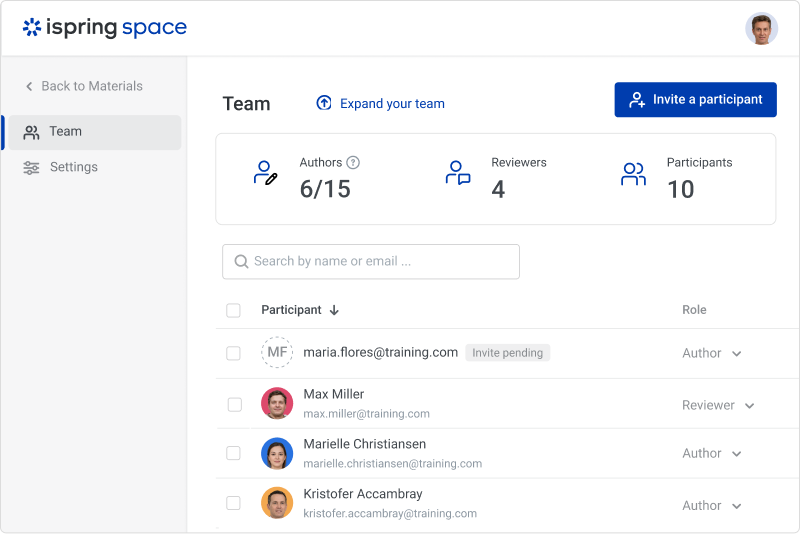  |